The ultimate interactive ammunition + weapon database
Link to the browser app

https://the-hunter-cotw-interactive-ammunition-database-362964240358.europe-west2.run.app/
A cookie is used to save your filter/language settings only, nothing more. No tracking, no 3rd party connections. A clean app.
Works also on tablets & smartphones
Supported languages: English and German
(For getting the new features you have to refresh your browser tab)
Select your filters
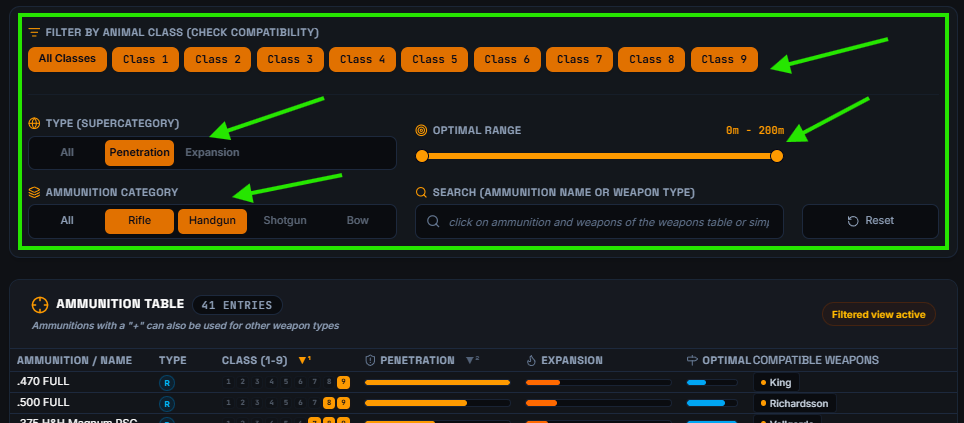
Select your filters for setting what you see in the ammunition table:
- Animal classes
- Penetration/Expansion ammunition types
- Weapon types
- Optimal range
- A "special" search field (explaination see below)
Every combination possible.
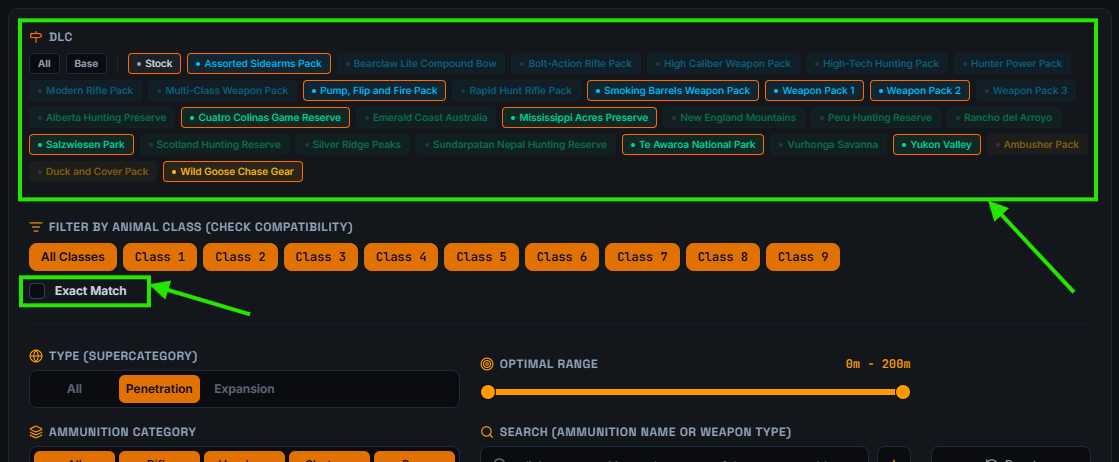
New features:
- Filter for DLC (e.g. if you wanna see owned weapons only)
- Class filtering now works with "Exact match"
Set the sorting
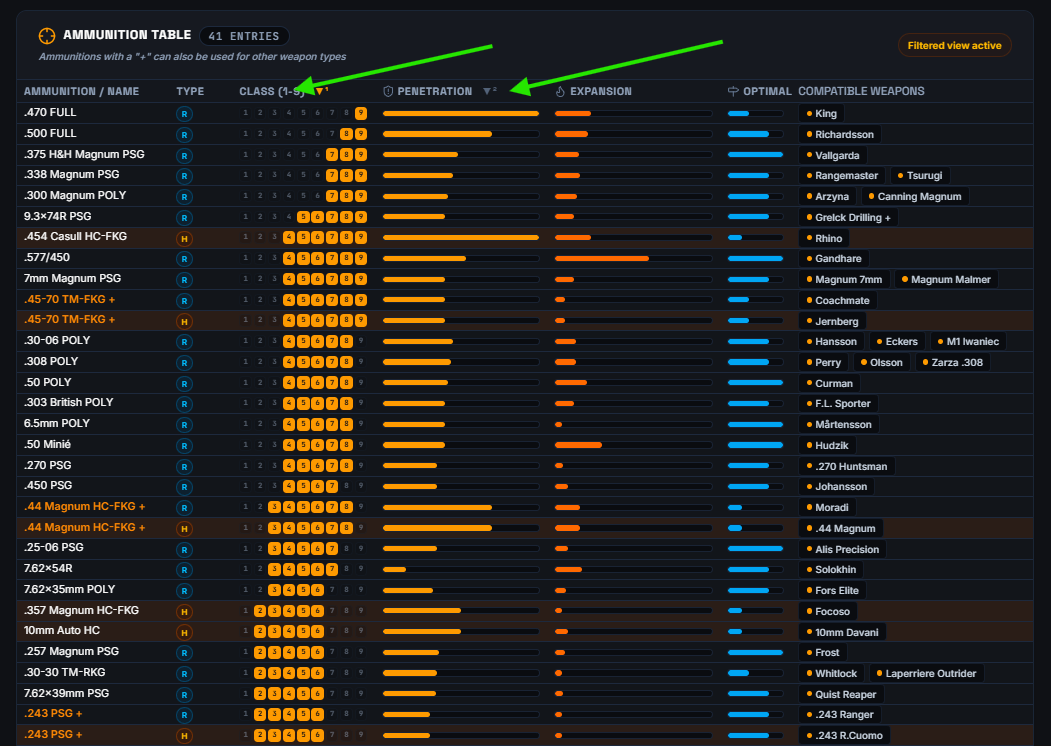
You can sort 2 columns at the same time ascending and descending offering you the best overview
Using the search fields
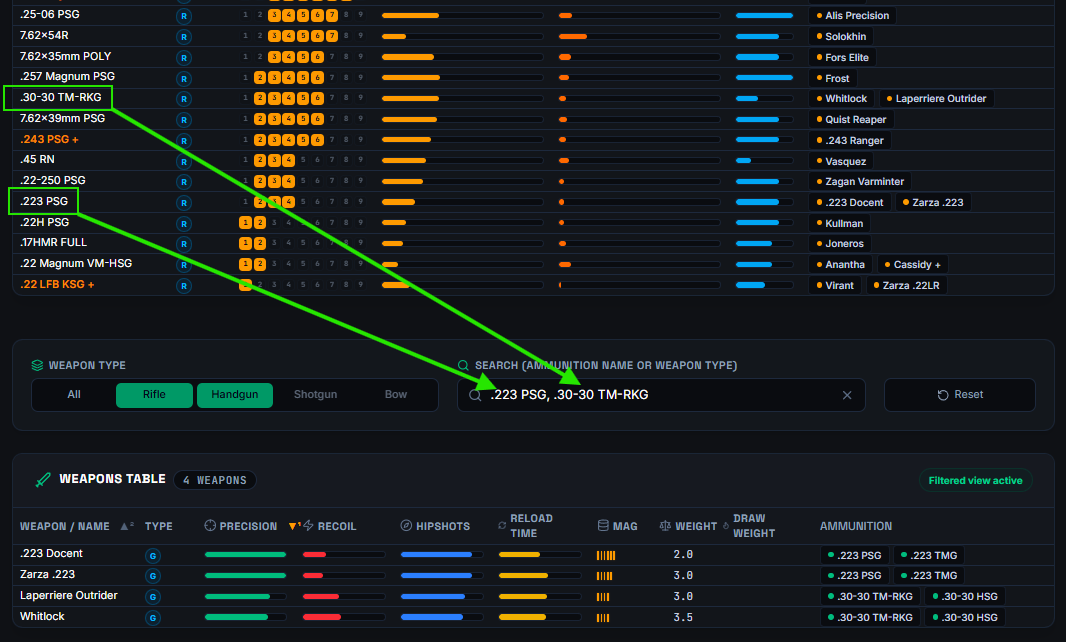
The database contains 2 tables:
- The upper table is for the ammunition
- The lower table is for the weapons
Either you can simply write in the search field or...
You can click on ammunation and weapon names in the upper table for filling the search filter on the lower table. With this workflow, you can easily compare multiple weapons using e.g. the same ammunition type and see directly which weapon has better stats...
This also works the other way round. Click on the weapon and ammunition names in the lower table for filling the search filter on the upper table.
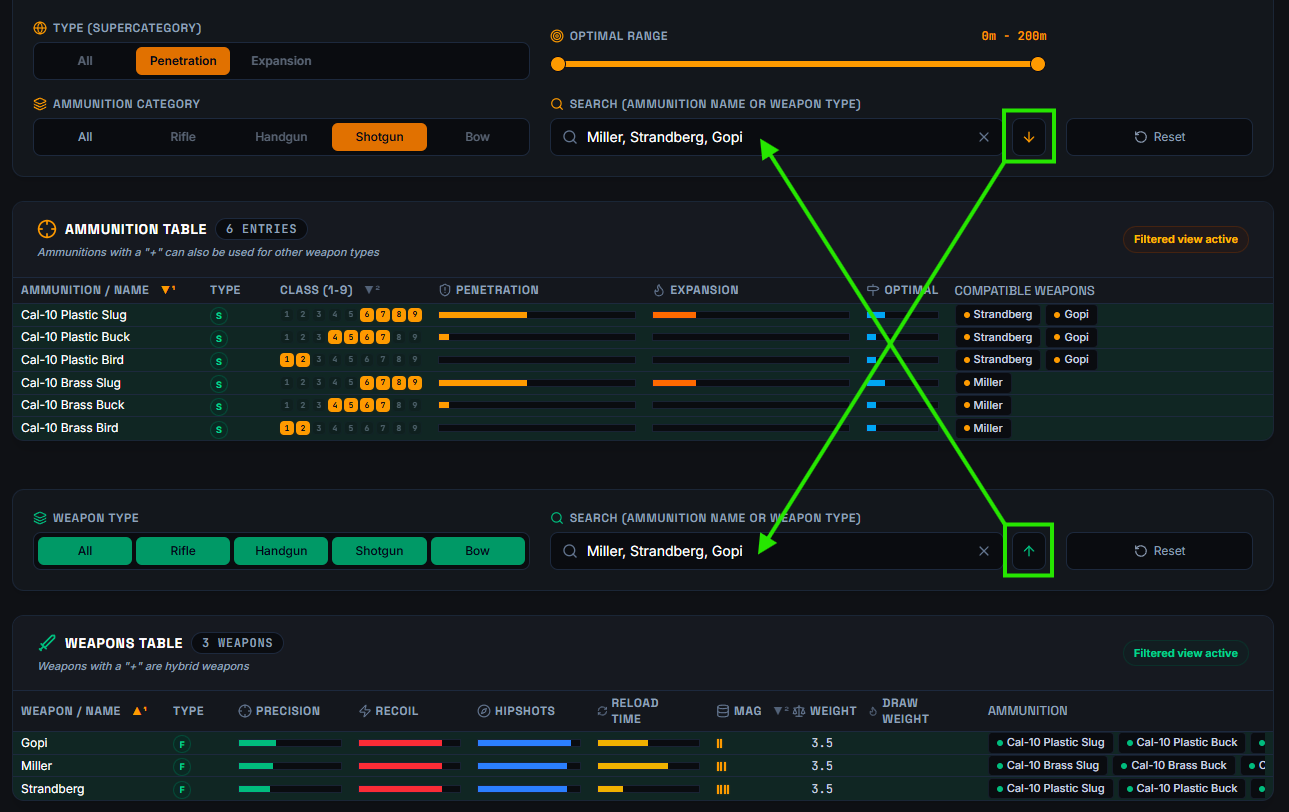
After you have added weapons or ammunition to the other search field in a table, you can use the new sync arrows to transfer the content to the other search field, thereby synchronizing the search filters of both tables.
Mouse hover
Hover the mouse over weapon names for displaying the needed DLC for this weapon.
Have fun...
...and let me know, whether you like it or what you miss...
Cheers
Vannipo
Cheers
Vannipo
More theHunter: Call of the Wild™ guides
- Animal Location Maps (Parque update!)★ 5 (1.7k)84k views4.4k ♥1 minUpdated 1 Jan, 2019
- NEW Animal Location Maps (Hi-Res) - INTISUYU PERU UPDATE!★ 5 (1.6k)55k views4.3k ♥1 minGermanUpdated 24 Jun
- Limit FPS using only Nvidia Control Panel42k views53 ♥1 minUpdated 24 Nov, 2024
- ALL NEED ZONE TIMES FOR EVERY ANIMAL (SUNDARPATAN NEPAL)★ 5 (754)36k views2k ♥19 minUpdated 28 Jun, 2024
- Beginner's Guide: New Players, New Hunters★ 5 (405)24k views681 ♥33 minUpdated 3 Jan, 2023
- Trophy Ratings & Fur Types★ 5 (800)24k views2k ♥36 minUpdated 10 Jun




🔥 Popular guides
- Upgrading to PremiumTeam Fortress 2★ 5 (20k)1441k views11k ♥6 minUpdated May 11, 2022
- No More Room in Hell Official ManualNo More Room in Hell★ 5 (2.8k)569k views2.1k ♥29 minUpdated Apr 22, 2019
- NMRiH Community Hosting GuidesNo More Room in Hell★ 5 (526)351k views653 ♥1 minUpdated Aug 10, 2022
- ULTIMATE GUIDE FOR GAME DEV TYCOONGame Dev Tycoon★ 5 (5.8k)326k views10k ♥4 minUpdated 23 Jan, 2014
- How to 'Git Gud' Soon™MORDHAU★ 5 (2k)318k views3k ♥68 minUpdated Nov 16, 2024
- Лучшие кооперативные игры SteamPAYDAY 2★ 5 (1.5k)315k views2.1k ♥56 minRussianUpdated Apr 27, 2025






This guide was created by its original author on the Steam Community. Are you the author and want it removed? Request removal.