How to setup a PS4 or PS5 controller for Bully: Scholarship Edition
Step 1
To do this, you need to download and configure a software in your pc named DS4, you can download it here.[ds4-windows.com]
Step 2
Take your DualShock/DualSense and conect it to your pc using a USB cable.
Step 3
If all is correct, you'll watch something like this: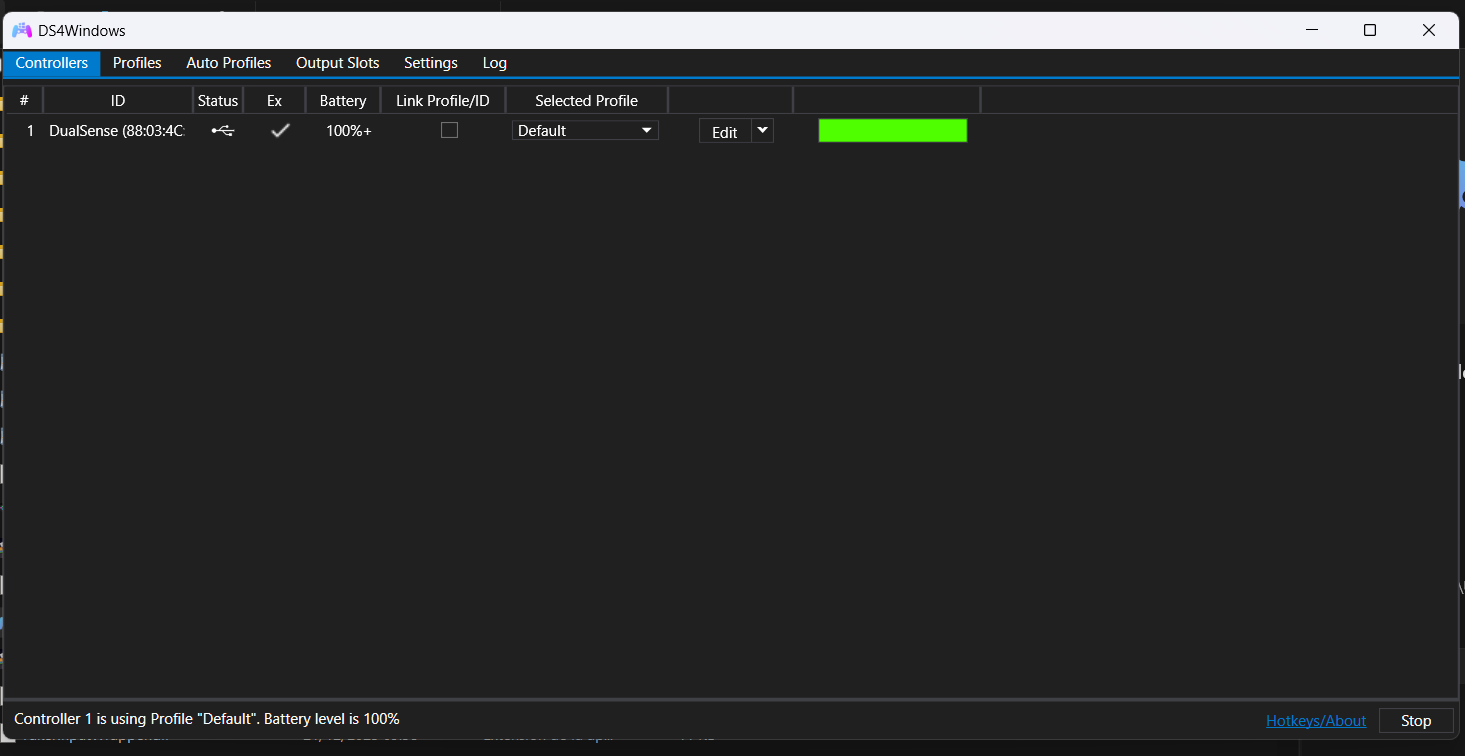
Step 4
Click on the edit button, then to other, and select emulated controller to xbox 360, then click apply: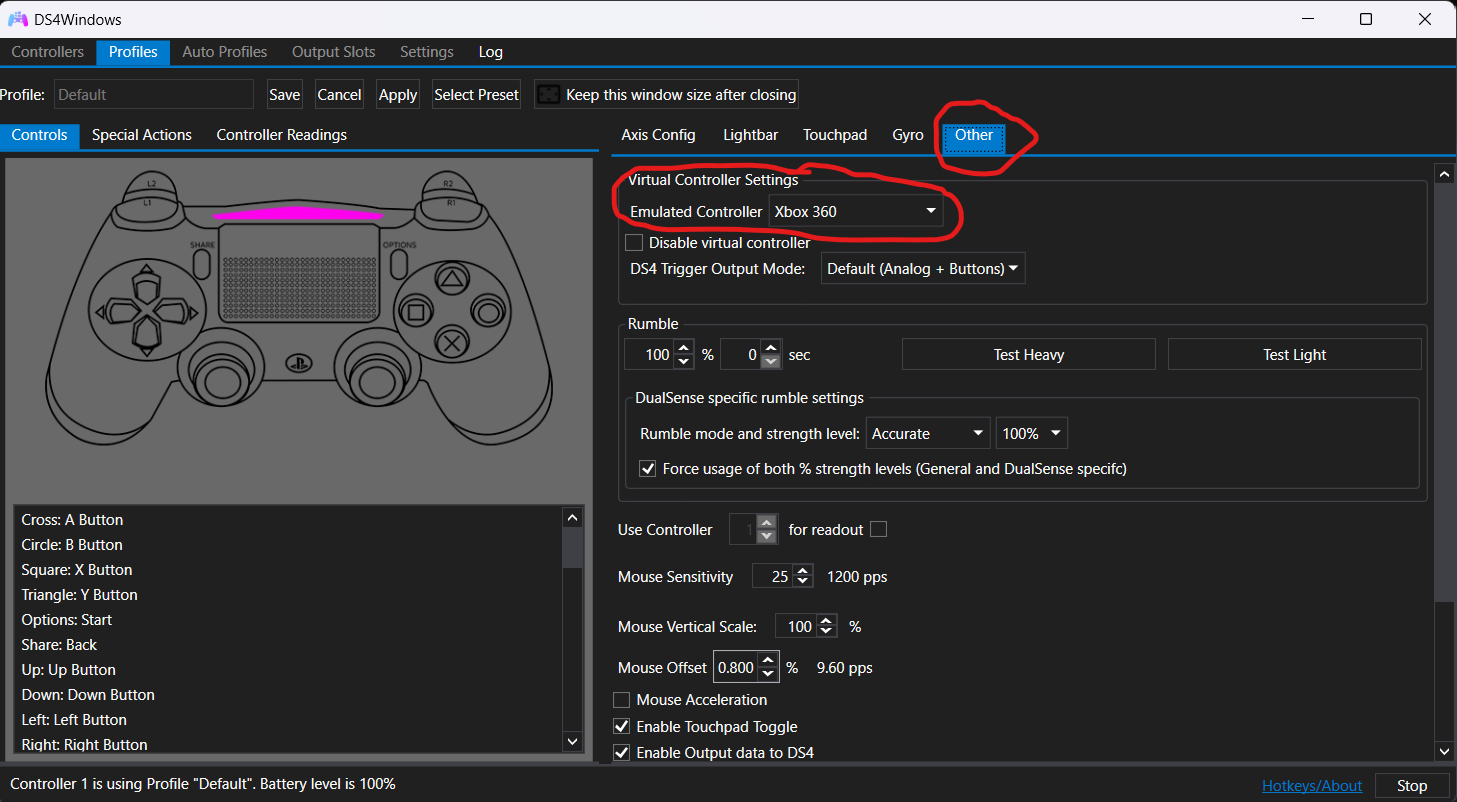
Step 5 (Optional but recommended)
This step is to put the controller buttons to the hud, you'll need to download this mod.[www.nexusmods.com]
Click on slow download (only take a few seconds):
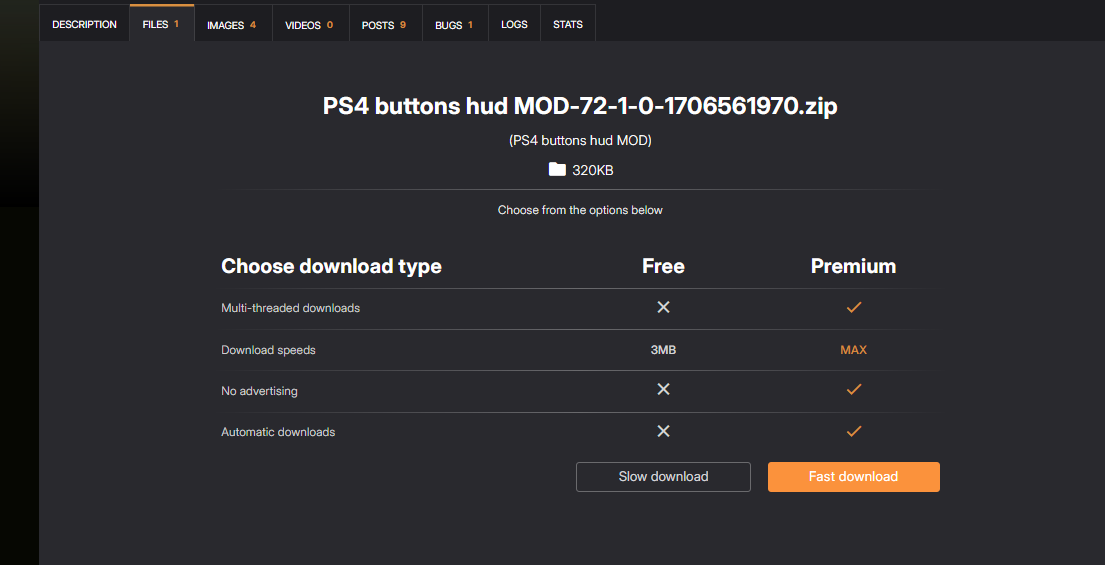 Then, put the next elements in the game TXD folder (the color folder is to had the ps4 buttons):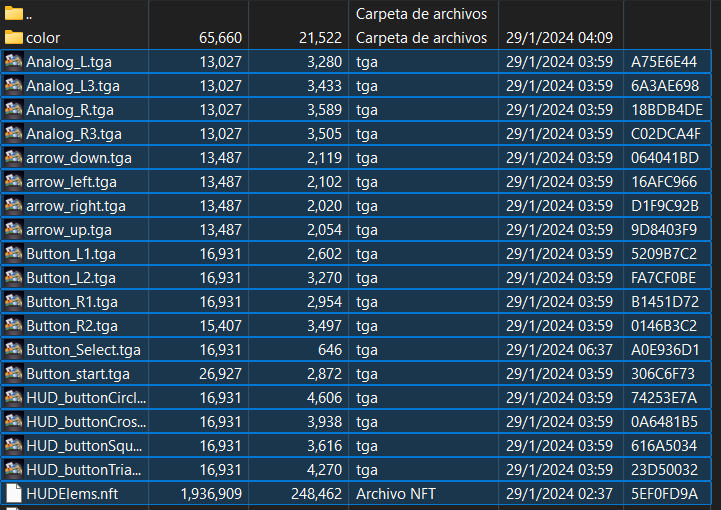
Click on slow download (only take a few seconds):
Then, put the next elements in the game TXD folder (the color folder is to had the ps4 buttons):
Step 6
Open Bully: Scholarship Edition, go to history, then put the menu of history and select controls, switch to the options of xbox 360 controller with the key 🡺, and then 🡻, 🡺, alt.
And that's all, now you can play Bully: Scholarship Edition with your PS4/PS5 controller.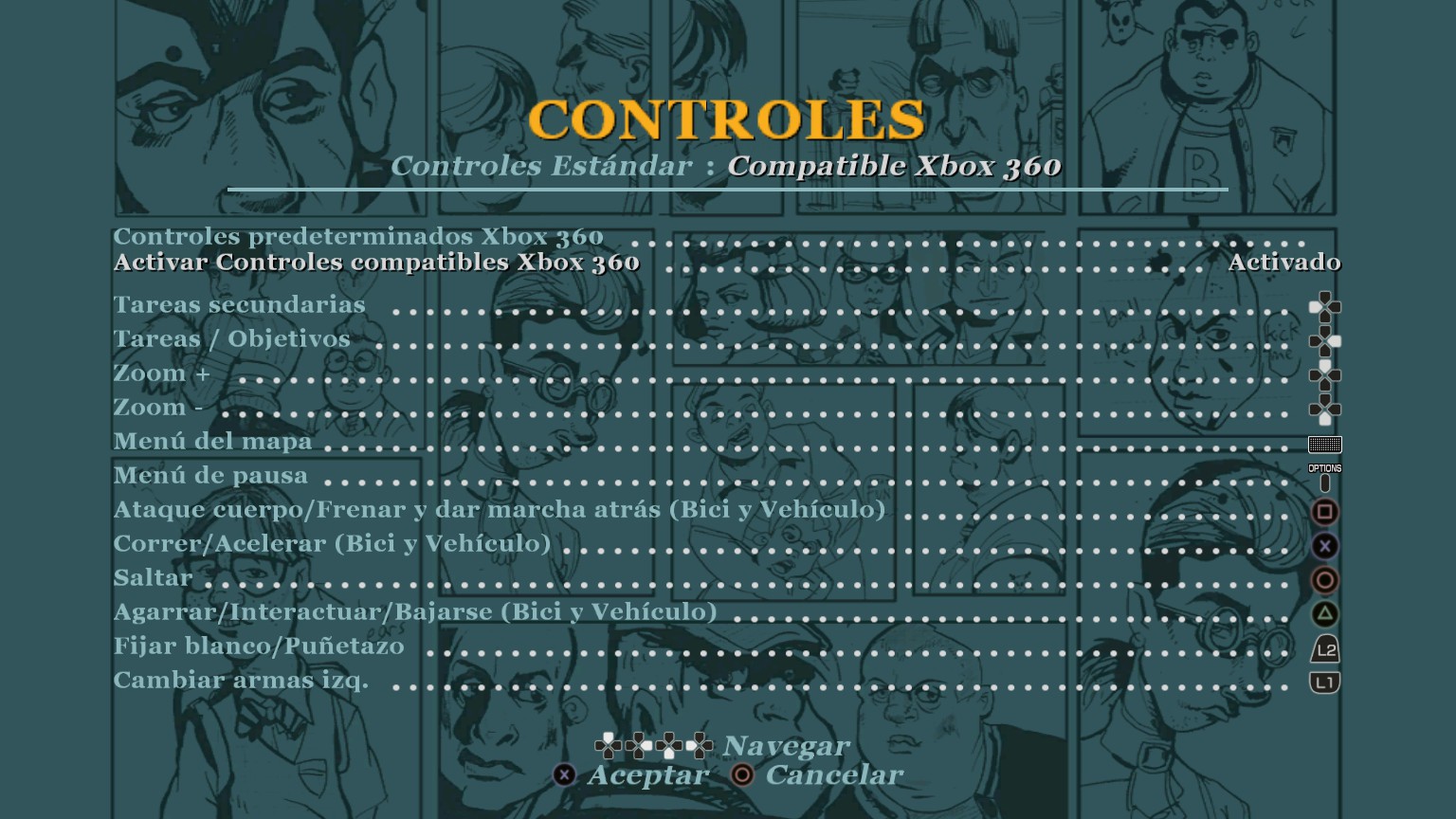
Thanks
If this guide was helpful please like it and give an award.
And that's all, now you can play Bully: Scholarship Edition with your PS4/PS5 controller.
Thanks
If this guide was helpful please like it and give an award.
Update 1
I noticed that I not explain something important if your controller doesn't work.
You need to open DS4 as admin, then disconect your controller to your pc and click on stop, wait a few seconds and click on start, and connect again your controller.
I hope now your controller works fine.
You need to open DS4 as admin, then disconect your controller to your pc and click on stop, wait a few seconds and click on start, and connect again your controller.
I hope now your controller works fine.
More Bully: Scholarship Edition guides
- Bully Crash Patch - SilentPatch★ 5 (978)79k views1.5k ♥1 minUpdated Dec 28, 2023
- BULLY PC: MUST HAVE FIXES!★ 5 (858)70k views1.7k ♥13 minUpdated Aug 11, 2025
- How to Play the Damn Game★ 5 (761)57k views1.4k ♥3 minUpdated Feb 22, 2025
- Updated Classic: Bully Scholarship Edition [ENG]★ 5 (471)28k views1.1k ♥9 minRussianUpdated Jun 22
- Русификатор БЕЗ СКАЧИВАНИЯ★ 5 (826)28k views1.1k ♥1 minUpdated Feb 25
- Unlockables and tips *Updated*★ 5 (942)27k views1.4k ♥10 minUpdated Mar 10, 2017




This guide was created by its original author on the Steam Community. Are you the author and want it removed? Request removal.