Solution - The mercenaries do not appear in the menu
Solution:
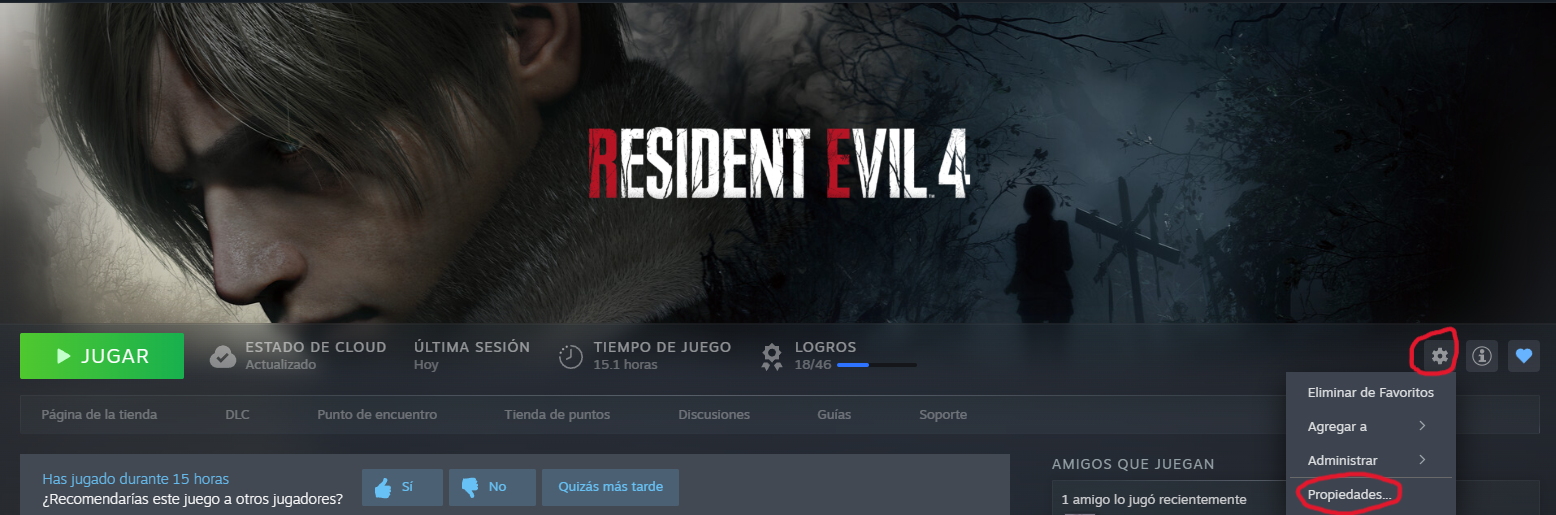
First, go to your Steam library and select the game, then click on the GEAR icon and then on PROPERTIES.
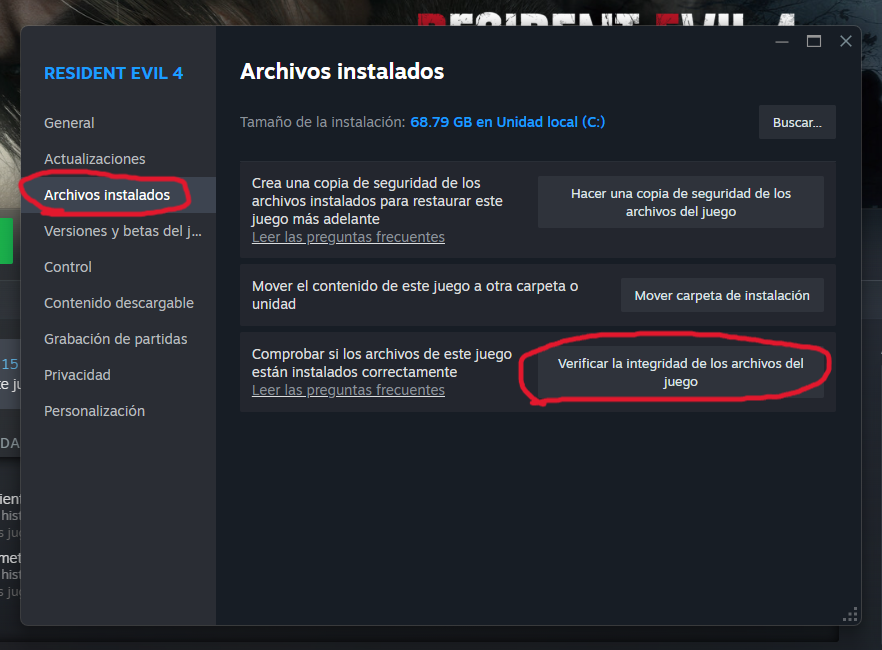
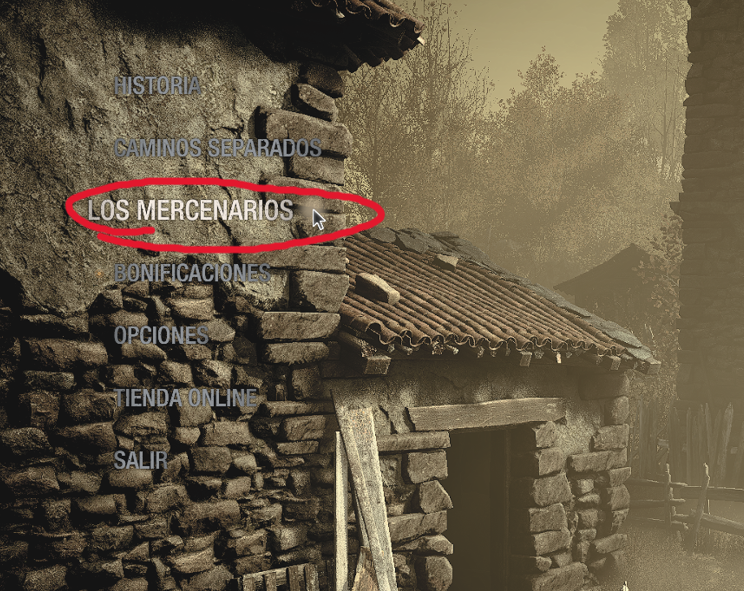
Then go to INSTALLED FILES and click on VERIFY INTEGRITY OF GAME FILES, then simply wait for it to be verified (it only takes a few minutes) and when you return to the game it will appear in the menu.
More Resident Evil 4 guides
- Resident Evil 4 Remake + DLC 100% Achievement Guide★ 5 (1.3k)65k views3.2k ♥29 minUpdated Sep 23, 2023
- Resident Evil 4: Достижения и Коллекции★ 5 (1.7k)37k views3.9k ♥60 minRussianUpdated Jun 29
- How to Casually Unlock Everything (Updated for Mercenaries)★ 5 (945)36k views2.3k ♥17 minUpdated Apr 8, 2023
- Достижения Resident Evil 4 | Головоломки | Коллекции★ 5 (697)29k views1.8k ♥22 minRussianUpdated Sep 21, 2023
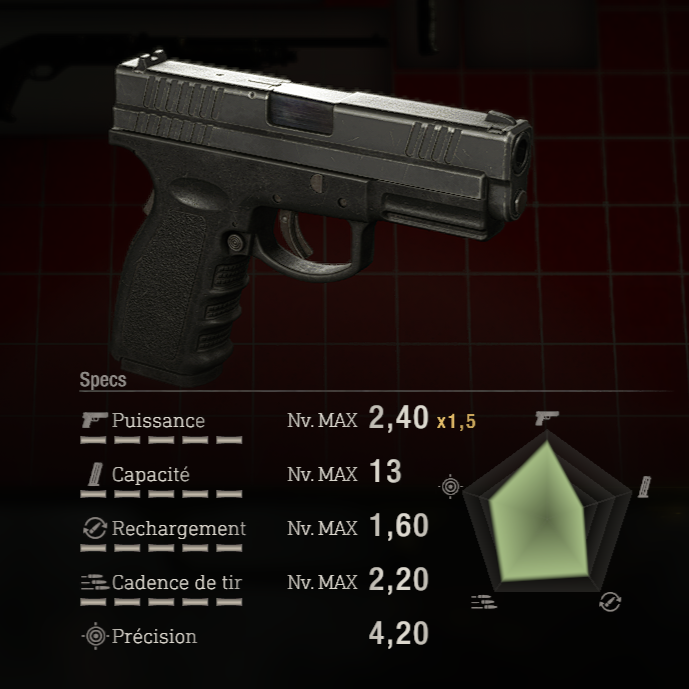
- RE4R Weapons Max Stat Comparison Table★ 5 (520)25k views841 ♥3 minUpdated Apr 21, 2023
- Treasure and Gem Combination Guide★ 5 (409)24k views1.1k ♥27 minUpdated Jan 24



🔥 Popular guides
- Upgrading to PremiumTeam Fortress 2★ 5 (20k)1441k views11k ♥6 minUpdated May 11, 2022
- No More Room in Hell Official ManualNo More Room in Hell★ 5 (2.8k)569k views2.1k ♥29 minUpdated Apr 22, 2019
- NMRiH Community Hosting GuidesNo More Room in Hell★ 5 (526)351k views653 ♥1 minUpdated Aug 10, 2022
- ULTIMATE GUIDE FOR GAME DEV TYCOONGame Dev Tycoon★ 5 (5.8k)326k views10k ♥4 minUpdated 23 Jan, 2014
- How to 'Git Gud' Soon™MORDHAU★ 5 (2k)318k views3k ♥68 minUpdated Nov 16, 2024
- Лучшие кооперативные игры SteamPAYDAY 2★ 5 (1.5k)315k views2.1k ♥56 minRussianUpdated Apr 27, 2025






This guide was created by its original author on the Steam Community. Are you the author and want it removed? Request removal.