A (kinda) fix for 60hz glitch
AMD
1) AMD control panel
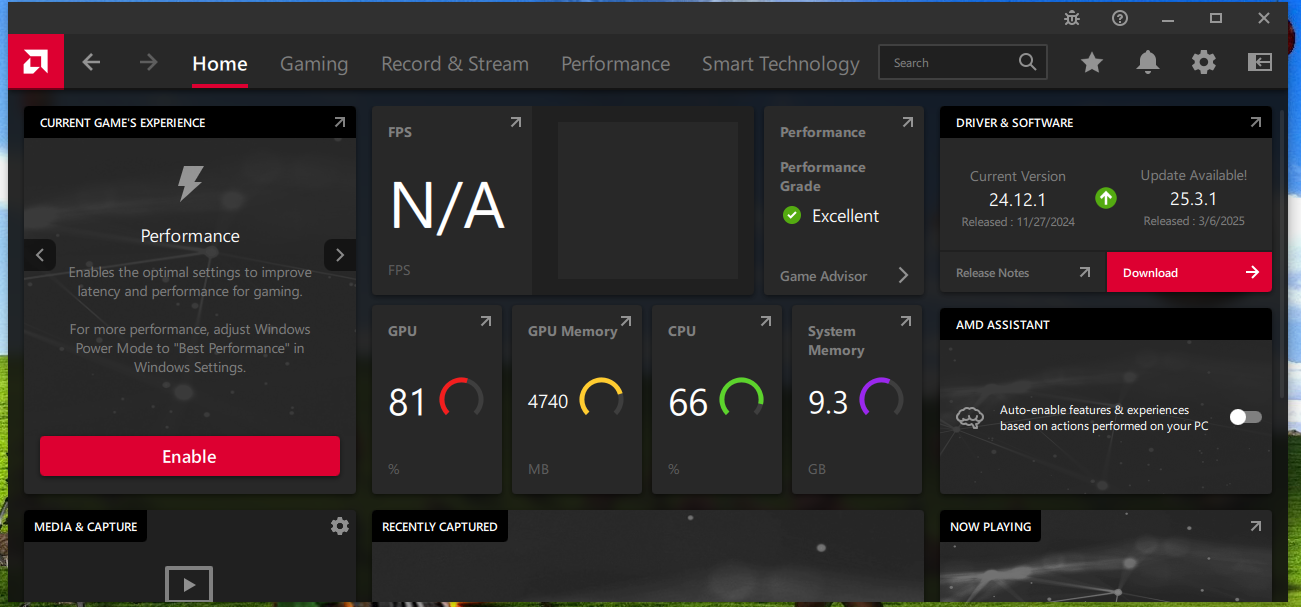
2) Goto settings ->Display-> custom resolutions
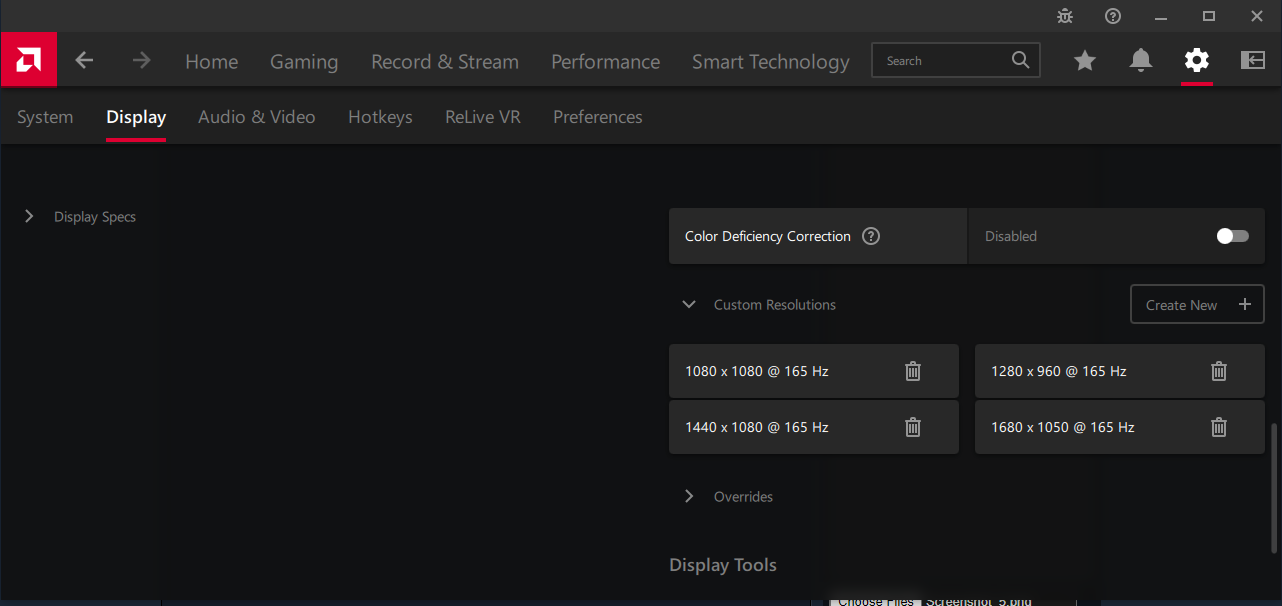
3) Make your own hz resolution
2) Goto settings ->Display-> custom resolutions
3) Make your own hz resolution
CRU (50/50)
1) Download CRU
https://www.monitortests.com/forum/Thread-Custom-Resolution-Utility-CRU
2) Open CRU.exe
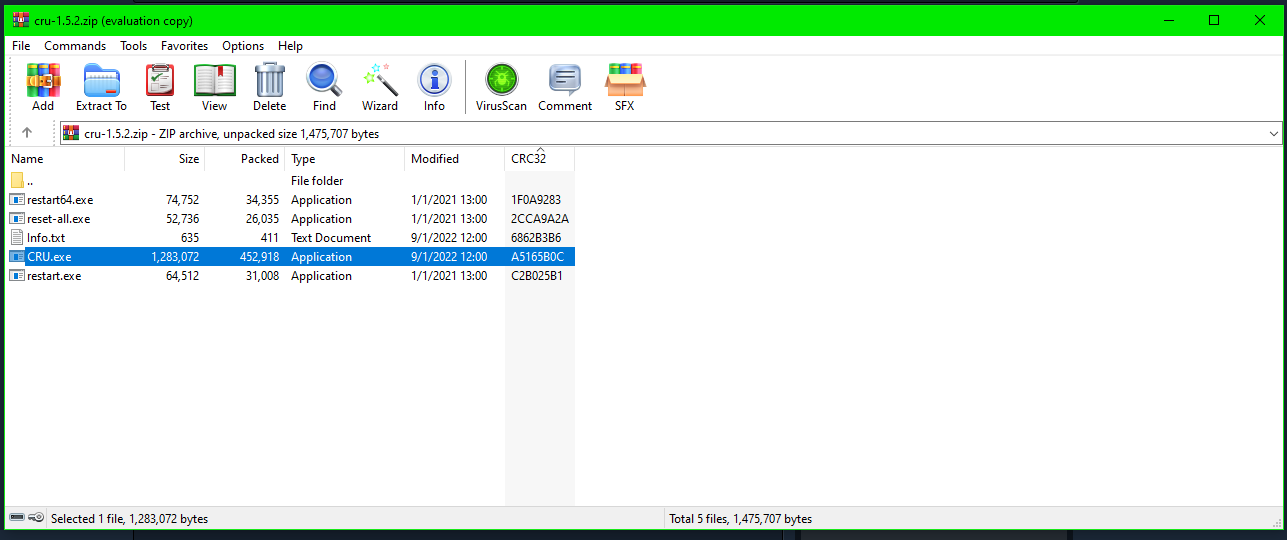
3)Select your monitor and delete 1920x1080 60 hz in standard resolutions
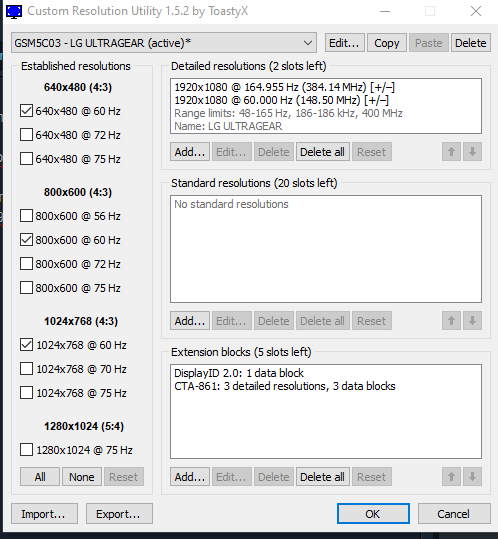
4)Open restart.exe or restart your pc
https://www.monitortests.com/forum/Thread-Custom-Resolution-Utility-CRU
2) Open CRU.exe
3)Select your monitor and delete 1920x1080 60 hz in standard resolutions
4)Open restart.exe or restart your pc
Conclusion
Both of these ways can fix your problem.
Doom Eternal and Doom have some werid issues with hz and fps capping wich is weird so i recommend checking this guide out if you havent
https://steamcommunity.com/sharedfiles/filedetails/?id=2031300297&searchtext=fps
Doom Eternal and Doom have some werid issues with hz and fps capping wich is weird so i recommend checking this guide out if you havent
https://steamcommunity.com/sharedfiles/filedetails/?id=2031300297&searchtext=fps
More DOOM Eternal guides
- DOOM Eternal 100% Achievement Guide★ 5 (677)39k views1.6k ♥15 minUpdated Apr 9, 2024
- DOOM Eternal Written Guide/Walkthrough for all collectables and secrets inc DLC.★ 5 (1.7k)36k views3.9k ♥129 minUpdated May 22, 2025
- Секреты Doom Eternal★ 5 (874)32k views1.7k ♥23 minRussianUpdated Apr 17, 2023
- Console Commands for DOOM Eternal★ 5 (213)29k views502 ♥18 minUpdated Mar 30, 2021
- Collectibles and Secrets Guide 100% DOOM Eternal★ 4 (370)26k views589 ♥1 minBulgarianUpdated Apr 2, 2021
- DOOM for Dummies [Tweaks, Fixes, Problem solving] [EN]★ 5 (720)23k views878 ♥15 minUpdated Jun 18, 2020




This guide was created by its original author on the Steam Community. Are you the author and want it removed? Request removal.