ANTI Desynchronisation Guide for CoOp-Campaign (EN)
Introduction: The Desync in the Total War Series
Back in 2010, when Napoleon Total War was released, me and my friend SHDHAS began playing and loving the CoOp-campaign, which was a whole new and innovative game mode for the series. We even made it to the 1000 hours mark - many thanks!
However frustration was soon to replace fun due to the desyncs. Especially Rome II was totally unplayable in the first few months after the release - we experienced desyncs in the second or third turn already - so we decided to stop playing.
A few patches and auto solution scripts from CA later the stability got better, but still some desyncs occured incalculably.
By now we fount out, how to stop desyncs from happening. There are only a few things to consider - And those things we want to share with you in this guide!
Hint #1 - About the level of difficulty
Usually we're playing on "high" (difficult). With a lower level of difficulty the likelihood for desyncs gets lower due to the minor unit movement and the AI not having to do that many things. A level of difficulty, which is even higher, is not recommended, because multiple hostile interactions can lead to a desync.
In most cases it is: The more difficult, the more action you'll get, the higher the risk of desyncs.
Very important: Adjust "show AI movement" to "off". It will not only save time, it will even lower the risk of desyncs occuring because of the shown unit movement. If you want to save even more time, push "Space" for faster movements of units. In our opinion it doesn't effect a desync.
Hint #2 - LAN and communication
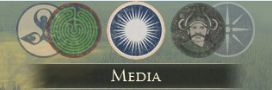 Talking about events and progresses during the campaign is a lot of fun. Also it is highly important to share the current position (faction -> circles in the upper center of your screen) while loading a turn. (see Hint #3)
Whether you play on LAN and can talk personally or use TS/Skype is not relevant. Obviously LAN offers the better ping but also just as little as online it prevents disconnects that are caused by steam or a reconnect of your router. We would not recommend communication via chat, because you will have to give fast information about the loading process.
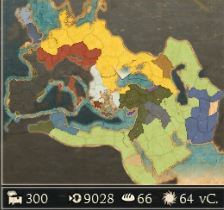 It even offers the possibility to share information about pretended desyncs and to tell your mate to move an army "XY". If it moves on both screens - Everything's fine. Same applies for provinces, which were recently conquered: You can check the mini map for changing colors.
Hint #3 - The "equal" computer
You should make sure that your computers do not differ to much in performance. We experienced that an i5 and a HD7970Ghz does not match with an AMD Phenom II X4 955 and a HD5850. Usually we assume that the host should have the faster computer, for this one the i5.
The issue with desyncs in this case occurs after ending a turn during the loading from the AI. While the host is much further ahead, the other one is back up to 10 factions.
If the host gets a diplomatic request (trade, non attacking) from AI "XY" and wants to accept or refuse instantly - before the other made it to the current faction on his screen (remember: the circles in the upper center) - the risk of desyncs is getting dramatically high (see: Hint #2). Even without these interactions from the AI a desync can occur while loading. Same applies for battles, which were accepted or refused too fast.
The maxim here should be: Within the loading the host has to wait for the other one to get to the current faction.
At some point we decided to take my mates' computer (i7 950 and GTX 770) to my home and that fixed a lot. Especially loading times for battles and battles themselves were improved in cases of performance and also the likelihood for desyncs decreased. Battles with thunderstorms always caused a desync with the older computer (hell, what a bug...).
So we guess that especially the CPU is king here.
Hint #4 - Diplomacy in-between players
This topic is pretty fast to be dealt with: Hands off!
Even if it seems alluring to be able to trade with the other after capturing a province, which has got a port, don't do it! In this case the game is totally bugged. We often had situations, in which we could trade in the first turn and encountered a desync in the second turn. A very few times it worked for even 100 turns, but it's most likely causing a desync.
In the beginning of your campaign any kind of trade seems to be very important, but already in the mid game it gets more and more irrelevant.
If you would like to try it anyway, create a manual save first (see: Hint #5). If it fails, you can fall back to the save.
Hint #5 - A classic: savegames and save files
Creating manual saves is very imporant. If a desync appears while playing a turn, at whose end an auto save is created, the auto save can be crashed instantly and you're left alone without any manual save (one, which was working fine).
First you can try to solve the desync by reloading the auto save. If this one is already crashed, you can still move back to your manual save. The host should get used to do a manual save every third or fourth turn.
Also you should consider creating manual saves before having great battles (3vs3 armies for instance) or even big decisions like declaring a war against a strong or well linked faction.
An often asked topic is the exchange of autosaves into their folders. For us this didn't work at all. It even caused more frustration due to the amount of time we invested in saving the campaign this way.
Similary useless seems to be the Re-Synchronisation script from CA, which appears randomly (even without having an obvious desync). The script is surely loading "something", then reloading the campaign, and for the host it seems alright. However the other one is stuck in a screen, in which he can only see the capital city from the host without being able to move. We recommend to solve the issue by oneself.
Another little hint: Occasionally deleting old save games will speed up the appearance from the save game menu for the host.
Hint #6 - Civil War: Game Killer?
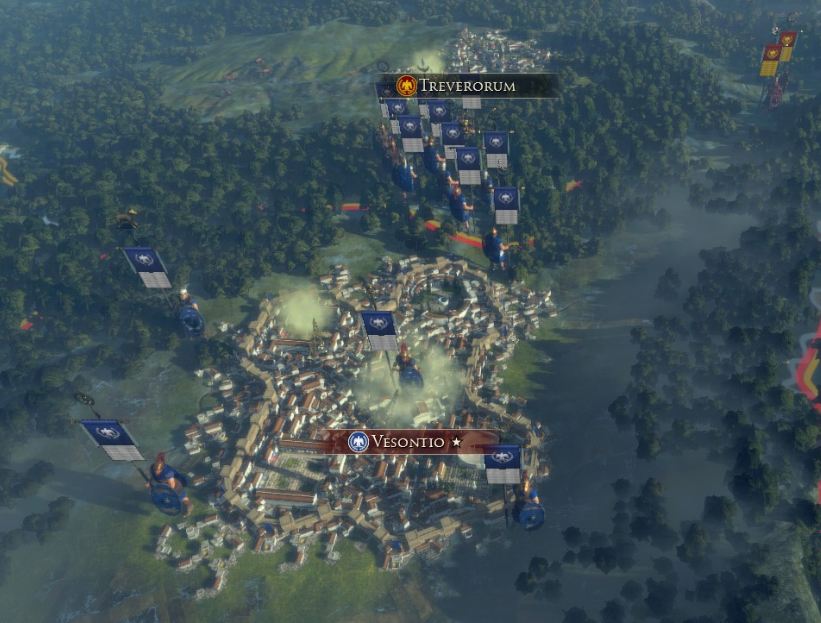
Oh yeah, at some point nearly everybody has to face it: The civil war is knockin' on your door. If you choose a level of difficulty above "high" you don't have to wonder about the 10-15 armies, which want to seize the crown - your crown.
So what's the plan? - Well, of course the best thing to do is to prevent it from happening from the outset. But yes, that's easier said than done. We fount out that mostly those factions, which have a larger dynasty than only two families (for instance Rome or Carthage), like to revolt.
Considering the risk of desync that are 10-15 armies more, whose unit movement has to be calculated. It is assumed that really every single army from the rebels will move. Since the traitors don't want to stick around in their new province forever and are likely to expand pretty fast, this means a large unit movement during the next turn. And this movement is offering tons of space for desyncs.
The issue: Civil wars are able to end campaigns instantly, because in some cases the desync is not curable.
We faced exactly this problem while playing as Catharge and Egypt - tried many different manual saves (2-10 rounds earlier). We couldn't anticipate the civil war and with every first unit movement the desync occured. My mate stuck at faction "X" and for me it was faction "Y" -> Game Over?
With a lot of patience and with even more intentness and dozens of times of loading we tried everything to solve it. The civil war still happened, but somehow we made it to the second turn after the outbreak. Even I had to fight a civil war two turns later and it worked for unexplainable reasons.
Preemptively you can only try to keep percentages balanced, fight battles with generals from your family and recruit other families' generals for defences. Furthermore we consinder leaving a few armies at home (mostly the civil war breaks out in your home region), once our empires reached a certain greatness. That may work for a first strike in order to reduce the hostile numbers immediately. Keep in mind: The highest risk for the desync is set in the first turn after the outbreak.
Conclusion
 achievement; german version of a fullfilled CoOp-campaign
Well, I guess that's it. I hope that those hints will provide you with some help in order to fight upcoming desyncs and may help you to rescue your campaign. If you keep everything in mind, you may finish the campaign without a single desync and even may hunt for achievements in the multiplayer.
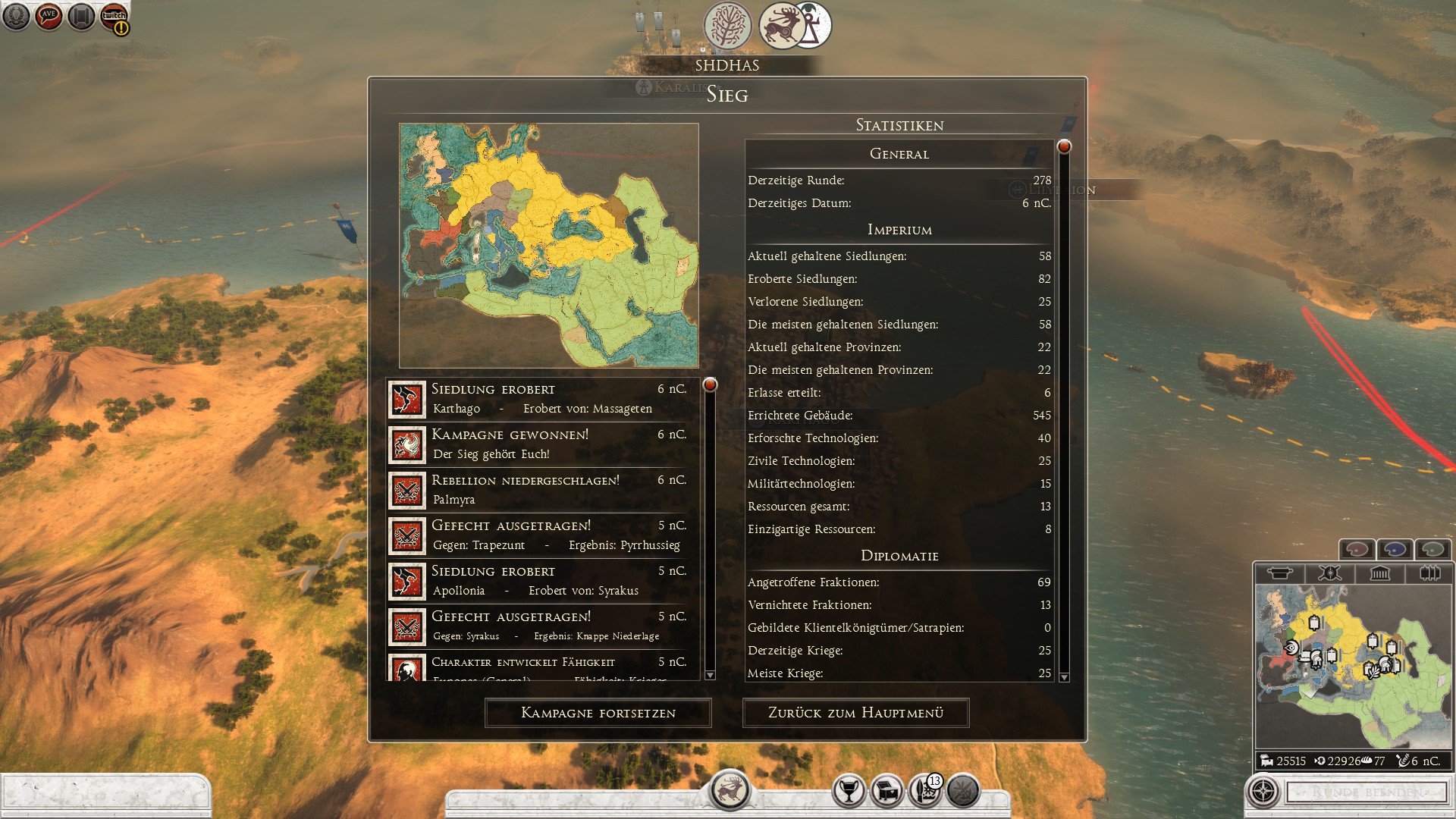
This one is showing a finished nomad campaign: 6 nC. stands for 6 after Christ (german version)
I apologize for the bad "teutonic" english, which must be stuck anywhere between 5th. or 6th. grade. At least I felt better to translate on my own than letting google translator making this guide a recipe for romain lettuce :D
Guide written by
with tons of support from
- The Noob's Guide To: Taking A City Without Going Into "Total War"★ 5 (758)57k views667 ♥4 minUpdated 15 Aug, 2021
- Rome 2: Formations (unit control tips)★ 5 (1k)49k views1.5k ♥5 minUpdated 21 Sep, 2013
- ROME 2... EMPEROR EDITION. Easy public order and money income guide★ 5 (1.4k)47k views2.9k ♥33 minUpdated 1 Feb, 2019
- A Comprehensive Guide to the Power & Politics System★ 5 (575)45k views1.1k ♥13 minUpdated 5 Jul, 2018
- The one and only mod list for Rome II★ 5 (649)44k views1.6k ♥7 minUpdated 19 Oct, 2023
- Ancient Roman Battle Formations★ 5 (650)34k views1.1k ♥38 minUpdated 31 Mar, 2015


- Upgrading to PremiumTeam Fortress 2★ 5 (20k)1441k views11k ♥6 minUpdated May 11, 2022
- No More Room in Hell Official ManualNo More Room in Hell★ 5 (2.8k)569k views2.1k ♥29 minUpdated Apr 22, 2019
- NMRiH Community Hosting GuidesNo More Room in Hell★ 5 (526)351k views653 ♥1 minUpdated Aug 10, 2022
- ULTIMATE GUIDE FOR GAME DEV TYCOONGame Dev Tycoon★ 5 (5.8k)326k views10k ♥4 minUpdated 23 Jan, 2014
- How to 'Git Gud' Soon™MORDHAU★ 5 (2k)318k views3k ♥68 minUpdated Nov 16, 2024
- Лучшие кооперативные игры SteamPAYDAY 2★ 5 (1.5k)315k views2.1k ♥56 minRussianUpdated Apr 27, 2025






This guide was created by its original author on the Steam Community. Are you the author and want it removed? Request removal.