Crash fix: Vulkan initialization validation
The problem
When the game starts, this happens:
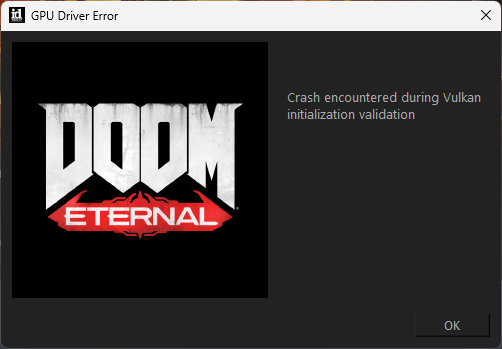 "GPU Driver Error"
"Crash encountered during Vulkan initialization validation"
In my case, this happened because Microsoft decided to install a new app on my Windows 11 computer without my knowledge.
This guide shows you how to remove this app so the game works. From what I can tell, stopping Doom Eternal from running is the only thing it does.
"GPU Driver Error""Crash encountered during Vulkan initialization validation"
In my case, this happened because Microsoft decided to install a new app on my Windows 11 computer without my knowledge.
This guide shows you how to remove this app so the game works. From what I can tell, stopping Doom Eternal from running is the only thing it does.
The solution
TLDR; the app "OpenCL™, OpenGL®, and Vulkan® Compatibility Pack" is blocking the game from running. Uninstall the app to immediately fix the game.
This solution is taken from a ROG Ally blog post. I don't know what these folks do, but their guide worked for me, so they're great in my book.
ROG Ally Crash Fix[www.rogally.pro]
I found it via Google in this Reddit post.
I have reproduced the steps here with my own screenshots.
In the settings menu, open the Apps tab and open the Installed apps submenu.
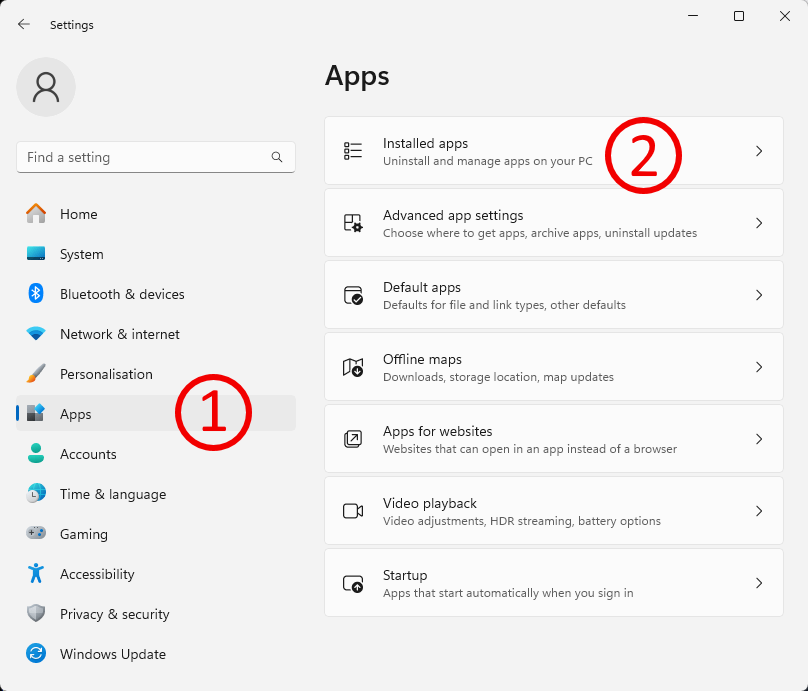
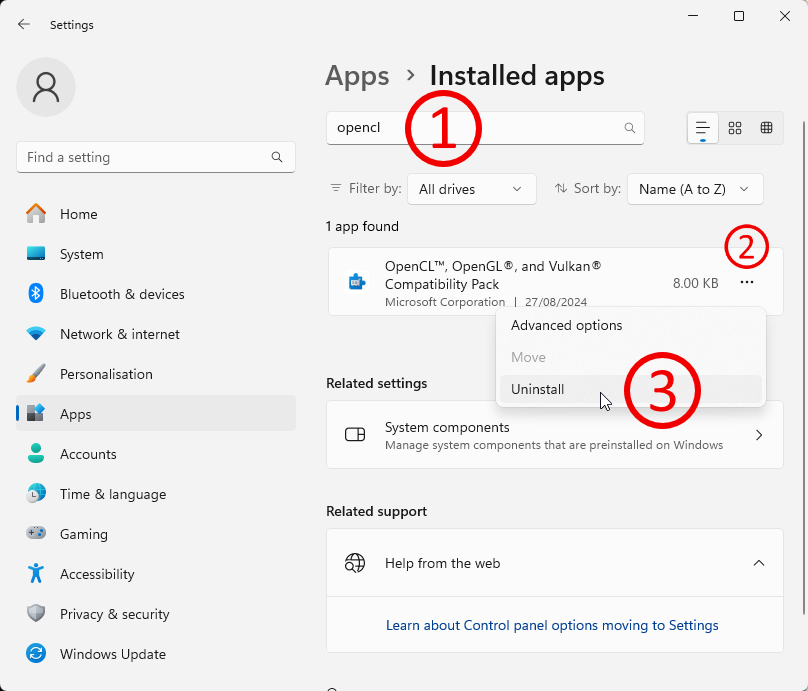
"OpenCL™, OpenGL®, and Vulkan® Compatibility Pack".
Uninstall it.
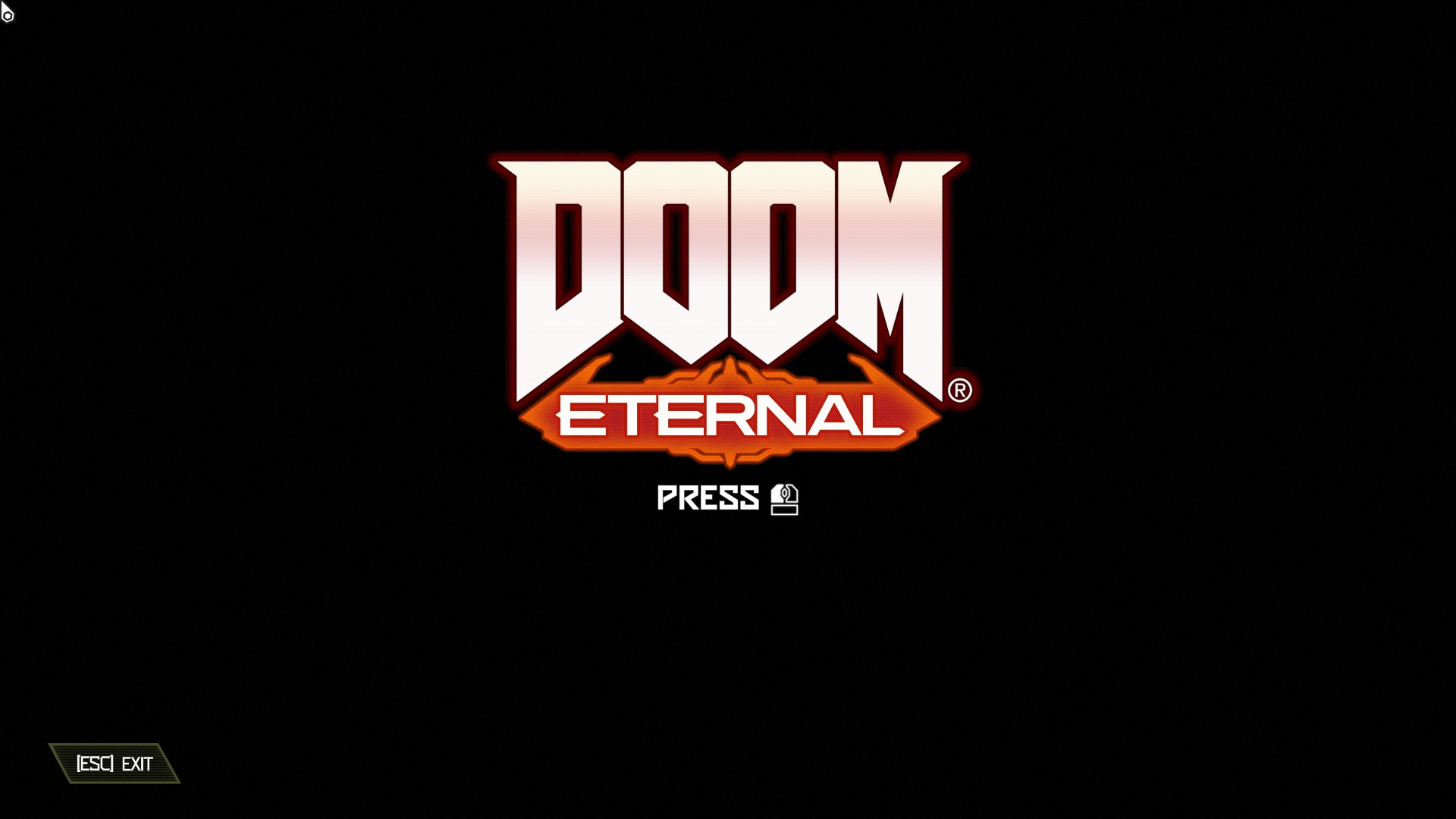
You should immediately be able to launch the game and see that it works now.
If that is not what you see, then... best of luck. Consider sharing with the world if you figure it out.
This solution is taken from a ROG Ally blog post. I don't know what these folks do, but their guide worked for me, so they're great in my book.
ROG Ally Crash Fix[www.rogally.pro]
I found it via Google in this Reddit post.
I have reproduced the steps here with my own screenshots.
Navigate your settings
In the settings menu, open the Apps tab and open the Installed apps submenu.
Search and destroy
In the installed apps submenu, find the app called"OpenCL™, OpenGL®, and Vulkan® Compatibility Pack".
Uninstall it.
You should immediately be able to launch the game and see that it works now.
If that is not what you see, then... best of luck. Consider sharing with the world if you figure it out.
In conclusion
I should use Linux and never look back.
If you end up regretting fixing your game, if you really miss this error message, you can get it back by opening the Microsoft store and reinstalling the garbage app through there. I won't judge.
If you end up regretting fixing your game, if you really miss this error message, you can get it back by opening the Microsoft store and reinstalling the garbage app through there. I won't judge.
More DOOM Eternal guides
- DOOM Eternal 100% Achievement Guide★ 5 (677)39k views1.6k ♥15 minUpdated Apr 9, 2024
- DOOM Eternal Written Guide/Walkthrough for all collectables and secrets inc DLC.★ 5 (1.7k)36k views3.9k ♥129 minUpdated May 22, 2025
- Секреты Doom Eternal★ 5 (874)32k views1.7k ♥23 minRussianUpdated Apr 17, 2023
- Console Commands for DOOM Eternal★ 5 (213)29k views502 ♥18 minUpdated Mar 30, 2021
- Collectibles and Secrets Guide 100% DOOM Eternal★ 4 (370)26k views589 ♥1 minBulgarianUpdated Apr 2, 2021
- DOOM for Dummies [Tweaks, Fixes, Problem solving] [EN]★ 5 (720)23k views878 ♥15 minUpdated Jun 18, 2020




This guide was created by its original author on the Steam Community. Are you the author and want it removed? Request removal.