[EN] Kei's GTA San Andreas Modpack 2026
CJ would shed a tear. My GTA San Andreas modpack (just drag & drop)
I put this off for a long time because I knew it would take a while. The first time I seriously took on modding GTA San Andreas was a few years ago, resulting in a large mix of more or less tested modifications. Is it perfect this time? Almost. I've worked on this collection for dozens of hours, and I can proudly say my goal has been achieved. This is the best version of classic GTA San Andreas you can currently play.
There are no weird texture or object replacements that completely clash with the game's vi sual style. There are a lot of mods, but all of them were carefully selected to create a cohesive whole. Crucially, the entire modpack can be installed with a simple copy/paste method. Sounds too good to be true? I tested it on several different computers. It's far more stable than Catalina's temper. Take this, all of you, and partake of it... for I have labored over this far too long to let it go to wa
Installation
- Download and install GTA San Andreas on Steam (without any other modifications).
- Download my modpackand extract the package. Then copy the contents of the "all files" folder and paste it into the game's root directory (replace the original files).
- Launch the game and enjoy the best version of classic GTA San Andreas.
- Be sure to subscribe if the game looks awesome!
- Download and install GTA San Andreas on RGL (without any other modifications).
- Disable automatic game updates in the RGL launcher settings.
- Download my modpackand extract the archive. Then copy the contents of the "all files" folder and paste them into the root game directory (overwrite the original files).
- Launch the game EXCLUSIVELY using the gta-sa.exe file (NOT gta_se.exe) and ALWAYS as an administrator. Furthermore, NEVER start the game directly from RGL.
- Be sure to subscribe if the game looks awesome!
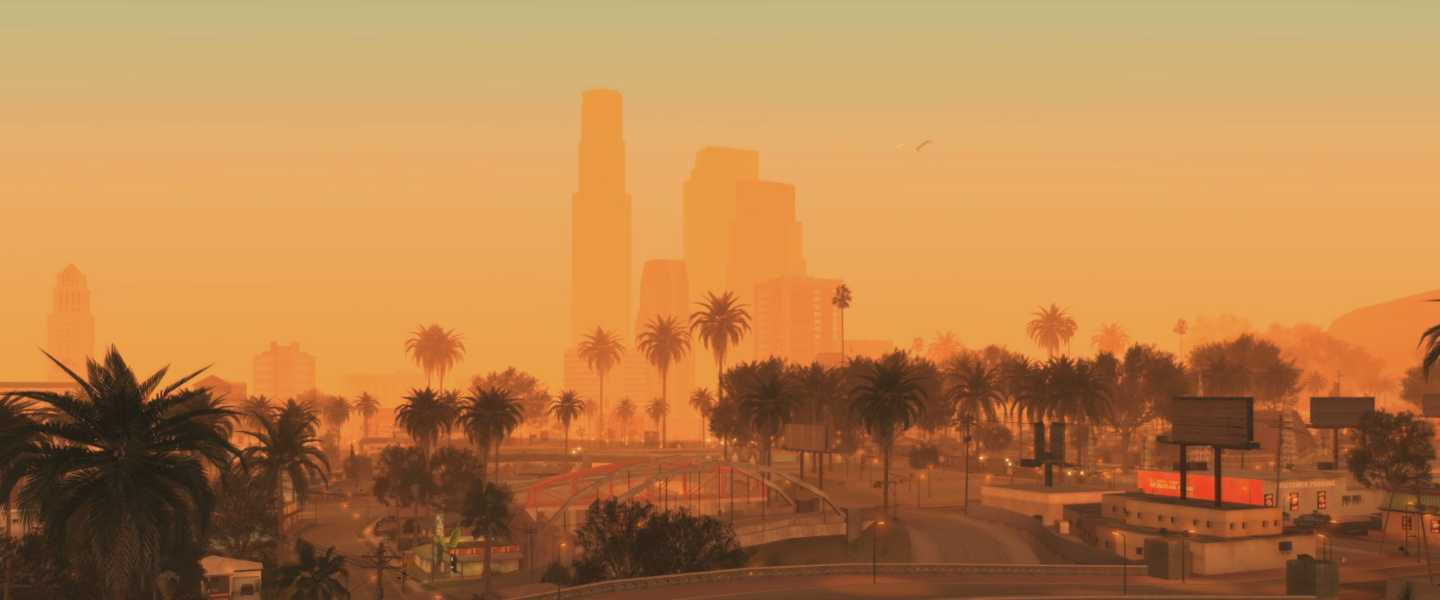
Bugs and Important Information
- If the game doesn't launch after installing the modpack - you made a mistake. I tested the modpack on three different hardware configurations and both game versions (Steam and RGL). The installation guide is 100% correct and cannot cause any errors. Possible reasons for game startup issues in the case of the Steam version are:
- other mods or incorrect files in the GTA San Andreas directory
- missing key modpack files (skipping instead of replacing during copying)
- an old save or old settings file in the "Documents\GTA San Andreas User Files" directoryPossible reasons for game startup issues in the case of the RGL version are:
- automatic game update by the RGL launcher
- launching the game via a shortcut leading to gta_se.exe
- launching the game via the gta_se.exe file
- launching the game via the RGL launcher
- not launching the game as an administrator
- other mods or incorrect files in the GTA San Andreas directory
- missing key modpack files (skipping instead of replacing during copying)
- an old save or old settings file in the "Documents\GTA San Andreas User Files" directory - The quality of vehicle reflections depends on compatibility with your graphics card. If, after launching the game, you can't see their textures at all (only the NPC driver), you need to change the VehiclePipe=Env option to VehiclePipe=Mobile, VehiclePipe=Ne o, or as a last resort, VehiclePipe=PS2. You can find it in the skygfx.ini file located in the "scripts" folder in the root game directory.
- The "Pier 69" mission has a wrong start marker (it's possible that the "Autosave" mod is causing this). To start the mission, you need to step into an invisible marker on the street corner near Pier 69 (check YouTube to see exactly where the marker should be).
- I don't recommend playing at a resolution higher than 1080p, as the noticeable difference in visual quality in GTA SA is quite small, while the FPS drop can be significant. On my 2560x1440 monitor, I play San Andreas in 1920x1080.
- The modpack includes a file that makes the game run on the Vulkan API - during the first launch, you might experience stuttering caused by shader compilation. Later on, the game's performance should stabilize.
- Due to the significantly higher resolution of tree textures and increased draw distance, occasional but rather minor FPS drops are possible (depending on your hardware configuration). However, if the game's framerate is too low for you - you can find modpack optimization tips in the "extras" folder.
- Car traffic and the number of NPCs depend on the time of day and the exact location on the map. However, if you feel the traffic is too low, you can edit the MixSets.ini file in the "modloader/MixSets" folder in the root game directory. Change the VehDensi ty value in it from -1 to, for example, 1.5 (but be warned about traffic jams).
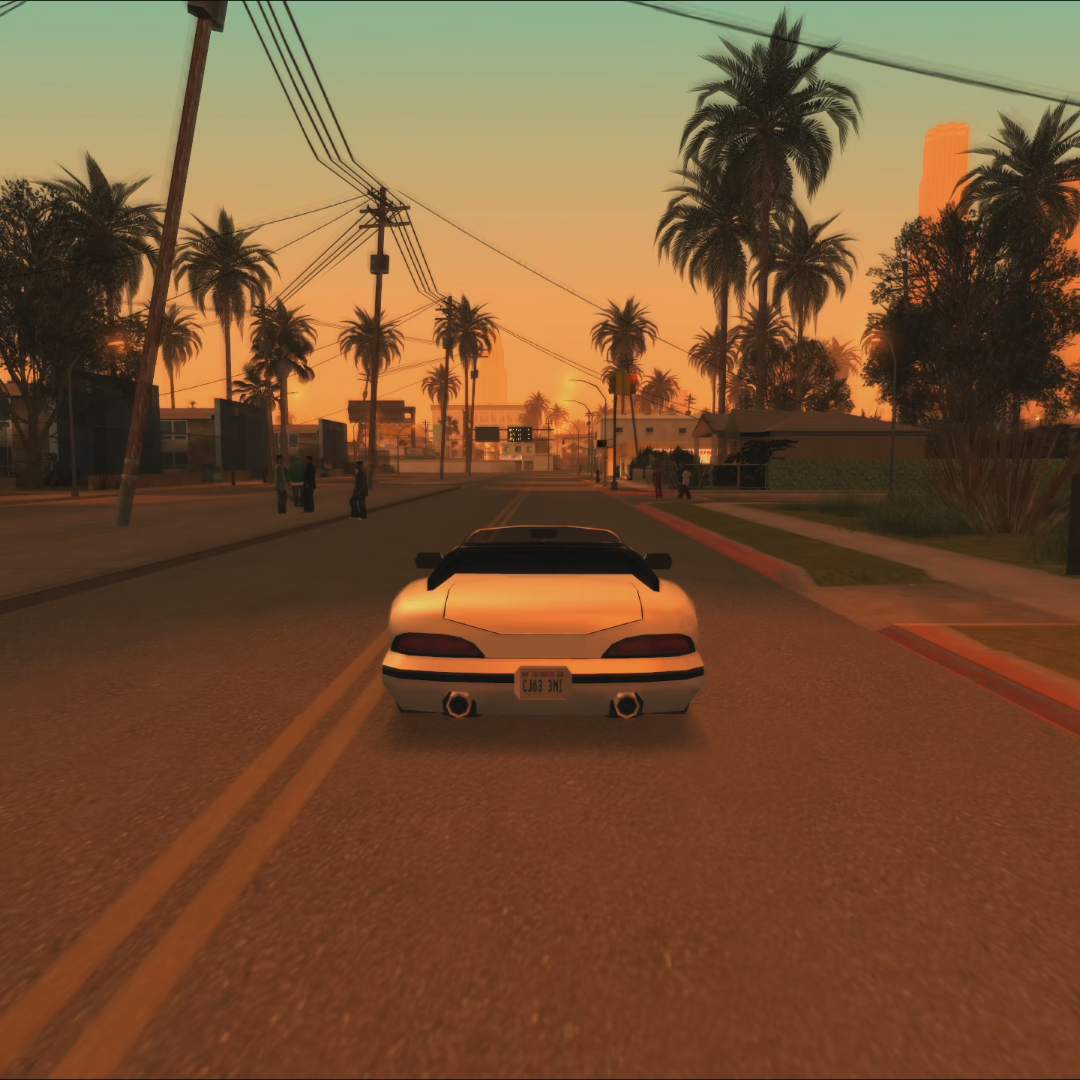
Modpack Contents
- The modpack includes game files downgraded to version 1.0. Therefore, you don't need to downgrade the game yourself before installing the modpack. Additionally, it features widescreen support, a 60 FPS fix, and controller support.
- SkyGfx - This modification brings back the classic PlayStation 2 graphics. Thanks to it, San Andreas regains the atmosphere of the original console version. It also includes numerous graphical improvements, such as much better vehicle reflections.
- A complete replacement of tree textures with those from the Definitive Edition, as well as some vegetation textures from the BSOR x Insanity mod. Trees and other plants now have much more detail, but most importantly - they still visually fit the game.
- Significant improvements to draw distance and object streaming, thanks to mods like Project2DFX, LOD Vegetation, Increased Vegetation Distance, MixSets, and Improved Streaming. This includes an extended overall draw distance for the map, trees, other vegetation, streetlights, ped spawning/despawning, and vehicle despawning. With a few exceptions - no more objects popping up right in front of your face.
- Numerous improvements and pedestrian diversification, making the game world feel alive. Throughout the state of San Andreas, you can encounter NPCs performing various activities and interacting with objects in the game. Furthermore, they share textures, which translates to a much higher number of NPC variations. Some NPCs can also swim now. The mods responsible for this are: Urbanize, Original Peds Vary, PedFuncs, and Peds Dont Drown.
- Much more realistic NPC physics, thanks to the Ragdoll Bullet Physics mod. Character models react much better to being hit by cars, explosions, and gunfire.
- Air traffic and better road traffic. Airplanes and helicopters take off, land, and fly between the cities of San Andreas, which builds even deeper immersion (Air Traffic). Cars are also smarter - they don't get stuck on roads, don't pull out in front of yo u, and know how to obey traffic lights (Real Traffic Fix).
- Many other texture improvements: CJ, clothing, tattoos, weapons, fonts, HUD, radar, and map (including more icons), thanks to mods like Atmosphere Interface Pack and Proper Player Retex.
- mproved textures and geometry (e.g., rounder tires) for many vehicle models, thanks to the Proper Vehicles Retex, VehFuncs, and ECG VehicleTXD mods.
- Visual improvements for many objects at night. Many buildings and shops now have additional lighting visible after dark (storefronts, music clubs, stadiums, and much more). Besides that, some objects also have improved geometry. This is thanks to mods like Project Immerse-Yourself and Mesh Smoothed Pack.
- The ability to enter many interiors previously inaccessible outside of missions (Enterable Hidden Interiors Repatched).
- Improved and faster clothing changes in shops and wardrobes. No more hours spent watching CJ's changing animations.
- Game optimization mods. The modpack includes a patch that allows the game to use up to approx. 3 GB of RAM, and a patch that runs the game on the Vulkan API, which translates to an approx. 20% performance boost compared to DirectX 9.
- Uncompressed SFX Pack - A modification that improves the quality of sounds in the game.
- Fast game loading(no loading screens or manual save selection) and autosave after completing missions.
- Multiplayer (optional). Want to play with someone on split -screen? In the "extras" folder, you'll find the 2 Player Deluxe mod, which allows for co-op gameplay - including playing missions together. Details can be found in a separate readme file.
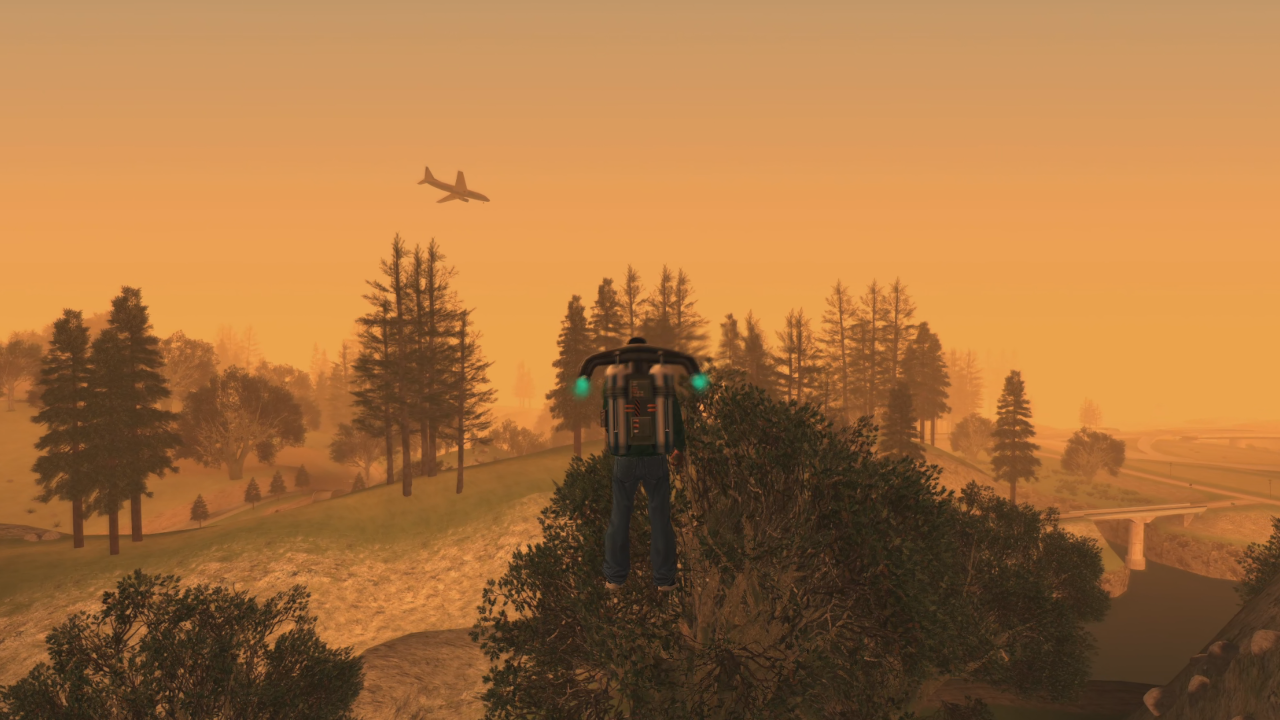
Key Missing Features
- no mod increasing the vehicle draw distance (they are still clearly visible when they spawn). Such a mod will probably never be created due to how deeply this function is embedded in the game's code.
- no mod increasing the draw distance of better object textures (they only load from a closer distance).
- no mod porting the rest of the vegetation from the Definitive Edition (except for trees).
- no mod increasing the grass draw distance. - no mod improving the geometry for most objects in the game (to a level similar to the Definitive Edition).
Changelog
Version 1.02 - Released May 18, 2026, includes a few minor fixesand tips.
Version 1.01 - Released May 11, 2026, includes a few minor fixes.
Version 1.0 - Initial modpack release, published May 10, 2026
All Mod Credits
- 2 Player Deluxe / Kaizo M, ArTuRMV, Daniel Santos
- AI Upscaled Weapon Textures and Icons / MS, nadalao, War Drum Studios, Firefly
- Air Traffic / YyHhGgTt, Altman, olmstead007
- Atmosphere Interface Pack / Jéssica Natália, War Drum Studios, IvoryColt, HermeSSentinuS, Junior_Djjr, Leonid Omsk, Kage, BobFromReboot, AndPewLowThar , yojo2, ernestin1, Quantum, CRRPGMykae
- BSOR x INSANITY / YouCreatedHell, Ezekiel_RN
- CrashInfo / Junior_Djjr
- DE Vegetation / Grove Street Games, SA THE MODDER, Zeneric
- ECG – VehicleTXD / Junior_Djjr
- Enterable Hidden Interiors Repatched / artginPL
- Faster Clothes Change / Junior_Djjr
- Improved Streaming / Junior_Djjr, ThirteenAG
- Mesh Smoothed Pack / Hysen
- MixSets / Junior_Djjr, GTA Era 3D community
- Mobile Font Fixed / War Drum Studios, Junior_Djjr, MJay/MJarcos
- Mobile Hands Default / yigitxoz
- More Radar Icons / Junior_Djjr
- Original Peds Vary / Thiago555aug, Jéssica Natália (Vagalume), Thiago555aug, Penguinumber9, Junior_Djjr, SlingShot753, set2523, Runner, Crowdigger, dmitriyewich, Foolanow, Kr0n0s800, Tiagrand, Notorious MCJ, lowpolyped
- PedFuncs / Junior_Djjr
- Peds Dont Drown / Junior_Djjr
- Project Immerse-Yourself / DaftoNTive
- Proper Fixes / Junior_Djjr, Jéssica Natália, StreetFonso, Hysen, Tripaseca, Junior_Djjr, Aal, MJkun17, KaiQ, Zeneri, Kaoru, RamM_LP, Cynthia
- Proper Player Retex / Jéssica Natália, Junior_Djjr, OjTrue, Zeneric, Jão, François Declasse
- Proper Vehicles Retex / Miguel Araújo, Jéssica Natália, Junior_Djjr, CaçadorEterno, Mrcbrmdz, Nick Oliveira, Meck
- Ragdoll Bullet Physics / madleg, Bullet Physics, sociopart, Crspy
- Real Traffic Fix / Junior_Djjr
- RepairGTA / Junior_Djjr
- Revamped Vehicles Project/ KiloRyu
- SaveLoader / ThirteenAG
- SkyGfx Extended / aap, ThirteenAG, NTAuthority, Silent, DexX, Junior_Djjr
- SkyGrad / Wesser
- SRCLog / LINK/2012
- Split Screen for 2 Player Mode / Kaizo M
- TruckTrailer / Pep Legal
- UncompressedSFX Pack / MrFinger, BeyondTheVeilOfDeath, Son Of Big Boss, kretin8, ermaccer,
- Ryadica926, Limeo, Matt1010, 4Arty
- Urbanize / Junior_Djjr, Ezekiel, Mixamo, GTA IV, Keri, Crazed
- VehFuncs / Junior_Djjr, Fabio
- Улучшаем GTA San Andreas★ 5 (3.9k)72k views4.6k ♥7 minRussianUpdated Jul 20, 2021
- Grand Theft Auto: San Andreas - The Improved Classic★ 5 (1.4k)56k views3.1k ♥5 minUpdated Oct 30, 2025
- Grand Theft Auto: San Andreas - Enhanced Edition★ 5 (1.6k)51k views2.2k ♥5 minUpdated Jun 28, 2020
- Grand Theft Auto San Andreas: Classic Edition★ 5 (1.5k)42k views3k ♥14 minRussianUpdated Jul 17
- GTA - San Andreas CHEATS★ 5 (1.5k)41k views2.4k ♥2 minUpdated Jan 4, 2024
- Silent Patch + Downgraders (SA)★ 5 (493)33k views861 ♥17 minUpdated Jan 3, 2020





- Upgrading to PremiumTeam Fortress 2★ 5 (20k)1441k views11k ♥6 minUpdated May 11, 2022
- No More Room in Hell Official ManualNo More Room in Hell★ 5 (2.8k)569k views2.1k ♥29 minUpdated Apr 22, 2019
- NMRiH Community Hosting GuidesNo More Room in Hell★ 5 (526)351k views653 ♥1 minUpdated Aug 10, 2022
- Лучшие кооперативные игры SteamPAYDAY 2★ 5 (1.5k)315k views2.1k ♥56 minRussianUpdated Apr 27, 2025
- Desert Eagle Heat Treated | Blue GemCounter-Strike 2★ 5 (1.6k)292k views1.5k ♥2 minUpdated Jan 16
- Treasure Hunt Puzzle SolutionsTotal War: WARHAMMER II★ 5 (6.9k)281k views15k ♥3 minUpdated Aug 19, 2021






This guide was created by its original author on the Steam Community. Are you the author and want it removed? Request removal.