How to edit main menu tile
Create a new tile
As a first step we will create a new tile in the editor, this is going to be the one we will hijack and edit the main menu with.
- Open tile editor
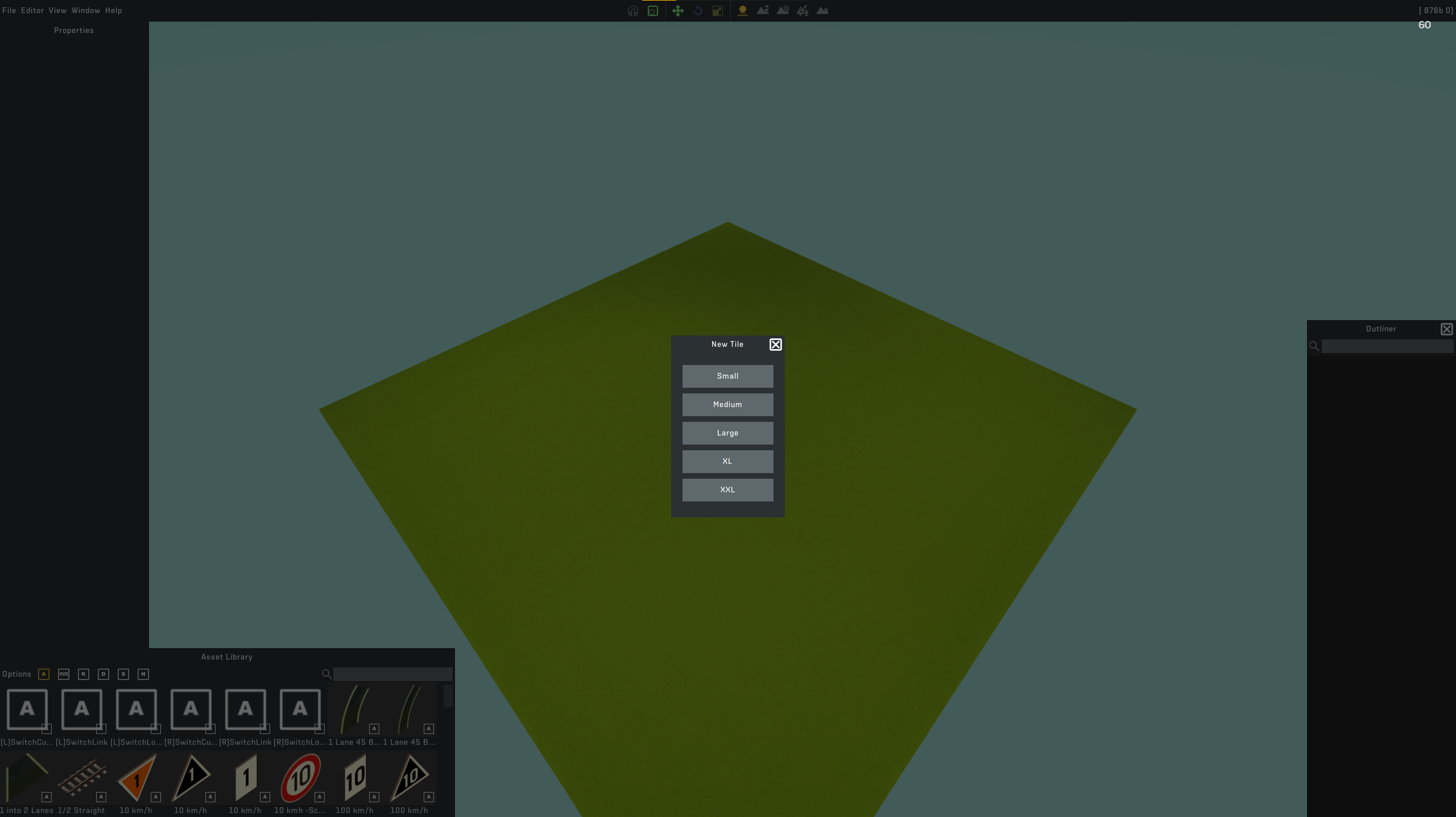 3. Save as: MAINMENU256_01 (you can choose any name but naming it this will save you having to rename the files later)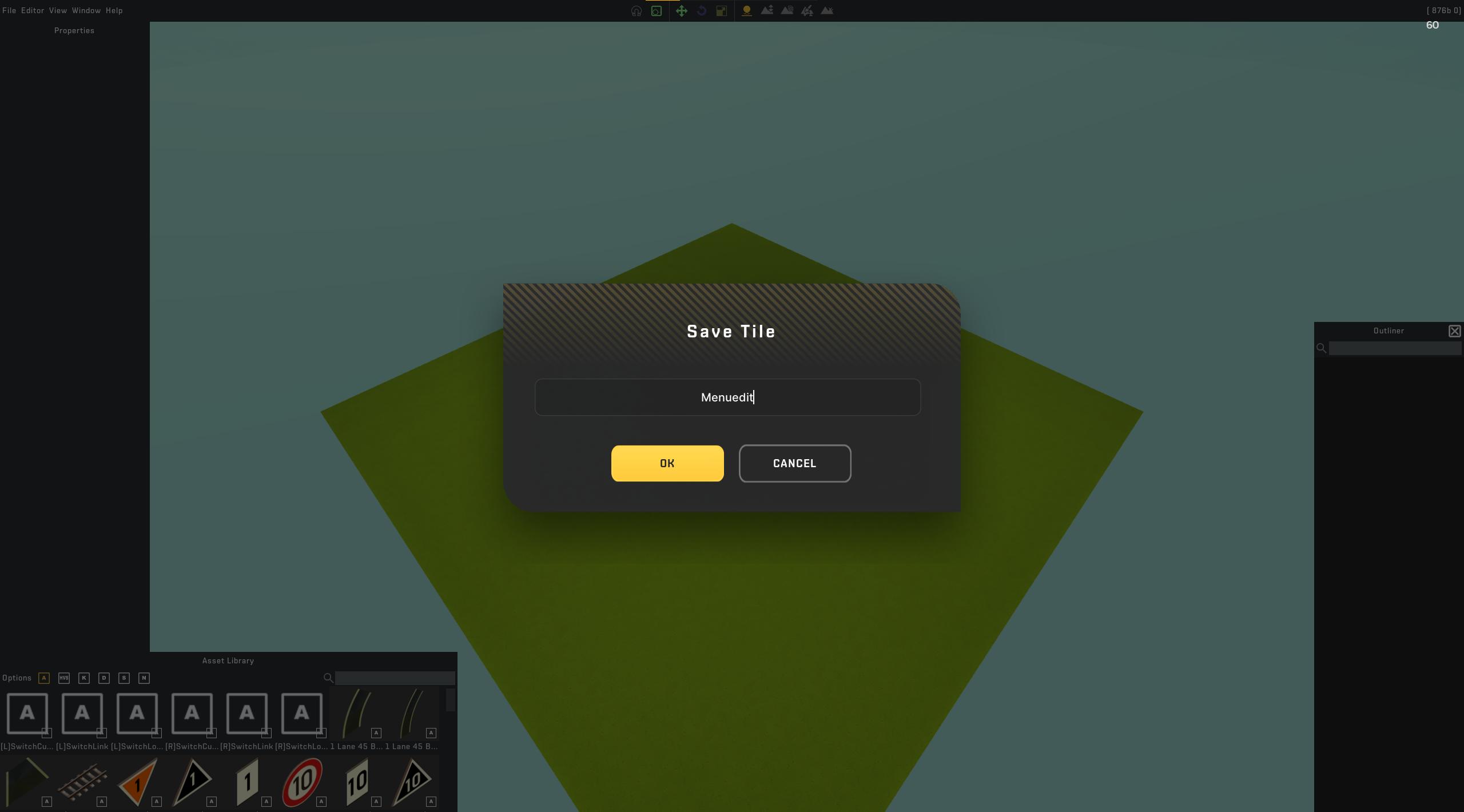
Replacing the contents of said tile
In this step we will replace the data of the tile itself, its important to do this when the tile editor is closed.
First we will start with finding and copying the current menu tile:
From here open Data and then Menu, youll see these three files
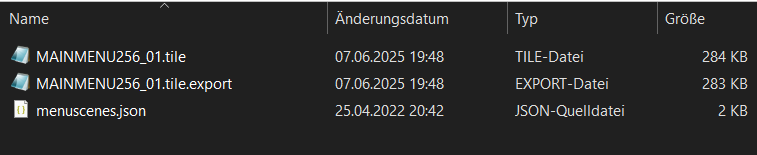
- Copy the .export and .tile files and keep them in the clipboard
- Open the your game contents by typing %appdata% into the windows searchbar and then following this path: Roaming>Axolot Games>Scrap Mechanic>User_yoursteamID>Tiles
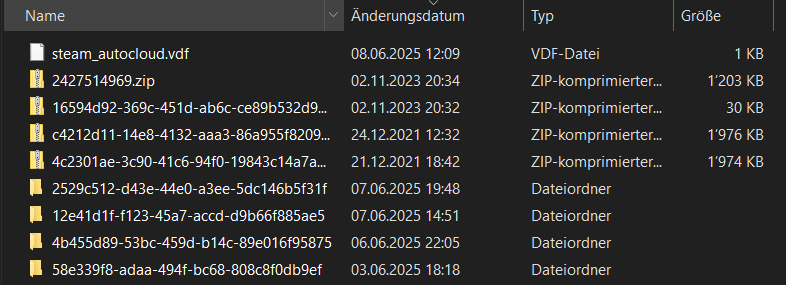 5. With that now open you should see a structure like this: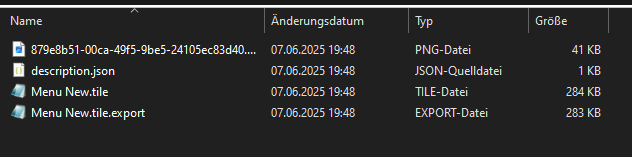
- Paste your clipboard, if you named the tile correctly when creating it youll be prompted to replace 2 files, select 'YES'
Editing the tile
Now that you have the contents of the tile replaced open the editor again and edit your tile however you want, there are some rules tho.
1. Well open the tile (i had named it Menu New but yours should be named MAINMENU256_01)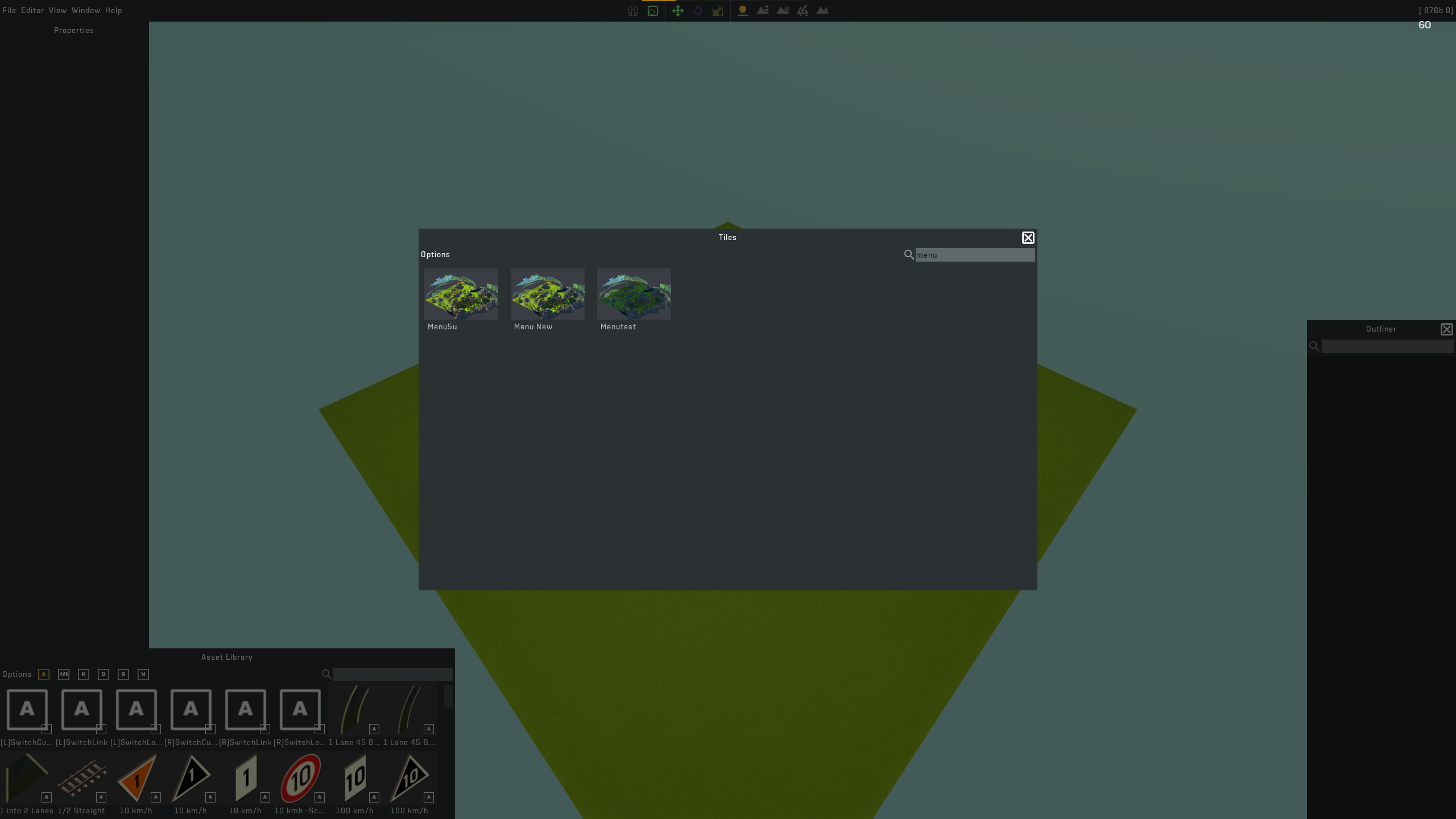 2. Edit your tile: the rules... Only use vanilla assets, that also excludes survival because axolot...
You may use parts tho to make things you couldnt do in the normal blueprints (see catenary)
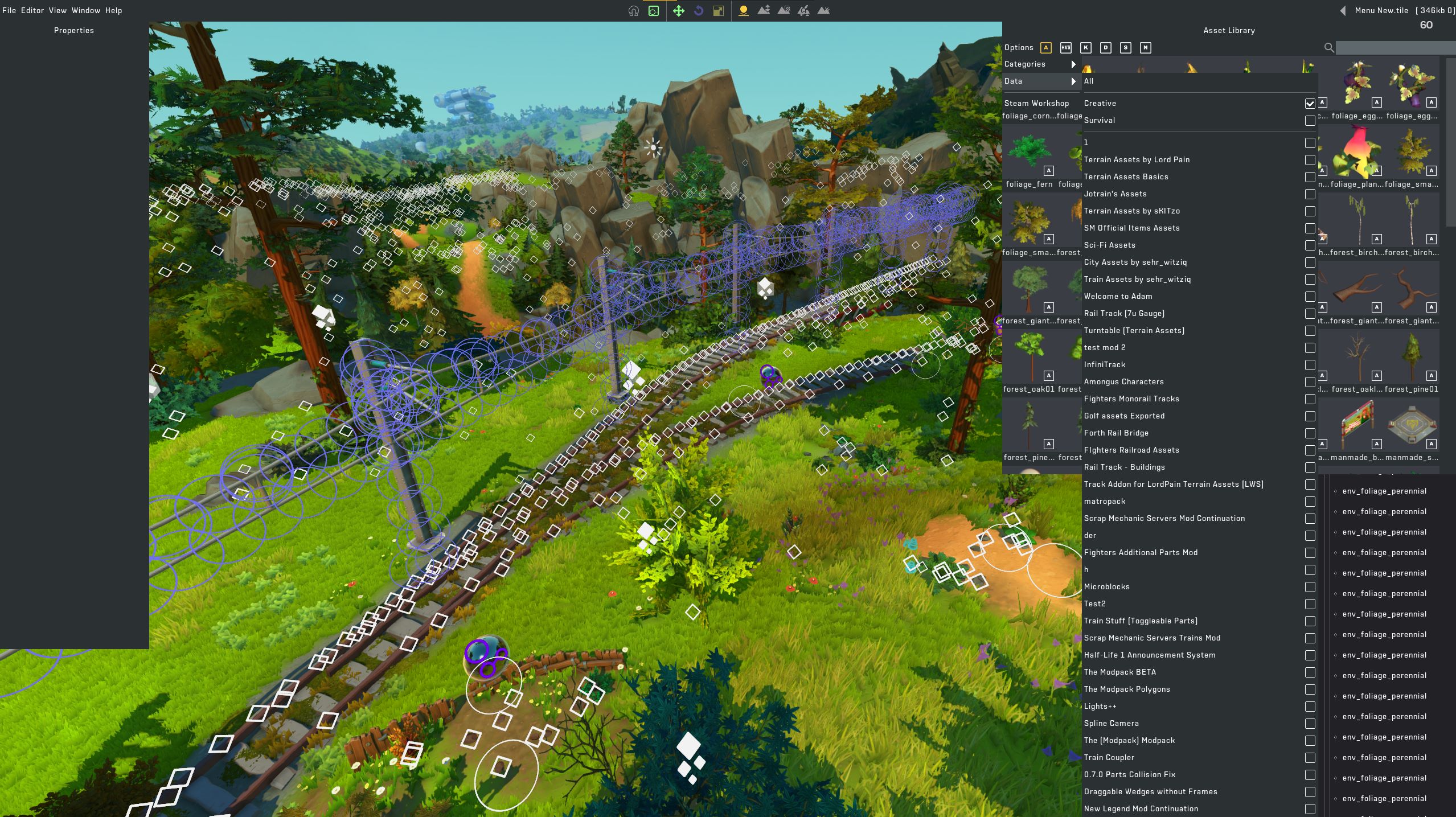
- Save your tile
Install the new tile
Now that youve made your edits youre ready to put the tile files back where they belong.
1. Open the tile folder again and copy the same 2 files from before
2. Navigate to the game data where we had grabbed the main menu tile and open that folder
- Now would be a good time to back up the standard main menu incase you ever want that back, just move those two files onto your desktop or something
- Paste the previously copied edited files into the Menu folder
- Youre done. Have fun :)
More Scrap Mechanic guides
- How raids actually work (Version 0.5.1)★ 5 (550)19k views867 ♥3 minUpdated 7 Apr, 2021
- Как пройти выживание?★ 5 (448)18k views700 ♥25 minRussianUpdated 12 Aug, 2020
- Все команды для скрап механик★ 5 (259)15k views475 ♥1 minRussianUpdated 1 Dec, 2023
- Robots and weapons concept proposal★ 5 (421)10k views182 ♥3 minUpdated 1 Apr, 2022
- How Does Fuel Consumption Work? Which Engine Is the Most Efficient?★ 5 (182)10k views152 ♥3 minUpdated 16 Oct, 2020
- Русификатор для Scrap Mechanic by Pro100DarkTV (v2.5)★ 5 (317)9.9k views516 ♥1 minRussianUpdated 19 Jun, 2021


🔥 Popular guides
- Upgrading to PremiumTeam Fortress 2★ 5 (20k)1441k views11k ♥6 minUpdated May 11, 2022
- No More Room in Hell Official ManualNo More Room in Hell★ 5 (2.8k)569k views2.1k ♥29 minUpdated Apr 22, 2019
- NMRiH Community Hosting GuidesNo More Room in Hell★ 5 (526)351k views653 ♥1 minUpdated Aug 10, 2022
- ULTIMATE GUIDE FOR GAME DEV TYCOONGame Dev Tycoon★ 5 (5.8k)326k views10k ♥4 minUpdated 23 Jan, 2014
- How to 'Git Gud' Soon™MORDHAU★ 5 (2k)318k views3k ♥68 minUpdated Nov 16, 2024
- Лучшие кооперативные игры SteamPAYDAY 2★ 5 (1.5k)315k views2.1k ♥56 minRussianUpdated Apr 27, 2025






This guide was created by its original author on the Steam Community. Are you the author and want it removed? Request removal.