OUTDATED(?) How to use Plutonium on steam
Answers to possible questions.
-yes, this works with WaW, MW3 and BO1.
-This way tricks steam into opening plutonium thinking it's the original game,so the achievements won't work
-Yes, you can play with people who got the game from outside of steam (if you know what I mean)
-You can put plutonium to replace singleplayer, but you will lose access to the campaign.
-You can open plutonium using multiplayer and play zombies normally. But steam will be counting the hours on multiplayer and your friends will see that you are playing multiplayer instead of zombies
-This way tricks steam into opening plutonium thinking it's the original game,so the achievements won't work
-Yes, you can play with people who got the game from outside of steam (if you know what I mean)
-You can put plutonium to replace singleplayer, but you will lose access to the campaign.
-You can open plutonium using multiplayer and play zombies normally. But steam will be counting the hours on multiplayer and your friends will see that you are playing multiplayer instead of zombies
LET'S GO
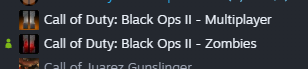
1-Download multiplayer and/or zombies mode. you don't need the ''main game''
============================================================
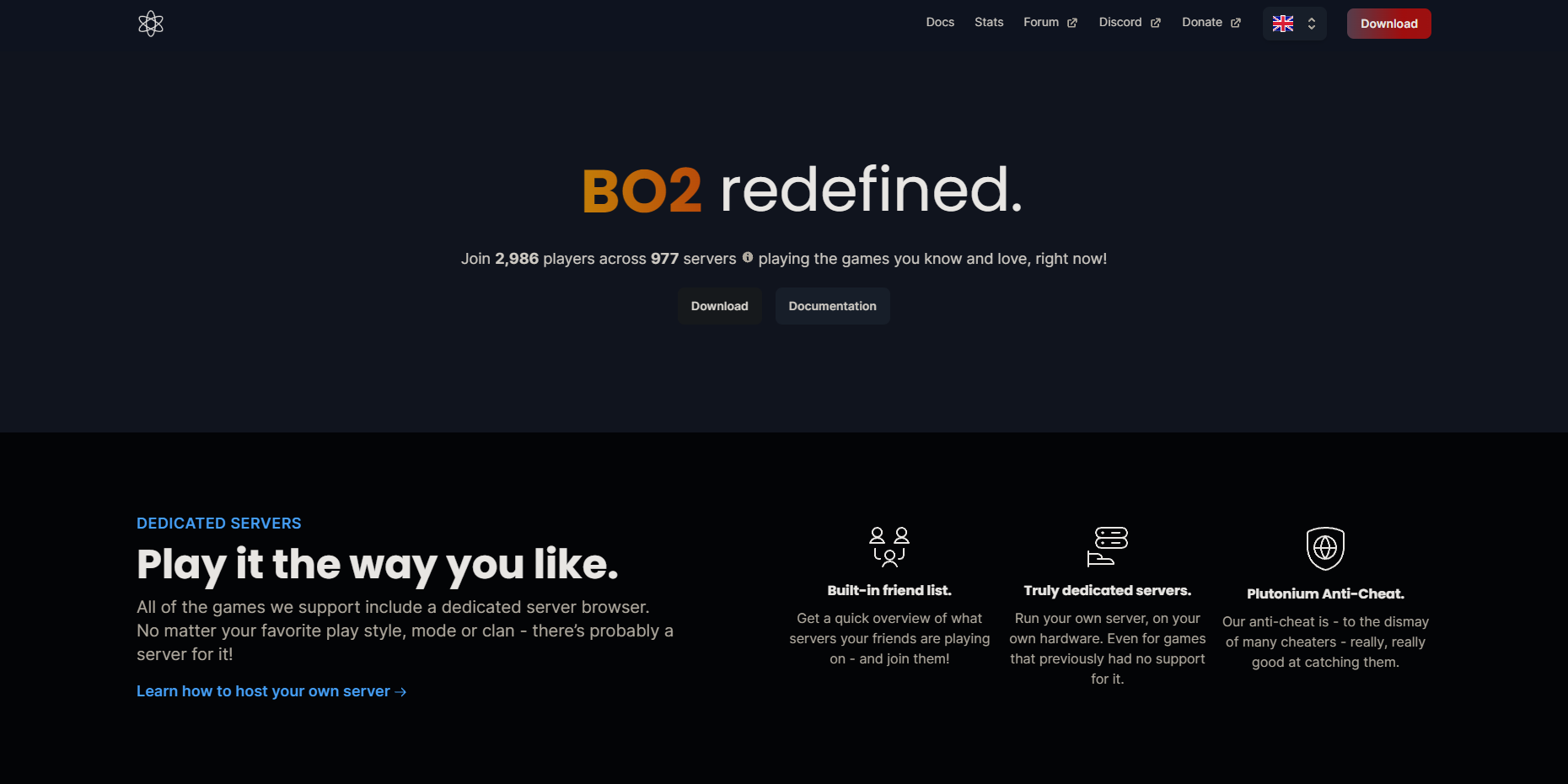
2-Download the latest version of Plutonium here: https://plutonium.pw
 ============================================================
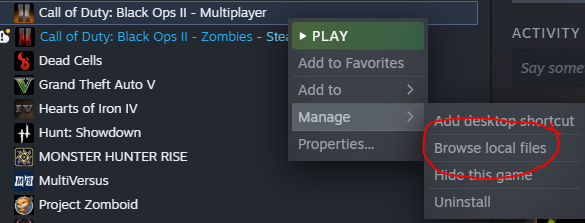
3-Once the game and Plutonium are installed, go to the black ops 2 folder.
The easiest way is:
right click on any Black ops 2 that is installed > Manage > Browse local files
 ============================================================
4-Throw plutonium.exe into the folder
 ============================================================
5-Okay, now keep in mind that:
t6mp: Multiplayer
t6sp: Singleplayer
t6zm: Zombie Mode
Putting plutonium using t6sp will be more ''beautiful'' since you can accumulate your hours of zombies and multiplayer in one place, but you won't be able to access the campaign since steam will open plutonium instead of the game. I only recommend using t6sp if you finish the campaign.
If you want to use plutonium both for zombies and multiplayer, you will need to download another plutonium.exe. I tried to create a shortcut but unfortunately it didn't work
Now rename the game you want to whatever crap you want. If you want both modes, rename with different names
 ============================================================
6-Now rename Plutonium.exe to:
t6mp for multiplayer
t6zm for zombies mode.
(DO NOT delete the ''.exe'' from the name)
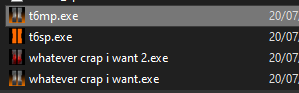 (The t6mp in this image is actually plutonium. The icon will automatically change to the multiplayer or zombies icon)
If in case you want to use t6sp and want to revert this to play the campaign, just rename the .exe's to their original names
============================================================
EDIT:54/25/2024: The method I presented wasn't working correctly after a while and nowadays I don't have time to try to fix something. But a User called ''PorkChop'' found a solution to the problem. I just copied and pasted what he wrote in the comments of this guide.
''Got it to work by simply copying t5mp.exe from "C:\Users\username\AppData\Local\Plutonium\games\t5mp.exe" to steam game folder and then adding "P:\SteamLibrary\steamapps\common\ Call of Duty Black Ops\t5mp.exe" %command% to the launch options.'' -PorkChop
Please, if the solution he presented worked, go to his profile and leave some points as a thank you instead of awarding this guide.
Link to his profile:https://steamcommunity.com/id/PorkChopx3
PorkChop, if you didn't like that I put your comment or your profile link in the guide, please let me know and I'll make an edit.
That's it.
It's just that. This works with many other steam games as well (you can run S.T.A.L.K.E.R: Anomaly or GZDoom on steam doing the same thing)
Now when you try to open your game through steam the plutonium will open and your hours of play will be counted, you will appear as ''playing black ops 2'' to your friends and you can use the steam overlay. Unfortunately the achievements don't work.
Remembering that English is not my main language and I'm new to this thing of creating guides, so if something is wrong or difficult to understand let me know.
Hope I helped in some way and have fun \[T]/

Now when you try to open your game through steam the plutonium will open and your hours of play will be counted, you will appear as ''playing black ops 2'' to your friends and you can use the steam overlay. Unfortunately the achievements don't work.
Remembering that English is not my main language and I'm new to this thing of creating guides, so if something is wrong or difficult to understand let me know.
Hope I helped in some way and have fun \[T]/
More Call of Duty: Black Ops II guides
- How to install anime women mod for BO2★ 4 (784)40k views207 ♥1 minUpdated Oct 17, 2022
- (SPOILERS) How To Get The BEST ENDING Possible!★ 5 (707)34k views1.4k ♥2 minUpdated Oct 13, 2025
- Giant Accomplishment SAVE FILE★ 5 (473)26k views711 ♥1 minUpdated Sep 27, 2020
- How to Open Call of Duty: Black Ops II★ 4 (516)20k views109 ♥1 minBulgarian
- Call of Duty: Black Ops II — Гайд по достижениям★ 5 (1.2k)19k views1.3k ♥15 minRussianUpdated Apr 22, 2013
- Call of Duty Black Ops 2: Campaign Achievement Guide★ 5 (572)17k views1.2k ♥7 minUpdated Jul 20, 2020





This guide was created by its original author on the Steam Community. Are you the author and want it removed? Request removal.