PLAY PLUTONIUM THROUGH STEAM 2025 EASY (playtime, ANY controller, overlay etc.)
Launching Plutonium Through Steam
1) Find the path of plutonium.exe on your computer
 Search your computer for plutonium.exe and open file location. Drag the exe into one of your main drive folders like C:\ if you are on windows.
Now that plutonium.exe has the path C:\plutonium.exe we can add it to steam.
2) Edit the Launch option field
Go to manage game on black ops 2 in steam and click on properties add C:\plutonium.exe %command% to the launch option field like the screenshot below. If your plutonium.exe is on a different drive like D:\plutonium.exe then you have to change the path to D:\plutonium.exe %command%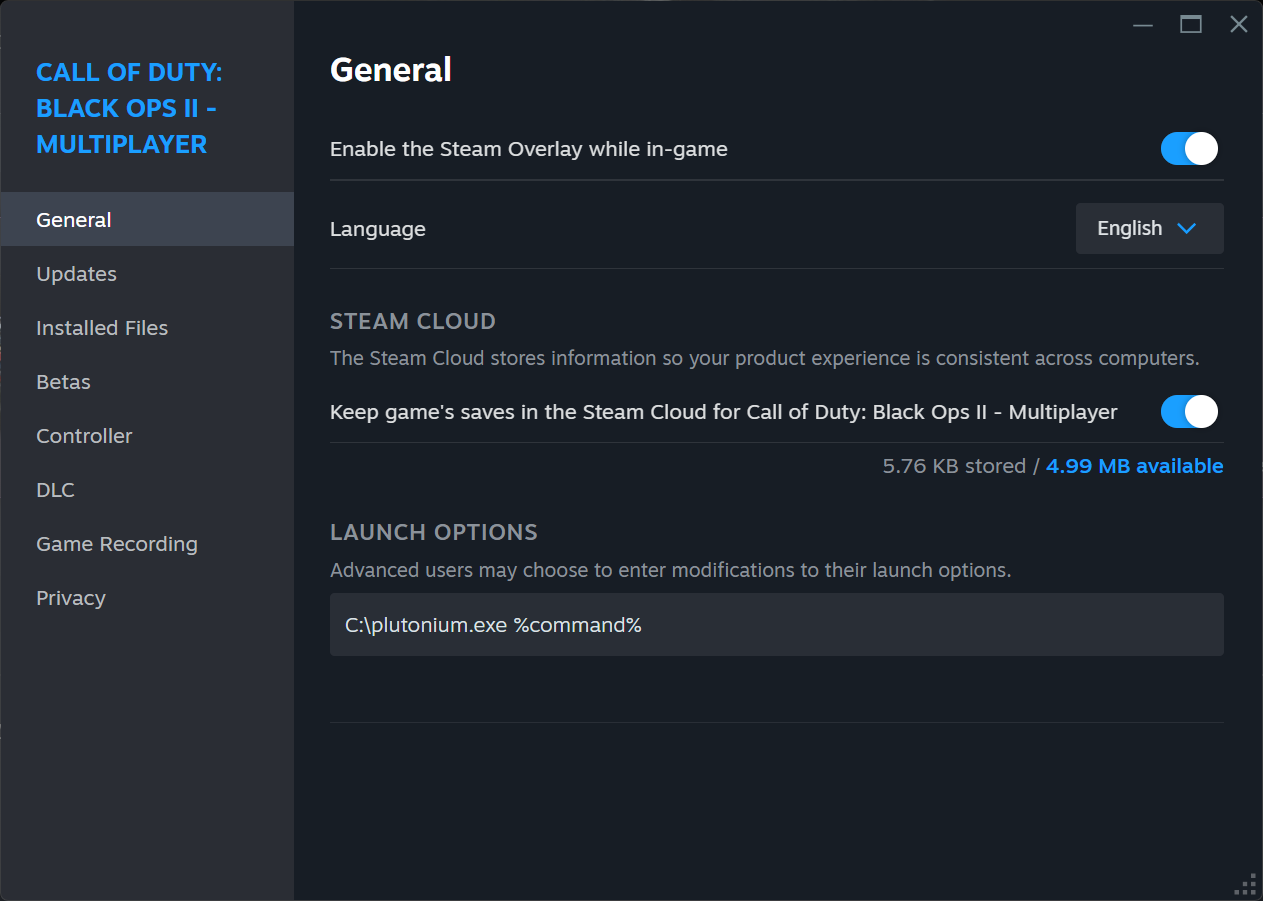
3) Click play!
Now you can click play on black ops 2 on steam and it will lauch the plutonium launcher. Choose the game you want to play and enjoy! Your playtime will be tracked and you will have access to all steam features just like you would playing the game normally.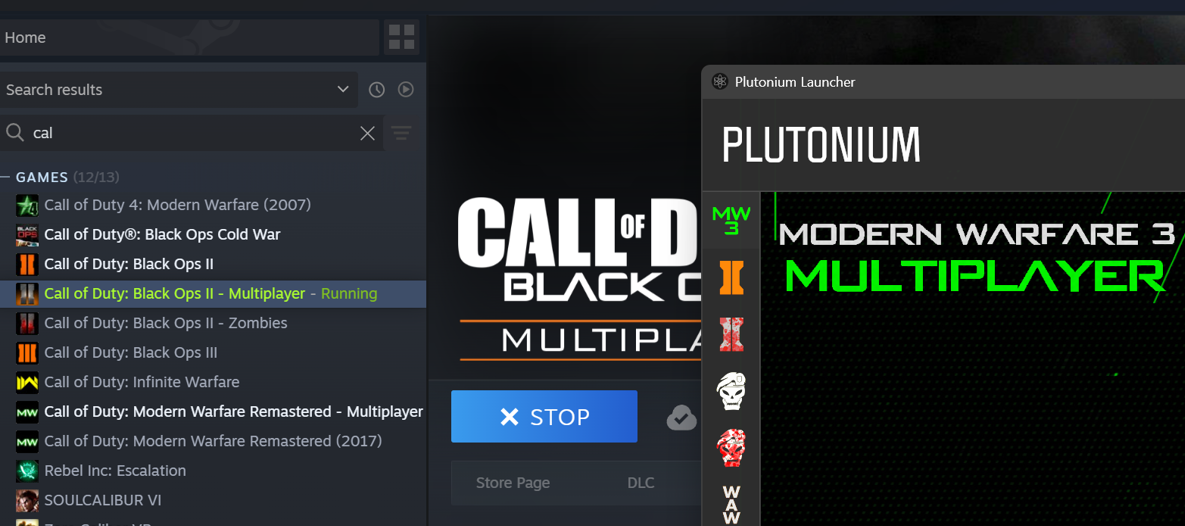 This method works for all games plutonium supports (and actually any game on steam). If you want to track zombies, multiplayer, or a different cod game it is the same thing. Just add the launch option to those games on steam and you will be able to click play and get all steam features.
Controller Support
Once in-game you should be able to open the steam overlay.
Go to controller settings and enable steam input:
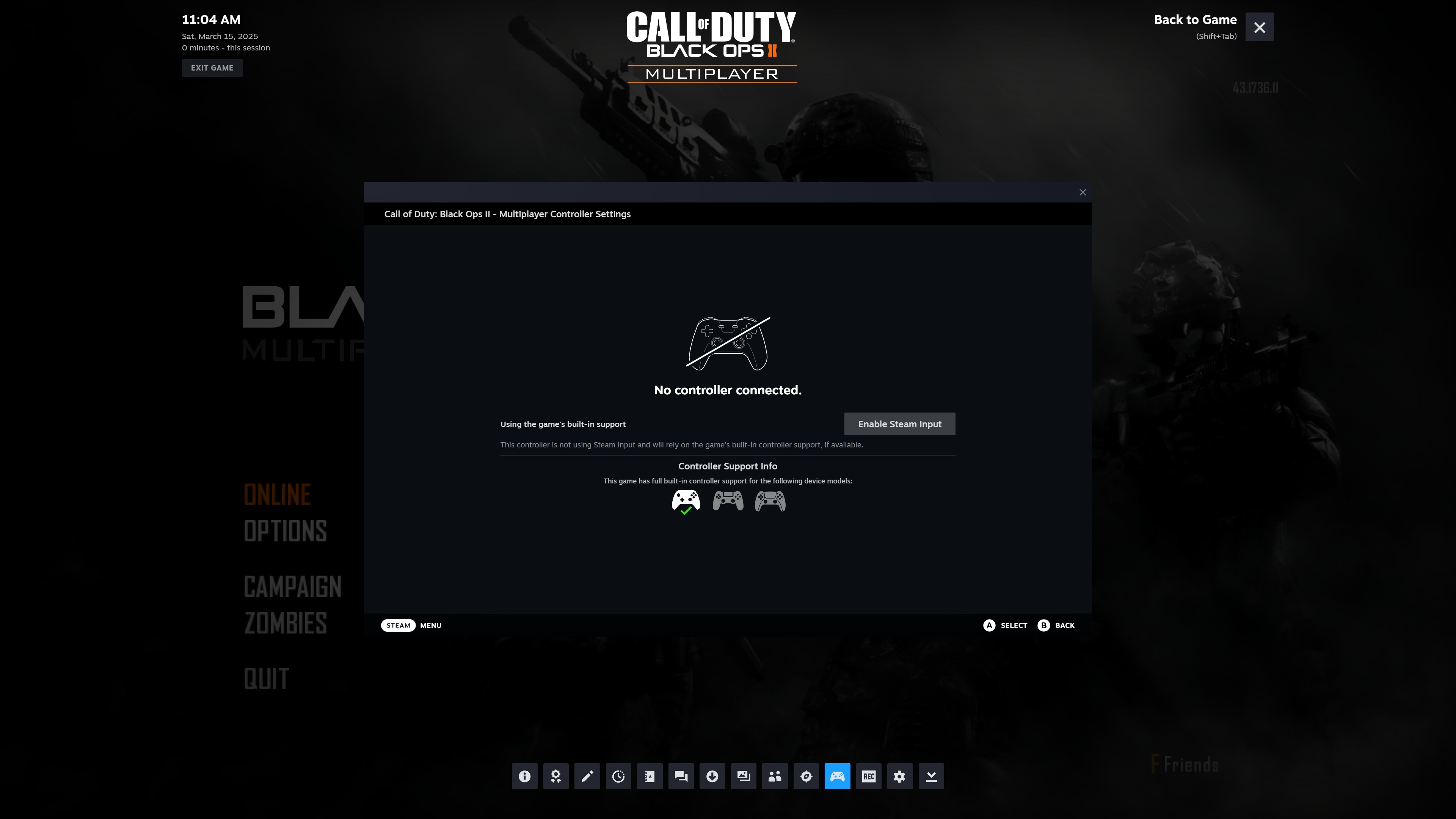 Now you can configure whatever controller you want and it will work with plutonium!
Use a playstation controller or maybe some switch joycons with gyro aiming!
Note: Selecting a server in the server browser menu will still require keyboard and mouse.
Go to controller settings and enable steam input:
Now you can configure whatever controller you want and it will work with plutonium!Use a playstation controller or maybe some switch joycons with gyro aiming!
Note: Selecting a server in the server browser menu will still require keyboard and mouse.
More Call of Duty: Black Ops II guides
- How to install anime women mod for BO2★ 4 (784)40k views207 ♥1 minUpdated Oct 17, 2022
- (SPOILERS) How To Get The BEST ENDING Possible!★ 5 (707)34k views1.4k ♥2 minUpdated Oct 13, 2025
- Giant Accomplishment SAVE FILE★ 5 (473)26k views711 ♥1 minUpdated Sep 27, 2020
- How to Open Call of Duty: Black Ops II★ 4 (516)20k views109 ♥1 minBulgarian
- Call of Duty: Black Ops II — Гайд по достижениям★ 5 (1.2k)19k views1.3k ♥15 minRussianUpdated Apr 22, 2013
- Call of Duty Black Ops 2: Campaign Achievement Guide★ 5 (572)17k views1.2k ♥7 minUpdated Jul 20, 2020






This guide was created by its original author on the Steam Community. Are you the author and want it removed? Request removal.