Quick Guide to Creating Your Own Portrait in HOI4
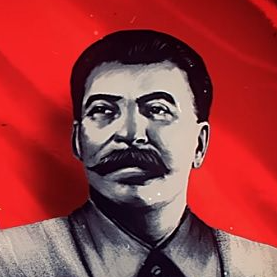
puntki creation
Step 1: Create the History Folder
First, create a folder named:
history
inside your mod directory.
Next, open the folder and create another folder called:
countries
Copy your country's file from the vanilla game into your mod's history/countries folder.
Open the country file and scroll all the way to the bottom.
Step 2: Create the Portrait
Create your leader portrait.
Important: The portrait must be in .DDS format and have a resolution of 156x210 pixels.
Go to the gfx folder and create a folder with your country's tag. For example:
gfx/GER
Save your leader portrait inside that folder.
Step 3: Add the Leader
Open your country's history file and add the following code at the very bottom:
create_country_leader = {
name = "Wilhelm I of Hohenzollern"
desc = "POLITICS_Wilhelm_DESC"
picture = "Wilhelm_I_of_Hohenzollern.dds"
expire = "1965.1.1"
ideology = moderatism
traits = { }
}
Explanation
name — Enter your leader's name.
picture — Enter the exact filename of your portrait.
ideology — Use an ideology subtype, not just the main ideology.
This is very important. If you simply write fascism, democratic, communism, or neutrality, it may not work depending on your setup.
You can find all available ideology subtypes in:
Hearts of Iron IV/common/ideologies/00_ideologies.txt
That's it!
Save the file, launch the game, and your custom leader should now appear in your country.
First, create a folder named:
history
inside your mod directory.
Next, open the folder and create another folder called:
countries
Copy your country's file from the vanilla game into your mod's history/countries folder.
Open the country file and scroll all the way to the bottom.
Step 2: Create the Portrait
Create your leader portrait.
Important: The portrait must be in .DDS format and have a resolution of 156x210 pixels.
Go to the gfx folder and create a folder with your country's tag. For example:
gfx/GER
Save your leader portrait inside that folder.
Step 3: Add the Leader
Open your country's history file and add the following code at the very bottom:
create_country_leader = {
name = "Wilhelm I of Hohenzollern"
desc = "POLITICS_Wilhelm_DESC"
picture = "Wilhelm_I_of_Hohenzollern.dds"
expire = "1965.1.1"
ideology = moderatism
traits = { }
}
Explanation
name — Enter your leader's name.
picture — Enter the exact filename of your portrait.
ideology — Use an ideology subtype, not just the main ideology.
This is very important. If you simply write fascism, democratic, communism, or neutrality, it may not work depending on your setup.
You can find all available ideology subtypes in:
Hearts of Iron IV/common/ideologies/00_ideologies.txt
That's it!
Save the file, launch the game, and your custom leader should now appear in your country.
More Hearts of Iron IV guides
- Division Templates, Tank Designs, Aircraft Designs, and Metas (Bolivar 1.14+)★ 5 (3k)173k views8.7k ♥29 minUpdated Apr 30, 2025
- The Ultimate Guide to Division Templates, Aircraft and Tank Designs (Updated 15-06-2026)★ 5 (3.3k)134k views11k ♥54 minUpdated Jul 6
- Выполняем достижения в Hearts of Iron 4★ 5 (3.2k)69k views7.9k ♥326 minRussianUpdated Jul 19
- The Ultimate Guide to Navy; Ship Templates and Fleet Composition (Updated 24-3-2026)★ 5 (1.2k)61k views4.9k ♥33 minUpdated May 17
- HOI4. Большой гайд★ 5 (738)58k views2k ♥101 minRussian
- Лучшие шаблоны в HoI IV (1.15v.)★ 5 (612)49k views2.2k ♥6 minRussianUpdated May 20



🔥 Popular guides
- Upgrading to PremiumTeam Fortress 2★ 5 (20k)1441k views11k ♥6 minUpdated May 11, 2022
- No More Room in Hell Official ManualNo More Room in Hell★ 5 (2.8k)569k views2.1k ♥29 minUpdated Apr 22, 2019
- NMRiH Community Hosting GuidesNo More Room in Hell★ 5 (526)351k views653 ♥1 minUpdated Aug 10, 2022
- Лучшие кооперативные игры SteamPAYDAY 2★ 5 (1.5k)315k views2.1k ♥56 minRussianUpdated Apr 27, 2025
- Desert Eagle Heat Treated | Blue GemCounter-Strike 2★ 5 (1.6k)292k views1.5k ♥2 minUpdated Jan 16
- Treasure Hunt Puzzle SolutionsTotal War: WARHAMMER II★ 5 (6.9k)281k views15k ♥3 minUpdated Aug 19, 2021






This guide was created by its original author on the Steam Community. Are you the author and want it removed? Request removal.