[RDO] 핵쟁이 참교육 & 유저 구출 / Anti-Modder Guide
⚡ 1초 세션 청소법 단축키 요약 (Quick 4-Step Clean Guide)
- 리소스 모니터 켜기 (Open Monitor)
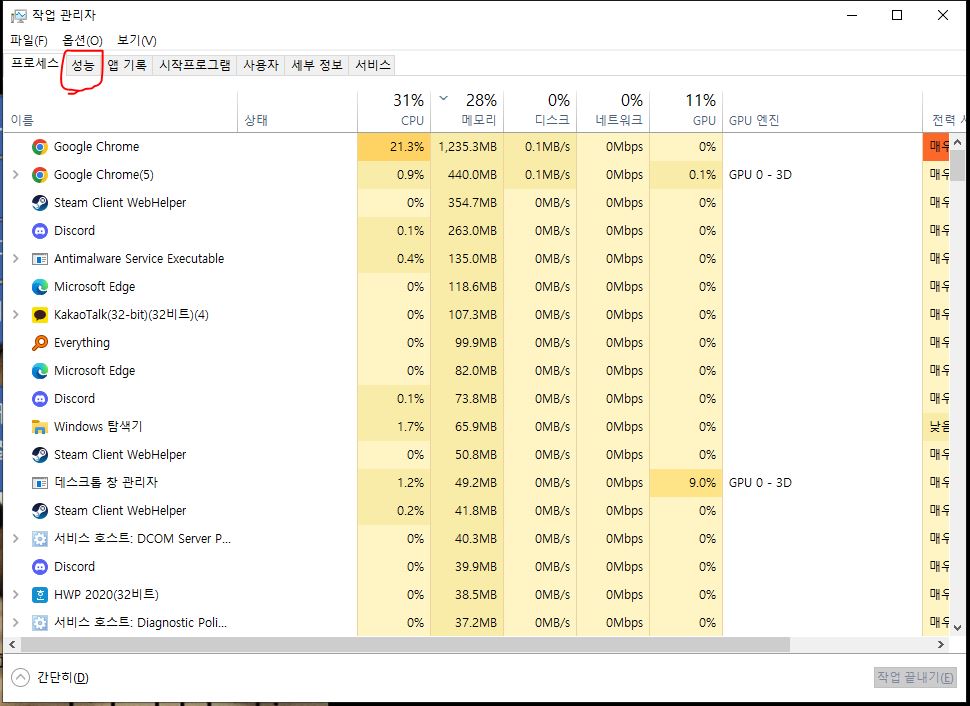
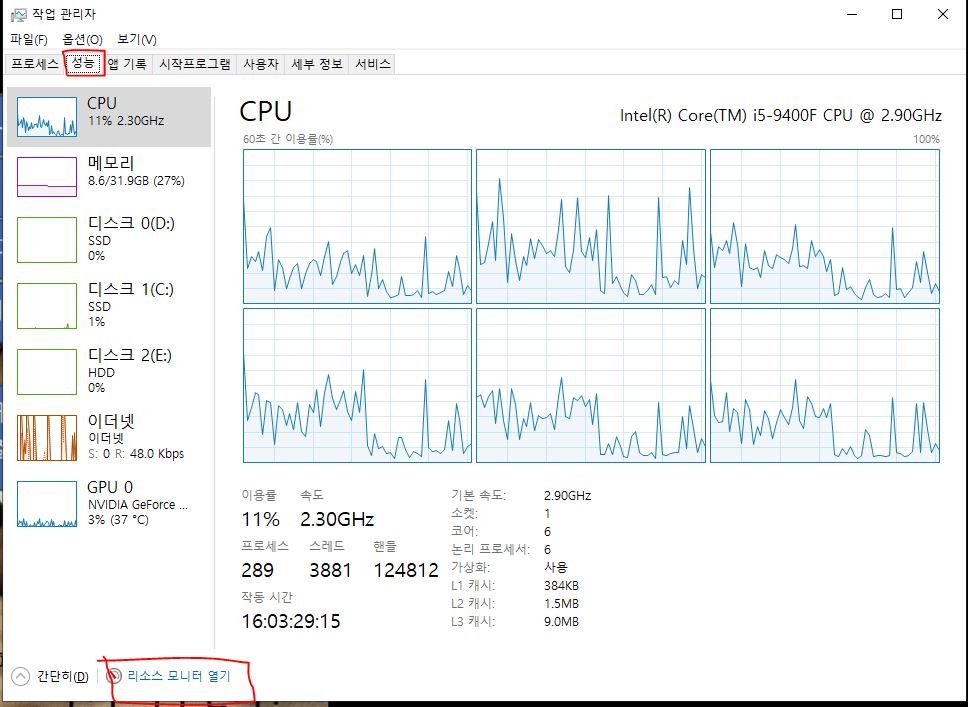
한글: Ctrl + Shift + ESC (작업 관리자) ➡️ [성능] 탭 ➡️ 맨 아래 [리소스 모니터 열기] 클릭
English: Press Ctrl + Shift + ESC ➡️ Go to [Performance] tab ➡️ Click [Open Resource Monitor] at the very bottom.
*************************************************************************
- RDR2 찾기 (Find Process)
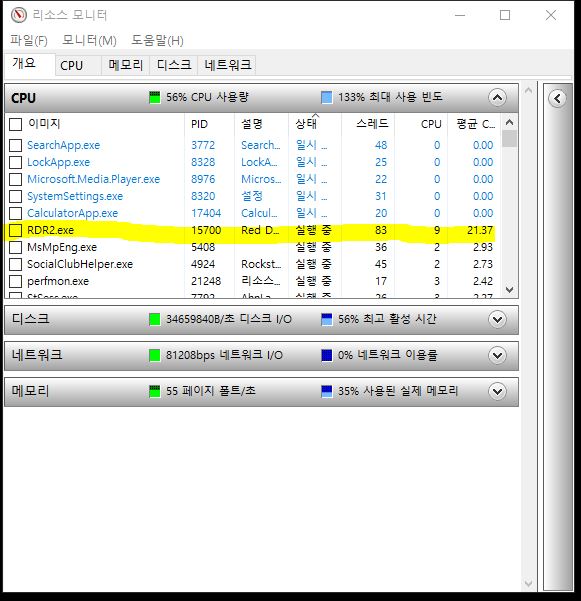
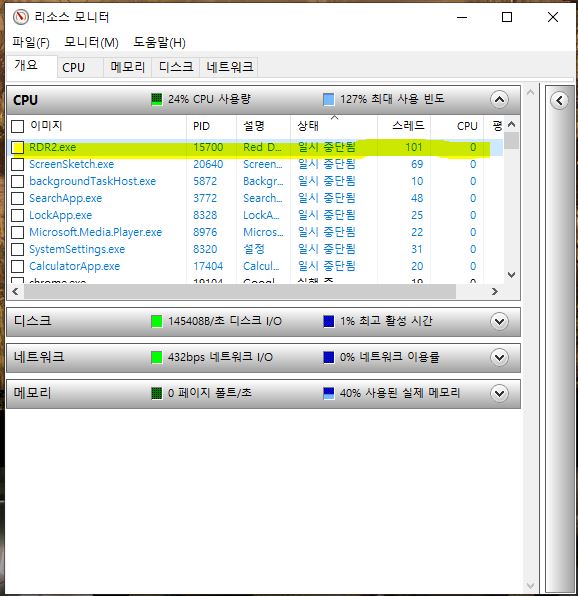
한글: 상단 [CPU] 탭 선택 ➡️ 목록에서 RDR2.exe 찾기
English: Select [CPU] tab at the top ➡️ Locate RDR2.exe from the list.
*************************************************************************
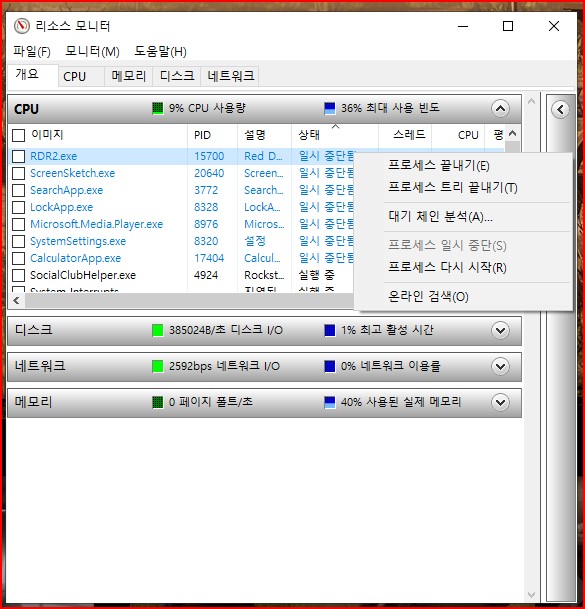
- 프로세스 정지 (Suspend)
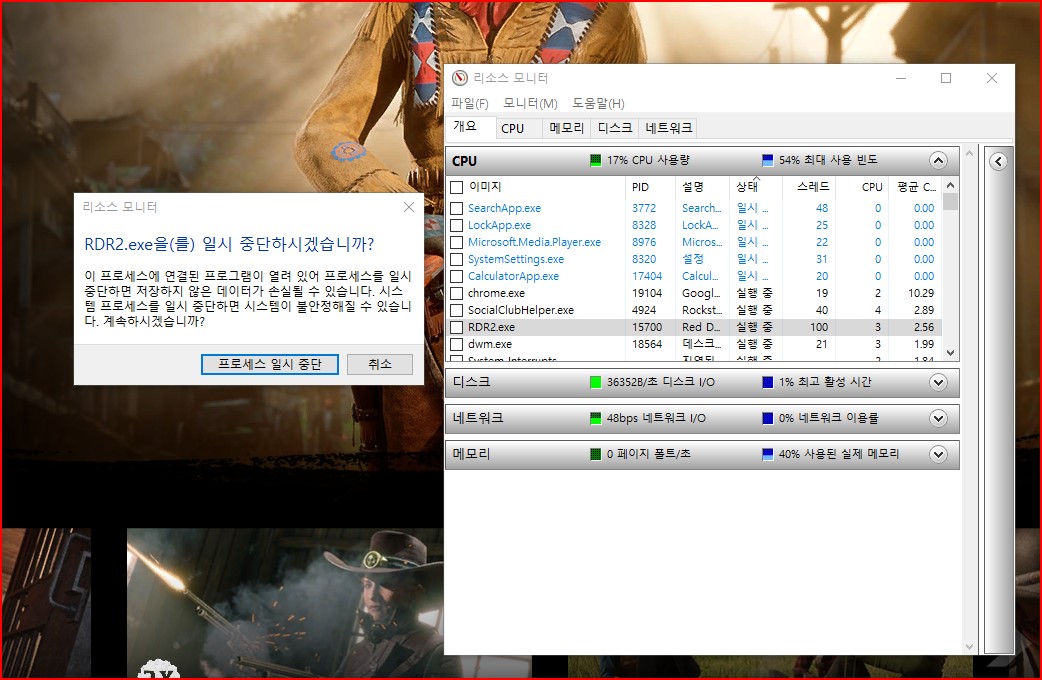
한글: RDR2.exe 우클릭 ➡️ [프로세스 일시 중지(Suspend Process)] 클릭 ➡️ 7초 대기
English: Right-click RDR2.exe ➡️ Click [Suspend Process] ➡️ Wait for exactly 7 seconds.
*************************************************************************
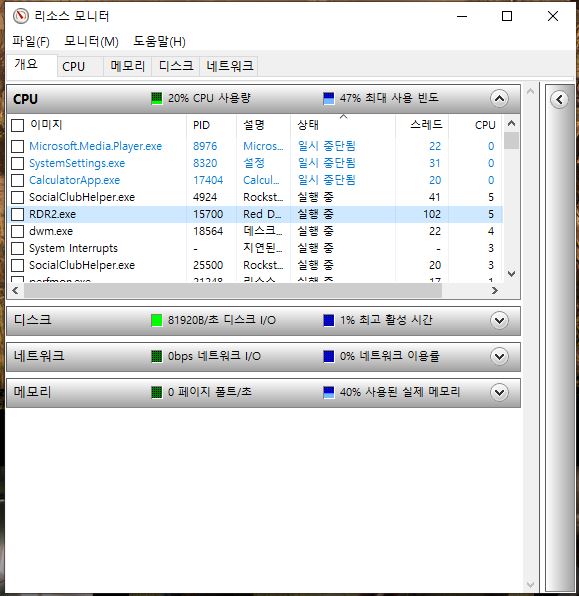
- 프로세스 재개 (Resume & Finish)
한글: RDR2.exe 다시 우클릭 ➡️ [프로세스 다시 시작(Resume Process)] 클릭 ➡️ 세션 청소 완료
English: Right-click RDR2.exe again ➡️ Click [Resume Process] ➡️ Done! Clean Session Secured.
A Legal and Perfect Technical Counter-Punch to Deliver Maximum Frustration to Modders
How to Counter Modders Instantly & Rescue Innocent Players (Resource Monitor Guide) 공개세션 핵쟁이 선제 대응 및 일반 유저 보호 가이드 (리소스 모니터 활용법)
📝 토론방 본문 내용 (Main Content)
- 선제타격의 타이밍 (The Timing of Pre-emptive Action)
한글:
플레이어 리스트(L키)에서 빨간 이름이나 비정상적으로 표시되는 닉네임 등, 모더로 의심되는 플레이어가 확인되면 상황이 악화되기 전에 예방 차원에서 대응할 수 있습니다. 많은 플레이어들은 윈도우 리소스 모니터를 이용해 RDR2 프로세스를 약 5~10초 동안 일시 정지(Suspend)하여 현재 세션과의 연결을 분리하는 방법을 사용합니다. 이는 모더와의 접촉을 빠르게 피하기 위해 오래전부터 알려진 방법 중 하나입니다.
English:
If you notice a player with a red name or an abnormal-looking nickname in the player list (L), they may be a modder. Before the situation escalates, many players choose to suspend the RDR2 process for about 5–10 seconds using the Windows Resource Monitor. This temporarily separates your connection from the current session and has long been used by the community as a practical way to avoid interactions with suspected modders.
************************************************************************
- 정상 유저들의 운명: 안전지대로 자동 구출 (Innocent Players: Session Migration)
한글:
프로세스를 일시 정지하여 현재 세션과의 연결이 끊어지면, 대부분의 경우 세션 구성이 다시 이루어집니다. 이 과정에서 다른 일반 플레이어들은 각자의 네트워크 상태와 게임의 세션 관리 방식에 따라 다른 공개 세션으로 이동할 수 있습니다. 플레이어 입장에서는 별다른 조작 없이 모더가 있던 세션에서 벗어나게 되는 경우가 자주 관찰됩니다. 다만, 세션 이동 방식과 내부 동작 원리는 Rockstar에서 공개한 내용이 아니므로 정확한 처리 과정은 알려져 있지 않습니다.
English:
When your connection to the current session is temporarily interrupted, the game usually reorganizes the session. During this process, other legitimate players may also be placed into different public sessions depending on their network conditions and the game's session management. From the player's perspective, they often end up leaving the modder's session without taking any additional action. However, Rockstar has never publicly explained the exact mechanics behind this migration process, so the internal behavior remains unknown.
**************************************************************************
- 나의 상태: 내 자리에 그대로 청정 세션 독점 (Your State: Remaining in a Clean Session)
한글:
프로세스를 일시 정지한 후에는 대부분의 경우 별도의 로딩 화면 없이 현재 위치에 그대로 남게 됩니다. 내 주변에 있던 플레이어들이 사라지고 혼자 남은 것처럼 보이는 경우가 많으며, 결과적으로 방해받지 않는 매우 한적한 세션에서 게임을 계속할 수 있습니다. 다만, 시간이 지나면서 다른 플레이어가 다시 참가하거나 세션 구성이 변경될 수 있으므로 영구적인 1인 세션이 보장되는 것은 아닙니다.
English:
After suspending the process, you will often remain at your current location without seeing a loading screen. In many cases, nearby players disappear, leaving you alone in what appears to be a quiet session where you can continue playing without interference. However, this does not permanently guarantee a solo session, as other players may join later or the session may change over time.
***********************************************************************
- 핵쟁이의 운명: 남겨진 세션 (The Modder's Situation: Remaining in the Original Session)
한글:
내가 현재 세션에서 분리되면, 모더를 포함한 나머지 플레이어들은 대부분 기존 세션에 그대로 남게 됩니다. 이후 해당 세션이 어떻게 유지되거나 변경되는지는 각 플레이어의 네트워크 상태와 게임의 세션 관리 방식에 따라 달라질 수 있습니다. 일부 플레이어들은 이 과정에서 NPC나 야생동물이 거의 보이지 않는 세션을 경험했다고 보고하기도 하지만, 이러한 현상이 항상 발생하는 것은 아니며 Rockstar에서 공식적으로 설명한 내용은 아닙니다.
English:
Once you separate from the current session, the remaining players—including any suspected modders—generally stay in the original session. What happens afterward depends on the game's session management and each player's network conditions. Some players have reported ending up in sessions with few or no NPCs or wildlife, but this behavior is not consistent and has never been officially documented by Rockstar.
**************************************************************************
- 바보가 된 핵쟁이의 최종 탈출구 (The Modder's Only Way Back)
한글:
기존 세션에 남아 있는 플레이어는 정상적인 공개 세션에서 계속 플레이하기 위해 직접 다른 세션으로 이동할 수 있습니다. 일반적으로 ESC → 온라인(Online) 메뉴를 통해 새로운 공개 세션에 다시 접속하는 방법이 사용됩니다. 이 과정에서 로딩 시간이 평소보다 길어지거나, 드물게 무한 로딩과 같은 문제가 발생했다는 사례도 보고되고 있지만, 이는 모든 경우에 발생하는 것은 아니며 네트워크 환경이나 게임 상태에 따라 달라질 수 있습니다.
English:
Players who remain in the original session can manually move to a new public session if they wish to continue playing under normal conditions. The most common method is to open the ESC → Online menu and join a new public session. Some players have reported longer-than-usual loading times or, in rare cases, infinite loading screens during this process. However, these behaviors are not consistent and may vary depending on network conditions and the game's current state.
- 결론: 모더를 피하는 효과적인 방법 (Conclusion: A Practical Way to Avoid Modders)
한글:
윈도우 리소스 모니터를 이용한 프로세스 일시 정지는 공개세션에서 모더와의 접촉을 빠르게 끊고 게임을 계속하기 위한 실용적인 방법으로 오랫동안 많은 플레이어들에게 알려져 왔습니다. 내부적으로 세션이 어떻게 재구성되는지에 대해서는 Rockstar가 공식적으로 공개한 자료가 없으므로 정확한 동작 원리를 단정할 수는 없습니다. 그러나 실제 플레이 경험상 대부분의 경우 모더가 있는 세션에서 빠르게 벗어나 보다 쾌적한 환경에서 게임을 이어갈 수 있었으며, 이러한 이유로 많은 플레이어들이 하나의 대응 방법으로 활용하고 있습니다.
English:
Suspending the RDR2 process with the Windows Resource Monitor has long been recognized by many players as a practical way to quickly break away from modders in public sessions and continue playing. Since Rockstar has never publicly explained the game's internal session migration system, the exact mechanics cannot be stated with certainty. However, based on the experience of many players, this method has proven to be an effective way to leave disruptive sessions and continue playing in a more stable and enjoyable environment.
**************************************************************************
⚡ 1초 세션 청소법 단축키 요약 (Quick 4-Step Clean Guide)
- 리소스 모니터 켜기 (Open Monitor)
한글:
Ctrl + Shift + ESC (작업 관리자) ➡️ [성능] 탭 ➡️ 맨 아래 [리소스 모니터 열기] 클릭
English:
Press Ctrl + Shift + ESC ➡️ Go to [Performance] tab ➡️ Click [Open Resource Monitor] at the very bottom.
*************************************************************************
- RDR2 찾기 (Find Process)
한글:
상단 [CPU] 탭 선택 ➡️ 목록에서 RDR2.exe 찾기
English:
Select [CPU] tab at the top ➡️ Locate RDR2.exe from the list.
*************************************************************************
- 프로세스 정지 (Suspend)
한글: RDR2.exe 우클릭 ➡️ [프로세스 일시 중지(Suspend Process)] 클릭 ➡️ 7초 대기
English: Right-click RDR2.exe ➡️ Click [Suspend Process] ➡️ Wait for exactly 7 seconds.
*************************************************************************
- 프로세스 재개 (Resume & Finish)
한글:
RDR2.exe 다시 우클릭 ➡️ [프로세스 다시 시작(Resume Process)] 클릭 ➡️ 세션 청소 완료
English:
Right-click RDR2.exe again ➡️ Click [Resume Process] ➡️ Done! Clean Session Secured.
*************************************************************************
📝 핵쟁이를 이기는 마음가짐
"만약 여러분이 레드 데드 리뎀션 2라는 게임을 진심으로 즐기고 계신다면,
핵쟁이들이 주는 짜증은 그저 일시적인 짜증일 뿐입니다.
물론 때로는 좌절감이 들고 화가 날 수도 있겠지만…
이건 현실 세계가 아닙니다.
핵쟁이들이 게임 속에서 나를 죽일 수는 있어도,
현실의 나를 죽일 수는 없습니다.
그건 오직 그들의 유치한 상상 속에서만 일어나는 일일 뿐입니다.
그런 사소한 짜증에 비하면,
레드 데드 온라인에서 좋은 사람들과 함께 플레이하며 얻는 기쁨이 훨씬 더 큽니다.
저에게 핵쟁이들이란 그저 여름날의 조그만 똥파리 같은 존재,
즉 아주 사소한 귀찮은 거리일 뿐입니다.
여러분 모두가 좋은 사람들과 함께 진정으로 즐겁고 뜻깊은 서부 여정을 만끽하시기를 바랍니다."
*************************************************************************
📝 The Mindset to Overcome Cheaters
you truly enjoy the game Red Dead Redemption 2, then the annoyance from cheaters is just that—an annoyance.
Of course, it can be frustrating and upsetting at times… but it’s not real life.
Even if cheaters kill me in the game, they can’t do that in reality.
It only happens in their own imagination.
Compared to that kind of annoyance, the joy of playing with good people in Red Dead Online is much greater.
To me, cheaters are nothing more than little flies on a summer day—just a minor nuisance.
I hope you all get to enjoy a truly fun and meaningful Western journey with great people.
**************************************************************************
⭐⭐⭐⭐⭐⭐⭐⭐⭐⭐⭐⭐⭐⭐⭐⭐⭐⭐⭐⭐⭐⭐⭐⭐⭐⭐⭐
한글:
2,000시간을 RDO을 하면서 저또한 뉴비시절에 너무힘들었던 기억이있기에
레벨업이나 직업레벨업에 대한 도움이 필요하시면 언제던지 친구 신청해주시면
도움드릴수있도록 해보겠습니다.
저는 PvP보다 PvE를 훨씬 선호합니다.
다른 유저들과 시비 붙어 싸우는 데는 전혀 관심 없고,
오직 게임 자체의 오리지널 콘텐츠를 즐기는 걸 좋아합니다.
English:
Having played RDO for over 2,000 hours, I still vividly remember how brutal and difficult the game was back when I was a beginner. If you ever need a hand with leveling up your character or grinding your role rank, please feel free to send me a fri
RDO Lobby Manager 설치 방법
RDO Lobby Manage 다운 받는곳 넥서스 모드 홈페이지
https://www.nexusmods.com/reddeadredemption2/mods/772
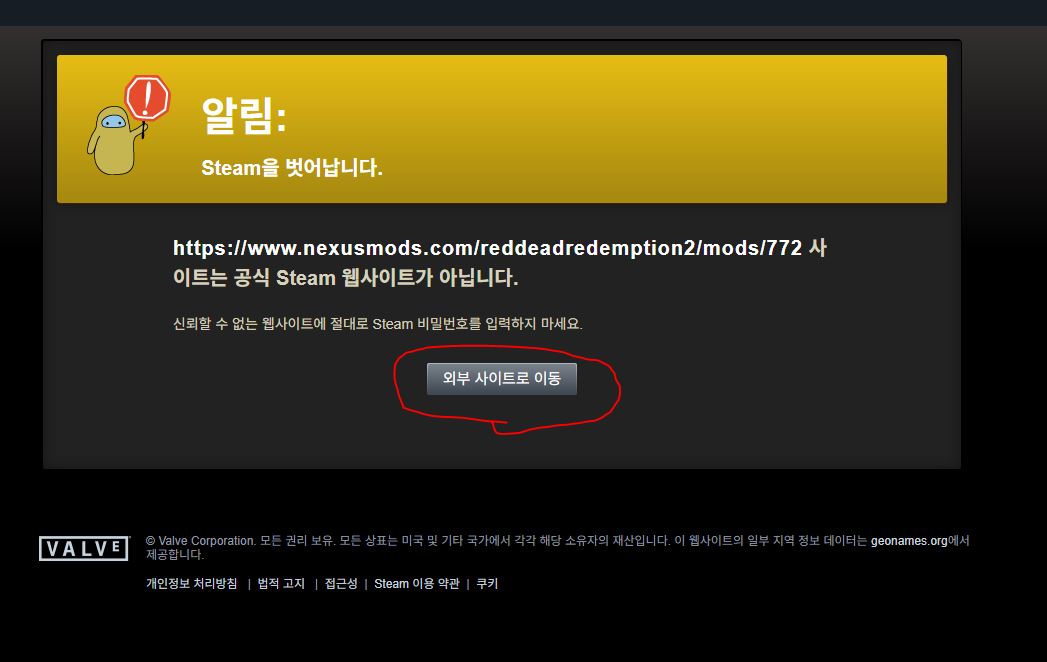
이 페이지가 보이더라도 외부사이트 이동 누르시면
넥서스 모드 홈페이지 바로 이동 합니다.
가입 안되신분은 회원가입 먼저 해야 합니다.
- 넥서스모드 홈페이 회원가입(무료)
- 위의 주소 클릭
- 파일 다운로드 (**경로 중요함)
압축파일 압축해제 경로
\Red Dead Redemption 2 (레데리 2실행파일 있는 폴더) \ x64 \ data(여기 폴더에 압축해제) - 압축해제후 RDOLobbyManager.exe 파일 관리자 권한로 실행
- 실행후 팝업창 뜨면 파일 설치 성공
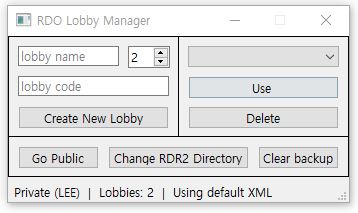
- 실행 경로 설정
Change RDR2 Directory 버튼 누른후 폴더 위치
Red Dead Redemption 2실행파일 있는 폴더 클릭 경로 설정 완료
*************************************************
개인 로비 설정
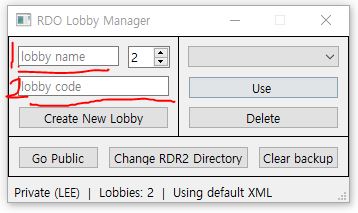
- 로비 이름 (원하는 이름 작성)
- 비밀번호 설정
- 게임 실행
성공 완료 후
개인 로비에 혼자 있음
같은 로비에 친구 합류 완료 후
개인로비에서 핵사용하는 사람 방해없이 게임을 즐길수있습니다.
로비이름과 비번이 같으면 친구들과도 즐길수있습니다.
이제핵쟁이로부터 자유롭고 편안하게 즐거운 레데온 을 즐기시길 바랍니다.
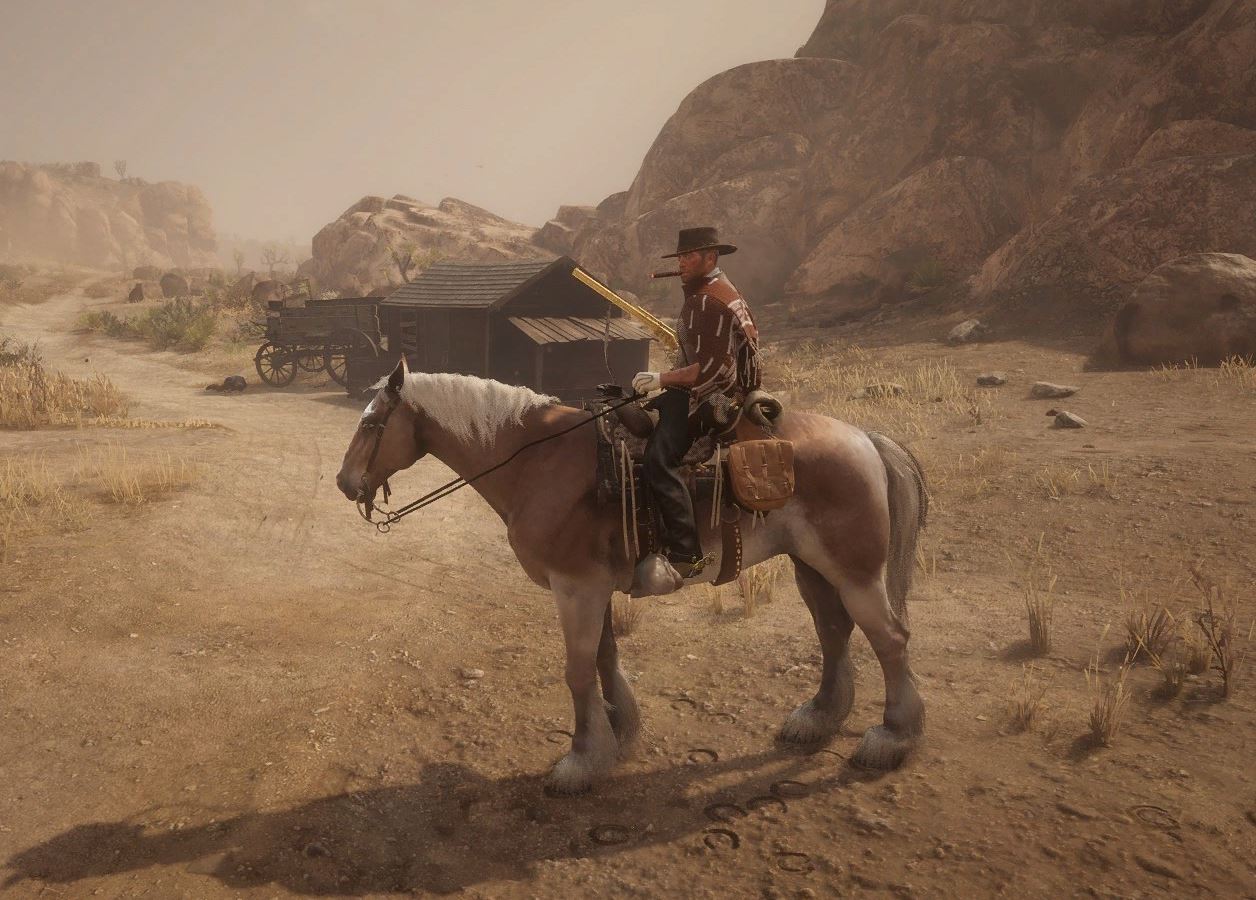
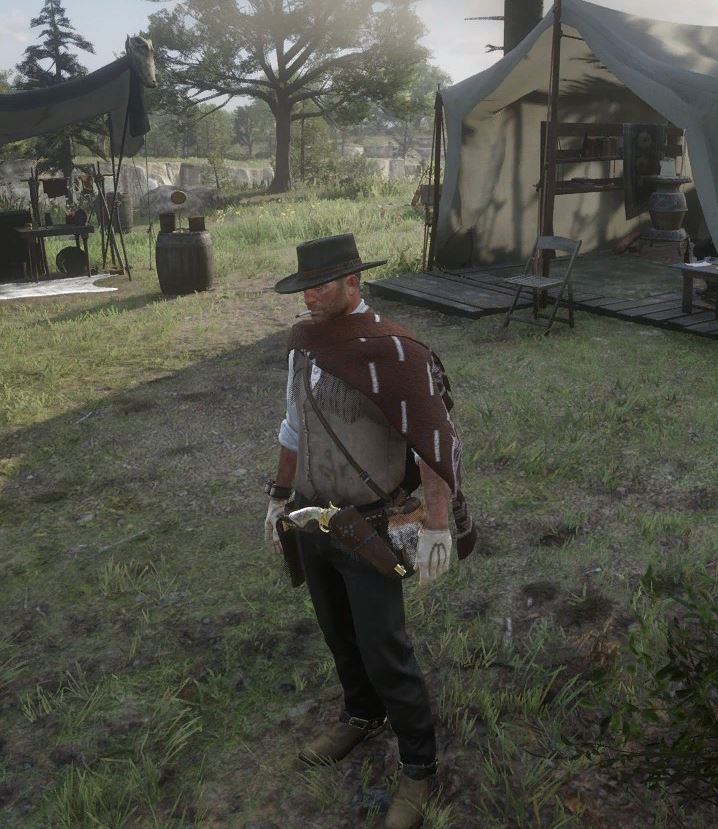
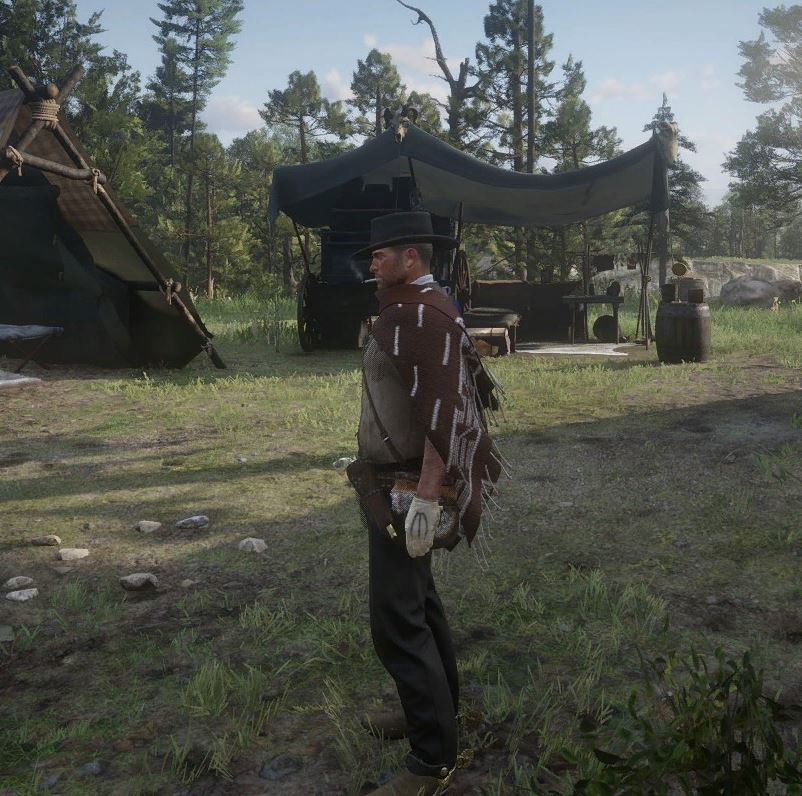
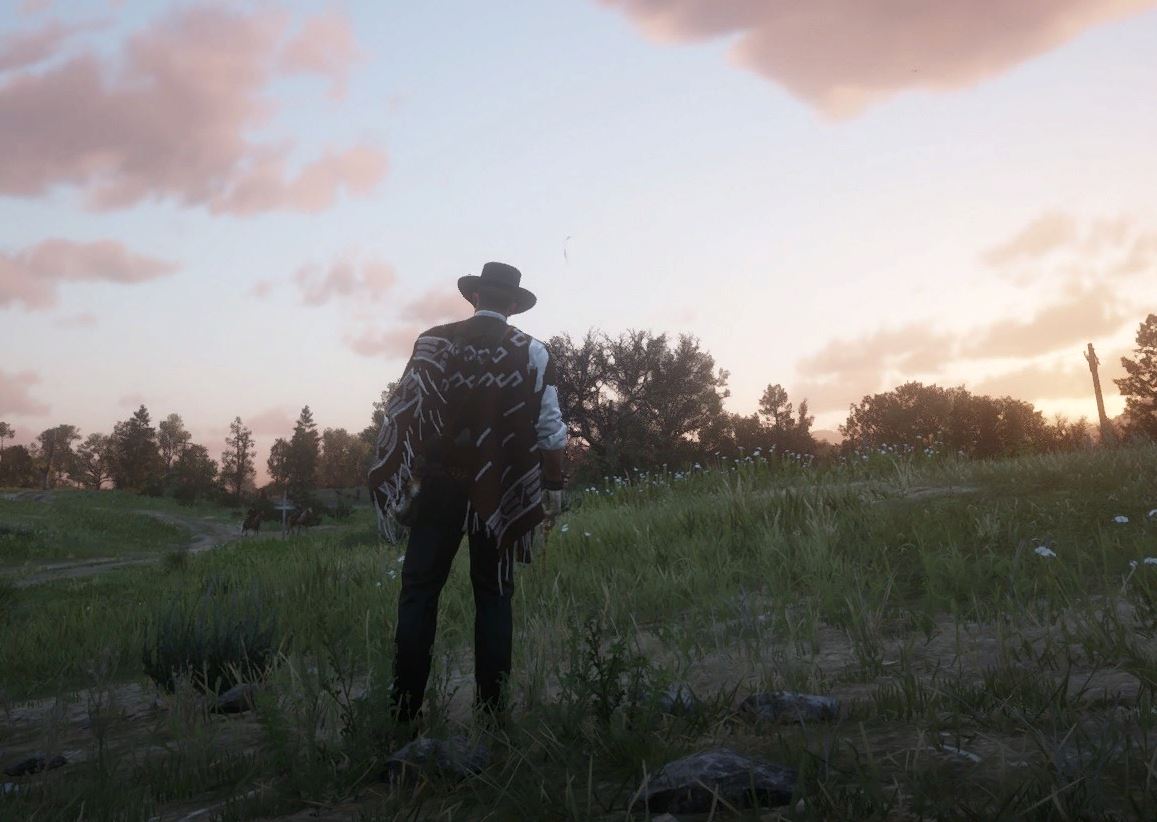
1. This is my version of Arthur.
Red Dead Redemption 2
This is the version of Arthur I’m playing with, customized using several mods:
- Horse – Belgian (Milly Chestnut)
- Outfit – The Good, the Bad, and the Ugly Poncho
- Accessory – Cigar
Below are the mod download pages used for this setup
- Poncho Mod
https://www.nexusmods.com/reddeadredemption2/mods/588 - Cigar Mod
https://www.nexusmods.com/reddeadredemption2/mods/2827
모드 사용하여 구성된 아서의 모습입니다.
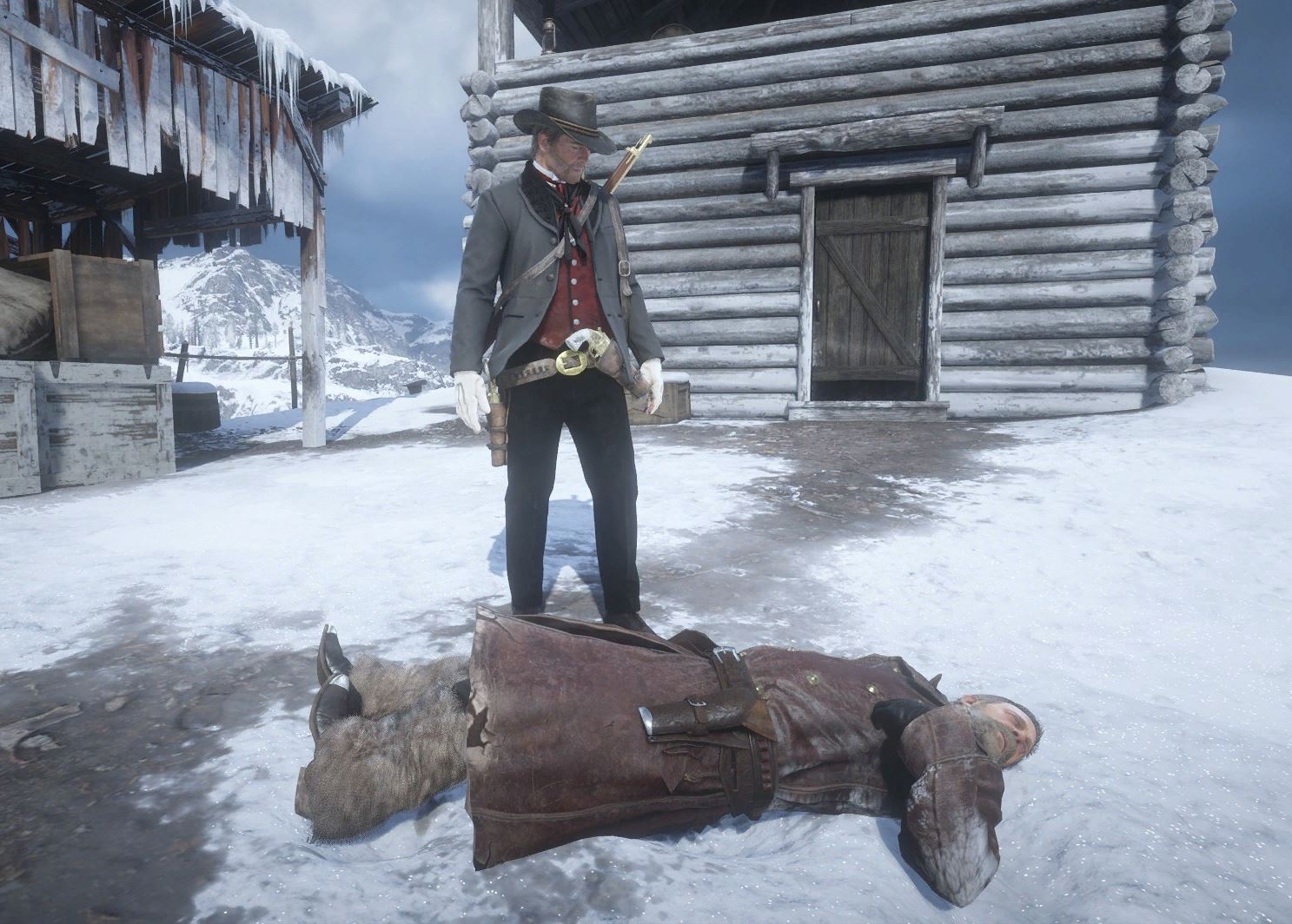
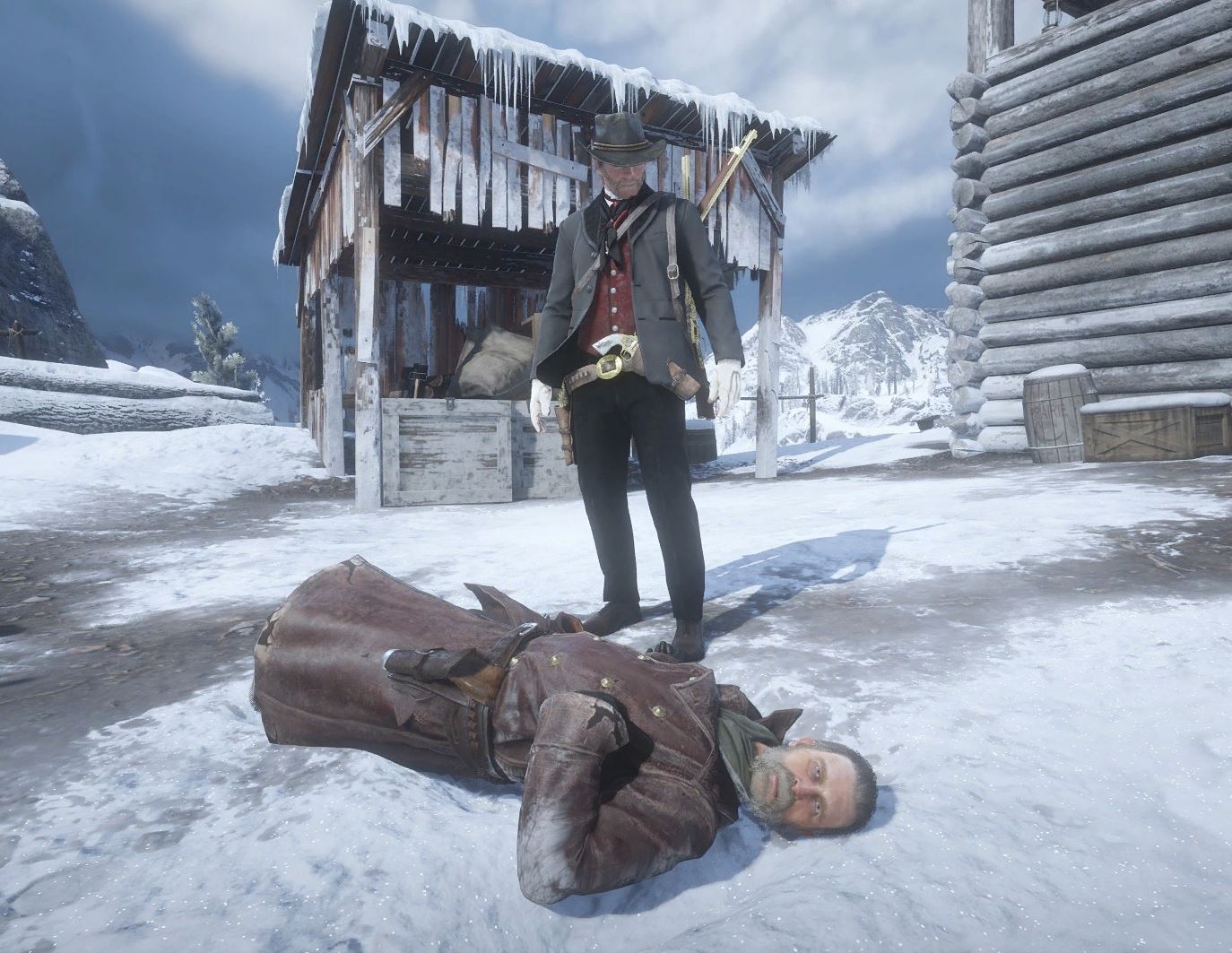
2. The resurrected Arthur has completed his revenge.
Arthur has returned from the dead
and finally avenged Micah.
Below are the mod download pages used in this setup:
- Rampage Trainer
https://www.nexusmods.com/reddeadredemption2/mods/233 - Script Hook RDR2
https://www.nexusmods.com/reddeadredemption2/mods/1472
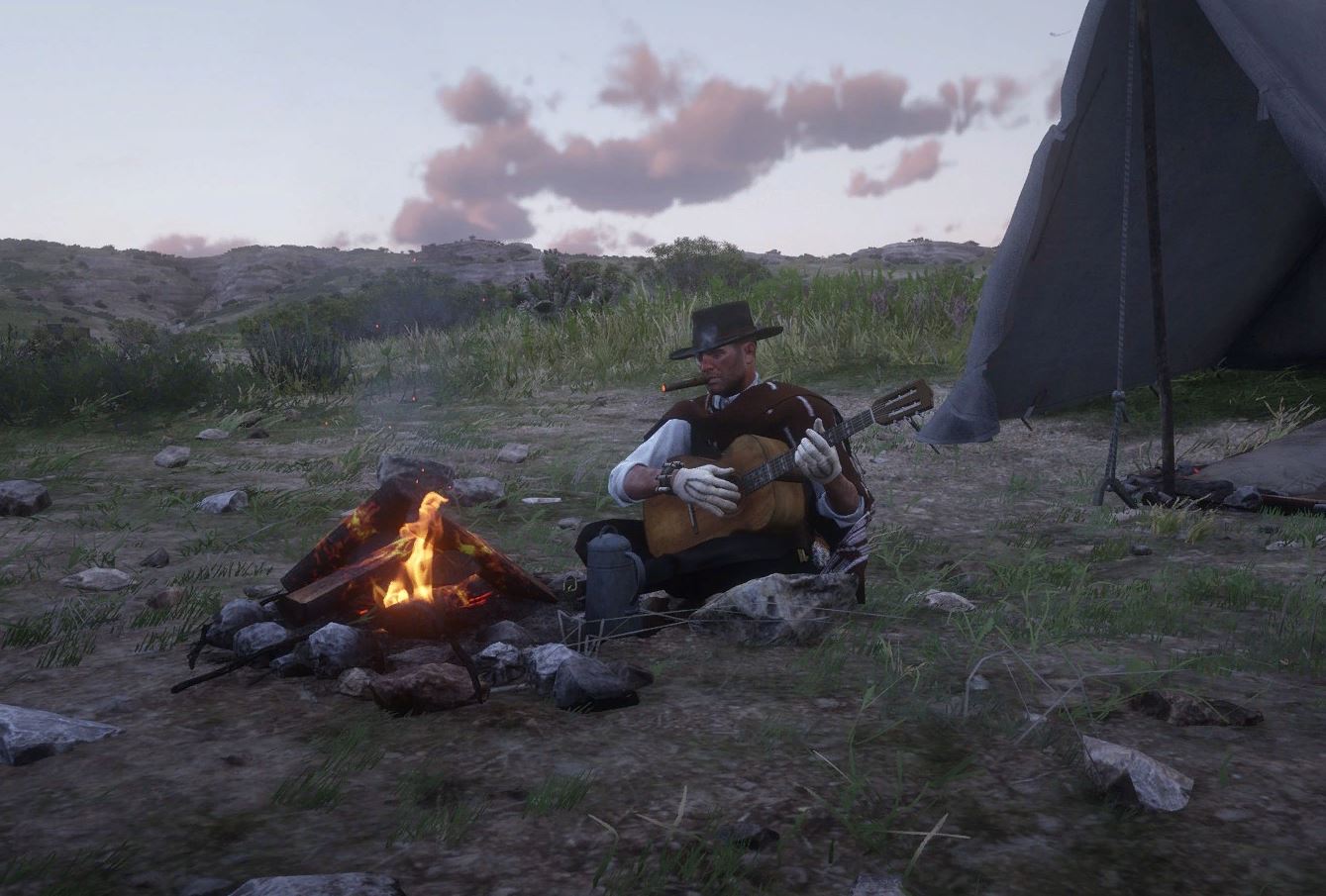
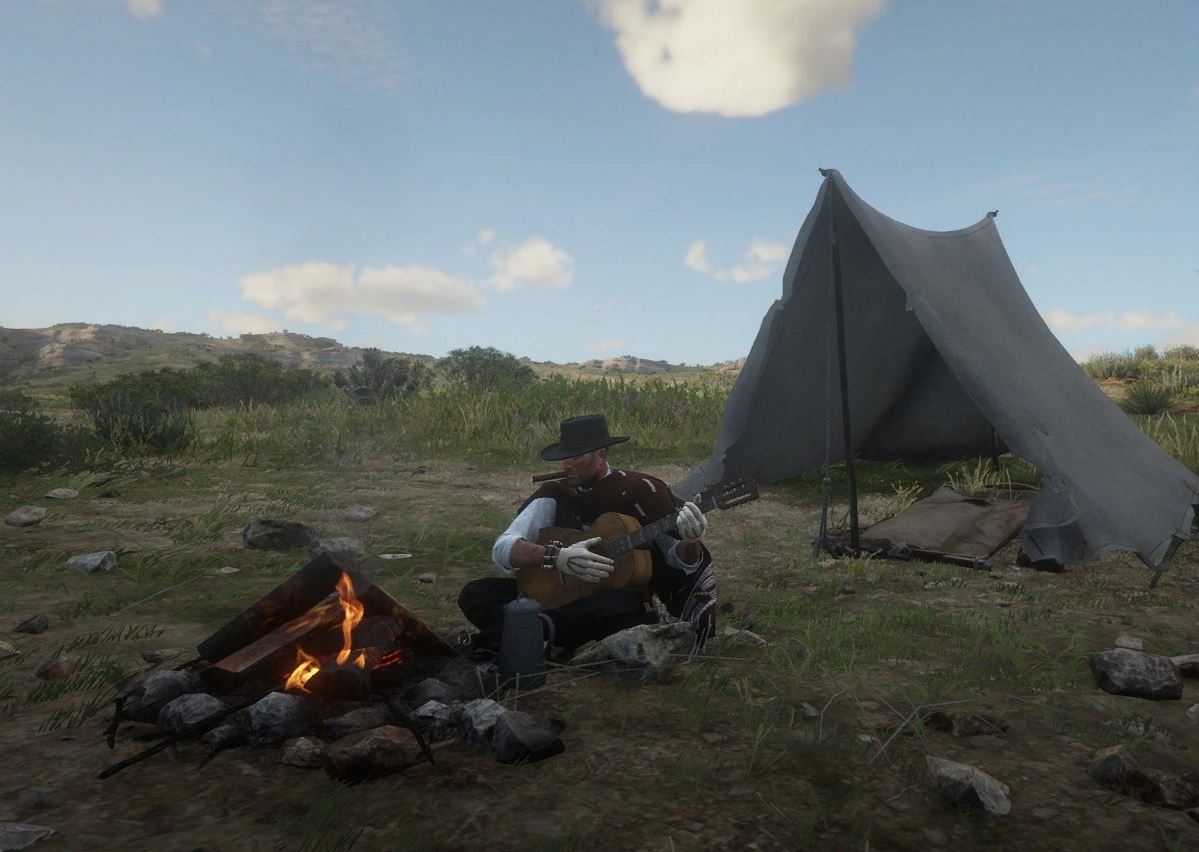
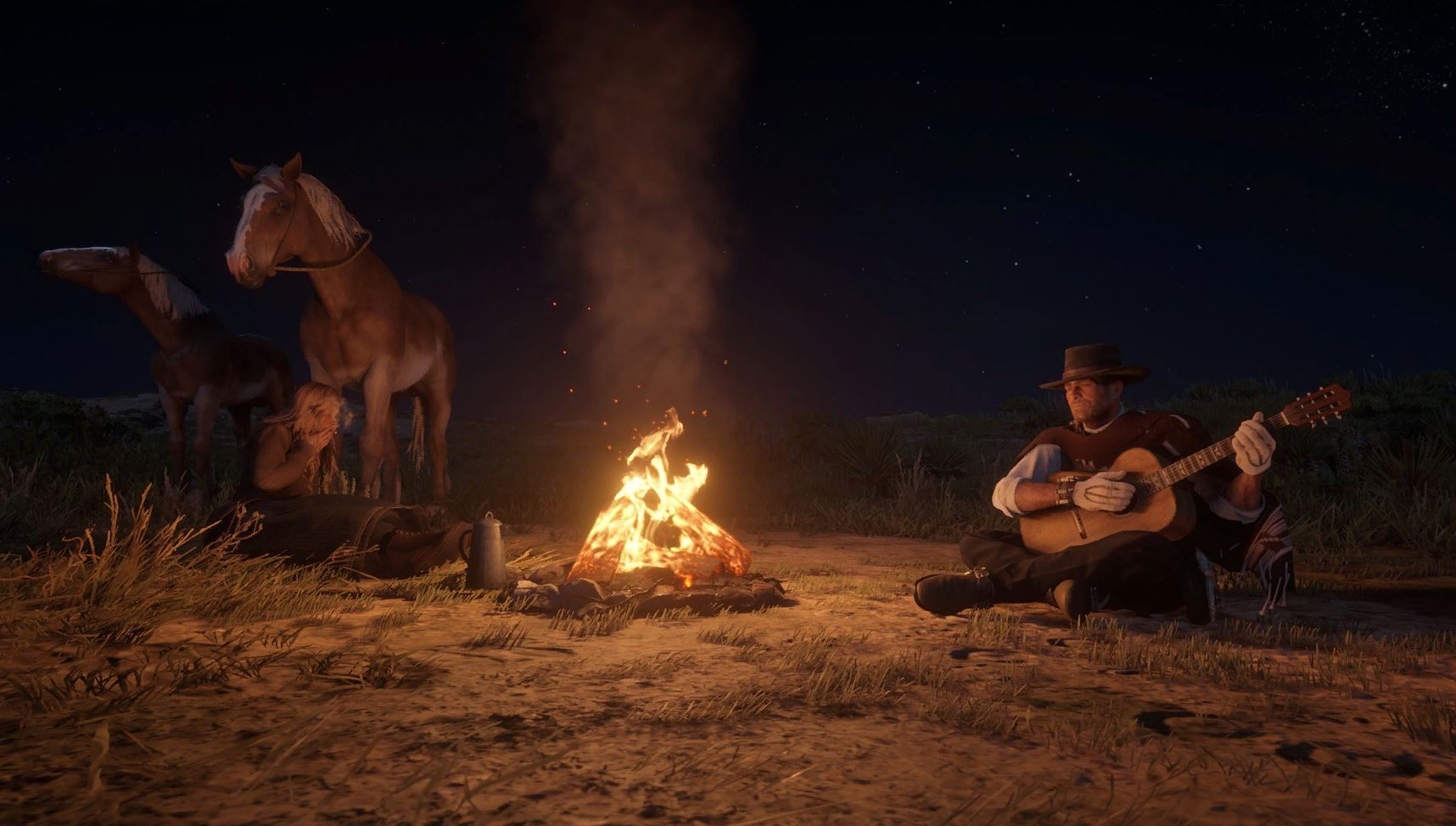
3. A glimpse of Arthur quietly playing the guitar.
Arthur has learned to play the guitar.
He's now practicing hard all by himself. 😊🎶
Below is the mod download page used for this scene:
Custom Tent with Guitar Playing
https://www.nexusmods.com/reddeadredemption2/mods/1117
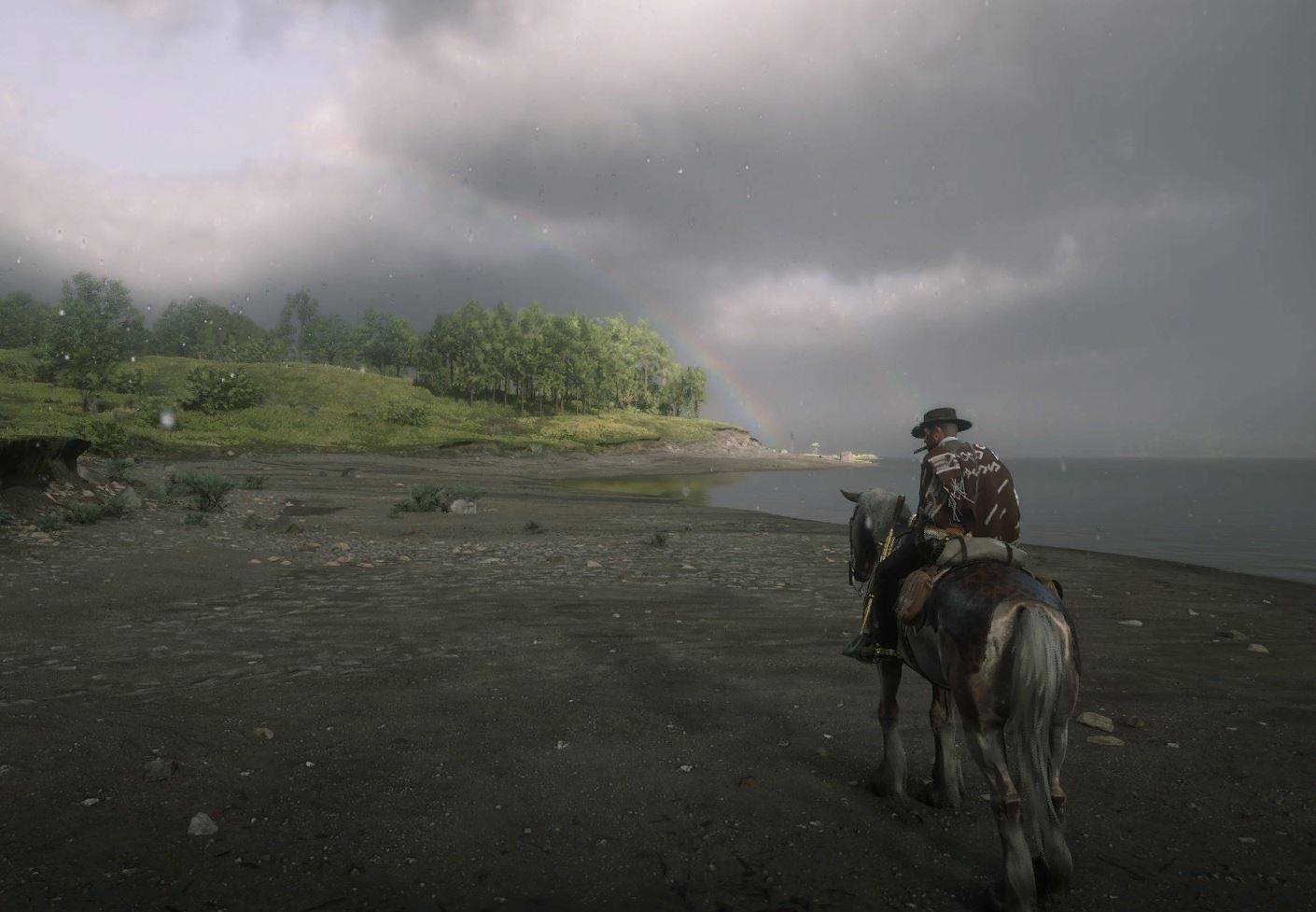
4. Red Dead Redemption 2 That Feels Almost Real
Arthur travels through the wilderness and along the coast.
One rainy day, he happened to look up at the sky—
and there it was: a rainbow.
Faint, but clear enough… he had seen a double rainbow. 🌈
A game that feels more real than reality.
I can’t help but fall in love with Red Dead Redemption 2.
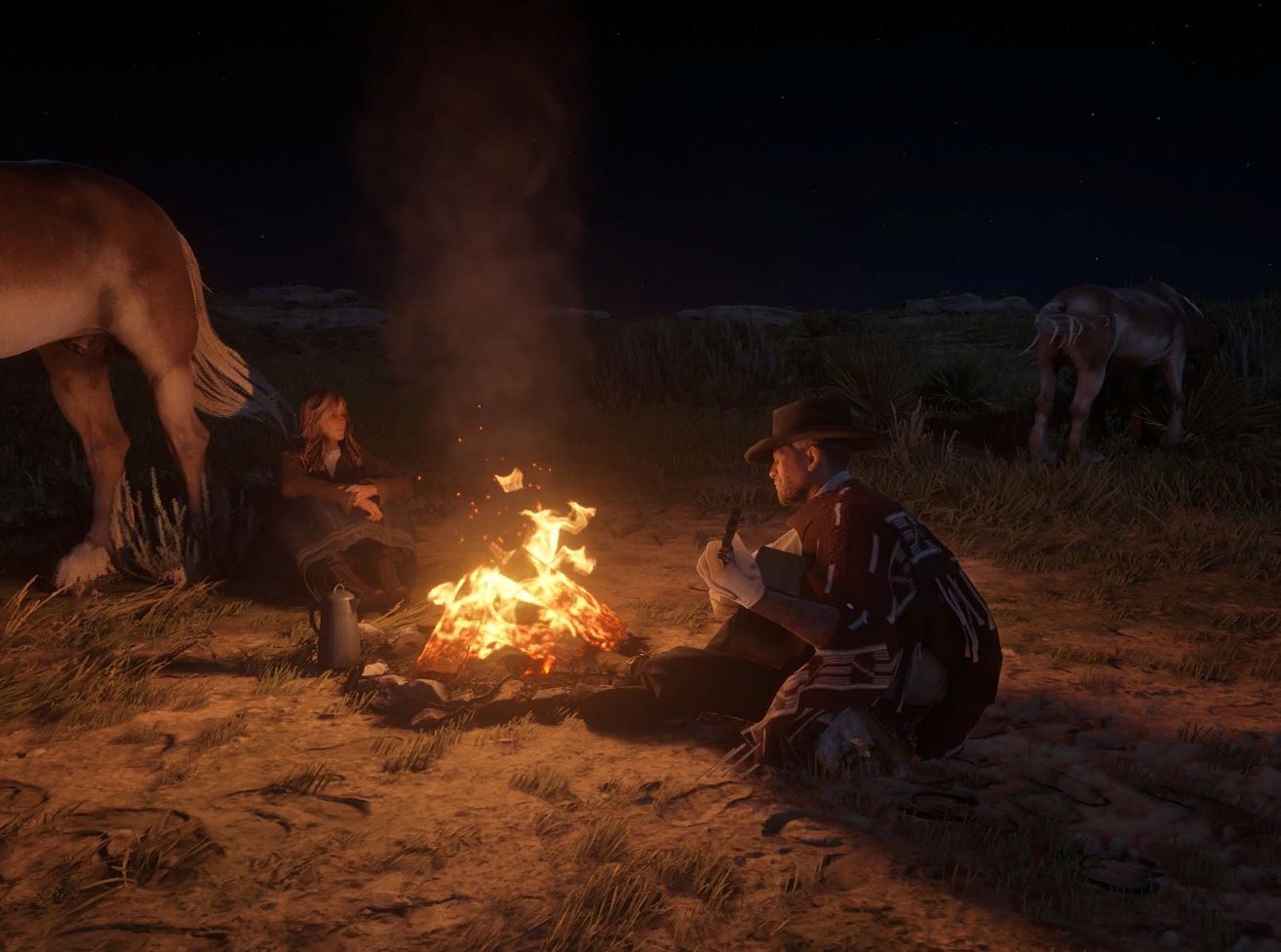
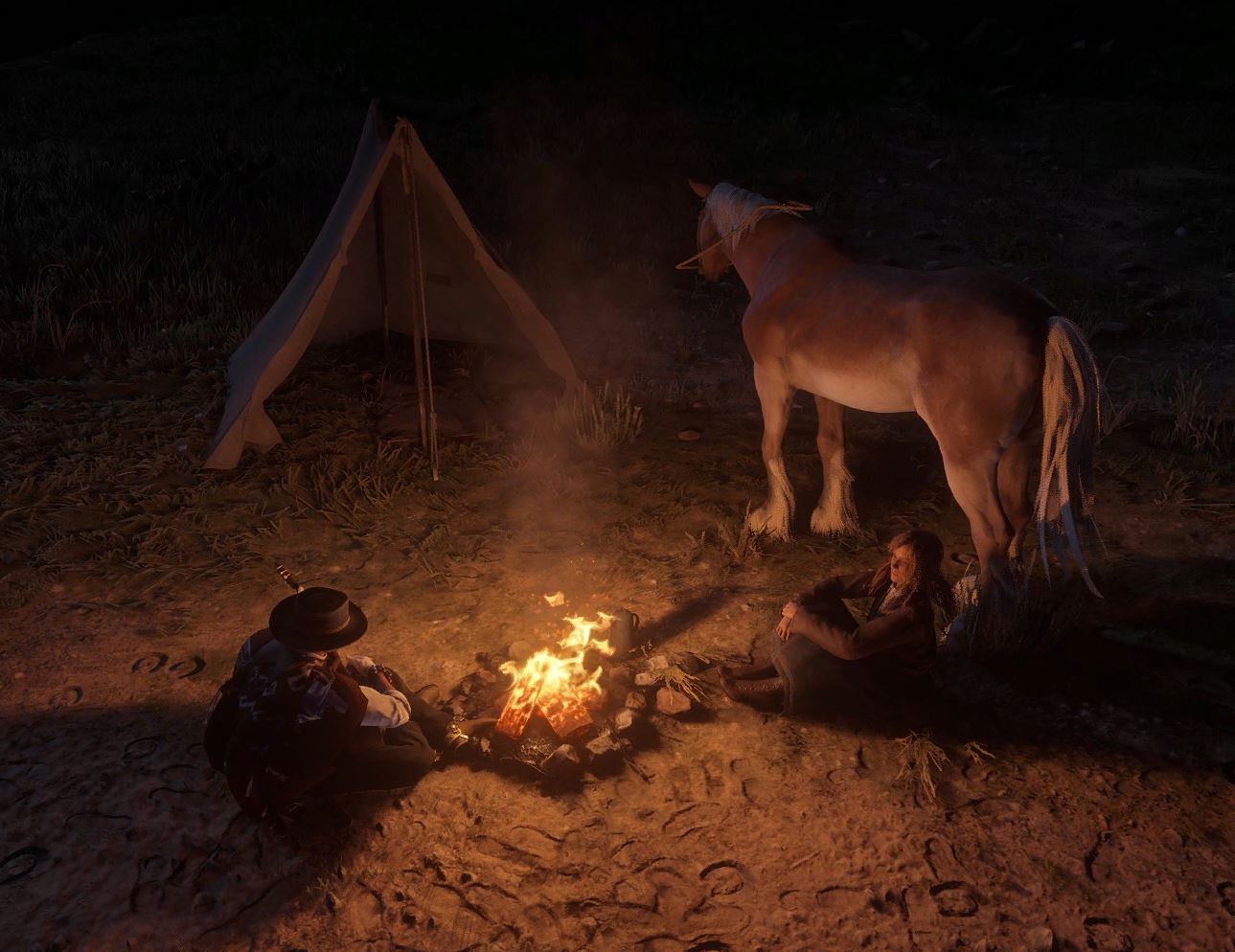
5. Arthur Is No Longer Alone
아서와 세이디의 한밤의 데이트
A midnight date between Arthur and Sadie.
Arthur plays the guitar just for her.
Sadie looks at him with eyes full of affection.
In this peaceful midnight scene, Arthur plays a gentle tune under the stars, and for once… he’s not alone.
And so... Arthur is no longer alone.
아래는 적용된 모드 다운로드 페이지 입니다.
- Custom Tent with Guitar Playing
https://www.nexusmods.com/reddeadredemption2/mods/1117
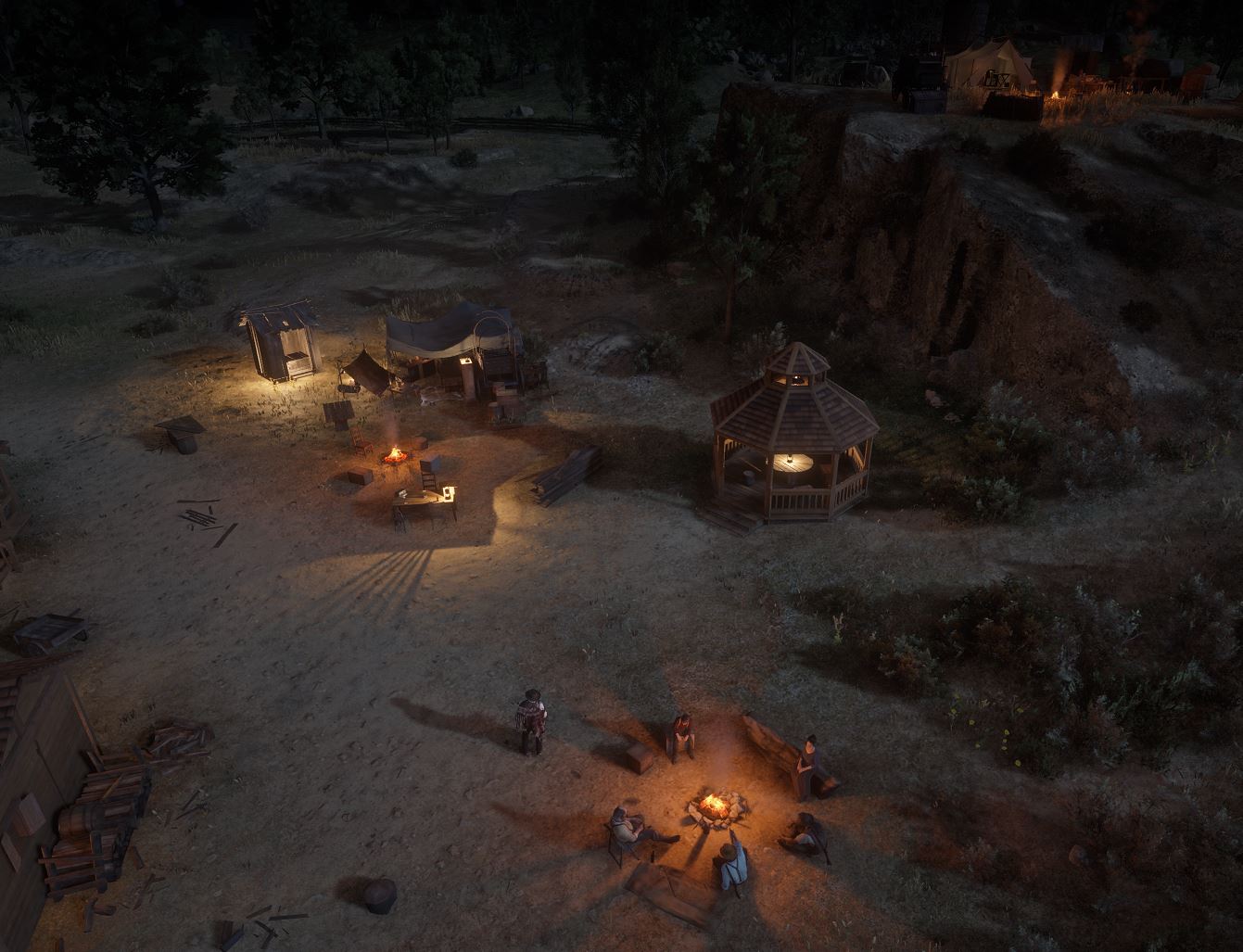
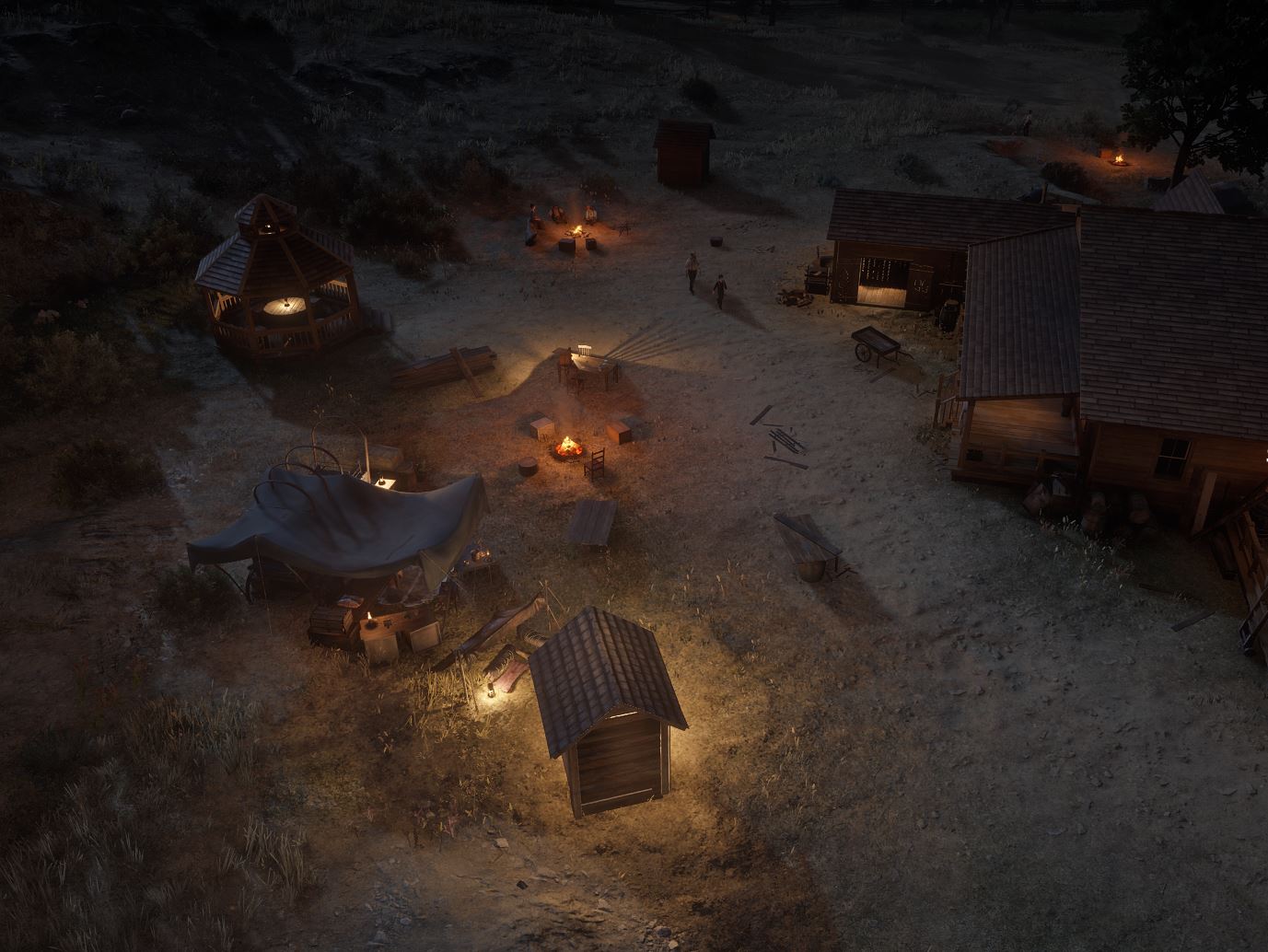
6. Finally, Everyone Has Gathered at Beecher’s Hope
The gang members have come together to live at Beecher’s Hope.
A new camp has been set up at Beecher’s Hope,
and with the house rearranged, they can live together as one.
Arthur will live happily with his friends forever.
Below are the mod download pages used for this setup:
Beecher’s Hope Gang Members (Arthur Morgan, Charles Smith, Sadie Adler, Karen Jones, etc.)
https://www.nexusmods.com/reddeadredemption2/mods/6713
Beecher’s Hope Expansion DLC
https://www.nexusmods.com/reddeadredemption2/mods/6744
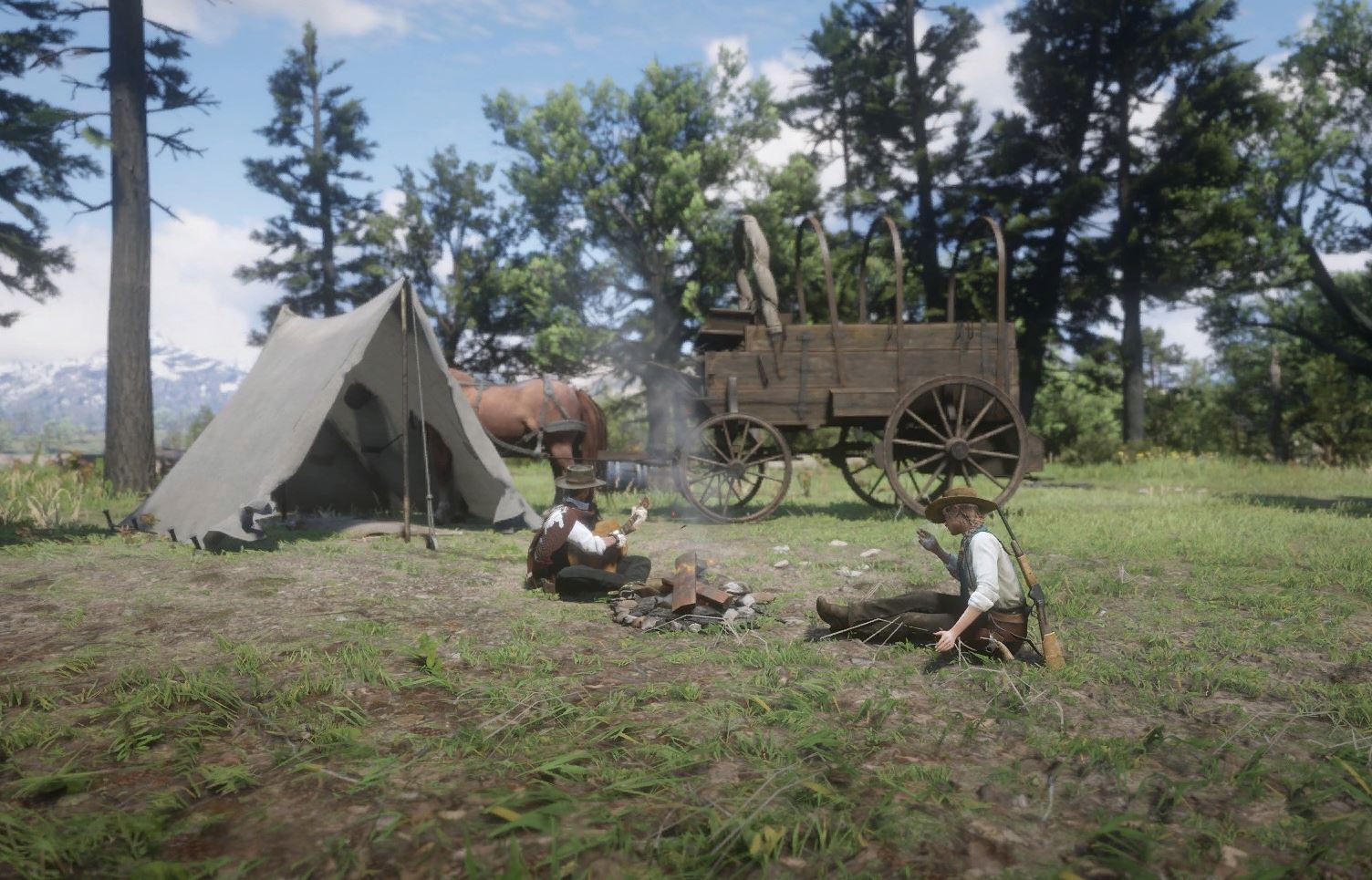
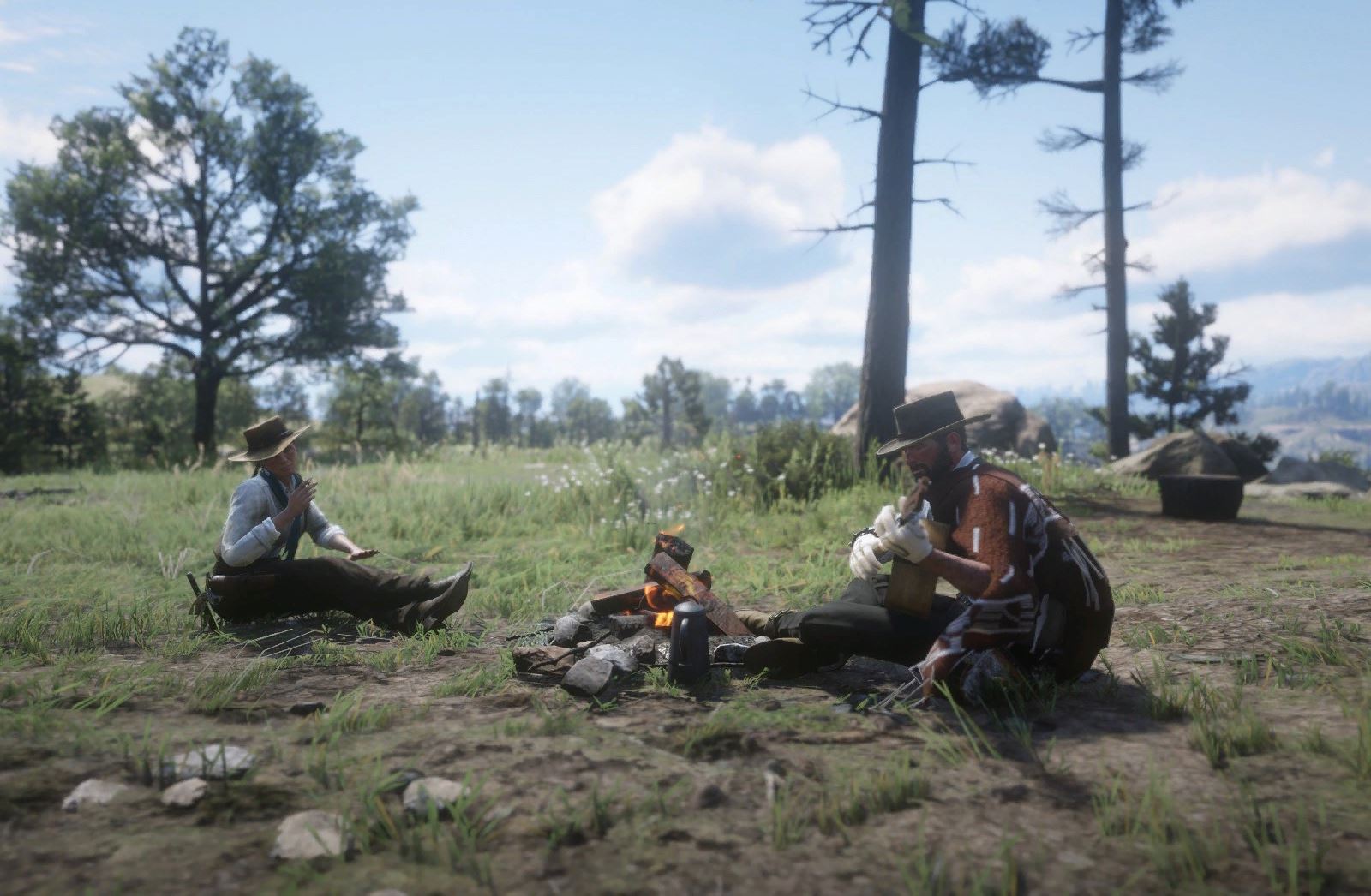
7. Arthur Camping with Sadie
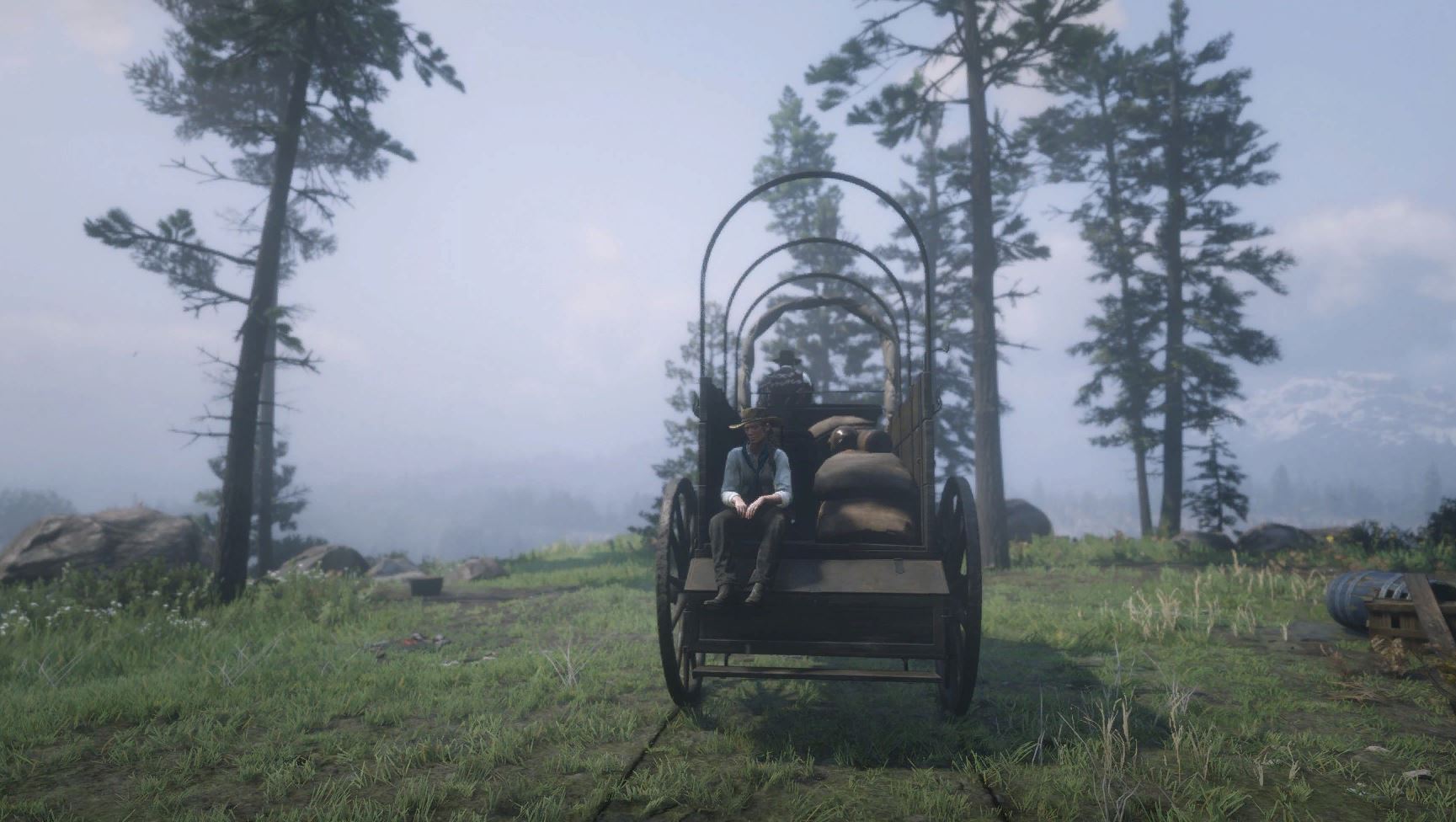
Arthur and Sadie took the wagon
and went on a picnic to Horseshoe Hill Camp after a long time.
They shared joyful stories,
and Arthur even sang a song for her.
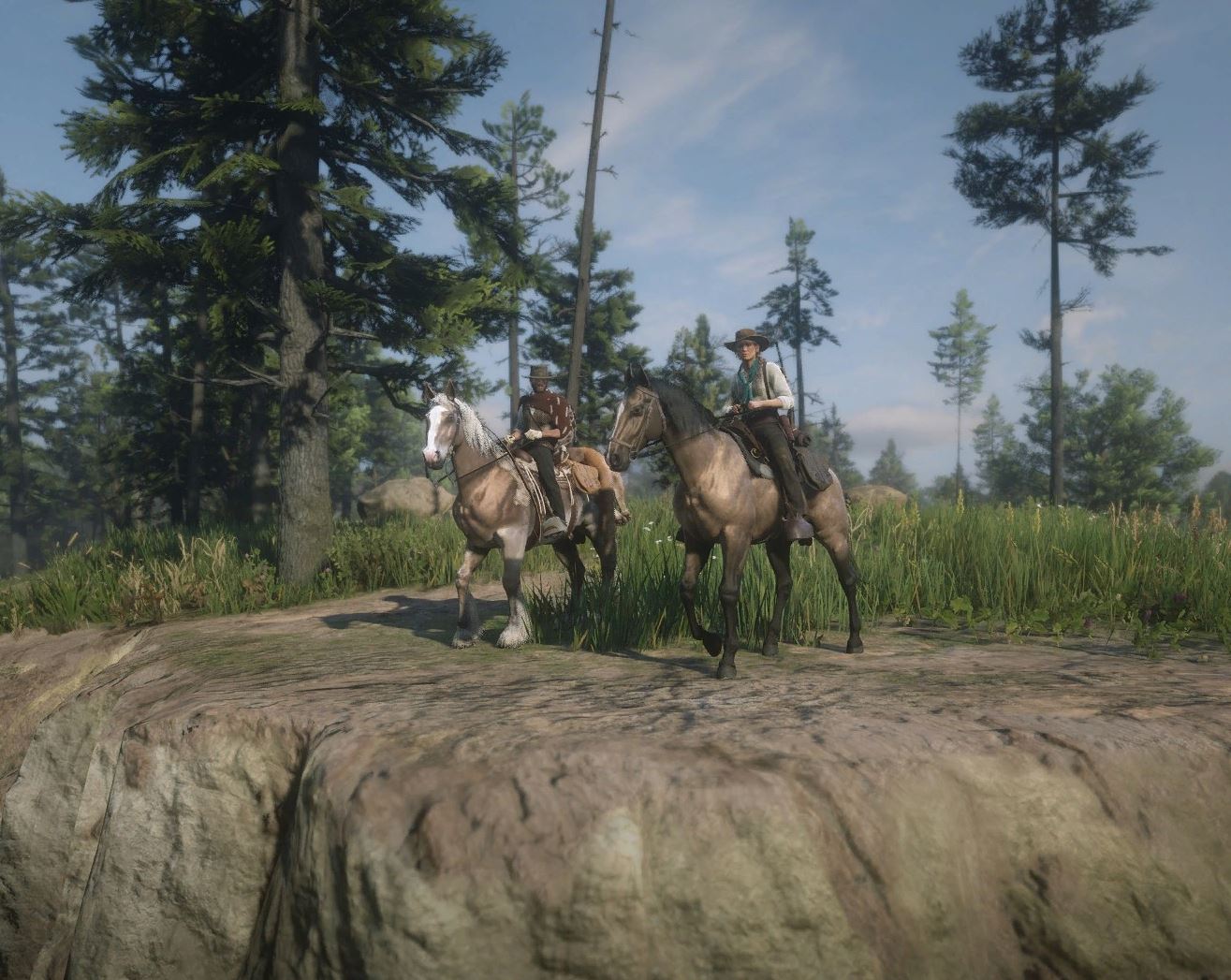
8. A Hunting Trip Together
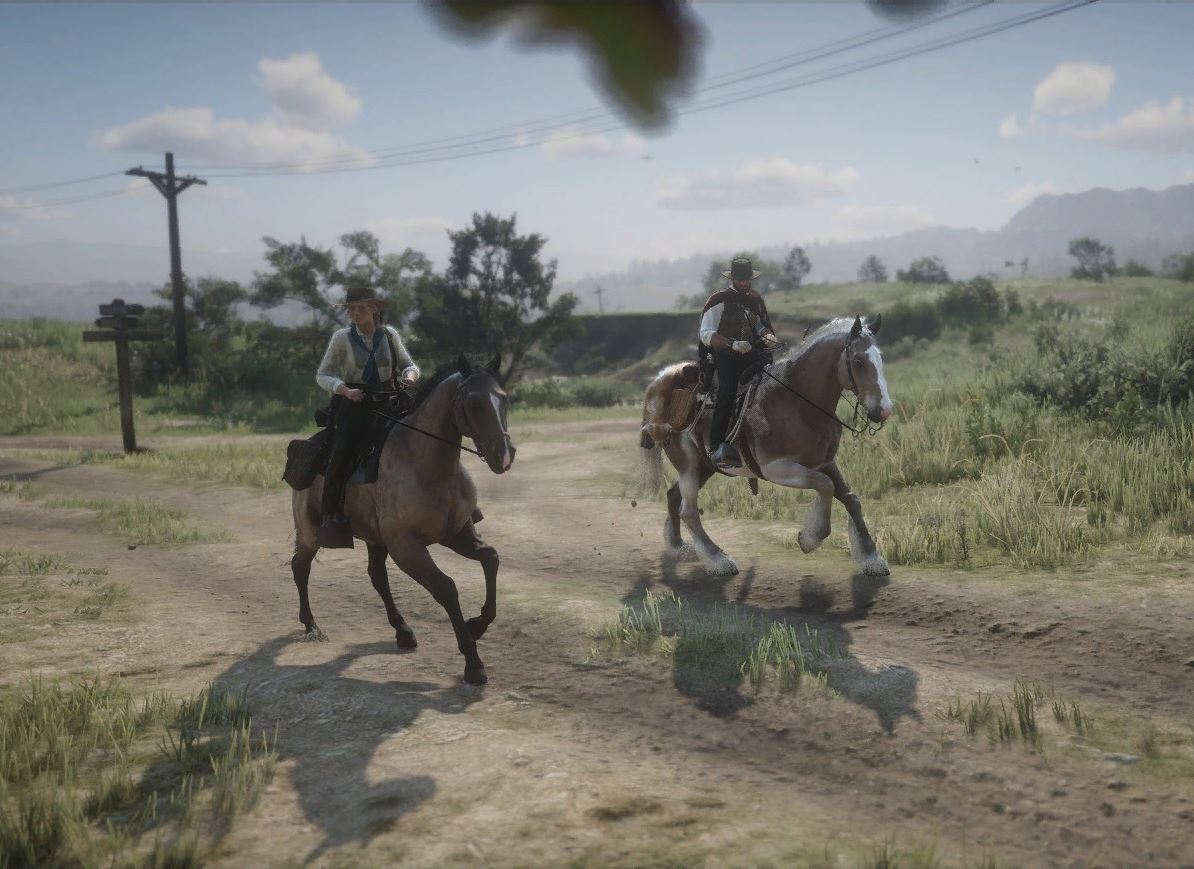
Arthur and Sadie rode their horses out hunting.
They managed to catch a cougar,
and the cougar’s fur had a unique color, making it easy to tell apart.
Today, Arthur spent another happy time with Sadie,
before returning to Beecher’s Hope.
9. Arthur’s Short Guitar Performance (ASMR)
We will be sharing a longer video of Arthur’s stylish guitar performance in the future.
10. Arthur Plays Guitar at Beecher’s Hope (ASMR)
The Rampage mod has been applied.
11. Arthur Walks in the Rain (ASMR)
The sound of falling rain and his gentle footsteps create a soothing scene.
12. Riding Through the Wilderness with Arthur (Dutch, Kieran, Sadie)
It’s a moment full of anticipation for their adventures ahead.
13. Arthur Rides Through the Snowy Mountains
Snow is falling gently as Arthur rides alone in quiet solitude.
14. Arthur’s Pastoral Scene
He walks slowly and calmly, embracing the beauty of a slower pace.
The gentle sound of his footsteps blends with the peaceful noises of the ranch—
a perfect harmony of nature’s sounds.
- 100% Achievement Guide for Red Dead Redemption II (including 100% game completion and Red Dead Online)★ 5 (1.9k)61k views4.6k ♥16 minUpdated Apr 12, 2020
- Карты для поиска животных в Red Dead Redemption 2 +Легендарные животные★ 5 (1.2k)52k views3.7k ♥1 minRussianUpdated May 25, 2021
- Полный гайд по испытаниям (Сюжетный режим)★ 5 (1.2k)52k views3.3k ♥33 minRussianUpdated Jun 27, 2020
- Карты сокровищ и тайники★ 5 (1.1k)42k views3.1k ♥7 minRussianUpdated May 17, 2020
- Hunting, Fishing, Perfect Pelts, Legendaries★ 5 (1.5k)39k views3.6k ♥16 minBulgarianUpdated Nov 25, 2025
- Достижения | Коллекции | Рецепты | Советы★ 5 (2.3k)38k views5.2k ♥46 minRussianUpdated Jun 29


- Upgrading to PremiumTeam Fortress 2★ 5 (20k)1441k views11k ♥6 minUpdated May 11, 2022
- No More Room in Hell Official ManualNo More Room in Hell★ 5 (2.8k)569k views2.1k ♥29 minUpdated Apr 22, 2019
- NMRiH Community Hosting GuidesNo More Room in Hell★ 5 (526)351k views653 ♥1 minUpdated Aug 10, 2022
- Лучшие кооперативные игры SteamPAYDAY 2★ 5 (1.5k)315k views2.1k ♥56 minRussianUpdated Apr 27, 2025
- Desert Eagle Heat Treated | Blue GemCounter-Strike 2★ 5 (1.6k)292k views1.5k ♥2 minUpdated Jan 16
- Treasure Hunt Puzzle SolutionsTotal War: WARHAMMER II★ 5 (6.9k)281k views15k ♥3 minUpdated Aug 19, 2021






This guide was created by its original author on the Steam Community. Are you the author and want it removed? Request removal.