Как запустить хойку с устаревшим модом?RU/ENG
Узнаем версию игры для мода/Let's find out the version of the game for the mod.
Итак, заходим в лаунчер парадоксов. Там мы находим каталог модификаций, в нем ищем нужный нам мод. Наводимся на желтый значок. Видим, нам нужна версия 1.12.
So, let's go to the paradox launcher. There we find a catalog of modifications, in it we look for the mod we need. We aim at the yellow icon. We see that we need version 1.12.

So, let's go to the paradox launcher. There we find a catalog of modifications, in it we look for the mod we need. We aim at the yellow icon. We see that we need version 1.12.
Скачиваем нужную версию для мода/Download the required version for the mod.
Тут все просто. Нам нужно зайти в свойства игры и попасть в "Бета-версии". Там выбираем нужную нам версию.
Everything is simple here. We need to go to the game properties and get into “Beta versions”. There we select the version we need.
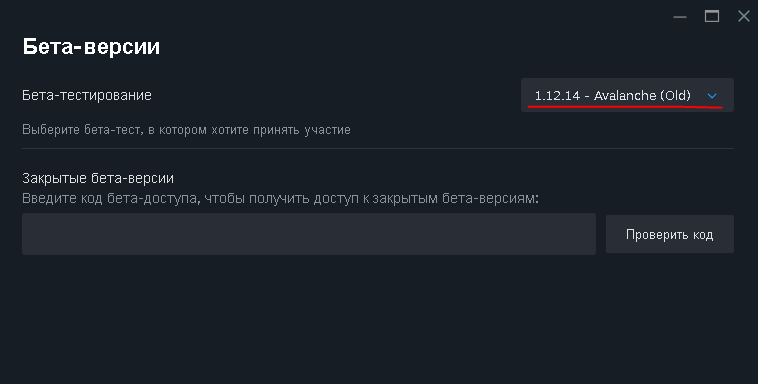
Everything is simple here. We need to go to the game properties and get into “Beta versions”. There we select the version we need.
Заходим в лаунчер парадокс. (опять)/Let's go to the Paradox launcher. (again).
Когда скачалась версия, заходим в игру через лаунчер. Создаем игровой набор, добавляем моды.
When the version has downloaded, go into the game through the launcher. We create a game set, add mods.
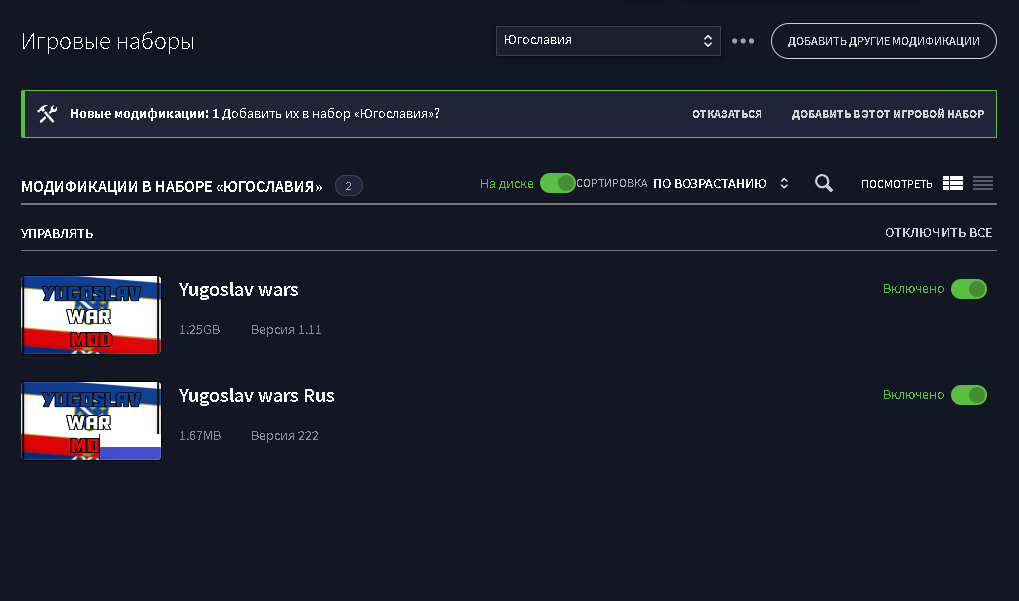
When the version has downloaded, go into the game through the launcher. We create a game set, add mods.
Заключение/Conclusion.
Как видите, игра запустилась. (Я еще до написания гайда играла часик-два с этим модом. Вроде все работало без вылетов и других багов)
As you can see, the game has started. (Even before writing the guide, I played for an hour or two with this mod. Everything seemed to work without crashes or other bugs).
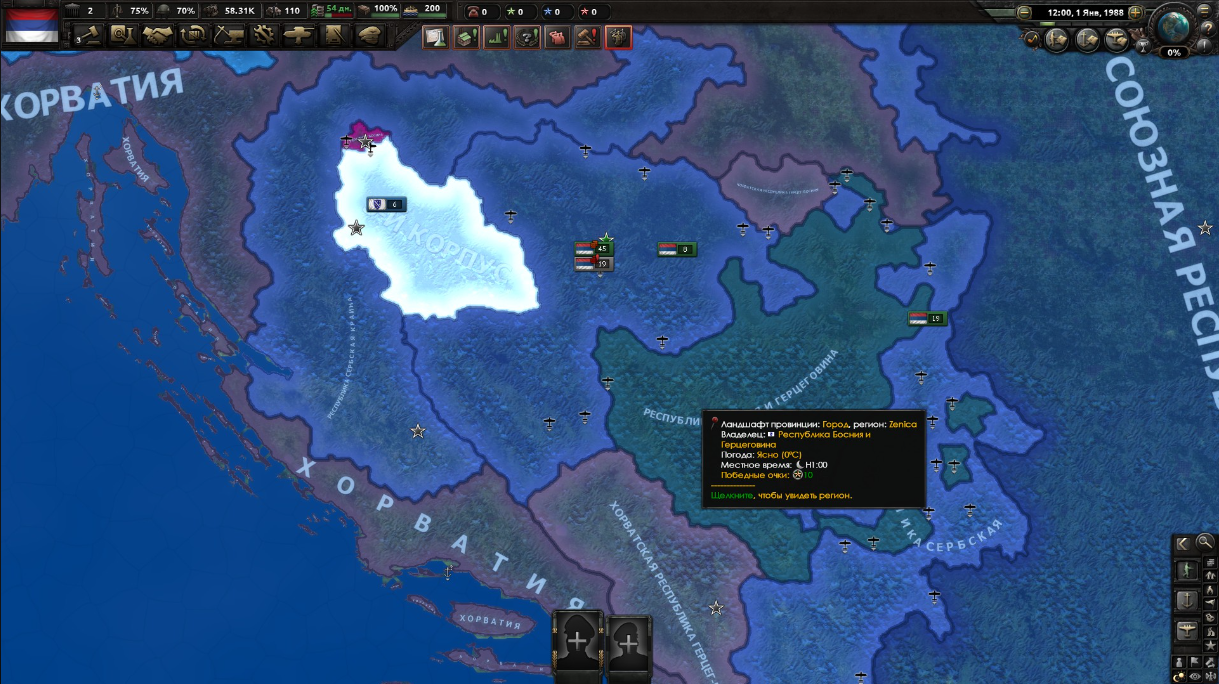
As you can see, the game has started. (Even before writing the guide, I played for an hour or two with this mod. Everything seemed to work without crashes or other bugs).
Ссылка на мод из гайда/Link to the mod from the guide.
More Hearts of Iron IV guides
- Division Templates, Tank Designs, Aircraft Designs, and Metas (Bolivar 1.14+)★ 5 (3k)173k views8.7k ♥29 minUpdated Apr 30, 2025
- The Ultimate Guide to Division Templates, Aircraft and Tank Designs (Updated 15-06-2026)★ 5 (3.3k)134k views11k ♥54 minUpdated Jul 6
- Выполняем достижения в Hearts of Iron 4★ 5 (3.2k)69k views7.9k ♥326 minRussianUpdated Jul 19
- The Ultimate Guide to Navy; Ship Templates and Fleet Composition (Updated 24-3-2026)★ 5 (1.2k)61k views4.9k ♥33 minUpdated May 17
- HOI4. Большой гайд★ 5 (738)58k views2k ♥101 minRussian
- Лучшие шаблоны в HoI IV (1.15v.)★ 5 (612)49k views2.2k ♥6 minRussianUpdated May 20



🔥 Popular guides
- Upgrading to PremiumTeam Fortress 2★ 5 (20k)1441k views11k ♥6 minUpdated May 11, 2022
- No More Room in Hell Official ManualNo More Room in Hell★ 5 (2.8k)569k views2.1k ♥29 minUpdated Apr 22, 2019
- NMRiH Community Hosting GuidesNo More Room in Hell★ 5 (526)351k views653 ♥1 minUpdated Aug 10, 2022
- Лучшие кооперативные игры SteamPAYDAY 2★ 5 (1.5k)315k views2.1k ♥56 minRussianUpdated Apr 27, 2025
- Desert Eagle Heat Treated | Blue GemCounter-Strike 2★ 5 (1.6k)292k views1.5k ♥2 minUpdated Jan 16
- Treasure Hunt Puzzle SolutionsTotal War: WARHAMMER II★ 5 (6.9k)281k views15k ♥3 minUpdated Aug 19, 2021






This guide was created by its original author on the Steam Community. Are you the author and want it removed? Request removal.