Visual of Doom 2016
Description
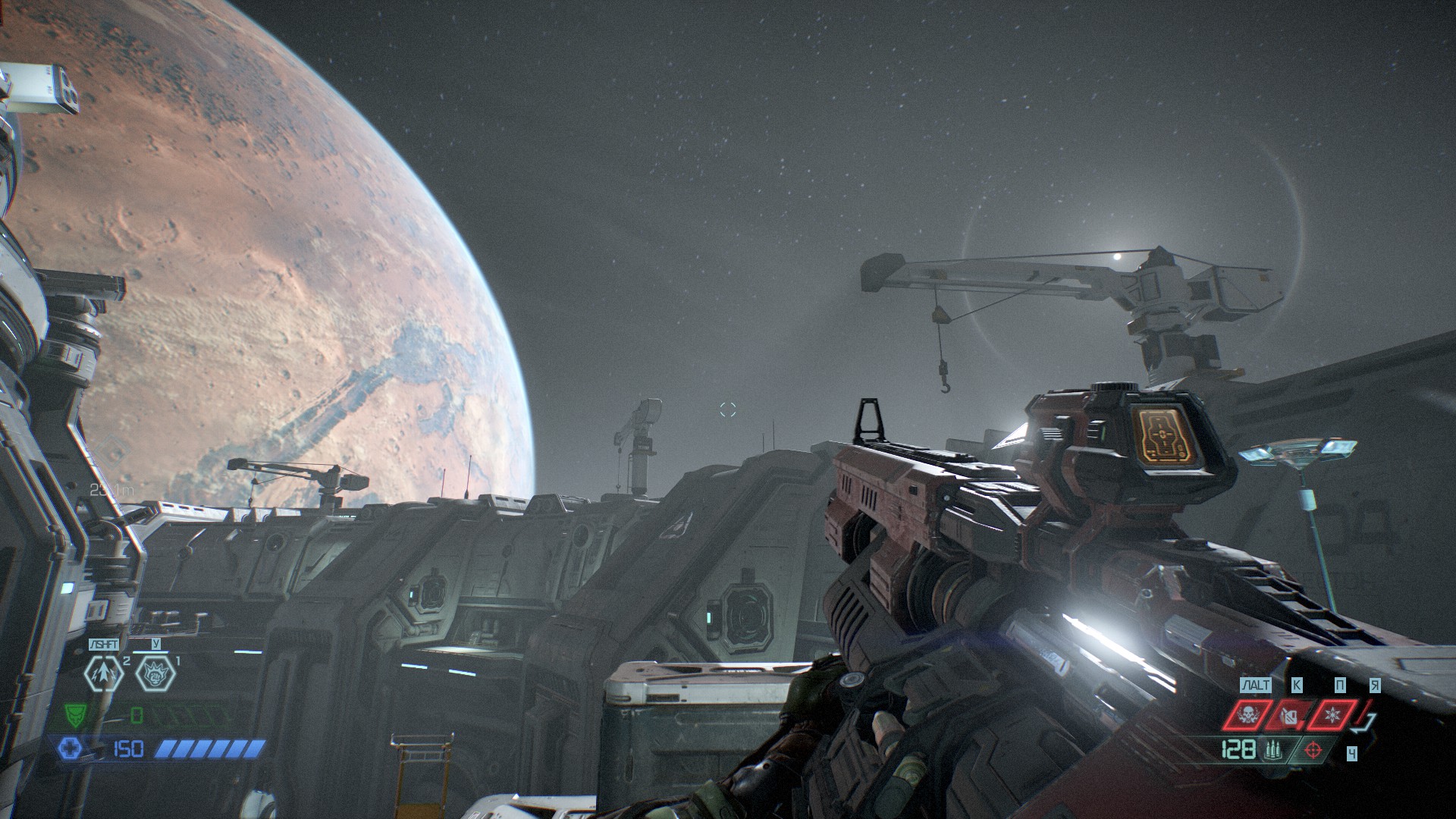
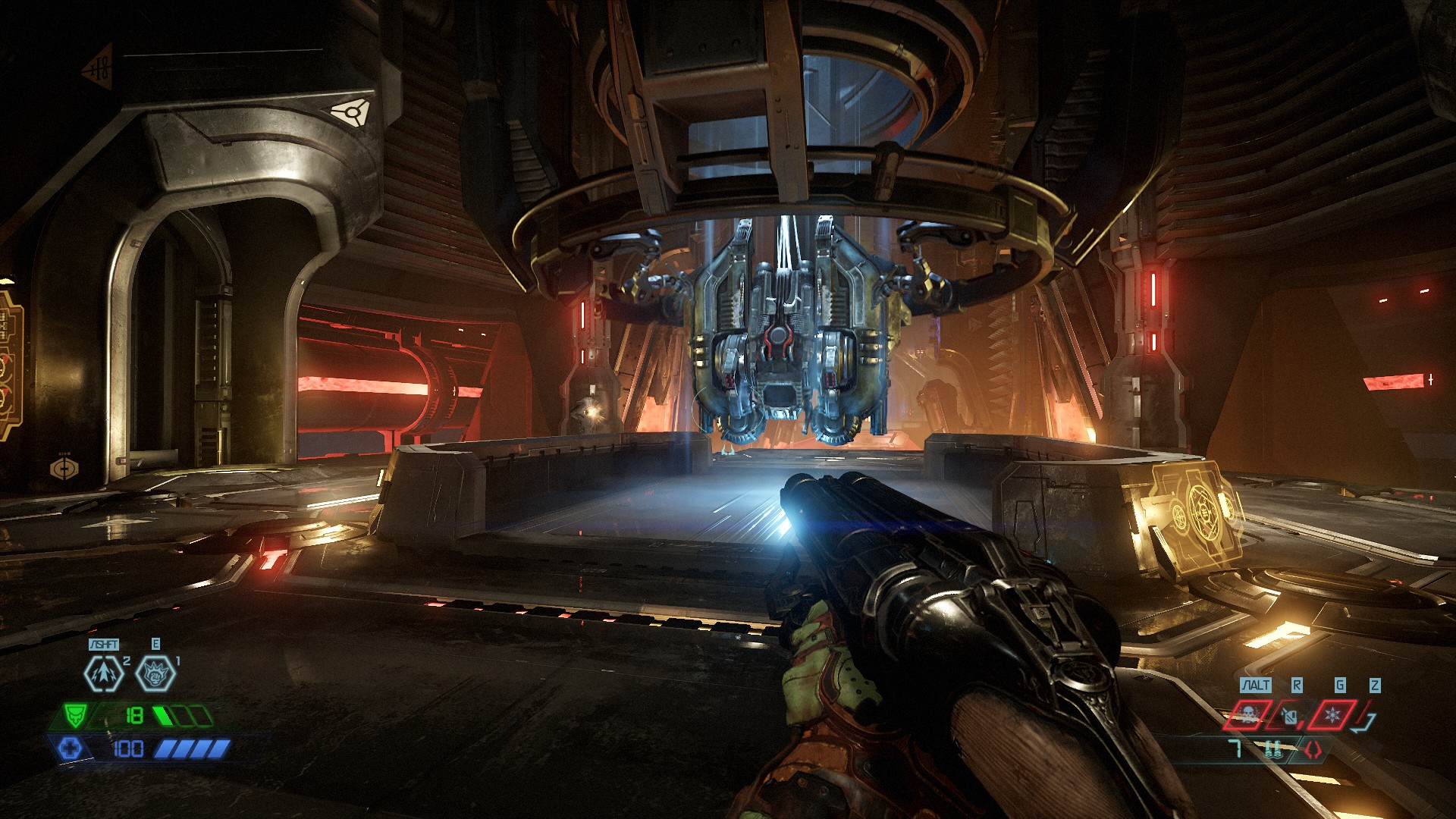
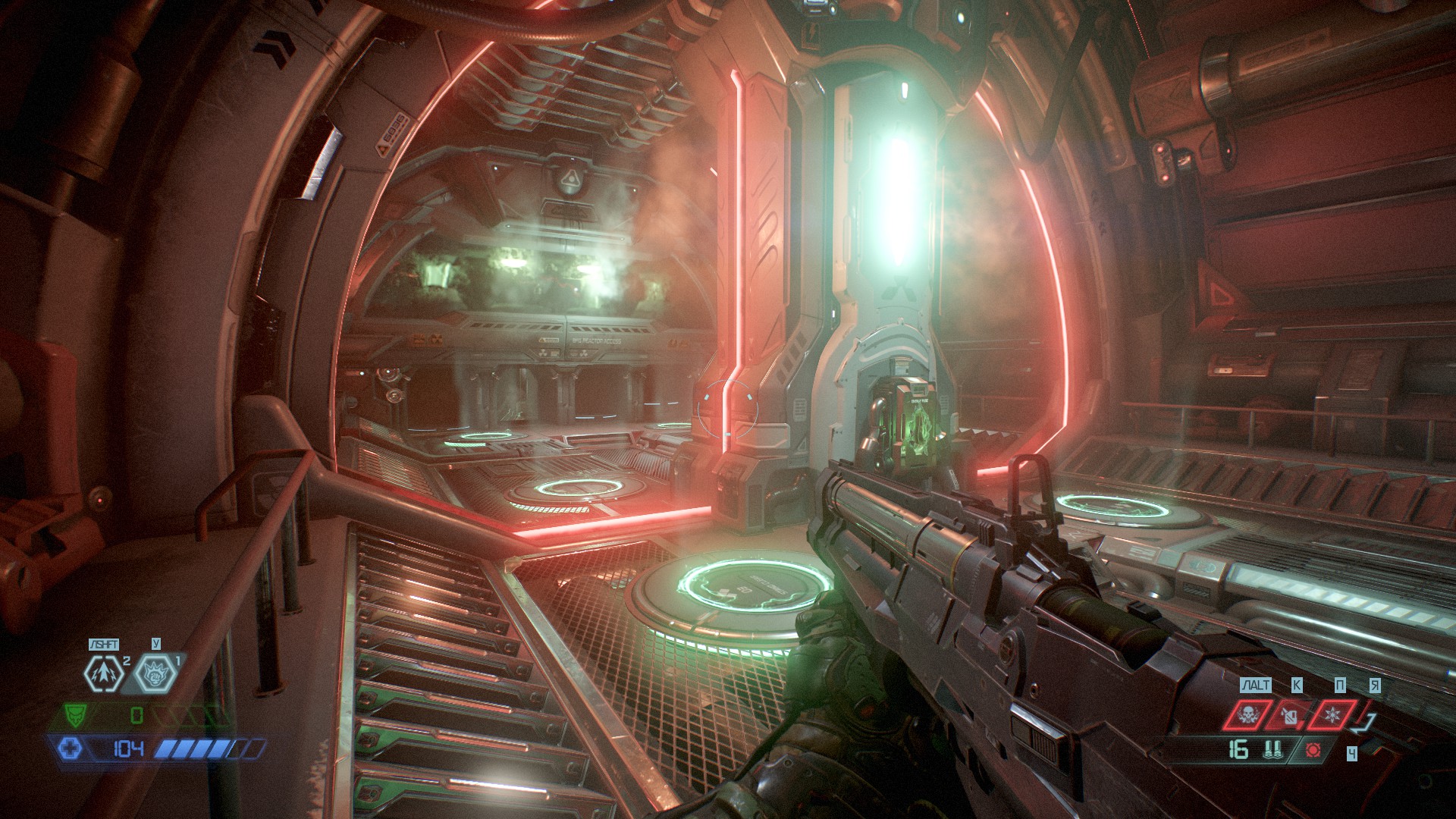
For fans of the visuals of Doom 2016, I have collected a number of mods and settings to make the Eternal look a little "better" in this sense. The downside of the manipulations described below is less visual readability, but the author considers this insignificant since the scene is a PC.
What I would like to draw attention to: this set of visual modifications will not turn the Eternal into the 2016 version, but will make it less "toyish" and will help the built-in rendering settings in the "cinematic" mode.
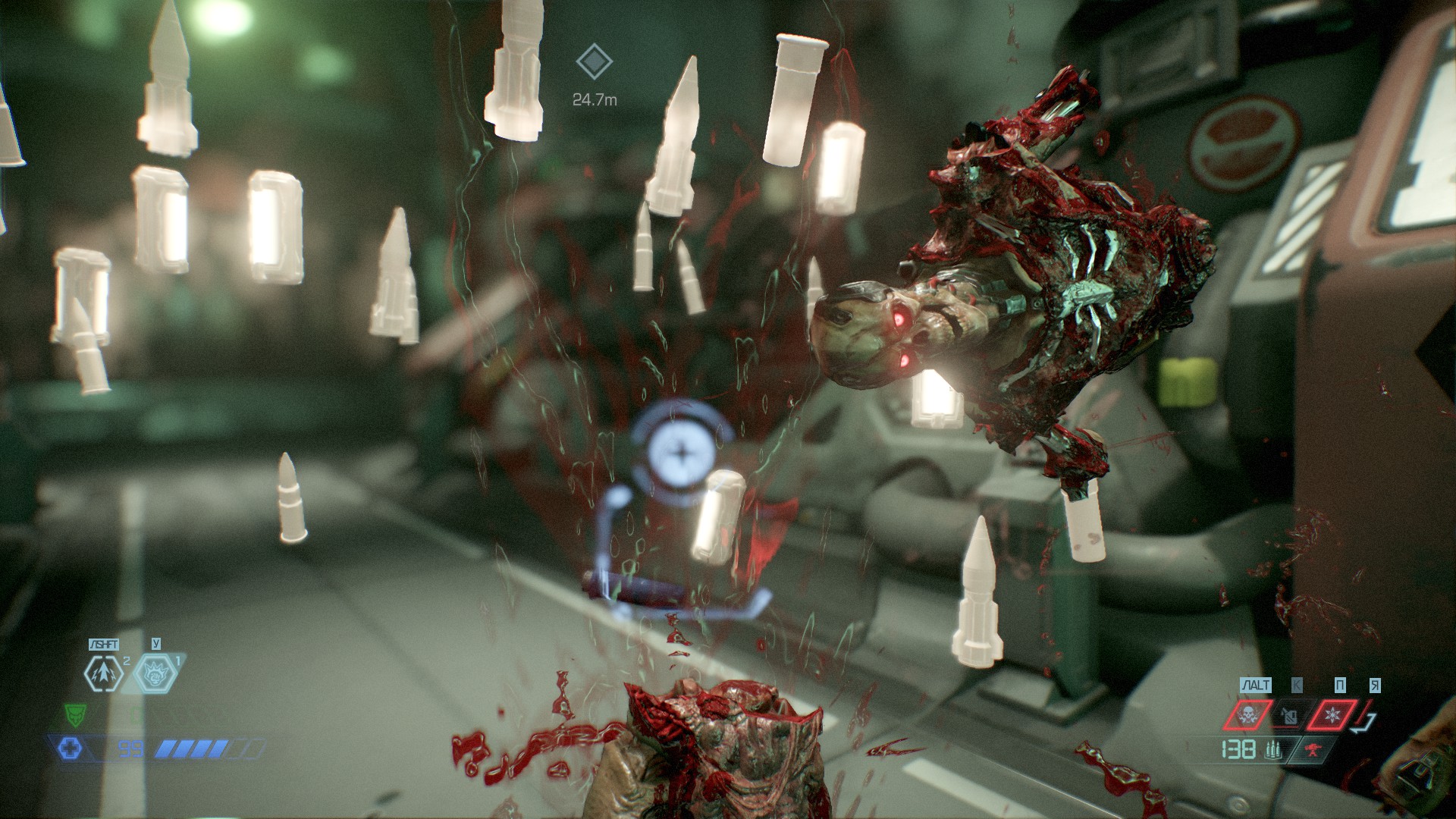
So, now the eyes of enemies glow like demons; the "rainbow" from the dropped cartridges has been removed and makes it monotonous like in the 2016 version; reduces the increased brightness of enemy models; removes the backlight of the models of picked up resources and a few other little things.
Among other things, the author suggests DLAA integration instead of TAA by default - it makes the picture as a whole much less blurry, which is especially noticeable on particles, which are simply destroyed by local anti-aliasing and objects in motion.
What I would like to draw attention to: this set of visual modifications will not turn the Eternal into the 2016 version, but will make it less "toyish" and will help the built-in rendering settings in the "cinematic" mode.
So, now the eyes of enemies glow like demons; the "rainbow" from the dropped cartridges has been removed and makes it monotonous like in the 2016 version; reduces the increased brightness of enemy models; removes the backlight of the models of picked up resources and a few other little things.
Among other things, the author suggests DLAA integration instead of TAA by default - it makes the picture as a whole much less blurry, which is especially noticeable on particles, which are simply destroyed by local anti-aliasing and objects in motion.
Install
Installing the modifications themselves:
1. Download the archive and unzip it to the game root (https://drive.google.com/drive/folders/19eZR8JMHuRv__k3H0gdwf8luNsqFDwKk?usp=sharing);
2. Run DLSSTweaksConfig.exe and set the DLAA parameter to True;
(for AMD owners, I recommend ignoring this step and deleting nvngx.dll from the game folder);
2.1. In the game settings, enable DLSS at any quality level;
3. Run EternalModInjector.bat and wait for the modifications to install.
4. After these manipulations, run the game as usual.
The settings that the author considers closest to the 2016 visual:
1. Visualization (render) mode: Cinematic;
2. Sharpening: 10 points;
3. Grain: 25 points;
4. Chromatic aberration - ON (recommend to turn off without DLAA);
5. Interface - UAC.
1. Download the archive and unzip it to the game root (https://drive.google.com/drive/folders/19eZR8JMHuRv__k3H0gdwf8luNsqFDwKk?usp=sharing);
2. Run DLSSTweaksConfig.exe and set the DLAA parameter to True;
(for AMD owners, I recommend ignoring this step and deleting nvngx.dll from the game folder);
2.1. In the game settings, enable DLSS at any quality level;
3. Run EternalModInjector.bat and wait for the modifications to install.
4. After these manipulations, run the game as usual.
The settings that the author considers closest to the 2016 visual:
1. Visualization (render) mode: Cinematic;
2. Sharpening: 10 points;
3. Grain: 25 points;
4. Chromatic aberration - ON (recommend to turn off without DLAA);
5. Interface - UAC.
Screenshots
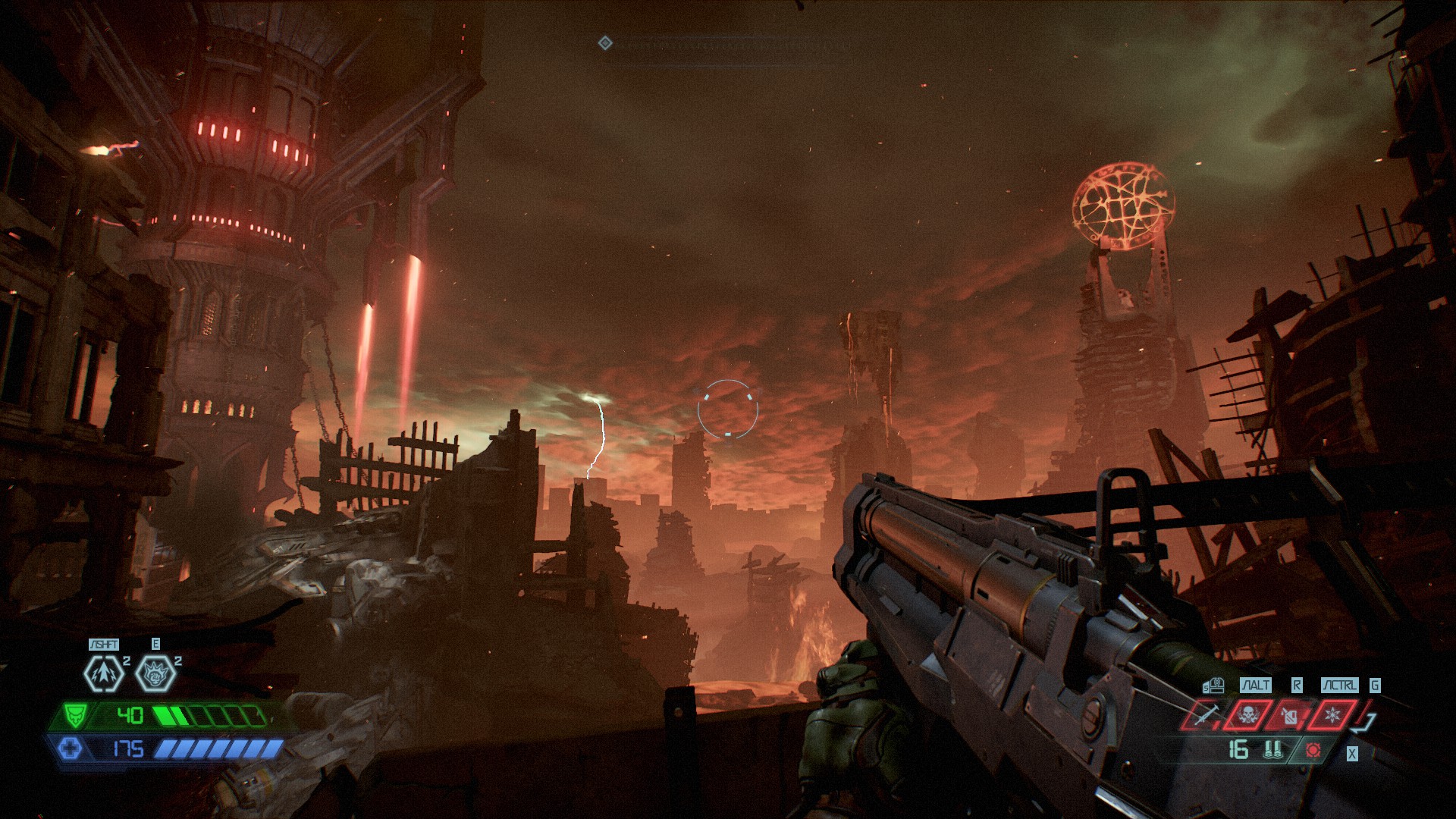
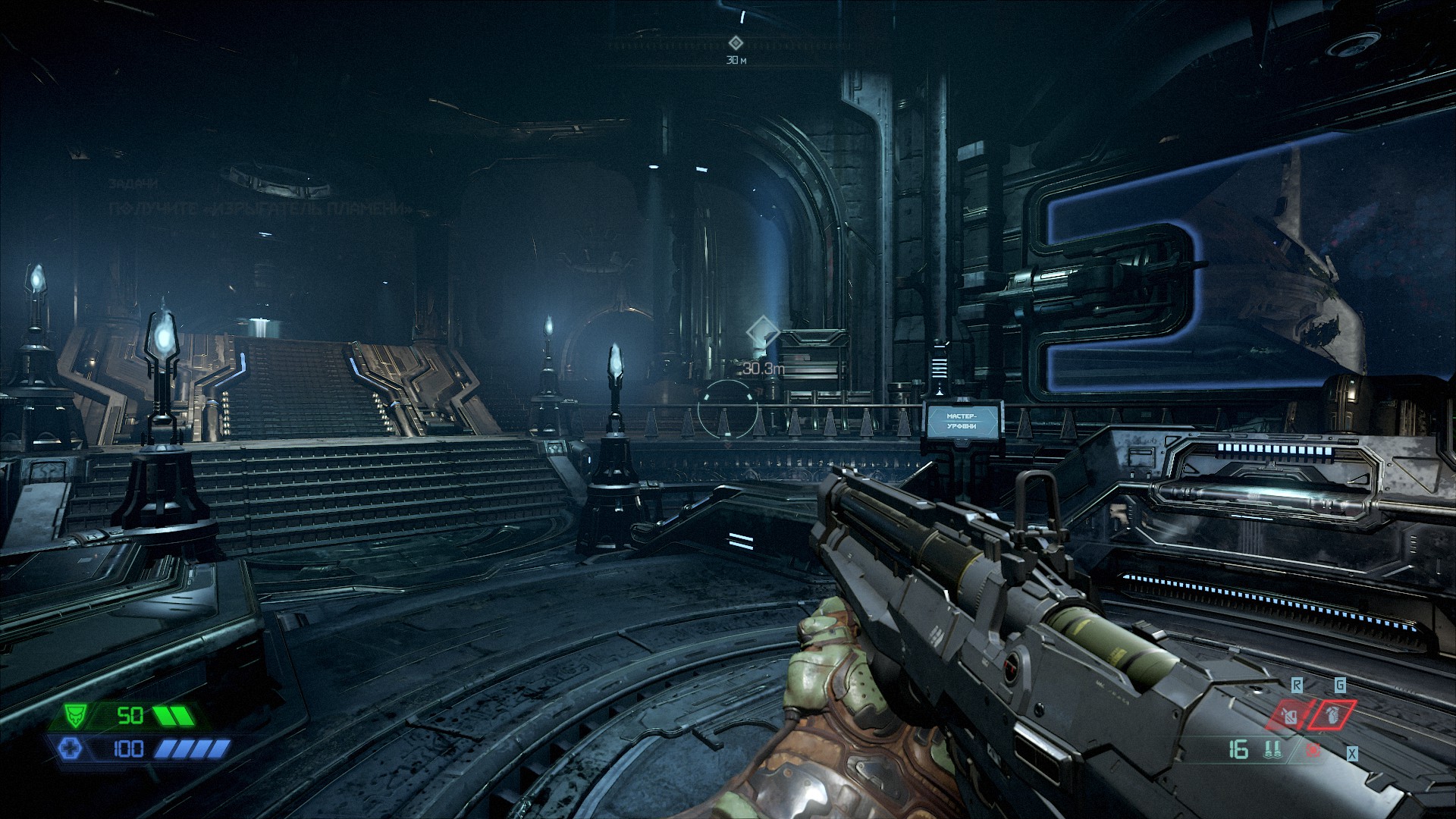
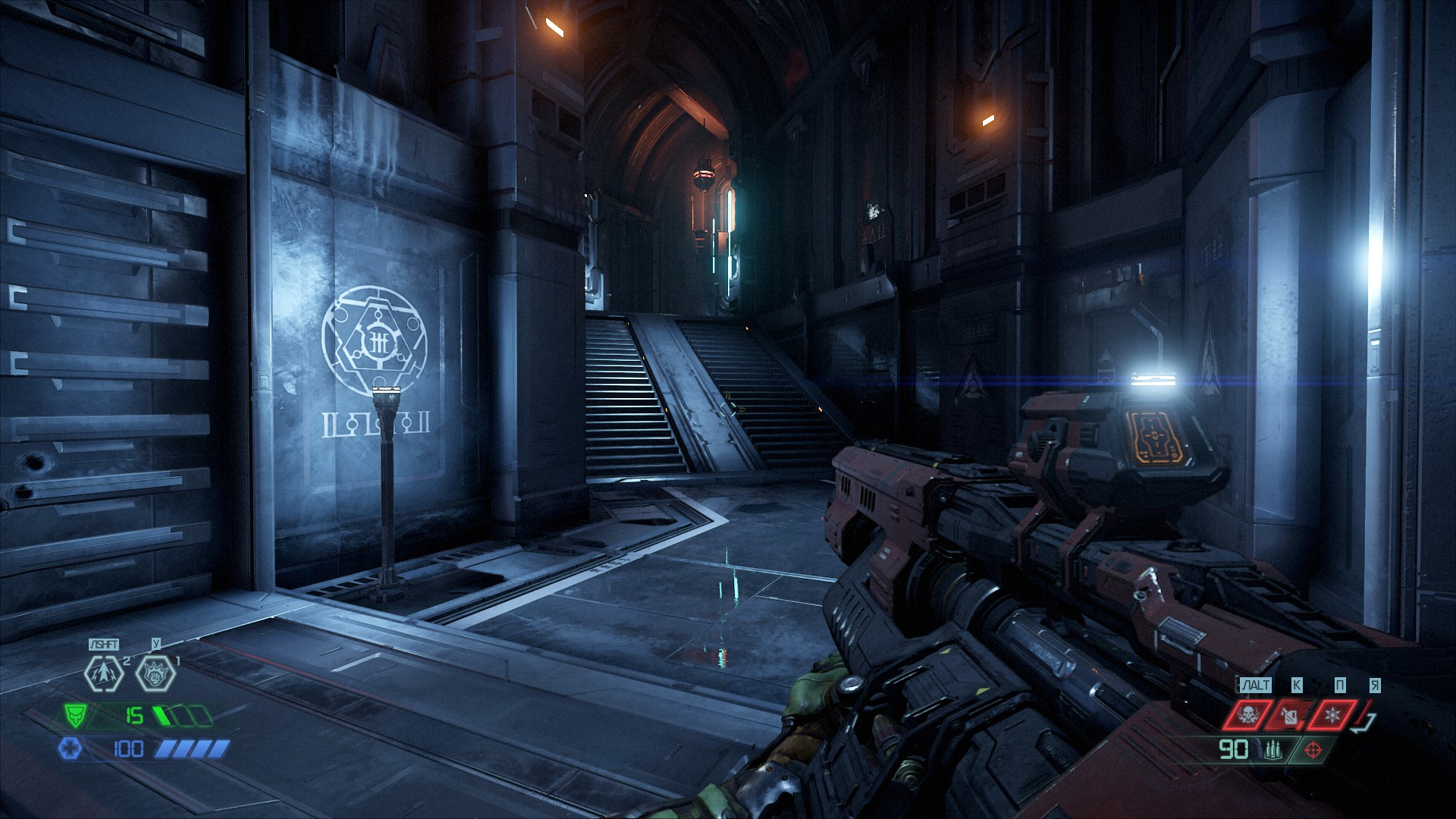
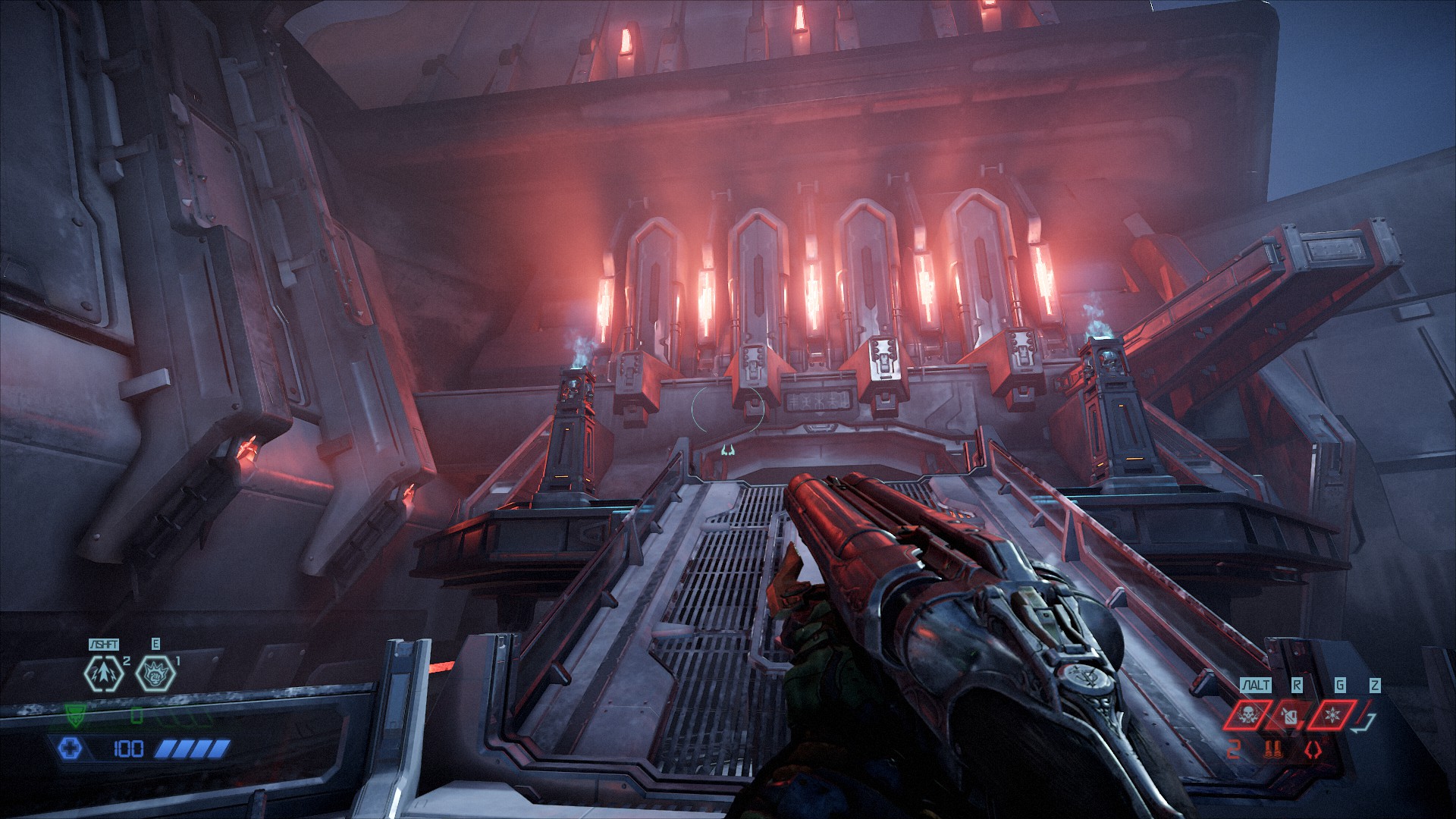
Mods used
- Glowing eyes of the E3 version - https://www.nexusmods.com/doometernal/mods/540
Enemy eyes glow like demons.
- Nicer Loot Drops FX - https://www.nexusmods.com/doometernal/mods/8
Annihilates the "rainbow" of dropped ammo and makes it monotonous like in the 2016 version.
- DeLighter - https://www.nexusmods.com/doometernal/mods/5
Reduces\removes increased brightness of enemy models.
- Slayer Skin first person of the E3 version - https://www.nexusmods.com/doometernal/mods/779
Removes the bright green accent on the doomslayer's hand model.
- HUD Low health De-Crapifier - https://www.nexusmods.com/doometernal/mods/13
Removes notifications about low health and low ammo.
- Quakecon Ammo Pickup Sheen Reborn - https://www.nexusmods.com/doometernal/mods/1453?tab=videos
Removes the highlight of the models of the picked up resources.
- Viewmodel FOV Mod - https://www.nexusmods.com/doometernal/mods/49
Removes the lock on the angle of view of the weapon at values >90.
Enemy eyes glow like demons.
- Nicer Loot Drops FX - https://www.nexusmods.com/doometernal/mods/8
Annihilates the "rainbow" of dropped ammo and makes it monotonous like in the 2016 version.
- DeLighter - https://www.nexusmods.com/doometernal/mods/5
Reduces\removes increased brightness of enemy models.
- Slayer Skin first person of the E3 version - https://www.nexusmods.com/doometernal/mods/779
Removes the bright green accent on the doomslayer's hand model.
- HUD Low health De-Crapifier - https://www.nexusmods.com/doometernal/mods/13
Removes notifications about low health and low ammo.
- Quakecon Ammo Pickup Sheen Reborn - https://www.nexusmods.com/doometernal/mods/1453?tab=videos
Removes the highlight of the models of the picked up resources.
- Viewmodel FOV Mod - https://www.nexusmods.com/doometernal/mods/49
Removes the lock on the angle of view of the weapon at values >90.
More DOOM Eternal guides
- DOOM Eternal 100% Achievement Guide★ 5 (677)39k views1.6k ♥15 minUpdated Apr 9, 2024
- DOOM Eternal Written Guide/Walkthrough for all collectables and secrets inc DLC.★ 5 (1.7k)36k views3.9k ♥129 minUpdated May 22, 2025
- Секреты Doom Eternal★ 5 (874)32k views1.7k ♥23 minRussianUpdated Apr 17, 2023
- Console Commands for DOOM Eternal★ 5 (213)29k views502 ♥18 minUpdated Mar 30, 2021
- Collectibles and Secrets Guide 100% DOOM Eternal★ 4 (370)26k views589 ♥1 minBulgarianUpdated Apr 2, 2021
- DOOM for Dummies [Tweaks, Fixes, Problem solving] [EN]★ 5 (720)23k views878 ♥15 minUpdated Jun 18, 2020




This guide was created by its original author on the Steam Community. Are you the author and want it removed? Request removal.