How to Play Watch Dogs in Japanese Dub Audio (Easy & Simple)
1. Changing the Game Language on Steam
First of all, Download your Watch Dogs first until finish after that, you may wanna change your game language Watch Dogs in Steam
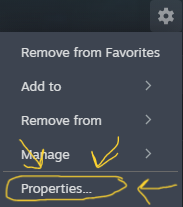
1. Go to Options settings in Watch Dogs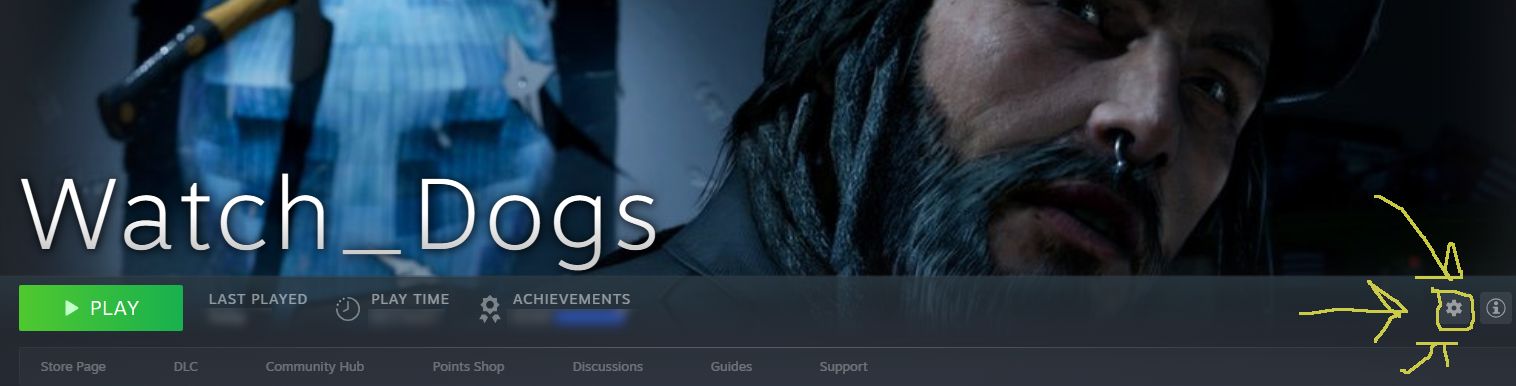 2. After opening option settings, choose properties
 3.Then Select your own language to Japanese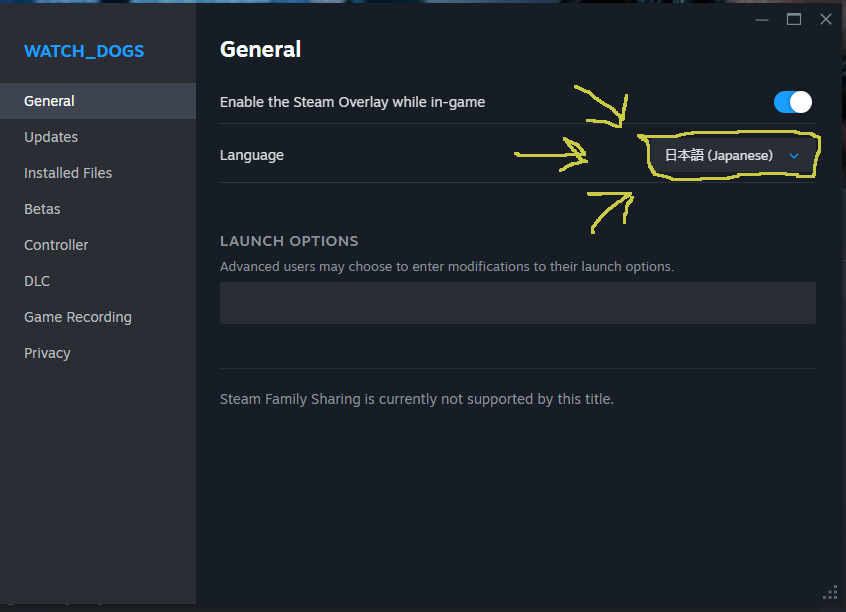
After changing your own game language to Japanese, wait for Steam to download Japanese Audio Pack for Watch Dogs
2. Changing Text Language in-game
After finishing downloading Japanese Audio Pack for Watch Dogs, you can now play Watch Dogs Japanese Dub, but however there's a bit problem because of changing game language in steam will also change the text language in-game.
Don't worry about that, its easy to deal with it, all you had to:
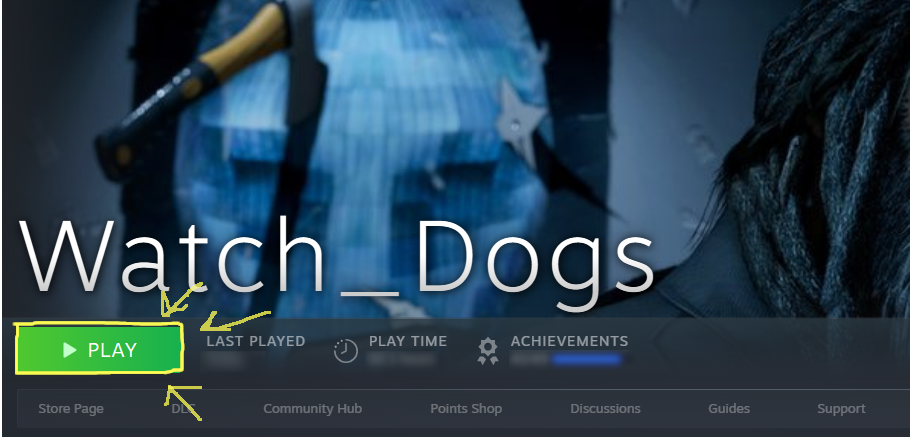 2. Go to Options
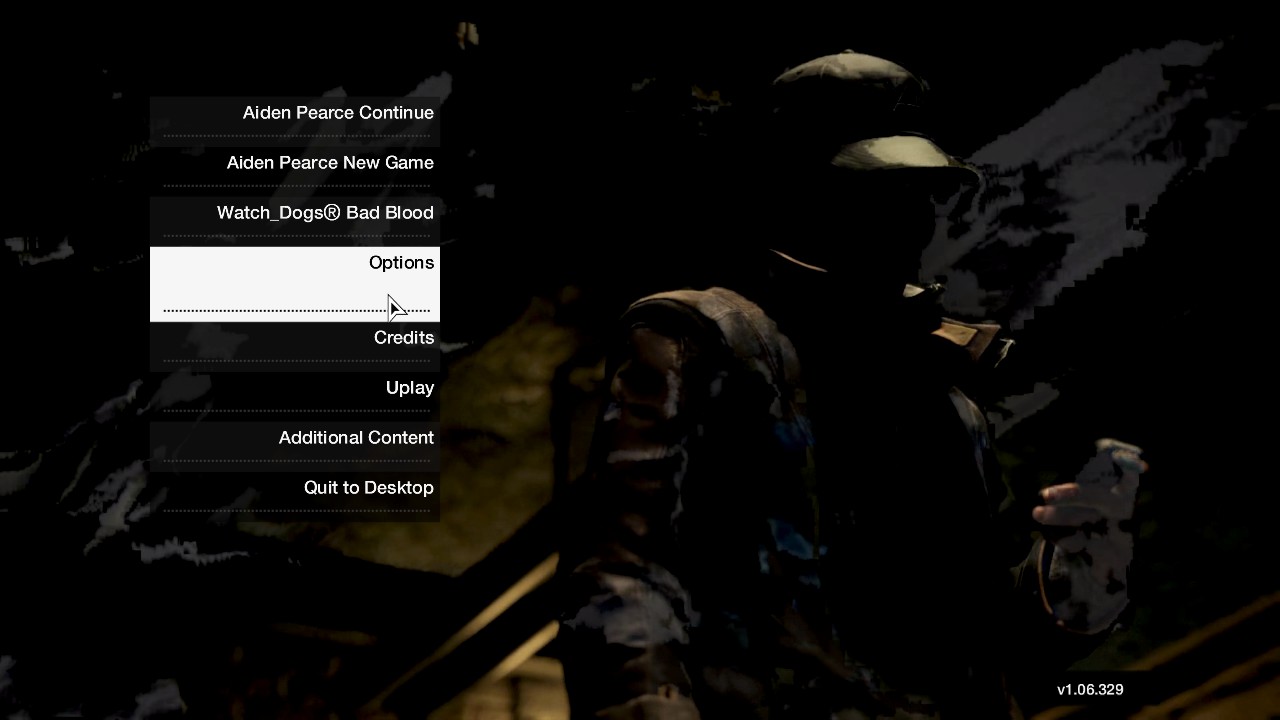 3. Go to Audio & Language
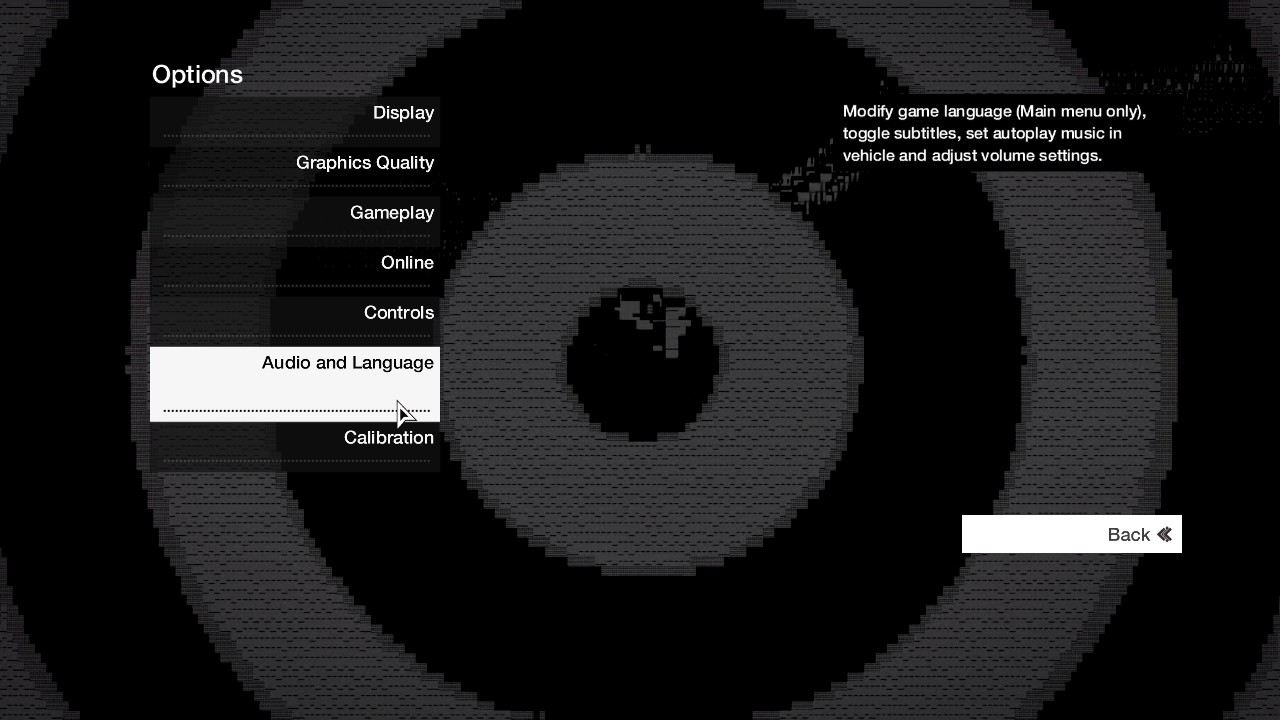 4. Then Change your text language in your own in-game to your own text language you use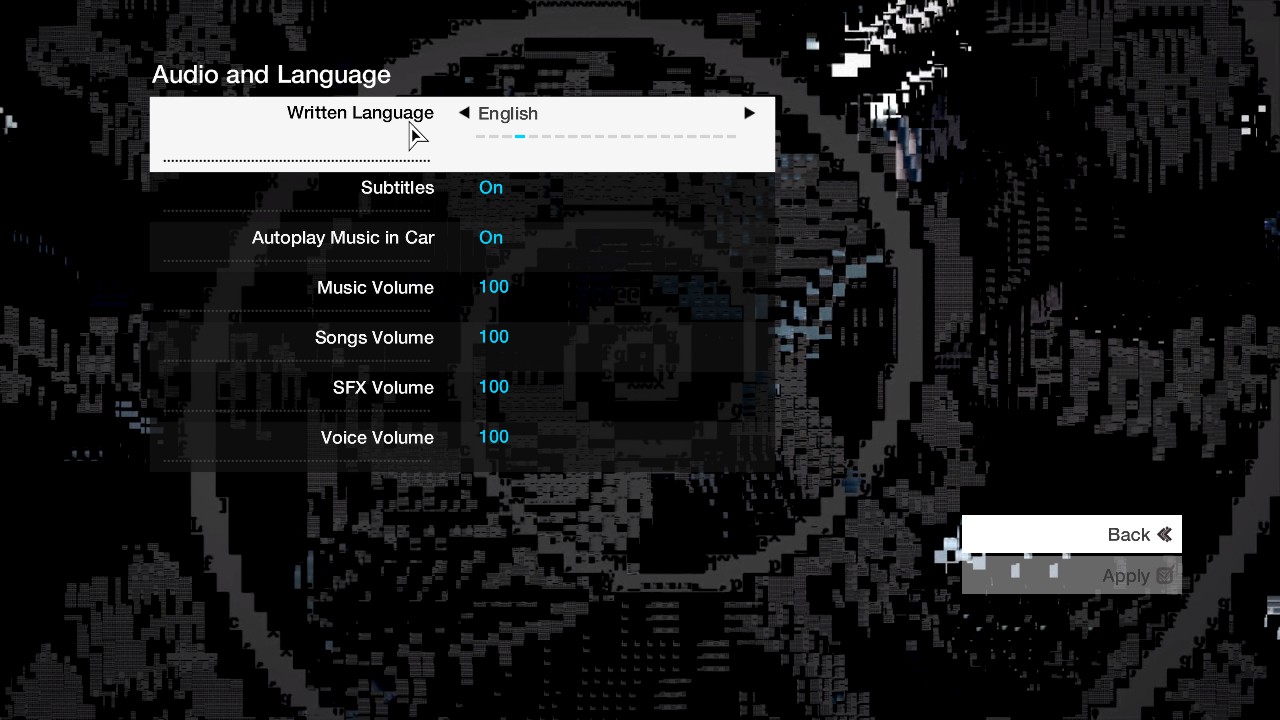
3. Enjoy the game in Japanese Dub
After done installing japanese audio pack and changing text language in-game, congrats you finally can play Watch Dogs in Japanese Dub
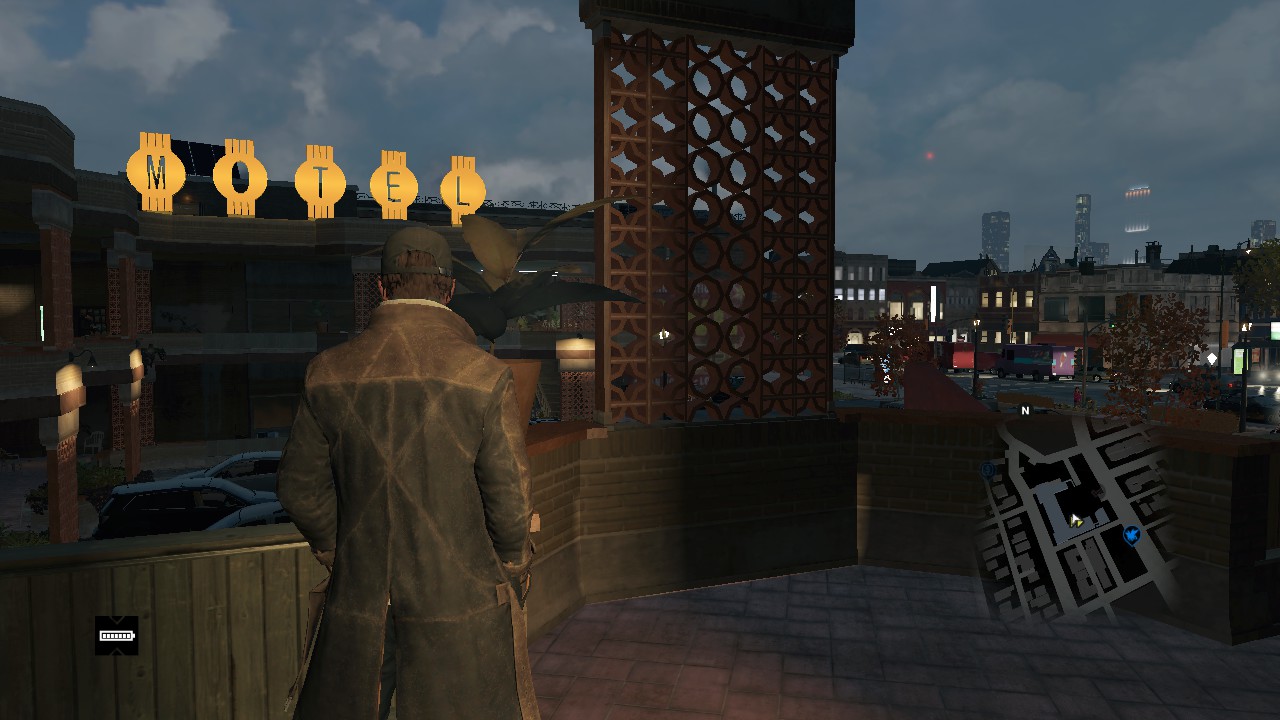
Note: Just so you know not all cutscenes will be voiced in Japanese, there will be some voicelines that still be in English Voice, for example in prologue merlaut hotel part, after merlaut hotel japanese voice start in there
Note: Just so you know not all cutscenes will be voiced in Japanese, there will be some voicelines that still be in English Voice, for example in prologue merlaut hotel part, after merlaut hotel japanese voice start in there
More Watch_Dogs guides
- Watch_Dogs — Improve Graphics + Performance★ 5 (370)28k views574 ♥1 minUpdated 28 May, 2014
- How to get rid of mouse acceleration/smoothing.★ 5 (453)25k views339 ♥1 minUpdated 5 Dec, 2015
- Watch Dogs - Баги, ошибки, зависания, вылеты и их решения★ 5 (375)21k views319 ♥4 minRussianUpdated 10 Jan, 2015
- Повышаем фпс и графон \ Lets UP FPS and Graphics★ 4 (252)18k views393 ♥1 min
- Watch Dogs - ALL easter eggs!★ 5 (194)13k views206 ♥5 minBulgarian
- 1 simple way to know if you are being invaded.★ 4 (92)11k views28 ♥1 minUpdated 6 Jun, 2014






🔥 Popular guides
- Upgrading to PremiumTeam Fortress 2★ 5 (20k)1441k views11k ♥6 minUpdated May 11, 2022
- No More Room in Hell Official ManualNo More Room in Hell★ 5 (2.8k)569k views2.1k ♥29 minUpdated Apr 22, 2019
- NMRiH Community Hosting GuidesNo More Room in Hell★ 5 (526)351k views653 ♥1 minUpdated Aug 10, 2022
- ULTIMATE GUIDE FOR GAME DEV TYCOONGame Dev Tycoon★ 5 (5.8k)326k views10k ♥4 minUpdated 23 Jan, 2014
- How to 'Git Gud' Soon™MORDHAU★ 5 (2k)318k views3k ♥68 minUpdated Nov 16, 2024
- Лучшие кооперативные игры SteamPAYDAY 2★ 5 (1.5k)315k views2.1k ♥56 minRussianUpdated Apr 27, 2025






This guide was created by its original author on the Steam Community. Are you the author and want it removed? Request removal.