Important info for nVIDIA® GeForce GTX 900 Series GPU users!
Introduction
How to?
Navigate to the in-game video settings. There, for the Anti-aliasing (AA) setting, you should only select values starting from 2x MSAA up to 8x MSAA. Of course, you can just turn this video setting simply off, but I wouldn't advise you to do this, as the game looks much better using MSAA :P
This is how it should look like in-game ->
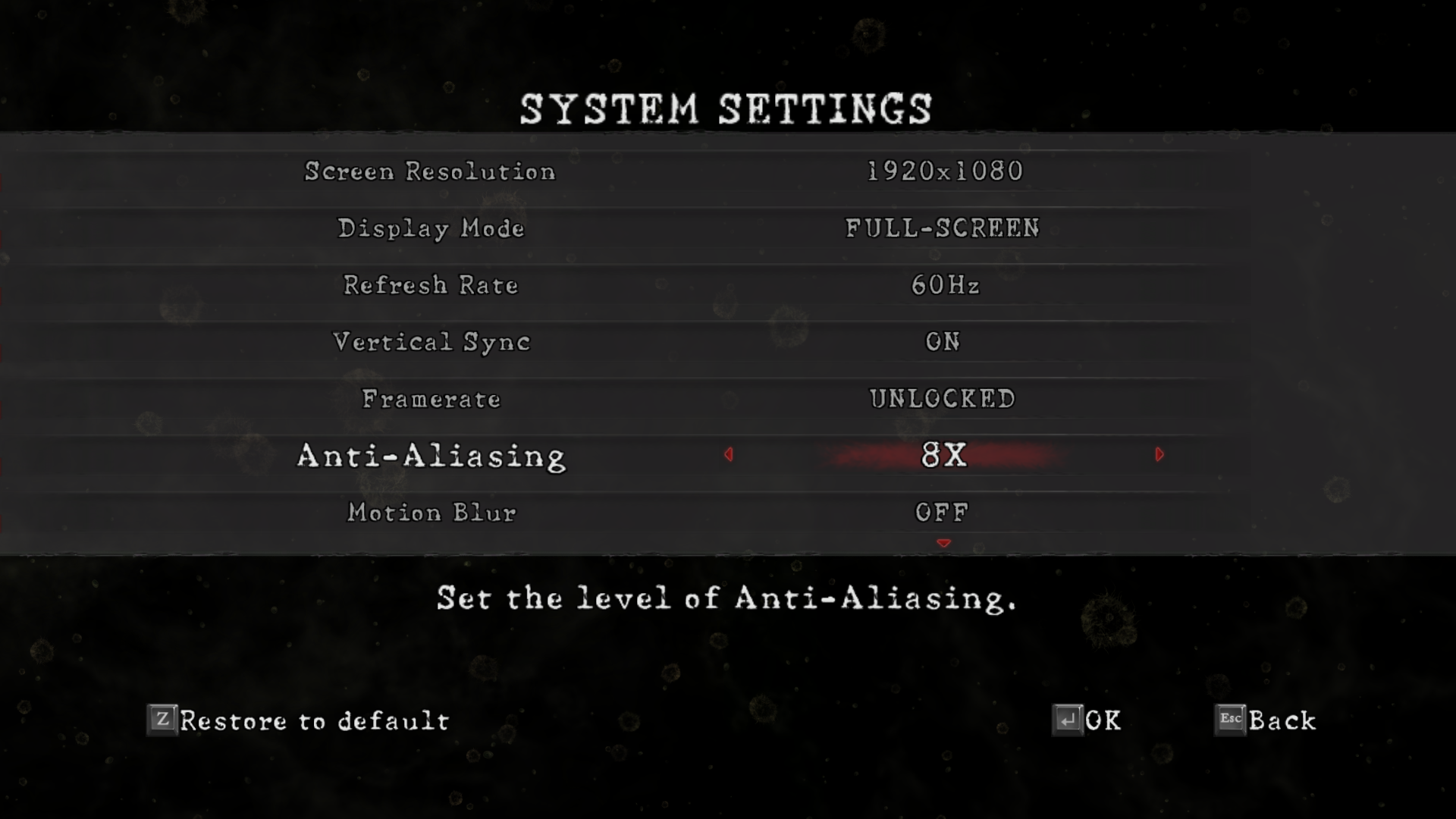
If you don't use the Anti-aliasing (AA) setting suggested by me and you happen to have a nVIDIA GeForce GTX 900 Series GPU you will only run into problems... setting the Anti-aliasing (AA) in Resident Evil 5 to something like 16x QCSAA wouldn't be possible and will only lead to problems. nVIDIA GeForce GTX 900 Series GPUs do not support CSAA and QCSAA! You can also notice this in the nVIDIA Control Panel.
The Result
Credits
- Resident Evil 5 - Fixes★ 5 (2k)119k views2.4k ♥9 minUpdated Aug 2, 2025
- Resident Evil 5 Quality of Life Fixes★ 5 (1.5k)78k views2.1k ♥4 minUpdated Mar 9
- Resident Evil 5: Gold Edition 100% Achievement Guide★ 5 (1.3k)42k views2.6k ♥24 min
- getting multiplayer achievements with bots★ 5 (876)33k views1.7k ♥11 minBulgarianUpdated Aug 27, 2023
- Farming Gold (15K), ammo and eggs★ 5 (459)33k views423 ♥1 minBulgarianUpdated Sep 24, 2018
- Полный русификатор (текст+звук) {1C} Gold Edition★ 5 (674)30k views778 ♥1 minRussianUpdated Feb 3, 2024



- Upgrading to PremiumTeam Fortress 2★ 5 (20k)1441k views11k ♥6 minUpdated May 11, 2022
- No More Room in Hell Official ManualNo More Room in Hell★ 5 (2.8k)569k views2.1k ♥29 minUpdated Apr 22, 2019
- NMRiH Community Hosting GuidesNo More Room in Hell★ 5 (526)351k views653 ♥1 minUpdated Aug 10, 2022
- ULTIMATE GUIDE FOR GAME DEV TYCOONGame Dev Tycoon★ 5 (5.8k)326k views10k ♥4 minUpdated 23 Jan, 2014
- How to 'Git Gud' Soon™MORDHAU★ 5 (2k)318k views3k ♥68 minUpdated Nov 16, 2024
- Лучшие кооперативные игры SteamPAYDAY 2★ 5 (1.5k)315k views2.1k ♥56 minRussianUpdated Apr 27, 2025






This guide was created by its original author on the Steam Community. Are you the author and want it removed? Request removal.