Solve the problem of unavailable multiplayer server
Solve Problem
If you bought Watch Dogs directly and only on steam
You won't have access to in-game multiplayer!
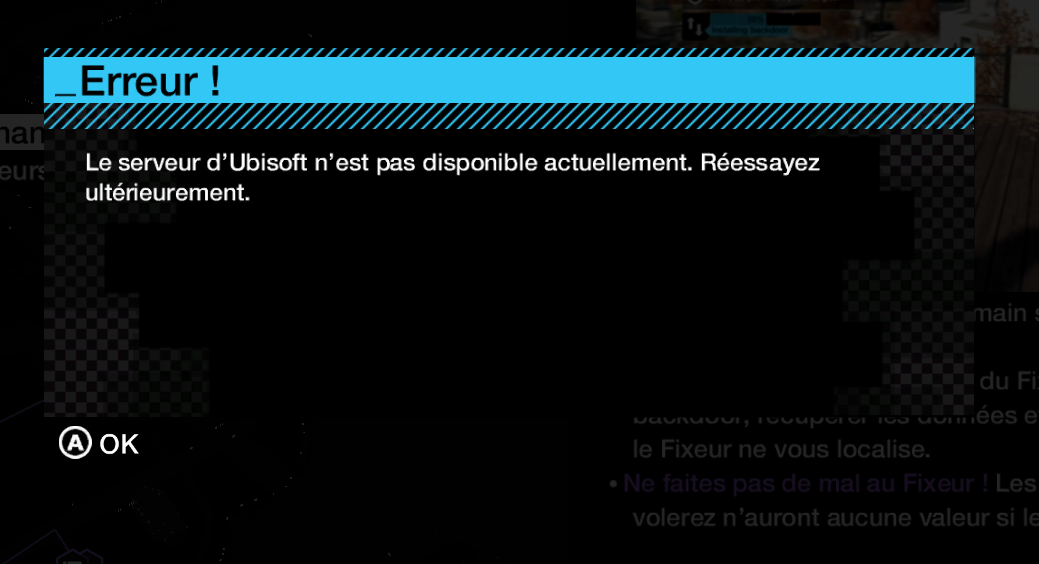
Why?
Because steam's “migrated” key is only “semi-approved” by ubisoft and doesn't grant you access to their multiplayer server (it's blocked somewhere anyway).
The solution:
Buy the game directly from the official ubisoft store,
You will then have two different versions of the same game in your library
( the two game keys will be identical )
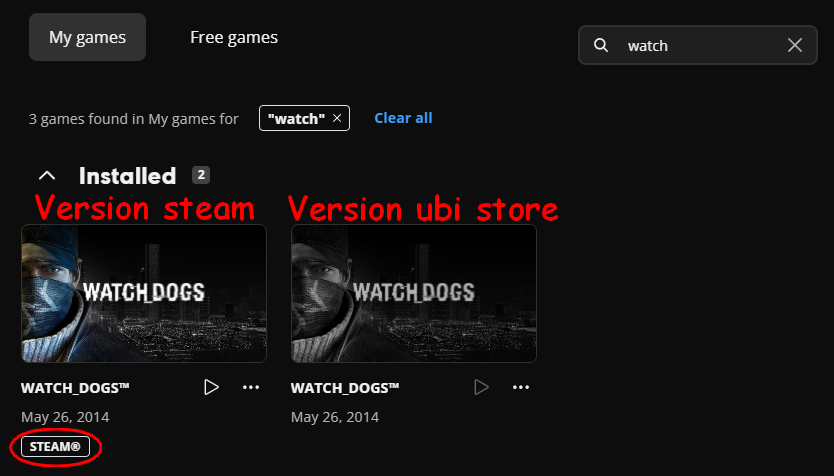
Install the ubisoft store version you've just bought.
Launch and play for about 10 minutes, until you reach your hideout for the first time to save (to synchronize everything).
Once you've done that, quit the game and relaunch the steam version (ideally from steam).
You should now have access to multiplayer.
Request a refund for your freshly purchased ubisoft store version.
( This procedure/problem is probably the same for Watch Dogs 2 and Watch Dogs : Legion )
If you had already played the game on your steam version, don't worry, the saves are separate for both versions )
( It may be (?) possible to have this corrected by contacting support, it'll probably take longer, but we'll have to check)
- Watch_Dogs — Improve Graphics + Performance★ 5 (370)28k views574 ♥1 minUpdated 28 May, 2014
- How to get rid of mouse acceleration/smoothing.★ 5 (453)25k views339 ♥1 minUpdated 5 Dec, 2015
- Watch Dogs - Баги, ошибки, зависания, вылеты и их решения★ 5 (375)21k views319 ♥4 minRussianUpdated 10 Jan, 2015
- Повышаем фпс и графон \ Lets UP FPS and Graphics★ 4 (252)18k views393 ♥1 min
- Watch Dogs - ALL easter eggs!★ 5 (194)13k views206 ♥5 minBulgarian
- 1 simple way to know if you are being invaded.★ 4 (92)11k views28 ♥1 minUpdated 6 Jun, 2014






- Upgrading to PremiumTeam Fortress 2★ 5 (20k)1441k views11k ♥6 minUpdated May 11, 2022
- No More Room in Hell Official ManualNo More Room in Hell★ 5 (2.8k)569k views2.1k ♥29 minUpdated Apr 22, 2019
- NMRiH Community Hosting GuidesNo More Room in Hell★ 5 (526)351k views653 ♥1 minUpdated Aug 10, 2022
- ULTIMATE GUIDE FOR GAME DEV TYCOONGame Dev Tycoon★ 5 (5.8k)326k views10k ♥4 minUpdated 23 Jan, 2014
- How to 'Git Gud' Soon™MORDHAU★ 5 (2k)318k views3k ♥68 minUpdated Nov 16, 2024
- Лучшие кооперативные игры SteamPAYDAY 2★ 5 (1.5k)315k views2.1k ♥56 minRussianUpdated Apr 27, 2025






This guide was created by its original author on the Steam Community. Are you the author and want it removed? Request removal.