Docking made easy
Request Permission to Land
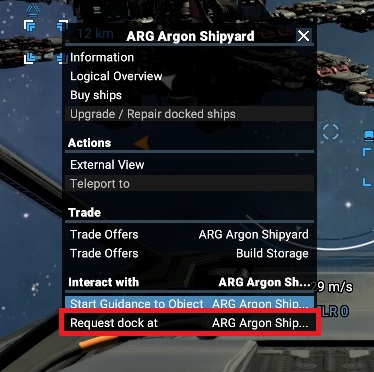
Left click on station to select it.
Either use a keyboard combination, default is Shift+D
or
Right Click to bring up context menu
Select "Request dock at"
You must be within a certain range, about 6km to dock, so if it is unavailable, you may be too far (or maybe unfriendly with the dock owner.)
Navigate to docking area
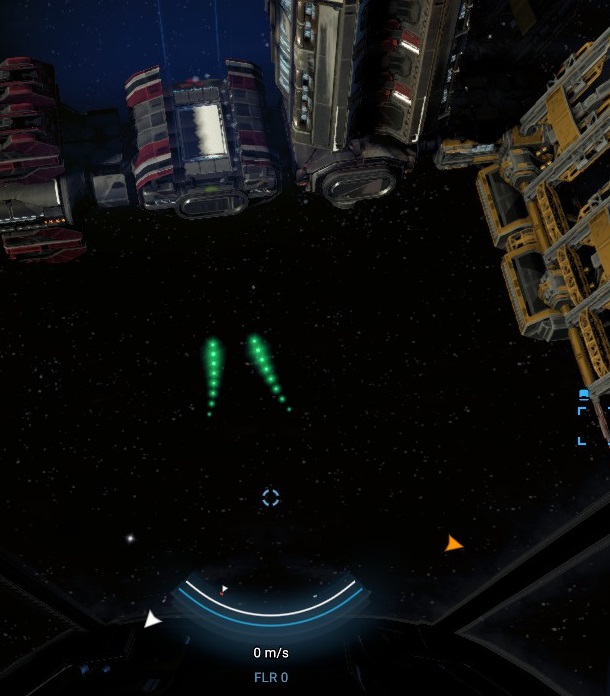
Using the green indicatiors, follow them to the approximate docking area.
The green lights may not always indicate the optimal path, so be aware of obstacles in your path.
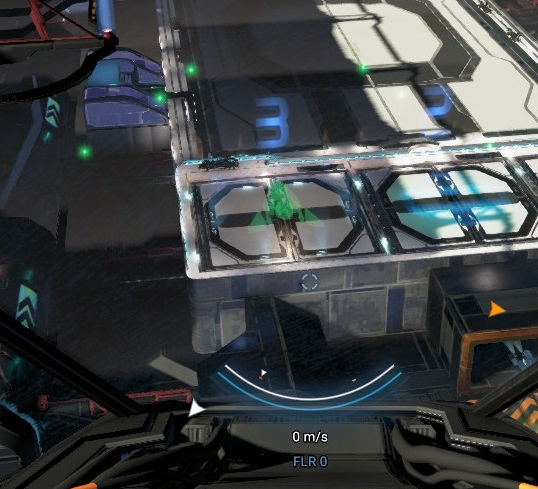
When you get closer, you'll see a faint hologram of your ship superimposed over the ideal docking location and alignment.
Slowly fly towards this location, being mindful of your speed, position and alignment. It may be best to try and fly above the spot, then descend into it.
Find the docking alignment indicator
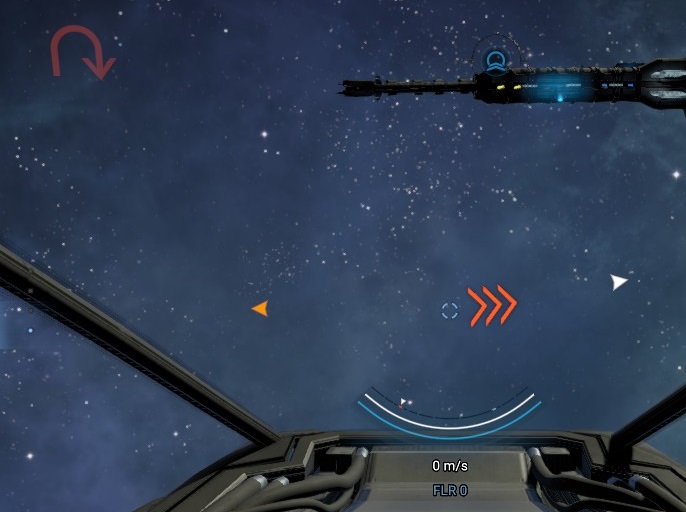
As you approach, you should see a red triple chevron symbol pointing you towards the docking alignment indicator. If you are pointed the completely wrong direction, you'll see a U-turn symbol.
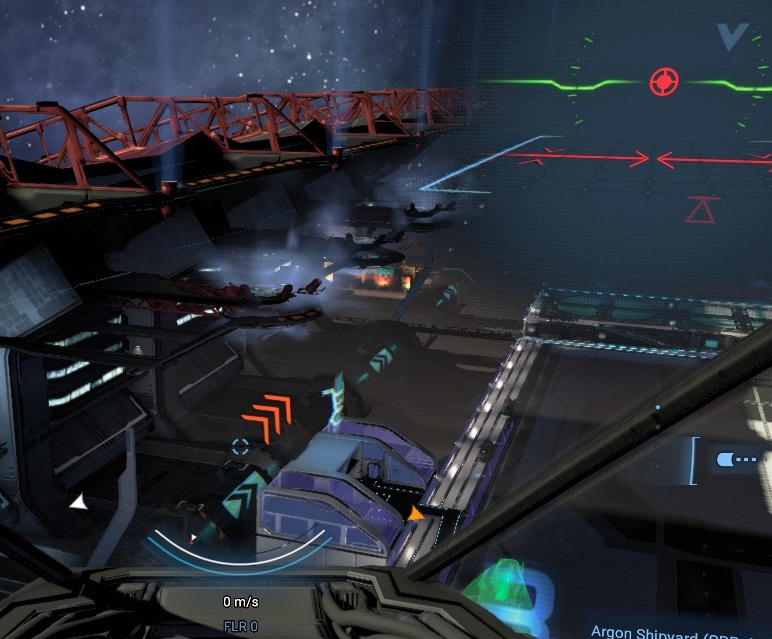
Try to center it onto your screen.
Use alignment indicator to land
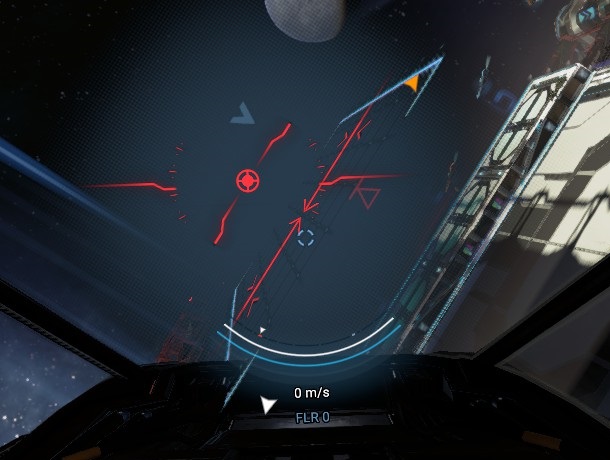
Your initial alignment may be very bad.
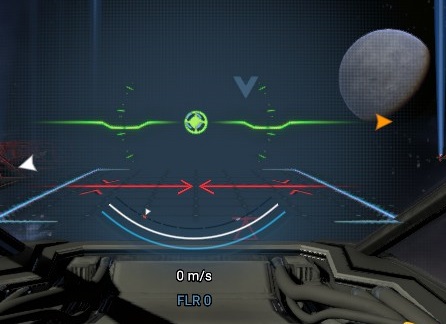
First, center your heading reticle on the target in the alignment indicator and rotate so that you're level.
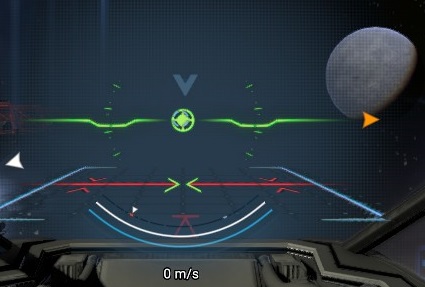
Now, strafe left/right so that the red triangle with a line above it is centered. When you're centered, you'll see two arrow tips light green.
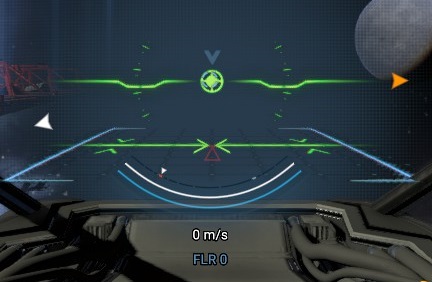
Now, slowly move forward or backwards to bring the red triangle in alignment. You should see more of the diagram light up green if you're perfectly aligned.
Now, just slowly strafe down until you're docked. You may need to make minor adjustments at the landing pad, but you'll soon be landed.
- X4 Full Map [Timelines][7.0]★ 5 (579)46k views1.2k ♥1 minUpdated 22 Jun, 2024
- A Guide to Game Starts★ 5 (209)28k views437 ♥27 minUpdated 7 Jan
- X4 Beginner Guide 5.1★ 5 (393)27k views1.2k ♥22 minUpdated 7 Mar, 2023
- All Ownerless Ships in X4: Foundations (9.00 Base Game + All DLCs)★ 5 (453)27k views1.1k ♥10 minUpdated 10 Jun
- X4 Ultimate Weapons Guide. [NOW ON THE WIKI]★ 5 (343)23k views768 ♥104 minUpdated 8 Jul, 2024
- X4 sector map★ 4 (146)22k views207 ♥1 minUpdated 6 Dec, 2018


- Upgrading to PremiumTeam Fortress 2★ 5 (20k)1441k views11k ♥6 minUpdated May 11, 2022
- No More Room in Hell Official ManualNo More Room in Hell★ 5 (2.8k)569k views2.1k ♥29 minUpdated Apr 22, 2019
- NMRiH Community Hosting GuidesNo More Room in Hell★ 5 (526)351k views653 ♥1 minUpdated Aug 10, 2022
- ULTIMATE GUIDE FOR GAME DEV TYCOONGame Dev Tycoon★ 5 (5.8k)326k views10k ♥4 minUpdated 23 Jan, 2014
- How to 'Git Gud' Soon™MORDHAU★ 5 (2k)318k views3k ♥68 minUpdated Nov 16, 2024
- Лучшие кооперативные игры SteamPAYDAY 2★ 5 (1.5k)315k views2.1k ♥56 minRussianUpdated Apr 27, 2025






This guide was created by its original author on the Steam Community. Are you the author and want it removed? Request removal.