Getting back old faction colors
Foreword
I found the new colors for the factions introduced in the most recent version to be sort of ugly and difficult to distinguish from each other. I wanted the old colors as I thought they fit the factions better and I simply hate change. Luckily, with the new color blindness accessibility features, we can change the colors to anything we want. I figured that if i wanted the old colors, more than a few other people probobly did as well, and since I already did the work to get the proper colors, I would put this out there for other people if they wanted it.
In order to get the correct colors for every faction, I installed an older version of the game and took screenshots of the map, Which i then used the eyedropper tool in a paint program to get the precise RGB value for every faction. There are a handful of colors I don't have, but they are minor things like the civilian faction or the venture "visitor" faction, which I think doesn't really matter, as they are rare and unimportant. I also took the liberty of changing the quettanaut's color to a salmon pink, because it looked a little too close to the free families, But if you don't like that the original color is in the XML.
Another thing to note: with the color blindness accessibility options, you can now change the color of the player's faction, if that is something you have wanted to do in the past.
The code
Take the code below and place it into a new XML file in this folder:
C:\Users\(USER)\Documents\Egosoft\X4\81740626\colorprofile
The name of the XML file doesn't matter either, But mine is named "Old faction colors"
It should look like this: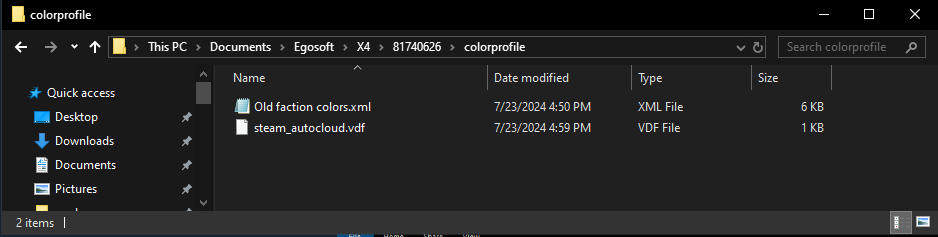
Instructions
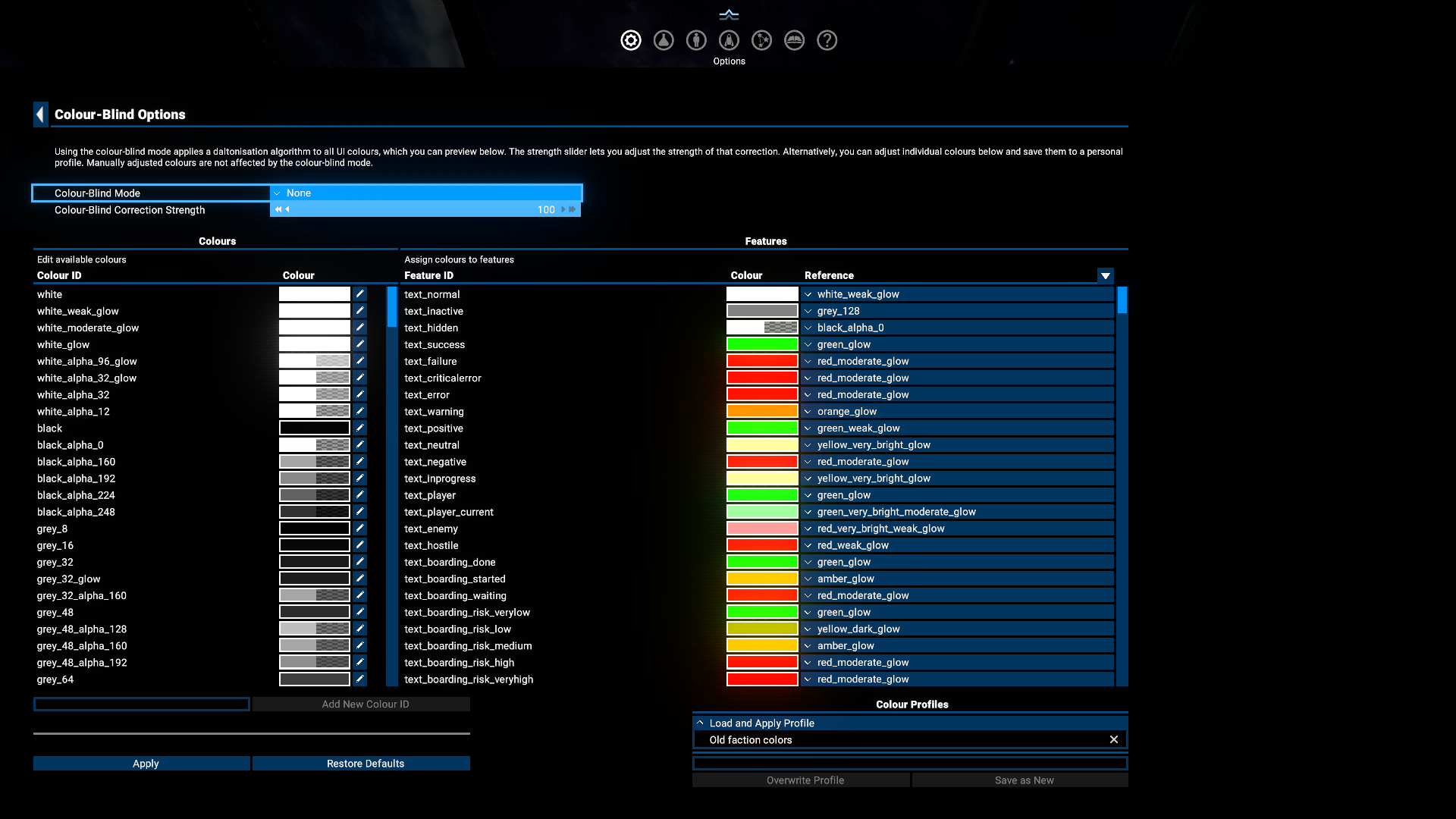
At the bottom right of the color-blind options page there is a Colour Profiles dropdown, inside that dropdown select the "Old faction colors" profile, then click apply on the bottom left of the screen and restart your game. Once you have loaded back into the game the new colors will be active.
Screenshots
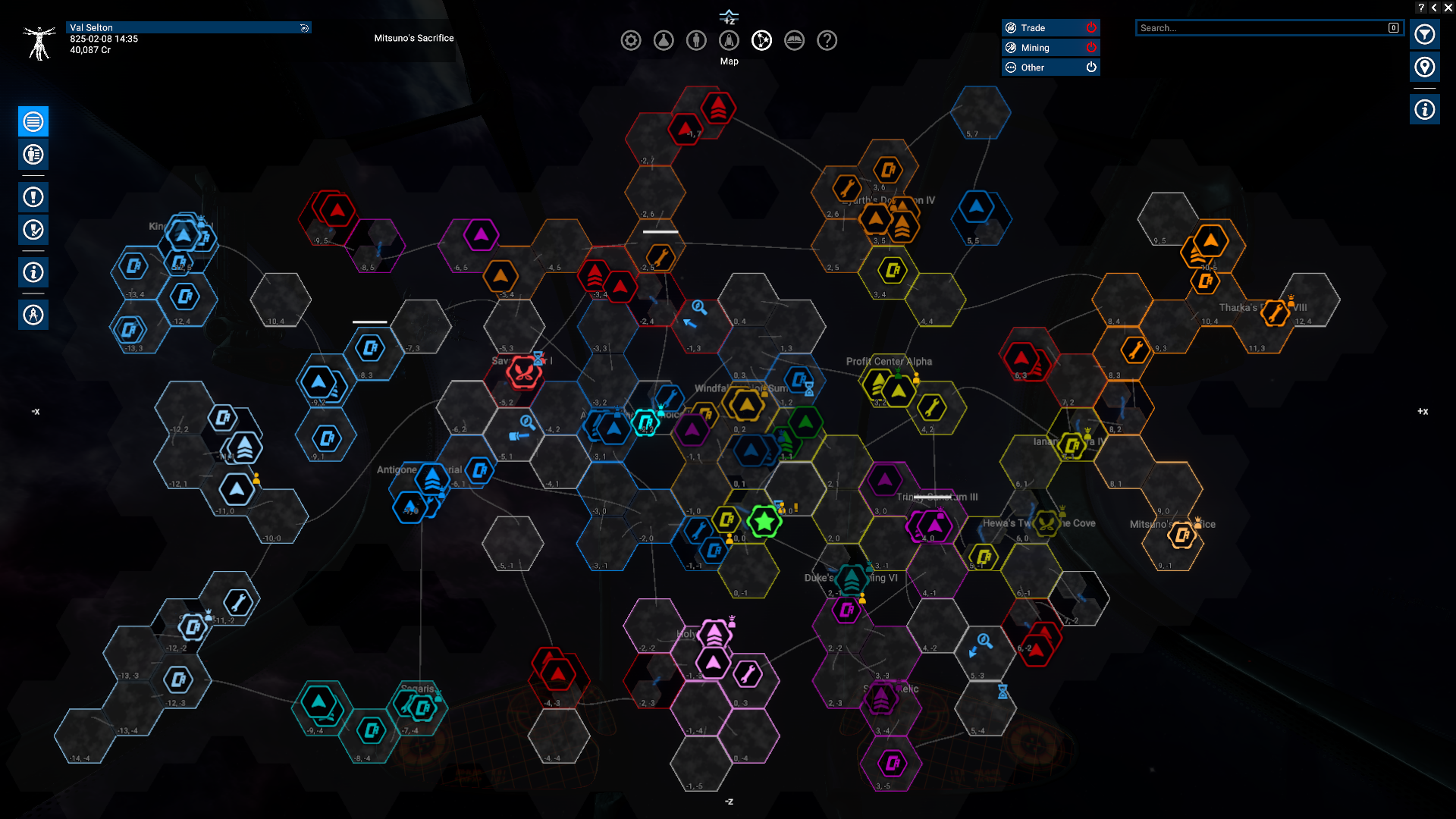 After
After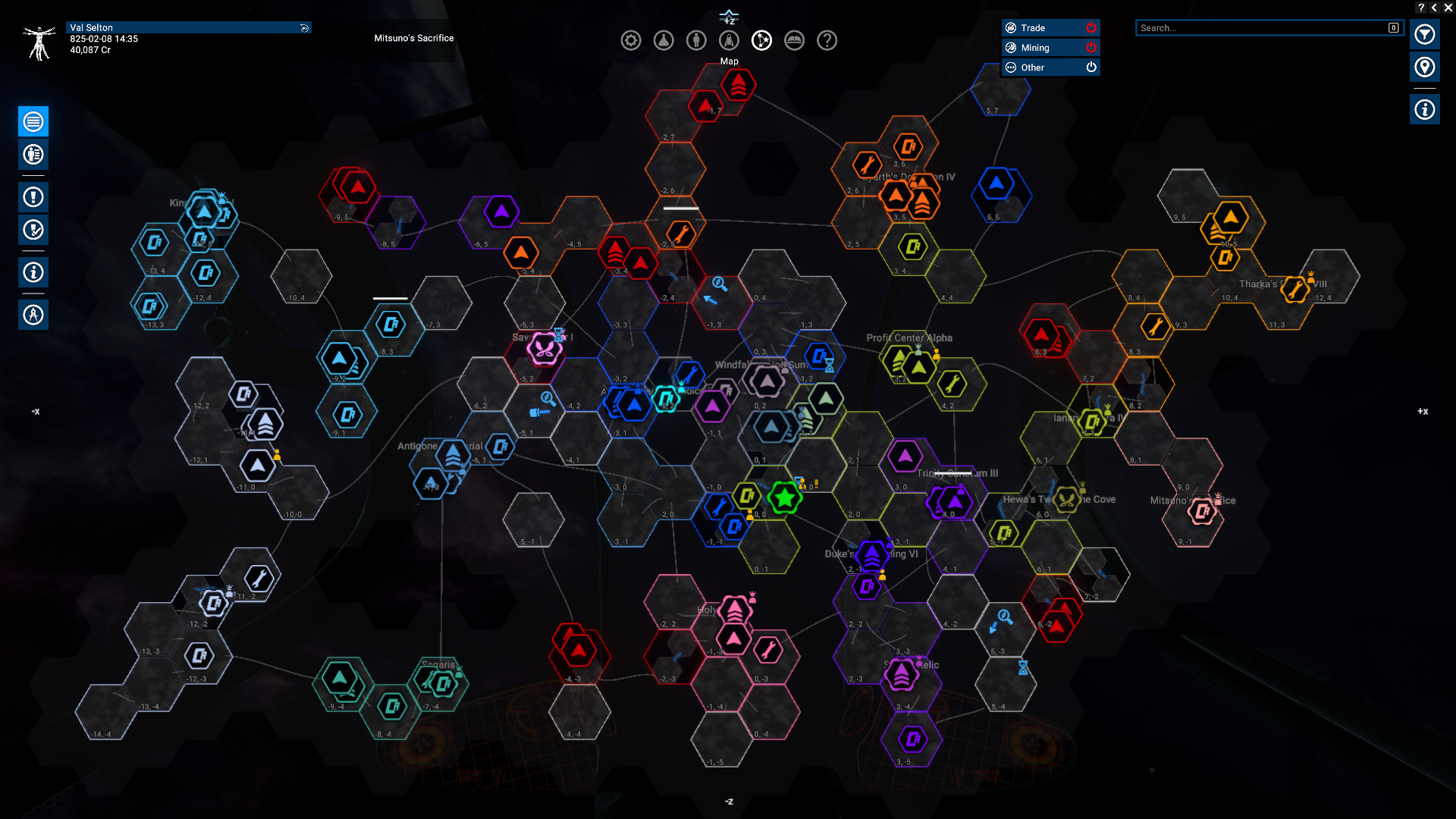
Conclusion
- X4 Full Map [Timelines][7.0]★ 5 (579)46k views1.2k ♥1 minUpdated 22 Jun, 2024
- A Guide to Game Starts★ 5 (209)28k views437 ♥27 minUpdated 7 Jan
- X4 Beginner Guide 5.1★ 5 (393)27k views1.2k ♥22 minUpdated 7 Mar, 2023
- All Ownerless Ships in X4: Foundations (9.00 Base Game + All DLCs)★ 5 (453)27k views1.1k ♥10 minUpdated 10 Jun
- X4 Ultimate Weapons Guide. [NOW ON THE WIKI]★ 5 (343)23k views768 ♥104 minUpdated 8 Jul, 2024
- X4 sector map★ 4 (146)22k views207 ♥1 minUpdated 6 Dec, 2018


- Upgrading to PremiumTeam Fortress 2★ 5 (20k)1441k views11k ♥6 minUpdated May 11, 2022
- No More Room in Hell Official ManualNo More Room in Hell★ 5 (2.8k)569k views2.1k ♥29 minUpdated Apr 22, 2019
- NMRiH Community Hosting GuidesNo More Room in Hell★ 5 (526)351k views653 ♥1 minUpdated Aug 10, 2022
- ULTIMATE GUIDE FOR GAME DEV TYCOONGame Dev Tycoon★ 5 (5.8k)326k views10k ♥4 minUpdated 23 Jan, 2014
- How to 'Git Gud' Soon™MORDHAU★ 5 (2k)318k views3k ♥68 minUpdated Nov 16, 2024
- Лучшие кооперативные игры SteamPAYDAY 2★ 5 (1.5k)315k views2.1k ♥56 minRussianUpdated Apr 27, 2025






This guide was created by its original author on the Steam Community. Are you the author and want it removed? Request removal.