Player POI
Features
- Creation of custom POIs on the map at any location or by assignment to objects (non-player stations, gates, abandoned ships, lockboxes).
- Automatic name generation for POIs based on the assigned object name or location coordinates.
- Automatic POI assignment to newly discovered abandoned ships, lockboxes, and data vaults, with optional exclusion during claim procedures for ships.
- Duplicate prevention - checks prevent creating multiple POIs at the same location.
- POI management tab in the Property Owned Information menu for centralized access to all your POIs.
- Context menu for POIs in space and on the map, with options to rename, self-destruct, or locate POIs.
- Optimized rename window location - rename dialog appears near the selected POI instead of at the mouse cursor.
- A "hidden" feature - discover it only by using the mod.
Requirements
- X4: Foundations: Version 8.00HF3 or 9.00 and newer.
- UI Extensions and HUD: Version v8.0.4.0 or higher by kuertee[next.nexusmods.com].
- Available on Nexus Mods: UI Extensions and HUD[www.nexusmods.com]
- Mod Support APIs: Version 1.95 or higher by SirNukes[next.nexusmods.com].
- Available on Steam: SirNukes Mod Support APIs
- Available on Nexus Mods: Mod Support APIs[www.nexusmods.com]
- Available on Steam: SirNukes Mod Support APIs
Compatibility
- With Custom Tabs[www.nexusmods.com] mod by Mycu[www.nexusmods.com]
Limitations
- As the standard Rename window is used for renaming POIs, there is a standard game limitation on the name length that can be applied.
- POI is not attached to the assigned object, but there is a check implemented which will prevent a POI from being created if there already exists a POI close enough to the assigned object.
Installation
- Steam Workshop: Player POI
- Nexus Mods: Player POI[www.nexusmods.com]
Creating a POI on the map
To create a POI on the map, simply open the holomap, right-click on any location and select Create POI at ... from the context menu. A new POI will be created at the selected location with a default name based on the coordinates.
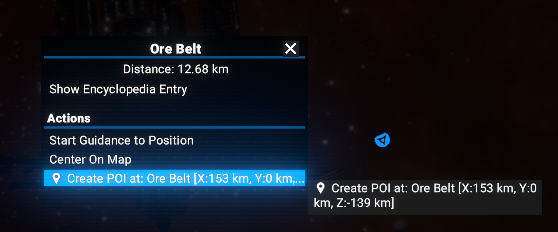
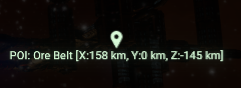
The created POI will be visible on the map and in the Player POI tab of the Property Owned Information, where you can manage it (like renaming or self-destructing it) using the context menu.
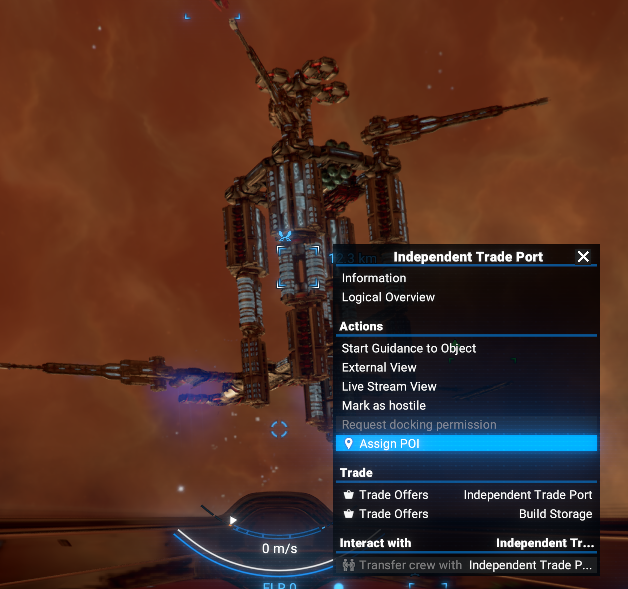
Additionally, you can assign a POI to an object on the map (like a station, gate, abandoned ship, or lockbox) by right-clicking on the object and selecting Assign POI from the context menu. The POI will be created and automatically located near the object, and its name will be generated based on the object's name.
Context menu for assigning a POI to an object on the map is exactly the same as in space, see the next section for details.
Creating a POI in space
In space, you can only assign a POI to an object (like a station, gate, abandoned ship, or lockbox) by right-clicking on the object and selecting Assign POI from the context menu. The POI will be created and automatically located near the object, and its name will be generated based on the object's name.
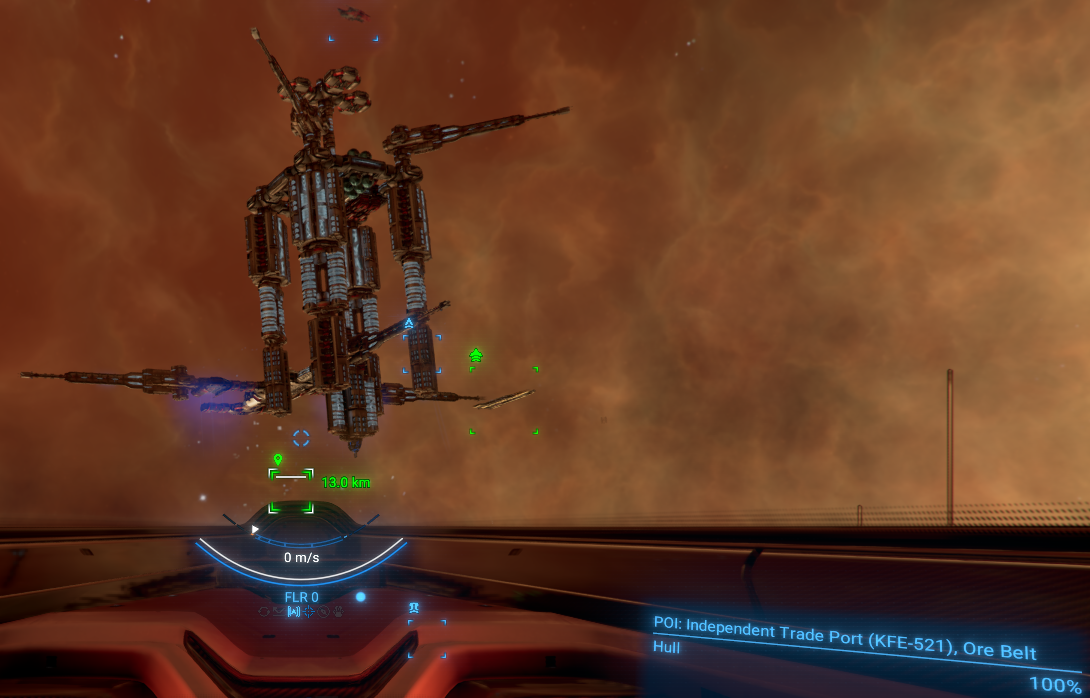
The created POI will be visible in space, on a map and in the Player POI tab of the Property Owned Information, where you can manage it (like renaming or self-destructing it) using the context menu.
Managing POIs
You can manage your created POIs in space, on map and in the Player POI tab of the Property Owned Information.
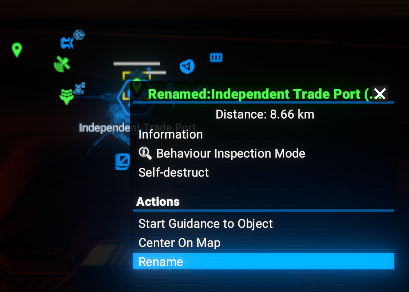
All management actions (like renaming or self-destructing a POI) are available in the context menu, which can be accessed by right-clicking on a POI in space, on the map or in the tab.
There is how the context menu for a POI in space looks like:
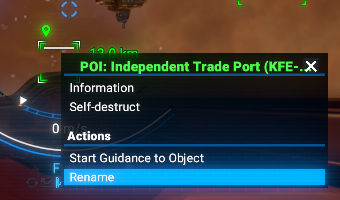
When you select "Rename" from the context menu of a POI in space, a rename window will open, allowing you to enter a new name for the POI.
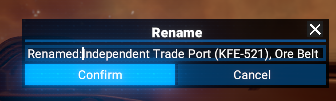
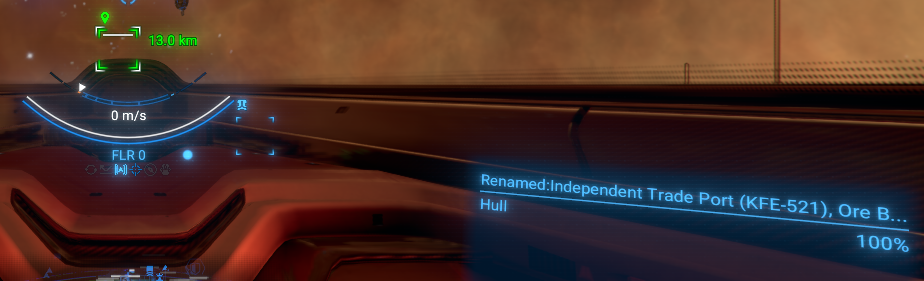
As soon as you enter a new name and confirm it, the POI will be renamed.
Context menu for a POI on the map is the same as in space, but with an additional option to center the map on the POI:
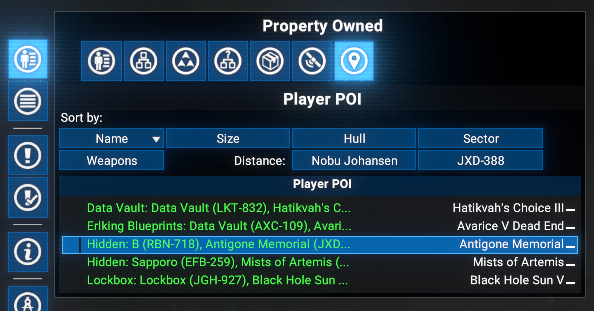
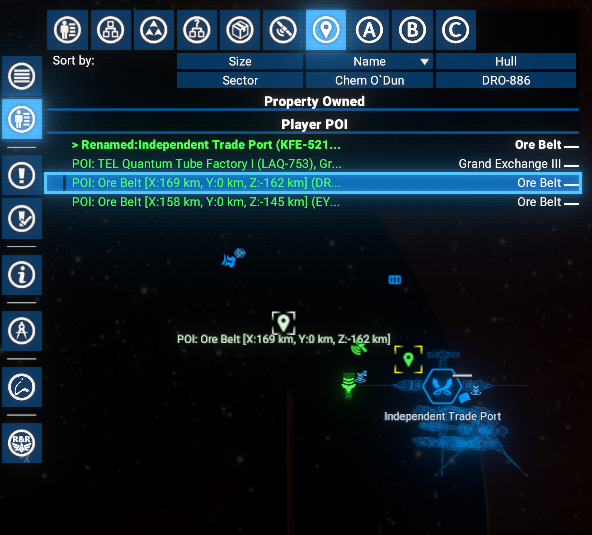
There is an additional tab in the Property Owned Information called Player POI, where you can see all your created POIs in one place. You can also manage your POIs from this tab using the same context menu as in space and on the map.
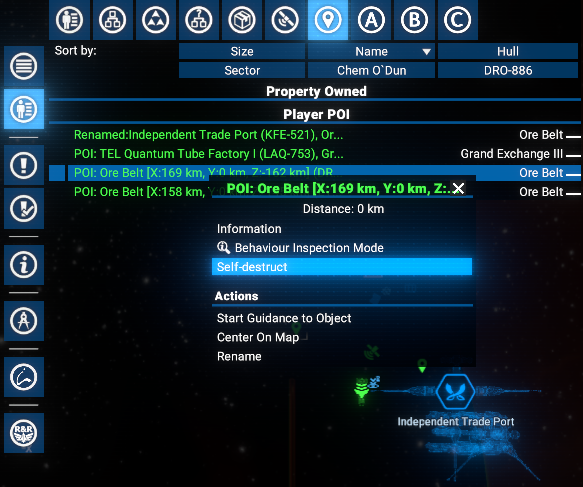
When you select "Self-destruct" from the context menu of a POI, the POI will be immediately removed from the game. This action cannot be undone, so use it with caution.
There is an example of a POI that is about to be self-destructed in the following screenshot:
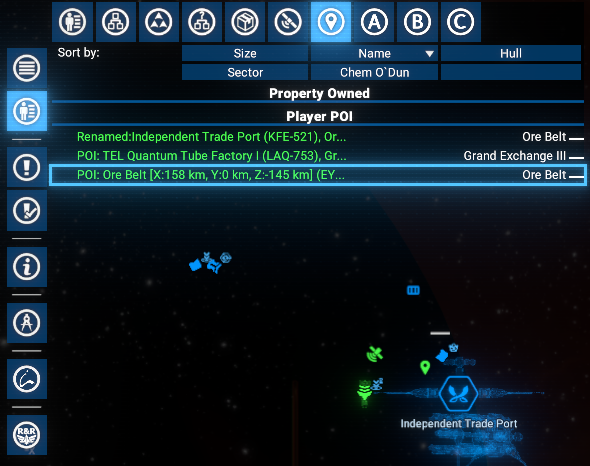
And here is how the list of POIs looks like after the POI has been self-destructed:
When you select "Rename" from the context menu of a POI in the Player POI tab, a rename window will open, allowing you to enter a new name for the POI.
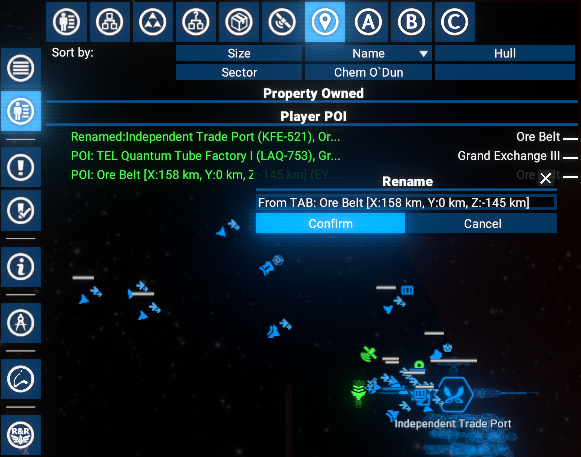
As soon as you enter a new name and confirm it, the POI will be renamed.
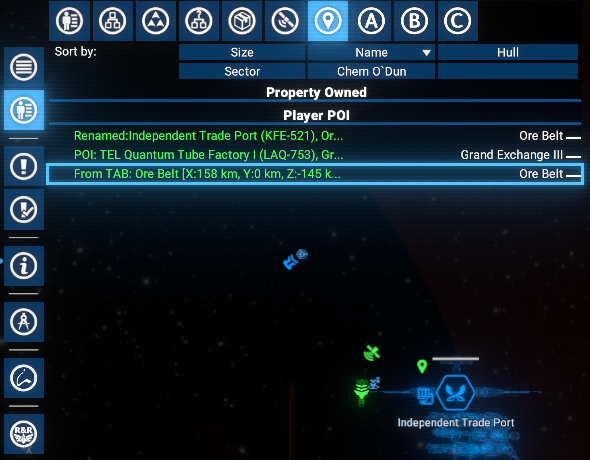
One more example of the Player POI tab in the Property Owned Information, showing several created POIs in space and on the map:
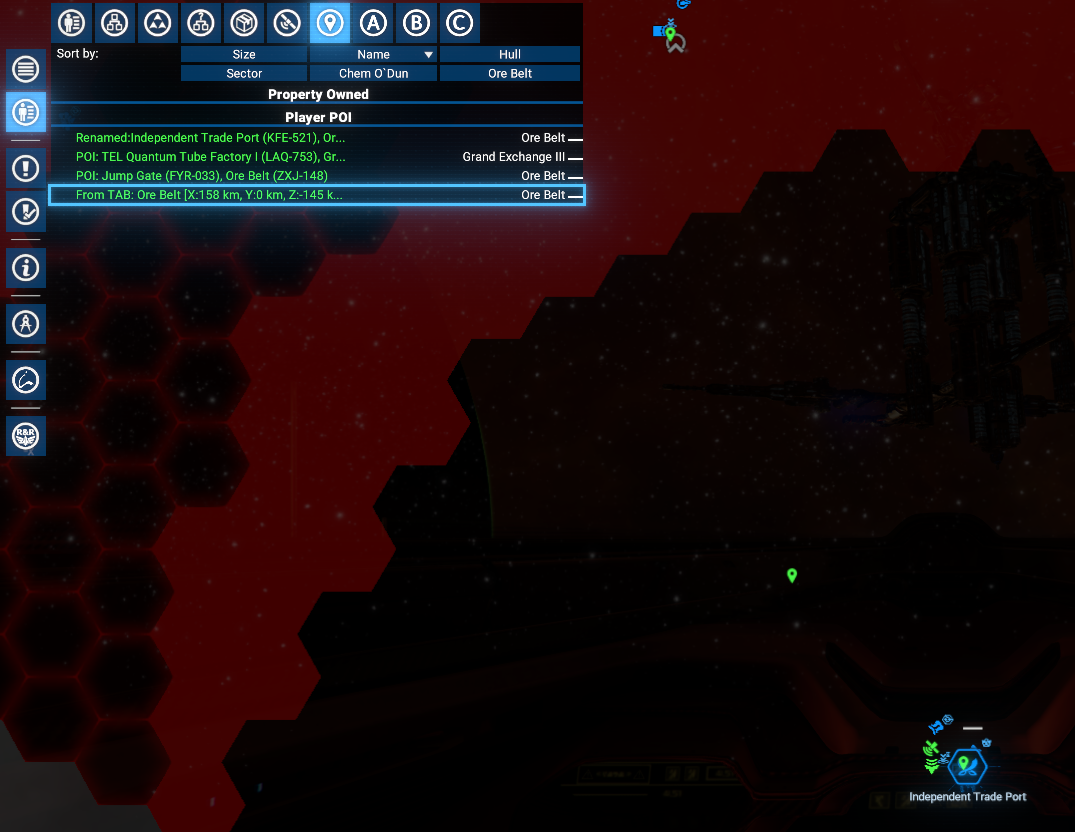
Options
You can configure the mod in the options menu, which can be accessed from the Player POI item in Extension Options menu.
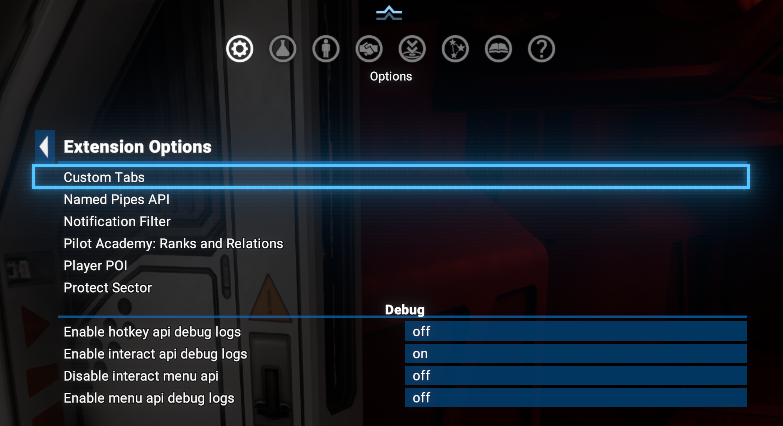
Where the Player POI options menu looks like this:
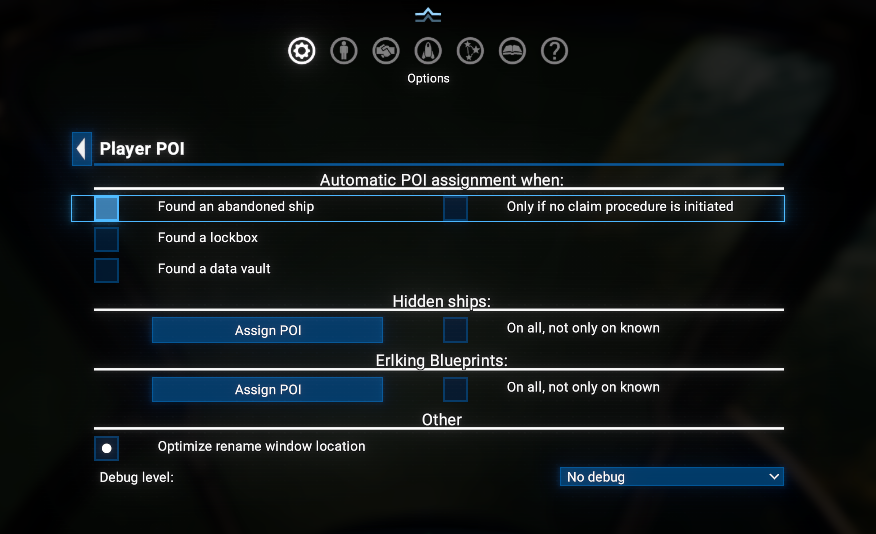
There are three options group under the Automatic POI assignment when: section:
- Found an abandoned ship - when enabled, a POI will be automatically assigned to any found abandoned ship. But moreover, all already known abandoned ships will be assigned with `POI`s on enabling this option.
- Found a lockbox - when enabled, a POI will be automatically assigned to any found lockbox. And similarly to previous, all already known lockboxes will be assigned with `POI`s on enabling this option.
- Found a data vault - when enabled, a POI will be automatically assigned to any found data vault. And similarly to previous, all already known data vaults (after installing the version 8.00.04) will be assigned with `POI`s on enabling this option.
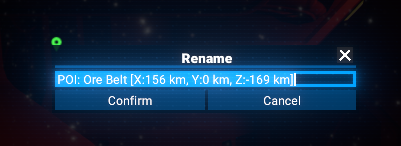
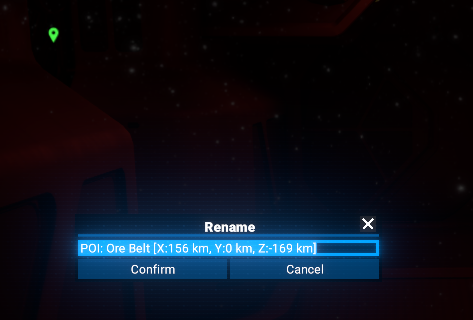
In this section, you can enable or disable optimized rename window location, which will make the rename window appear near the selected POI instead of the last mouse position. There are two screenshots showing the difference between optimized and standard rename window location:
- Optimized rename window location (enabled):
- Standard rename window location (disabled):
In addition, for the resolving issues, you can enable debug logging in the options menu, which will log detailed information about the mod's operations to the X4 log file. This can be helpful for troubleshooting and understanding how the mod works.
Video
- Video demonstration of Player POI
- Video demonstration of Automatic POI assignment
Credits
- Author: Chem O`Dun, on Nexus Mods[next.nexusmods.com] and Steam Workshop
- "X4: Foundations" is a trademark of Egosoft[www.egosoft.com].
Acknowledgements
Mods Changelog
- Added
- Possibility to automatically assign POI's to found data vaults and reveal ErlKing's blueprint data vaults on the map.
- Fixed
- Sorting in the Player POI tab.
- Added
- Possibility to automatically assign POI's to found abandoned ships and lockboxes
- And another interesting feature that will not be mentioned here
- Possibility to automatically assign POI's to found abandoned ships and lockboxes
- Added
- Initial public version
- X4 Full Map [Timelines][7.0]★ 5 (579)46k views1.2k ♥1 minUpdated 22 Jun, 2024
- A Guide to Game Starts★ 5 (209)28k views437 ♥27 minUpdated 7 Jan
- X4 Beginner Guide 5.1★ 5 (393)27k views1.2k ♥22 minUpdated 7 Mar, 2023
- All Ownerless Ships in X4: Foundations (9.00 Base Game + All DLCs)★ 5 (453)27k views1.1k ♥10 minUpdated 10 Jun
- X4 Ultimate Weapons Guide. [NOW ON THE WIKI]★ 5 (343)23k views768 ♥104 minUpdated 8 Jul, 2024
- X4 sector map★ 4 (146)22k views207 ♥1 minUpdated 6 Dec, 2018


- Upgrading to PremiumTeam Fortress 2★ 5 (20k)1441k views11k ♥6 minUpdated May 11, 2022
- No More Room in Hell Official ManualNo More Room in Hell★ 5 (2.8k)569k views2.1k ♥29 minUpdated Apr 22, 2019
- NMRiH Community Hosting GuidesNo More Room in Hell★ 5 (526)351k views653 ♥1 minUpdated Aug 10, 2022
- ULTIMATE GUIDE FOR GAME DEV TYCOONGame Dev Tycoon★ 5 (5.8k)326k views10k ♥4 minUpdated 23 Jan, 2014
- How to 'Git Gud' Soon™MORDHAU★ 5 (2k)318k views3k ♥68 minUpdated Nov 16, 2024
- Лучшие кооперативные игры SteamPAYDAY 2★ 5 (1.5k)315k views2.1k ♥56 minRussianUpdated Apr 27, 2025






This guide was created by its original author on the Steam Community. Are you the author and want it removed? Request removal.