DLSS Un-blur Fix (has been Officially fixed)
Deprecated || been Officially fixed
This has now been fixed/added to the main game Version 5.1.4
and you no longer need this to be done
Ill keep this up thoguh.
Thx for using this Guide
Example
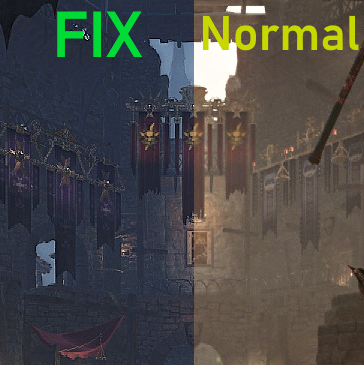
Step 1
This is a mod in the sense its a modification, specially in the config file.
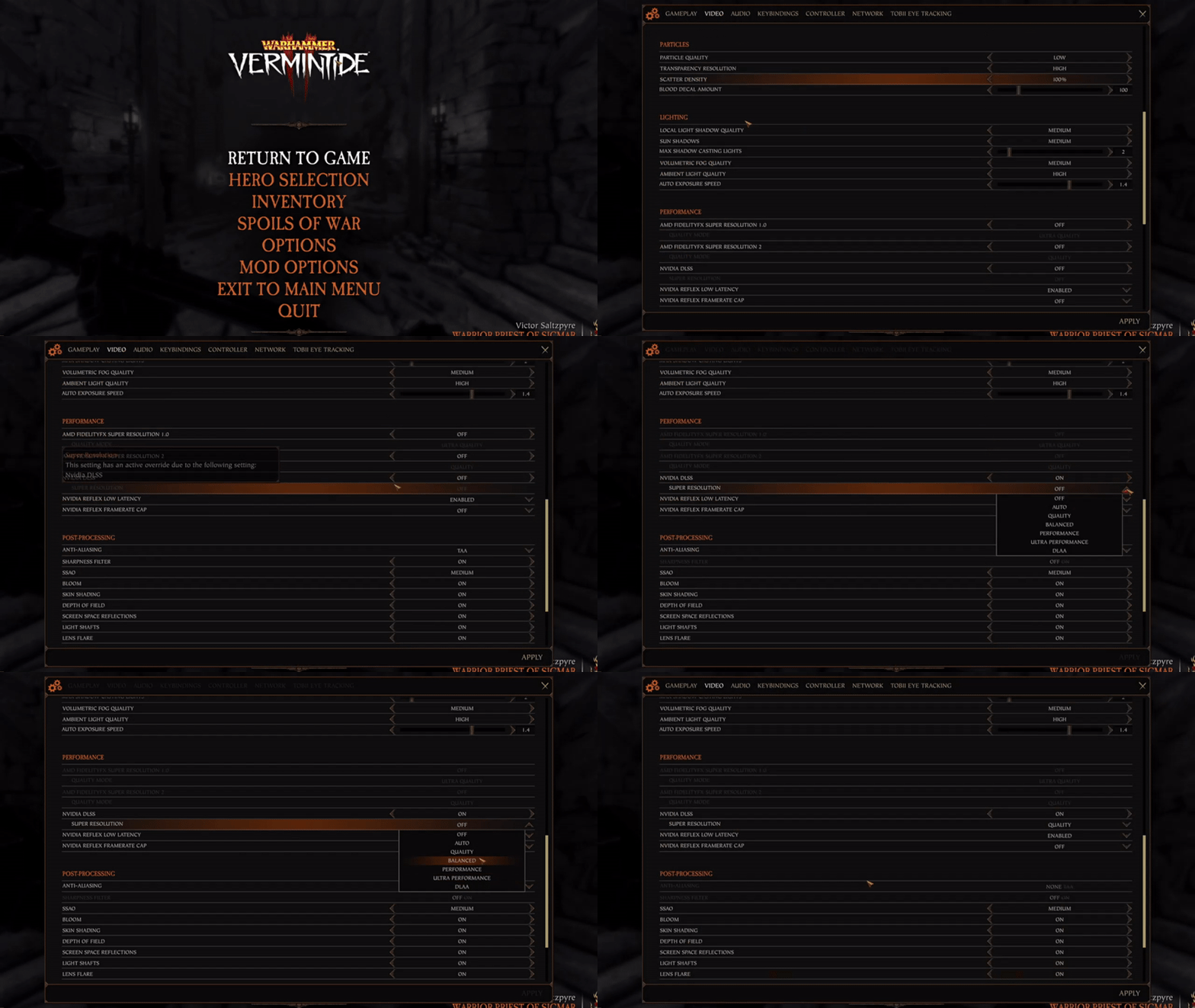
- Launch the game and load in
- once in go to settings and set DLSS to on
- and pick any DLSS/DLAA preset
Once applied close the game.- -
Step 2
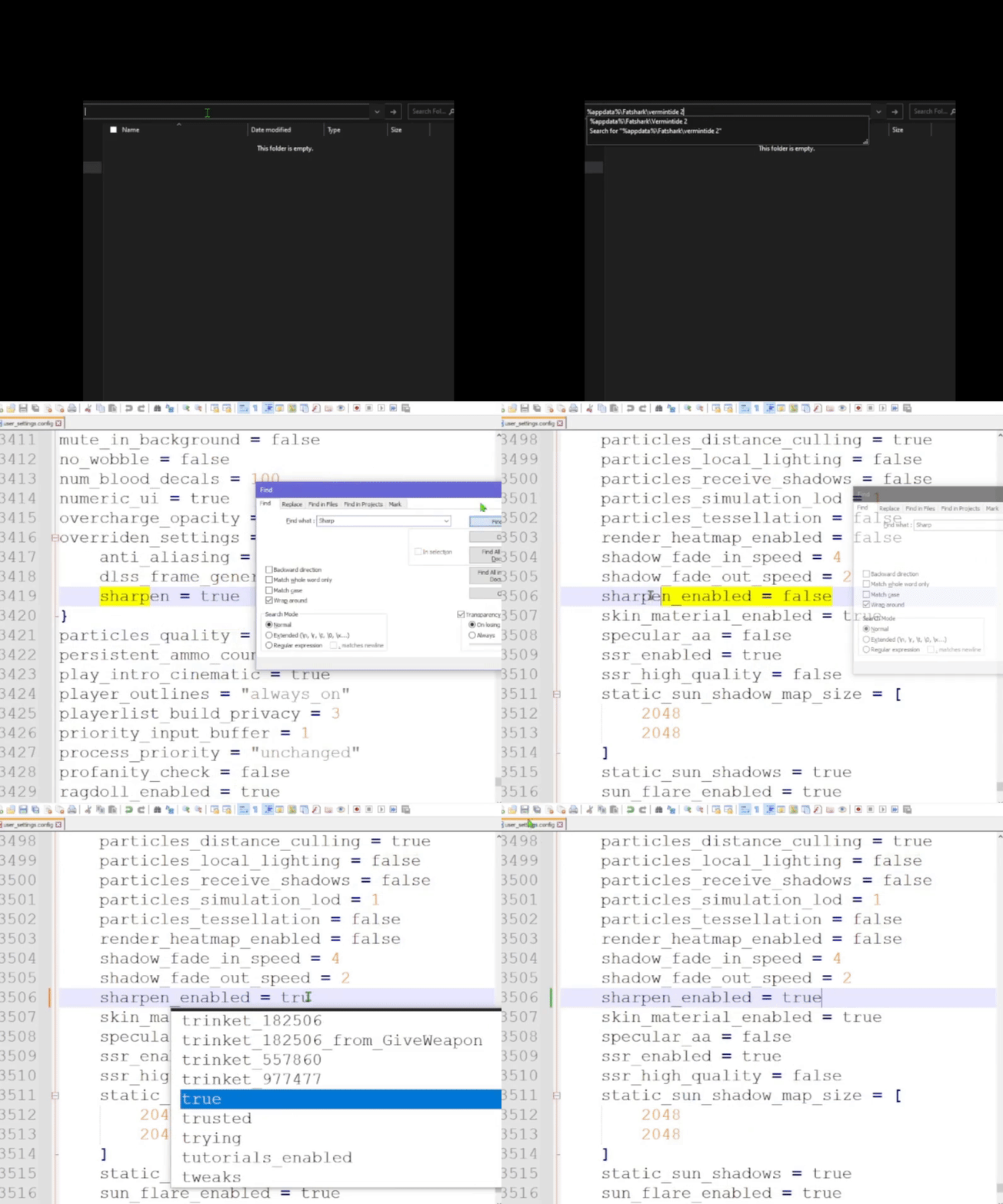
- Go to the game settings file - done by:
Open a windows folder and type at the top in the address bar %appdata%\Fatshark\Vermintide 2 - Next find and open user_settings.config or user_settings in any text editor
- in the text editor press and hold CTRL+F and type sharpen_enabled
- Replace sharpen_enabled = false to sharpen_enabled = true
- Save the file by pressing and holding CTRL+S or by manually pressing the save icon
- -
Step 3
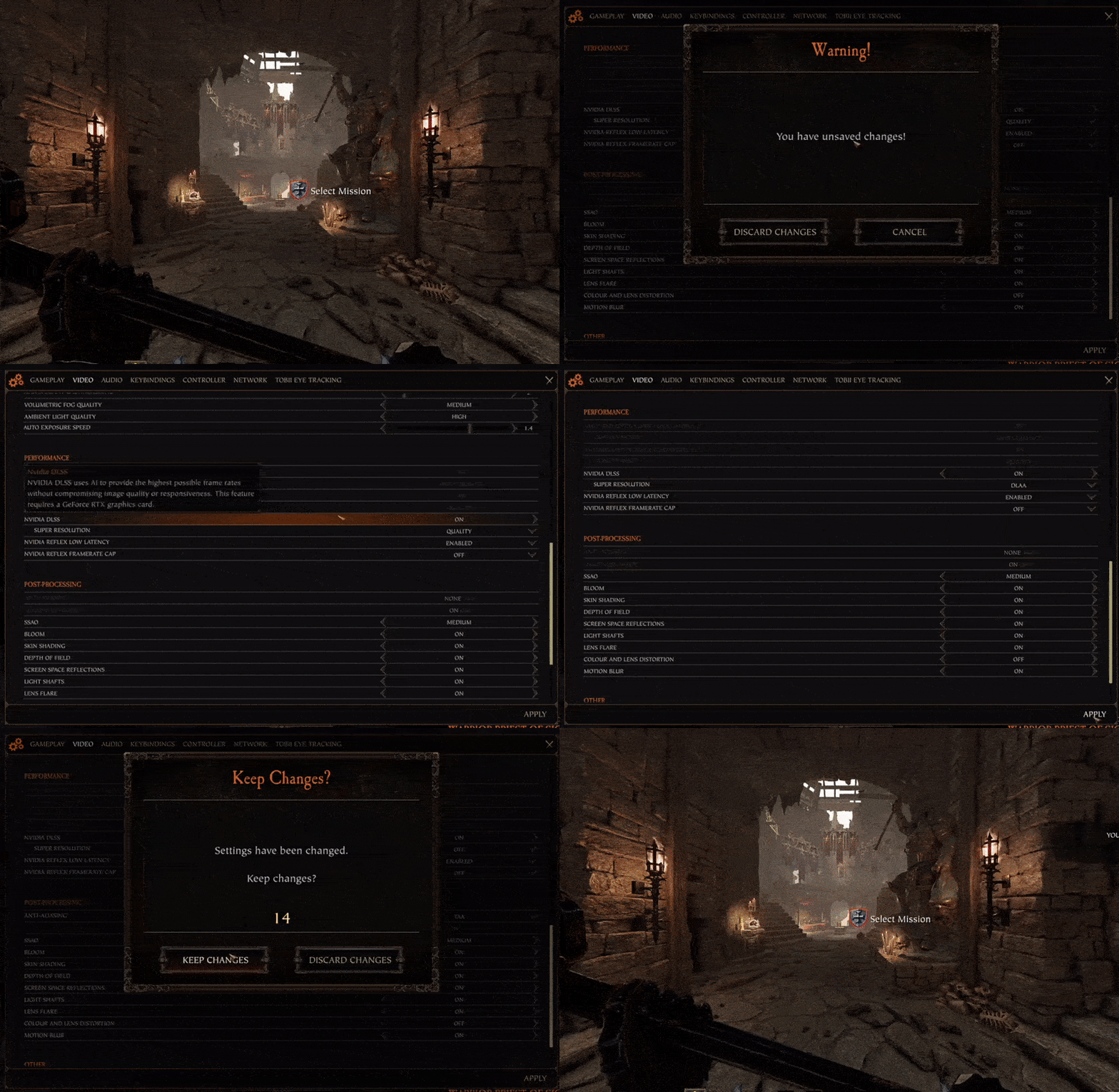
- Boot up and load into the game
- Once loaded, Open the settings and go to Video and Don't change anything yet, next press ESC on the keyboard, Press Discard Changes so that the game doesn't reset the Sharpness Filter we just changed.
-Note: You do not need to do the Discard Changes on every game/map load.
if you ever open your settings and go to Video at that point you'll need/Have to press ESC and press Discard Changes each time, and then you will be able to change any Video settings.-but Otherwise, loading a map needs no extra input for the mod to keep working, Once the mod is set up, set and forget essentially
- After that you are free to change any DLSS setting without it resetting the Sharpness Filter.
Side Note
If you turn off DLSS and turn it back on, the Sharpness Filter will be reset to OFF and you'll need to do Step 1 and Step 2 againif you did everything right and it all worked well, you will know its working straight away from how sharp the game looks as well as the Sharpness Filter in settings saying "On/On"
-
if you see this(image below), the fix/mod is still working

Thanks
Thank you and enjoy having DLSS/DLAA in a usable form :]
Disclaimer: Unsure if there is any effect/problems(Graphically) caused by forcing on the Sharpness Filter with DLSS, I would guess no as its a filter, probably a layer on top of DLSS? if you run in to issue you can always turn off the Sharpness Filter again(simply done by turning DLSS on and off again)
- 【Updated to Patch 6.10】【All Careers】Legend Builds Collection★ 5 (2.6k)99k views7.6k ♥87 minUpdated Mar 10
- 【Updated to Patch 6.10】【Cataclysm Builds】Kruber all careers★ 5 (1.8k)60k views5.7k ♥33 minUpdated Mar 10
- 【Updated to Patch 6.11】Optimal Melee Weapon Combo★ 5 (1.9k)58k views5.2k ♥26 minUpdated Jun 11
- 【Updated to Patch 6.10】【Cataclysm Builds】Saltzpyre all careers★ 5 (1.7k)57k views5.6k ♥36 minUpdated Mar 10
- 【Updated to Patch 6.10】【Cataclysm Builds】Bardin all careers★ 5 (1.8k)57k views5.6k ♥33 minUpdated May 12
- 【Updated to Patch 6.10】【Cataclysm Builds】Sienna all careers★ 5 (1.7k)57k views5.4k ♥37 minUpdated Mar 10




- Upgrading to PremiumTeam Fortress 2★ 5 (20k)1441k views11k ♥6 minUpdated May 11, 2022
- No More Room in Hell Official ManualNo More Room in Hell★ 5 (2.8k)569k views2.1k ♥29 minUpdated Apr 22, 2019
- NMRiH Community Hosting GuidesNo More Room in Hell★ 5 (526)351k views653 ♥1 minUpdated Aug 10, 2022
- ULTIMATE GUIDE FOR GAME DEV TYCOONGame Dev Tycoon★ 5 (5.8k)326k views10k ♥4 minUpdated 23 Jan, 2014
- How to 'Git Gud' Soon™MORDHAU★ 5 (2k)318k views3k ♥68 minUpdated Nov 16, 2024
- Лучшие кооперативные игры SteamPAYDAY 2★ 5 (1.5k)315k views2.1k ♥56 minRussianUpdated Apr 27, 2025






This guide was created by its original author on the Steam Community. Are you the author and want it removed? Request removal.