Final Fantasy VII General and Technical FAQ
General
----What is Final Fantasy VII?
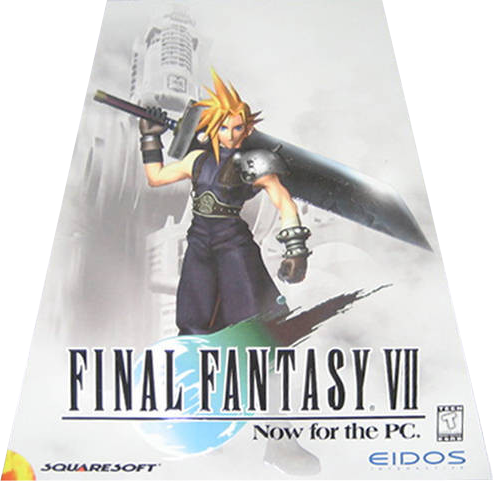 Final Fantasy VII is a roleplaying game originally released on the Playstation in 1997 and PC in 1998. The game was considered to be a classic and was the first jump to the 3D world for the series. The game originally spanned over three discs, a massive number to ship with at the time, with Final Fantasy VIII and Final Fantasy IX taking four full discs.
The game is rated T for Blood, Fantasy Violence, Language, and Mild Suggestive Themes.
For younger players (14 or younger) it may be important to discuss the game with a parent and determine if some of the serious themes discussed in the game are appropriate.
The release for Steam was made available July 4th, 2013 for US$11.99 and stands at 1501MB.
----What makes this release any good?
The re-release here also allows for achievements, cloud-based saves, and a "Character Booster" utility for those wishing just to see the story that many people have enjoyed.
----What is the "Character Booster"?
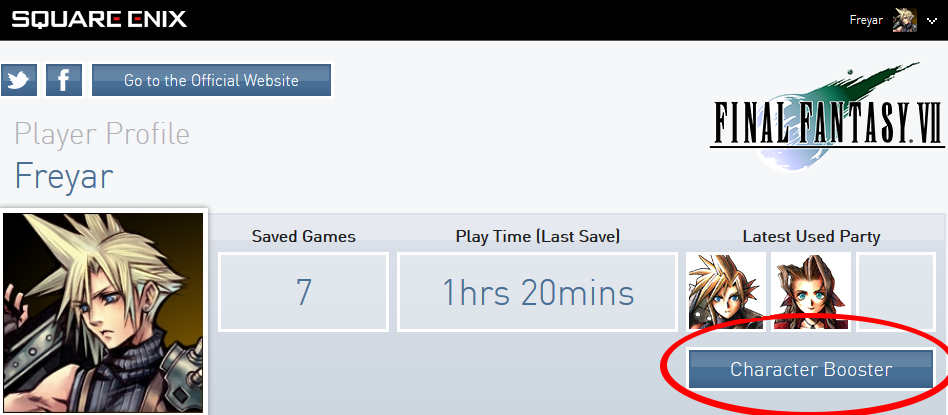
The Character Booster takes HP and MP, sets them to their maximum values, and the Gil amount for that save will be re-written to 49,999,999. This does not change character stats (Strength, Mind, etc.) so a boosted save's damage output is still appropriate, this just gives you a massive health pool to burn through as you need it.
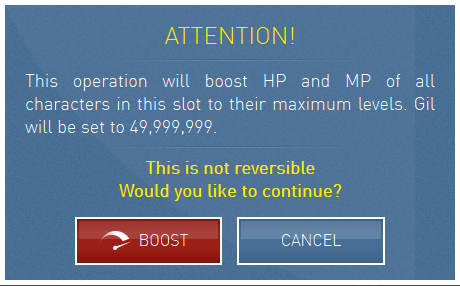 You can access the Character Booster by clicking "Online Profile" when logged in the Final Fantasy VII Launcher. Once you log in to the site, you can then click "Character Booster" in your profile which will give you an option to choose which save file you want to boost. A warning explaining what the Character Booster does will ask you to make sure you want to do it. After that, once you download your cloud saves, the characters should be boosted.
While others argue it's cheating, the beauty of a singleplayer game is that you get to decide how you want to play it.
----What audio format does this verison use?
----I bought a copy from Square-Enix, can I register that to Steam?
You cannot register a license purchased through the Square-Enix store on Steam.
[Phil Elliott] - 04/07/2013 14:16[Hi folks, I've passed on your messages regarding Steam keys, but unfortunately it's not possible to give out keys to those who have already bought another version of the game. I understand that's not ideal for folks wanting to use Steam to launch the Square Enix Store version, so sorry about that.]
Technical

----What are the Minimum Requirements for Final Fantasy VII?
- OS:Microsoft Windows XP/Vista/7 (32/64bits)
- Processor:2GHz
- Memory:1 GB RAM
- Graphics:DirectX 9.0c-compatible graphic card
- DirectX®:9.0c
- Hard Drive:3 GB HD space
There have been some tests on weaker systems that suggest that the game should still be playable, but naturally there is no guarantee.
----What kind of restrictions does this release have? (DRM)
There is no evidence of install or activation limits.
----Can I use a controller to play Final Fantasy VII?
People have suggested that a Logitech F310 or other controllers that allow you to switch between these two types of inputs may be a benefit since they can support both input types as needed.
----How do I set up my controller in Final Fantasy VII?
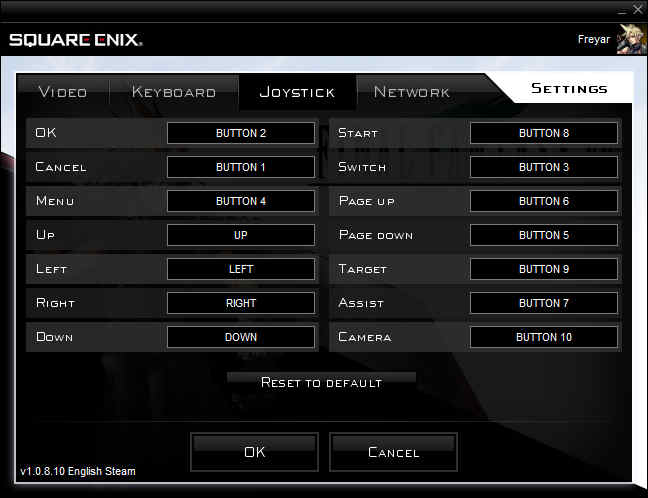 Using the launcher, choose "Settings", then "Joystick". you can set controls there. Make sure you finish by hitting "OK" otherwise your changes will not be saved.
Remember that depending on your controller, you may not be able to bind the d-pad, right stick, or triggers.
The example in the image provided is the closest you can get to the original PSX controls without the use of any other utilities. Should you want to use the right stick, triggers, or d-pad, you will need to use JoytoKey (or any other similar program), or find a controller that uses DirectInput.
-
-
-
-
LEFT STICK
-
-
-
-
-
-
RIGHT
-
LEFT
-
-
-




















----I set up my controller for Final Fantasy VII, but it won't work!
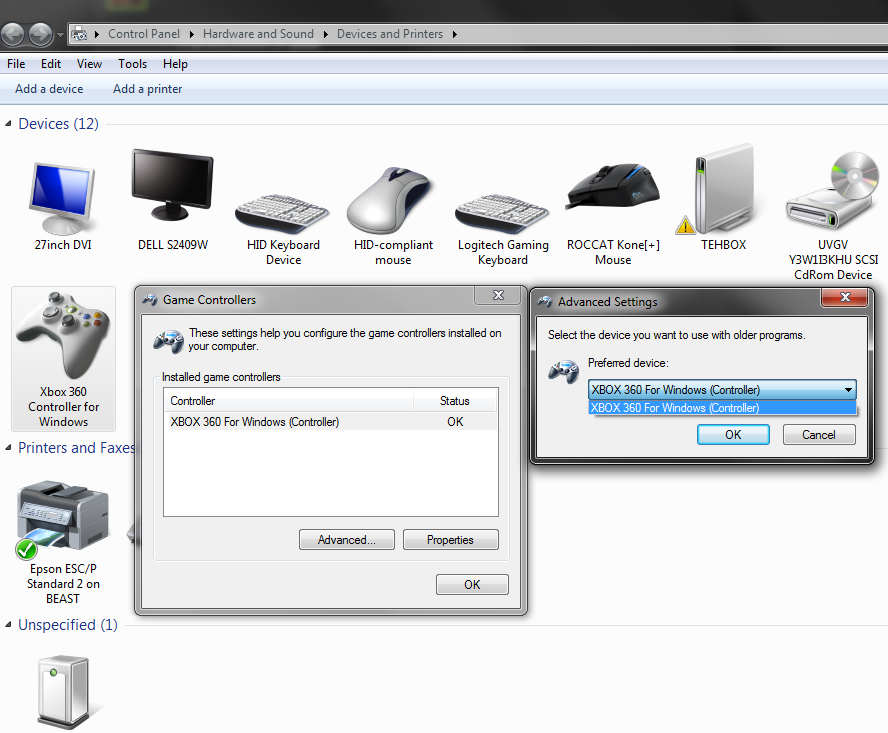 For Windows Vista, Windows 7, and possibly Windows 8, you will need to verify that your controller is set as the "Preferred Device". You can do this in Windows Vista or Windows 7 by clicking Start, Devices and Printers, right-clicking on your controller, and selecting "Game Controller Settings". Once there, click "Advanced" and make sure your controller is selected as the "Preferred Device".
 This tends to happen when multiple input devices are plugged in (such as a Logitech G13.)
----At the main menu, the cursor keeps moving!
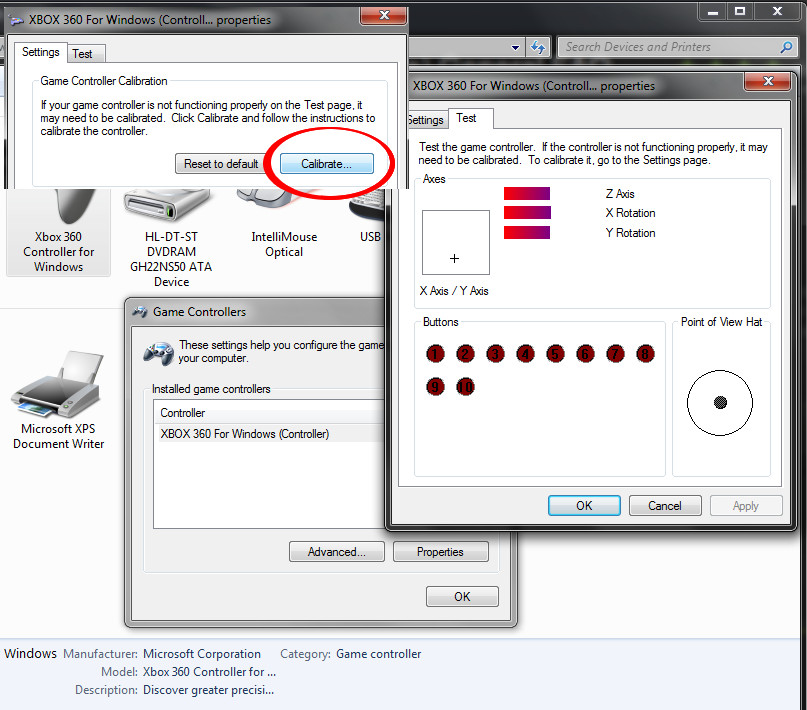 This can be caused by two things. First, check that you don't have any other input devices on your system. Make sure that the gamepad you want to use is set as the preferred device.
The second issue could be that your controller needs to be calibrated. In Windows Vista, Windows 7, or Windows 8, click Start, and go to "Devices and Printers." Right-click on your controller and select "game controller settings." Check that your controller is calibrated by clicking "Properties." If it isn't centered, click on settings, then calibrate.
----I'm stuck at an in-game window showing me keyboard keys?
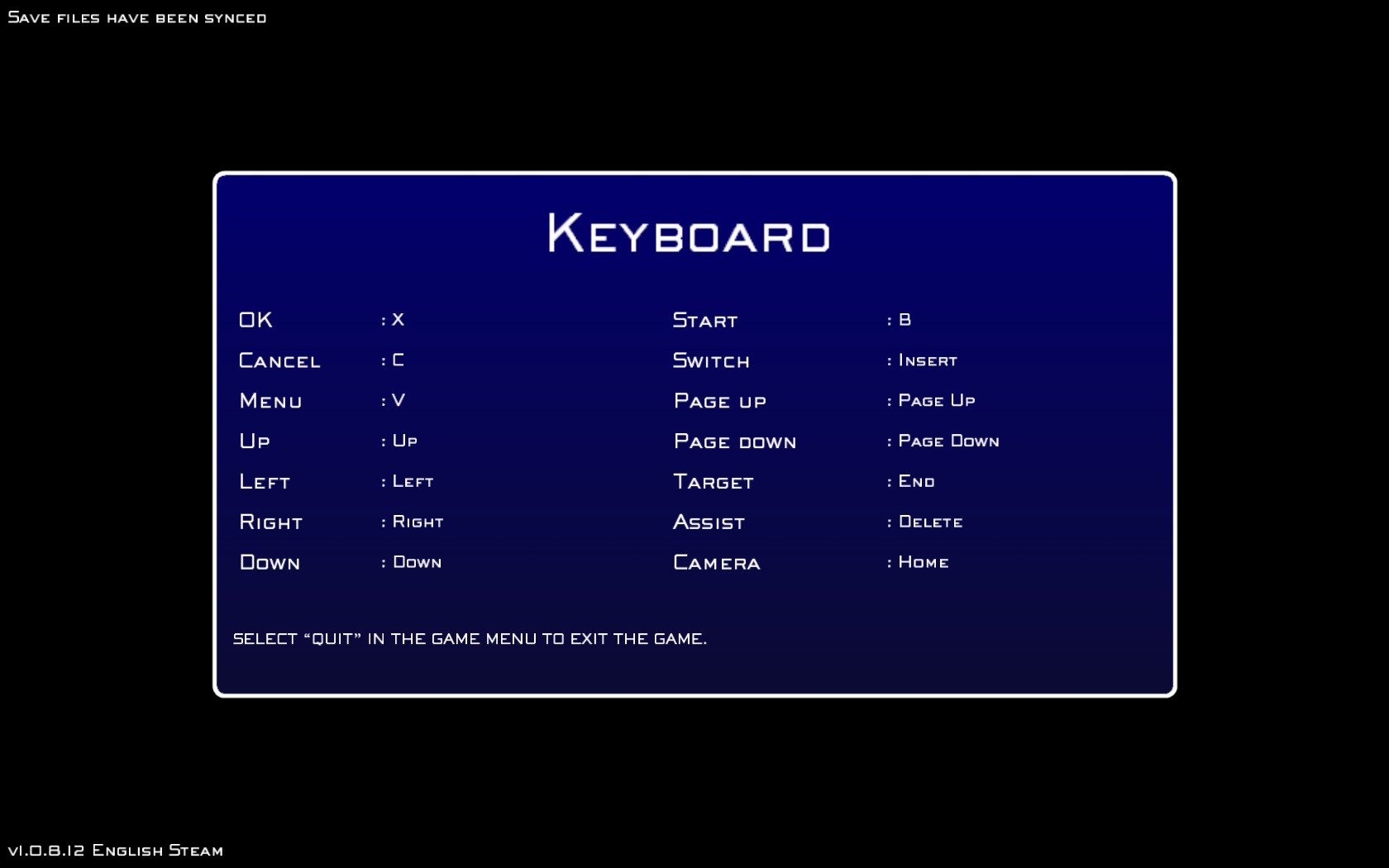 In this case, just press the keyboard key associated with [OK] in the game. (This is "X" by default.) You should have full controller access after that point.
----ERROR CODE 2 or 5 - How do I solve this?
With some games that are new on Steam, certain anti-virus programs detect the game's executables as infected due to the way Steam encrypts content. This particular error (CODE 2, or CODE 5) seems to stem from one of the game's executables being removed, quarantined, or prevented from working for any other reason, with an antivirus program being the root cause.
Disable real-time or on-access scanning, and verify Final Fantasy VII's content through Steam.
- McAfee (Antivirus)*
- Comodo Antivirus (Including Antivirus Advanced 2013)
*McAfee has many different variations. There has been no luck identifying which version does not detect this false positive.
For people looking to completely remove McAfee, you will likely need to follow these instructions [mcafee.com][service.mcafee.com] on how to remove it completely. A partial uninstall does not solve the problem.
----My music or sound disappeared, what should I do?
You can find "ff7sound.cfg" in:
C:\Users\[USERNAME]\Documents\Square Enix\FINAL FANTASY VII Steam
- Graphical Overhaul★ 5 (1k)90k views1.6k ♥3 minUpdated 27 May, 2014
- Final Fantasy 7 Full Guide★ 5 (2.7k)51k views7k ♥137 minUpdated 10 Jul, 2018
- XBox 360 Controller Fix★ 5 (775)48k views1.2k ♥7 minUpdated 17 Feb, 2023
- Permanent Missable Content related to Achievements★ 5 (1.3k)39k views3.3k ♥15 minUpdated 3 Mar, 2019
- Remaster your FF7 - Essential Modding Guide★ 5 (623)38k views1.7k ♥23 minUpdated 24 Feb
- Missable Items on Final Fantasy VII! 100% Items List★ 5 (941)38k views2.5k ♥13 minUpdated 3 Aug, 2022



- Upgrading to PremiumTeam Fortress 2★ 5 (20k)1441k views11k ♥6 minUpdated May 11, 2022
- No More Room in Hell Official ManualNo More Room in Hell★ 5 (2.8k)569k views2.1k ♥29 minUpdated Apr 22, 2019
- NMRiH Community Hosting GuidesNo More Room in Hell★ 5 (526)351k views653 ♥1 minUpdated Aug 10, 2022
- ULTIMATE GUIDE FOR GAME DEV TYCOONGame Dev Tycoon★ 5 (5.8k)326k views10k ♥4 minUpdated 23 Jan, 2014
- How to 'Git Gud' Soon™MORDHAU★ 5 (2k)318k views3k ♥68 minUpdated Nov 16, 2024
- Лучшие кооперативные игры SteamPAYDAY 2★ 5 (1.5k)315k views2.1k ♥56 minRussianUpdated Apr 27, 2025






This guide was created by its original author on the Steam Community. Are you the author and want it removed? Request removal.