Tips and Tricks to 100% Map Exploration
Disclaimer
Why this guide?
I really wanted to explore the map to 100% and early on, I noticed, my truck and regular jobs was just not going to be enough. So after many tries I kind of developed a "strategy" if you will that would help me reach this goal.
What you'll need
- Wheel
- Pedals
In case you need help enabling the console command, refer to the following guide for instructions:How To Get/Use The Dev Console
You can enter g_traffic (without the number), to know your default setting, so you can get back to it after you are done.
Keep in mind that this command persist its value upon closing the game, so next time you start the game, the last value you entered will be used. I tell you this in case you don't see any traffic next time you start the game.
Contrary to the previous command, this command will reset its value (default 1) with every game start (AFAIK), so you'll need to tweak it every time.
In case you need instructions on how to use this camera mode, refer to the following guide: American Truck Simulator - How to Teleport!
- Gameplay -> Fatigue simulation [OFF]
You don't want to get sleepy while exploring now do you? - Gameplay -> Traffic offence [OFF]
I recommend turning this one off, so you don't have to stop at lights and get a ticket for it. - Gameplay -> Random road events [0%]
We don't want to have anything stopping us or getting in our way while we explore, so yes, off! - Gameplay -> Detours [0%]
Again, we want to explore, we don't want any detours. - Gameplay -> Rain probability [0%]
Ok, this is not technically necessary, like most other suggestions actually, I just want to have a clear view all the time while I'm exploring and I don't like rain. - Gameplay -> Show blockers [ON]
Since we are in the business of exploring we want to have a visual indication of which roads we don't need to explore, so this one is useful. Moreover, since we will be, potentially, discovering hidden roads, this option helps us in knowing if a road is hidden or blocked. - Gameplay -> Transmission type [Automatic]
This is optional again, but I recommend to make it easy to drive.
- A car.Although it is perfectly possible for you to use your favorite truck I do recommend using a car since it is lighter and easier to control.
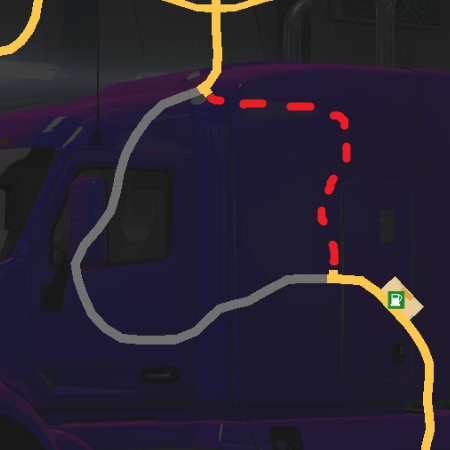
- A mod for your GPSYou will need to have a clear view of all the roads and places you need to touch with your vehicle in order to mark it as explored. This proves to be difficult with the standard gps map.
This is the one I used: Finding undiscovered Roads - No DamageYou will most likely crash your vehicle a few times, so we better save time and money by preventing any damage to it with this mod.
The one I used: No Damage 1.53.x - 1.54.x Beta - A map coloring modThis type of mod becomes useful when exploring one state at a time as it lets you clearly know which state a particular road belongs to.
This is the one I used: Colored Map 1.50+ (Optional Mod)
I believe this is everything you need to play the Map Exploring game and make it bearable.
Playing the Map Exploration Game
Ok, you have seen me mention this name a few times now, and that is because it is essentially what we will be doing, playing the Map Exploration Game, as we will not be doing any deliveries nor completing any achievements.
So now that you are set up and ready, what's left is to actually start driving and getting used to the modification we did to the game. I suggest you start with the state with the highest percentage so far. I tried to come up with an actually strategy to drive and explore the map but it was very difficult. This is because the number of times you need to drive through a particular road is ridiculously high, like 4 or even 6 time across the same road just so you can touch all required pieces of the map. However, I can give you the following tips that I used to reach 100%:
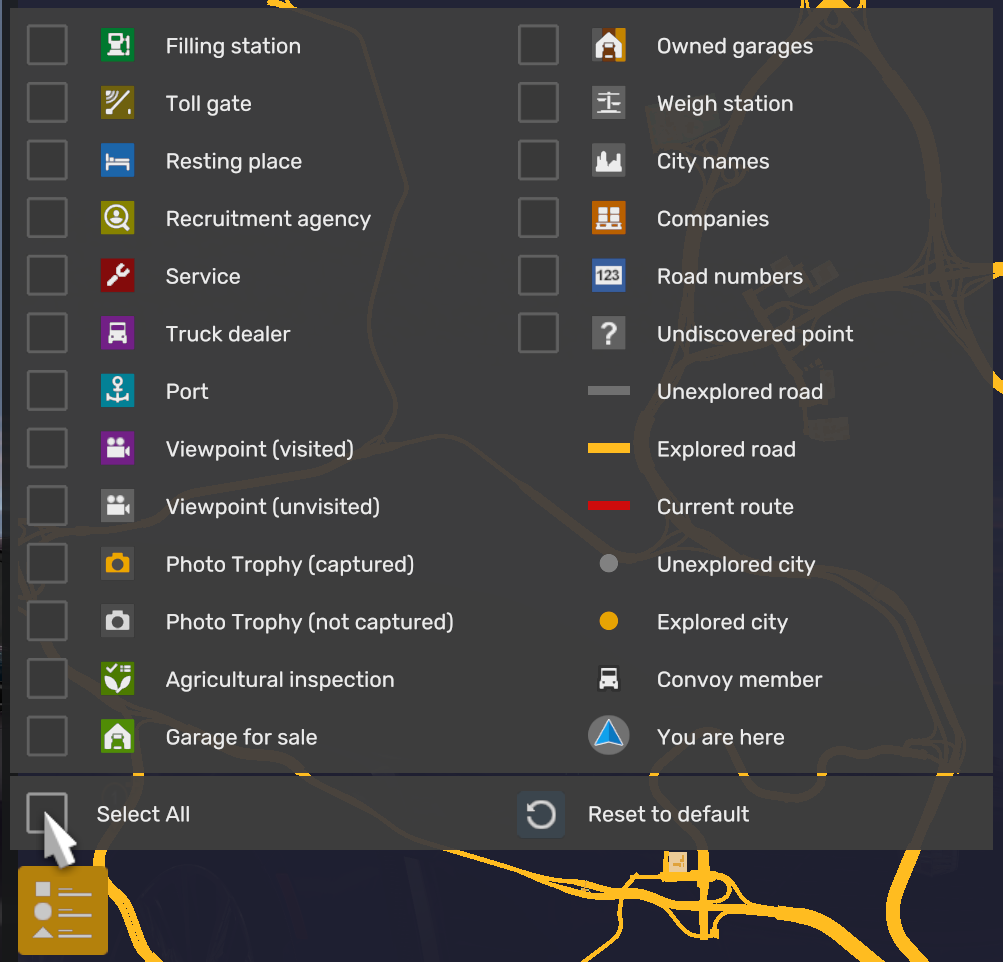
- Remove all icons from map
I think this even was an addition from SCS to help us in exploring the map. So use this feature to hide all icons from view so, again, you can have a clear view of the roads you have and have not explored. - Explore whole intersections in one go.
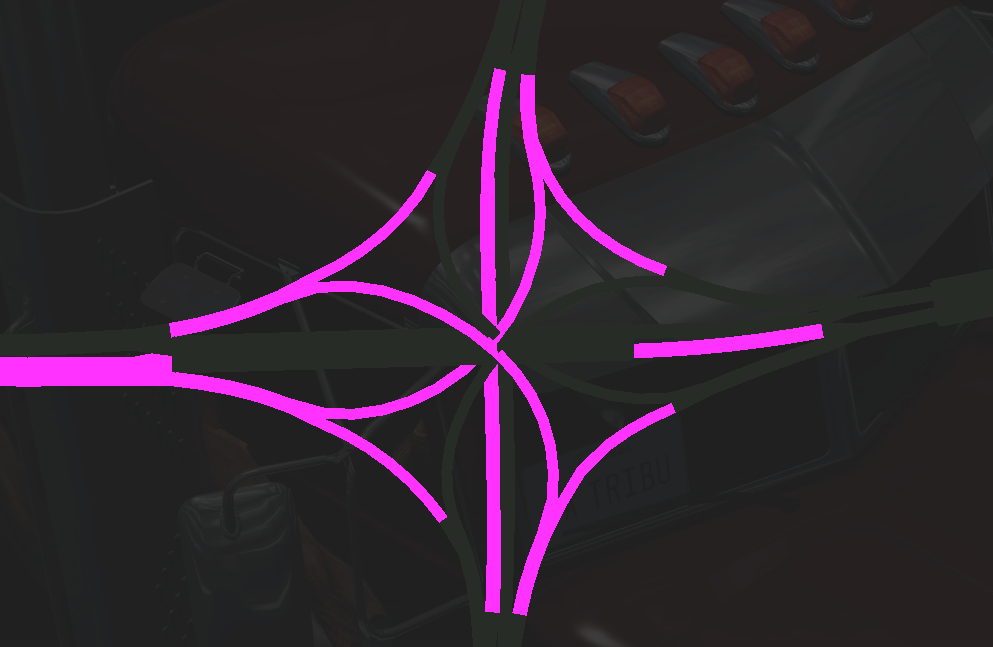
There will be a lot of intersections with many roads going in all directions, I suggest you explore these intersections completely before moving to another section of the map. Use your Free Camera mode as needed here. - Move from the right lane to the in-coming traffic lane.
Some roads require you to traverse them in one way and the other, if you don't have anything blocking your way, I suggest you move from one lane to the other so you can explore both ways in one go. - Explore whole cities.
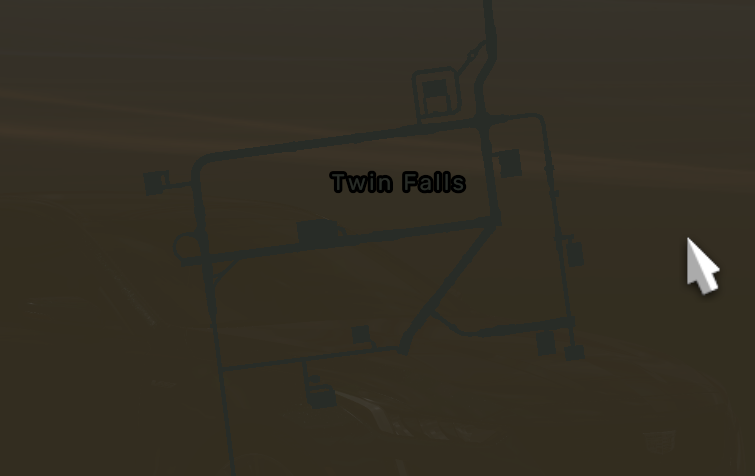
As you reach each city, make sure you explore it whole before moving to another city, this will save you from going back and forth between places. - Tiny spots count
If you see a tiny spot in your map that is a road and not part of a building, it will most likely need to be explored, so don't leave it unexplored.
It is not the same with tiny pieces that are part of a building however. - Use free mode camera
Use is as often as you need to complete whole roads in all ways. - Pay attention to roundabouts
These are tricky as some require you to drive in a Y pattern on each exit, so pay attention to your map.
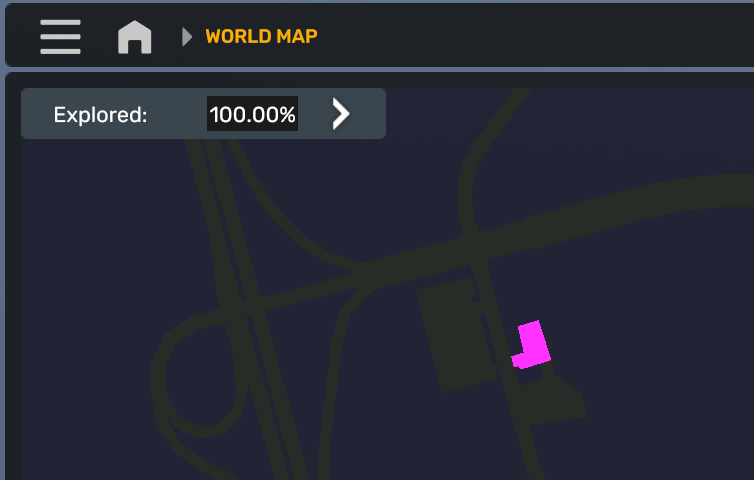
- Check all entrances to some businesses.
Some companies have two to three different entrances and a piece of road, so, sometimes, you'll see the whole company cleared in your map, but not all entrance roads, so pay close attention to these companies.


And that is all I remember doing when going for that 100% Map Exploration.
Trivia
- One odd thing that happened to me in this journey is that I was at 99.99% with Kansas and California was the only state left with less than 100% all other states were already at 100% explored, I spend days trying to reach 100% with Kansas and I just couldn't, so I was ok with 99.99%, however, as soon as I reached 100% on my last state (California), also the state of Kansas reached 100%. I don't know if there was something in California preventing Kansas from reaching 100% I don't know what happened but I was very happy to see all states showing 100% completion. So, if you are stuck at 99.99% with Kansas or any other state, move on to other states and eventually, you will reach 100% probably.
- I went from level 116 to 118 just by getting experience bonus from free roaming!
- I was able to discover all viewpoints and get all trophy pictures by exploring the map so I completed all those too.
That's it!
I hope you have as much fun as I did when playing the Map Exploration Game within American Truck Simulator. By the way, all these tips and tricks should also work for Euro Truck Simulator 2 which actually has an achievement for that, so double the reason explore.
Remember to use the comment section to criticize this guide and to help me fix my grammar.
Happy exploring!
Beat American Truck Simulator's 100% run?
Flex it — let your friends know you pulled it off.
- Hidden and unmarked roads - USA - WEST - updated 2026/02/20★ 5 (1.3k)38k views1.9k ♥73 minUpdated Feb 19
- The American Truckers Guide to everything!★ 5 (960)34k views1.5k ♥53 minUpdated Aug 16, 2020
- American Truck Simulator 100% Achievement-Guide [ENG]★ 5 (704)15k views1.3k ♥8 minUpdated May 16
- Все достижения American Truck Simulator + все DLC [100% Achievement-Guide] [upd: 15.05.26]★ 5 (1.2k)14k views1.7k ♥42 minRussianUpdated Jul 12
- Texas 100% Achievement-Guide [ENG]★ 5 (443)12k views595 ♥7 minUpdated May 16
- Washington - 100% Achievement-Guide [ENG]★ 5 (503)12k views532 ♥2 minUpdated Mar 24, 2023



- Upgrading to PremiumTeam Fortress 2★ 5 (20k)1441k views11k ♥6 minUpdated May 11, 2022
- No More Room in Hell Official ManualNo More Room in Hell★ 5 (2.8k)569k views2.1k ♥29 minUpdated Apr 22, 2019
- NMRiH Community Hosting GuidesNo More Room in Hell★ 5 (526)351k views653 ♥1 minUpdated Aug 10, 2022
- ULTIMATE GUIDE FOR GAME DEV TYCOONGame Dev Tycoon★ 5 (5.8k)326k views10k ♥4 minUpdated 23 Jan, 2014
- How to 'Git Gud' Soon™MORDHAU★ 5 (2k)318k views3k ♥68 minUpdated Nov 16, 2024
- Лучшие кооперативные игры SteamPAYDAY 2★ 5 (1.5k)315k views2.1k ♥56 minRussianUpdated Apr 27, 2025






This guide was created by its original author on the Steam Community. Are you the author and want it removed? Request removal.