Bind jumping and kicking attacks to joystick click
Rebinding joysticks.
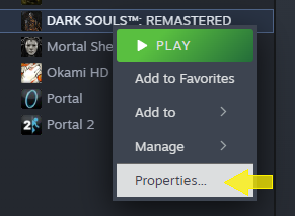
Go to your game library, find DSR, and right-click it. Select properties.
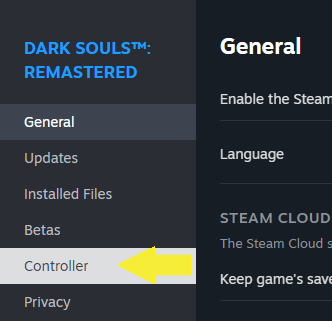
 Select the 'Controller' section.
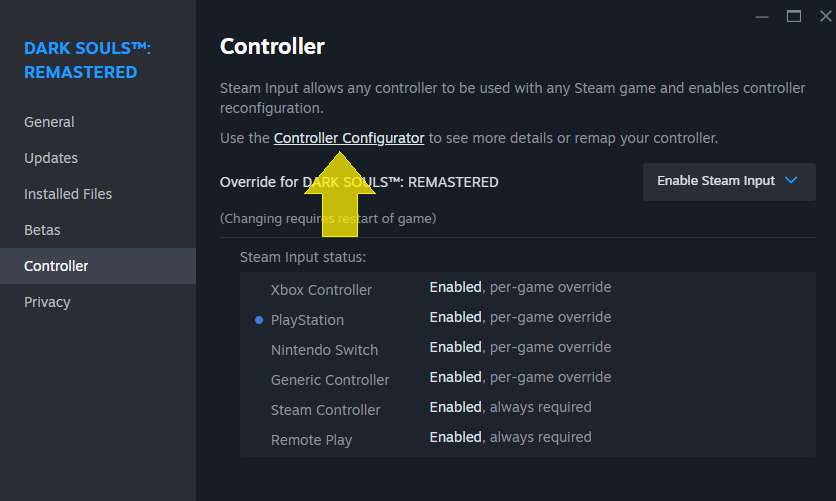
 In the Controller section, select Controller Configurator.
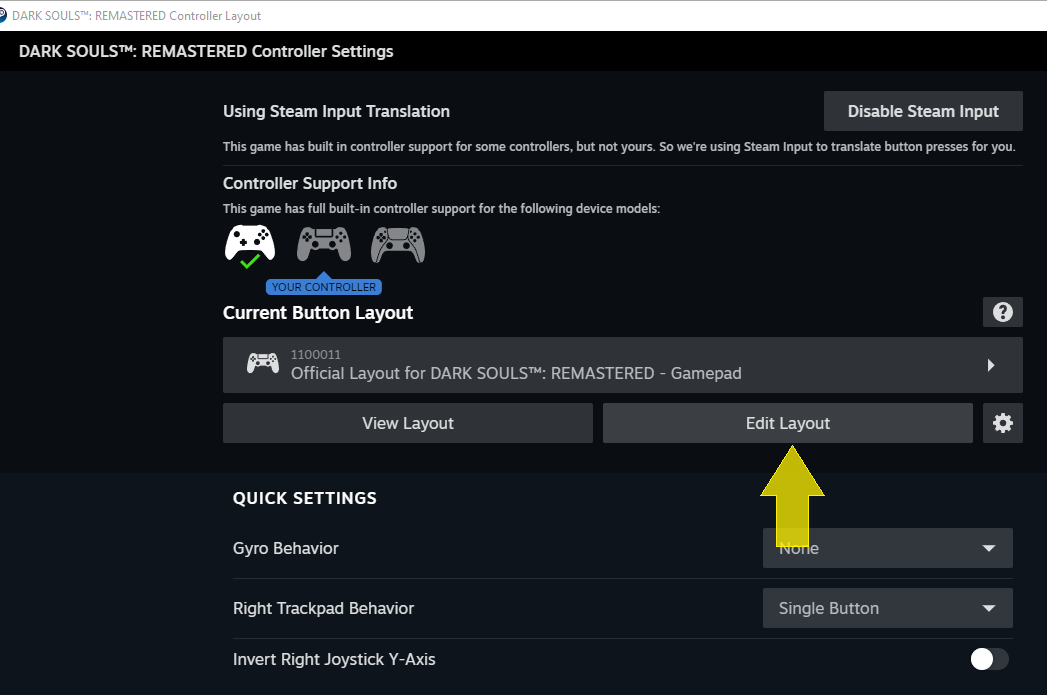
 and select 'edit layout'
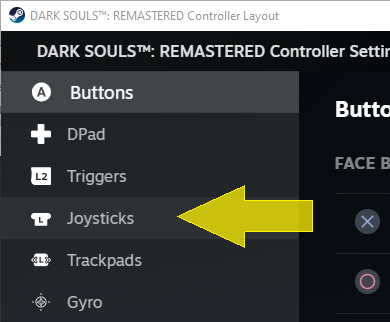
 In the left hand menu, select 'joysticks'.
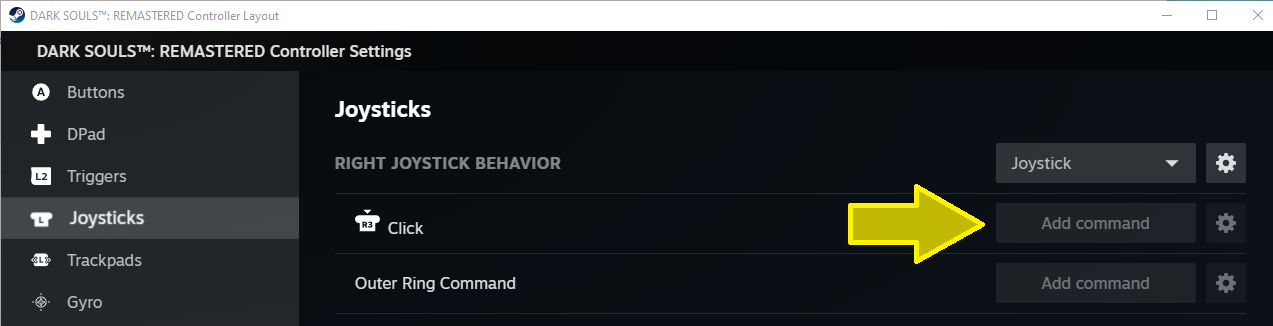
 and add a command to run on right stick click:
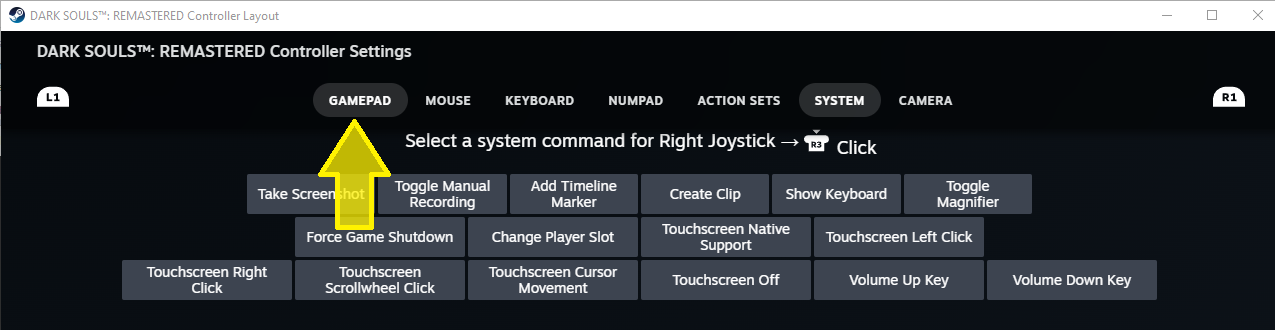
 if necessary, select 'gamepad', where you'll find the 'left stick up' action.
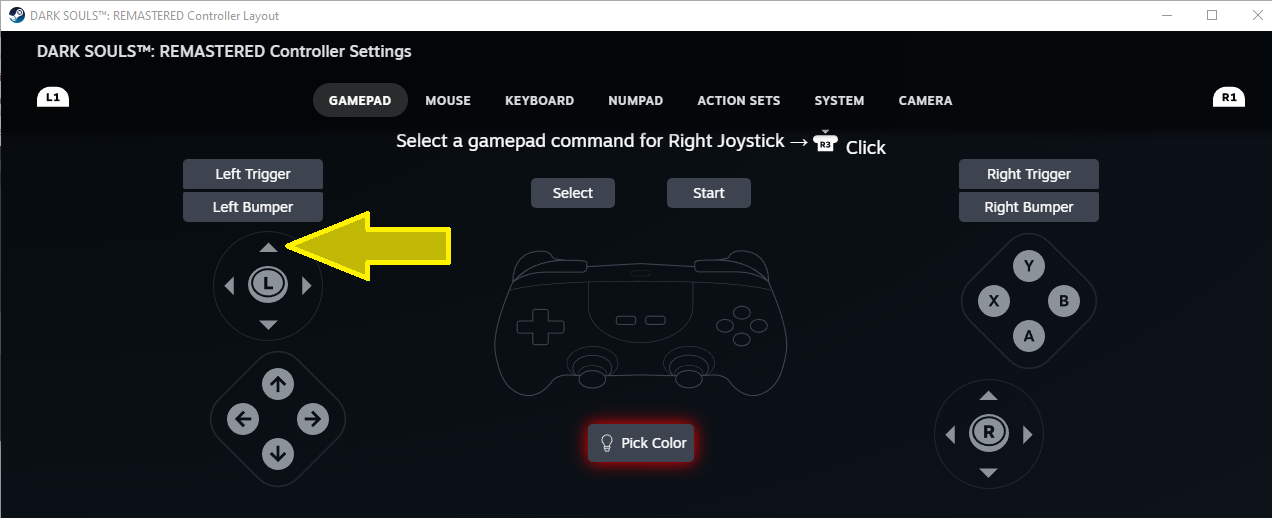
 Click on left stick up, this will select the appropriate action to execute on right stick click. This command will work as a 'left stick flick', but now all the time, not only if the game feels like it :).
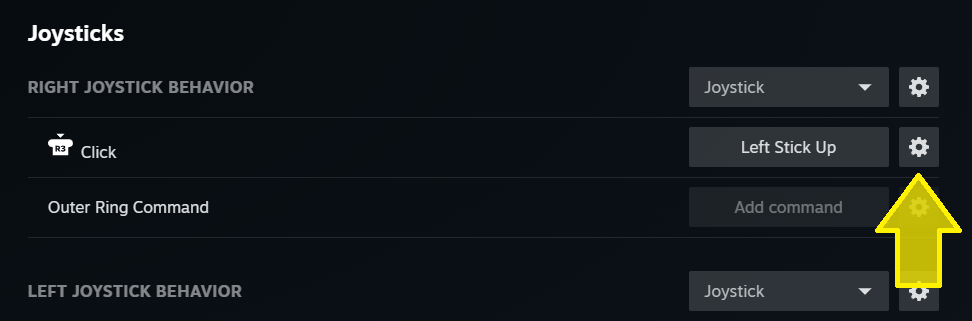
 Back in the controller menu, click the gear next to 'Left Stick Up':
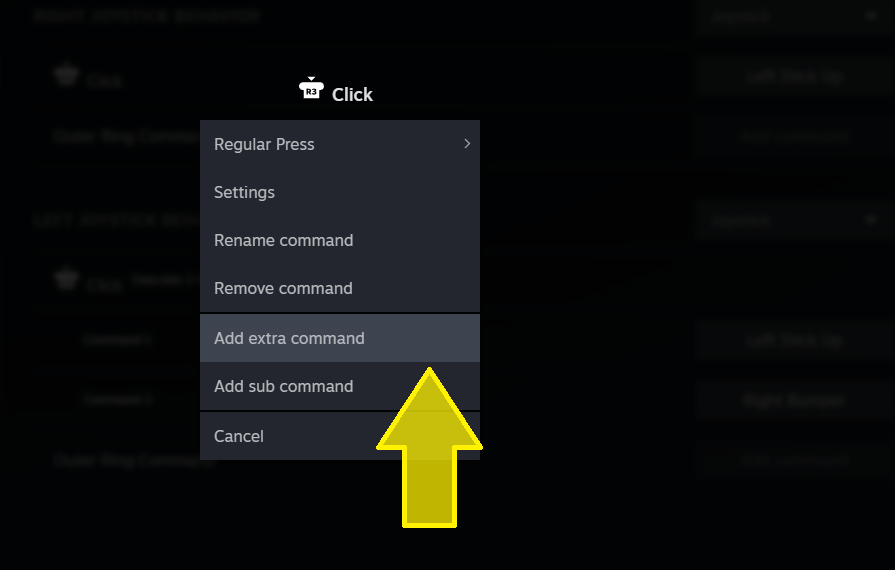
 In the menu that pops up, select 'add extra command'
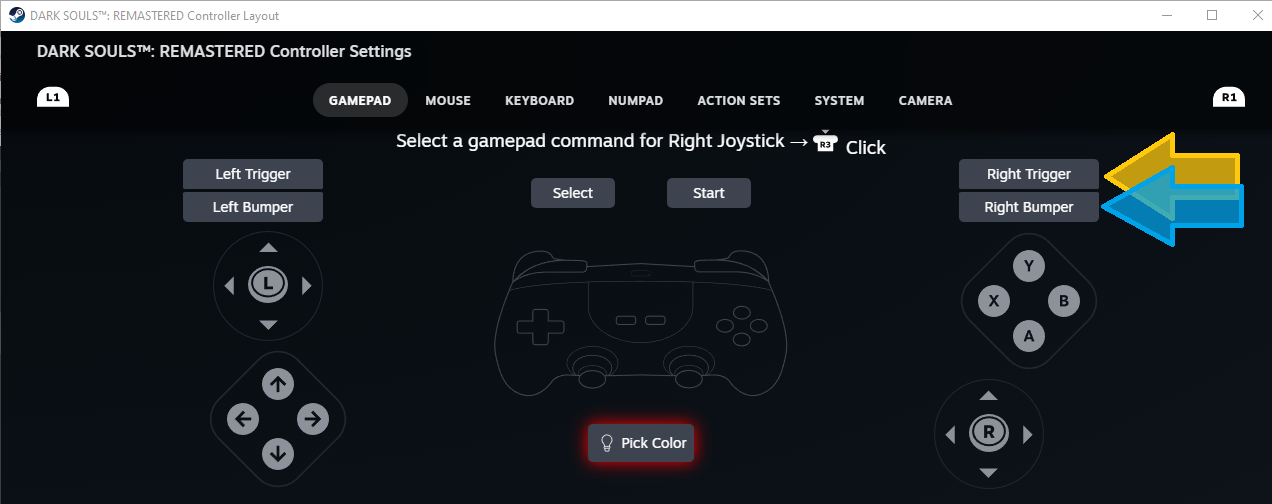
 And, like before, go to the Controller input menu. This time:
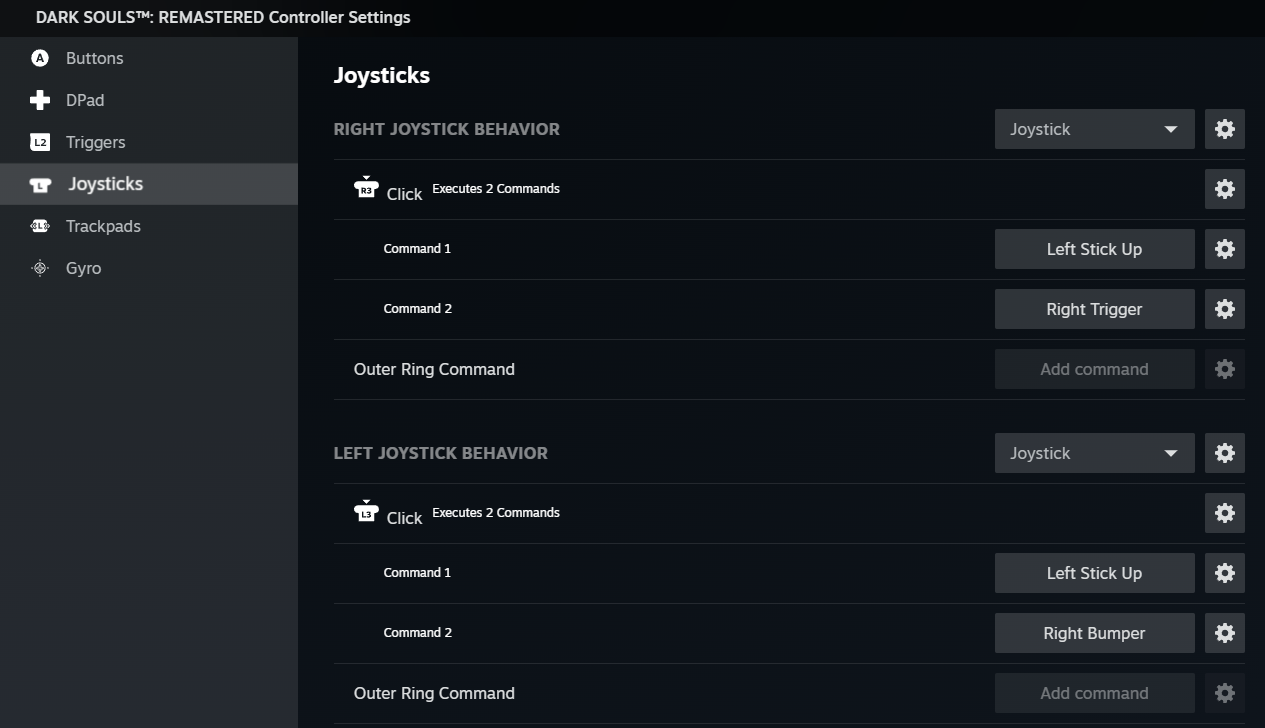
 Repeat the process for left stick click, choose jump if right is a kick, choose kick if right is a jump. Result:
Select the 'Controller' section.
In the Controller section, select Controller Configurator.
and select 'edit layout'
In the left hand menu, select 'joysticks'.
and add a command to run on right stick click:
if necessary, select 'gamepad', where you'll find the 'left stick up' action.
Click on left stick up, this will select the appropriate action to execute on right stick click. This command will work as a 'left stick flick', but now all the time, not only if the game feels like it :).
Back in the controller menu, click the gear next to 'Left Stick Up':
In the menu that pops up, select 'add extra command'
And, like before, go to the Controller input menu. This time:- click right trigger for a jumping attack (when combined with left stick up), orange
- click right bumper for a kick (when combined with left stick up), blue
Repeat the process for left stick click, choose jump if right is a kick, choose kick if right is a jump. Result:
Now go jump them and kick some hollows!
More DARK SOULS™: REMASTERED guides
- DARK SOULS: REMASTERED 100% Achievement Guide★ 5 (2k)53k views4.5k ♥95 minUpdated 12 Dec, 2020
- 100% Achievement Guide: Dark Souls - Remastered★ 5 (2k)53k views5.5k ♥183 minUpdated 8 May
- Прохождение Dark Souls★ 5 (1k)40k views2.6k ♥66 minRussianUpdated 16 Jan, 2022
- Dark Souls NPC Questlines in Order★ 5 (864)31k views2.2k ♥11 minUpdated 18 Sep, 2023
- Пошаговое получение 100% достижений в DARK SOULS™: REMASTERED★ 5 (1.3k)26k views3k ♥19 minRussianUpdated 26 Nov, 2023
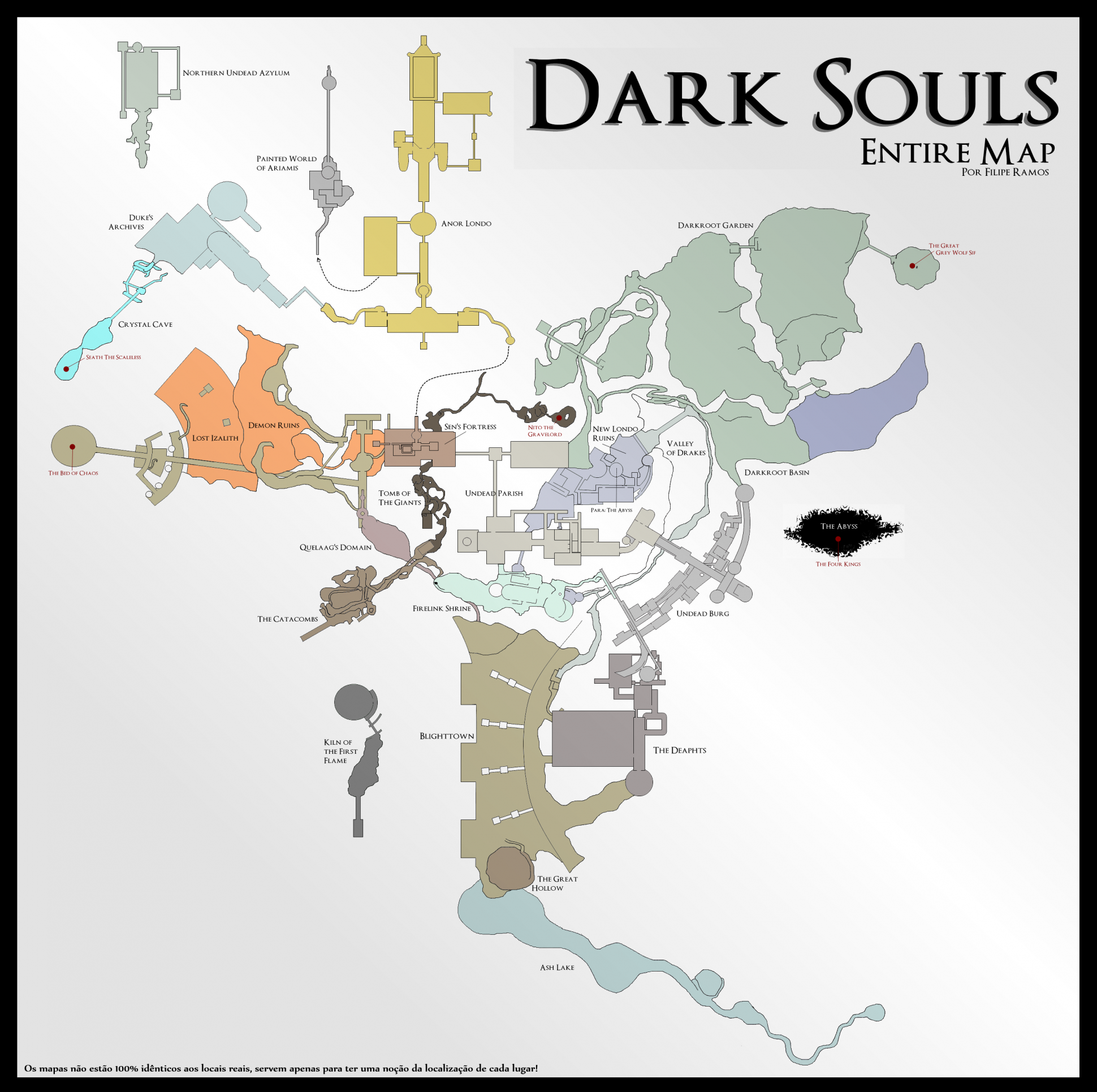
- DARK SOULS™: maps★ 5 (206)25k views541 ♥1 min


🔥 Popular guides
- Upgrading to PremiumTeam Fortress 2★ 5 (20k)1441k views11k ♥6 minUpdated May 11, 2022
- No More Room in Hell Official ManualNo More Room in Hell★ 5 (2.8k)569k views2.1k ♥29 minUpdated Apr 22, 2019
- NMRiH Community Hosting GuidesNo More Room in Hell★ 5 (526)351k views653 ♥1 minUpdated Aug 10, 2022
- ULTIMATE GUIDE FOR GAME DEV TYCOONGame Dev Tycoon★ 5 (5.8k)326k views10k ♥4 minUpdated 23 Jan, 2014
- How to 'Git Gud' Soon™MORDHAU★ 5 (2k)318k views3k ♥68 minUpdated Nov 16, 2024
- Лучшие кооперативные игры SteamPAYDAY 2★ 5 (1.5k)315k views2.1k ♥56 minRussianUpdated Apr 27, 2025






This guide was created by its original author on the Steam Community. Are you the author and want it removed? Request removal.