How to play The Binding of Isaac with controller, without 3rd party apps
Steps
Start by going to your Library
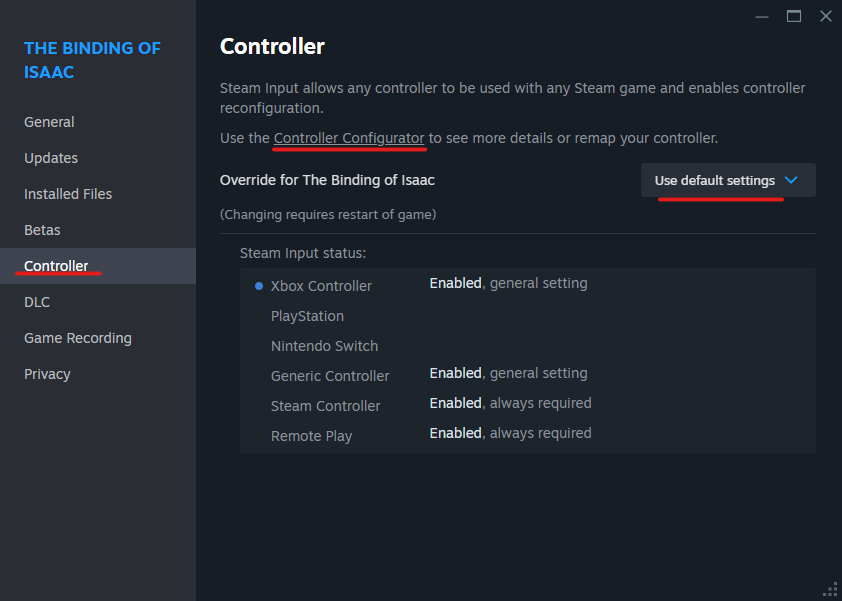
The Binding of Isaac > Properties > Controller > "Override for The Binding of Isaac" -> "Use default settings
While still in the Controller settings, click the hyperlink "Controller Configurator"
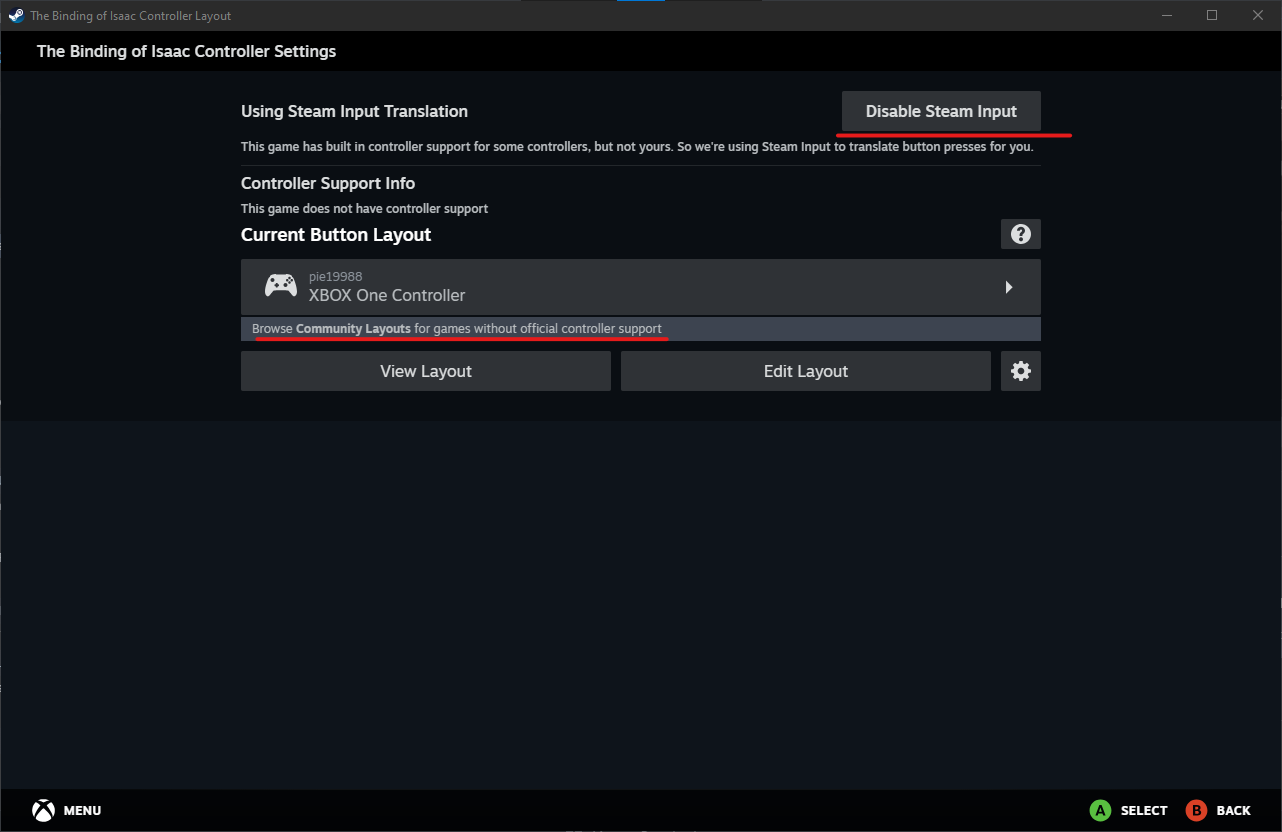
This will open a new window. While here, follow these steps:
-Using Steam Input Translation -> Disable Steam Input
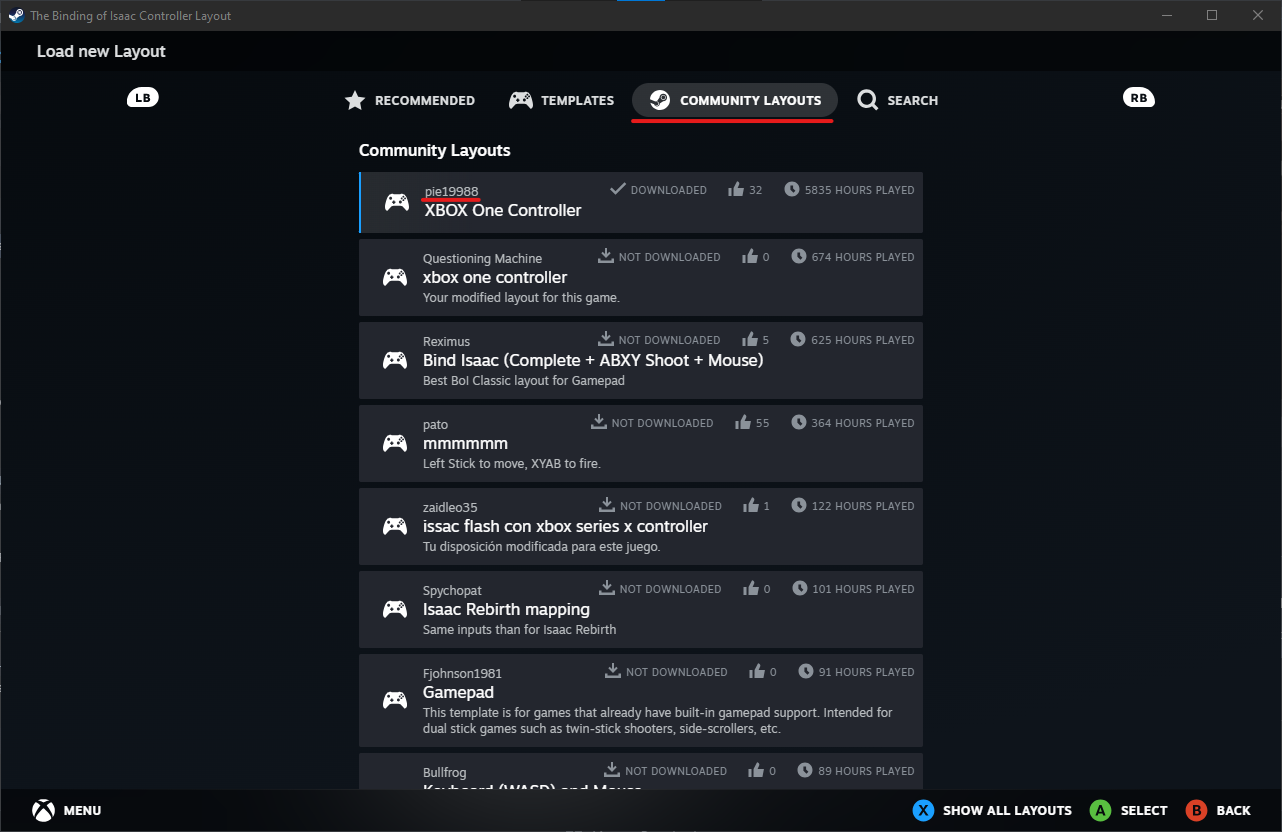
-Current Button Layout > "Browse Community Layouts for game without official controller support" > Community Layouts > pick pie19988's layout (it was the first one to show up; I chose it and it works fine, but feel free to either create your own or to try a different one)
Now you should be able to play with controller
With pictures
- Achievement Guide for The Binding of Isaac★ 5 (1k)39k views1.5k ♥9 minUpdated Sep 29, 2018
- Making Bad Items Useful★ 5 (720)37k views549 ♥17 minUpdated Dec 5, 2015
- The Bindening™: A Comprehensive Guide to Everything Isaac★ 5 (2.1k)32k views2.8k ♥155 minUpdated Jul 4, 2015
- Unlocking Broken Achievements [Windows/Mac]★ 5 (565)31k views506 ♥6 minUpdated Mar 12, 2021
- Comprehensive Guide To The Binding Of Isaac★ 5 (980)29k views1.3k ♥75 minUpdated Aug 19, 2015
- «The Binding of Isaac»: руководство по достижениям★ 5 (1.2k)25k views1.4k ♥11 minRussianUpdated Sep 26, 2014



- Upgrading to PremiumTeam Fortress 2★ 5 (20k)1441k views11k ♥6 minUpdated May 11, 2022
- No More Room in Hell Official ManualNo More Room in Hell★ 5 (2.8k)569k views2.1k ♥29 minUpdated Apr 22, 2019
- NMRiH Community Hosting GuidesNo More Room in Hell★ 5 (526)351k views653 ♥1 minUpdated Aug 10, 2022
- ULTIMATE GUIDE FOR GAME DEV TYCOONGame Dev Tycoon★ 5 (5.8k)326k views10k ♥4 minUpdated 23 Jan, 2014
- How to 'Git Gud' Soon™MORDHAU★ 5 (2k)318k views3k ♥68 minUpdated Nov 16, 2024
- Лучшие кооперативные игры SteamPAYDAY 2★ 5 (1.5k)315k views2.1k ♥56 minRussianUpdated Apr 27, 2025






This guide was created by its original author on the Steam Community. Are you the author and want it removed? Request removal.