How to use the ROB(Rise of Babel) taunt pack
Introduction
So the thing i think most people get wrong is copying the Sound.xml file that is required for it to work proprerly.
How to actually do it properly
So to do it properly you are gonna need to copy the Taunts folder containing sounds and the sound.xml file.
So first you need to copy the file contaning the taunt sound files.
My path to that file is C:\Program Files (x86)\Microsoft Games\Rise of Nations\sounds
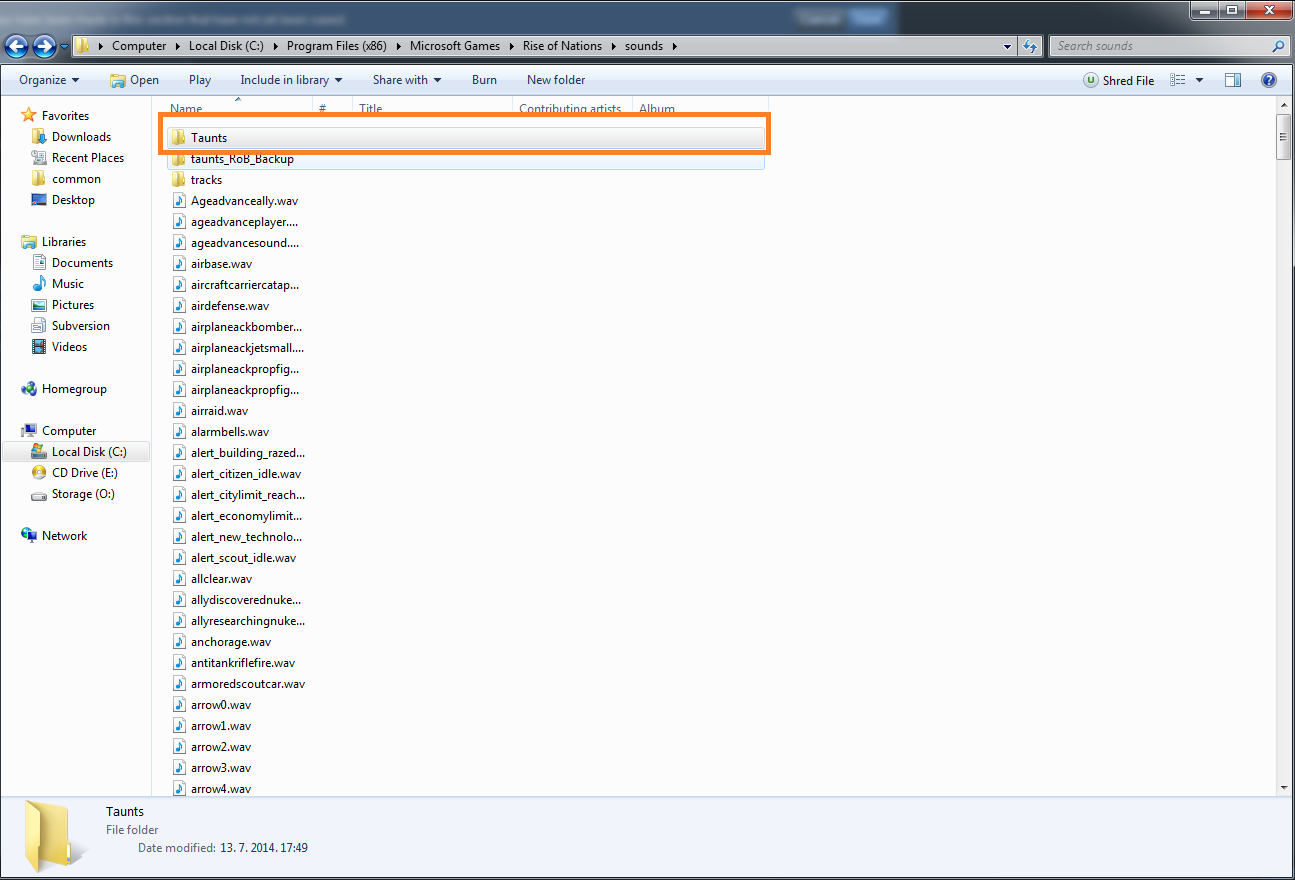
That is the file we need. You need to copy that to your Rise of Nations: Extended Edition sound folder that should be located here(Depends on what hard drive and if you have a 64-bit system)
O:\Program Files\Steam\steamapps\common\Rise of Nations
or
O:\Program Files(x86)\Steam\steamapps\common\Rise of Nations
It will ask you to overwrite the file taunts you need to confirm it.
The folder should look like this when you are done
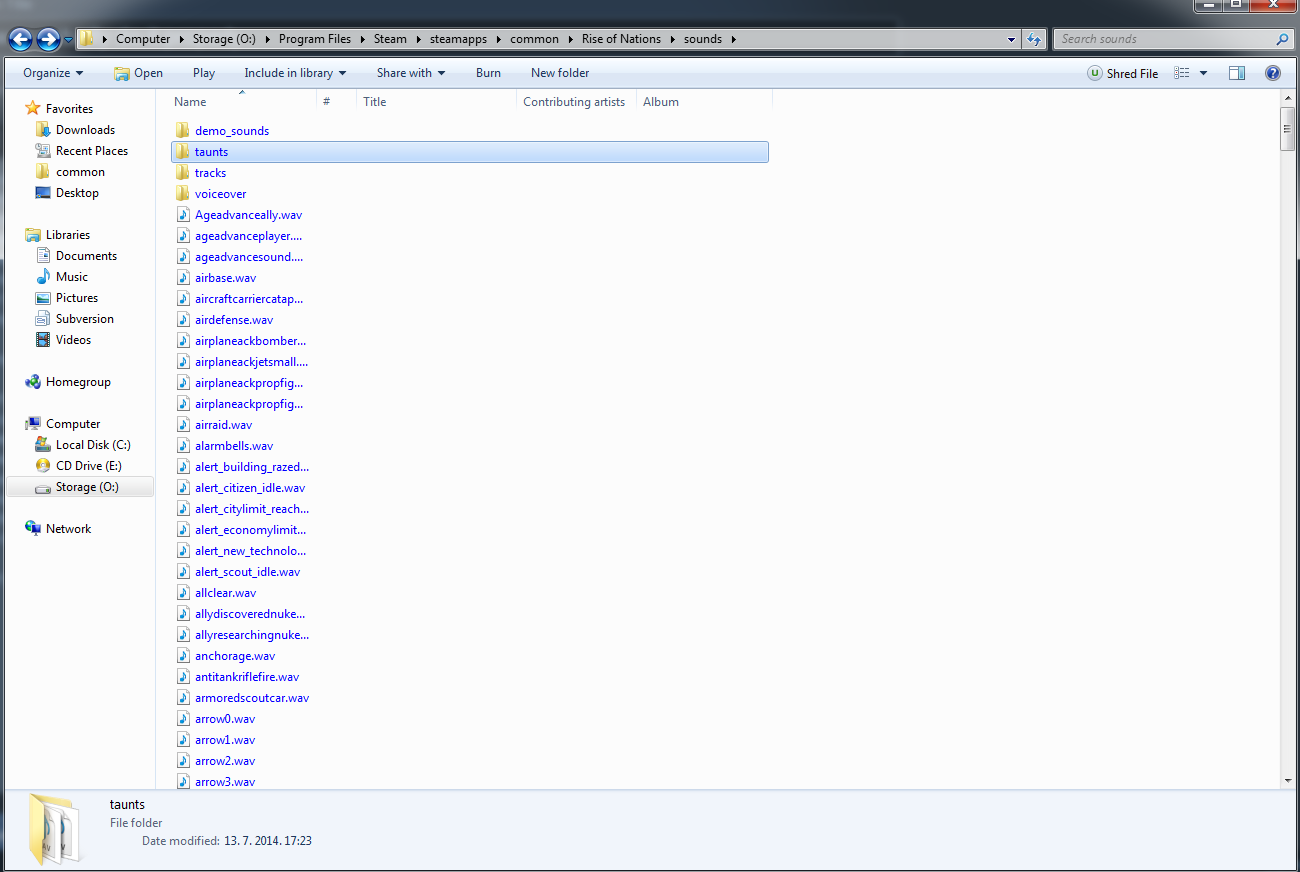
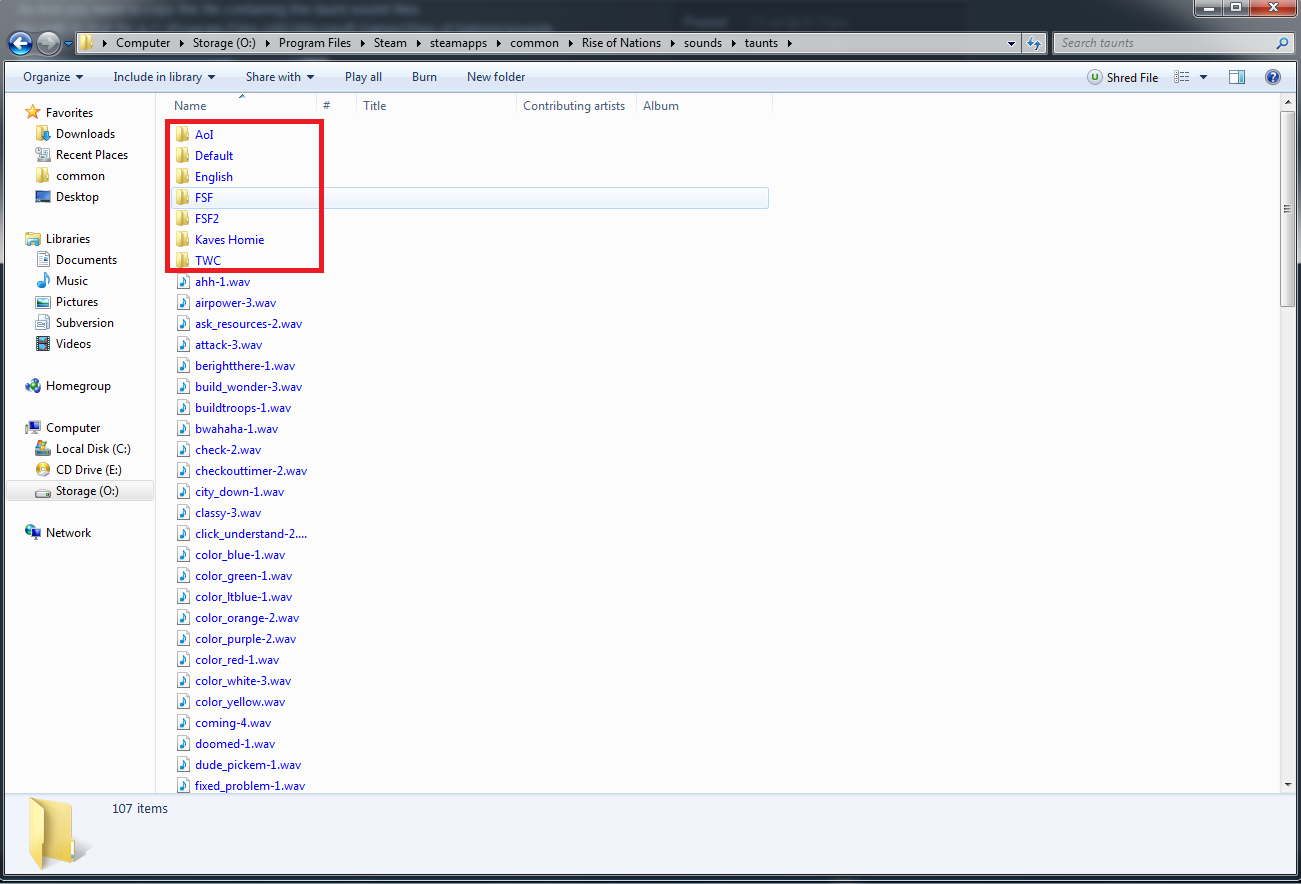
Its important for the taunts folder to have those marked folders
Now if you have done that then we need to copy the sound.xml file.
You can find it in your data folder of the original RON.
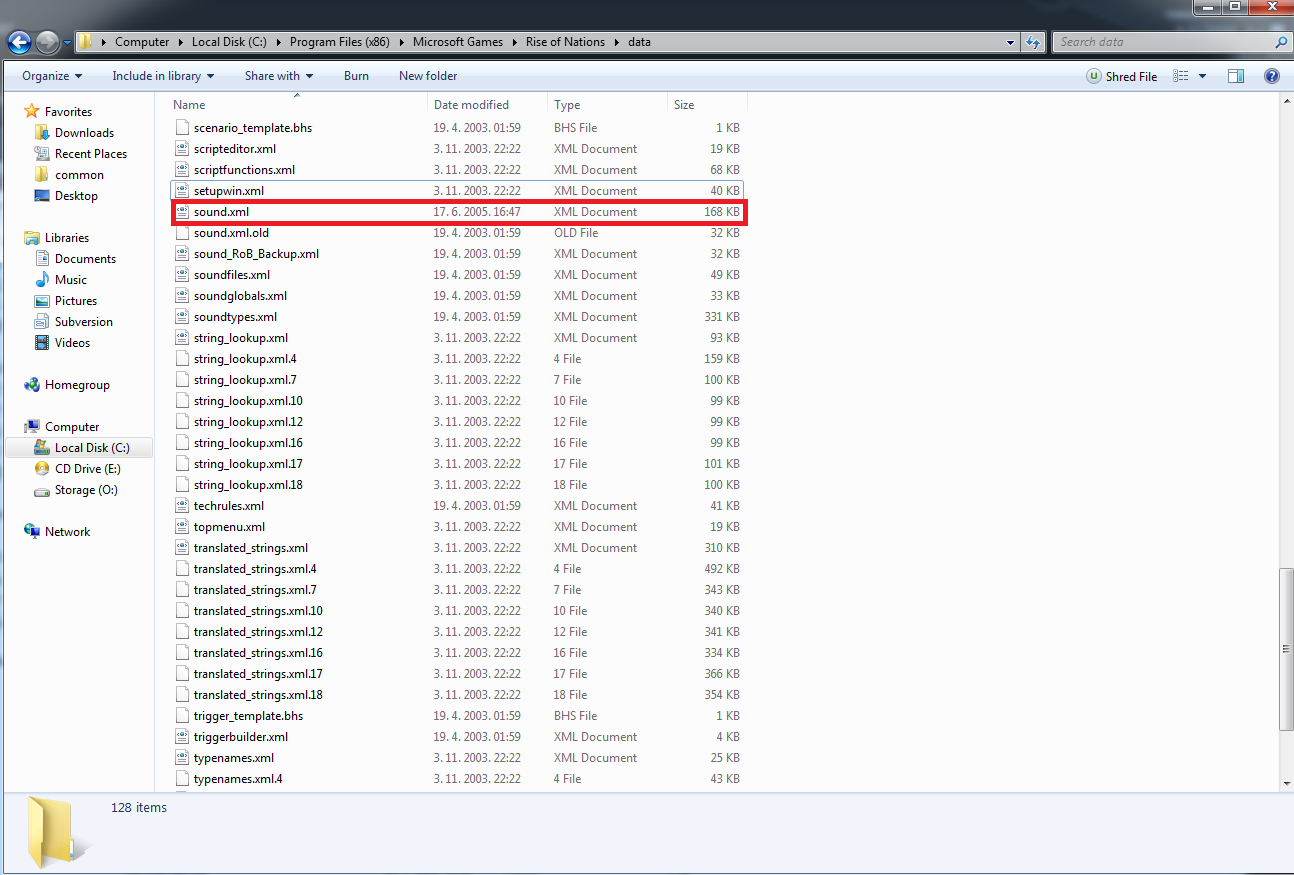
You need exactly this file ignore the other 2.
Now you need copy it to the
O:\Program Files\Steam\steamapps\common\Rise of Nations\Data Folder.
HOWEVER: I do reccomend backing up the existing sound file there in case you need to revert it. Even if you can just verify the files.
And if you have done everything properly you can now start the game and try if it works.
So first you need to copy the file contaning the taunt sound files.
My path to that file is C:\Program Files (x86)\Microsoft Games\Rise of Nations\sounds
That is the file we need. You need to copy that to your Rise of Nations: Extended Edition sound folder that should be located here(Depends on what hard drive and if you have a 64-bit system)
O:\Program Files\Steam\steamapps\common\Rise of Nations
or
O:\Program Files(x86)\Steam\steamapps\common\Rise of Nations
It will ask you to overwrite the file taunts you need to confirm it.
The folder should look like this when you are done
Its important for the taunts folder to have those marked folders
Now if you have done that then we need to copy the sound.xml file.
You can find it in your data folder of the original RON.
You need exactly this file ignore the other 2.
Now you need copy it to the
O:\Program Files\Steam\steamapps\common\Rise of Nations\Data Folder.
HOWEVER: I do reccomend backing up the existing sound file there in case you need to revert it. Even if you can just verify the files.
And if you have done everything properly you can now start the game and try if it works.
More Rise of Nations: Extended Edition guides
- Rise of Nations Русификатор 1.20★ 5 (316)19k views370 ♥1 minRussianUpdated Apr 30, 2020
- Efficiency and Hot Key Guide★ 5 (625)19k views822 ♥26 minUpdated Apr 10, 2015
- How to: Increase the population cap★ 4 (155)15k views221 ♥1 minUpdated Jan 16, 2018
- Taunt Guide★ 5 (288)15k views331 ♥3 minUpdated Jul 16, 2014
- [RUS] Rise of Nations Русификатор★ 5 (333)14k views307 ♥1 minUpdated Jan 1, 2022
- Rise of Nations : Extended Edition - To Achieve 100%★ 5 (533)13k views686 ♥15 minUpdated Jan 1, 2018




This guide was created by its original author on the Steam Community. Are you the author and want it removed? Request removal.