Setup Steam Controller Activator for Hotbar Swap
Step-by-Step Procedure
Step 1
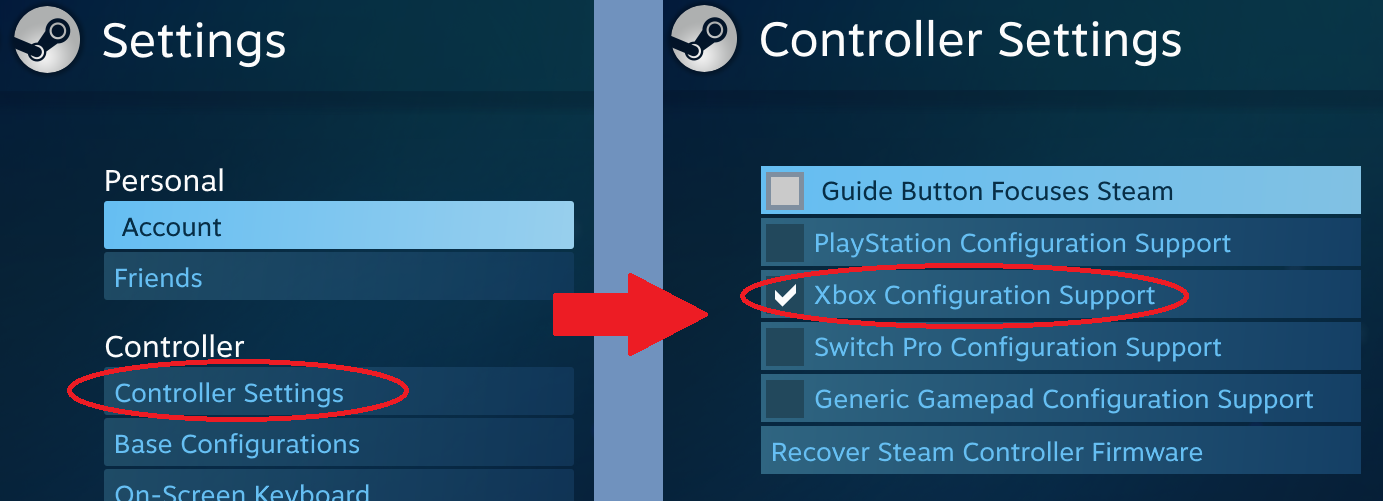
- Turn on and connect your controller - Enable Steam's support for your controller, go to Settings(top right corner) > Controller Settings
- Image below is in Big Picture Mode (BPM)
- If not in BPM, it should be in Steam(top left corner) > Settings > Controller > General Controller Settings
Step 2
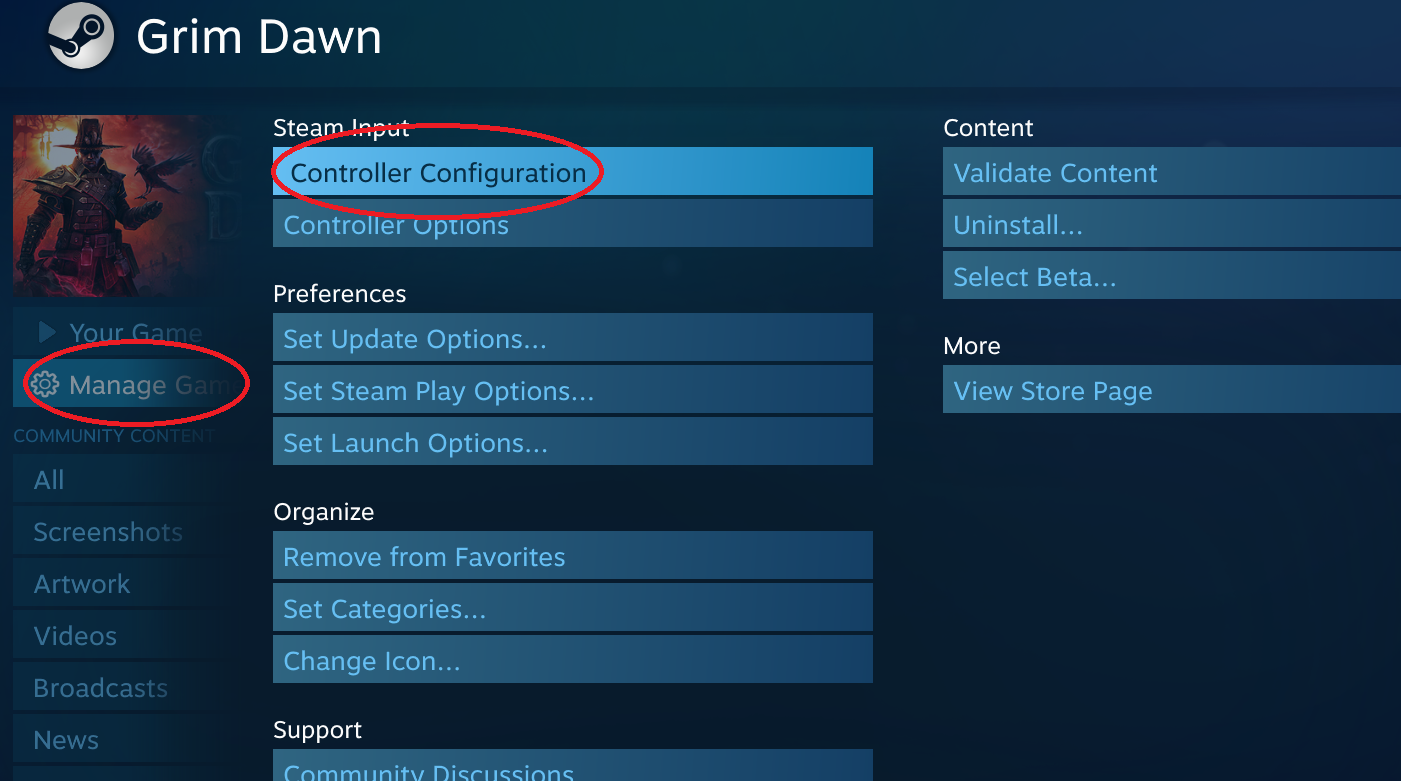
- Select Grim Dawn from your Library > Manage Game > Controller Configuration - If not in BPM, there is a text link for [Controller Configuration] when game is chosen(not yet launched) from Library
Step 3
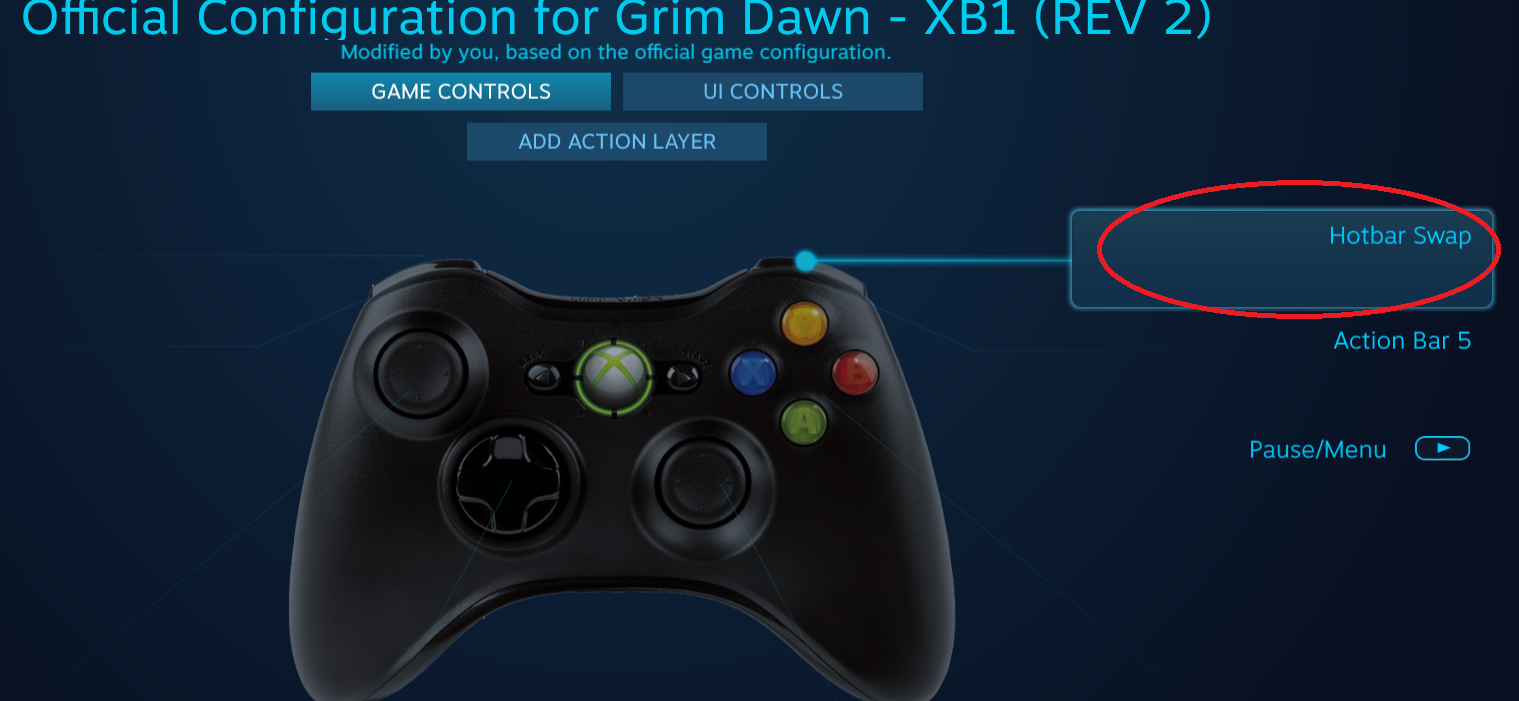
- Choose your desired button to configure- For this guide I chose [Right Trigger]
Step 4
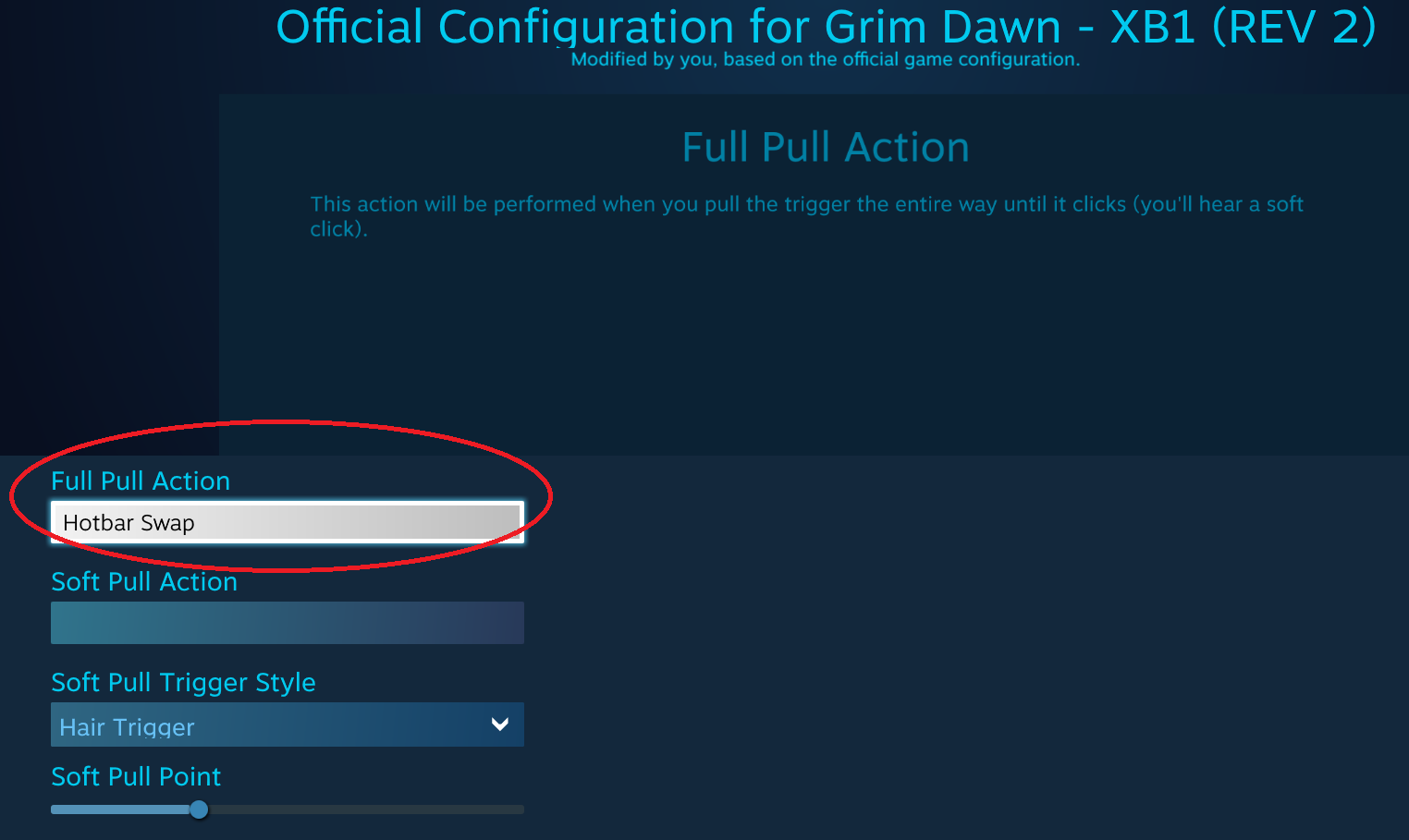
- Select/Press the box under [Full Pull Action]- On first time configuring, without any activators yet, this would only bring up a list of ingame actions and some options below (as seen in Step 5)
- If there are already activators, UI shown will be similar to Step 6
Step 5
- Select/Press [SHOW ACTIVATORS]
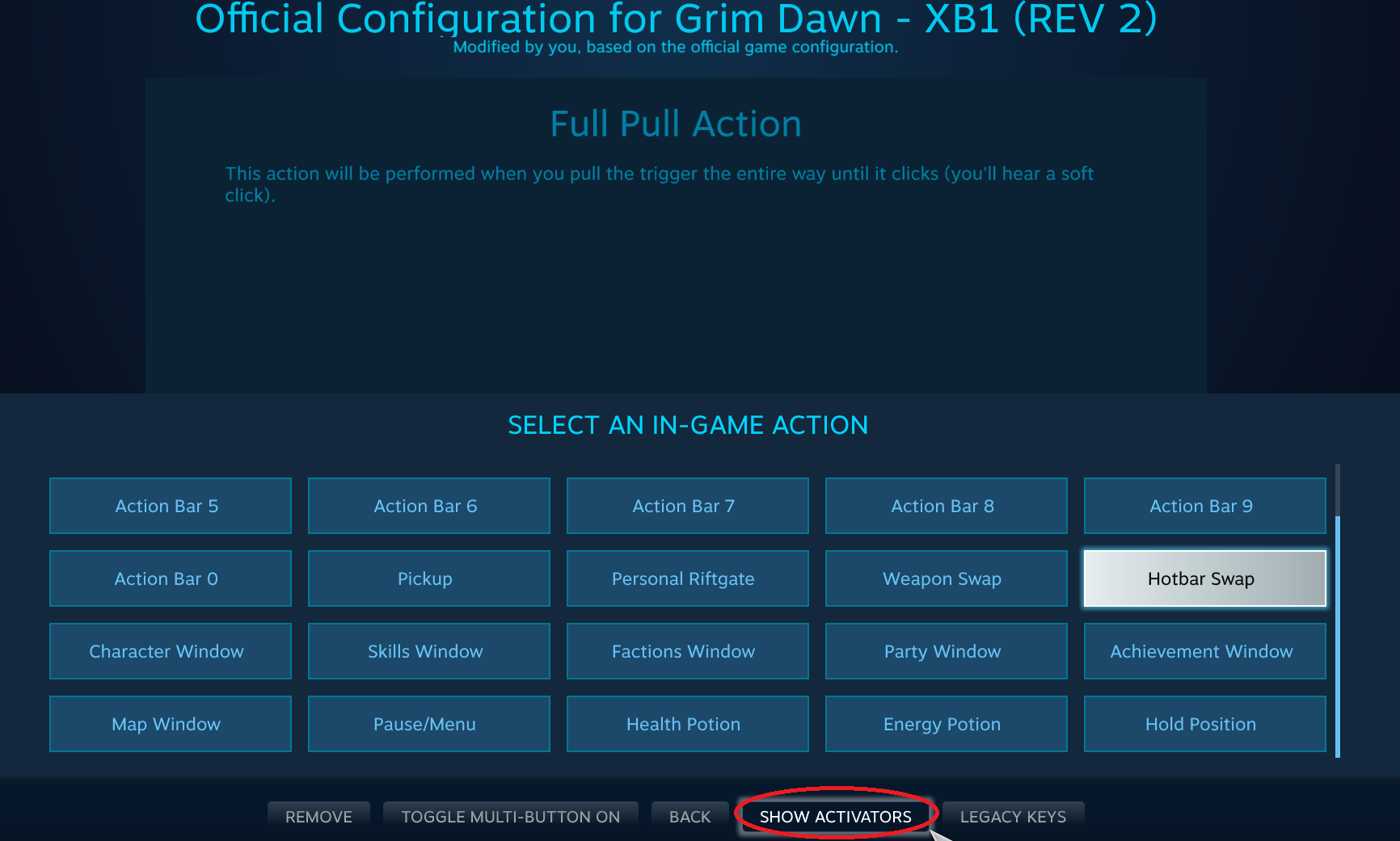
Step 6
- Change [Activation Type] to [Start Press]
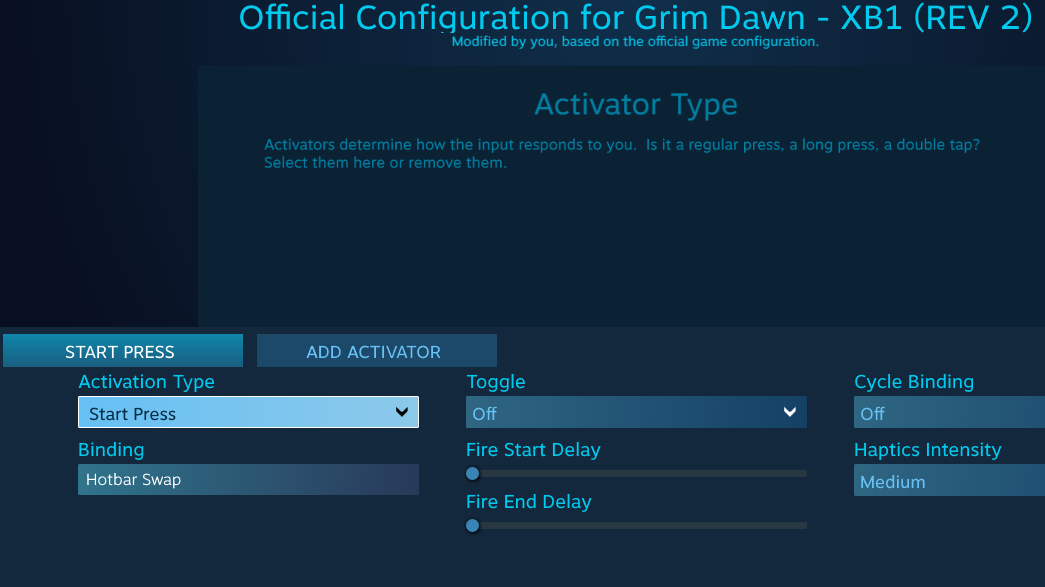
Step 7
- Select/Press [ADD ACTIVATOR]- This will add a second activator [REGULAR PRESS] to the right of the [START PRESS]
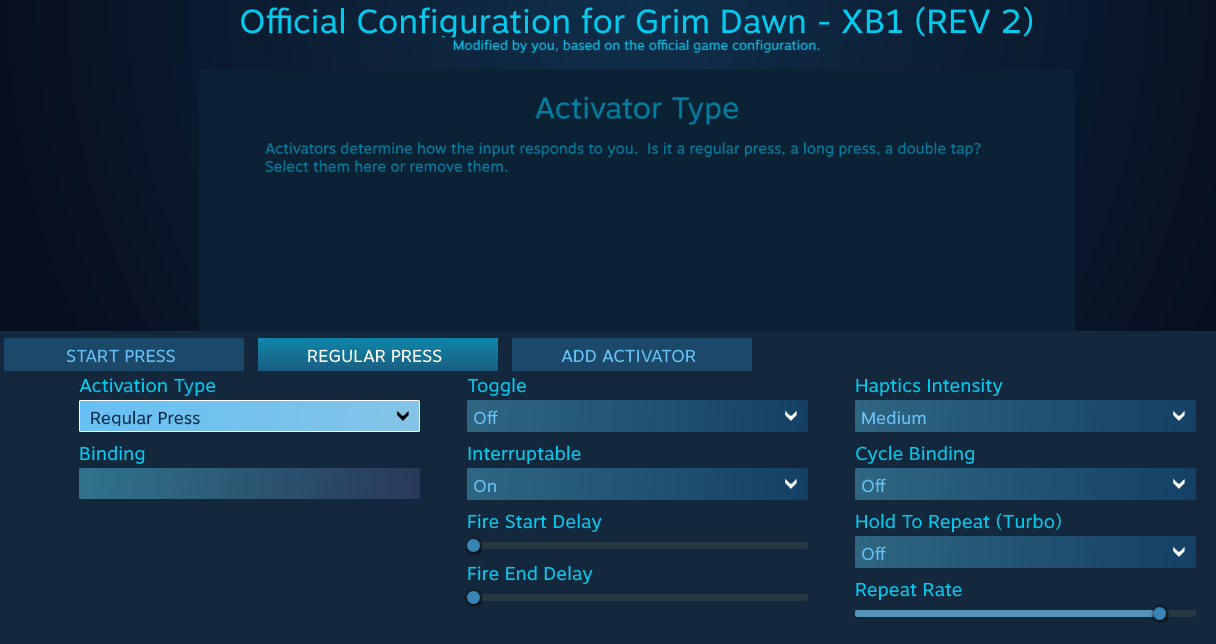
Step 8
- Select/Press the second activator [REGULAR PRESS] and change its [Activation Type] to [Release Press]- Select/Press [Binding] and set it to [Hotbar Swap]
- Image below shows what the output should look like
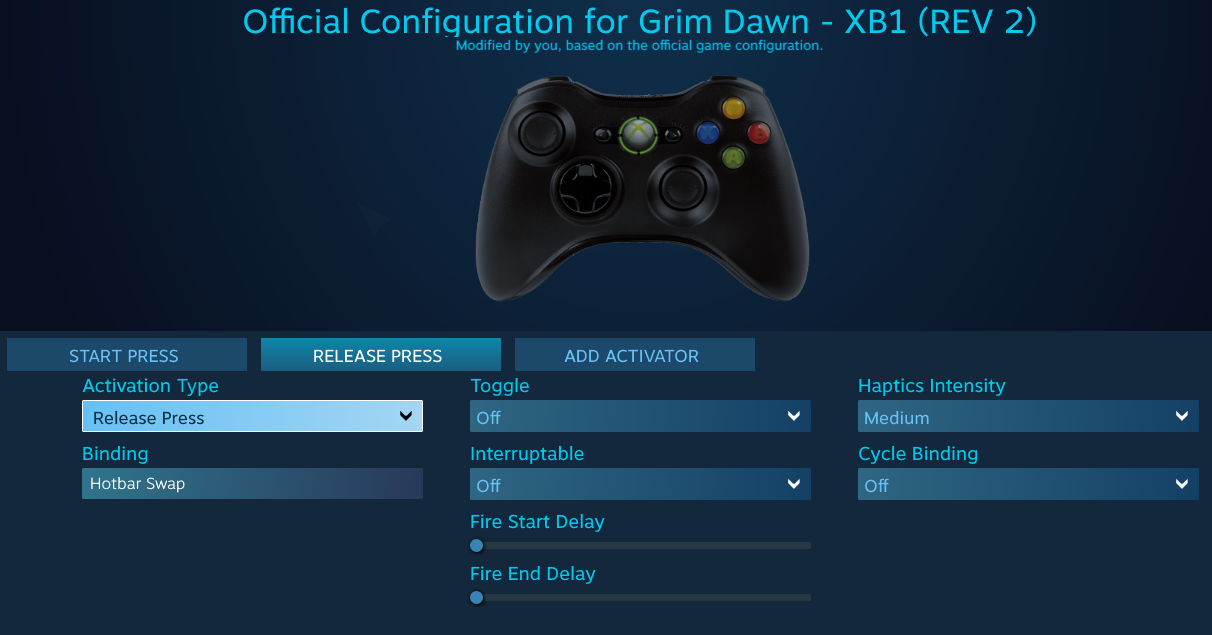
Closing Notes
- Assuming everything was setup correctly, holding [Right Trigger] should display Config 2 hotbar and on-release should revert back to Config 1 hotbar (hopefully enhancing/easing your gameplay experience)
- I assume this should also work with generic controllers as long as support for those controllers are enabled in Steam's General Controller Setting
- Also pretty sure there are other creative ways in using Steam's Controller Activators (I only learned about it recently after starting this game)
- And as always enjoy everyone and hope you found this guide useful o/
More Grim Dawn guides
- Beginner's Guide to Skills★ 5 (1.1k)53k views2.3k ♥167 minUpdated Nov 4, 2021
- Devotion Shrines★ 5 (2.1k)43k views3.7k ♥5 minUpdated Nov 22, 2023
- How to start new games at level 15+★ 4 (161)30k views341 ♥6 minUpdated Jul 6, 2019
- Секретные Локации★ 5 (1.1k)27k views1.9k ♥8 minRussianUpdated Apr 20, 2017
- Lokarr - Secret Quest (AoM)★ 5 (549)26k views1k ♥10 minUpdated Oct 5, 2018
- Все возможные комбинации в Grim Dawn + Все DLC★ 4 (230)26k views359 ♥3 minRussianUpdated Dec 10, 2021




🔥 Popular guides
- Upgrading to PremiumTeam Fortress 2★ 5 (20k)1441k views11k ♥6 minUpdated May 11, 2022
- No More Room in Hell Official ManualNo More Room in Hell★ 5 (2.8k)569k views2.1k ♥29 minUpdated Apr 22, 2019
- NMRiH Community Hosting GuidesNo More Room in Hell★ 5 (526)351k views653 ♥1 minUpdated Aug 10, 2022
- Лучшие кооперативные игры SteamPAYDAY 2★ 5 (1.5k)315k views2.1k ♥56 minRussianUpdated Apr 27, 2025
- Desert Eagle Heat Treated | Blue GemCounter-Strike 2★ 5 (1.6k)292k views1.5k ♥2 minUpdated Jan 16
- Treasure Hunt Puzzle SolutionsTotal War: WARHAMMER II★ 5 (6.9k)281k views15k ♥3 minUpdated Aug 19, 2021






This guide was created by its original author on the Steam Community. Are you the author and want it removed? Request removal.