Acehart Play Multiplayer with MODS 2019
Software that you Need
1. Install Java ( https://www.java.com/en/download/ )
2. Download .exe Patch[github.com] (Github - Open Source) .
2. Download .exe Patch[github.com] (Github - Open Source) .
Installation and Configuration
- Run the installer. It should bring up a window similar to the image below.
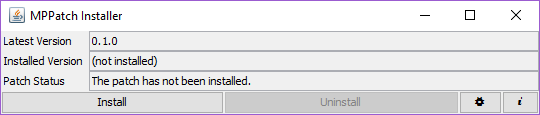
- Click "Install" or "Update" button.
- CIV 5 Dont work with new launcher (launcher update 20.11.2018.; CivilizationV_DX11.exe - Fatal Application Exit; Cannot proxy CvGameDatabase! Original .dll file not found.) In Steam Client.
3.1 Revert to the old CIV 5 launcher using the following steps:
- Open up Steam and navigate to your LIBRARY.
- Right click on the game in your library and choose "Properties."
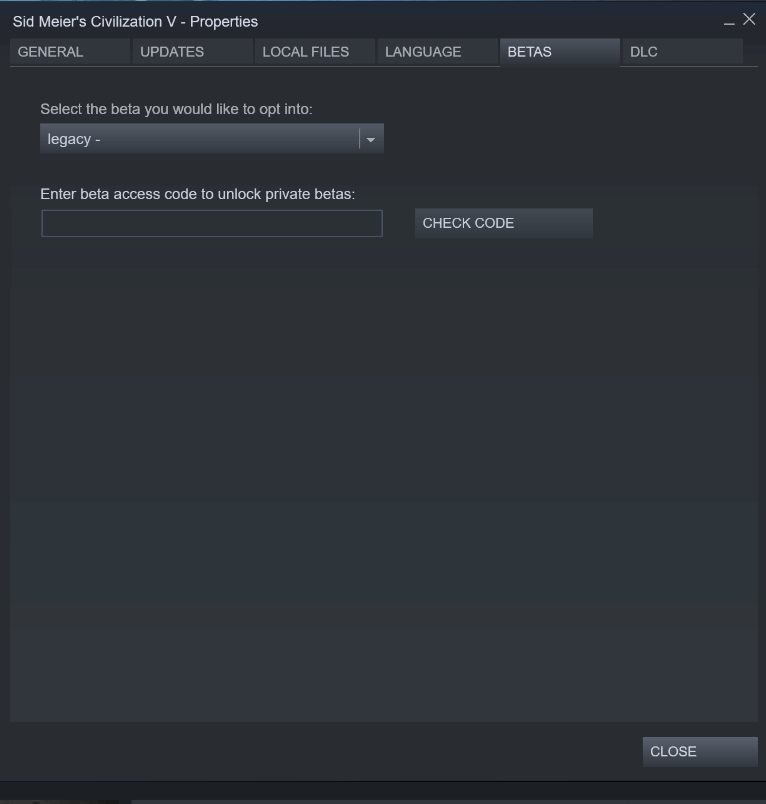
- Selected the "BETAS" tab.
- In the text box to "Enter beta access for to unlock private beta:" enter the password "ineedlegacyaccess".
- Click on the "CHECK CODE" button.
- You should see a confirmation message that access has been granted.
- If not already selected in the drop down, select "legacy" and click close.
- Steam may require you to download and update for the game. Wait for this to happen or force it using "LIBRARY -> DOWNLOADS".
- Once the game has been updated, click "PLAY" as usual and you will be running the legacy branch.
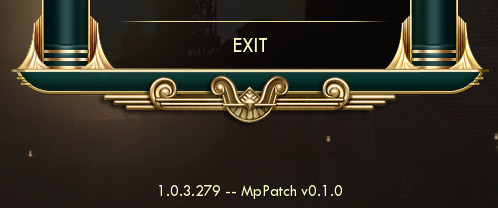
- If MPPatch installed successfully, it should show something similar to the image below in the bottom center of the main menu of Civilization V.
Host a Game and Join to a Game
HOST A GAME
- Ensure you have MPPatch installed.
- Load the mods as usual through the mods menu. All user must have the same MODS and the same version. There should be a new multiplayer option on the main mod menu.
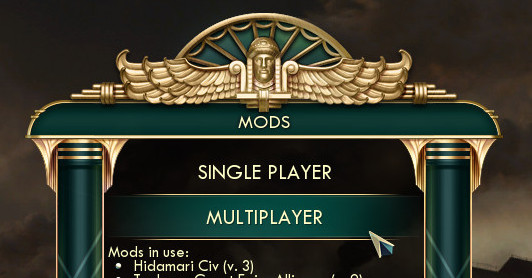
- Click the multiplayer option, and host the game as usual.
JOIN MODDED Multiplayer Games
- Ensure you have MPPatch installed.
- Ensure you have subscribed to all mods the host is using and have downloaded them. To download the mods, go into the mod selector menu, and it will automatically download and update any mod you are subscribed to.
- Join the game as you would join a normal game (main menu, not in Mods menu). MPPatch will enable the same mods that the host has enabled automatically.
Note that the new multiplayer menu in the mods menu does not allow you to join games. If you want to join a public game, join it through the multiplayer option in the main menu.
MODS Compatibility List
Pending...
Help to test and put in comments to put links here....
Help to test and put in comments to put links here....
More Sid Meier's Civilization V guides
- Real Populations★ 5 (1.2k)79k views1.2k ♥2 minBulgarianUpdated Aug 31, 2017
- Civ-specific tricks, secrets and clarifications (BNW)★ 5 (1k)53k views2.2k ♥96 minUpdated Jun 30, 2019
- Zigzagzigal's Civ Summaries (BNW)★ 5 (1.5k)49k views3.9k ♥134 minUpdated Jun 30, 2019
- Who to Trust and Who to Avoid in Civ V★ 5 (570)41k views802 ♥12 minUpdated Jul 8, 2016
- How to win the Korea Scenario as Korea on Deity in 16 turns★ 5 (532)41k views828 ♥15 minUpdated Apr 1, 2016
- Civilization V Achievement guide★ 5 (2.4k)39k views4.2k ♥134 minUpdated Jun 13, 2014




🔥 Popular guides
- Upgrading to PremiumTeam Fortress 2★ 5 (20k)1441k views11k ♥6 minUpdated May 11, 2022
- No More Room in Hell Official ManualNo More Room in Hell★ 5 (2.8k)569k views2.1k ♥29 minUpdated Apr 22, 2019
- NMRiH Community Hosting GuidesNo More Room in Hell★ 5 (526)351k views653 ♥1 minUpdated Aug 10, 2022
- Лучшие кооперативные игры SteamPAYDAY 2★ 5 (1.5k)315k views2.1k ♥56 minRussianUpdated Apr 27, 2025
- Desert Eagle Heat Treated | Blue GemCounter-Strike 2★ 5 (1.6k)292k views1.5k ♥2 minUpdated Jan 16
- Treasure Hunt Puzzle SolutionsTotal War: WARHAMMER II★ 5 (6.9k)281k views15k ♥3 minUpdated Aug 19, 2021






This guide was created by its original author on the Steam Community. Are you the author and want it removed? Request removal.