Debug mode How to ?
What is it?
It a mode that normally disable for users but can enable easily by follow this guide.
It can do fun stuff or experiment things in game before you build it in game
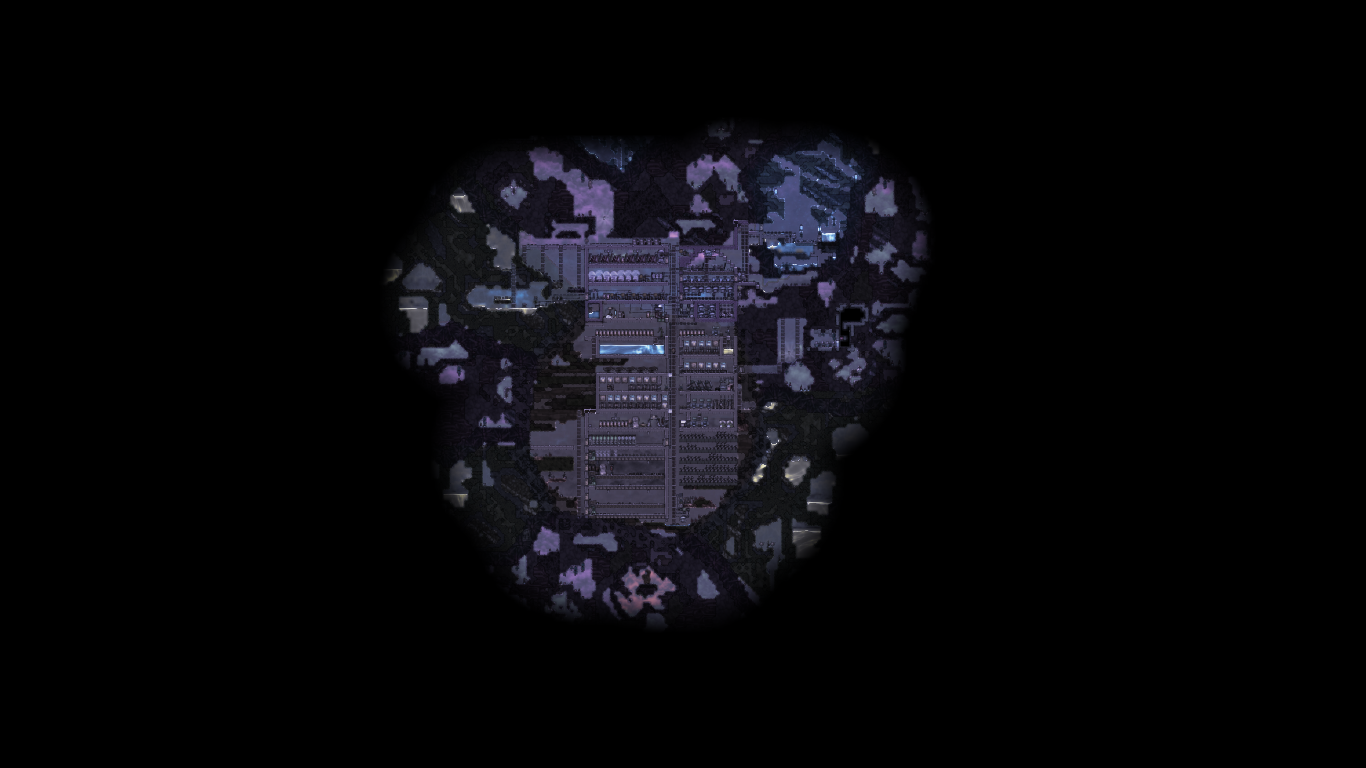
And if you are veteran player and don't know this mode is exist then I suggest you to do so. Once you already in debug panel you will have unlimited zoom out and able to see full map
(** reload game won't disable zoomout but close debug panel make sure to close before reload**)
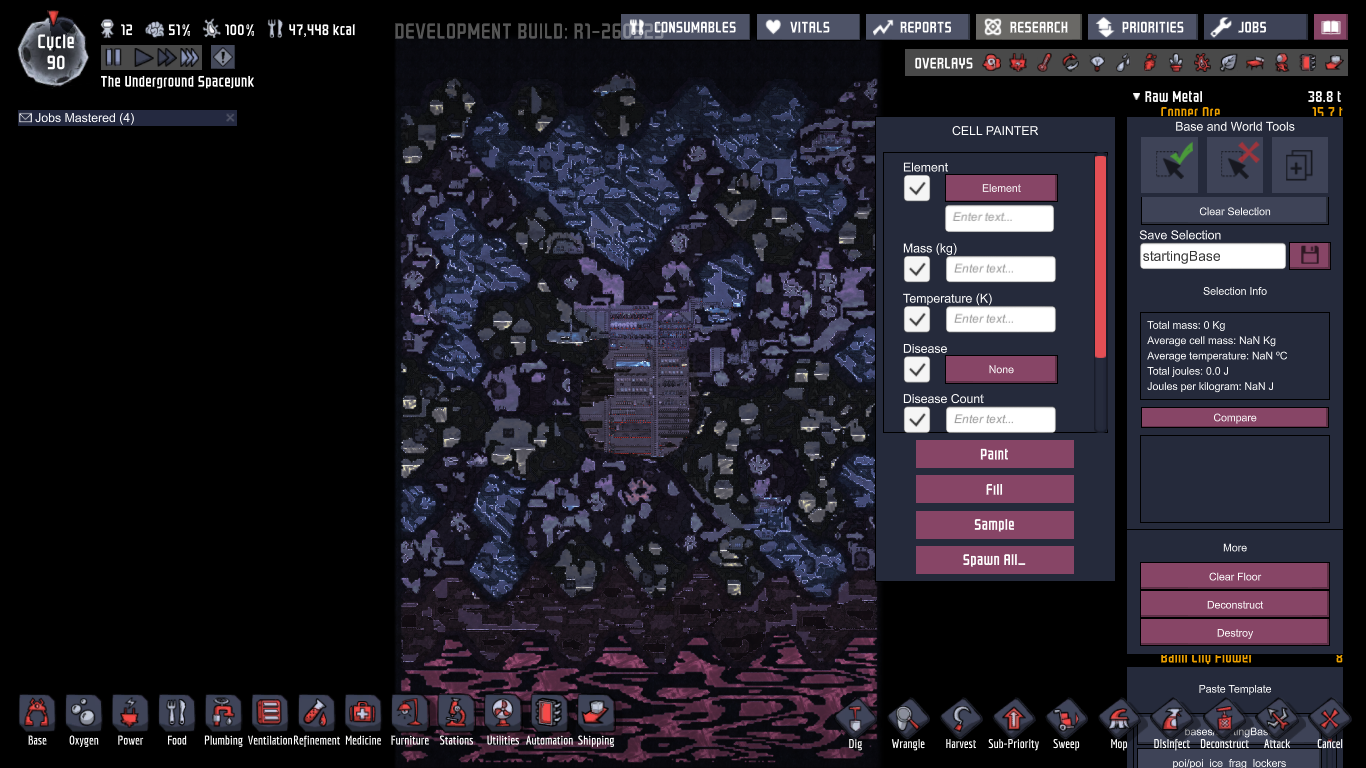
YOU CAN HAVE UNLIMITED ZOOM WITHOUT USING DEBUG BY PRESSING (ALT+S) If you want to show yourbase and not gonna cheat
How to enable it?
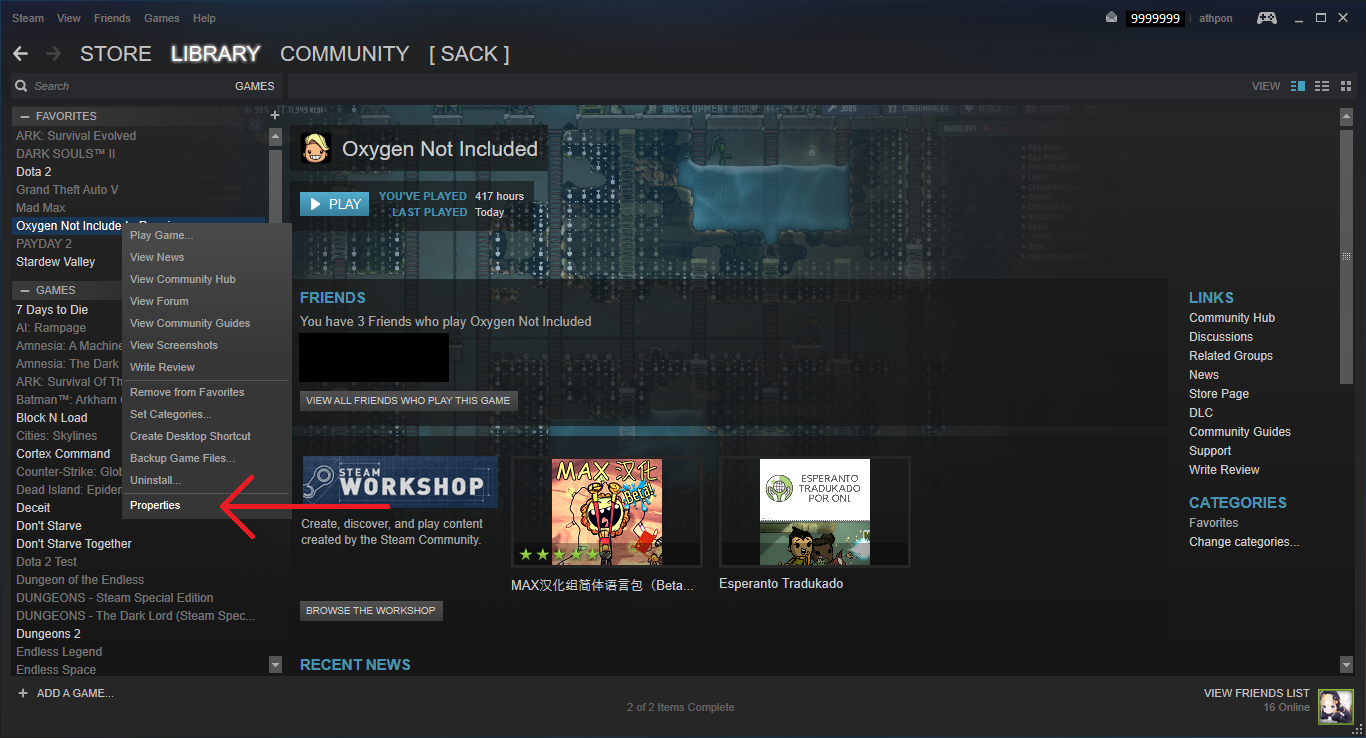
Right click at your game,then go to property
 Step 2
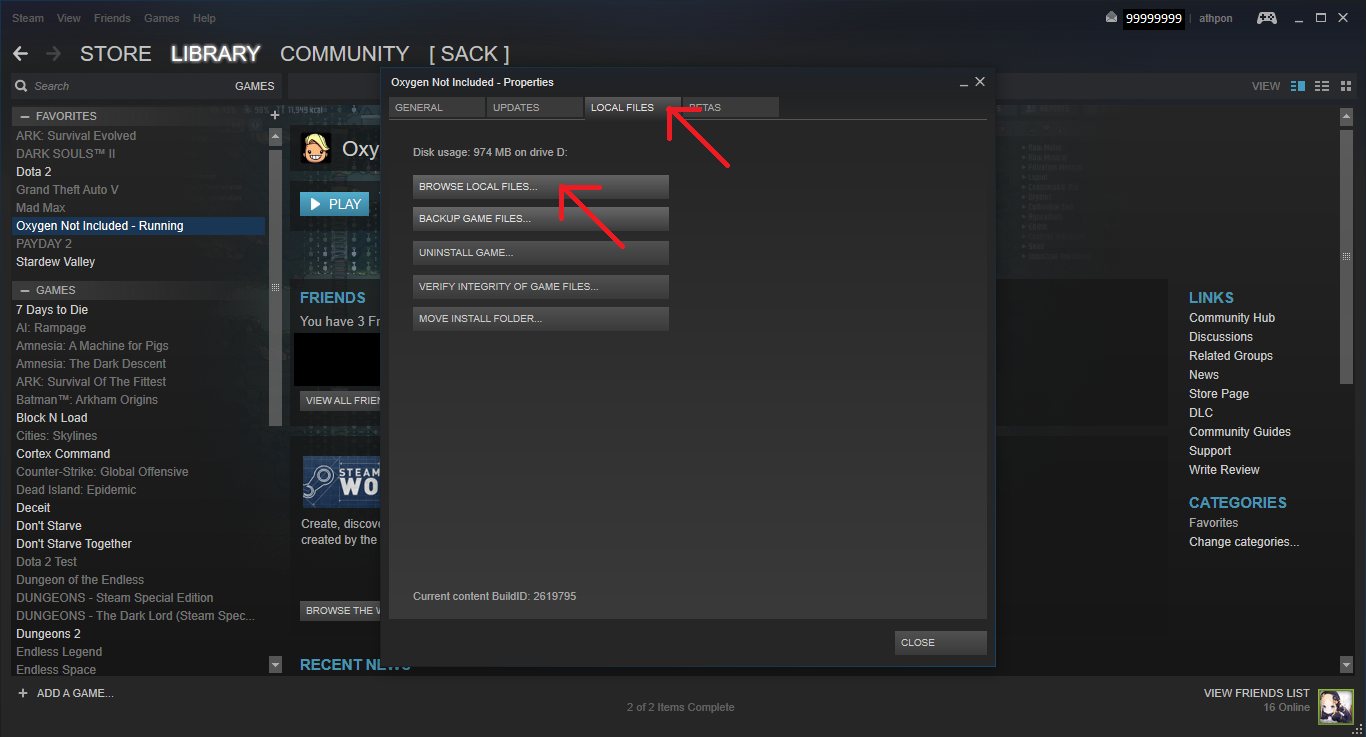
Once screen appear go to "LOCAL FILES" tab and then click at "BROWSE LOCAL FILES.."
 Step 3
Get in to that folder
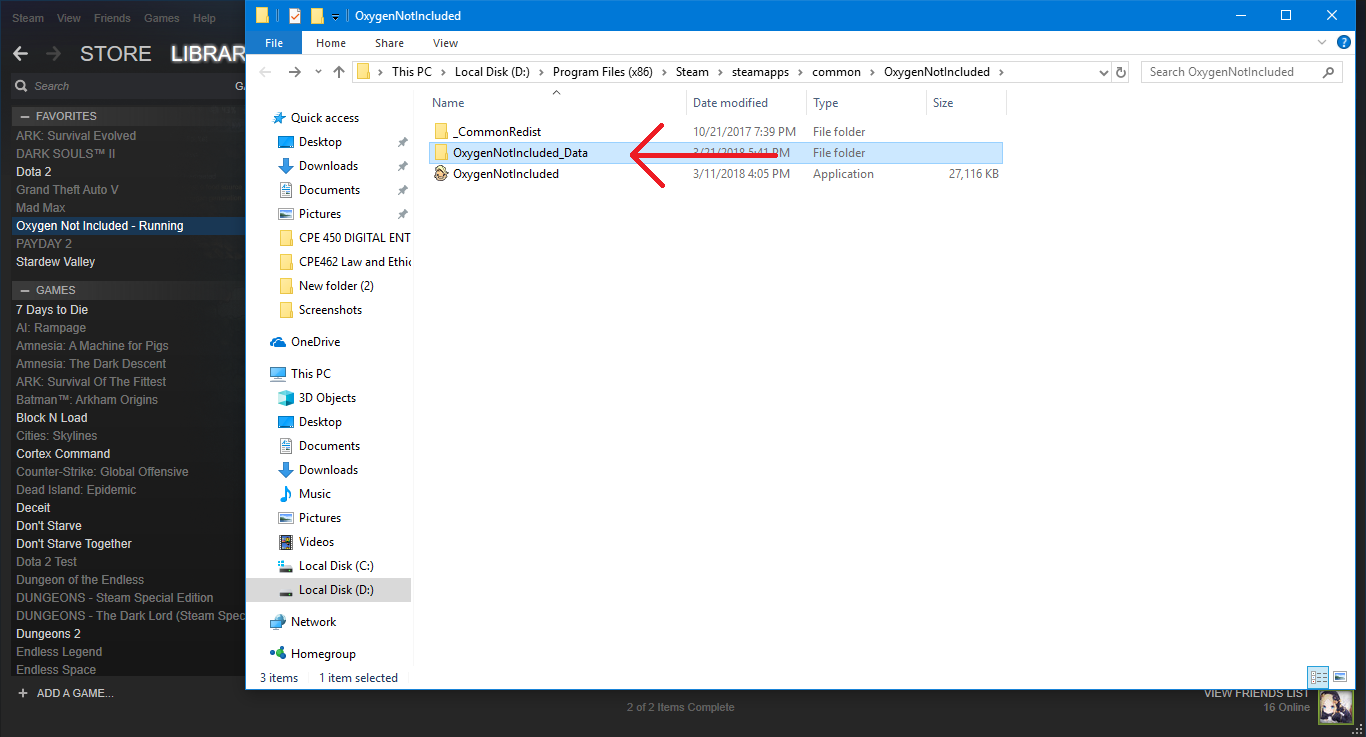 Step 4
Create a text file
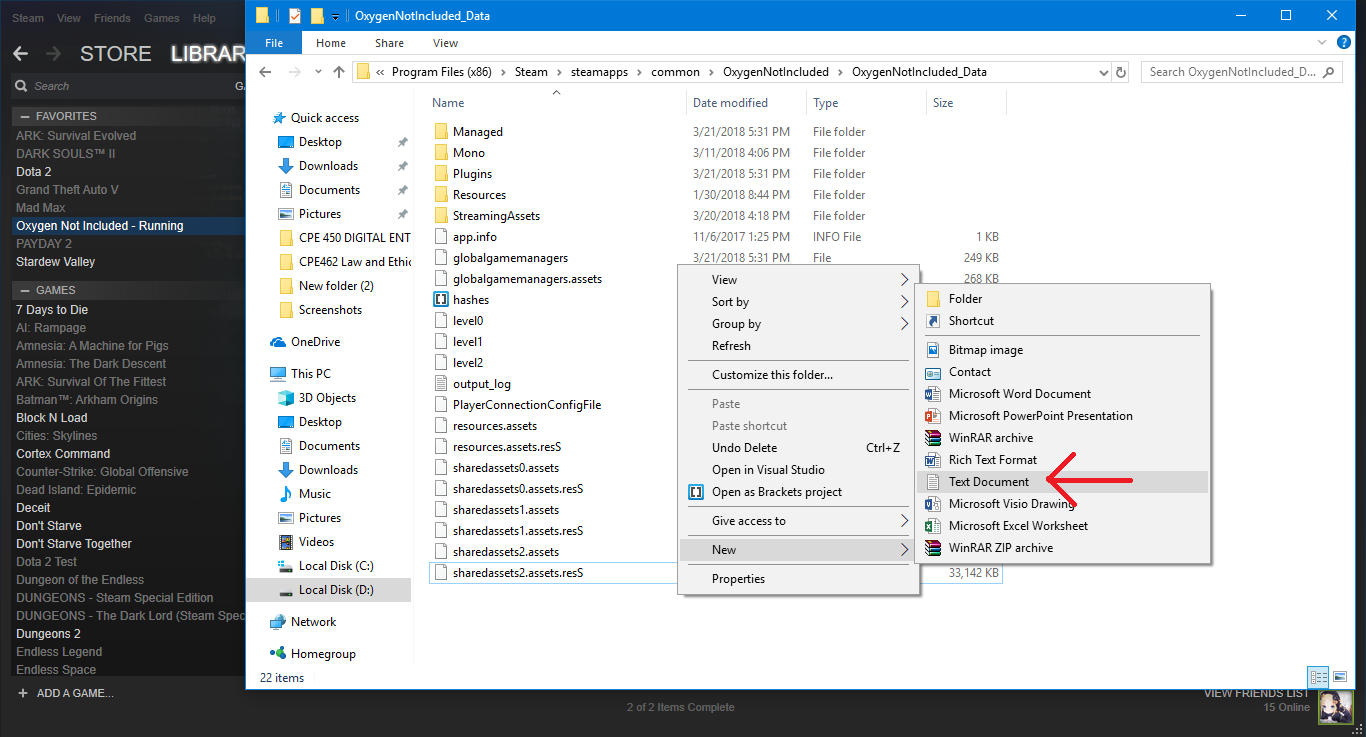 Step 5
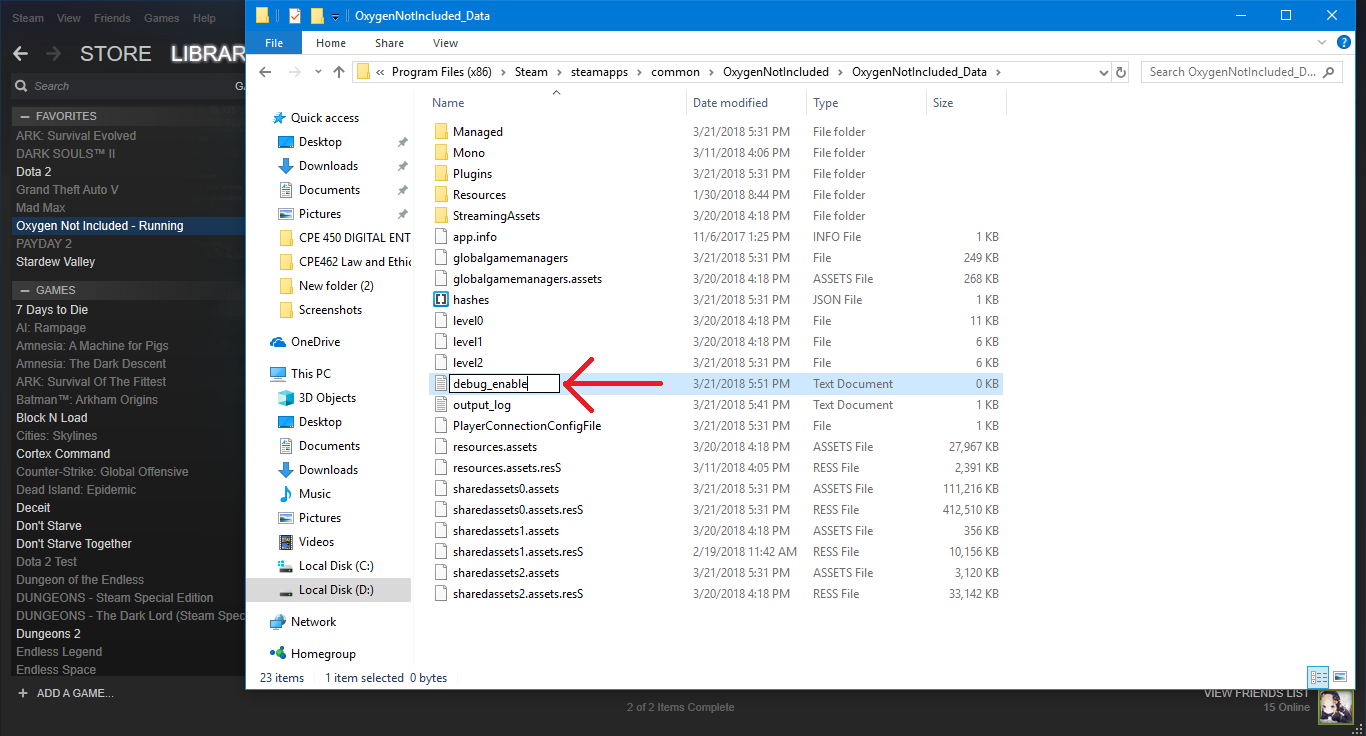
Then name it "debug_enable" leave text inside empty, It should be "debug_enable.txt" when you are done.
How to know that DEBUG mode was enabled?
Load you game
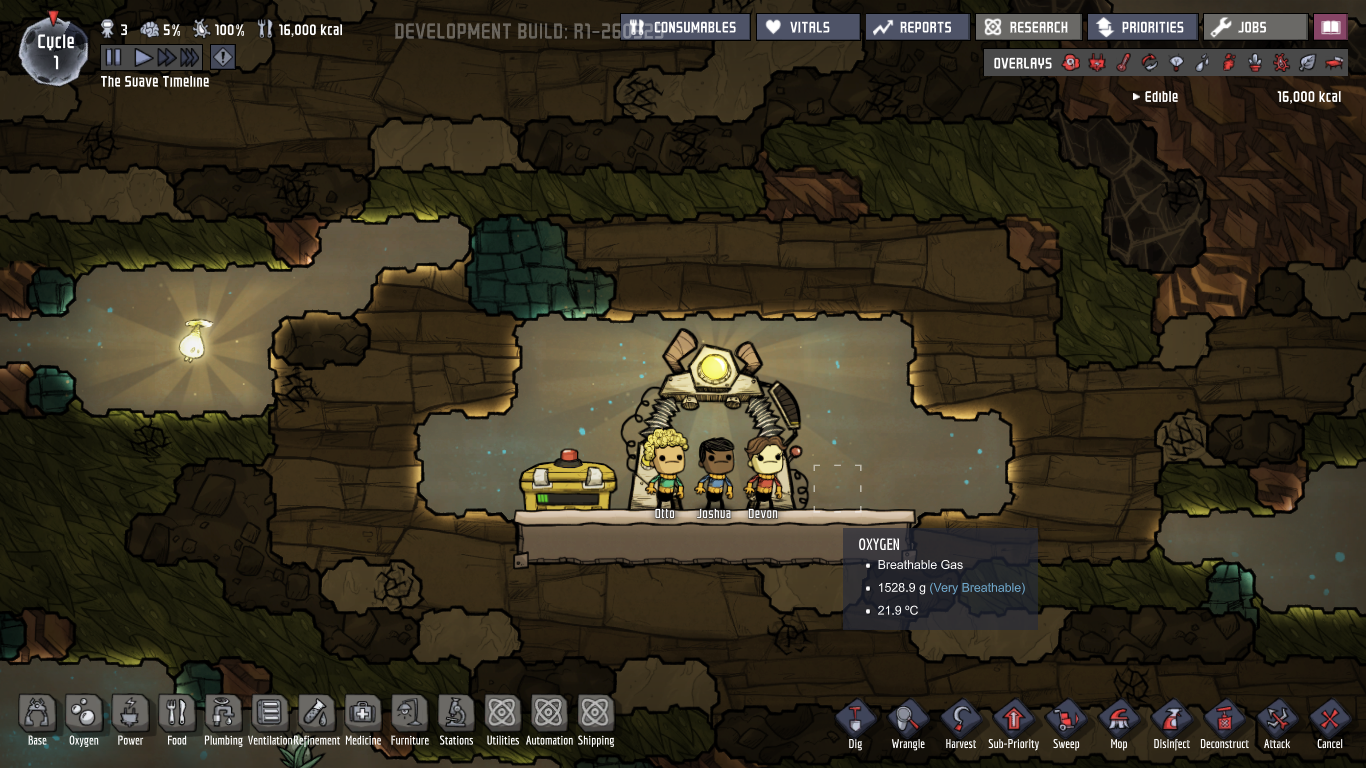 Step 2
Hit the magic button called "backspace"
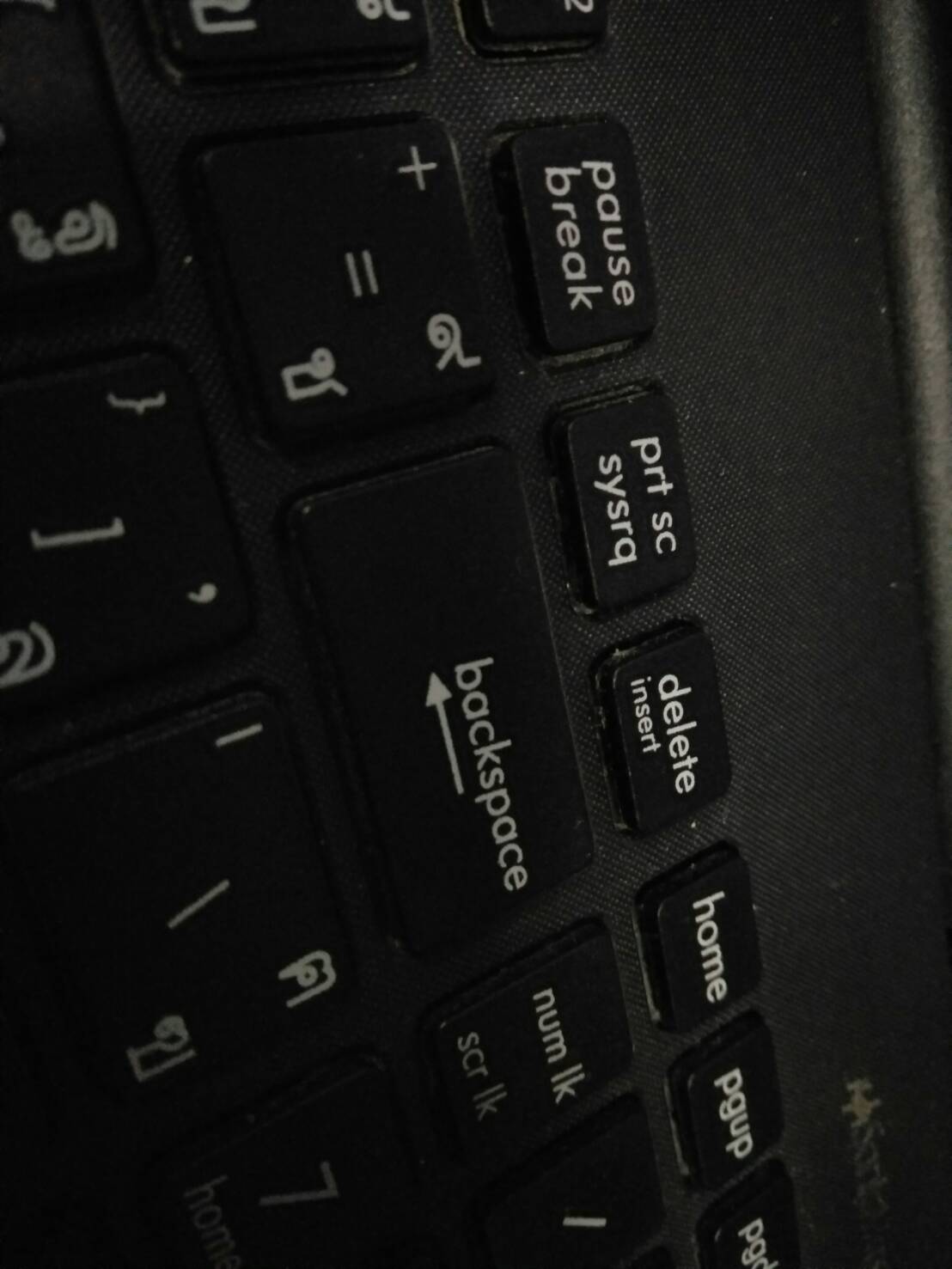 Then the menu should open (your game will freeze a bit due to load a full map)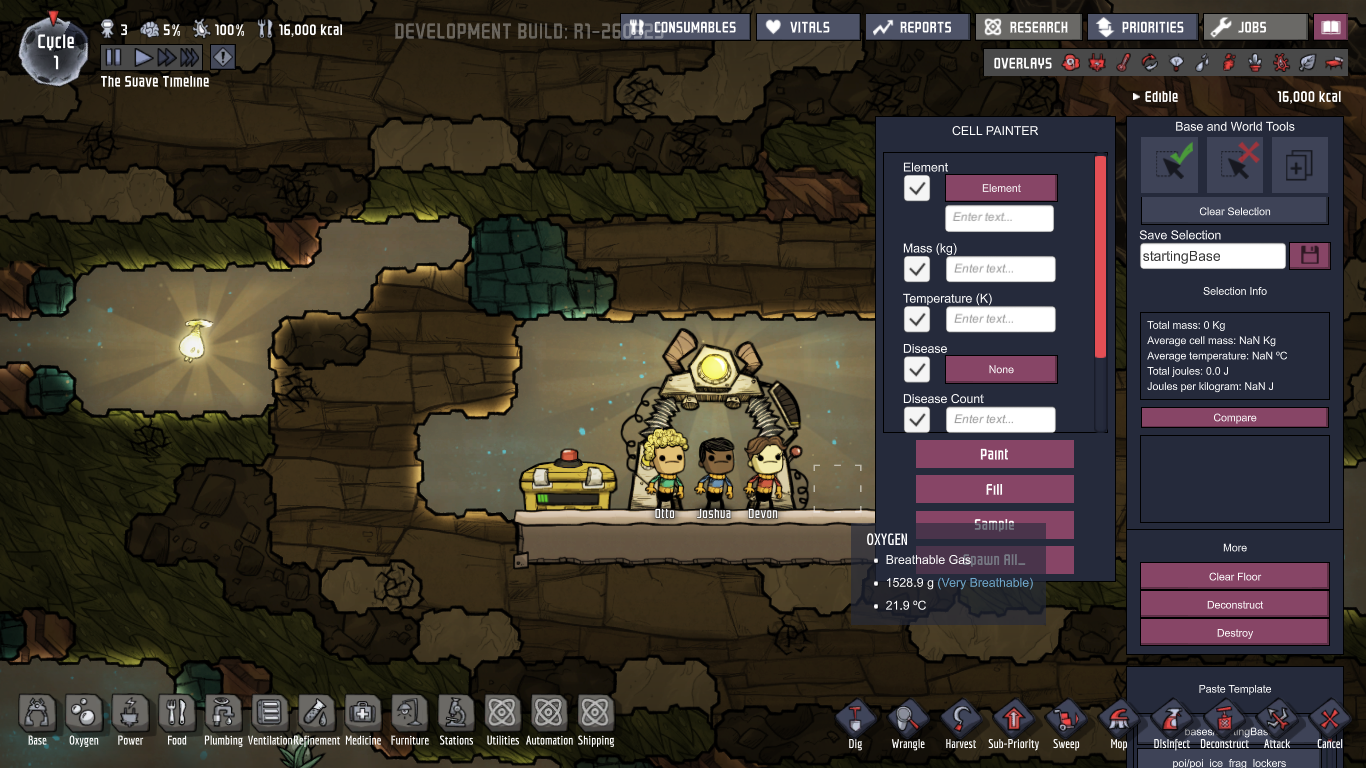
To close the menu hit backspace button again.
Command
Once you have enable it. I want to give you some useful command to you
ctrl + F4 - > For instant build,dig,mop,job change,research (press again to disable)
ctrl + F2 - > For randomly create new dupe
alt + Q - > For teleport anything that you clicked to new position (your mouse)
alt + Z - > For super simulation speed (press again to disable)
Full list of commands is appear in Option - > Controls -> DEBUG
To cancle use right click
Cheating time
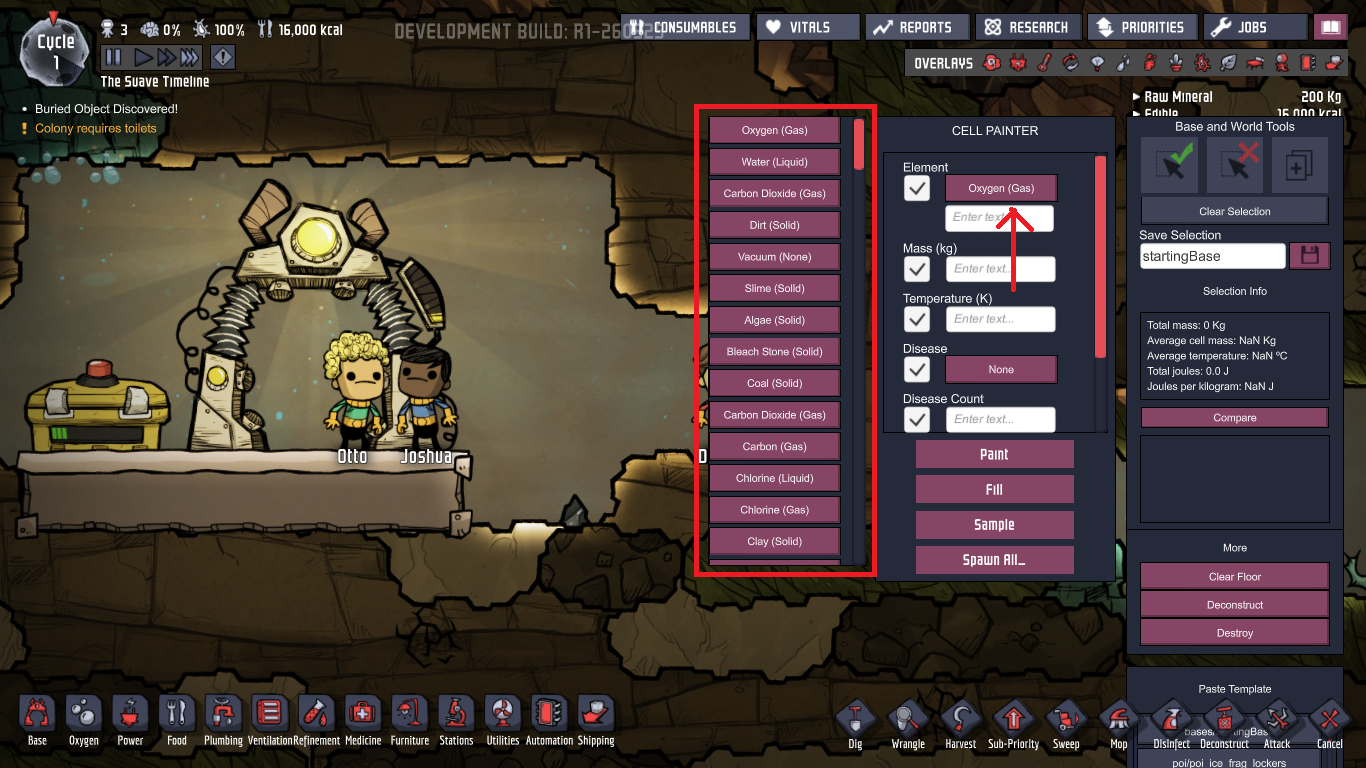
And you can you " Sample " to get element temp and mass from tile you select.
**** To exit anymode in debug USE RIGHT CLICK ****
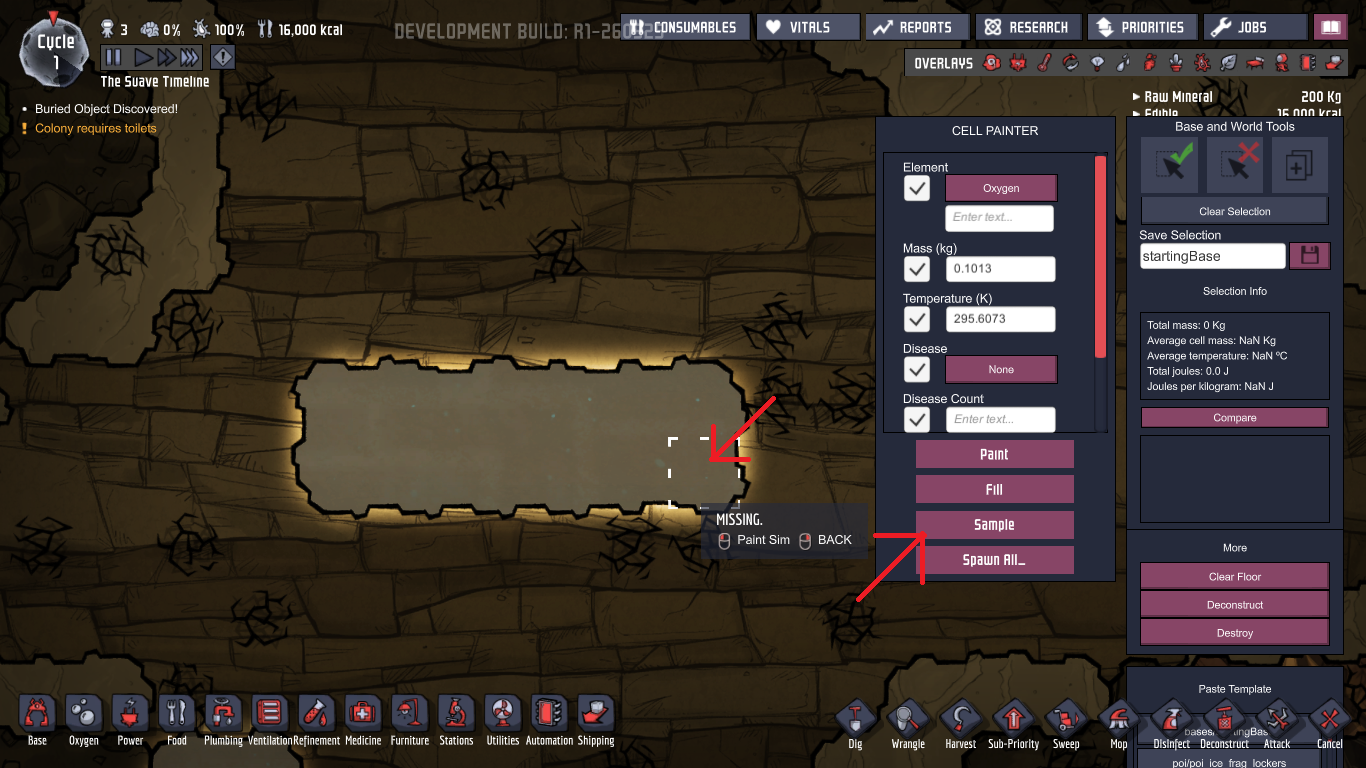
After you have selected element you have access to these choices " Paint " or " Fill "
*Unpause to take effect* 1. Paint
replace anything in area you select with element that you selected.
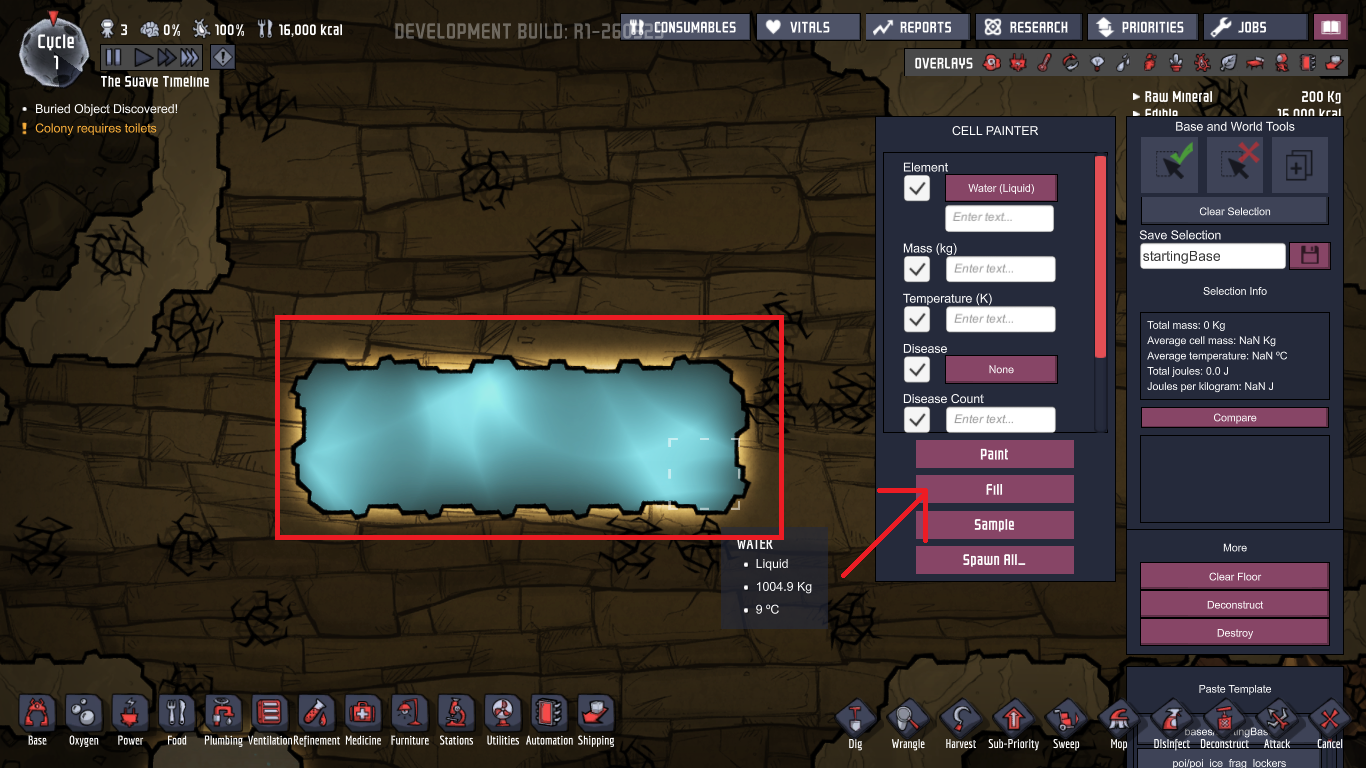
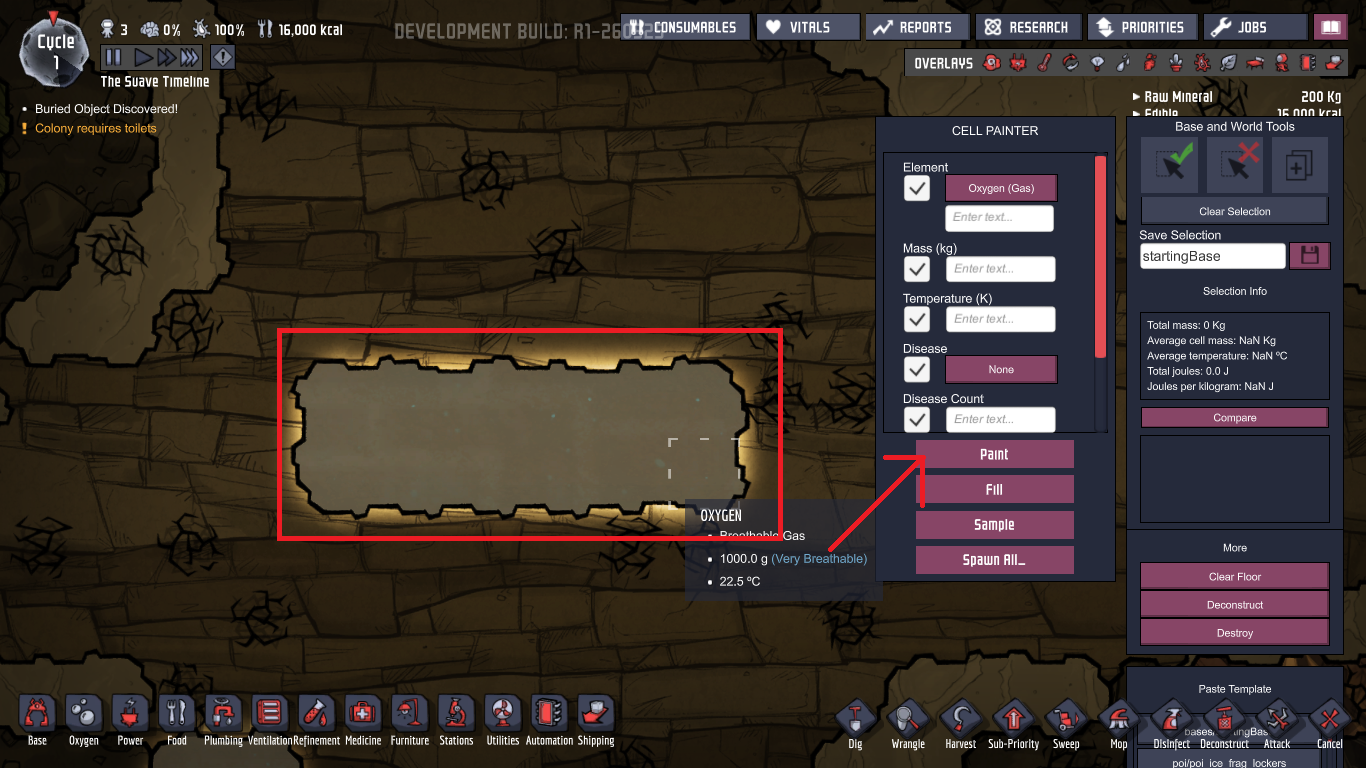 2. Fill
replace all neaby tile (If it was same element) with element that you selected.
eg replace all oxygen with water
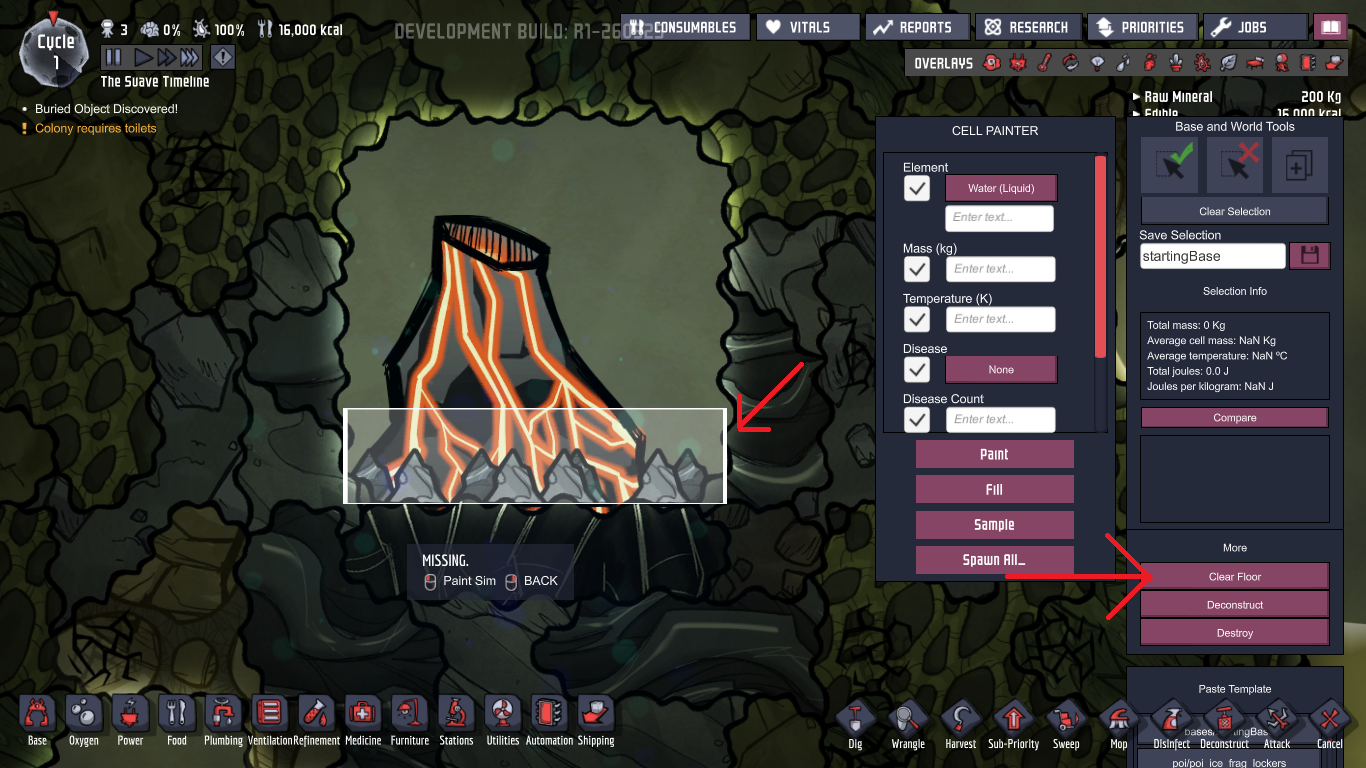
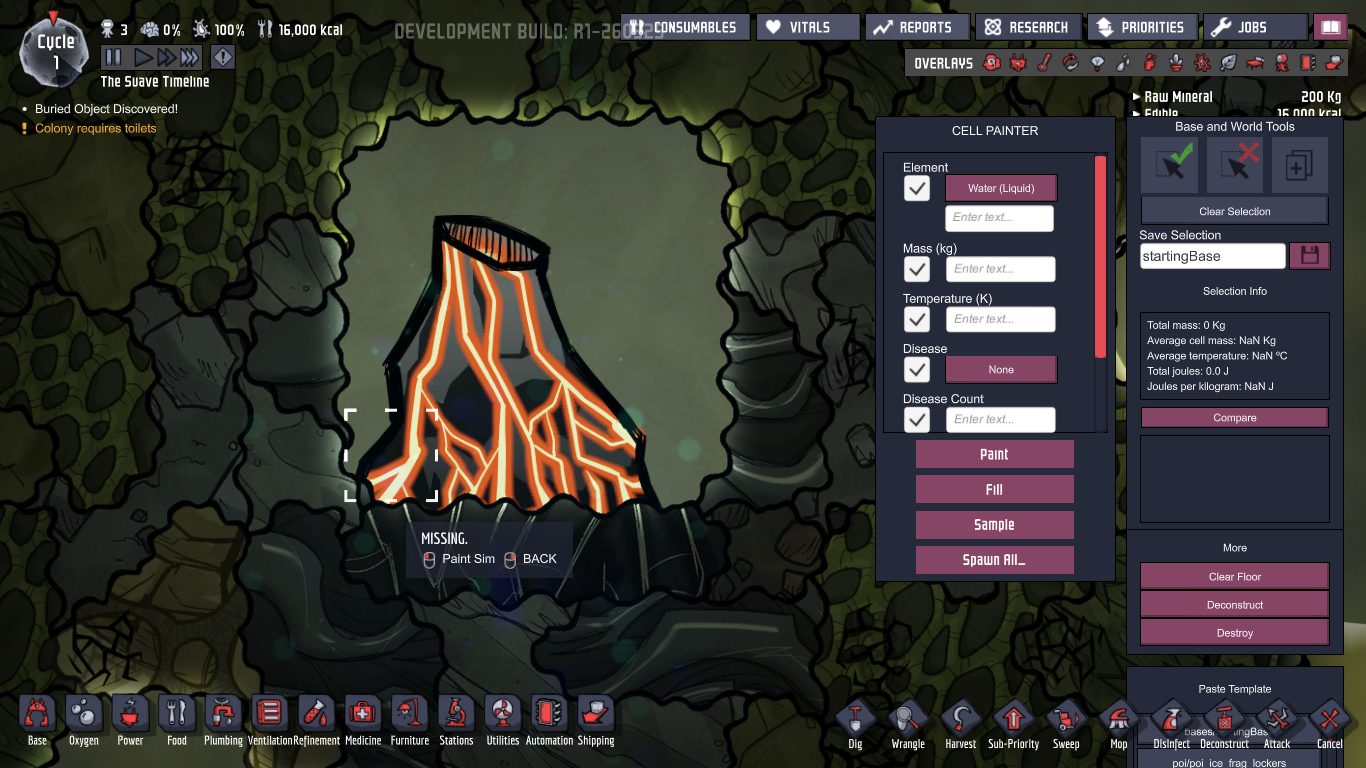
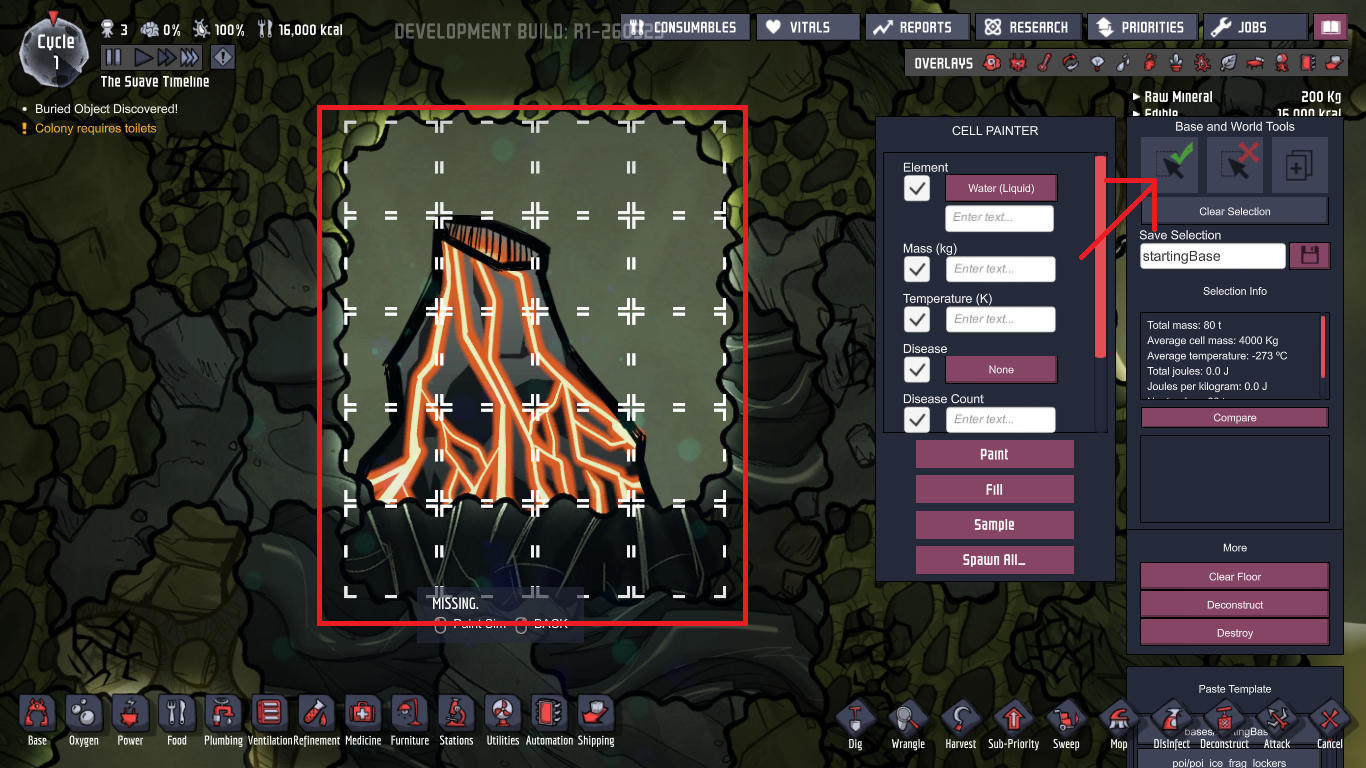
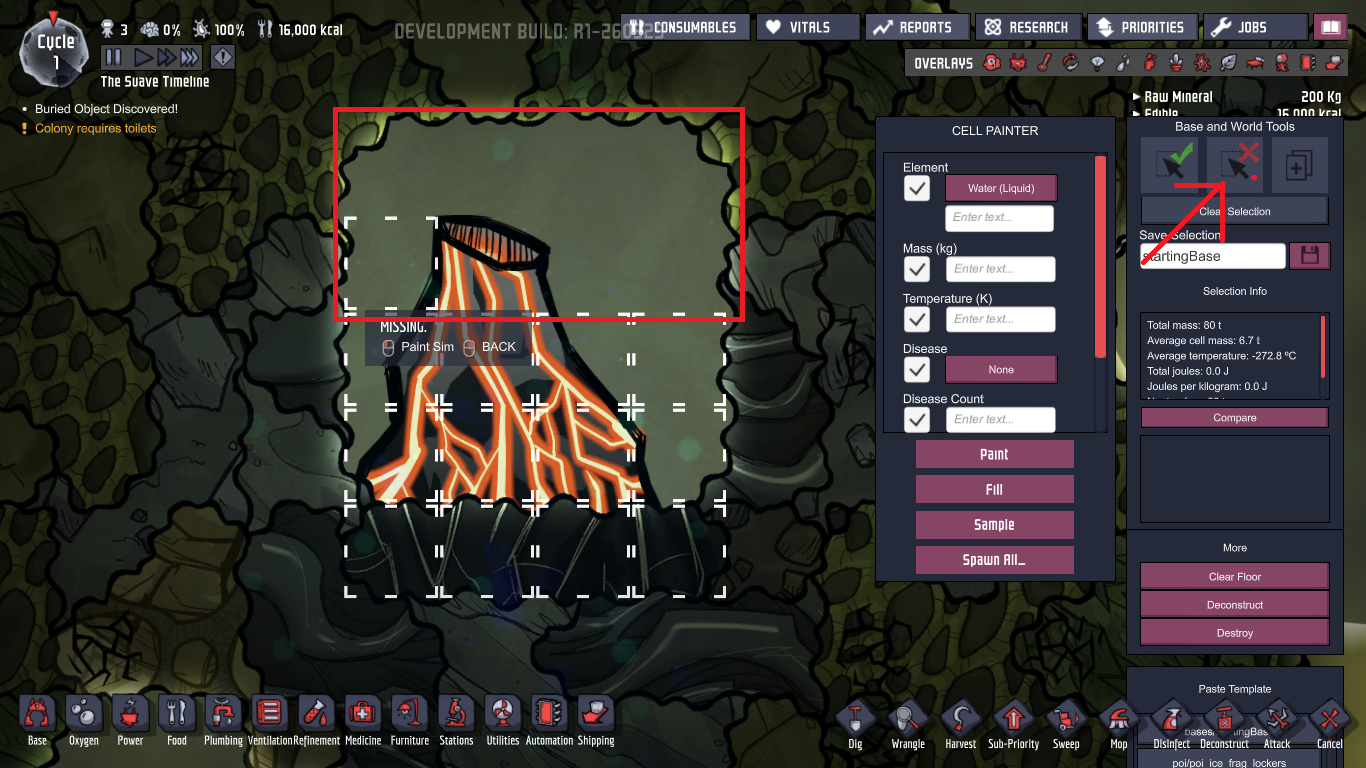
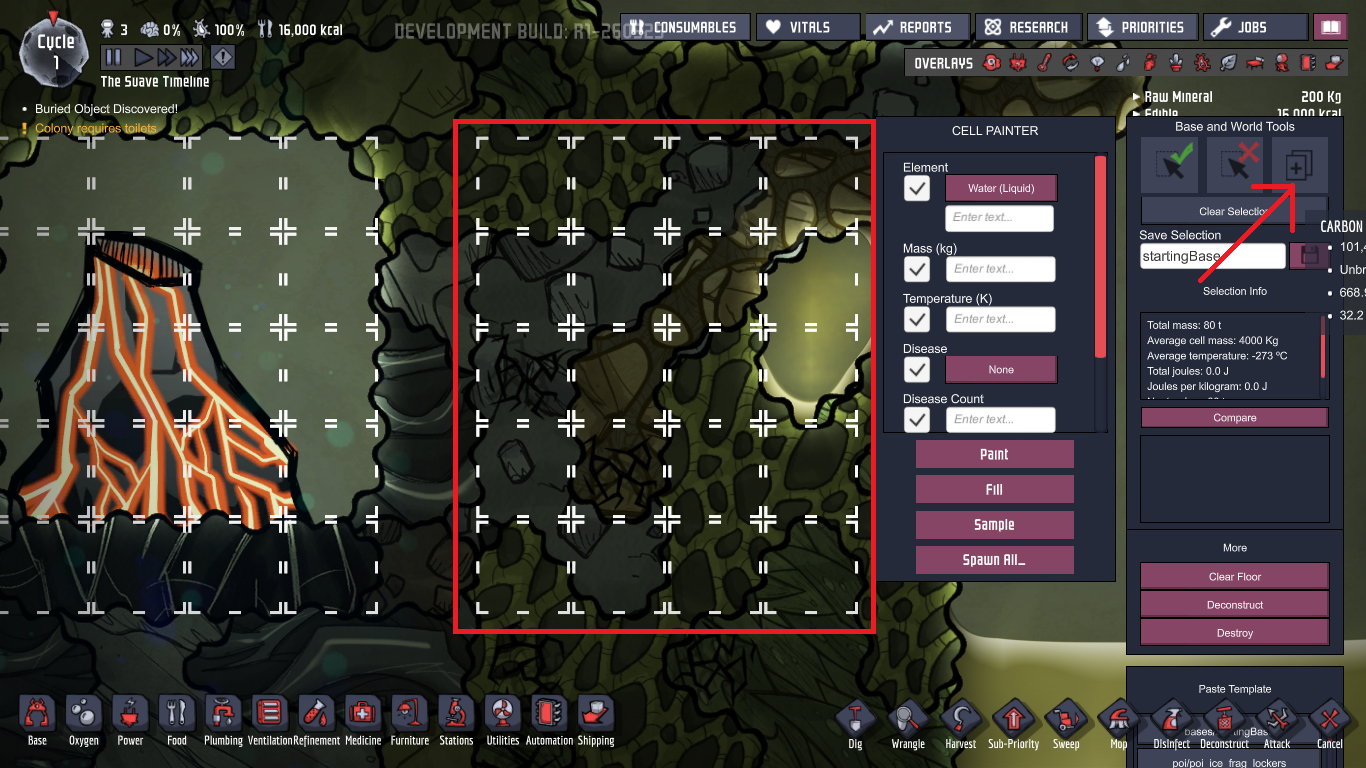
Use this plus button to duplicate things that you selected. EXCEPT DUPE
 And then use " Clear selection " to get rid all of that.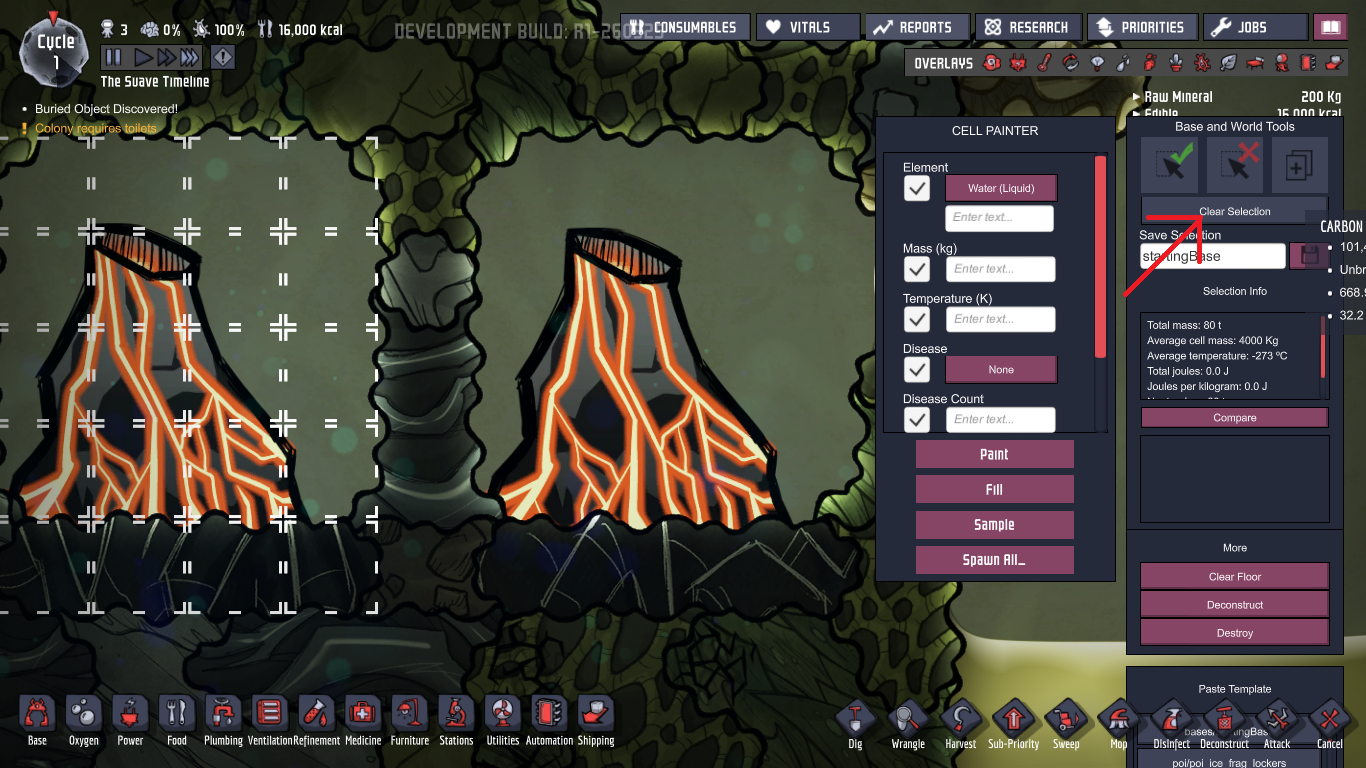
Oh and you can name and save it for later use.
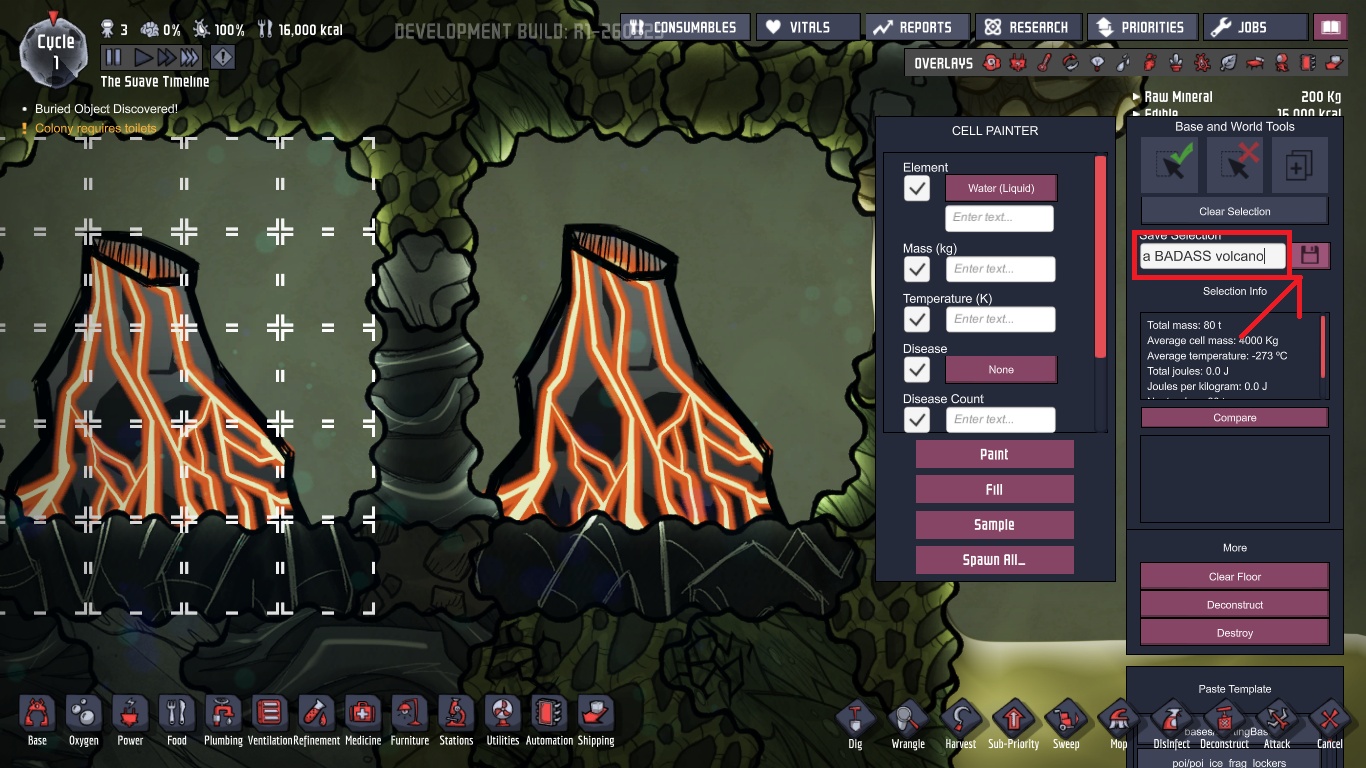
It will create an xml file for you (to share for other people) and appear here.
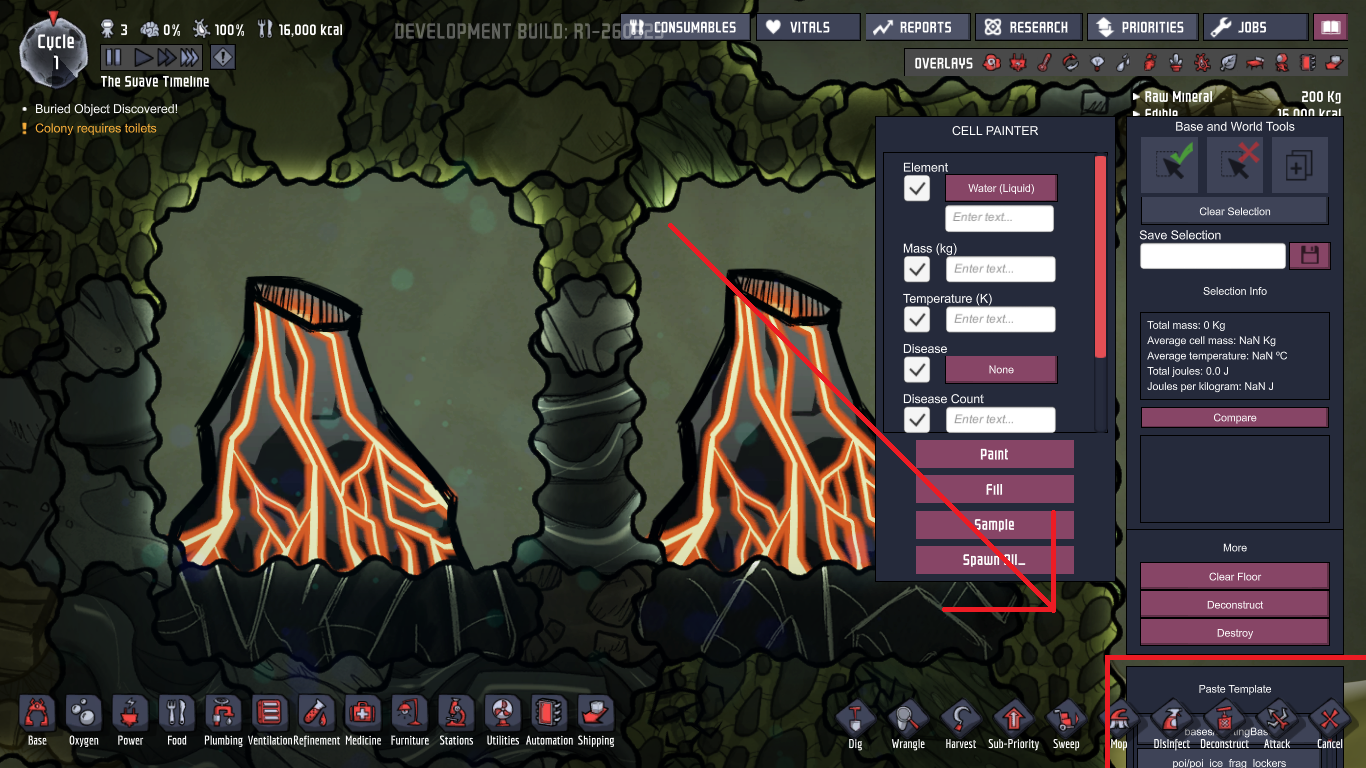
If you have low screen resolution you might have this problem too. Do this and you will be fine.
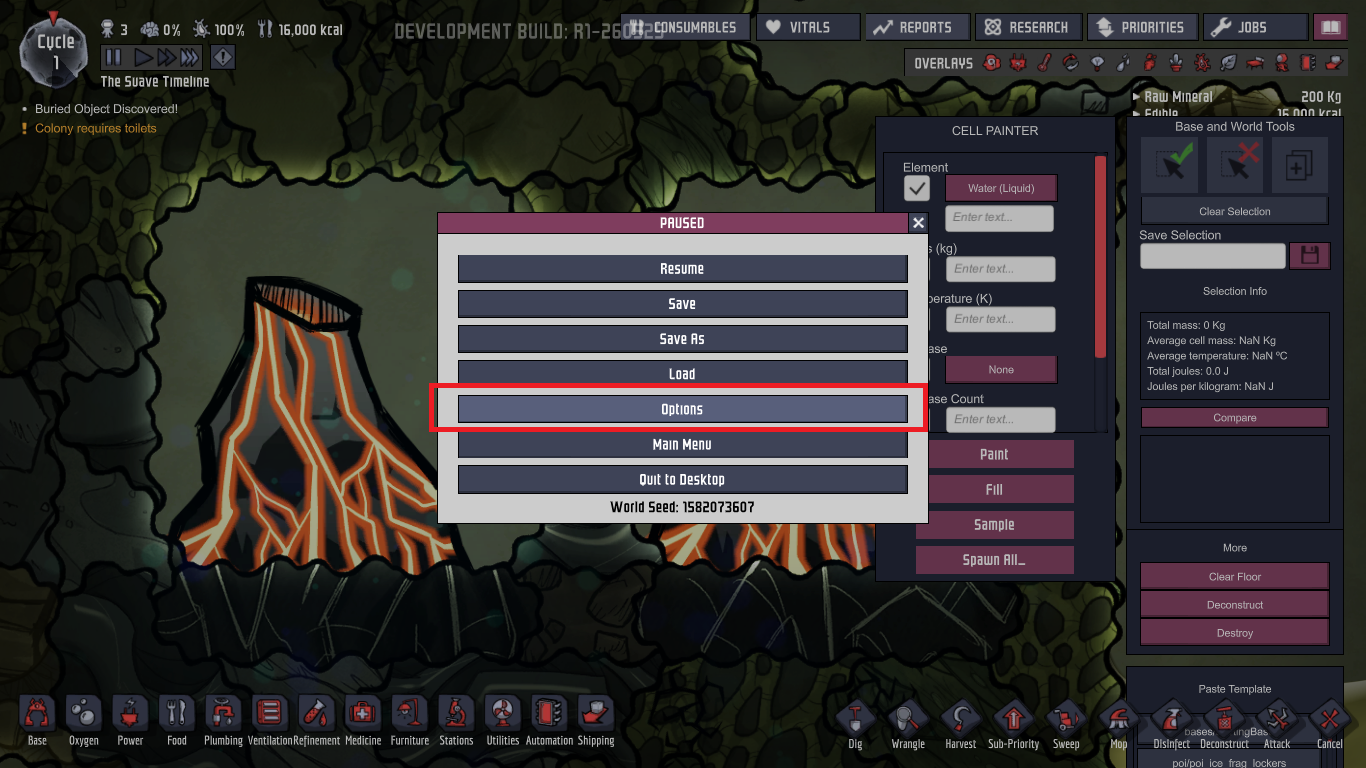
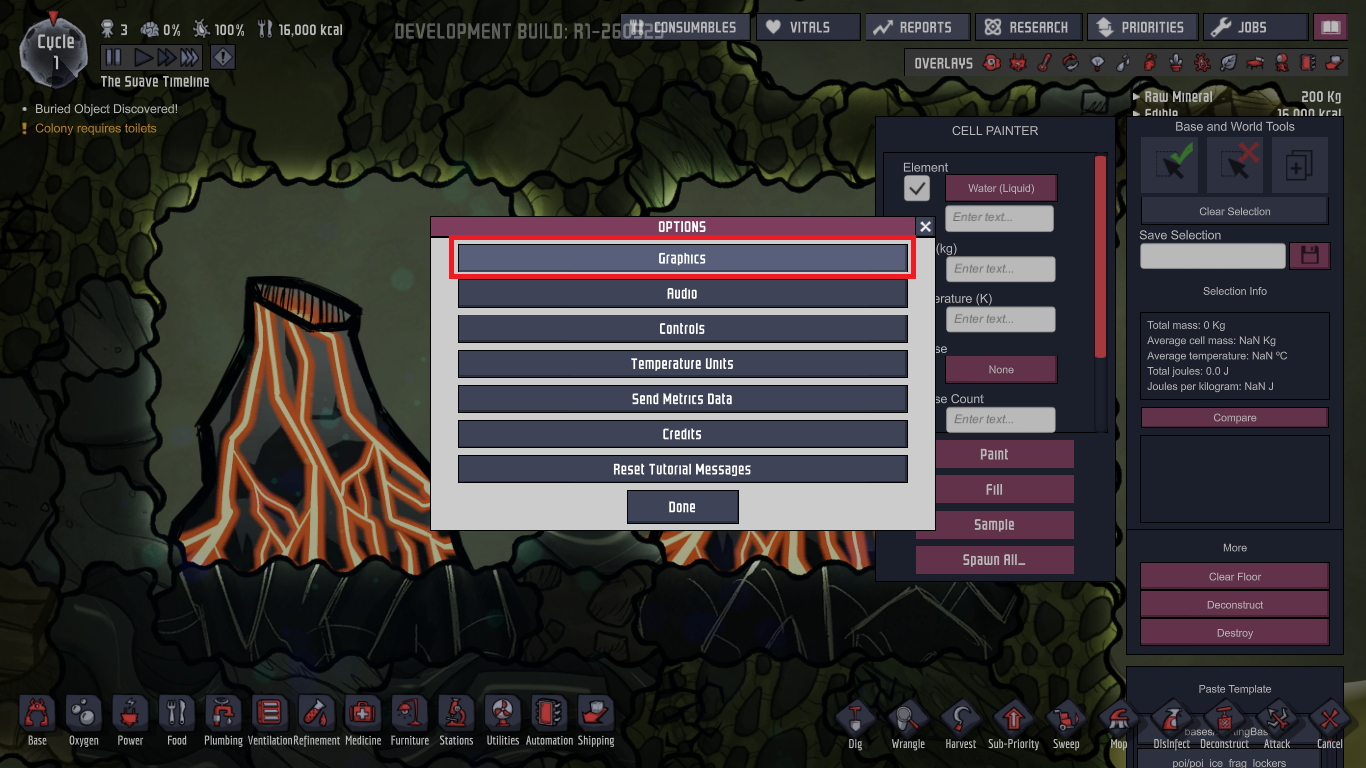
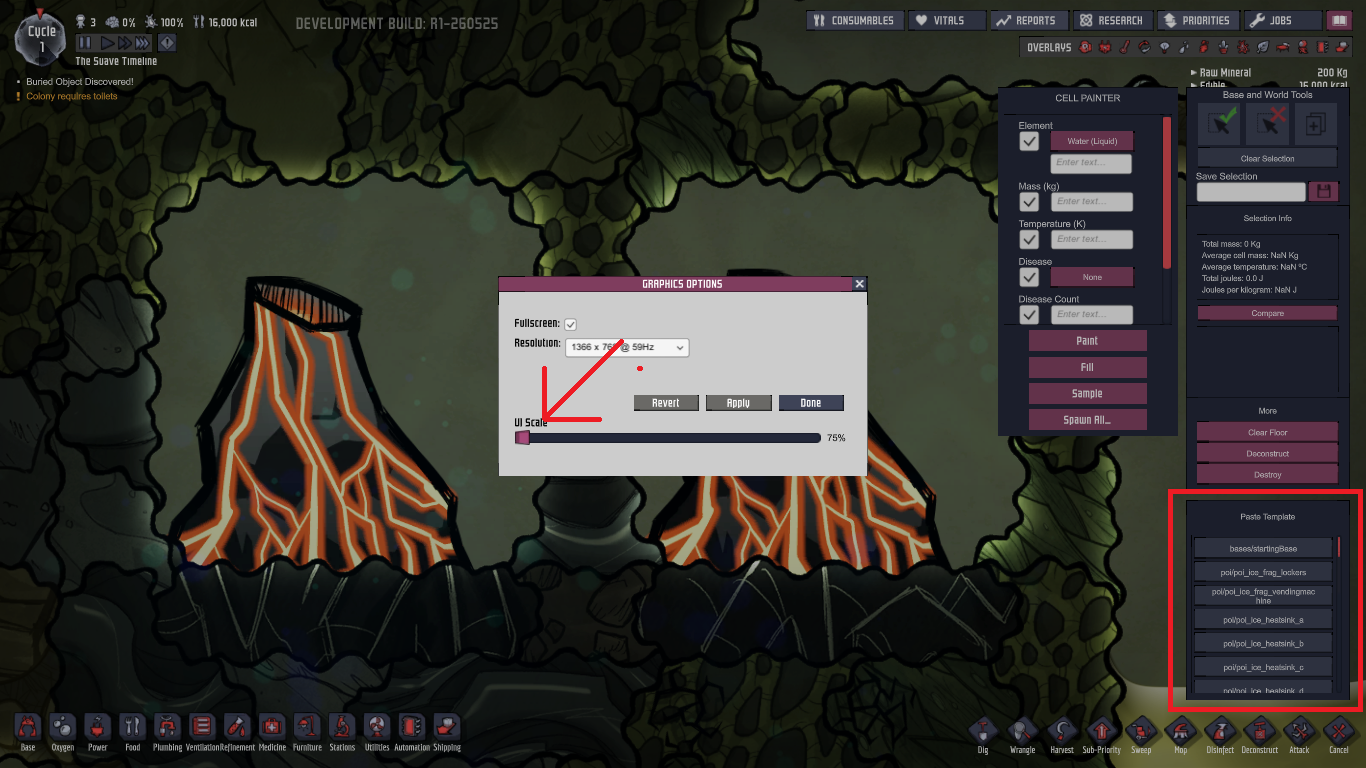
Once you done with duplicate stuff just set it back to 100%.
And that " SPAWN ALL_ " I don't know what it is, and I don't think you will need it so leave it there. :)
Disable debug mode
Just hit " backspace " again to close panel.
Or delete text file that you created
Or not use it in the first place
- ONI - Surviving the Early Game★ 5 (2.4k)83k views6.3k ♥54 minUpdated Aug 6, 2019
- Useful Construction Patterns★ 5 (1.8k)74k views5.2k ♥66 minUpdated Aug 29, 2020
- 10* things I wish I knew sooner...★ 5 (754)58k views1k ♥4 minUpdated Oct 6, 2017
- ONI - Surviving the Mid-Game★ 5 (1.3k)44k views3.8k ♥150 minUpdated 6 Sep, 2019
- Not Quite Beginner's Guide★ 5 (361)32k views1.1k ♥91 minUpdated Mar 26, 2023
- Руководство для начинающих. (ОСНОВЫ)★ 5 (629)32k views1.2k ♥21 minRussianUpdated 20 Apr, 2019




- Upgrading to PremiumTeam Fortress 2★ 5 (20k)1441k views11k ♥6 minUpdated May 11, 2022
- No More Room in Hell Official ManualNo More Room in Hell★ 5 (2.8k)569k views2.1k ♥29 minUpdated Apr 22, 2019
- NMRiH Community Hosting GuidesNo More Room in Hell★ 5 (526)351k views653 ♥1 minUpdated Aug 10, 2022
- ULTIMATE GUIDE FOR GAME DEV TYCOONGame Dev Tycoon★ 5 (5.8k)326k views10k ♥4 minUpdated 23 Jan, 2014
- How to 'Git Gud' Soon™MORDHAU★ 5 (2k)318k views3k ♥68 minUpdated Nov 16, 2024
- Лучшие кооперативные игры SteamPAYDAY 2★ 5 (1.5k)315k views2.1k ♥56 minRussianUpdated Apr 27, 2025






This guide was created by its original author on the Steam Community. Are you the author and want it removed? Request removal.