Fatal Error: A (no effort) "fix!"
Summary
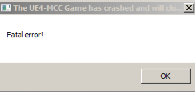
Fatal Error: The disappointing crash
This will not prevent the error from occurring but will prevent the subsequent crash.
Occasionally or in some cases quite frequently, your moment of reliving the glory days through slaughtering or online trash talking like it's 2005 Xbox live will be abruptly interrupted with the "Fatal Error" message followed by an "application error" window. After a few days of terrible suffering I have found, not quite a "fix" but a work around!
The error itself is most likely caused by- An incorrect installation of one of the 12 downloadable content sets across the twelve games
- Faulty files
- Refusing to leave windows 7
Fatal Error
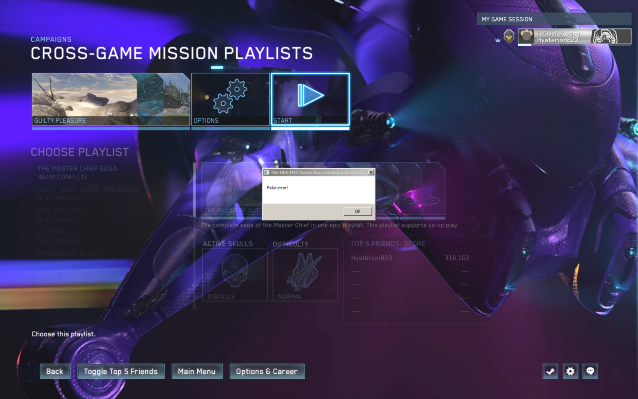
Fatal error!
The "The UE4-MCC Game has crashed and will close" message in of it is not threatening and will not close the game if you click "OK" on this error message. Out of the two error messages consisting of the first as above and the following "Application Error" the first being the fatal error will not close your game, but merely dislodge you while it continues in the background.Only click "OK" on the message with the "Fatal error!" text!
If you are running a single monitor display
- Click and drag the Breakpoint error message to the bottom of your screen so that the least amount possible is showing
- Tab or click back into your game and continue playing
While this will not prevent the errors from occurring or fix the underlying issue, it will prevent the foremost issue of the game crashing and wasting your valuable time to restart the game.
Breakpoint exception
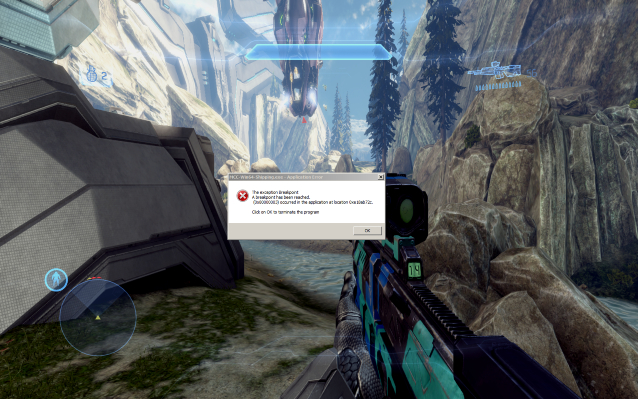
"The exception Breakpoint" - "terminate this program"
When greeted with the error message stating "The exception BreakpointA breakpoint has been reached." Do not press "OK" under any circumstance if you wish to continue! This is the error window that will close the game if you click "OK" and as a result will exit the game to your desktop and force you to begin from the last quicksave, assuming you have one.
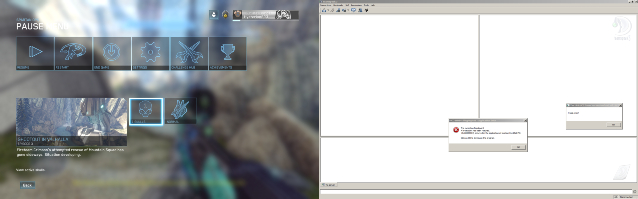
If you have a dual monitor setup
- Click and drag the error message to the bottom of your secondary monitor as to put it out of sight and out of mind
- Tab or click back into the game itself and continue playing
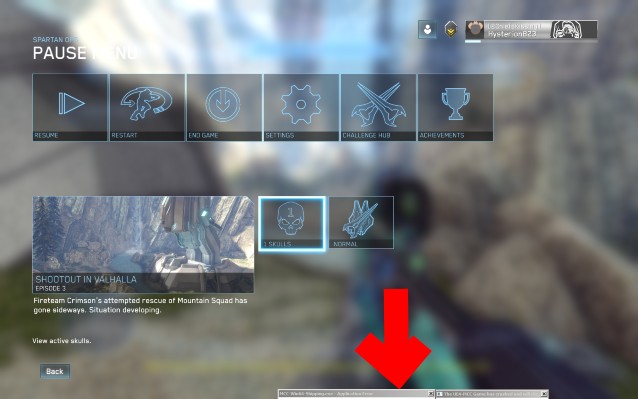
If you are running a single monitor display
- Click and drag the Breakpoint error message to the bottom of your screen so that the least amount possible is showing
- Tab or click back into your game and continue playing
While this will not prevent the errors from occurring or fix the underlying issue, it will prevent the foremost issue of the game crashing and wasting your valuable time to restart the game.
More Halo: The Master Chief Collection guides
- Halo Reach: Collectibles★ 5 (1.2k)33k views2.3k ♥9 minUpdated Jul 4, 2021
- Halo: Reach - Full Achievement Guide★ 5 (823)28k views1.7k ♥12 minUpdated May 9, 2025
- MCC - Master Achievement Guide (Complete)★ 5 (479)19k views1.2k ♥5 minUpdated Aug 8, 2020
- Halo Combat Evolved: Collectibles★ 5 (1k)17k views2k ♥8 minUpdated Nov 20, 2020
- Halo: Combat Evolved - Full Achievement Guide★ 5 (504)16k views1.1k ♥7 minUpdated Jun 2, 2022
- Golden Moa Location Guide★ 5 (476)13k views878 ♥13 minUpdated 28 Nov, 2021






🔥 Popular guides
- Upgrading to PremiumTeam Fortress 2★ 5 (20k)1441k views11k ♥6 minUpdated May 11, 2022
- No More Room in Hell Official ManualNo More Room in Hell★ 5 (2.8k)569k views2.1k ♥29 minUpdated Apr 22, 2019
- NMRiH Community Hosting GuidesNo More Room in Hell★ 5 (526)351k views653 ♥1 minUpdated Aug 10, 2022
- ULTIMATE GUIDE FOR GAME DEV TYCOONGame Dev Tycoon★ 5 (5.8k)326k views10k ♥4 minUpdated 23 Jan, 2014
- How to 'Git Gud' Soon™MORDHAU★ 5 (2k)318k views3k ♥68 minUpdated Nov 16, 2024
- Лучшие кооперативные игры SteamPAYDAY 2★ 5 (1.5k)315k views2.1k ♥56 minRussianUpdated Apr 27, 2025






This guide was created by its original author on the Steam Community. Are you the author and want it removed? Request removal.