H2EK assertion fix
Prerequisites
- H2EK installed via steam
- WinRAR[www.rarlab.com]
- Python 3 (I'll show you how to install this in next section)
- H2EK assertion fix[drive.google.com] Thanks to Shelly[gist.github.com]
Once you have all the files move onto the next section
Installing Python 3
First off grab the Python 3 installer here[www.python.org].
Now go ahead and start the installer. When the window pops up make sure you check the add PATH box as shown below.
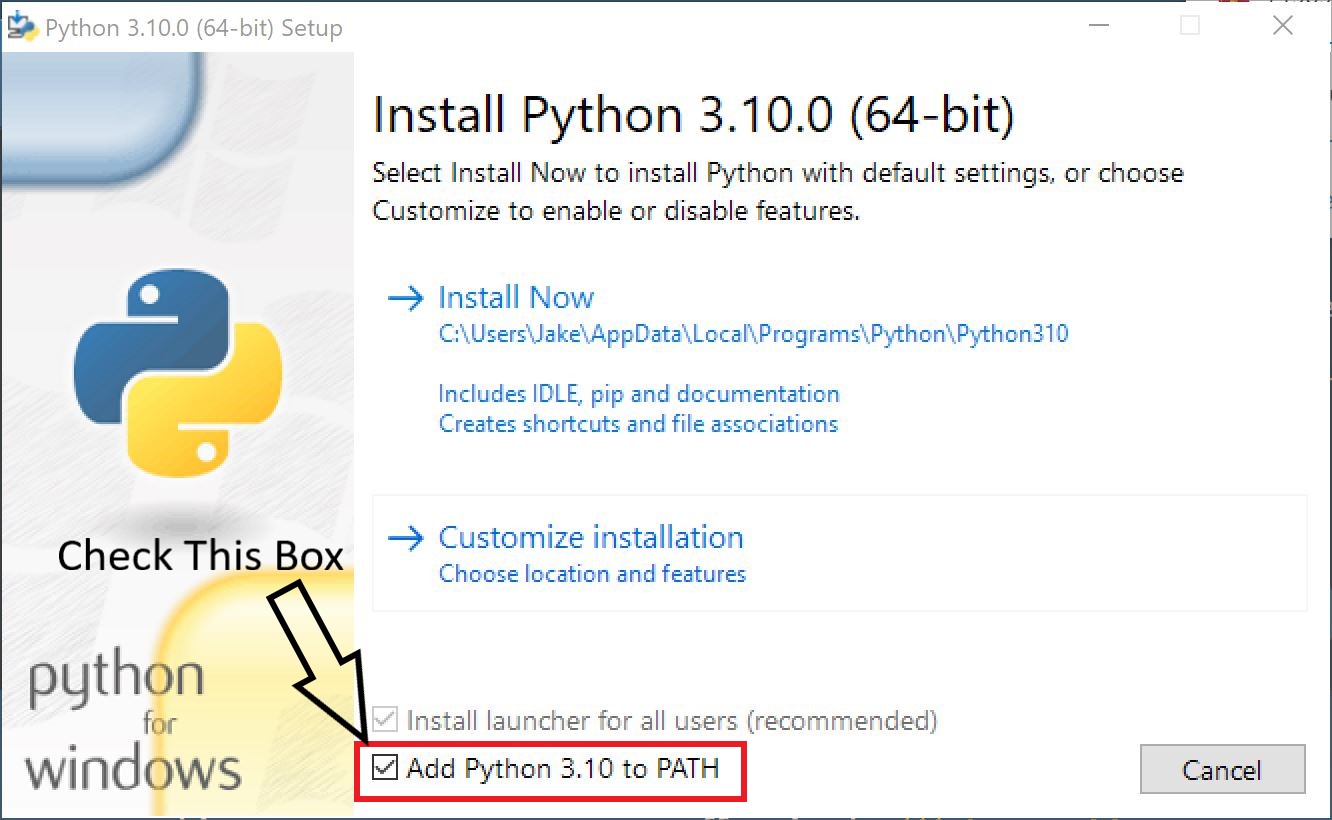
Then click Install Now. Once that is complete go ahead and close it out.
Extracting and installing assertion fix
Alright now we are onto the good part, actually fixing the error. Go ahead and navigate to your H2EK directory as shown.
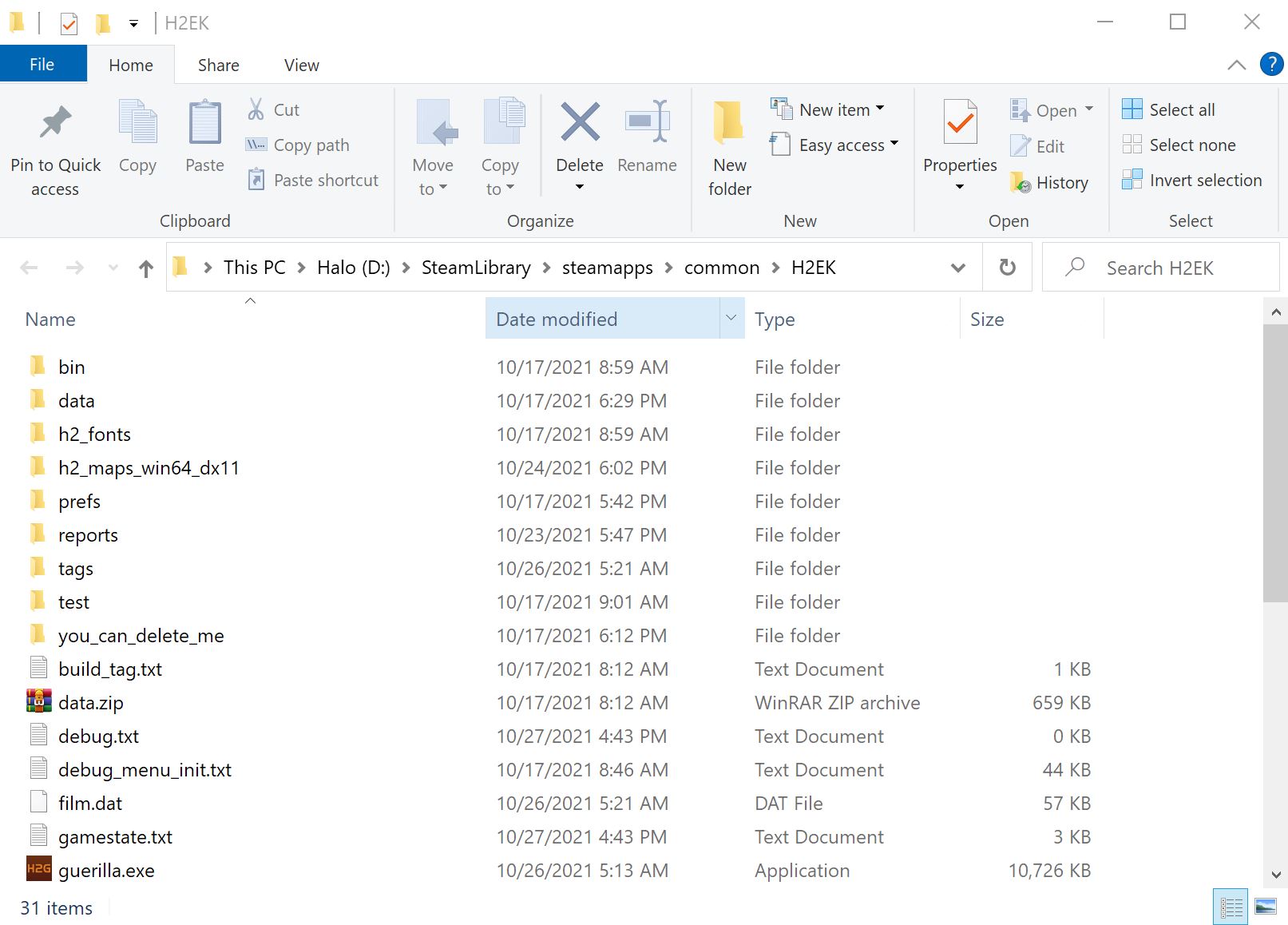
Next open the H2EK_Assertion_Fix.rar And exact all the files to your H2EK directory.
Now that you have all 5 files in your H2EK directory go ahead and click in the address bar to select the path and delete it using backspace/delete.
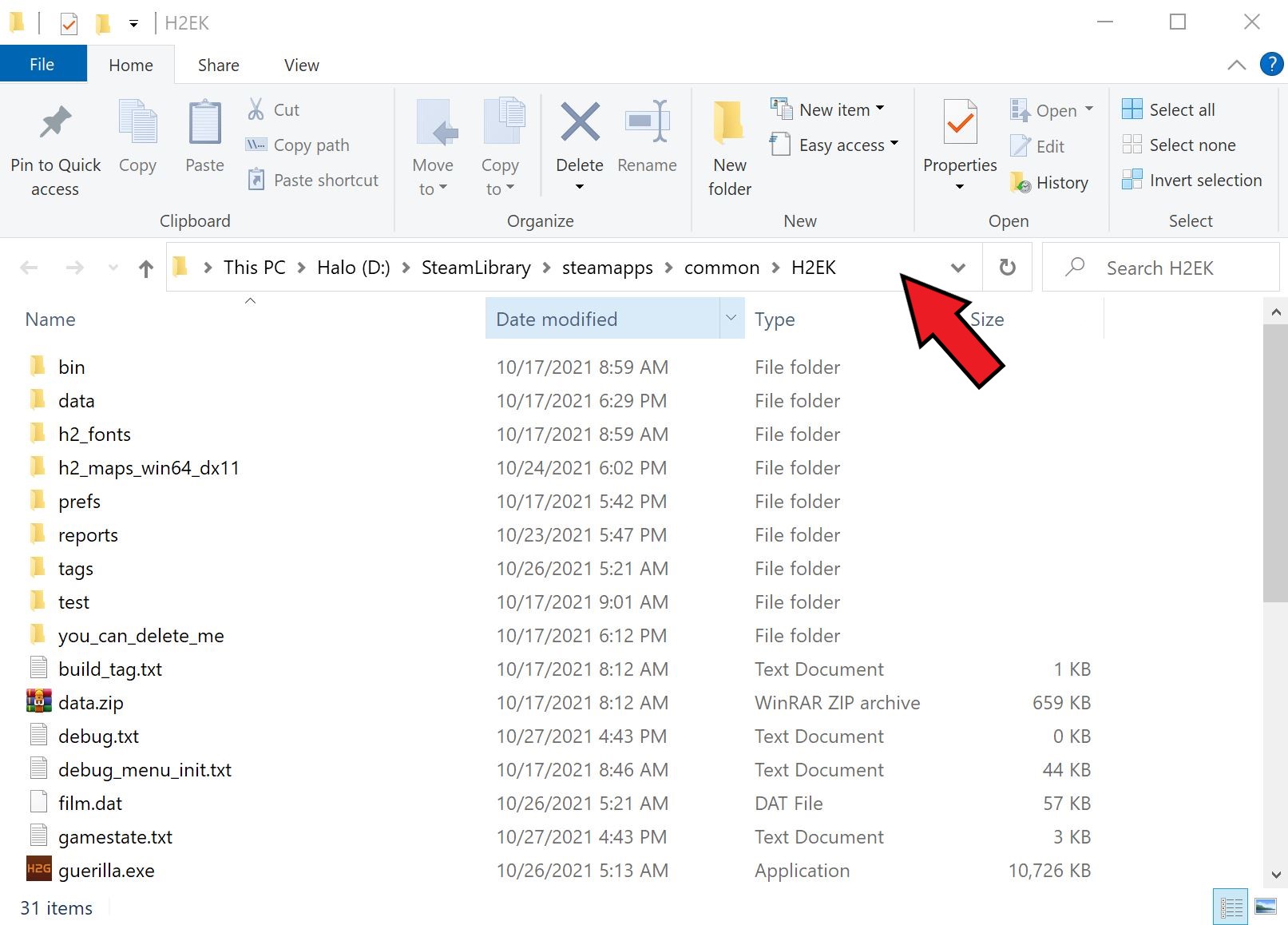
In the address bar type cmd and hit enter. Your screen should now look something like this.
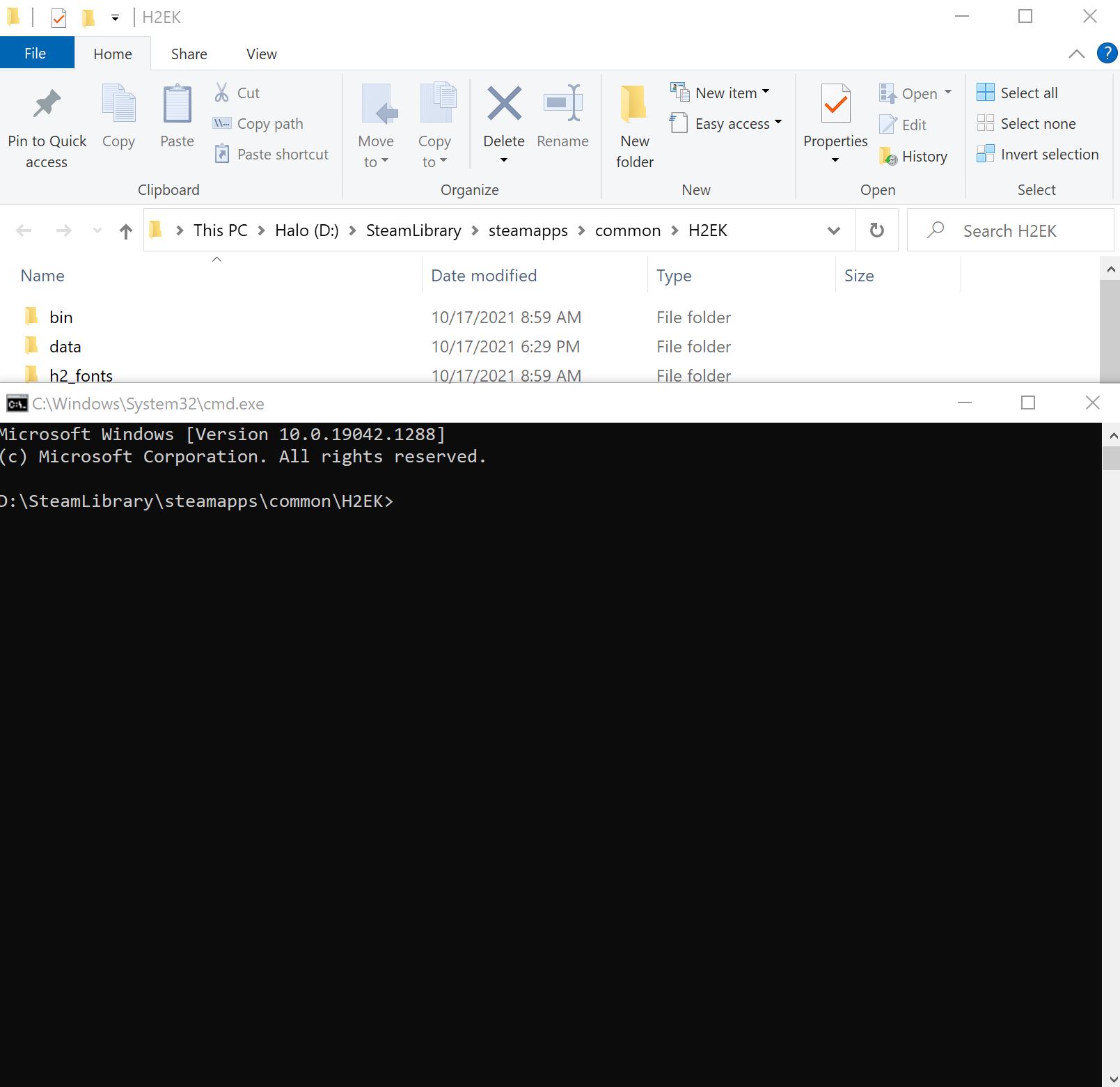 Now we will need to run the patch using the following commands, hit enter after you type in each one to run the patch.
- python h2ek_tools_assertion_exit_patch.py tool.exe
- python h2ek_tools_assertion_exit_patch.py halo2_tag_test.exe
- python h2ek_tools_assertion_exit_patch.py sapien.exe
- python h2ek_tools_assertion_exit_patch.py guerilla.exe
Your command prompt should look like this when typing in each command.

After hitting enter each time you should get a screen like this.
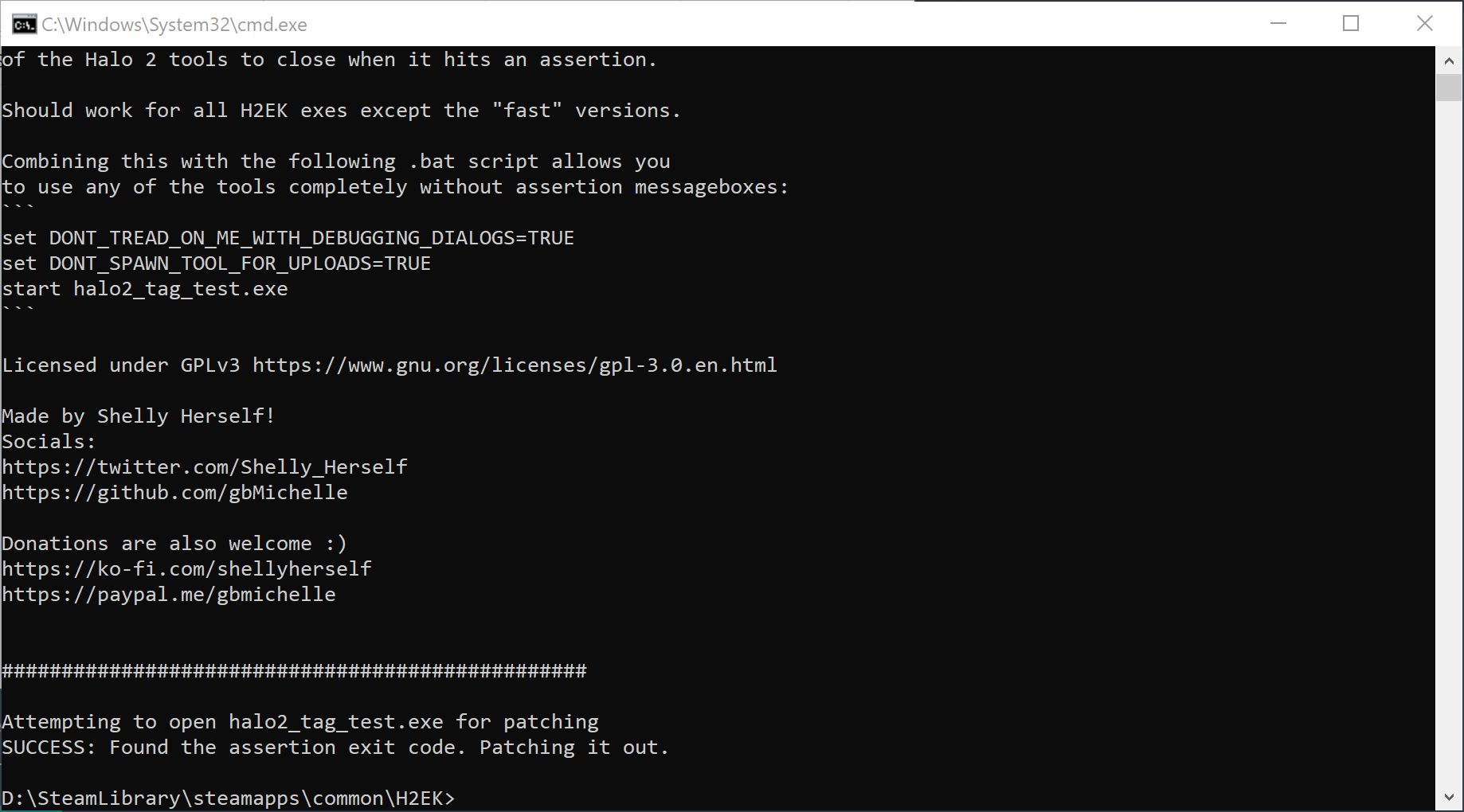
Once you are done with all four of those go ahead and close the cmd window. Navigate back to your H2EK directory. While holding the control key click tool.bat, tag_test.bat, sapien.bat and guerilla.bat as shown
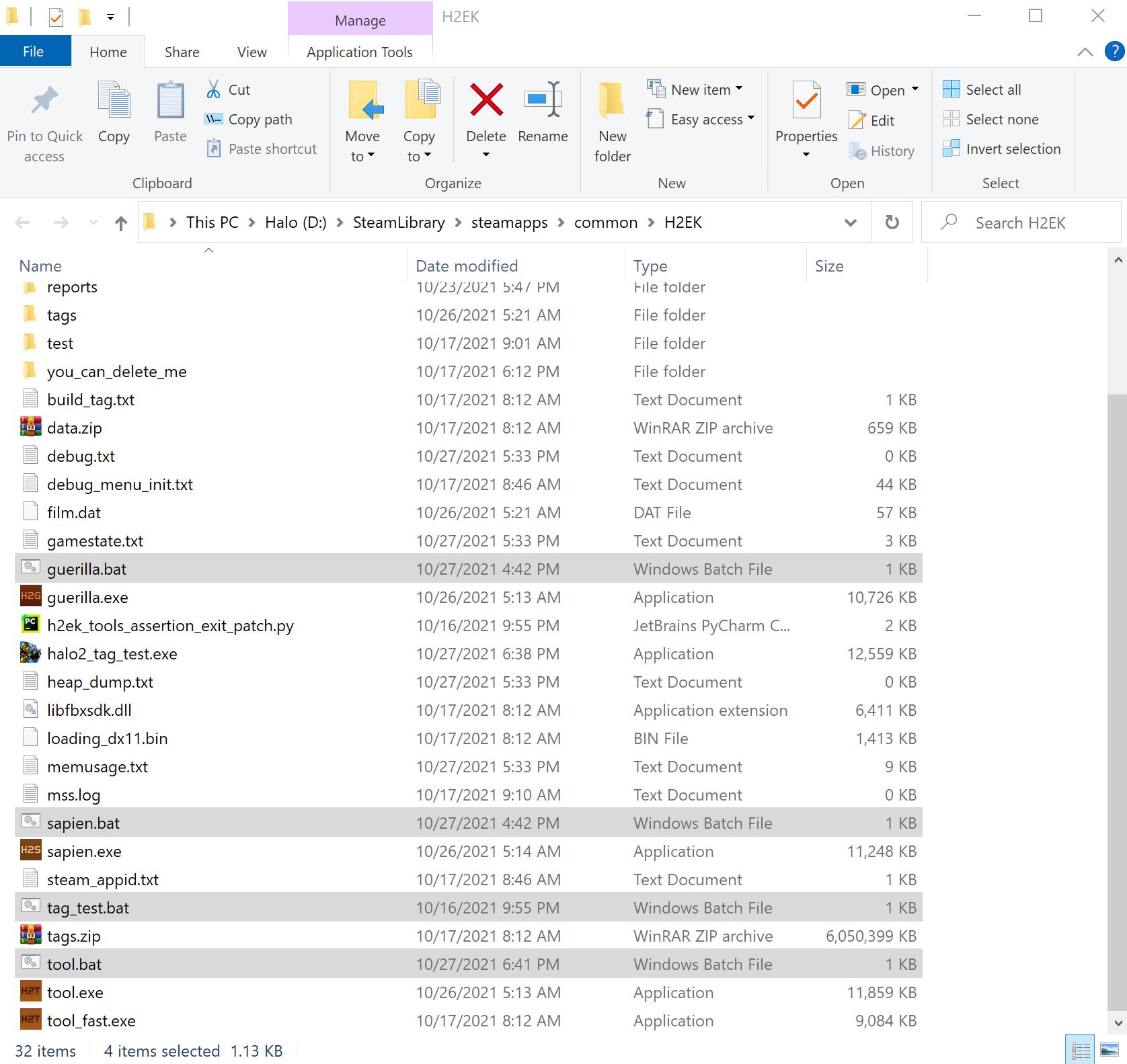
With all four selected right click and hover over send to, once the sub menu pops out click send to desktop. You should now have four icons on your desktop that look like this.
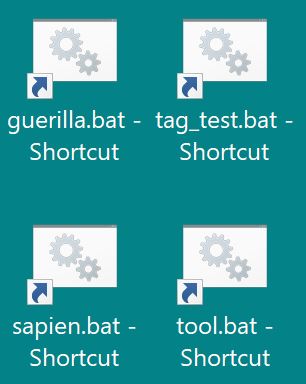
And that is it, your H2EK should now be patched and ready to roll. To launch the desired tool you must use either the desktop shortcuts or the .bat files themselves. Don't not launch the tools via steam as the .bat file will not run and the assertion error will still occur. Hopefully 343 will patch this soon and we will be able to launch via steam again.
If you need any help or the guide needs fixing feel free to reach out to me on discord my Id is CasJak#5065
- Halo Reach: Collectibles★ 5 (1.2k)33k views2.3k ♥9 minUpdated Jul 4, 2021
- Halo: Reach - Full Achievement Guide★ 5 (823)28k views1.7k ♥12 minUpdated May 9, 2025
- MCC - Master Achievement Guide (Complete)★ 5 (479)19k views1.2k ♥5 minUpdated Aug 8, 2020
- Halo Combat Evolved: Collectibles★ 5 (1k)17k views2k ♥8 minUpdated Nov 20, 2020
- Halo: Combat Evolved - Full Achievement Guide★ 5 (504)16k views1.1k ♥7 minUpdated Jun 2, 2022
- Golden Moa Location Guide★ 5 (476)13k views878 ♥13 minUpdated 28 Nov, 2021






- Upgrading to PremiumTeam Fortress 2★ 5 (20k)1441k views11k ♥6 minUpdated May 11, 2022
- No More Room in Hell Official ManualNo More Room in Hell★ 5 (2.8k)569k views2.1k ♥29 minUpdated Apr 22, 2019
- NMRiH Community Hosting GuidesNo More Room in Hell★ 5 (526)351k views653 ♥1 minUpdated Aug 10, 2022
- ULTIMATE GUIDE FOR GAME DEV TYCOONGame Dev Tycoon★ 5 (5.8k)326k views10k ♥4 minUpdated 23 Jan, 2014
- How to 'Git Gud' Soon™MORDHAU★ 5 (2k)318k views3k ♥68 minUpdated Nov 16, 2024
- Лучшие кооперативные игры SteamPAYDAY 2★ 5 (1.5k)315k views2.1k ♥56 minRussianUpdated Apr 27, 2025






This guide was created by its original author on the Steam Community. Are you the author and want it removed? Request removal.