How To Cap/Limit FPS
Intro
Currently I am using windows 11, so I am unsure if this guide will work on windows 10 and below.
This guide also only works on NVIDIA GPUs.
Comment to ask me any questions I may know the answer to.
Opening the app

Navigating To MCC
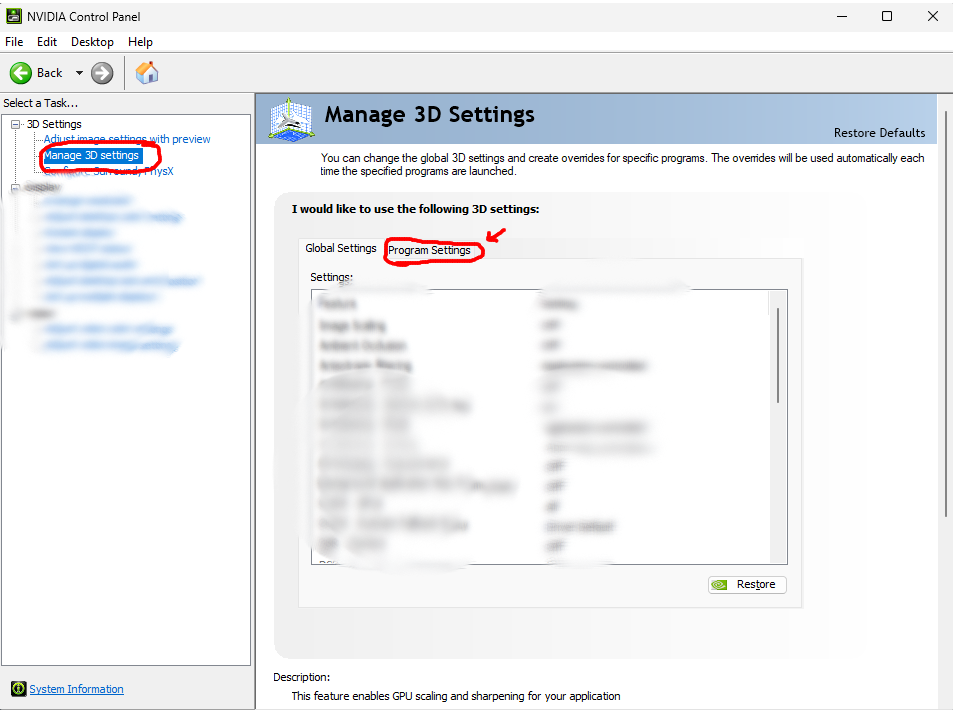
In order to get to the settings of MCC, you will need to click on "Manage 3D settings" on the left side of the app. Once there, click on "Program Settings" in the middle area of the app.
Once those steps are done, select the "Add" button in the menu below.
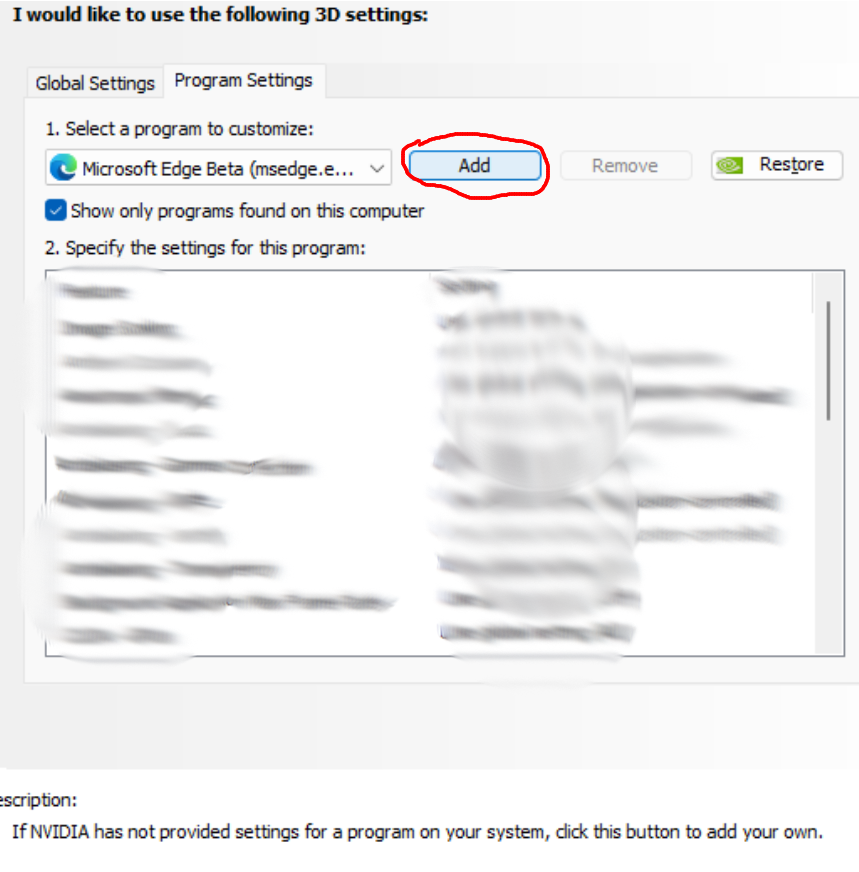
Find "Halo: The Master Chief Collection" and select it.
Changing FPS Limit
Once in the MCC menu, scroll down a bit and navigate to "Max Frame Rate".
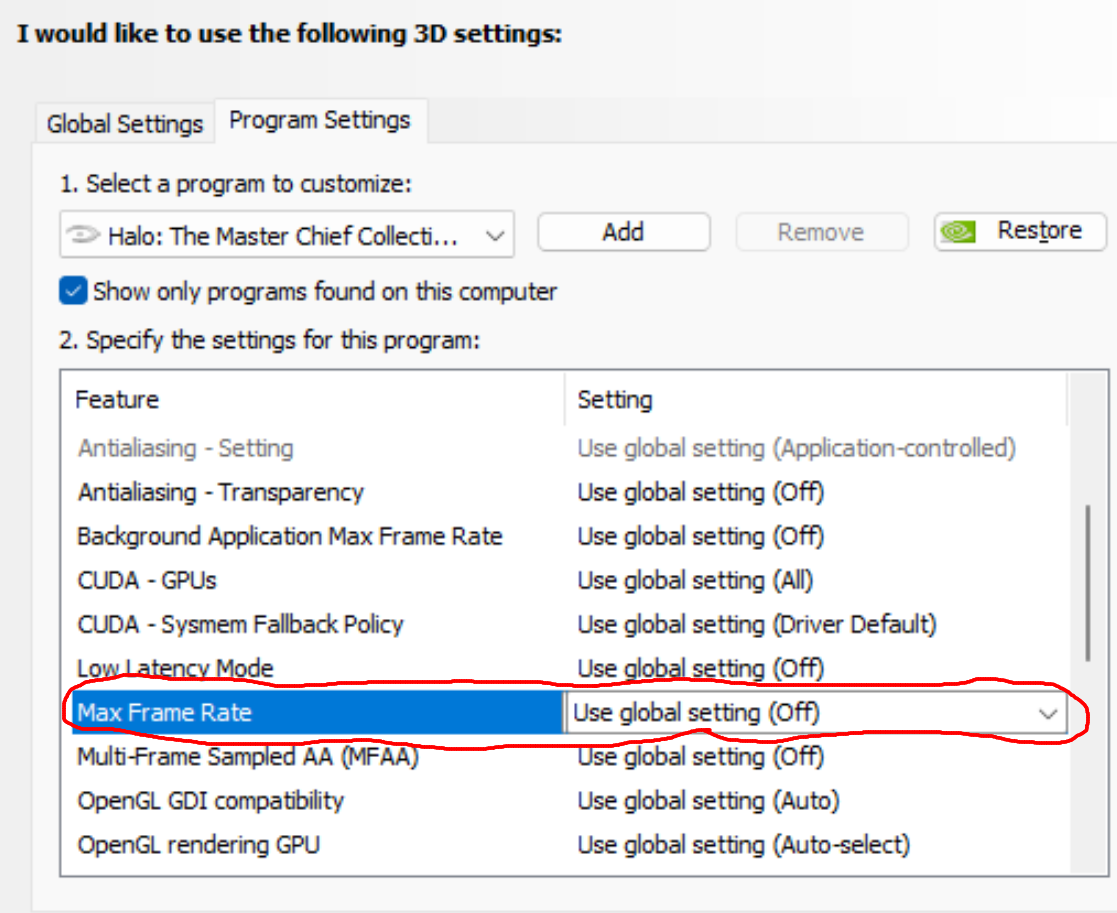
Once you select it, a window should pop up. Select the ON option.
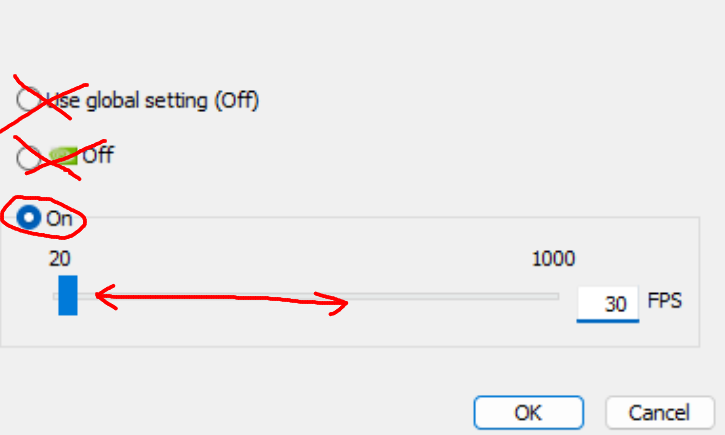
Now all you have to do is move the slider to get your desired framerate. Click "OK" and then "Apply".
Now your FPS should be limited to your choosing, thanks for reading, and I hope this helped!
- Halo Reach: Collectibles★ 5 (1.2k)33k views2.3k ♥9 minUpdated Jul 4, 2021
- Halo: Reach - Full Achievement Guide★ 5 (823)28k views1.7k ♥12 minUpdated May 9, 2025
- MCC - Master Achievement Guide (Complete)★ 5 (479)19k views1.2k ♥5 minUpdated Aug 8, 2020
- Halo Combat Evolved: Collectibles★ 5 (1k)17k views2k ♥8 minUpdated Nov 20, 2020
- Halo: Combat Evolved - Full Achievement Guide★ 5 (504)16k views1.1k ♥7 minUpdated Jun 2, 2022
- Golden Moa Location Guide★ 5 (476)13k views878 ♥13 minUpdated 28 Nov, 2021






- Upgrading to PremiumTeam Fortress 2★ 5 (20k)1441k views11k ♥6 minUpdated May 11, 2022
- No More Room in Hell Official ManualNo More Room in Hell★ 5 (2.8k)569k views2.1k ♥29 minUpdated Apr 22, 2019
- NMRiH Community Hosting GuidesNo More Room in Hell★ 5 (526)351k views653 ♥1 minUpdated Aug 10, 2022
- ULTIMATE GUIDE FOR GAME DEV TYCOONGame Dev Tycoon★ 5 (5.8k)326k views10k ♥4 minUpdated 23 Jan, 2014
- How to 'Git Gud' Soon™MORDHAU★ 5 (2k)318k views3k ♥68 minUpdated Nov 16, 2024
- Лучшие кооперативные игры SteamPAYDAY 2★ 5 (1.5k)315k views2.1k ♥56 minRussianUpdated Apr 27, 2025






This guide was created by its original author on the Steam Community. Are you the author and want it removed? Request removal.