DOOM MP Launch Test
01(fix start options) & 02 (update driver)
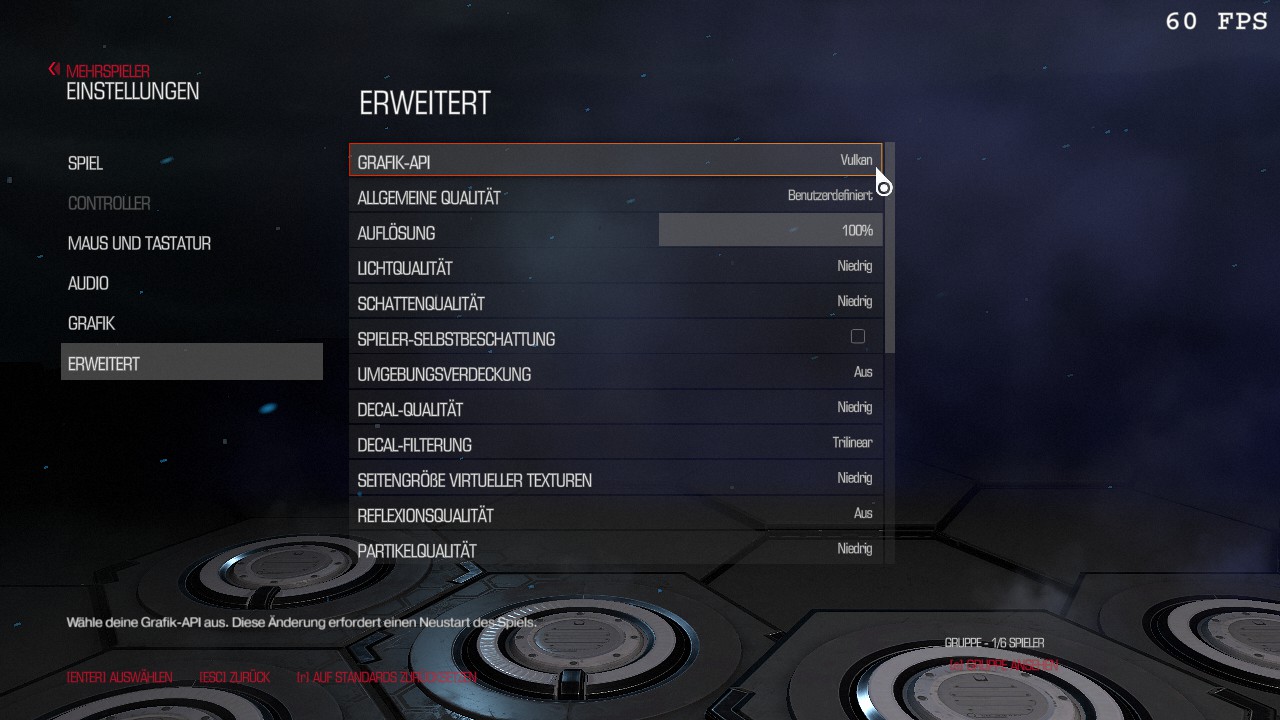
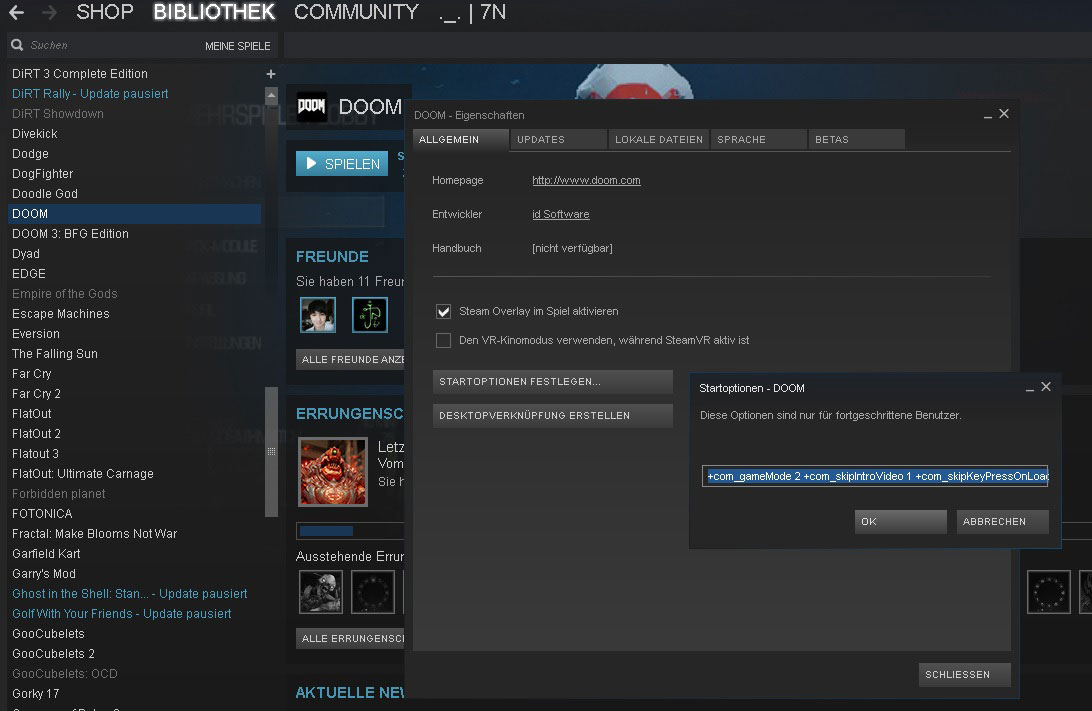 0. normal launch (fps) direct Vulkan mp 1070/1060 (750ti use Open GL)
 Start multiplayer mode
Skip intro video
Skip "press key to continue" //prompts
mouse lag fix m_smooth 0 & m_smoothing
+set m_smooth 0(default).to.1 +set m_smoothing 0...1.to.8 1. user launch (fail safe) Open GL
- screenshots
E:\Steam\userdata\12345678\760\remote\379720\screenshots
03 videos
- help videos
download last nvidia driver 4r doom4 (min version 364.51)
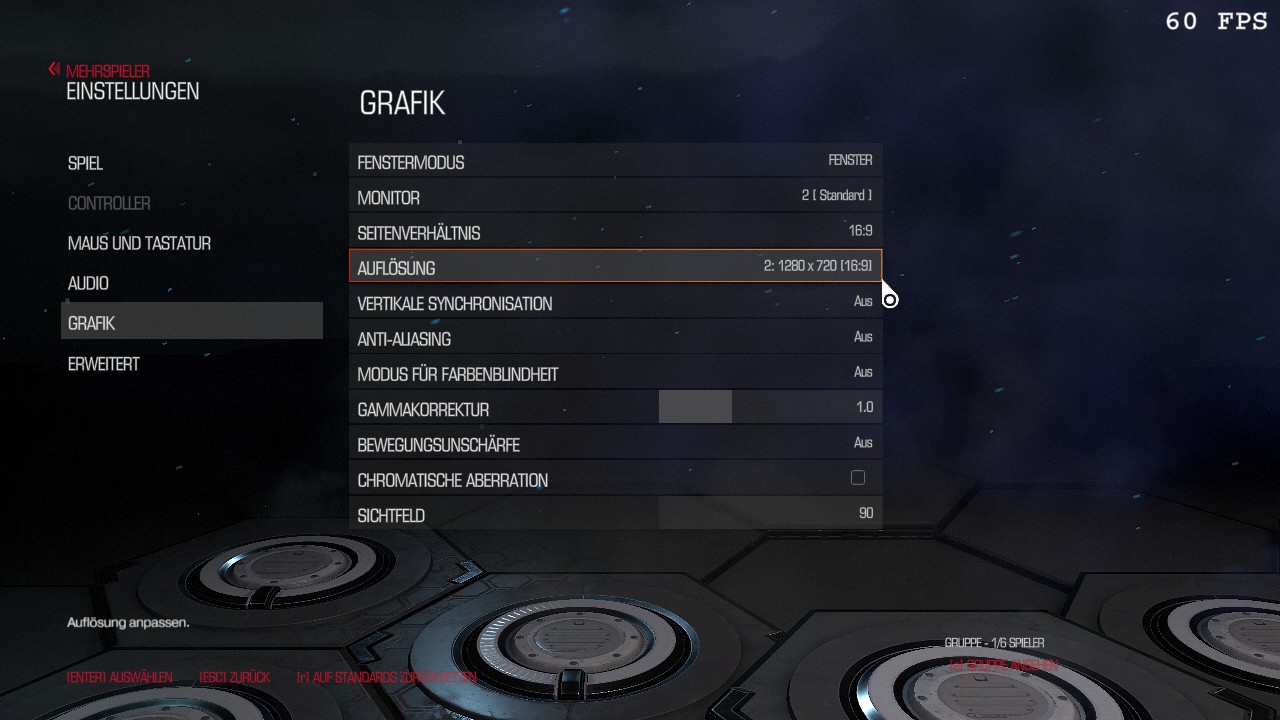
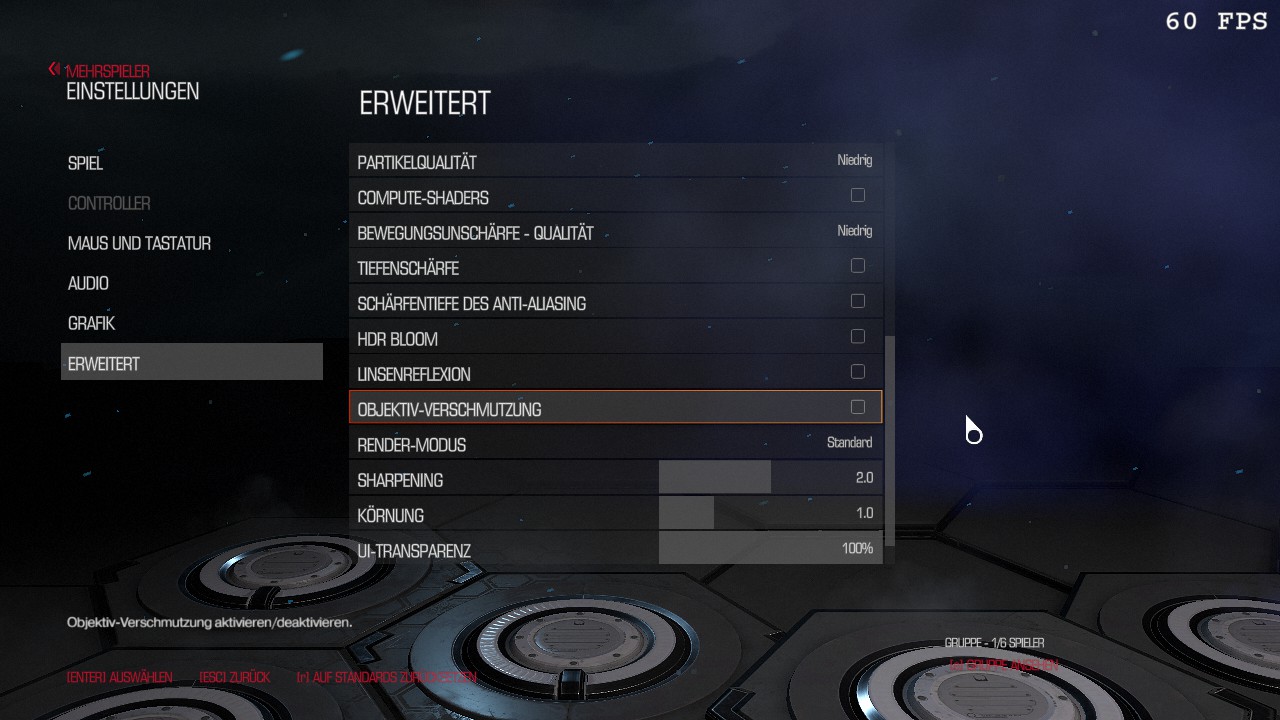
more info detail grafik settings (800x600 4:3 vulkan min)
console and set launch options
04 user cfg
E:\Steam\steamapps\common\DOOM\DOOMx64.exe +r_renderAPI 0
^^you can restore DOOM to work by disabling Vulkan and returning to OpenGL as the rendering API.
Navigate to config file:
C:\Users\<YOURNAME>\Saved Games\id Software\DOOM\base\DOOMConfig.local
Edit line:
r_renderAPI "1" //Vulkan
to
r_renderAPI "0" //Open GL 4.5
C:\Users\serveradmin\Saved Games\id Software\DOOM\base\DOOMConfig.cfg05 reloadable cfg
use startoption +set com_allowconsole 1
bind "^" "toggleconsole" // links neben 1 - console
bind ~ "toggleconsole"
bind "`" "toggleconsole"
exec d4.cfg
not working use ingame option
06 last test user cfg d4
exec d4.cfg
07 status
test1
win7 ultimate
120gb ssd
1tb hdd
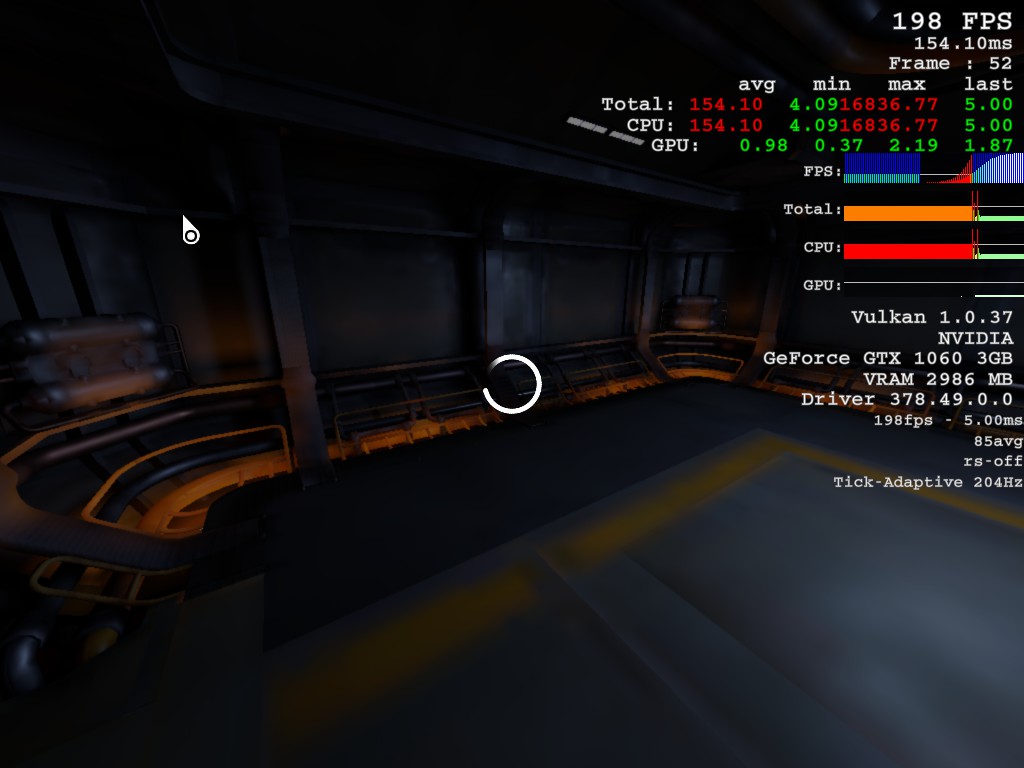
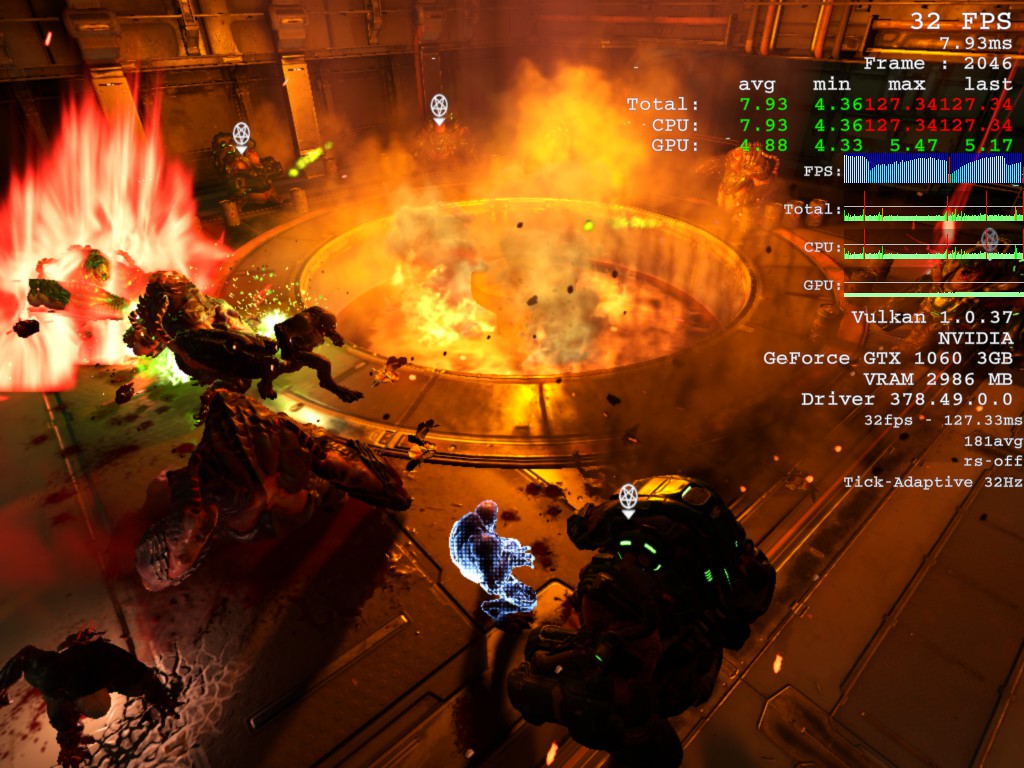
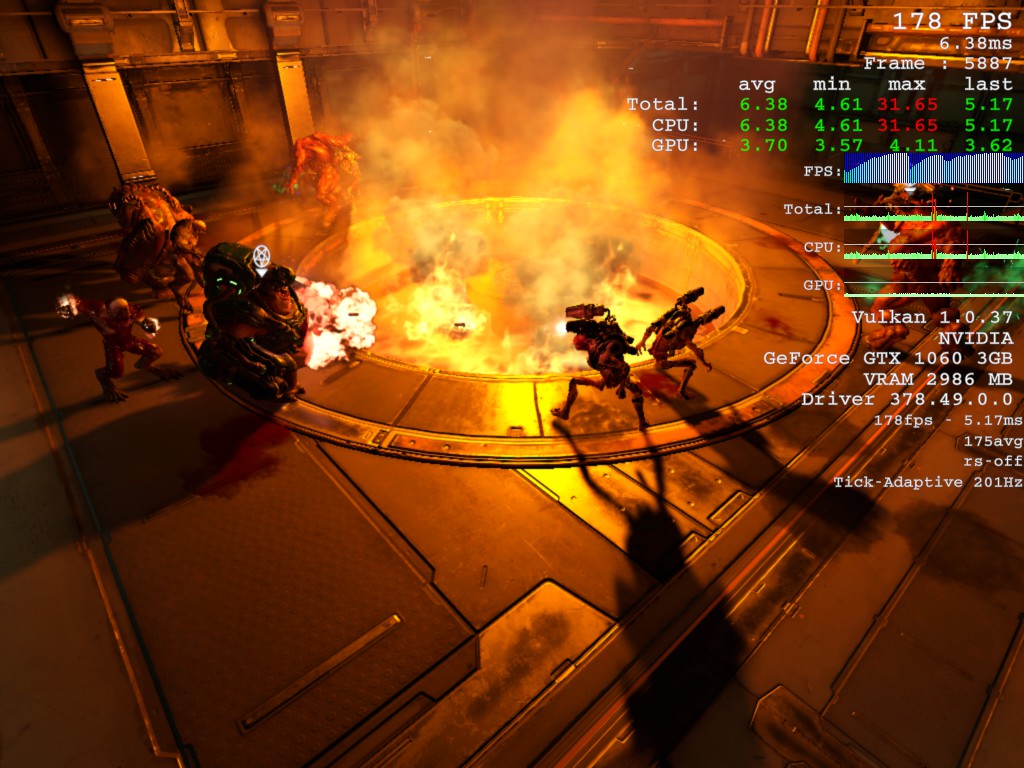
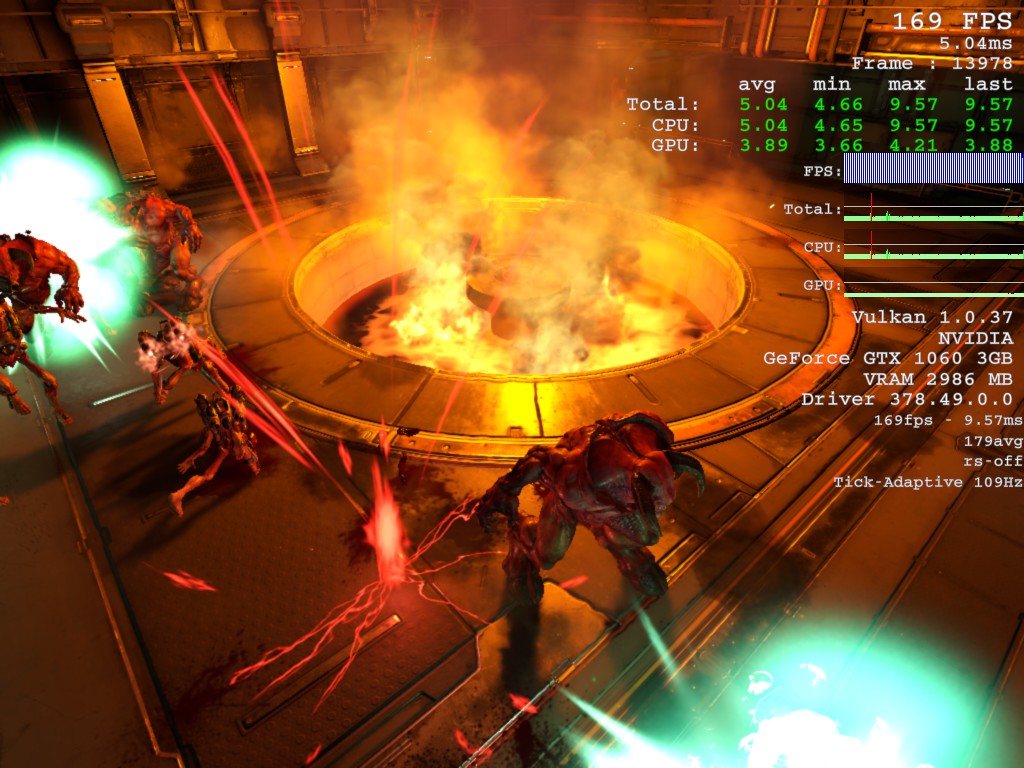
gtx1060 @ 1024x768 4:3 / 1280x720 16:9
(switch gtx 750 ti 4gb to gtx 1060 3gb)
render vulkan
driver 378.49
on Snapmap #benchmark with ..stabil [blut+rocket] ca.140-200fps
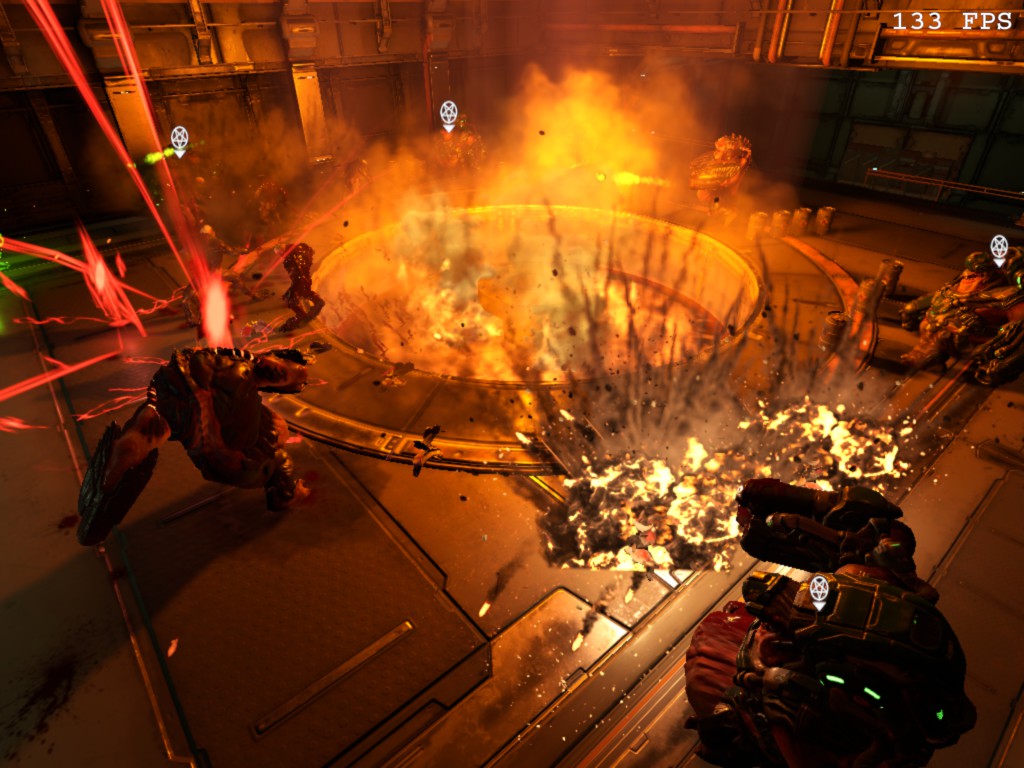
https://www.youtube.com/watch?v=H-UiJkL33Y8 +set com_allowconsole 1
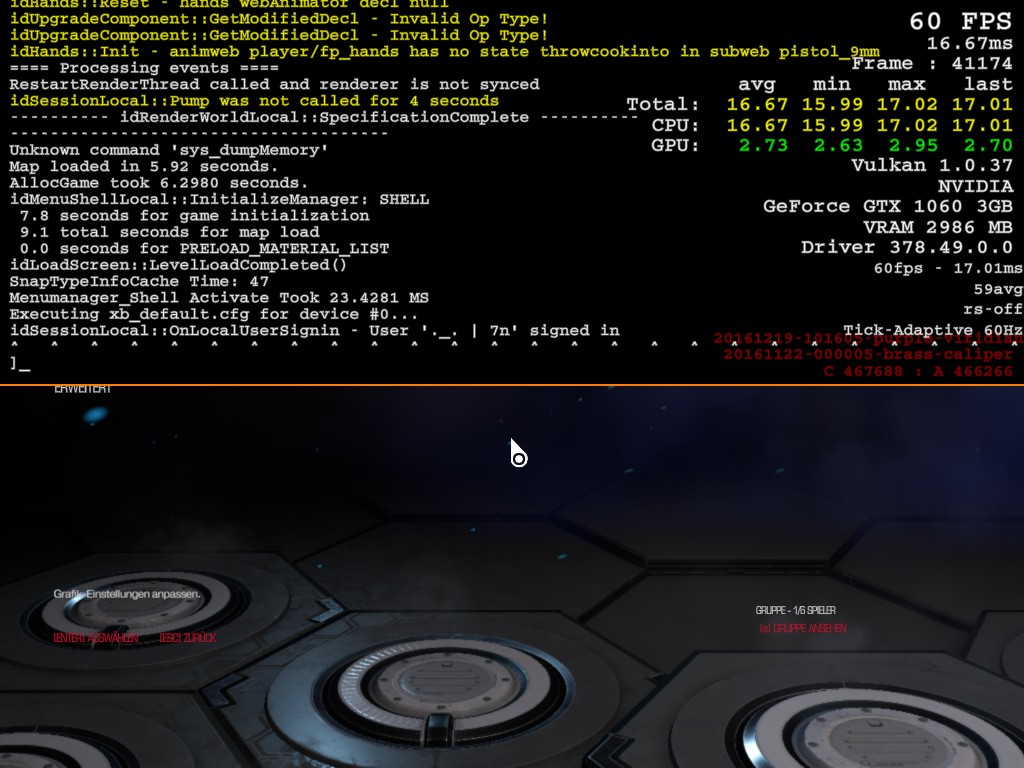
test2
+com_gameMode 2 +com_skipIntroVideo 1 +com_skipKeyPressOnLoadScreens 1 +set m_smoothing 0 +set m_smooth 0 +set com_allowconsole 1
m_smooth 0
m_smoothing 0
sensitivity 1.7-2.3/2.9 3.3-3.9
4:3 1024x768 alt+enter
Simply press ALT+ENTER before you ALT+TAB.
This instantly switches the game from fullscreen mode into windowed,
and for some reason this works better with ALT+TAB.
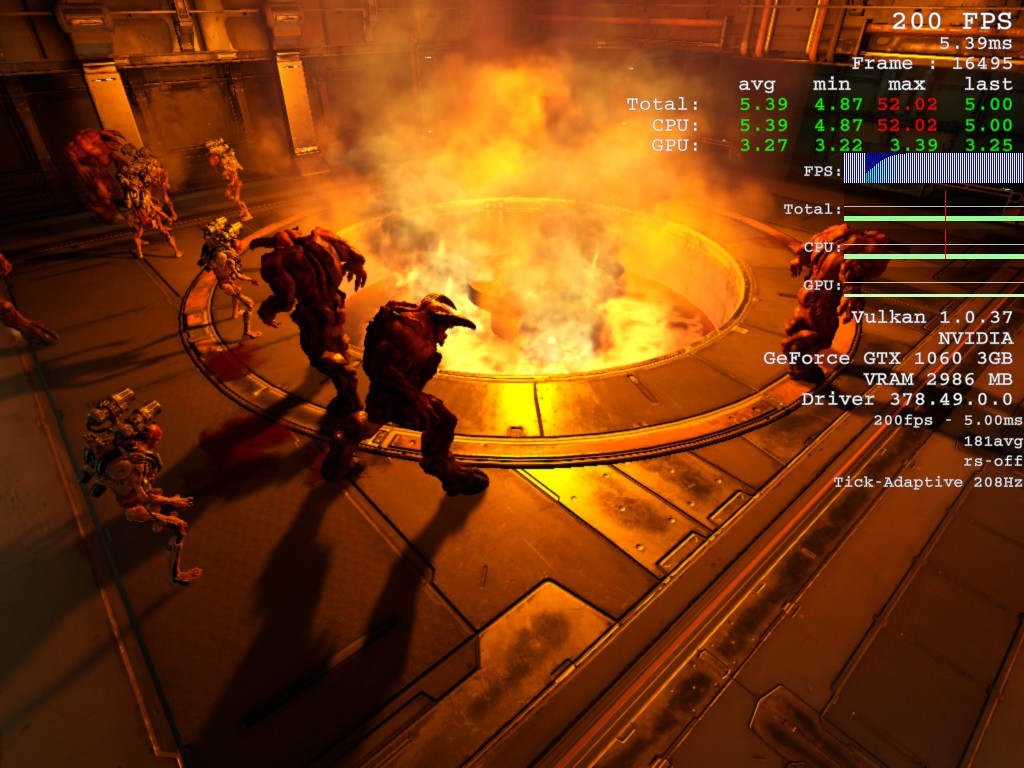
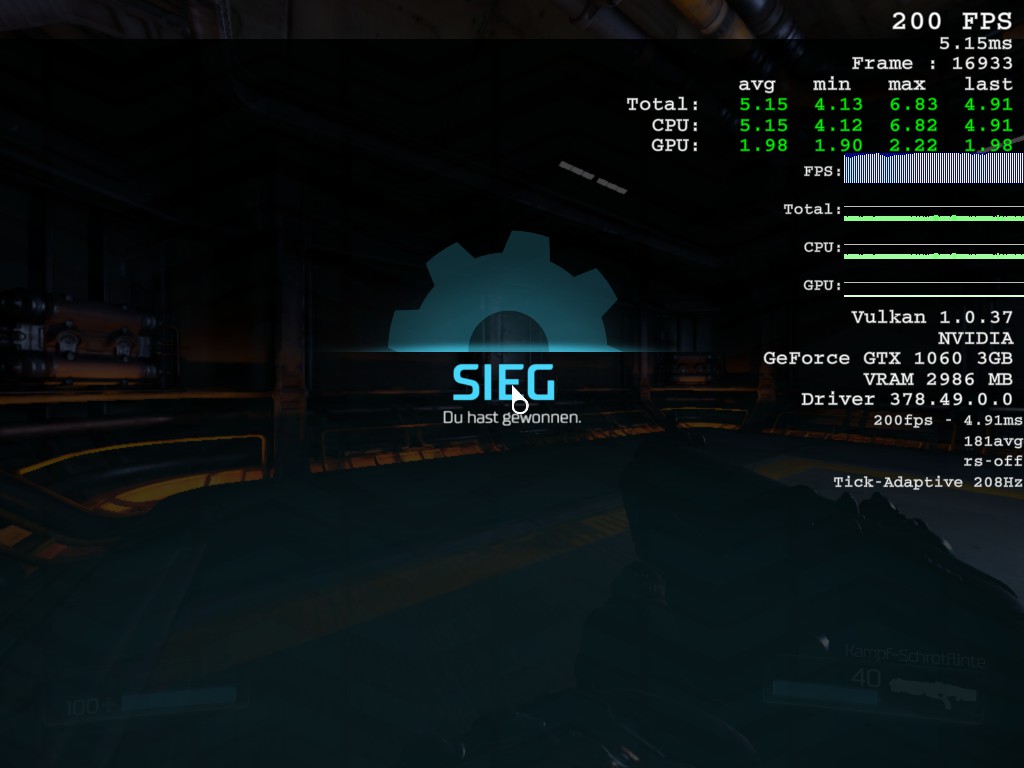
08 test video card 1060 vulkan
- Test
Asus 6gb 1060 + 1st pc i5 7600 3,5Ghz DDR4-2400 CL15 8gb (2x4gb)(ca.189fps)
vs
Palit 3GB 1060 + 2nd pc i5 4690 3,5Ghz DDR3-CL9 8gb (2x4gb)(ca.181fps)
i5 7600 3,5Ghz DDR4-2400 8gb (2x4gb dual) and Palit 3GB 1060
i5 4690 3,5Ghz DDR3- 8gb (2x4gb) and Asus 6gb 1060 test
avg fps 180
max cap 200
impack blood min min 70 min 140
main time 200fps with very low drops to 160 170 180 fps
test both card´s because 750 ti 2gb impack blood min min 30fps
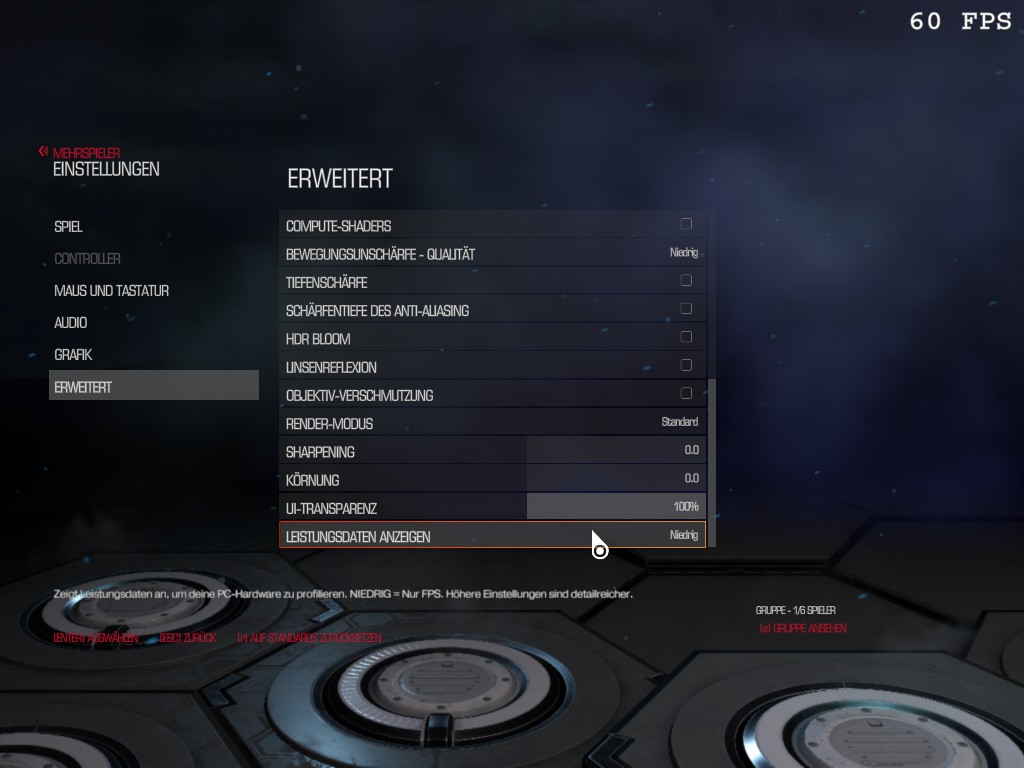
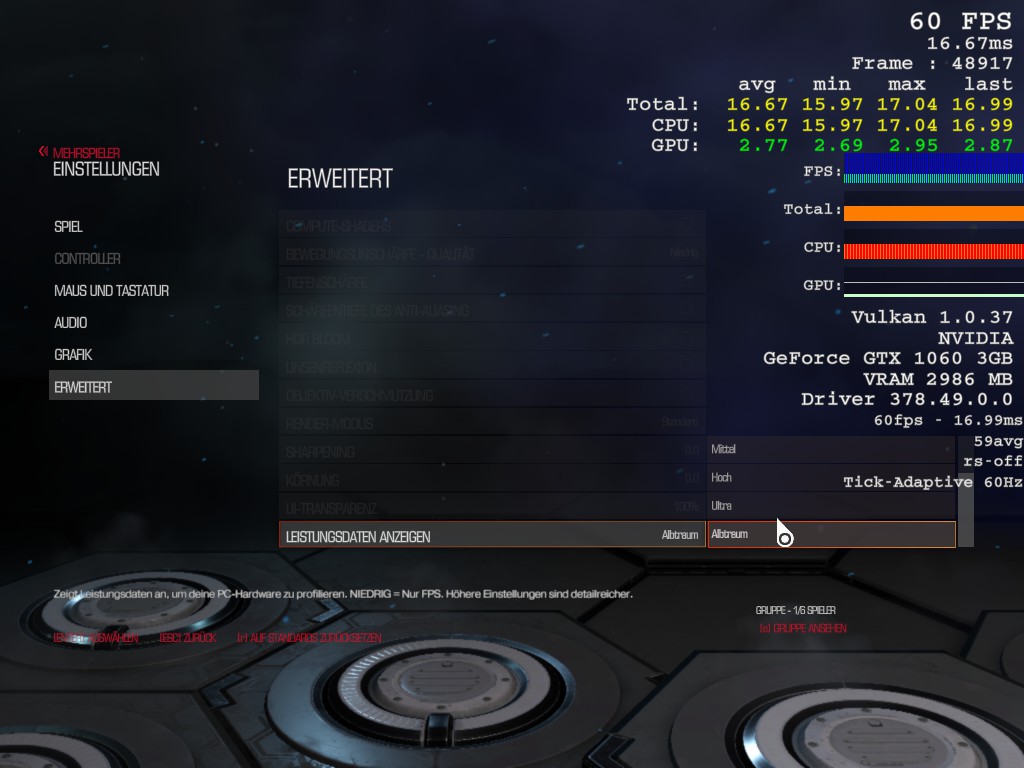
Leistungsdaten Anzeigen - show the avg fps on the snapmap #benchmark
http://steamcommunity.com/sharedfiles/filedetails/?id=876068680
Only Show Niedrig(simple) and Com_showFPS 2 - avg fps on TDM match
http://steamcommunity.com/sharedfiles/filedetails/?id=876127207
Palit 3GB 1060 + i5 7600 3,5Ghz DDR4-2400 CL15 8gb (2x4gb)(ca.180fps)
vs
Asus 6gb 1060 + i5 4690 3,5Ghz DDR3-CL9 8gb (2x4gb)(ca.190fps)
https://www.twitch.tv/videos/128622051
- Test Mmh. :accat: .........soon gtx1070 + i5 7600K bench.... obs
+r_mode 720p HD 1080p Full HD twitch obs test ...60-120fps
09 test video card 1070 vulkan

r_mode 16 (1920x1080[16:9]) setting vulkan + ultra ...avg 157-200fps

r_mode 6 (1280x720[16:9]) setting vulkan + low ...avg 197-200fps

r_mode 4 (1024x768[4:3]) alt+ tab test 01 setting vulkan + low ...avg 198-200fps

private tdm test bots 1st glorykill and then dosen´t despawn
the 3 next spawn of the bot , after deads then despawn all
test end 27.03.17
1-10 level guide

Select Weaponset: Storm (RL,PG,Nade) + Demon (later Baron)

switch to PlasmaGun and spam it to enemys
(on a pool of enemys sec. PlasmaGun Fire & or Nade)
finish the rest with the RocketLauncher (direct 60 or buttom 40/34)
restock ammo and healh(blue) if u ♥<50-70% & collect other items (later rune: magnet)
play 1st cat-style means around ur team (refacts) collect items

2nd dog-style tdm follow ur team

- DOOM Written Guide/Walkthrough for all secrets on each mission including Doomguy locations.★ 5 (4.8k)101k views9.3k ♥45 minUpdated 22 May, 2025
- DOOM 100% Achievement Guide★ 5 (1.5k)65k views2.8k ♥19 minUpdated 30 Nov, 2023
- Все секреты★ 5 (2.8k)54k views4.8k ♥14 minRussianUpdated 6 Jan, 2022
- DOOM Secrets & Collectibles★ 5 (1.2k)49k views2.1k ♥4 minUpdated 4 Dec, 2022
- Secret Doom Classic Level Locations + Easter Eggs★ 5 (1.5k)47k views2.1k ♥13 minUpdated 29 Jan, 2021
- Как уменьшит объем игры(лайфхак)?★ 5 (729)44k views343 ♥1 minRussianUpdated 25 May, 2017




- Upgrading to PremiumTeam Fortress 2★ 5 (20k)1441k views11k ♥6 minUpdated May 11, 2022
- No More Room in Hell Official ManualNo More Room in Hell★ 5 (2.8k)569k views2.1k ♥29 minUpdated Apr 22, 2019
- NMRiH Community Hosting GuidesNo More Room in Hell★ 5 (526)351k views653 ♥1 minUpdated Aug 10, 2022
- ULTIMATE GUIDE FOR GAME DEV TYCOONGame Dev Tycoon★ 5 (5.8k)326k views10k ♥4 minUpdated 23 Jan, 2014
- How to 'Git Gud' Soon™MORDHAU★ 5 (2k)318k views3k ♥68 minUpdated Nov 16, 2024
- Лучшие кооперативные игры SteamPAYDAY 2★ 5 (1.5k)315k views2.1k ♥56 minRussianUpdated Apr 27, 2025






This guide was created by its original author on the Steam Community. Are you the author and want it removed? Request removal.