PZ Dedicated Server Mod Manager (PowerShell)
PZ Dedicated Server Mod Manager (PowerShell) — sub to everything, then weed out what won't work before it hits your server
PZ Dedicated Server Mod Manager (PowerShell) — sub to everything, then weed out what won't work before it hits your server
What this is:
The idea: subscribe to whatever mods you want on Steam, let them download, and let this tool sort out what's actually safe to run before you touch your server config — instead of manually vetting each one, adding them blind, and finding out something's broken or incompatible after your server's already up. It's built around your locally installed Workshop mods (whatever's actually downloaded on disk), not your live Steam subscriptions or the Workshop API. It only reads those files; it never modifies, deletes, or writes to any mod file. The only thing it writes to is your clipboard, when you use a "Copy" button.
Auto-generate a Workshop ID list straight from your locally installed mods, or just paste in your own list of Workshop IDs — either way works.
General tasks it helps with:
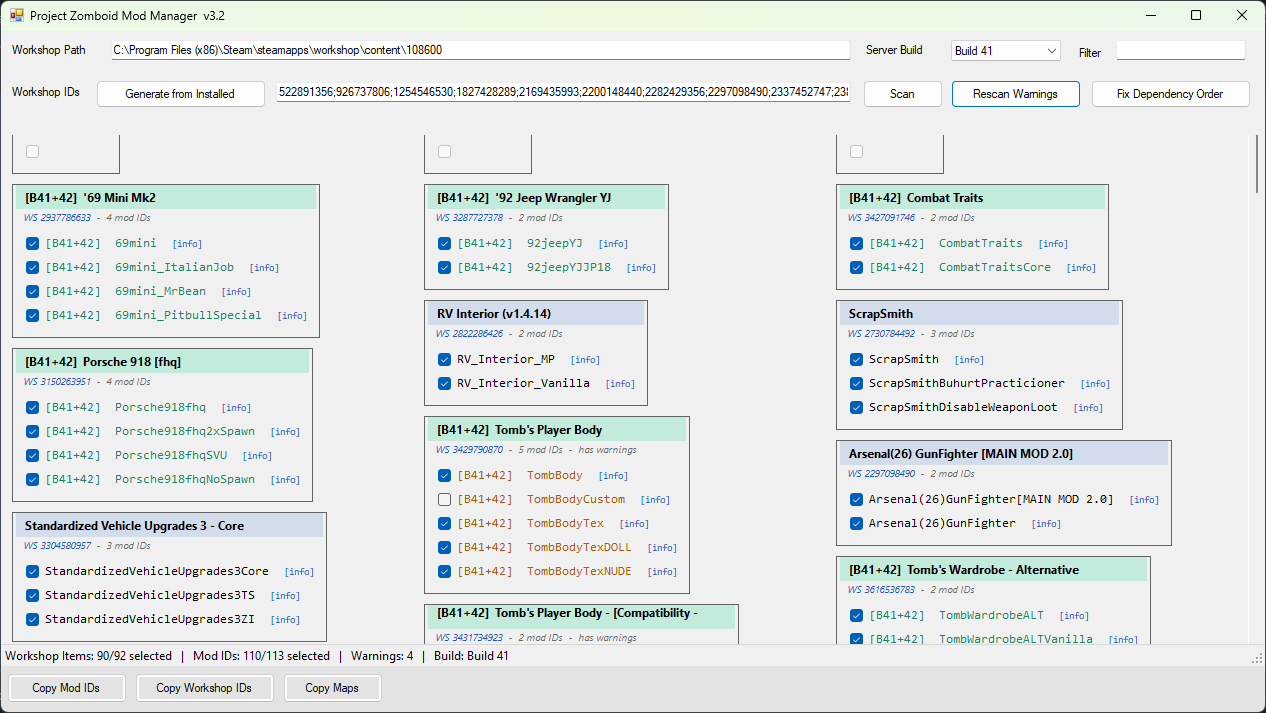
- Scans a big pile of Workshop IDs and organizes what's actually installed — each item's real mod ID(s), title, and dependencies, pulled straight from the files
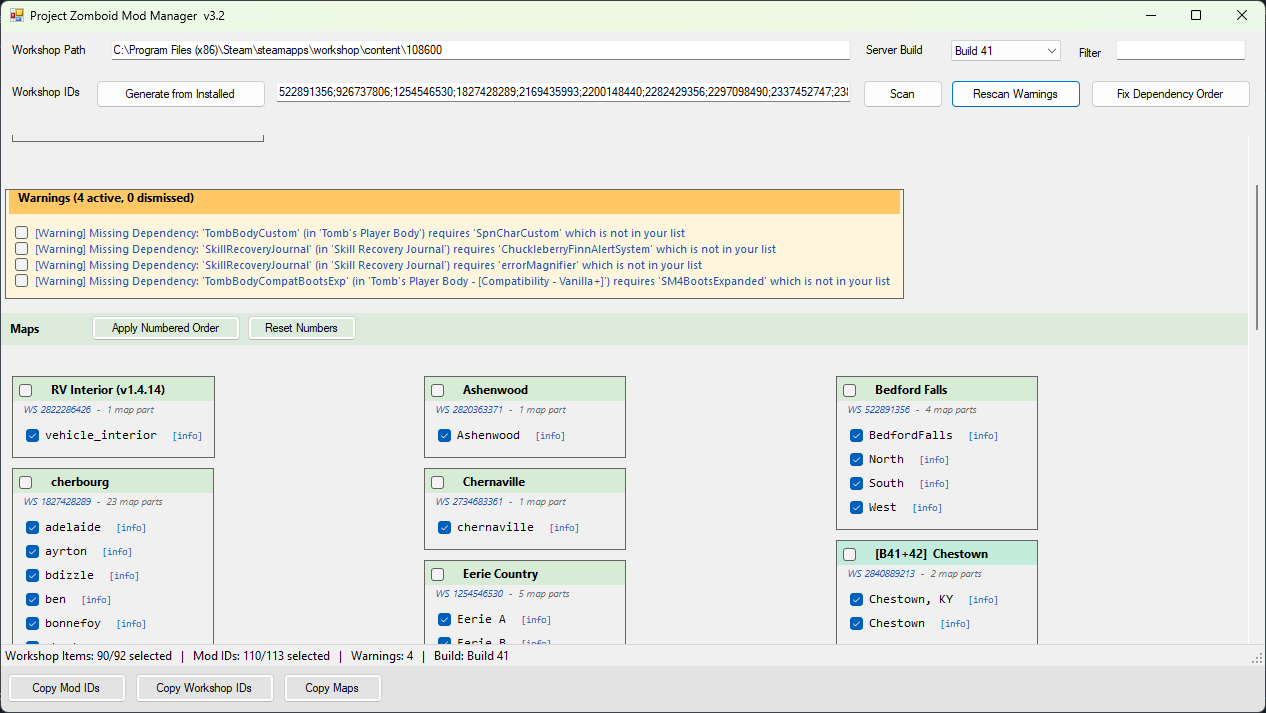
- Flags missing dependencies and Build 41/42 conflicts automatically, so you catch broken/incompatible mods before they ever go in a server config
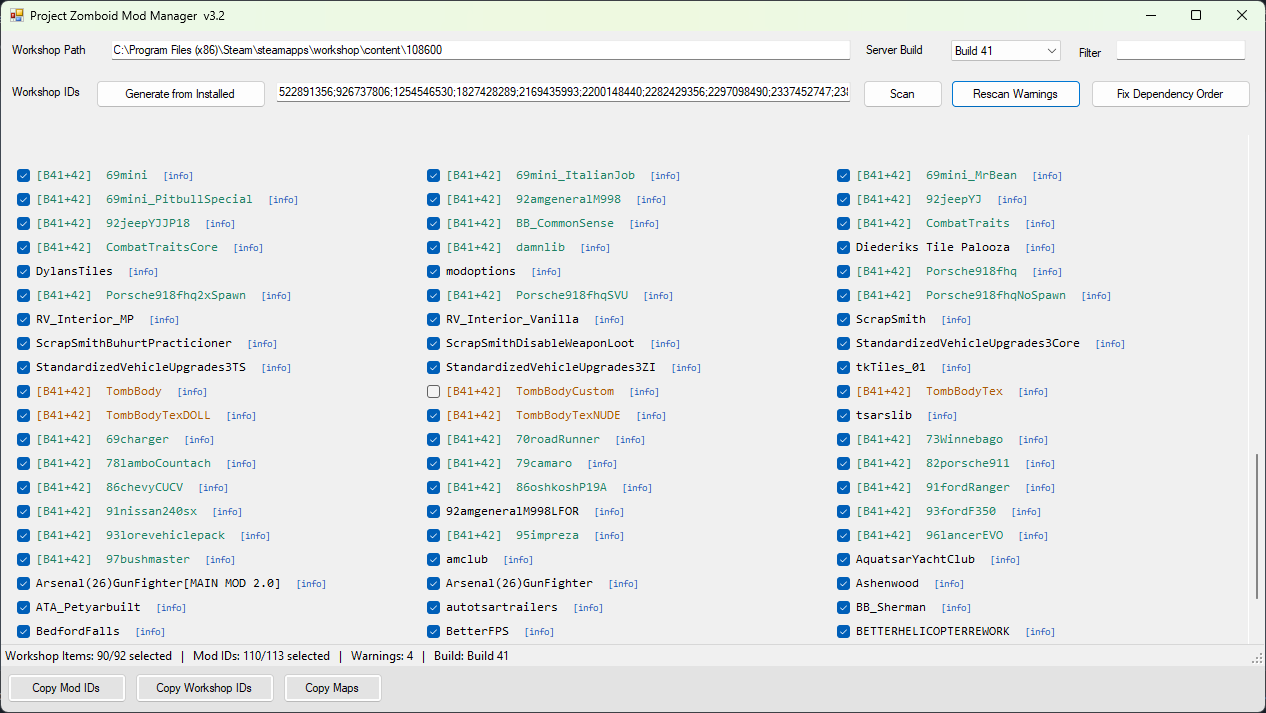
- Lets you individually enable/disable specific parts of a mod, not just the whole Workshop item — some mods bundle multiple mod IDs (textures, compatibility patches, optional variants) and you can toggle each one on/off separately
- Builds the exact Mods=, WorkshopItems=, and Map= lines your server config needs, one click to copy each
Mod load order vs. map load order — these are separate, handle them differently:
- For regular mods, there's a one-click "dependency order" button that automatically sorts your mod list so anything another mod depends on loads first. This only touches mod order — it never reorders your maps.
- Map load order is not automated on purpose (map cell overlap/priority is something only you know the right order for), but it's not manual guesswork either — each map has a small number badge you click in the order you want them, and a button applies that exact sequence to the Map= list.
The other manual step this tool is built to support, not replace:
For mods that bundle multiple mod IDs, checking the actual Workshop page for compatibility notes and load-order requirements is still on you — the tool doesn't read Steam's mod description text. What it does do is give every card and mod ID a clickable link straight to that Workshop page by its ID, so you're never digging through your subscriptions to find the right one.
Where it actually matters — large mod lists:
This is built for people subbing to 50, 100+ mods and needing to figure out which ones actually belong together, not 5. Doing that vetting by hand — checking every dependency, every build tag, every conflict — is genuinely painful and error-prone at that scale, and it's exactly the kind of thing that's easy to get wrong reading through a server config by eye. This tool does that weeding-out pass automatically against what's really installed, so you're only left with the parts that actually need a human: the map order, and reading through Workshop pages for anything the tool flags.
Built with AI:
This was built with Claude (Anthropic's AI) doing the actual coding, based on my specs and a long back-and-forth of testing and bug reports. I'm not a programmer — wanted to be upfront about that since you're running this on your own machine.
Requirements:
Windows with PowerShell 5.1 (built into Windows already — no install needed). No admin rights required.
About the Windows security warning:
When you download a .ps1 file, Windows tags it as coming from the internet ("Mark of the Web"), which is why it may warn you or block it from running, and why some guides tell you to "unblock" the file or change your execution policy. If you'd rather not do that: just open the link below, select all, copy, paste it into Notepad, and save it yourself as a .ps1 file. A file you create locally that way doesn't carry that internet flag, so it runs without needing to touch any security settings.
Download (raw script, plain text): https://pastebin.com/raw/pn7bySg7
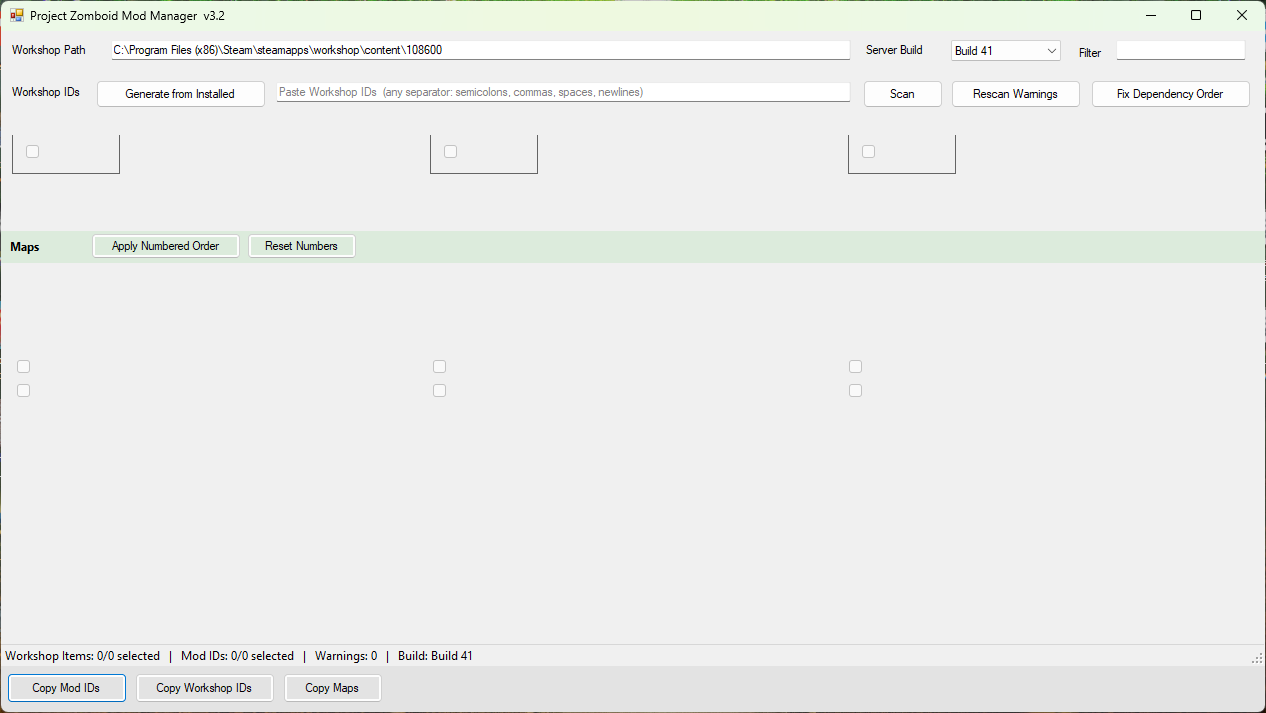
This is still early — looking for server admins with real, messy mod lists to stress-test it. Bug reports with specifics (what you clicked, what you expected, what happened, a screenshot if it's visual) help a lot, since I'm relying on AI to make the actual fixes. Blank checkboxes and other blank/empty-looking areas in the screenshots are intentional spacing, not a bug — they keep the layout from clipping at the top/bottom of each section.
- Modding Policy★ 5 (397)133k views208 ♥9 minUpdated Nov 8, 2022
- 80 tips and tricks for Project Zomboid (If you have over 100 hours in this game some of these will probably be new to you too)★ 5 (1.6k)82k views3.1k ♥28 minUpdated Aug 29, 2021
- Топ 100 лучших модов на "project zomboid"★ 5 (415)68k views1.1k ♥10 minRussianUpdated Jul 28, 2024
- [B41] Лучшие места для базы★ 5 (477)61k views1.3k ♥6 minRussianUpdated Nov 30, 2025
- Первая помощь ❤★ 5 (628)49k views1.4k ♥5 minRussianUpdated Jan 20, 2025
- The Basics of Base Building★ 5 (704)48k views1.5k ♥17 minUpdated Dec 24, 2021





- Upgrading to PremiumTeam Fortress 2★ 5 (20k)1441k views11k ♥6 minUpdated May 11, 2022
- No More Room in Hell Official ManualNo More Room in Hell★ 5 (2.8k)569k views2.1k ♥29 minUpdated Apr 22, 2019
- NMRiH Community Hosting GuidesNo More Room in Hell★ 5 (526)351k views653 ♥1 minUpdated Aug 10, 2022
- ULTIMATE GUIDE FOR GAME DEV TYCOONGame Dev Tycoon★ 5 (5.8k)326k views10k ♥4 minUpdated 23 Jan, 2014
- How to 'Git Gud' Soon™MORDHAU★ 5 (2k)318k views3k ♥68 minUpdated Nov 16, 2024
- Лучшие кооперативные игры SteamPAYDAY 2★ 5 (1.5k)315k views2.1k ♥56 minRussianUpdated Apr 27, 2025






This guide was created by its original author on the Steam Community. Are you the author and want it removed? Request removal.