Friendly Starter Tutorial
Intro
Purpose of a Squad. How to join an existing squad or create your own.
While you're just getting familiar with the game, my advice is to avoid creating squads yourself and instead join existing ones.
- Infantry squads (Inf)
- Mechanized squads (Mech)
Infantry squads primarily focus on capturing points on the map, while mechanized squads engage enemy vehicles or provide support to friendly infantry.
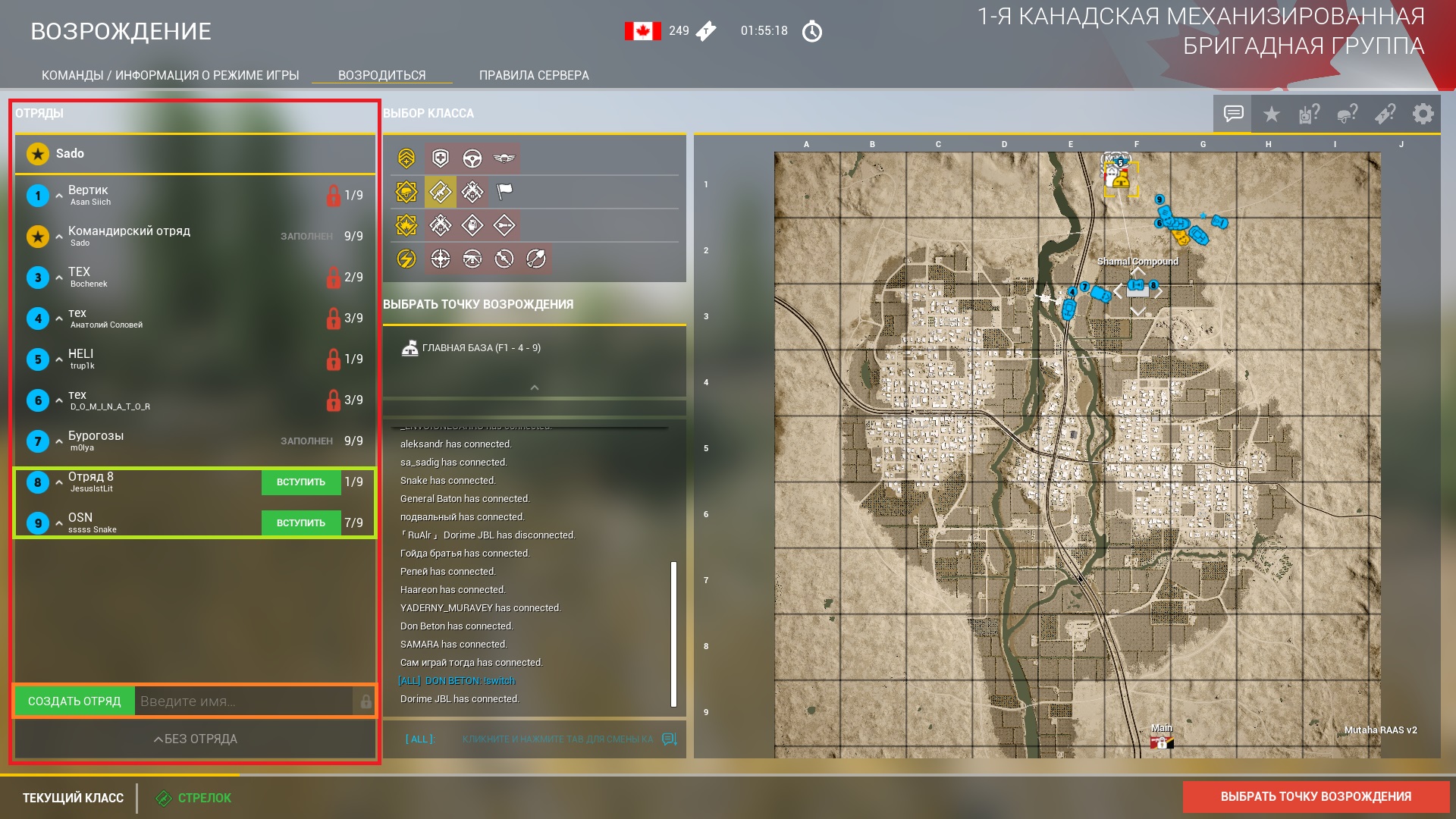
On the left side of the screen, you’ll see a list of all squads in your team. [red highlight]
To join a squad, click the "JOIN" button (green, in the squad list). [green highlight]
To create your own squad, click the "CREATE SQUAD" button (green, in the bottom-left corner of the screen). [orange highlight]
💡You can name your squad by typing a custom name in the input field next to the squad creation button. If no name is entered, the squad will be given a default name based on its creation order (e.g., "Squad 5").
⚠️To emphasize again: If you're a new player, it’s highly recommended to join someone else’s squad (based on your preference—Inf or Mech).
Class Categories. Choosing Your Role.
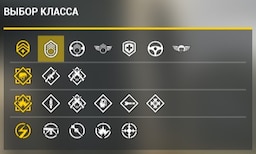 After joining a squad, you need to choose a class from the available groups.
Classes are divided into several groups:


- Command and Support
- Basic Classes
- Fire Support Classes
- Specialist Classes
💡When first learning the game, a simple Rifleman (found in the first position of Basic Classes group) or Medic (found in the fourth position of Command and Support group) will be sufficient.
Respawn Locations: Main Base, HAB (Spawn Bunker), Rally Point
At the very beginning of the match, there's only one available spawn point - the Main Base.
The game provides three types of spawn points:
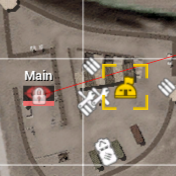
- Main Base. The Main Base marker on the map appears as a semicircular barracks with a flag on the roof.
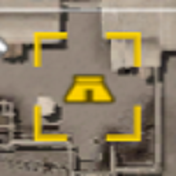
- HAB (Spawn Bunker). The HAB marker on the map looks like a trapezoidal hut.
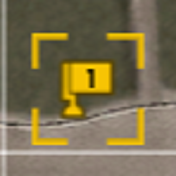
- Rally Point. The rally point marker appears as a flag with the squad number in its center.
💡Don't rush to respawn - check with your Squad Leader about the optimal spawn location if you're joining an ongoing match.
HAB (Spawn Bunker)
To establish a HAB, you first need to place a FOB (Forward Operating Base). This requires construction resources ("Build") and infantry support (1-8 players) to complete.
Let's go through the process step by step:
First, you need construction materials ("Build"). Without them, you can't place a HAB. These materials can be transported via vehicles like Supply Trucks ("Supply") or Helicopters.
Once you reach the desired location with construction resources in your vehicle, you can place the FOB.
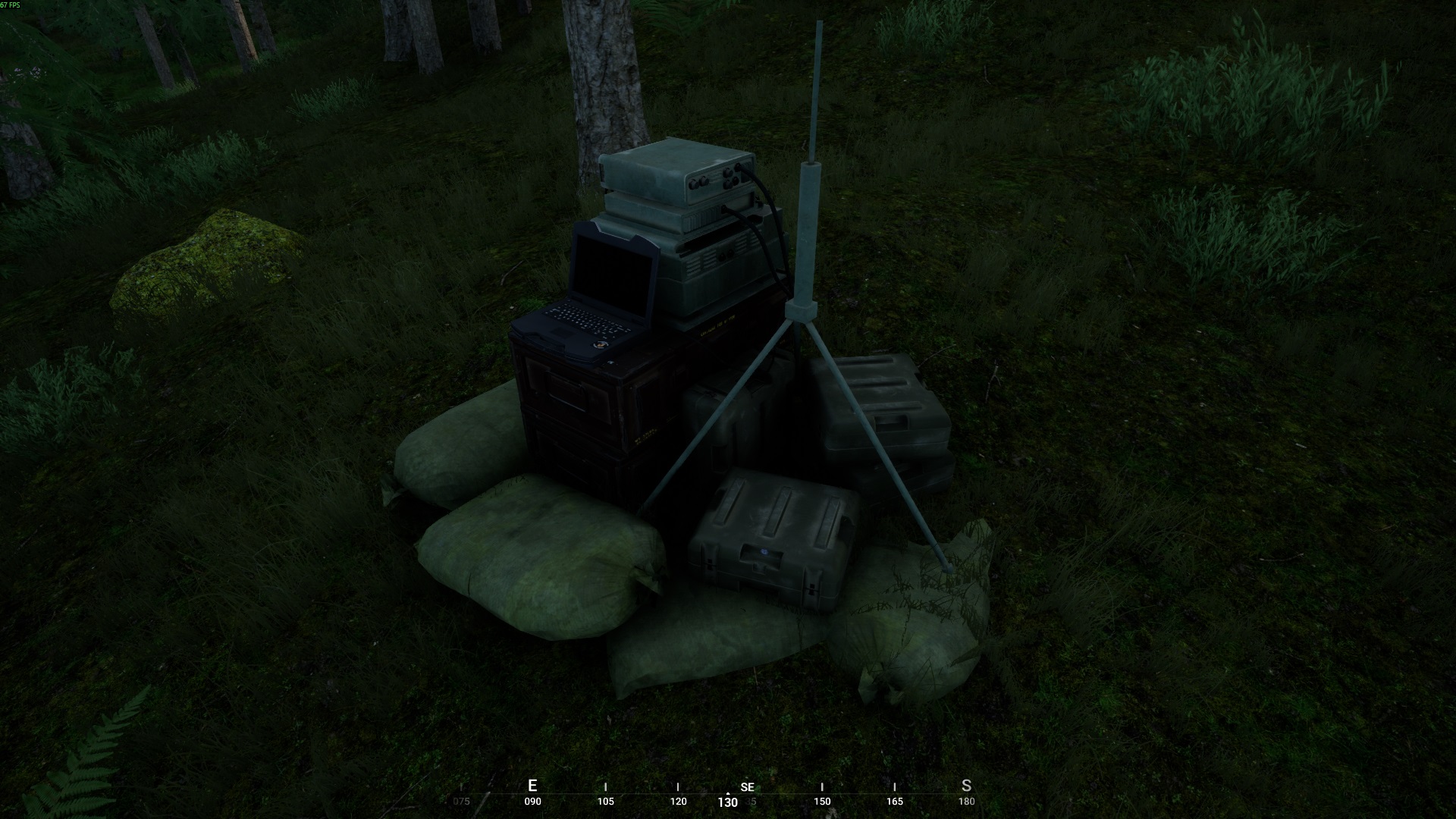
It emits distinctive radio chatter sounds audible within a certain radius.
💡After placing the FOB, unload the construction resources from your vehicle (the primary resource for building, as mentioned earlier - "Build", plus any ammunition if available).
💡Only Squad Leaders can place FOBs. Depending on the SL's class, they'll need 1-3 infantrymen nearby.
💡You can technically place a FOB without construction resources, but this serves no practical purpose.
💡The radio chatter can be heard by both allies and enemies.
- Small circle (blue outline) - where you can build game structures if you have construction resources.
- Large circle (white outline) - a restricted zone where no structures (including other FOBs) can be placed.
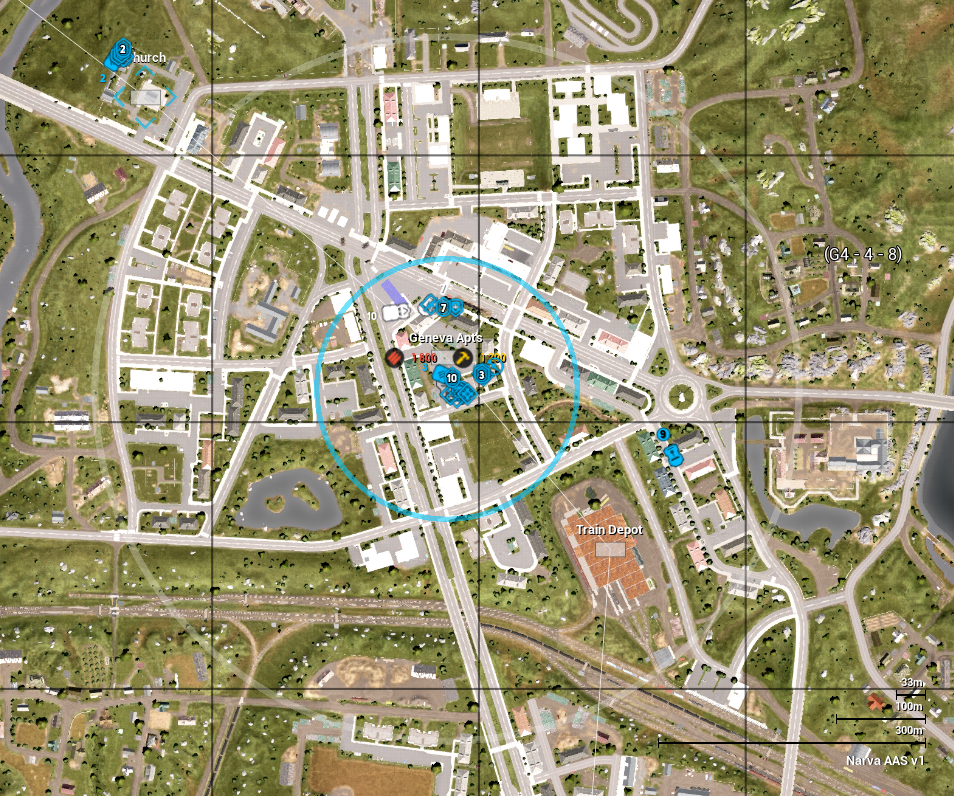
💡The only exception is when another FOB's small circle overlaps this restricted zone.
⚠️As mentioned, the FOB's radio chatter helps enemies locate and dismantle it ("dig it up"). Destroying a FOB removes its associated HAB spawn point.
With the FOB placed and resources unloaded, you can now build the HAB.
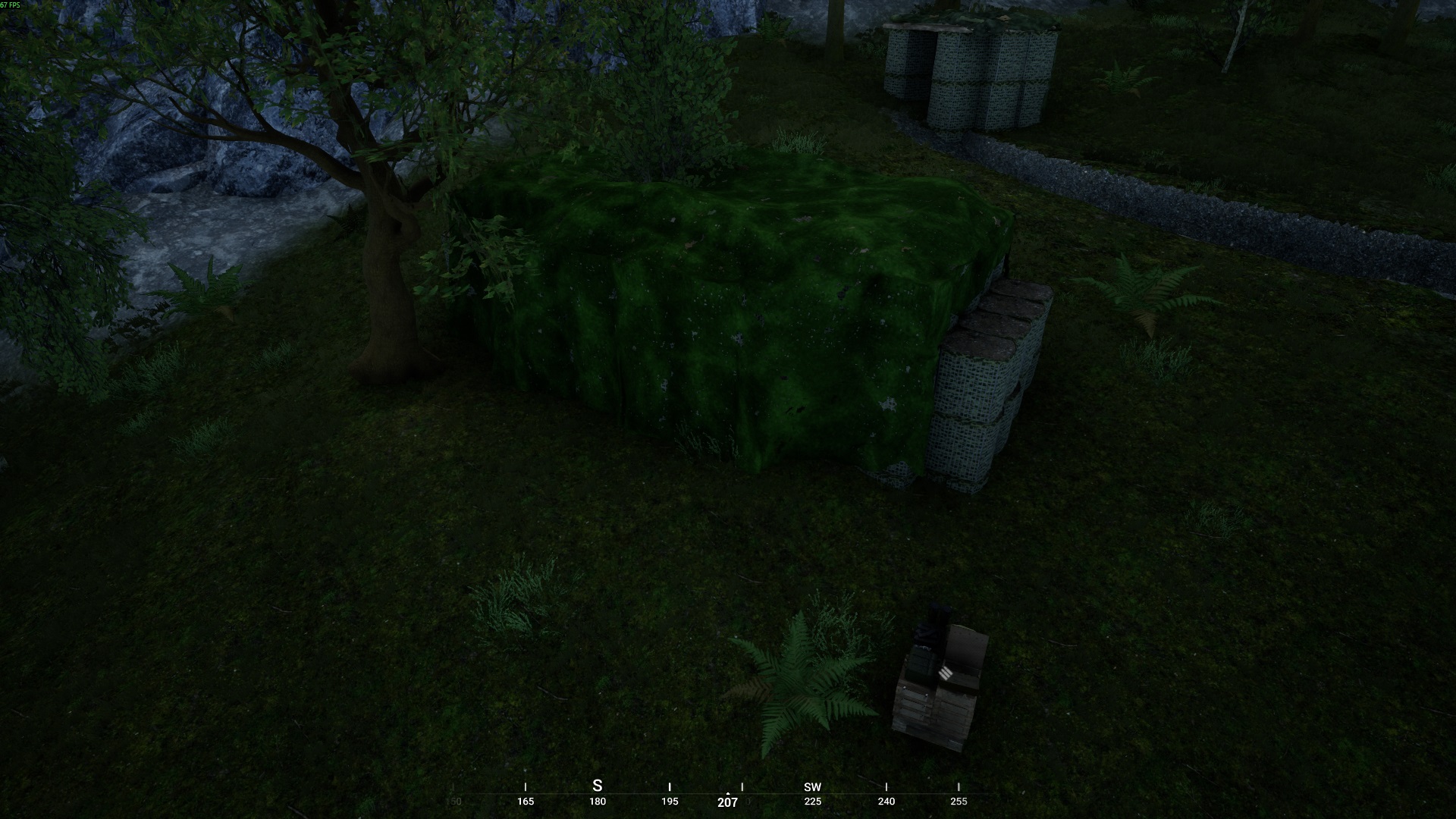
The HAB serves as a spawn point for both your team and enemies. It appears as either:
Sandbag walls with camouflage netting (conventional forces)
Wooden planks/logs with ragged cloth (Insurgents/Irregular Militia Forces (colloquially called "bums"))
💡Only Squad Leaders can place HABs.
💡HABs can only be built within a FOB's small circle.
💡To activate the HAB as a spawn point, infantry must construct it using shovels (default key "6") by holding LMB.
Rally Point
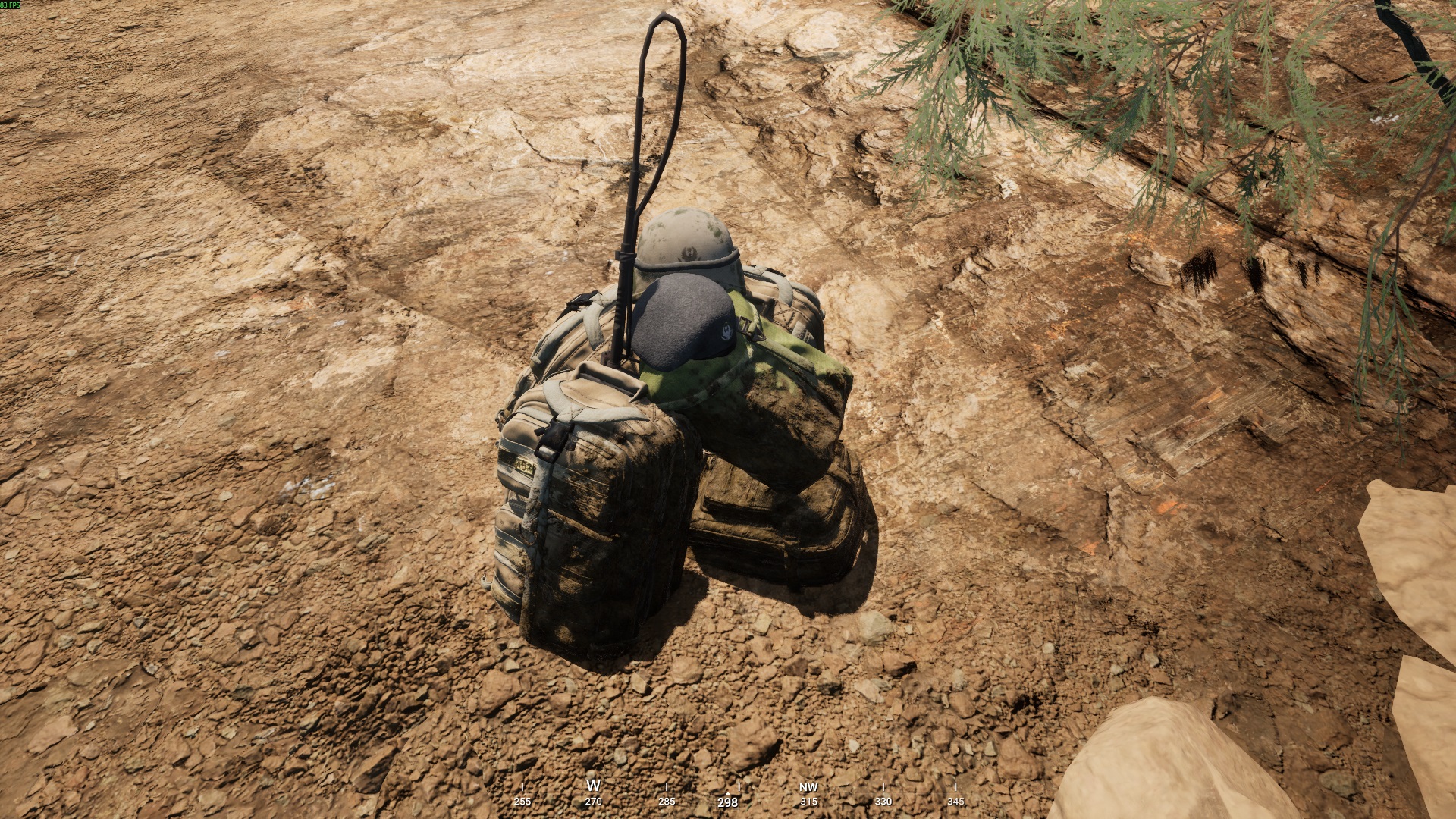
The Rally Point (colloquially called "rally") is a portable spawn point placed by Squad Leaders. This small backpack can be deployed anywhere on the map (when no enemies are nearby) without requiring additional resources (vehicles/construction materials).
💡Rally Points can be picked up and repositioned as needed.
💡If enemies approach an active Rally Point, it will be destroyed.
💡The game will warn the Squad Leader if they attempt to place a Rally Point within enemy proximity.
Final Notes
This guide will help you get into the game easily with basic knowledge.
I welcome any feedback or requests to cover additional Squad topics in detail.
💡If you're new and something becomes unclear or you're simply curious, don't hesitate to ask questions. Many players are happy to help newcomers and answer questions.
P.s. 👋 Dear English-speaking squadmates, thanks for using this guide! Sorry if any translation bits feel off - I'm still learning too!
Thank you for reading this guide!
- Подробный гайд для новичков★ 5 (764)61k views1.1k ♥20 minRussianUpdated 28 Sep, 2023
- Squad Leader 101★ 5 (884)29k views1.5k ♥60 minUpdated 22 Jul
- Как убрать мыло на экране | 100% Способ★ 4 (113)26k views355 ♥3 minRussianUpdated 1 May, 2023
- SQUAD - raising FPS together! / SQUAD - поднимаем FPS вместе!★ 3 (31)19k views75 ♥4 minUpdated 8 Jan, 2024
- Руководство по пилотированию вертолётов★ 5 (199)18k views446 ♥32 minRussianUpdated 20 Feb, 2022
- [Squad v10.5] [EN/РУ] / Where to shoot to penetrate? / Куда стрелять чтобы пробить?★ 5 (220)15k views606 ♥1 minUpdated 17 Jun




- Upgrading to PremiumTeam Fortress 2★ 5 (20k)1441k views11k ♥6 minUpdated May 11, 2022
- No More Room in Hell Official ManualNo More Room in Hell★ 5 (2.8k)569k views2.1k ♥29 minUpdated Apr 22, 2019
- NMRiH Community Hosting GuidesNo More Room in Hell★ 5 (526)351k views653 ♥1 minUpdated Aug 10, 2022
- ULTIMATE GUIDE FOR GAME DEV TYCOONGame Dev Tycoon★ 5 (5.8k)326k views10k ♥4 minUpdated 23 Jan, 2014
- How to 'Git Gud' Soon™MORDHAU★ 5 (2k)318k views3k ♥68 minUpdated Nov 16, 2024
- Лучшие кооперативные игры SteamPAYDAY 2★ 5 (1.5k)315k views2.1k ♥56 minRussianUpdated Apr 27, 2025






This guide was created by its original author on the Steam Community. Are you the author and want it removed? Request removal.