How to edit your character's stats on the MP server
Introduction
There are three main methods how you can edit your already created character’s stats: with the use of the admin panel, debug menu or with the admin commands.
Admin panel
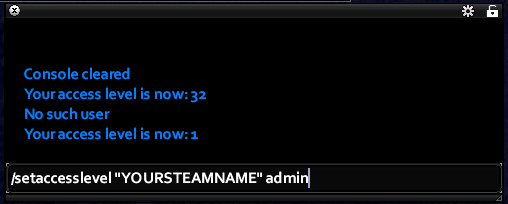
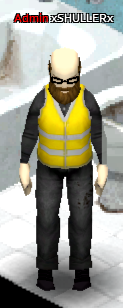 Type your Steam name in quotes if it consists of more than one word. If you’ve done this correctly, you should get a notification in the chat saying “Your access level is now 32” and you will notice the red “Admin” status next to your character name (but only if you have the option “Display username” active in the server settings) and the admin chat next to the general.
IMPORTANT: This command is case sensitive and will only work if you have english characters or numbers in your Steam name. It may not work with any other language letters, smiles, special symbols or other non essential characters. Also note that it will not work correctly with your SteamID: if you type your SteamID instead of your Steam name, it will still give you “Your access level is now 32” but you will not have the admin rights and the menu will not work.
 Press the button and special window should appear: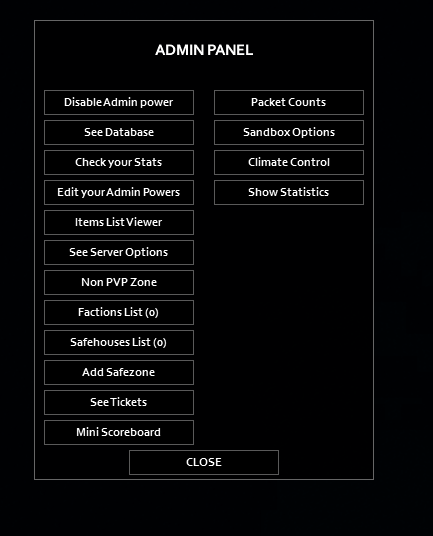
Press “Check your Stats”. This window will open:
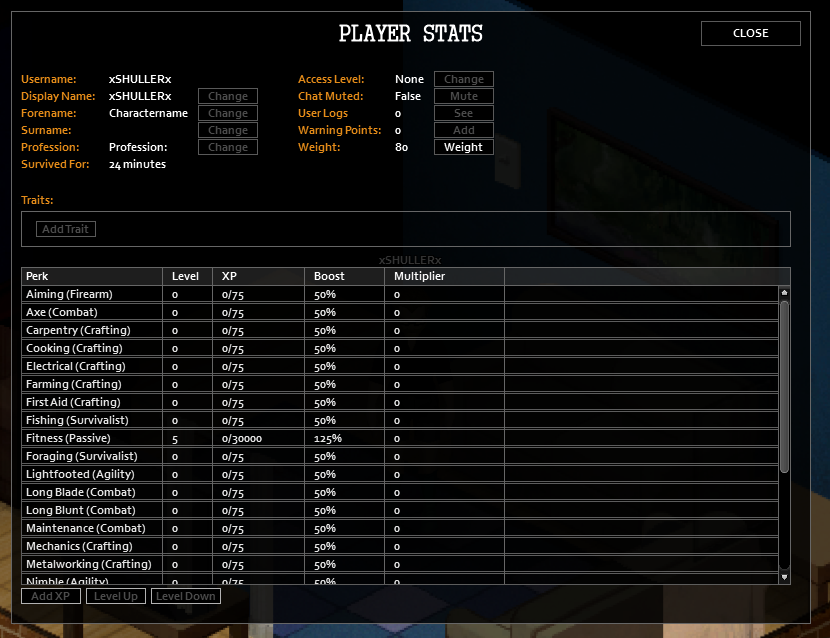
Now you can click on any perk and press “Level Up” to instantly gain +1 level. Also you can choose how many XP points you have for each perk by clicking the “Add XP” button and manually choosing desired perk from the list. After that just type how many points you’d like and confirm.
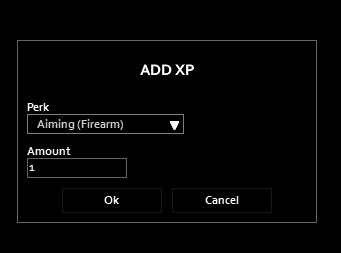
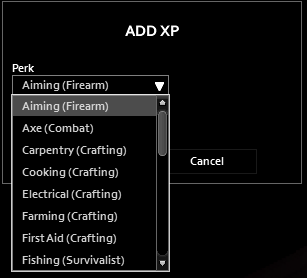
(You can see how many points you need for each level in the last section of this guide or just look it up in the admin panel).
You can also change your character’s traits (for example delete all the negative ones), your character’s weight (from 35 to 130), your in-game name and character’s profession using this menu.
Debug menu
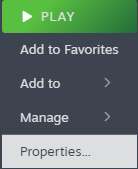 Go to your Steam library and right click on Project Zomboid. Go to “Properties” as shown at the picture:
After that in the opened window type “-debug” and close the window.
Go to your Steam library and right click on Project Zomboid. Go to “Properties” as shown at the picture:
After that in the opened window type “-debug” and close the window.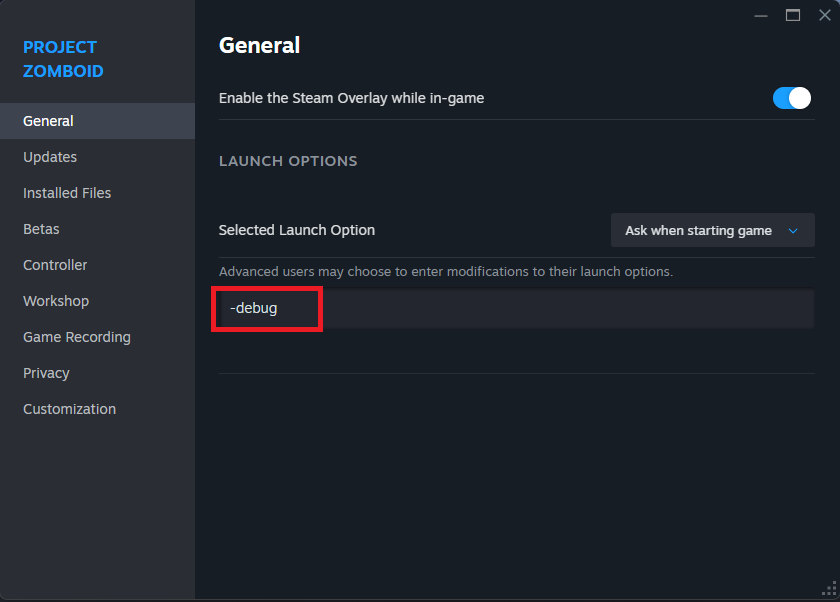 Now launch the game. If debug option was enabled correctly you will see “scenarios” button at the top of the start screen: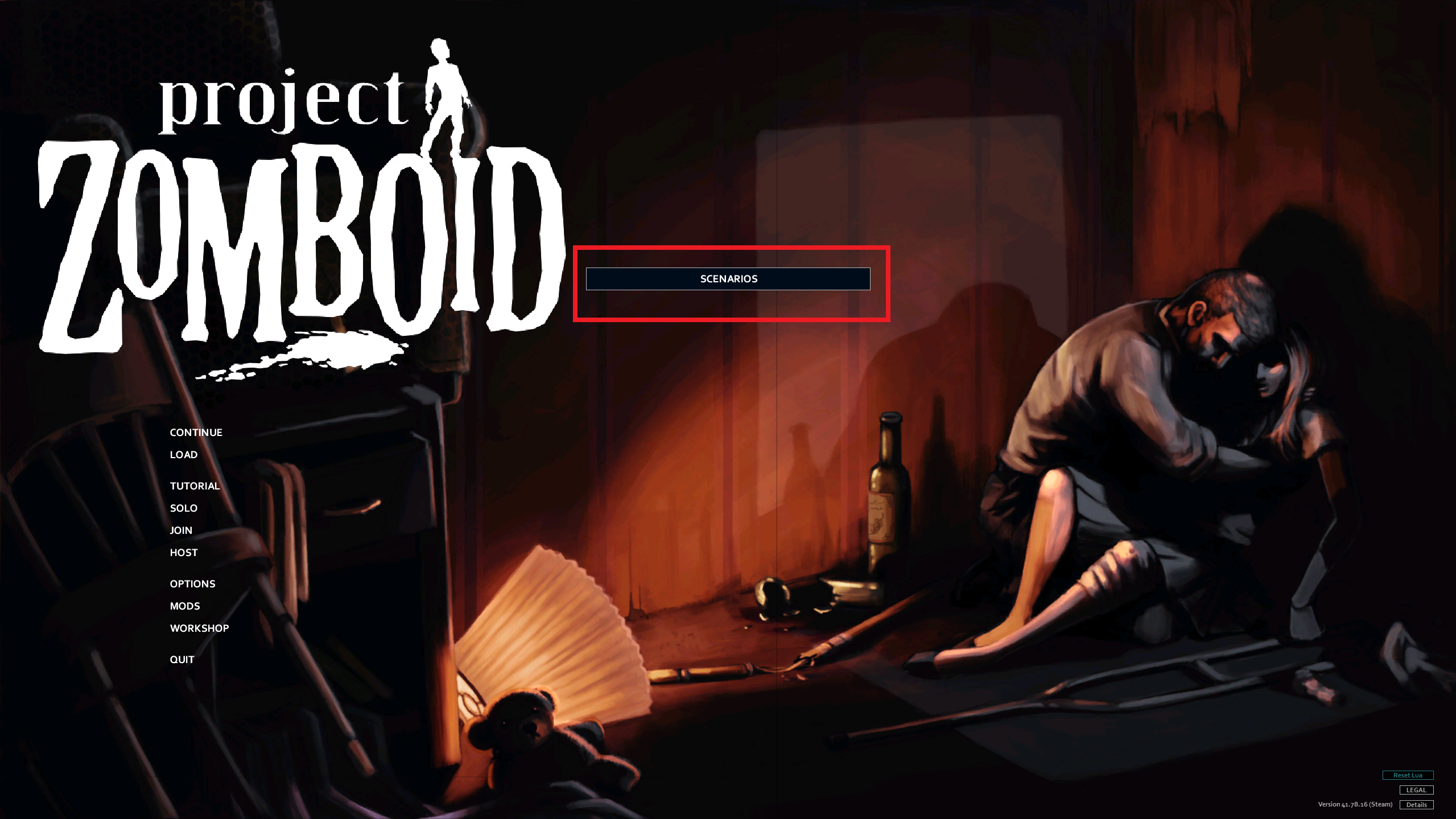
 Now launch your server. Once you’ve logged in you should see a new button on the left side of your screen.
 Press that button. This menu should appear:
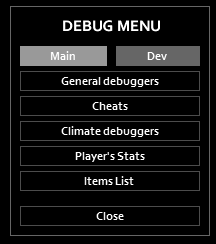 Press “Player’s Stats” and you’ll have another window popped up:
Now you can press on desired stats and click “Add XP” or “Level Up” BUT in most cases, unlike singleplayer, on the multiplayer server this won’t work just yet. To fix this you need to grant yourself admin rights.
Type your Steam name in quotes if it consists of more than one word. If you’ve done this correctly, you should get a notification in the chat saying “Your access level is now 32” and you will notice the red “Admin” status next to your character name (but only if you have the option “Display username” active in the server settings) and the admin chat next to the general.
IMPORTANT: This command is case sensitive and will only work if you have english characters or numbers in your Steam name. It may not work with any other language letters, smiles, special symbols or other non essential characters. Also note that it will not work correctly with your SteamID: if you type your SteamID instead of your Steam name, it will still give you “Your access level is now 32” but you will not have the admin rights and the menu will not work.
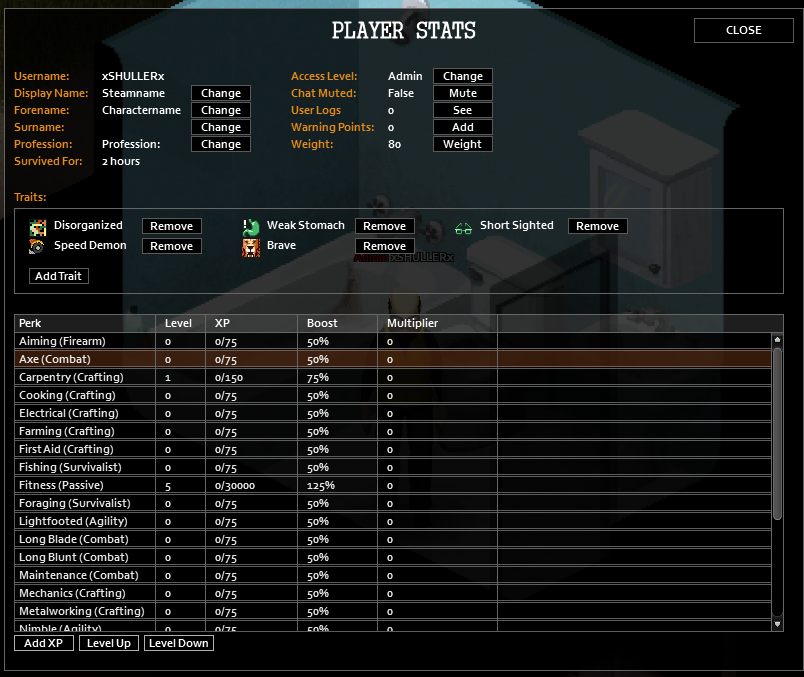
With the admin privileges you should be able to click on any perk and press “Level Up” to instantly gain +1 level. Also you can choose how many XP points you have for each perk, simply click the “Add XP” button and manually choose desired perk from the list. After that just type how many points you’d like and confirm.
You can also change your character’s traits (for example delete all the negative ones), your character’s weight (from 35 to 130), your in-game name and character’s profession using this menu.If you still have admin privileges after the next launch, type in chat this command: “/setaccesslevel “your steam name” none”. And remember to follow rules I’ve mentioned before about this command and name spellings.
Admin commands
If you (for some reason) don’t like previous methods or you want to edit your friends stats for example, you can use admin commands without the need to activate debug launch.
Type your Steam name in quotes if it consists of more than one word. If you’ve done this correctly, you should get a notification in the chat saying “Your access level is now 32” and you will notice the red “Admin” status next to your character name (but only if you have the option “Display username” active in the server settings) and the admin chat next to the general.
IMPORTANT: This command is case sensitive and will only work if you have english characters or numbers in your Steam name. It may not work with any other language letters, smiles, special symbols or other non essential characters. Also note that it will not work correctly with your SteamID: if you type your SteamID instead of your Steam name, it will still give you “Your access level is now 32” but you will not have the admin rights and the menu will not work.
For example: “/addxp “your display name” Sprinting=900”
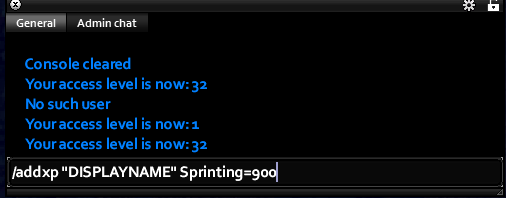
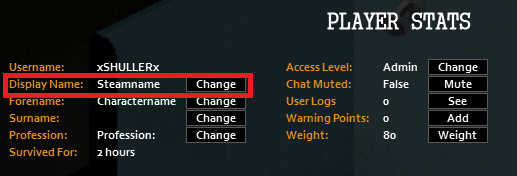
IMPORTANT: this command is also case sensitive and works only with english letters and numbers. It may not work as intended with other symbols. You need to use your display name in the game for this command, not your SteamID or character name. Your display name will be the same as your Steam name. If it doesn’t work for some reason (but it should), you can check your display name via debug menu in the “Player’s stats” (you can also change it):
Here’s the full list of all the perks in the game and how many xp points you need for the next level, so you can type them in the command:
Conclusion
- Modding Policy★ 5 (397)133k views208 ♥9 minUpdated Nov 8, 2022
- 80 tips and tricks for Project Zomboid (If you have over 100 hours in this game some of these will probably be new to you too)★ 5 (1.6k)82k views3.1k ♥28 minUpdated Aug 29, 2021
- Топ 100 лучших модов на "project zomboid"★ 5 (415)68k views1.1k ♥10 minRussianUpdated Jul 28, 2024
- [B41] Лучшие места для базы★ 5 (477)61k views1.3k ♥6 minRussianUpdated Nov 30, 2025
- Первая помощь ❤★ 5 (628)49k views1.4k ♥5 minRussianUpdated Jan 20, 2025
- The Basics of Base Building★ 5 (704)48k views1.5k ♥17 minUpdated Dec 24, 2021





- Upgrading to PremiumTeam Fortress 2★ 5 (20k)1441k views11k ♥6 minUpdated May 11, 2022
- No More Room in Hell Official ManualNo More Room in Hell★ 5 (2.8k)569k views2.1k ♥29 minUpdated Apr 22, 2019
- NMRiH Community Hosting GuidesNo More Room in Hell★ 5 (526)351k views653 ♥1 minUpdated Aug 10, 2022
- ULTIMATE GUIDE FOR GAME DEV TYCOONGame Dev Tycoon★ 5 (5.8k)326k views10k ♥4 minUpdated 23 Jan, 2014
- How to 'Git Gud' Soon™MORDHAU★ 5 (2k)318k views3k ♥68 minUpdated Nov 16, 2024
- Лучшие кооперативные игры SteamPAYDAY 2★ 5 (1.5k)315k views2.1k ♥56 minRussianUpdated Apr 27, 2025






This guide was created by its original author on the Steam Community. Are you the author and want it removed? Request removal.