Colored and Custom Nicknames!
Intro
If you want to see the original thread from 5 years ago click here.
Icon Formatting
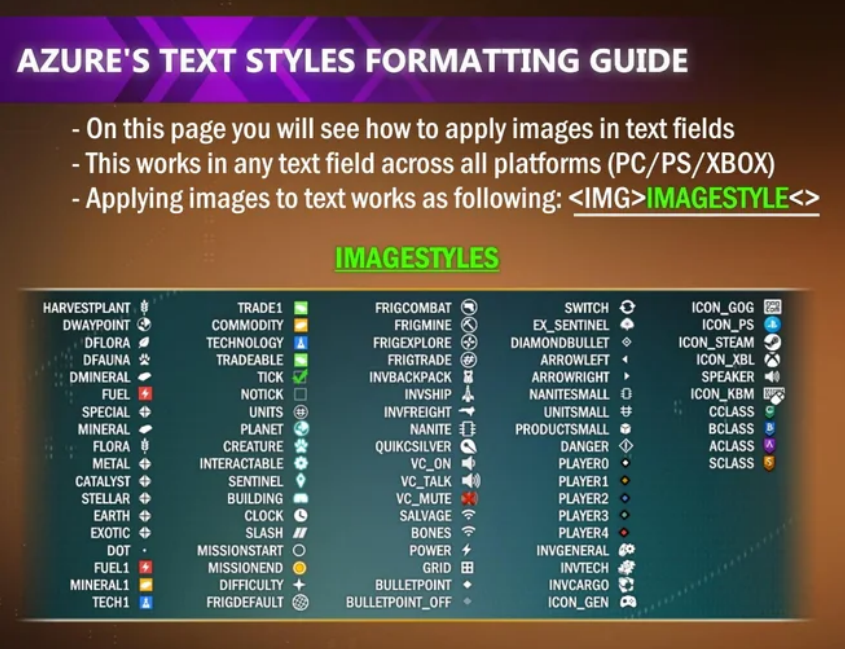
As said in the image, this format can be applied to EVERY text field across all platforms.
Choose the icon you want, then use this format:
examples:
<IMG>FRIGCOMBAT<>Eliminator T23
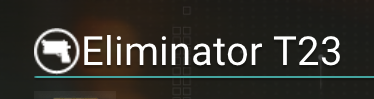
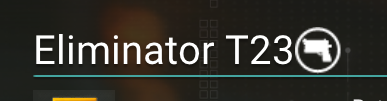
There is no order on where to apply the icon:
Eliminator T23<IMG>FRIGCOMBAT<>
Color Formatting
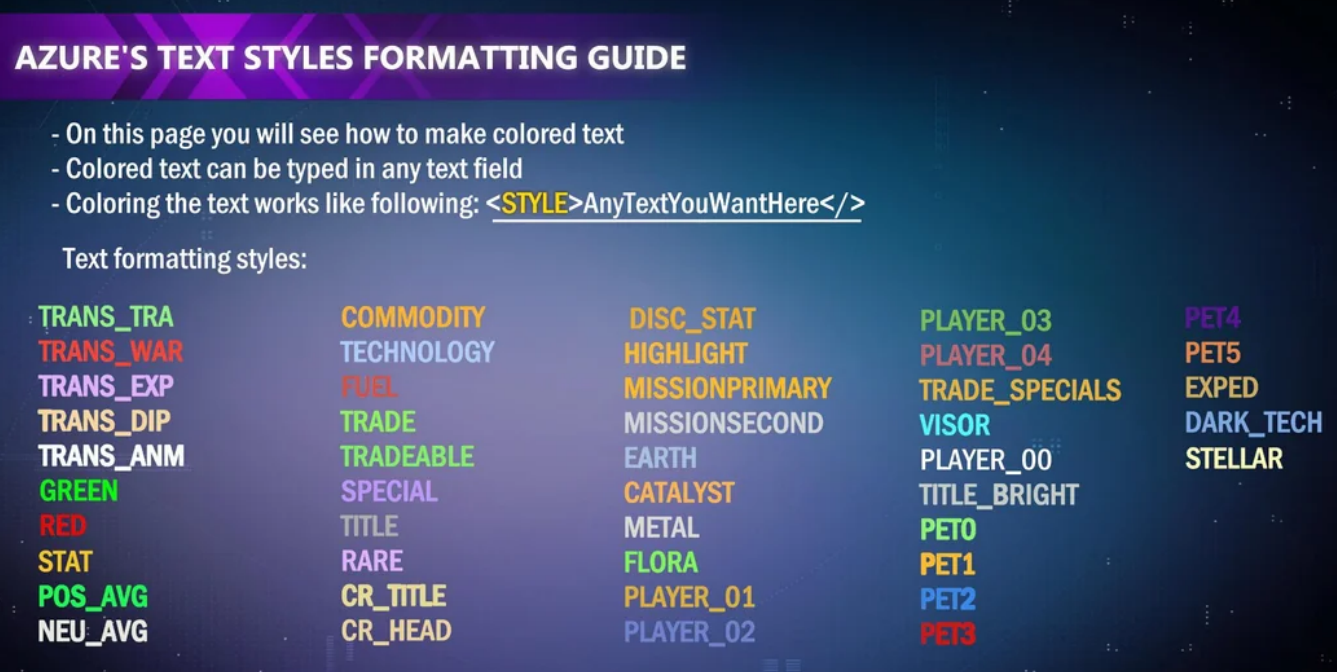
Same as icons, but the format will go like this:
examples:
<PET1>Trans Am</>
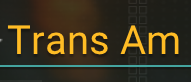
We can also mix Icons and Colors together:
<IMG>DIFFICULTY<><PET1>Trans Am
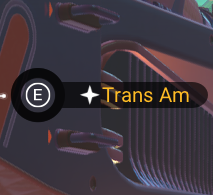
Nickname
You can also use this method in your own nickname, however, there is no way to make NMS to use any other name than your Steam's user nickname.
So, the only way to make this happen, is by changing our nicknames in steam itself:
Step 1: Go to your Steam profile, and edit your profile settings.
Step 2: Use the same format as Icons or Color (or both), and apply it to your profile name.
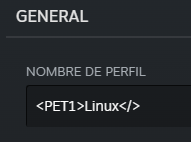
Step 3: Save settings, launch the game.
You may see it like this now:
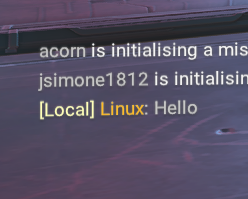
Nickname Alternatives
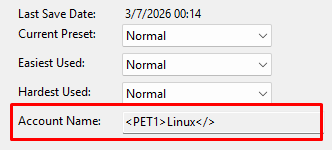
Alternatively, you can use a save editor to just change your NMS nickname if you dont want to change your Steam profile.
If you don't know what save editor to use, I'd recommend NMSE[github.com] as it's open-source and constantly updated.
You can read this guide[github.com] on how to use it properly.
In this case, you just have to change your name in the save editor at the first tab that opens while executing the program:
Other uses and clarification.
This kind of formatting WILL WORK in every text field inside NMS.
You can name an customize: Bases, Crates, Multi-Tools, Staffs, Corvettes, Messages, Systems, etc.
This is NOT bannable and it's 100% safe to use as you want.
Consider saving this guide and sharing it!
I will update it if more icons or colors are found.
My NMS ID: 8C8D-DNCK-Z3RZ2 - Feel free to add me!
- No Man's Sky Access Codes★ 5 (880)43k views2.1k ♥1 minUpdated 14 Apr
- Refining – The Magic Of Alchemy★ 5 (1.2k)41k views3.6k ♥5 minUpdated 24 Mar, 2022
- How to get RICH in NMS SUPER FAST★ 5 (501)32k views1k ♥2 minUpdated 7 Sep, 2022
- Multi-Tools: Types, Statistics, Weapons, Layouts★ 5 (550)27k views1.3k ♥7 minBulgarianUpdated 3 Jul, 2025
- Starship Guide: Types, Statistics & Roles★ 5 (461)25k views924 ♥8 minBulgarianUpdated 30 May
- Звездолеты СТРАЖЕЙ★ 5 (220)24k views519 ♥7 minRussianUpdated 9 Feb, 2025


- Upgrading to PremiumTeam Fortress 2★ 5 (20k)1441k views11k ♥6 minUpdated May 11, 2022
- No More Room in Hell Official ManualNo More Room in Hell★ 5 (2.8k)569k views2.1k ♥29 minUpdated Apr 22, 2019
- NMRiH Community Hosting GuidesNo More Room in Hell★ 5 (526)351k views653 ♥1 minUpdated Aug 10, 2022
- ULTIMATE GUIDE FOR GAME DEV TYCOONGame Dev Tycoon★ 5 (5.8k)326k views10k ♥4 minUpdated 23 Jan, 2014
- How to 'Git Gud' Soon™MORDHAU★ 5 (2k)318k views3k ♥68 minUpdated Nov 16, 2024
- Лучшие кооперативные игры SteamPAYDAY 2★ 5 (1.5k)315k views2.1k ♥56 minRussianUpdated Apr 27, 2025






This guide was created by its original author on the Steam Community. Are you the author and want it removed? Request removal.