Everyone's Bald! : How to Stop Baldness in the Mojave (amongst other issues)
Why?
if we wanna understand how to solve our problems, it's important to understand why our problems.
from my few hours of looking at reddit threads, i've come to understand that alopecia happens not due to radiation or an artistic decision, but rather thanks to some silly goof up in AMD drivers that compiles shaders in a way that new vegas does NOT enjoy. of course, this issue has been present for a few months and will likely not be fixed because new vegas isn't the latest game on the market.
i've also noticed this issue can happen on laptops with nvidia graphics cards and it causes lean lakes, which was honestly the reason why i really wanted to make it stop.
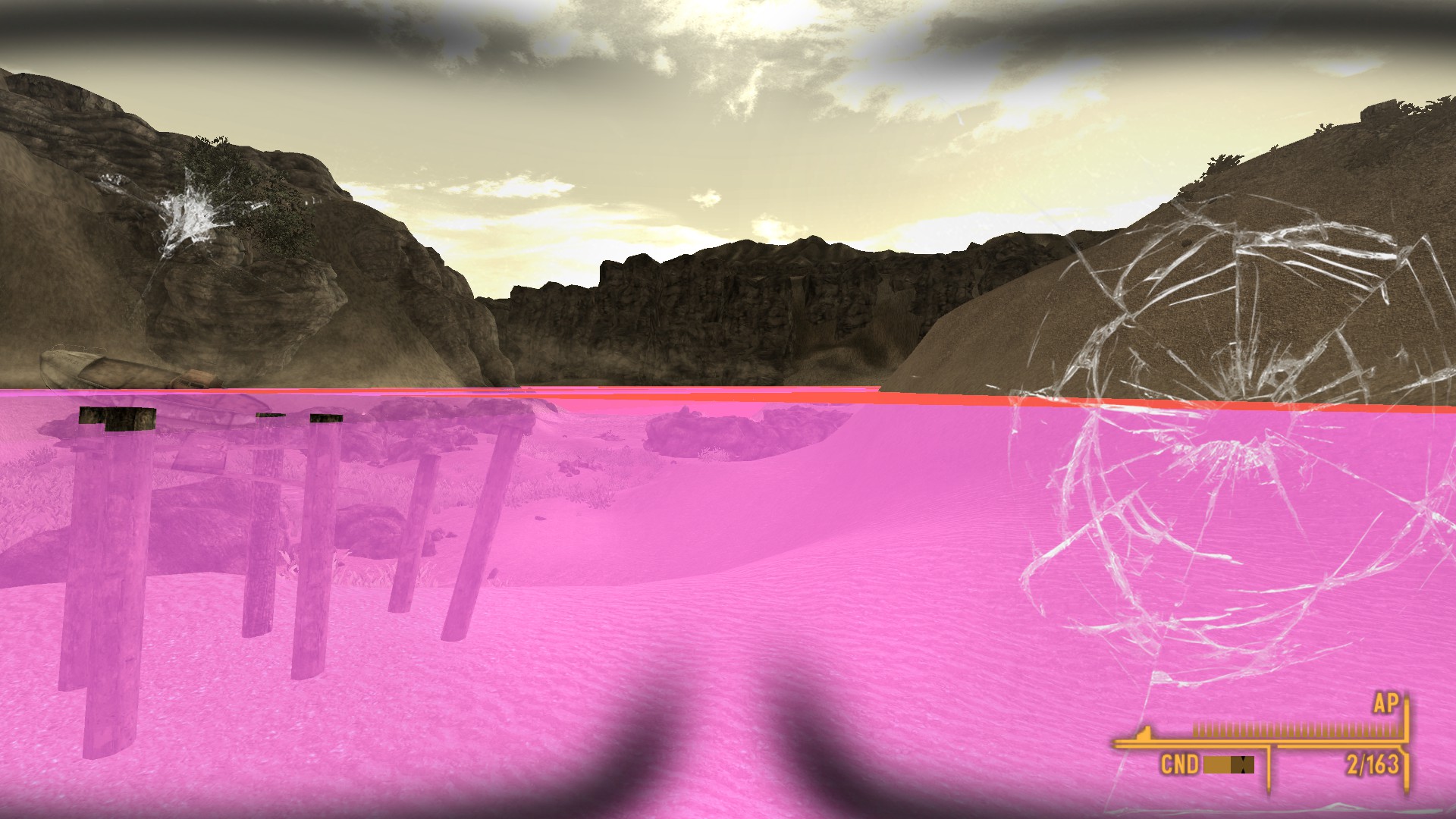
from my few hours of looking at reddit threads, i've come to understand that alopecia happens not due to radiation or an artistic decision, but rather thanks to some silly goof up in AMD drivers that compiles shaders in a way that new vegas does NOT enjoy. of course, this issue has been present for a few months and will likely not be fixed because new vegas isn't the latest game on the market.
i've also noticed this issue can happen on laptops with nvidia graphics cards and it causes lean lakes, which was honestly the reason why i really wanted to make it stop.
How?
1. Download DXVK
DXVK is a vulkan-based translation layer for DX8/9. what does that mean? basically it just makes old stuff run better because it's passes through newer stuff that makes it work better (if you couldn't tell, i don't really know)
you can download DXVK here. [www.nexusmods.com] DON'T DOWNLOAD THROUGH A MOD MANAGER! through personal experience, it doesn't work. instead, download manually and drag and drop the files inside of your new vegas directory.
Q: where's my new vegas directory?
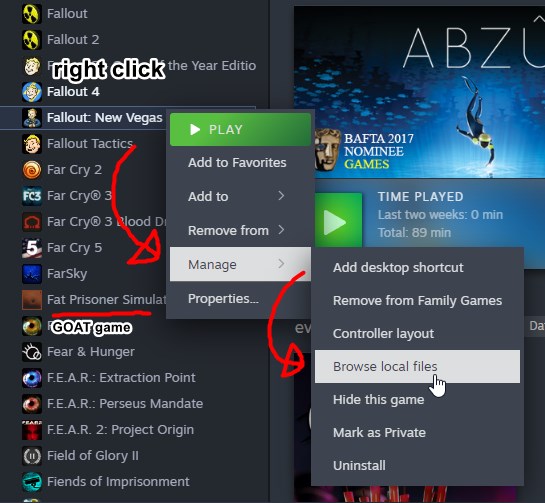
A: easiest way to find out is to right click new vegas on steam, hover over manage and click on Browse local files
reference for silly geese
2. FalloutCustom.ini creation and/or changes
due to some newly created bugs, this game will struggle even more. worry not, thanks to .ini change and a mod we'll install later, it'll run even better and you'll have your hair back.
for step two, head over to FalloutCustom.ini, if you don't know where that is, open your file explorer and follow me:
Documents > My Games > FalloutNV
(or C:\Users\your windows username here\Documents\My Games\FalloutNV)
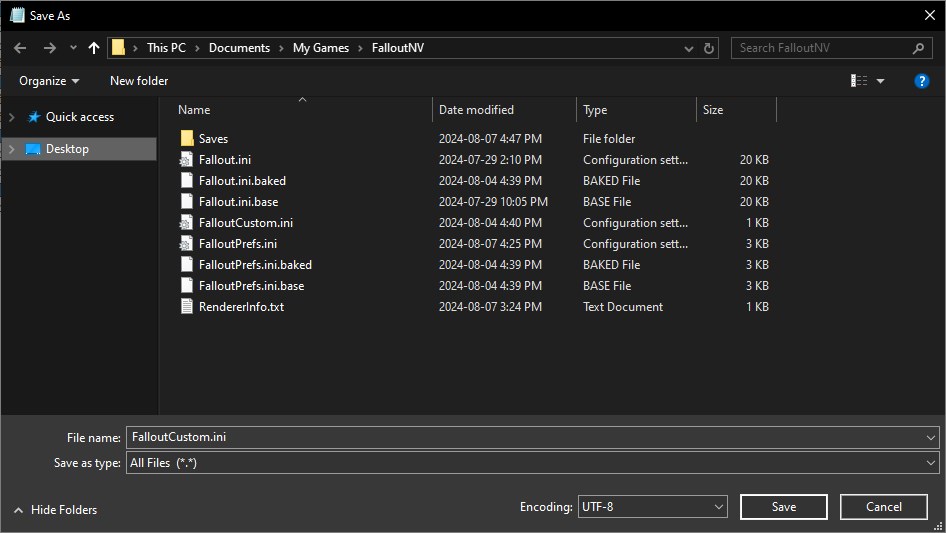
now that that's done, open up your FalloutCustom.ini. if you don't see it, just make one. copy paste the following into it
Remember that when saving, save as FalloutCustom.ini with the all files type
3. (optional but recommended) Borderless windowed mode
if you're anything like me, borders on programs are infuriating, that is why we'll be downloading yet another mod to give the illusion of fullscreen. this mod is OneTweak (updated, you can maybe try the old version if you want) [www.nexusmods.com]
4. Yippie!!!!!!!!!!
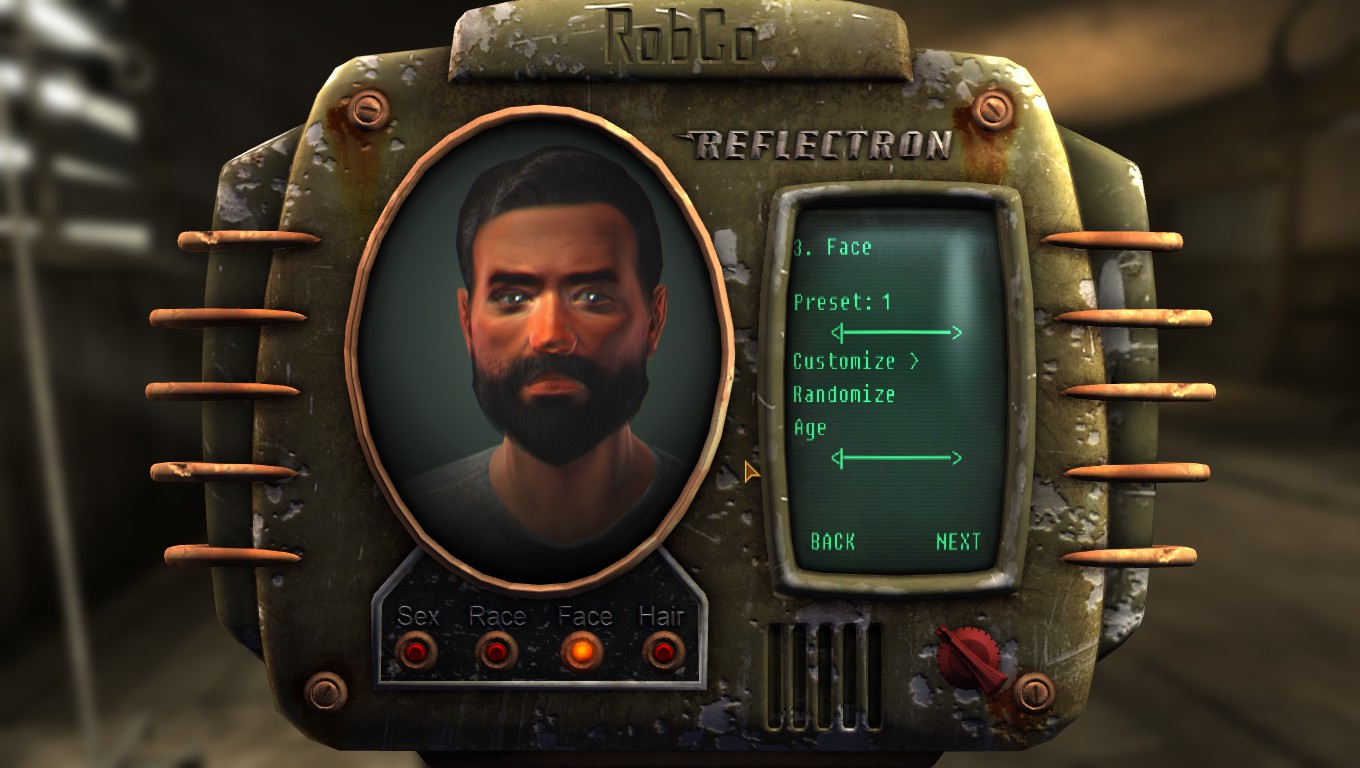
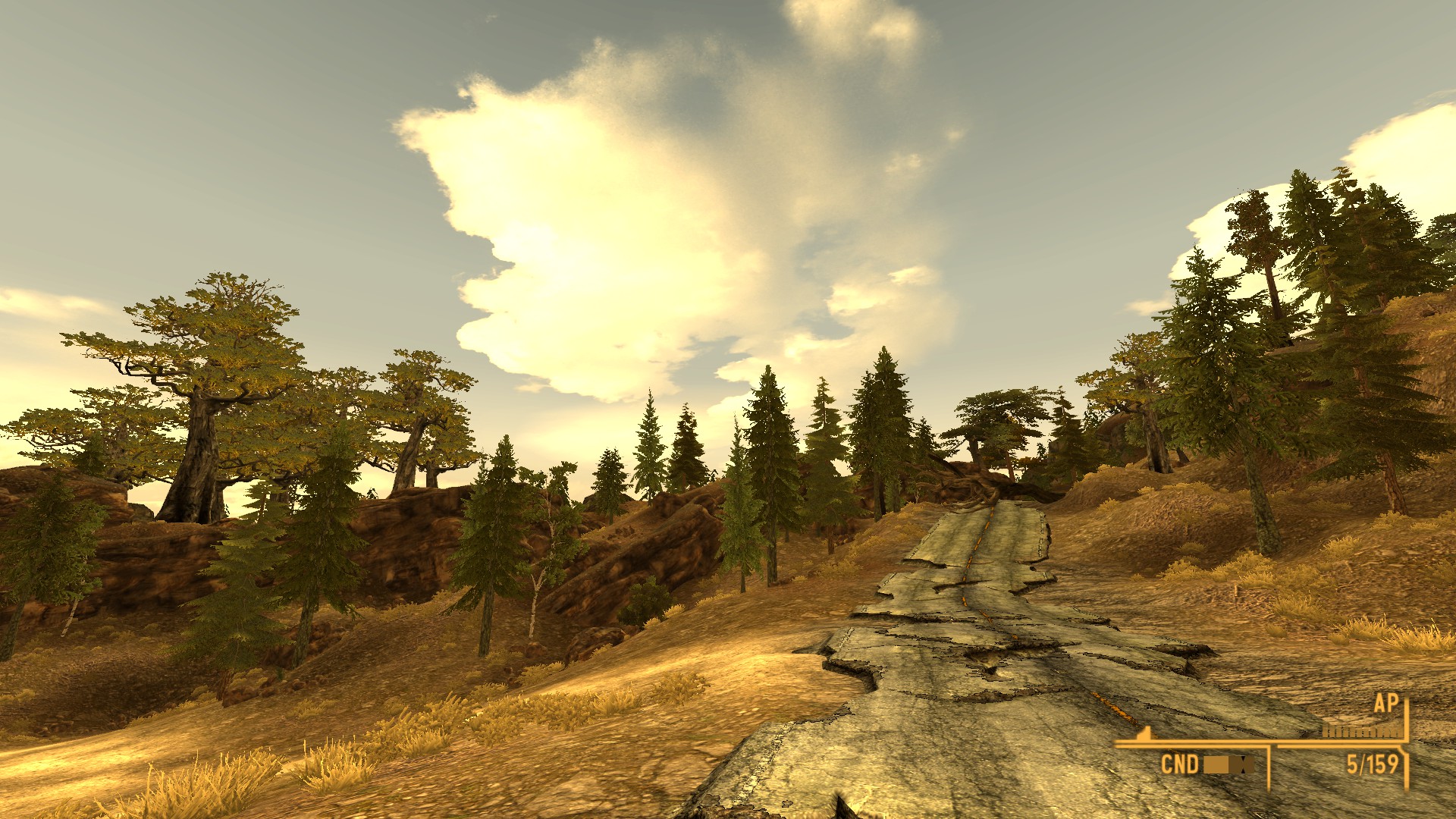
now that's done, your new vegas shouldn't have anymore lean lakes and bald people (unless they were already bald).
(second screenshot isn't proof that people arent bald or whatever, just a random screenshot)
edit
apparently there's been a new mod [www.nexusmods.com] released to fix the baldness, from what i understand it's basically just a tweaked DXVK, but it's worth trying nonetheless
DXVK is a vulkan-based translation layer for DX8/9. what does that mean? basically it just makes old stuff run better because it's passes through newer stuff that makes it work better (if you couldn't tell, i don't really know)
you can download DXVK here. [www.nexusmods.com] DON'T DOWNLOAD THROUGH A MOD MANAGER! through personal experience, it doesn't work. instead, download manually and drag and drop the files inside of your new vegas directory.
Q: where's my new vegas directory?
A: easiest way to find out is to right click new vegas on steam, hover over manage and click on Browse local files
reference for silly geese
2. FalloutCustom.ini creation and/or changes
due to some newly created bugs, this game will struggle even more. worry not, thanks to .ini change and a mod we'll install later, it'll run even better and you'll have your hair back.
for step two, head over to FalloutCustom.ini, if you don't know where that is, open your file explorer and follow me:
Documents > My Games > FalloutNV
(or C:\Users\your windows username here\Documents\My Games\FalloutNV)
now that that's done, open up your FalloutCustom.ini. if you don't see it, just make one. copy paste the following into it
[Display]
bFull Screen=0
Remember that when saving, save as FalloutCustom.ini with the all files type
3. (optional but recommended) Borderless windowed mode
if you're anything like me, borders on programs are infuriating, that is why we'll be downloading yet another mod to give the illusion of fullscreen. this mod is OneTweak (updated, you can maybe try the old version if you want) [www.nexusmods.com]
4. Yippie!!!!!!!!!!
now that's done, your new vegas shouldn't have anymore lean lakes and bald people (unless they were already bald).
(second screenshot isn't proof that people arent bald or whatever, just a random screenshot)
edit
apparently there's been a new mod [www.nexusmods.com] released to fix the baldness, from what i understand it's basically just a tweaked DXVK, but it's worth trying nonetheless
How? (alternative method)
this was the first one i tried initially, but it didn't work. considering how unstable new vegas is, i'm still putting this up in case the first method doesn't solve anything or someone finds this easier
1. nVidia D3D9 Perf Fix
"what? i have an AMD card, how the hell is this supposed to help me?!" fair point, i thought the same thing, but this helped people with AMD cards. didn't work for me tho :(
nVidia D3D9 Perf Fix is an older .dll that works better on some rigs. download here. [www.nexusmods.com]. i don't know if this works on mod managers, so i advise manually installing. it's the same steps as DXVK, scroll back up if you don't remember.
note:
might crash during the finale of the game, so if you encounter problems, try uninstalling it. i'd rather be able to complete the game then no more hair loss or lakes that oddly ressemble what lil wayne has in his cup.
1. nVidia D3D9 Perf Fix
"what? i have an AMD card, how the hell is this supposed to help me?!" fair point, i thought the same thing, but this helped people with AMD cards. didn't work for me tho :(
nVidia D3D9 Perf Fix is an older .dll that works better on some rigs. download here. [www.nexusmods.com]. i don't know if this works on mod managers, so i advise manually installing. it's the same steps as DXVK, scroll back up if you don't remember.
note:
might crash during the finale of the game, so if you encounter problems, try uninstalling it. i'd rather be able to complete the game then no more hair loss or lakes that oddly ressemble what lil wayne has in his cup.
... How? (secret method, not recommended)
if you overanalysed this guide's intro, you might've figured the AMD drivers may not have always been this way. since 2024, AMD has been rolling out drivers that mess with new vegas' shaders, so if nothing else works, you can always try this if you really really really really want to play the game.
1. download AMD Adrenaline 23.12.1
i'd give a direct link, but because you may not have the same graphics card as me, you'll need to check out the AMD support website [www.amd.com] to find your own download. when you find your card, click on previous drivers.
yet another reference pic
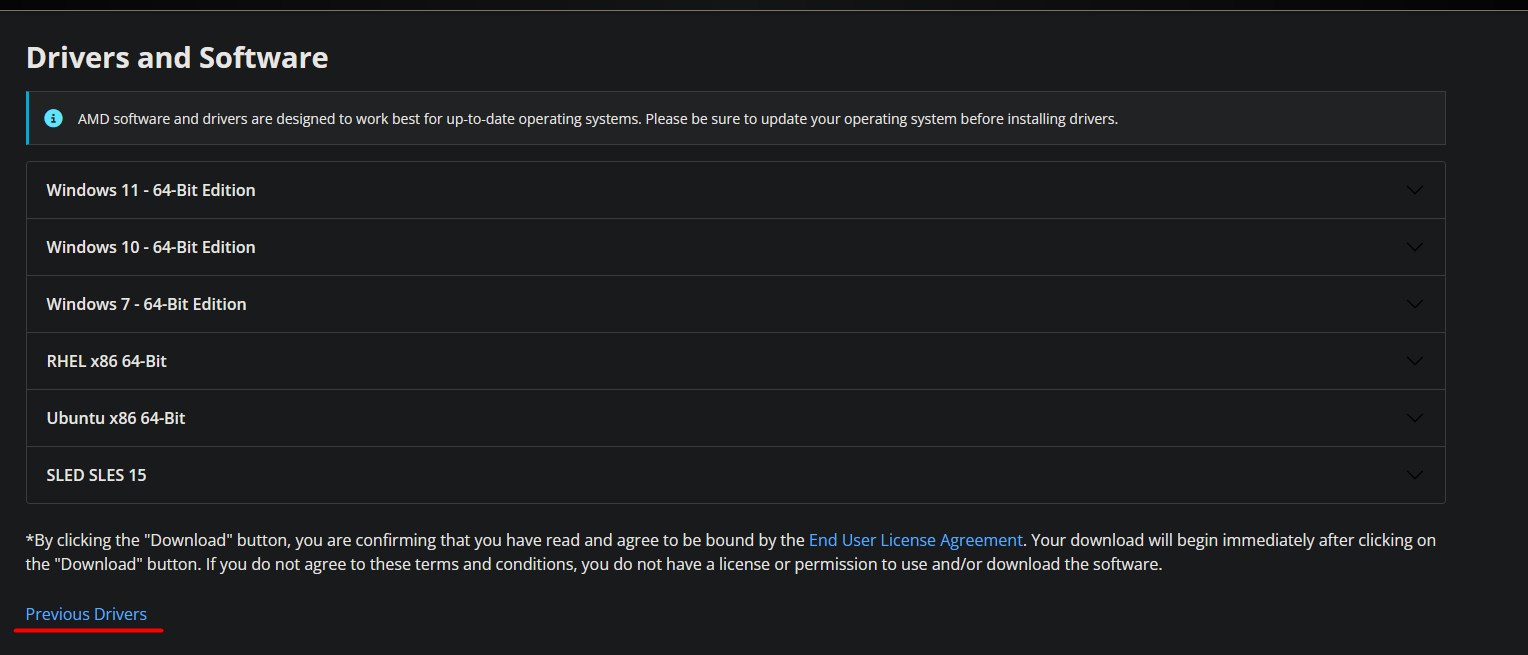
once you've got your version of 23.12.1. DON'T OPEN IT. we're not there yet.
2. DDU
DDU [www.guru3d.com] is a sweet little program that allows us to uninstall drivers. in this case, we'll be uninstalling whatever driver you have right now to rollback to 23.12.1. it is HIGHLY recommended you do this process in safe mode.
Q: how enter safe mode??
A: for windows 10 (idk about any other OS): hover over the Restart option in your options and hold shift. your pc will restart and you'll have to select the safe mode boot option.
now, i'd love to give a walkthrough on DDU, but i'm too lazy when a bunch of other guides exist. read up quickly here.[www.wagnardsoft.com]
1. download AMD Adrenaline 23.12.1
i'd give a direct link, but because you may not have the same graphics card as me, you'll need to check out the AMD support website [www.amd.com] to find your own download. when you find your card, click on previous drivers.
yet another reference pic
once you've got your version of 23.12.1. DON'T OPEN IT. we're not there yet.
2. DDU
DDU [www.guru3d.com] is a sweet little program that allows us to uninstall drivers. in this case, we'll be uninstalling whatever driver you have right now to rollback to 23.12.1. it is HIGHLY recommended you do this process in safe mode.
Q: how enter safe mode??
A: for windows 10 (idk about any other OS): hover over the Restart option in your options and hold shift. your pc will restart and you'll have to select the safe mode boot option.
now, i'd love to give a walkthrough on DDU, but i'm too lazy when a bunch of other guides exist. read up quickly here.[www.wagnardsoft.com]
Keratin's back in the Mojave (creatine?!)
if you've followed the guide, odds are that you have HAIR. good for you. if you've noticed anything wrong in the guide (typo, misinformation, new method), let me know in the comments and i may update it if i'm not too lazy.
patrolling the mojave makes you wish that everyone were bald again (and deep down makes you want to like favorite award this guide <3 pretty please?)
patrolling the mojave makes you wish that everyone were bald again (and deep down makes you want to like favorite award this guide <3 pretty please?)
More Fallout: New Vegas guides
- Simple Guide to Setting up New Vegas in 2026★ 5 (2.9k)122k views8k ♥9 minUpdated May 6
- New Vegas 2024 Essential Modding Guide★ 5 (1.4k)112k views3.9k ♥37 minUpdated Jan 19
- Fallout:NV Console Command List / Weapons / Armor / NPC's and World Objects★ 5 (948)67k views2.4k ♥33 minUpdated Aug 6, 2025
- 100% Achievement Guide: Fallout - New Vegas★ 5 (1.5k)37k views4.6k ♥98 minUpdated May 9
- Interactive Map★ 5 (614)27k views957 ♥1 minBulgarianUpdated Jan 30
- Complete Achievement Guide (Includes DLC)★ 5 (808)23k views2.1k ♥26 minUpdated Aug 5, 2025



This guide was created by its original author on the Steam Community. Are you the author and want it removed? Request removal.