How to 100% if your game keeps crashing and no fixes work
The Hard Truth
TOUGH IT OUT AND USE CONSOLE COMMANDS! 🖤 :3
Yes, the simple and hard truth as a fellow achievement hunter is that you have to power through the game crashing every 15 minutes.
I know what you're thinking, "don't they disable achievements?" and you'd be absolutely correct my fellow wastelander!
- Yes they disable achievements, but there's a workaround to this as saving the game and exiting to come back and reload before an achievement trigger treats it as if you got it normally.
-The kicker. While most will let you some don't work this way, some of the notable ones I know of are the quests for Mr. House's snowglobes and any quests given (in other words don't use commands to complete quests).
Yes, the simple and hard truth as a fellow achievement hunter is that you have to power through the game crashing every 15 minutes.
I know what you're thinking, "don't they disable achievements?" and you'd be absolutely correct my fellow wastelander!
- Yes they disable achievements, but there's a workaround to this as saving the game and exiting to come back and reload before an achievement trigger treats it as if you got it normally.
-The kicker. While most will let you some don't work this way, some of the notable ones I know of are the quests for Mr. House's snowglobes and any quests given (in other words don't use commands to complete quests).
"Are you ready to get started?"
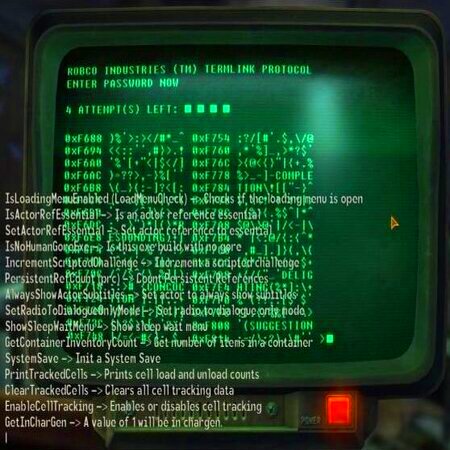
To access console commands, simply press the tilde key while in game ~ between the "esc" and left "tab" key
I found a very useful aid in my hunt was a guide to console commands created by user Zxctodor
Console Command Guide
-Sadly console commands can be more than a bit clunky for how specific they can be, even then you may have to search up a few item and location ID's regardless. As you'll need to teleport, level yourself up, ect.
-Get used to saving and power through it! Good luck and remember War Never Changes.
~Rookie Guide by LopunnHunnyBunn:3
(I may come back to re-edit this guide just to add a few quality of life improvements, i.e. item ids and such). Although I most likely won't contain screenshots as I honestly don't wanna re-download and deal with this clunky mess).
I found a very useful aid in my hunt was a guide to console commands created by user Zxctodor
Console Command Guide
-Sadly console commands can be more than a bit clunky for how specific they can be, even then you may have to search up a few item and location ID's regardless. As you'll need to teleport, level yourself up, ect.
-Get used to saving and power through it! Good luck and remember War Never Changes.
~Rookie Guide by LopunnHunnyBunn:3
(I may come back to re-edit this guide just to add a few quality of life improvements, i.e. item ids and such). Although I most likely won't contain screenshots as I honestly don't wanna re-download and deal with this clunky mess).
🏆
Beat Fallout: New Vegas's 100% run?
Flex it — let your friends know you pulled it off.
More Fallout: New Vegas guides
- Simple Guide to Setting up New Vegas in 2026★ 5 (2.9k)122k views8k ♥9 minUpdated May 6
- New Vegas 2024 Essential Modding Guide★ 5 (1.4k)112k views3.9k ♥37 minUpdated Jan 19
- Fallout:NV Console Command List / Weapons / Armor / NPC's and World Objects★ 5 (948)67k views2.4k ♥33 minUpdated Aug 6, 2025
- 100% Achievement Guide: Fallout - New Vegas★ 5 (1.5k)37k views4.6k ♥98 minUpdated May 9
- Interactive Map★ 5 (614)27k views957 ♥1 minBulgarianUpdated Jan 30
- Complete Achievement Guide (Includes DLC)★ 5 (808)23k views2.1k ♥26 minUpdated Aug 5, 2025




This guide was created by its original author on the Steam Community. Are you the author and want it removed? Request removal.