Fallout New Vegas - Archive Invalidation in MO2 or Vortex
Fallout New Vegas - Archive Invalidation in MO2 or Vortex
Mod Organizer 2
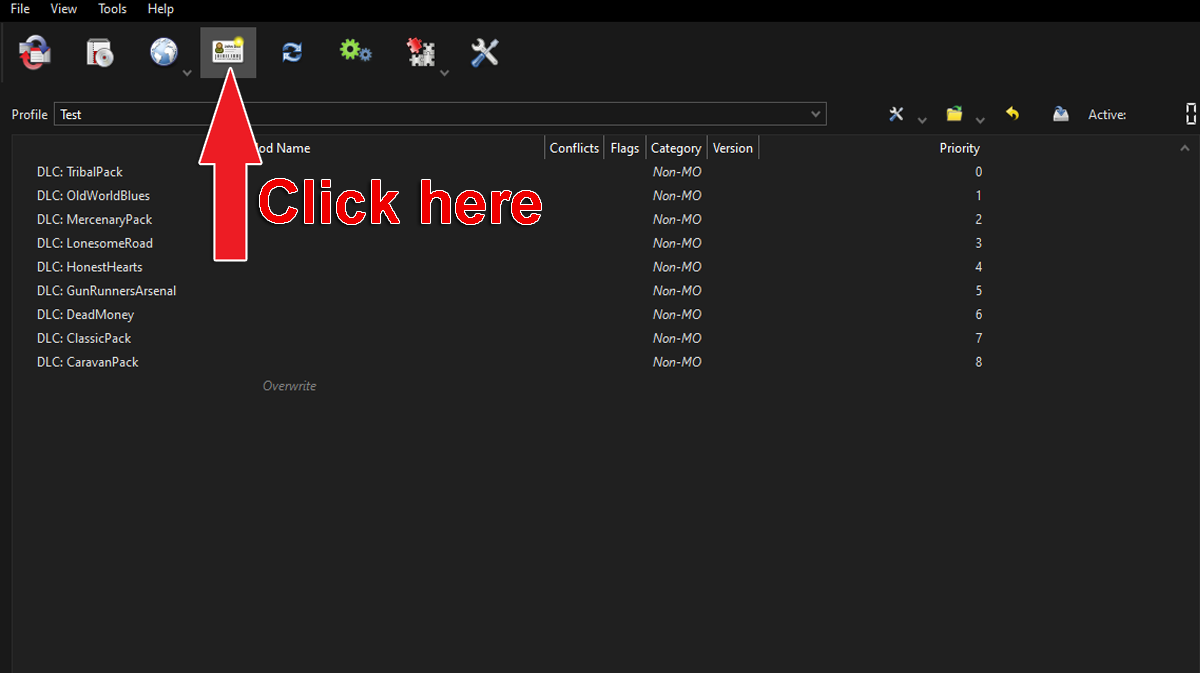
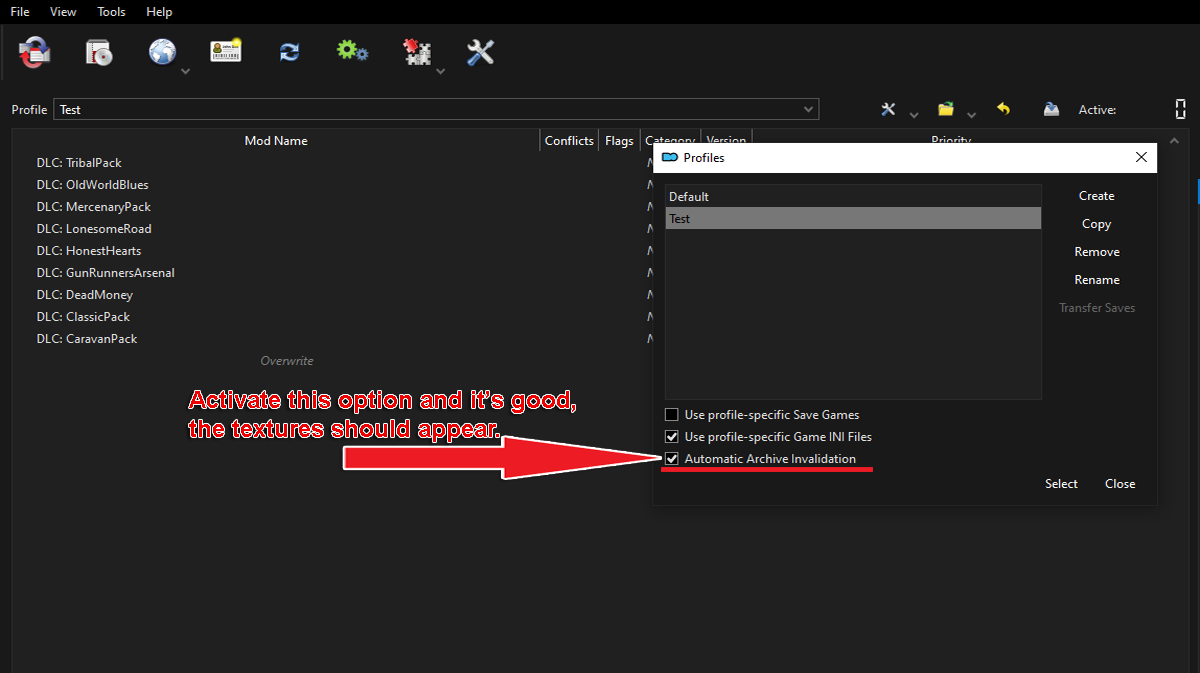
Go to the profiles manager and tick the box for automatic archive invalidation in the profile you use. Then apply and close.
Vortex
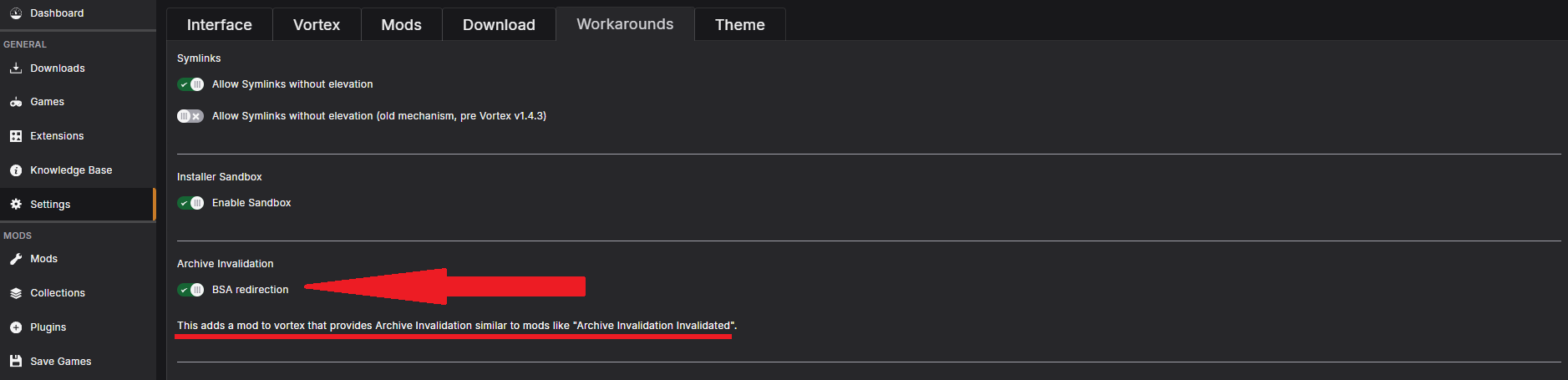
Here's a step-by-step
- Access Vortex Settings: Open Vortex and navigate to the "Settings" tab.
- Go to Workarounds: Click on the "Workarounds" tab.
- Enable BSA Redirection: Locate the "Archive Invalidation" section and enable the "BSA redirection" setting.
- Deploy Changes: After enabling, deploy the changes by clicking the "Deploy" button or by clicking the "Enable" button.
- Check for Vortex Archive Invalidation: Verify that a new mod called "Vortex Archive Invalidation" has been created on your mod list.
- Enable the New Mod: Ensure that the "Vortex Archive Invalidation" mod is enabled.
Check out my other guide for Fallout New Vegas
Official Ragna_Ikari Steam Guides

Rate, Reward & Add To Favorite!

More Fallout: New Vegas guides
- Simple Guide to Setting up New Vegas in 2026★ 5 (2.9k)122k views8k ♥9 minUpdated May 6
- New Vegas 2024 Essential Modding Guide★ 5 (1.4k)112k views3.9k ♥37 minUpdated Jan 19
- Fallout:NV Console Command List / Weapons / Armor / NPC's and World Objects★ 5 (948)67k views2.4k ♥33 minUpdated Aug 6, 2025
- 100% Achievement Guide: Fallout - New Vegas★ 5 (1.5k)37k views4.6k ♥98 minUpdated May 9
- Interactive Map★ 5 (614)27k views957 ♥1 minBulgarianUpdated Jan 30
- Complete Achievement Guide (Includes DLC)★ 5 (808)23k views2.1k ♥26 minUpdated Aug 5, 2025





This guide was created by its original author on the Steam Community. Are you the author and want it removed? Request removal.