Playing with PlayStation Controller Button Icons
Instructions
What you will have to do is wire the controller to the PC and override the controller settings for this game to disable Steam Input so that the DS4 controller's inputs do not get transformed to XInput.
Here are the steps on how to override Steam’s controller settings for this game:
Here are the steps on how to override Steam’s controller settings for this game:
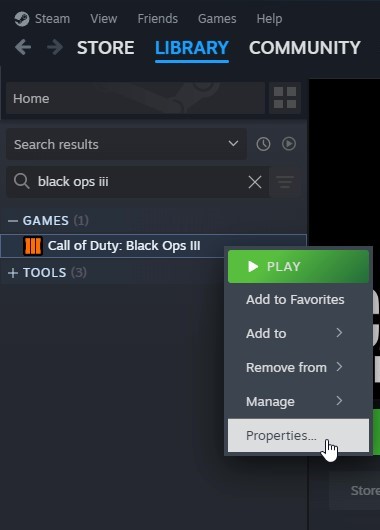
- Search your Steam library for the game. You can search for:
"Black Ops III" - Right-click the game from your Steam library, then select Properties...
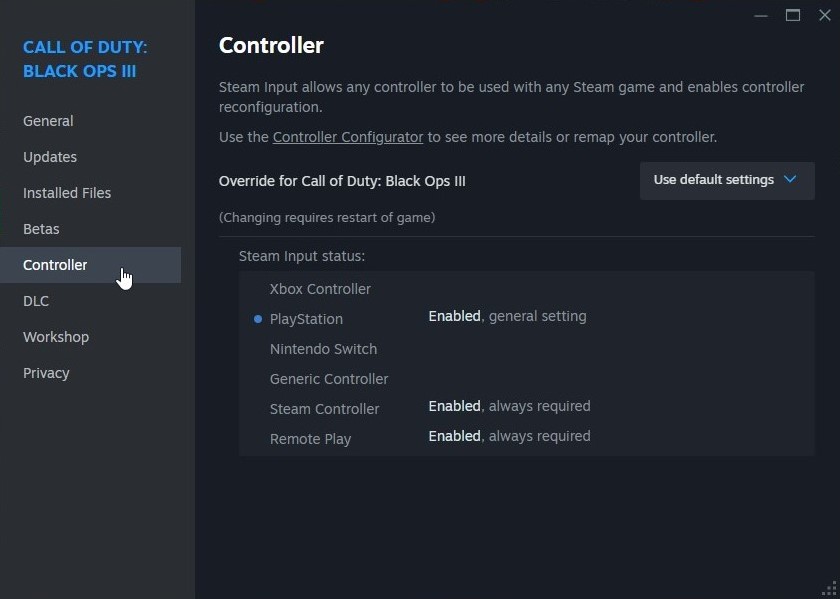
- On the new window that opened, select the Controller tab.
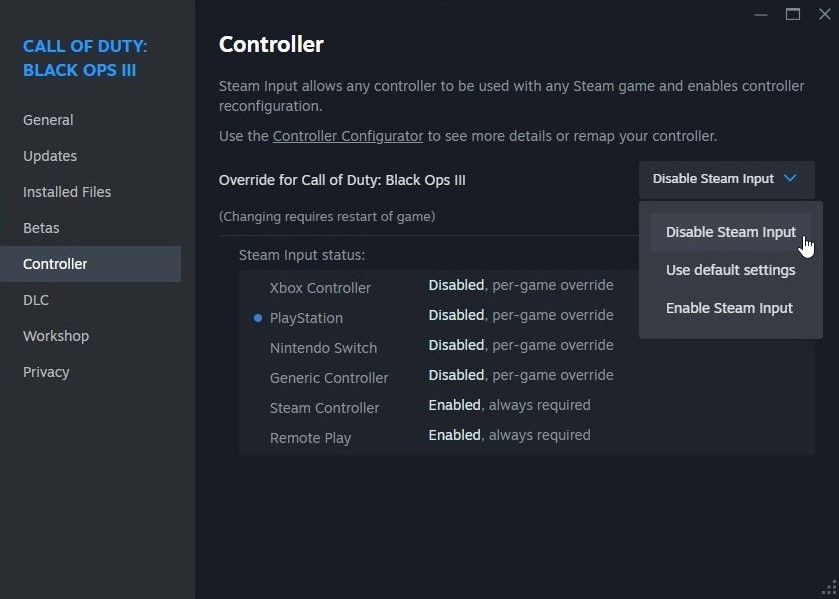
- Set the option for Override for Call of Duty: Black Ops III to "Disable Steam Input"
Other Controllers or if It Does Not Work Immediately
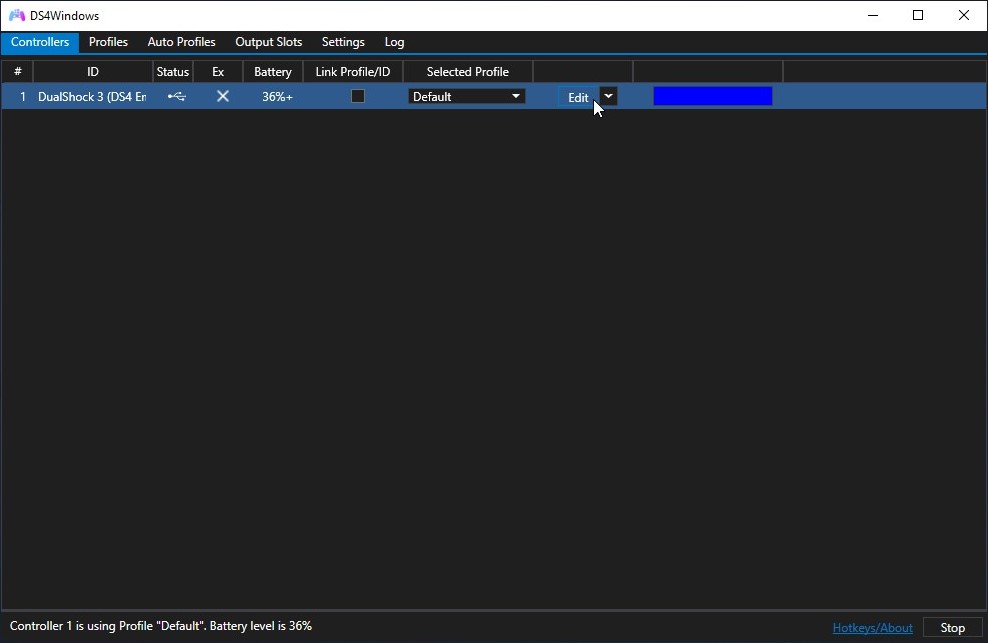
In the case that the previous steps do not make the game use PS4 controller icons, use DS4Windows or another controller emulator to emulate DualShock 4 inputs. This can be achieved on DS4Windows by doing the following:
To get the game to recognise the emulated controller while playing, make sure to keep DS4Windows running during gameplay. Ensure to also follow the steps in the Instructions section of this guide if you have not already for the icons in-game to change properly.
- Install and set up DS4Windows if you have not already, and make sure the controller is recognised on it: https://ds4-windows.com/get-started/#installation-setup
If you are having issues starting the program or issues getting it to recognise your controller, check the following: https://ds4-windows.com/troubleshoot/ - Once the controller is recognised by the program, select a profile for the controller which you would like to apply the changes to, then click Edit.
- On the screen that opened, select the tab labelled Other.
- Under Virtual Controller Settings, set Emulated Controller to "DualShock 4".
- Once done, click Save to save the changes to the profile.
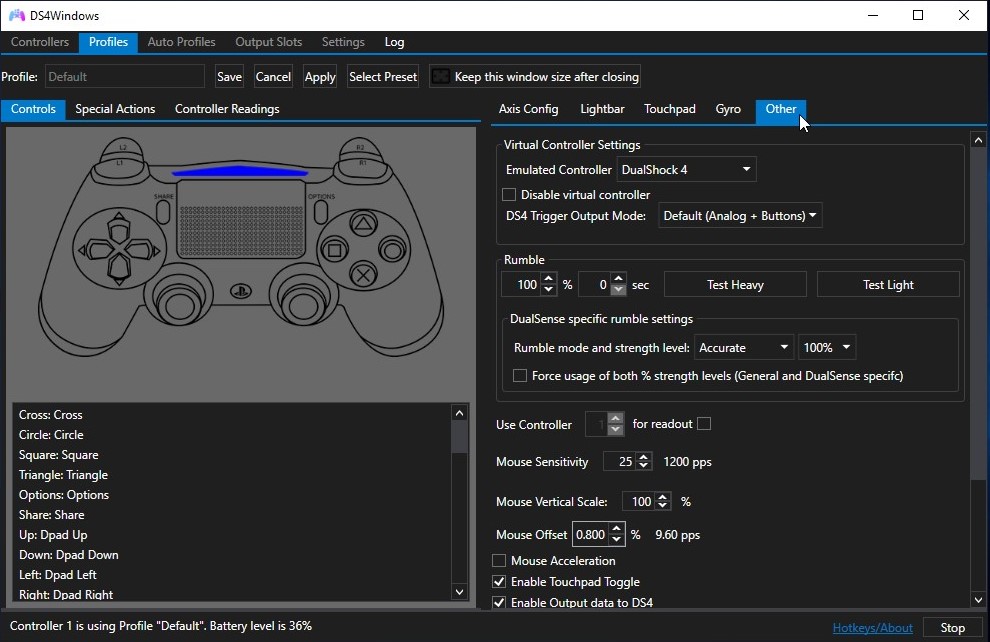
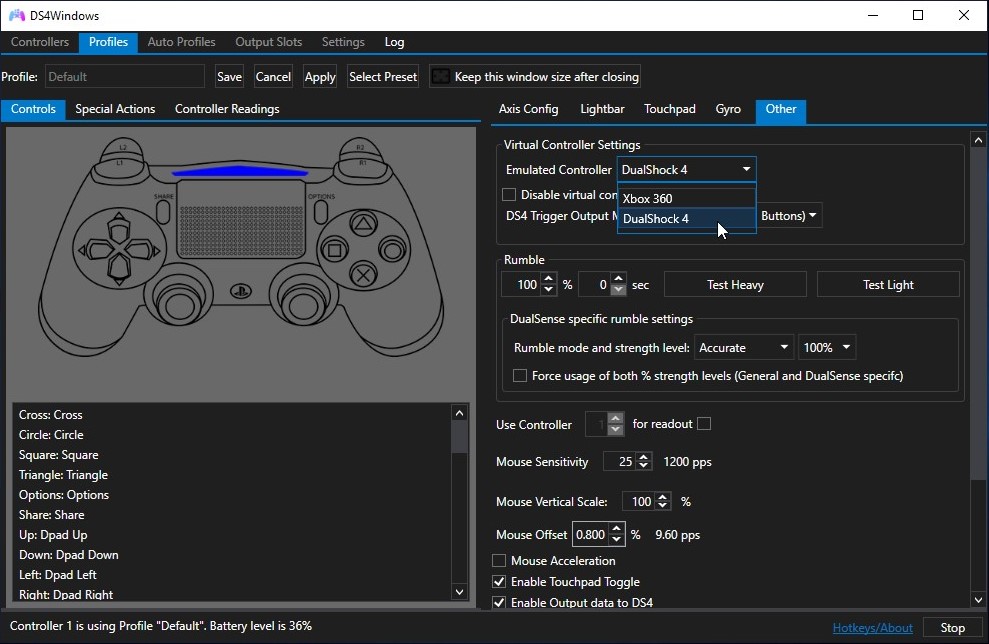
To get the game to recognise the emulated controller while playing, make sure to keep DS4Windows running during gameplay. Ensure to also follow the steps in the Instructions section of this guide if you have not already for the icons in-game to change properly.
Previews from the Game

Main menu
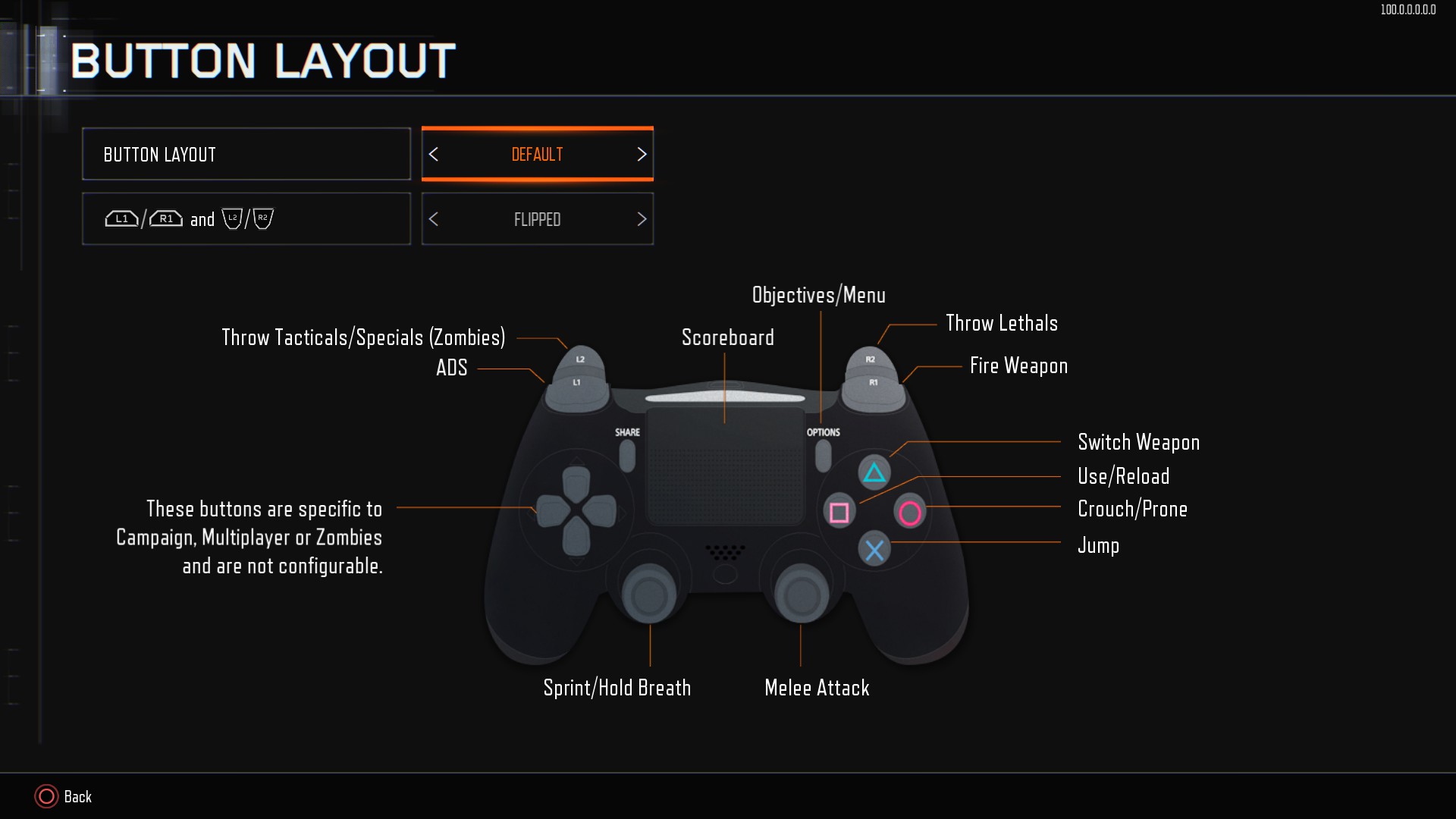
Gamepad button layout controls

Server browser

Multiplayer specialist ability/weapon

Zombies gobblegum
Afterwards
I would like to thank Distinger for informing me of how they got the PlayStation buttons to appear in the game, thus making this guide possible!
More Call of Duty: Black Ops III guides
- All Around Enhancement Mod Description And Info★ 5 (597)211k views1.2k ♥34 minUpdated Aug 10, 2023
- Black Ops 3: Console Commands★ 5 (1.1k)123k views2.4k ♥7 minUpdated Feb 13, 2020
- Origins Ultimate Guide★ 5 (562)72k views1.7k ♥17 minUpdated Jun 24, 2017
- Guide for Shadows of Evil [2020 updated]★ 5 (1.4k)67k views4.5k ♥24 minUpdated Mar 22, 2024
- Guide for Der Eisendrache [2020 updated]★ 5 (1.3k)65k views4.6k ♥30 minUpdated Feb 22, 2024
- How to download the community T7patch by Serious and play online zombies safely (also FPS Fix)★ 5 (491)62k views1.2k ♥4 minUpdated Apr 30






🔥 Popular guides
- Upgrading to PremiumTeam Fortress 2★ 5 (20k)1441k views11k ♥6 minUpdated May 11, 2022
- No More Room in Hell Official ManualNo More Room in Hell★ 5 (2.8k)569k views2.1k ♥29 minUpdated Apr 22, 2019
- NMRiH Community Hosting GuidesNo More Room in Hell★ 5 (526)351k views653 ♥1 minUpdated Aug 10, 2022
- Лучшие кооперативные игры SteamPAYDAY 2★ 5 (1.5k)315k views2.1k ♥56 minRussianUpdated Apr 27, 2025
- Desert Eagle Heat Treated | Blue GemCounter-Strike 2★ 5 (1.6k)292k views1.5k ♥2 minUpdated Jan 16
- Treasure Hunt Puzzle SolutionsTotal War: WARHAMMER II★ 5 (6.9k)281k views15k ♥3 minUpdated Aug 19, 2021






This guide was created by its original author on the Steam Community. Are you the author and want it removed? Request removal.