The Darkest Cheat Manual
Preface
Before the beginning of our lesson, I, your humble servant, must apologize for the imperfections of my English, for that it is not my native tongue. This manual is my first ever attempt to write such a thing completely in English. At least, I should be understandable.
Nota Bene : Should you speak French, feel free to answer in French in the comments section (Avis aux francophones : n'hésitez pas à répondre ou poser vos questions en français !
That being said, welcome, dear seeker of Darkness! If you are here, you are about to embrace a malignant power known as Cheatomancy. I suppose you just lost your dear level 6 Vestal, and with heroism you let her corpse rotting in a dirty corridor of the Ruins, before realising that she held your precious Junia's head and Ancestor's Scroll! Hence you casted the forbidden alt+f4 spell, and promised a cruel bit-per-bit uninstallation for this stupid game. "Ruin has come to my family", the Ancestor told you one hour later, before the Shambler ate your strongest team. But they can't be dead, isn't it? Where is the consol? I want my bracket key!
Calm my friend, I am here to save your keyboard from annihiliation. Together we will learn how to distord the code and, well... temper this anger!
So, yes, this guide basically aim at helping you to cheat. Well, Darkest Dungeon is indeed a hard and punitive game, not intended for sensitive souls. But it is in fact one of the best game of its genre, thus it would be a shame to refuse it for more casual gamers. You play the way you want. And I don't want to hear any complain about breaking the spirit of the game. It is a single-player one, so I don't care.
However, dear Darkness-scion, be certain that it is what you want, before learning to the art of Cheatomancy. Because knowing that you can cheat may foster you to abusively do such, at the point it would trivialise the game and make it uninteresting. I warned you. If you are still there, let's begin. To your workbench, cheatomancers!
Requirements
In order to be able to apply most of the following lessons, you will need a software that can edit code files, though you don't need any kind of coding knowledge, don't worry.
If you are pretty accustomed to using it, I guess neovim (or other vi-based software) are among the best ones. Otherwise, just grab some really basic and free software, such as notepad++, texShop, or other stuff like that.
Then, you must be able to localise your game files and your workshop files.
For your save files, you might refer to this article[www.filelocations.com].
For your workshop files, you should take a look there.
Noticed that Darkest Dungeon is refer in Steam as 262060. It should help you locating files.
In this guide we will use mods several times as a way to cheat. Therefore you must be able to precisely find a mod files (I assume you all know how to download and enable a mod). All of them are stored in your workshop files, although you may have plenty of installed mod all named with a abstruse number. Here is a way to find a mod id: in your Steam library, right click on Darkest Dungeon and see properties > Workshop. Here you may search a mod using its name, and if you try to click n' drag it, you will see its id appear at the very end of the location path.
With these tools in hand, we are ready to begin the lesson!
I - Reviving heroes from the dead
I think this the first ever thing a player search when he is about to cheat and, yes, it is definitely possible. Or is it? In fact, I havn't find a way to completely resurrect a hero, instead I can cancel the expedition in which my heroes died, and I will teach you how to revert time!
Note that this method comes not without drawbacks. Here is a non exhaustive list:- Reverting time means you will loose everything you gathered from to last mission. Furthermore you should resurrect your hero directly after their death; otherwise you would loose entire game weeks.
- It is a butch way to cheat, and the game won't like it. Be sure to save your game files before attempting anything below, as it could corrupt your save (it never happened to me during my tests though). In addition, a plenty of curious bugs may occur. None of them are real issues and would eventually be repaired after any quest, but don't be surprised if you see a hero having more than 100 stress in town.
- The game will consider a week to have effectively passed. Which means that the mission map will be rerolled, including rewards (yes, including your precious Ancestor Pen you failed to obtain when you lose your level-6 Vestal). It may have an impact in Stygian/Bloodmoon (though I find strange to cheat in a mode whose only goal is its increased difficulty, but no matter, you play as you want).
So, are you ready to brave death, whatever the cost? Okay, dark acolyte. Fist of all, you must find your game files. They are located in the persist.campaign_log.json in your profile. Open it with your favourite code editor.
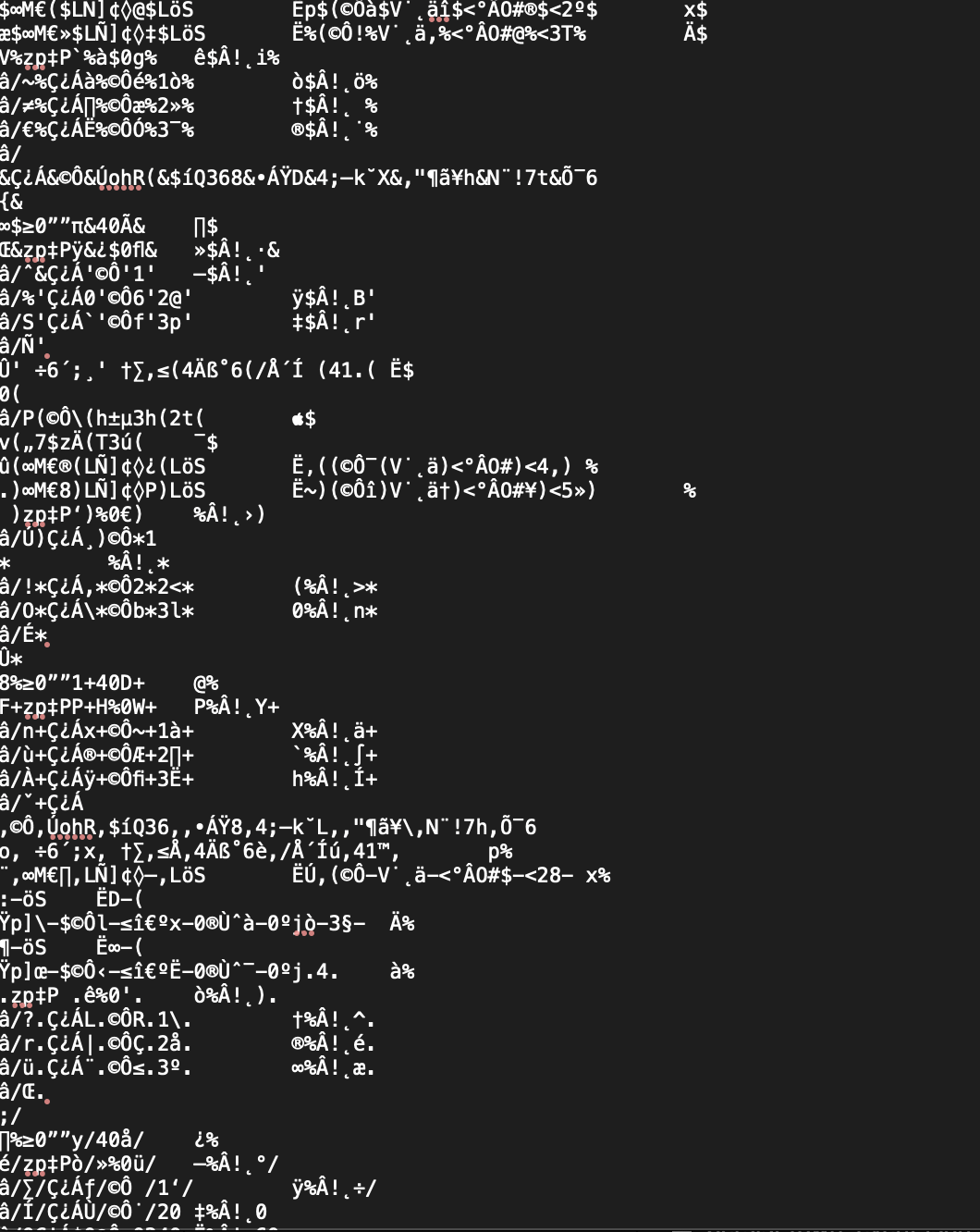 I don't know why, but this file is strangely encoded. My TexShop have no issue to read, but other software could (here is an example).
What you want is at the very end of the find (should you have follow my precepts and hadn't wait too long for reviving you heroes). Search for the first time the name of your heroes (those who took part to the last mission) appear, starting from the end. And you know what? D•E•L•E•T•E them without a feeling. There are usually two lines to remove, the first one beginning with "wheroes0name". Now save the file and launch the game.
If you have done correctly, your save will look corrupted, and the game won't be glad to see you.(Ah ah, retribution, cruel game.) Do not worry. Just launch your save, which will usually looks like if you were at week 0. It will invite you to "load from backup", which you will do. And ta-da! Your dear heroes are back, ready to feed a Shambler!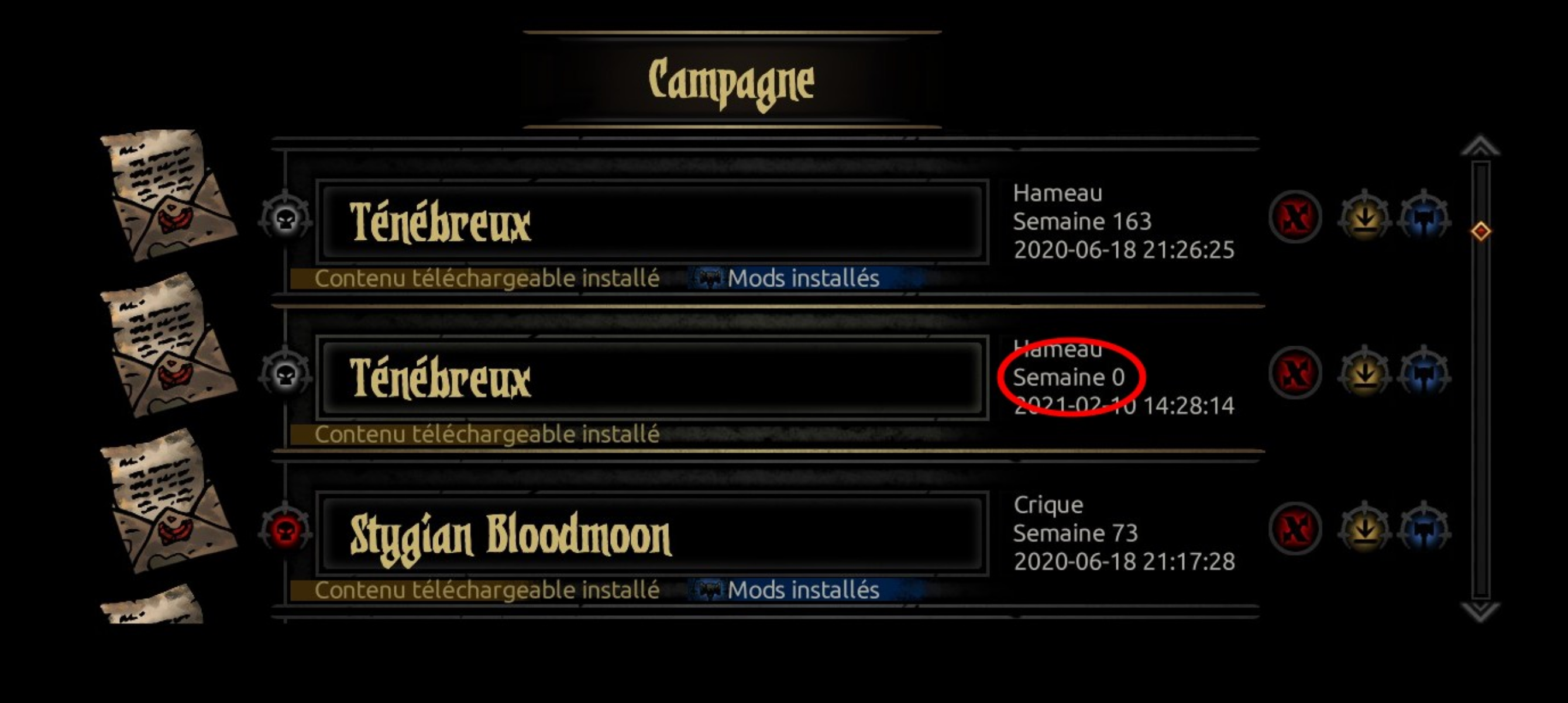
II – Cheating for more loot – Greed against Grind
Okay so, an evil sorcerer like you are becoming usually wants a lot of money. Isn't it what you want ? Fine!
There is actually plenty of mods that allow you to increase the amount of money, or heirlooms, you get from missions. But that is not enough, i'n'it?
At first, at suggest you to grab this mod :
https://steamcommunity.com/sharedfiles/filedetails/?id=2590102120
It's gonna be our base to work, since it will allow you to alter the game data without actually modifying the game files.
Now, you must open the mod files. It should be located in your workshop repository, and its id is 2590102120. Okay, now go to /loot and open the loot.json file. Now, just use your legendary spell Ctrl+f to seek for what you heart desire, gold or heirloom (or whatever you want in fact). It should look like that.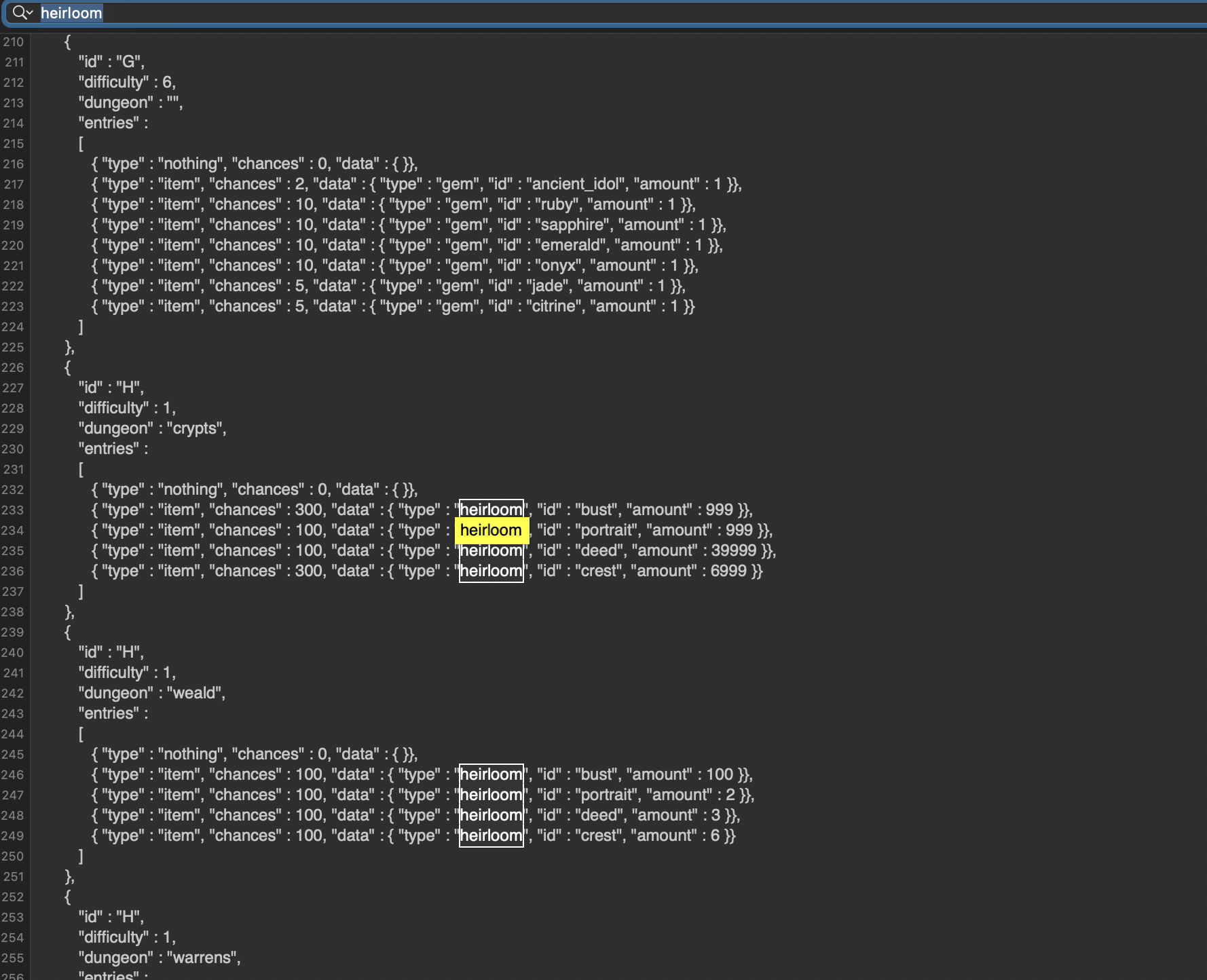
(Note that this file has been modified by myself in order to test the method, so figures are not those you will find at first.)
Now, just modify data to fit your very desires. As you may have wondered, the "id" entry mark which loot you are altering, "amount" rules over the number you will get after a single loot and "chances" represent... well, the chance you have to get this loot.
As an example, normal values are between 1 and 20 for chances. Here with 300, you are certain to loot it at each run.
You may notice that every entry is behind a header with "id", "difficulty", "dungeon" and "entries". This is because loots vary from a region to another, and from a difficulty to another. I suggest you not to change these values. It means that, if you ant to increase the amount of gold you always get, you will have to manually change every entry that countain gold. For boring it is, be certain it's efficient.
The last good point is that you may turn on and off your own cheated loot table, simply be enabling or disabling the mod. If you want to reset the mod to its normal values, just reinstall it.
III – Cheating for blueprints – let us build an empire!
You will only need this simple mod:
https://steamcommunity.com/sharedfiles/filedetails/?id=2063505767
It will allow you to exchange your crests for blueprints. As explained previously, open its folder. Its id is 2063505767. Go to campaign/heirloom_exchange and open the heirloom_exchange.json file.
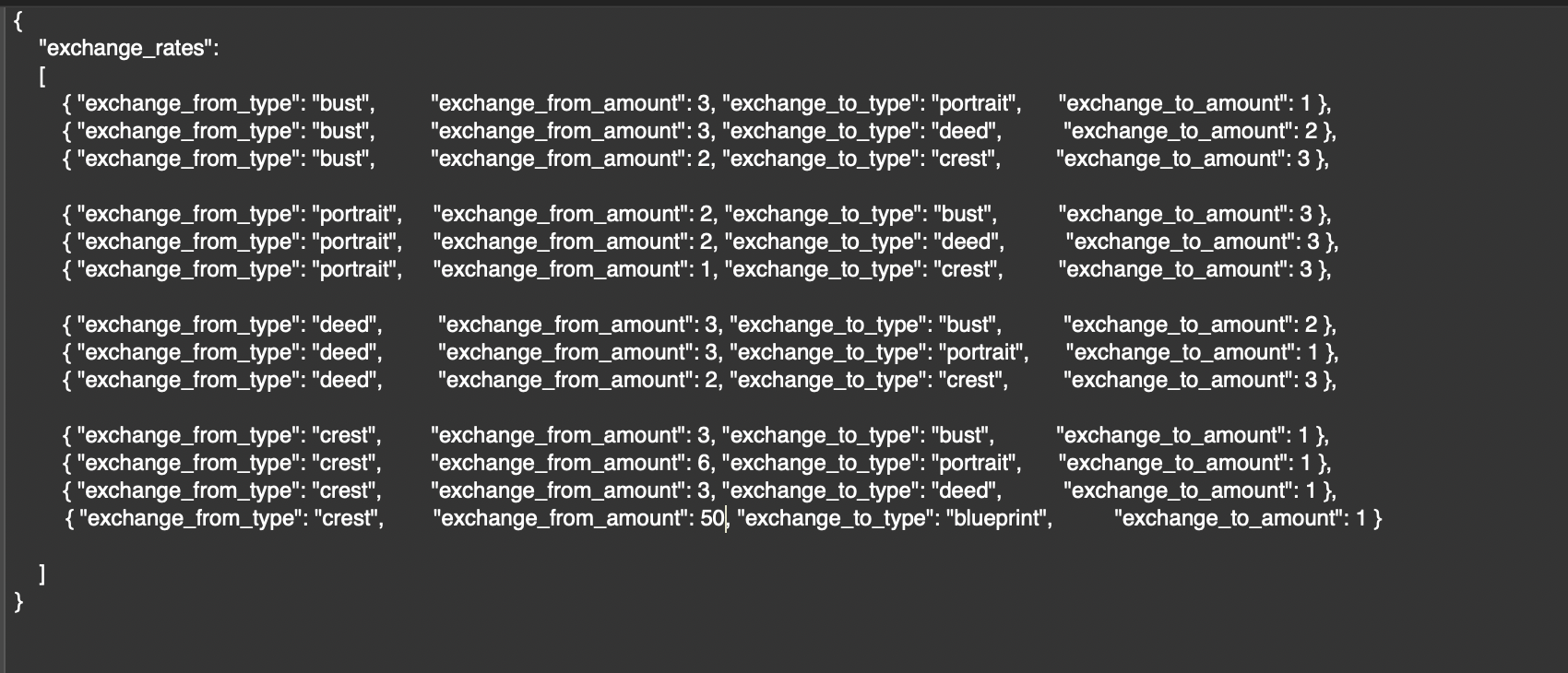 . See the highlighted line. The value "exchange_from_amount" represents the number of crests you'll need for a single exchange. The value "exchange_for_amount" represents the number of blueprints you'll get from every single exchange.
Now, enable the mod and open the game. You will be able to buy blueprints from crests in the exchange menu!
- Curio Guide★ 5 (5.1k)96k views13k ♥10 minUpdated Feb 2, 2022
- Party Building/Composition★ 5 (2.2k)60k views5.8k ♥27 minUpdated Jun 28, 2018
- Know Your Dungeon: 15 Adventuring Tips★ 5 (2.6k)58k views4.3k ♥52 minUpdated May 31, 2020
- The Darkest Dungeon 101 - All You Need to Know★ 5 (2.1k)56k views6.1k ♥21 minUpdated Jun 20, 2022
- The Complete Guide to Provisions★ 5 (2.2k)50k views6.1k ♥20 minUpdated Jun 24, 2020
- Darkest Dungeon без боли: 100 страниц боевого опыта★ 5 (2.6k)48k views4.7k ♥179 minRussianUpdated Aug 30, 2020





- Upgrading to PremiumTeam Fortress 2★ 5 (20k)1441k views11k ♥6 minUpdated May 11, 2022
- No More Room in Hell Official ManualNo More Room in Hell★ 5 (2.8k)569k views2.1k ♥29 minUpdated Apr 22, 2019
- NMRiH Community Hosting GuidesNo More Room in Hell★ 5 (526)351k views653 ♥1 minUpdated Aug 10, 2022
- ULTIMATE GUIDE FOR GAME DEV TYCOONGame Dev Tycoon★ 5 (5.8k)326k views10k ♥4 minUpdated 23 Jan, 2014
- How to 'Git Gud' Soon™MORDHAU★ 5 (2k)318k views3k ♥68 minUpdated Nov 16, 2024
- Лучшие кооперативные игры SteamPAYDAY 2★ 5 (1.5k)315k views2.1k ♥56 minRussianUpdated Apr 27, 2025






This guide was created by its original author on the Steam Community. Are you the author and want it removed? Request removal.