How to render videos - Basic Guide - Image Sequence - Blender - (NO AUDIO)
Tools
https://store.steampowered.com/app/365670/Blender
OPTIONAL - Any video editing software, such as Kdenlive[kdenlive.org]
OPTIONAL - Any video editing software, such as Kdenlive[kdenlive.org]
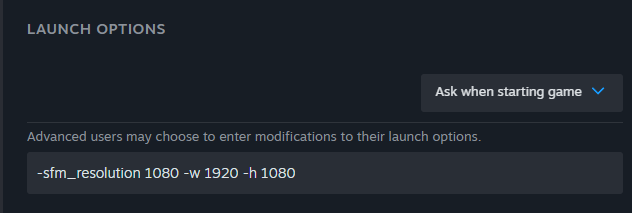
1 - Turn on the 1080p+ resolution in the launch settings
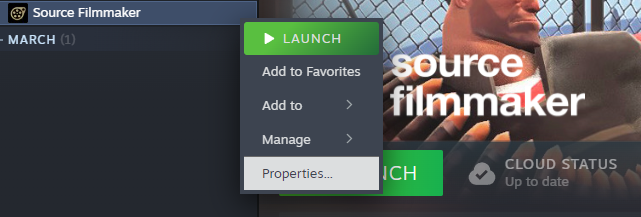
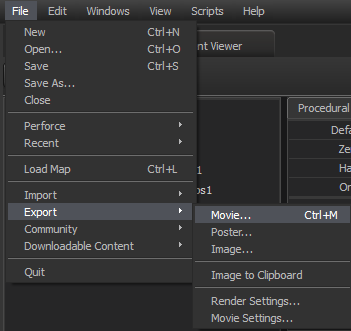
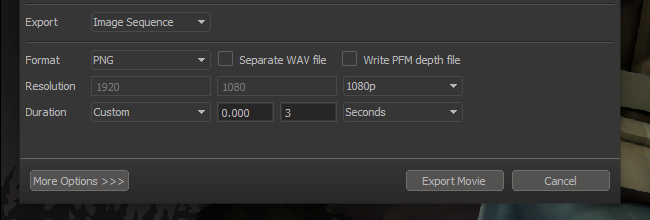
2 - Export>Movie>Image sequence
3 - Blender
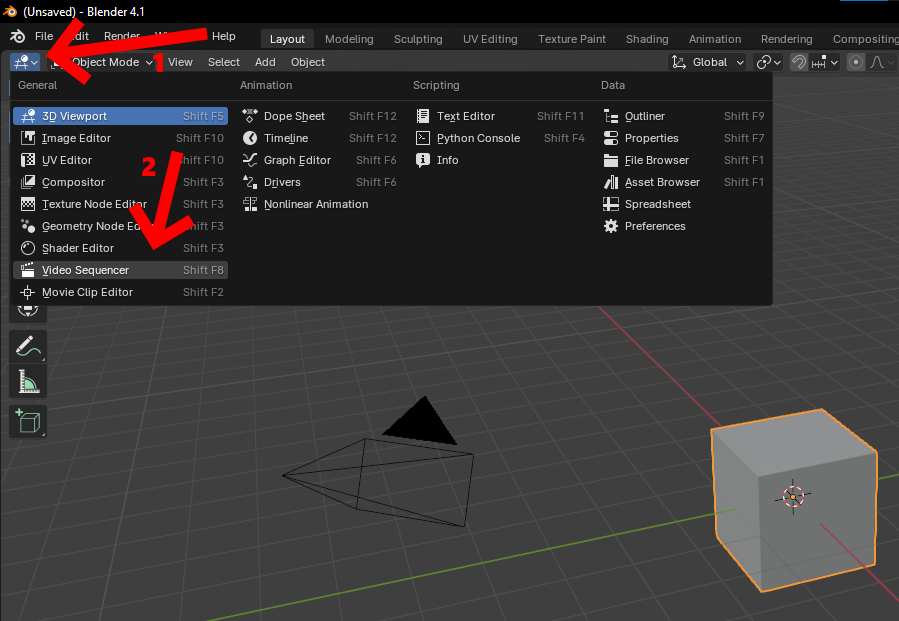
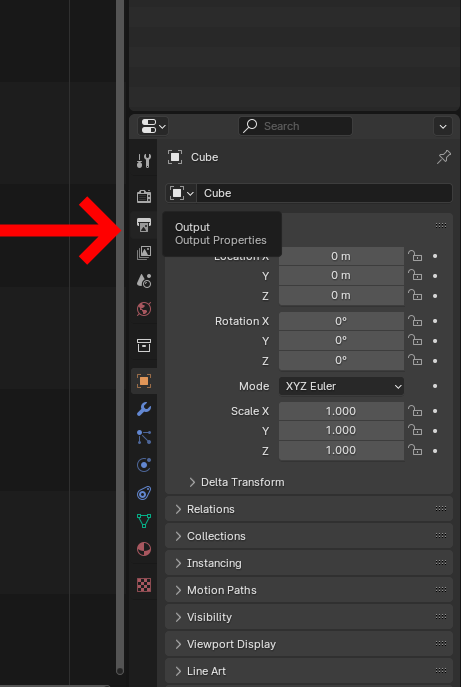
4 - Blender Settings
Your resolution can be different
Your framerate can be different yes, I know that SFM is bad with 60fps
Frame range - End (NUMBER OF HOW MANY FRAMES YOU HAVE RENDERED IN SFM)
Output - Anywhere you like
File format - FFMPEG
Encoding - MPEG-4
Video Codec - H.264
Quality - Whatever you like. BUT Lossless has colossal filesize compared to Perceptually Lossless
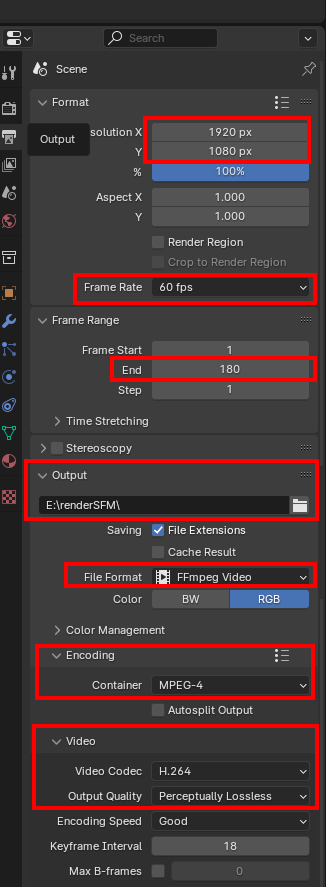
Your framerate can be different yes, I know that SFM is bad with 60fps
Frame range - End (NUMBER OF HOW MANY FRAMES YOU HAVE RENDERED IN SFM)
Output - Anywhere you like
File format - FFMPEG
Encoding - MPEG-4
Video Codec - H.264
Quality - Whatever you like. BUT Lossless has colossal filesize compared to Perceptually Lossless
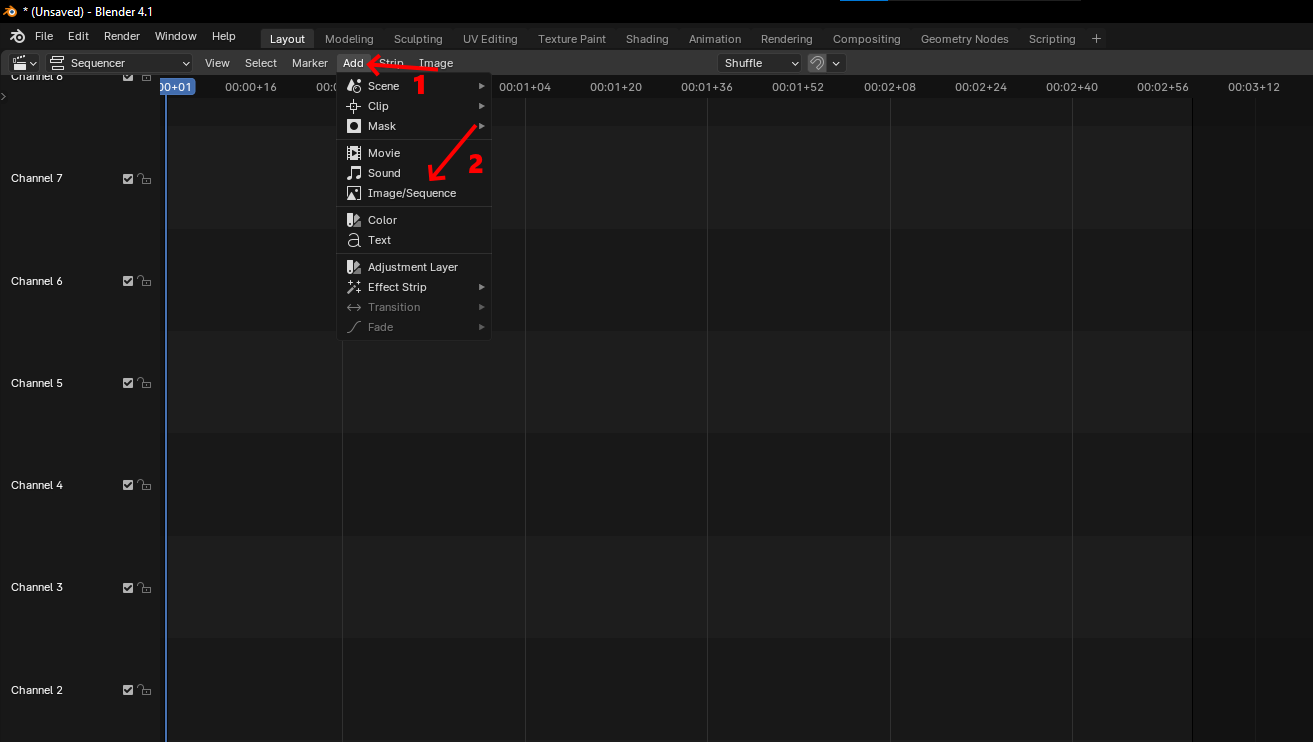
5 - Select your images. Press "A" on keyboard to select them all (NOT CTRL+A)
END FRAME MUST BE EXACT NUMBER OF IMAGES. SFM STARTS NAMING FILES WITH 0.
YES YOU HAVE TO TYPE END FRAME NUBMER TWICE
YES YOU HAVE TO TYPE END FRAME NUBMER TWICE
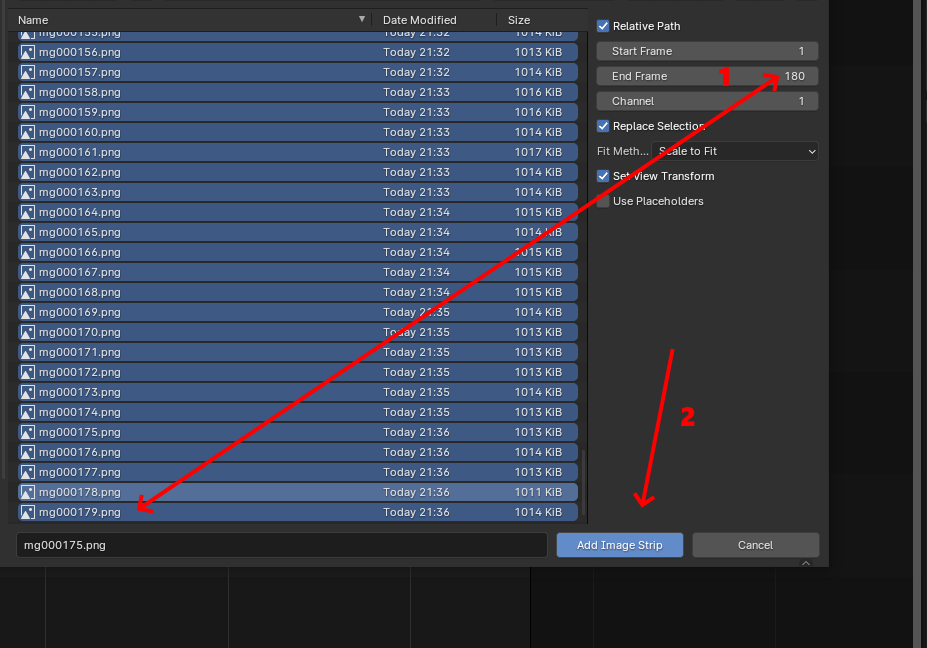
6 - Render
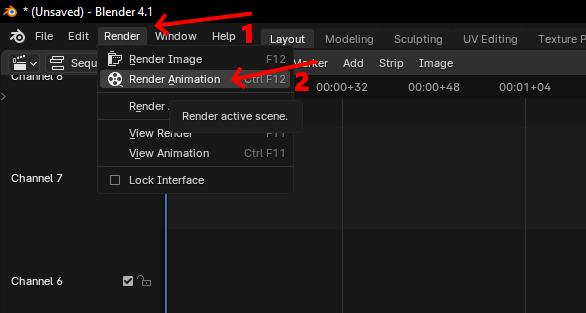
Cool button
More Source Filmmaker guides
- Changing Textures Using Material Overrides★ 5 (1.4k)41k views2.7k ♥5 minUpdated Jul 26, 2014
- Manually Updating TF2 Content★ 5 (1.3k)35k views1.9k ♥2 minUpdated Nov 26, 2025
- The Fundamentals of SFM: For Beginners★ 5 (1.3k)25k views3.3k ♥55 minUpdated Apr 29
- Ваш первый постер★ 5 (1.1k)22k views2k ♥5 minRussianUpdated Oct 22, 2024
- Getting Gmod Workshop stuff too SFM★ 5 (510)15k views1.3k ♥1 minBulgarianUpdated Aug 4, 2015
- Animation Guide★ 5 (704)14k views1.9k ♥6 minUpdated Apr 9, 2023





🔥 Popular guides
- Upgrading to PremiumTeam Fortress 2★ 5 (20k)1441k views11k ♥6 minUpdated May 11, 2022
- No More Room in Hell Official ManualNo More Room in Hell★ 5 (2.8k)569k views2.1k ♥29 minUpdated Apr 22, 2019
- NMRiH Community Hosting GuidesNo More Room in Hell★ 5 (526)351k views653 ♥1 minUpdated Aug 10, 2022
- ULTIMATE GUIDE FOR GAME DEV TYCOONGame Dev Tycoon★ 5 (5.8k)326k views10k ♥4 minUpdated 23 Jan, 2014
- How to 'Git Gud' Soon™MORDHAU★ 5 (2k)318k views3k ♥68 minUpdated Nov 16, 2024
- Лучшие кооперативные игры SteamPAYDAY 2★ 5 (1.5k)315k views2.1k ♥56 minRussianUpdated Apr 27, 2025






This guide was created by its original author on the Steam Community. Are you the author and want it removed? Request removal.