Problems with Gm Golden Day?
Gm Golden Day The Garry's Mod Map
The Problem
Often times people get this map imported and either two things happen:
- The map does not load which means you did something wrong
- The map boots up like any other map but there is an issue
The issue is that everything looks fine all the buildings, roads,sky, it's all fine. But the real problem is when they look at the grass and trees. The grass is missing its textures making it an ugly purple and black checkerboard texture and the trees are the iconic big red ERROR sign. People often get stumped at this part, trust me I did. I tried moving files and redoing the whole importing process over and over. Nothing changed. I tried for weeks on end in file explorer but nothing worked
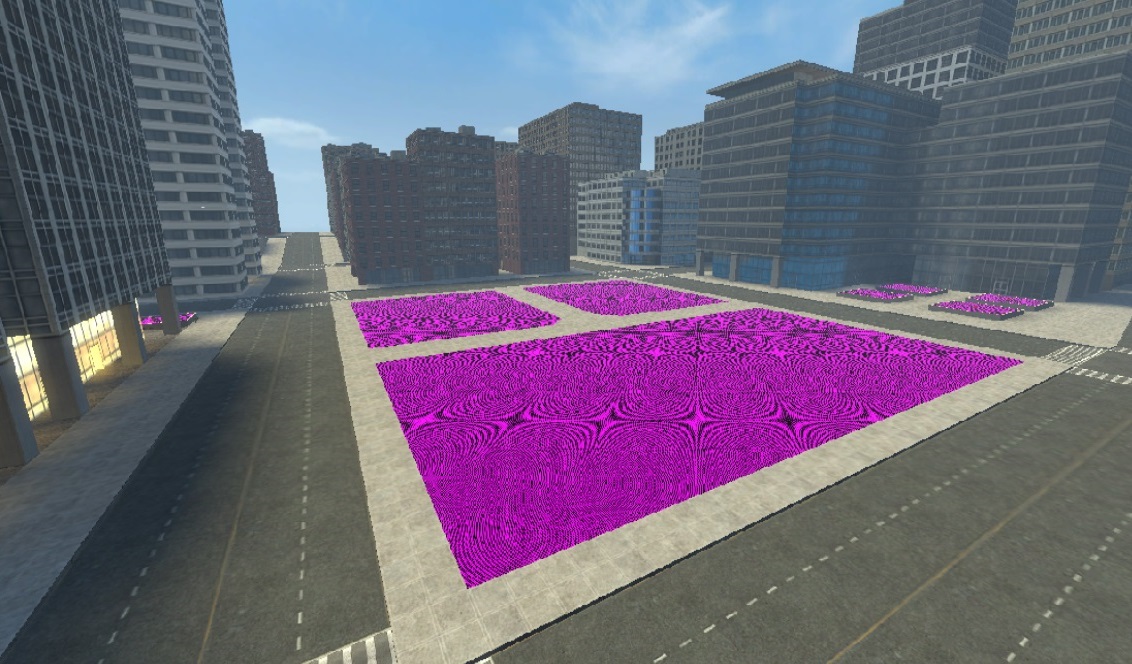 Golden Day missing grass and trees.
The Solution
SFM Lab. Everything was coming together now. I searched in the website and I found that Gm Golden Day (both day and night versions) was available. I then looked up a tutorial and when I was done and I opened up SFM...
It worked!
Basically How to Get GM Golden Day to Work for Yourself.
So this is the actual guide bit of this whole things so get ready.
1. Go to your browser and search SFM Lab (it should be the first link) then go into SFM Lab.Then at the top left press browse. Then in the search bar put "golden city" Then one option should appear.
It should look like this:
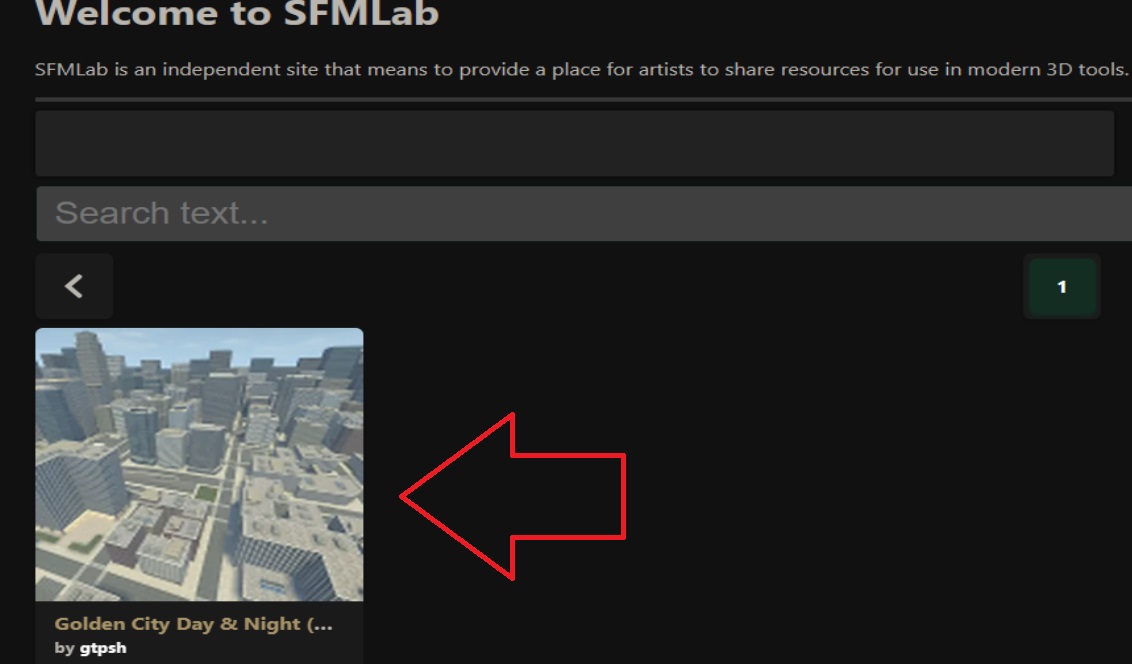 2. Scroll down and find download and press download (This is not a sketchy download, I had to do this process myself)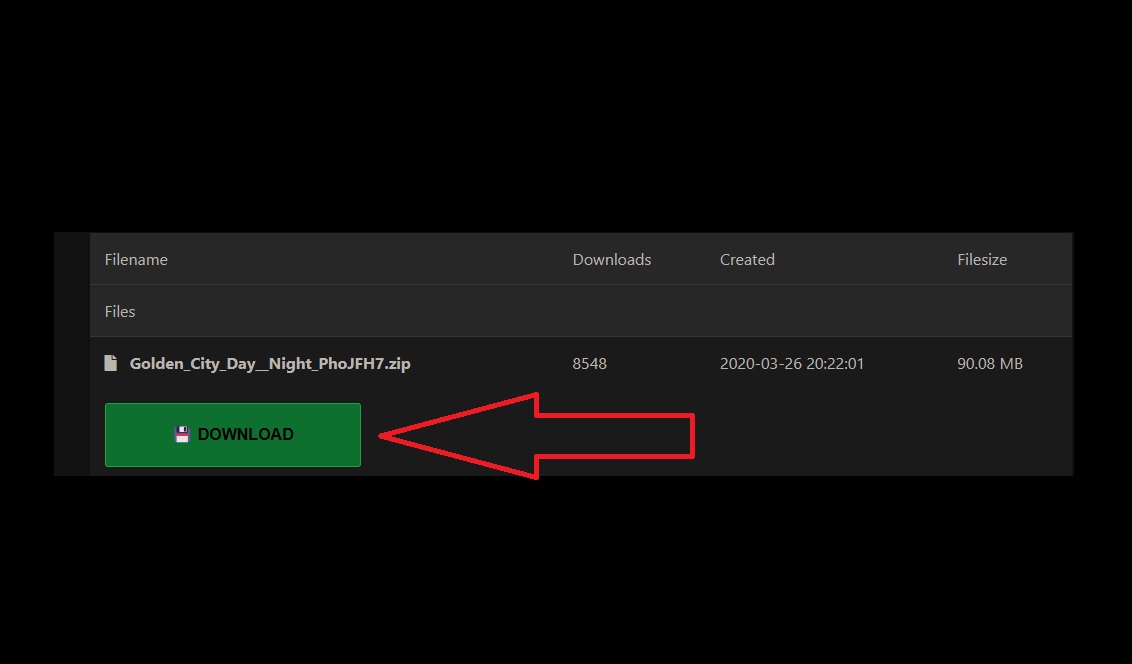
Then It should give you an option on where to download, which doesn't change where it goes on you computer and pick one of the free server ones.
- After a few minute download it will be in your 'Download' section in your files. It should appear as
'Golden_City_Day_Night_PhoJFH7' as a zip file
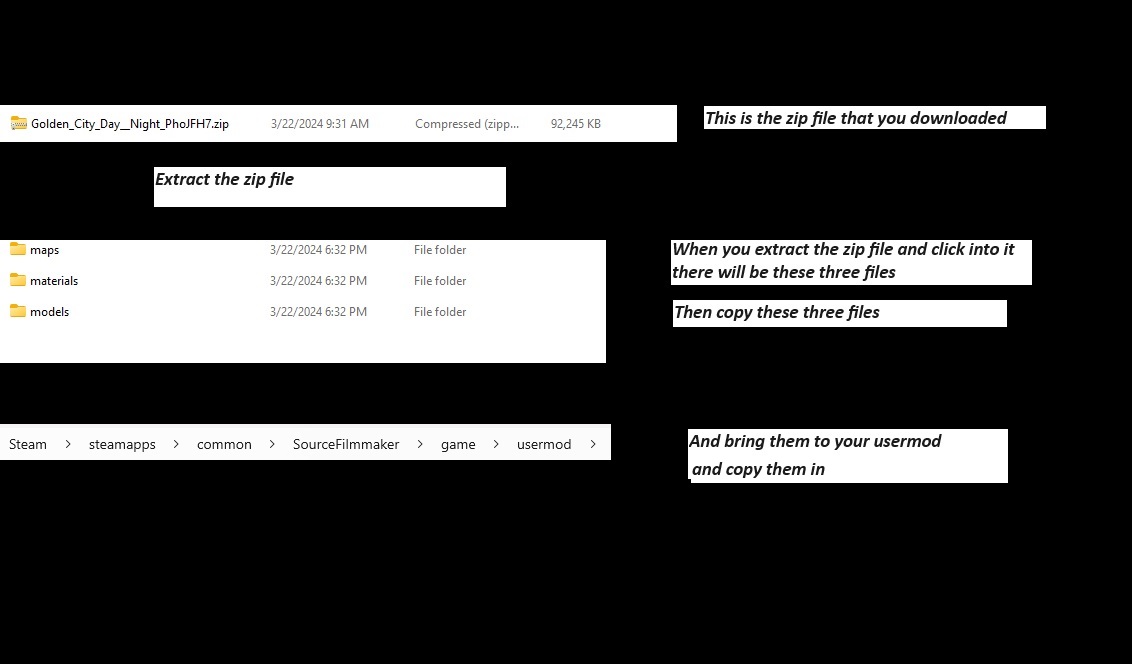
If you can't read the image then this is what it's saying extract the files from 'Golden_City_Day_Night_PhoJFH7'. Then when go into the non zip file version you find the file Golden City Day & Night.
Copy that file and go to your SFM usermod and copy them in there, not in usermod maps,models, just the usermod area.
Great Job
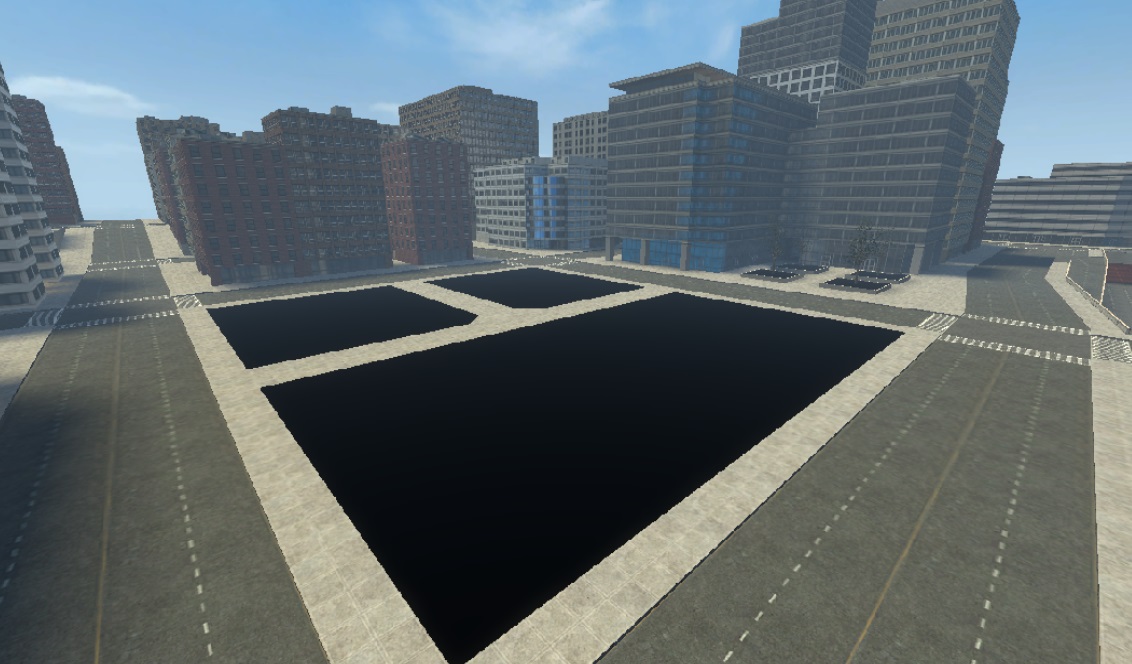 Now you might be thinking "Well the trees work but now the grass is an endless void"
 Well if you spawn a model it will look like this:
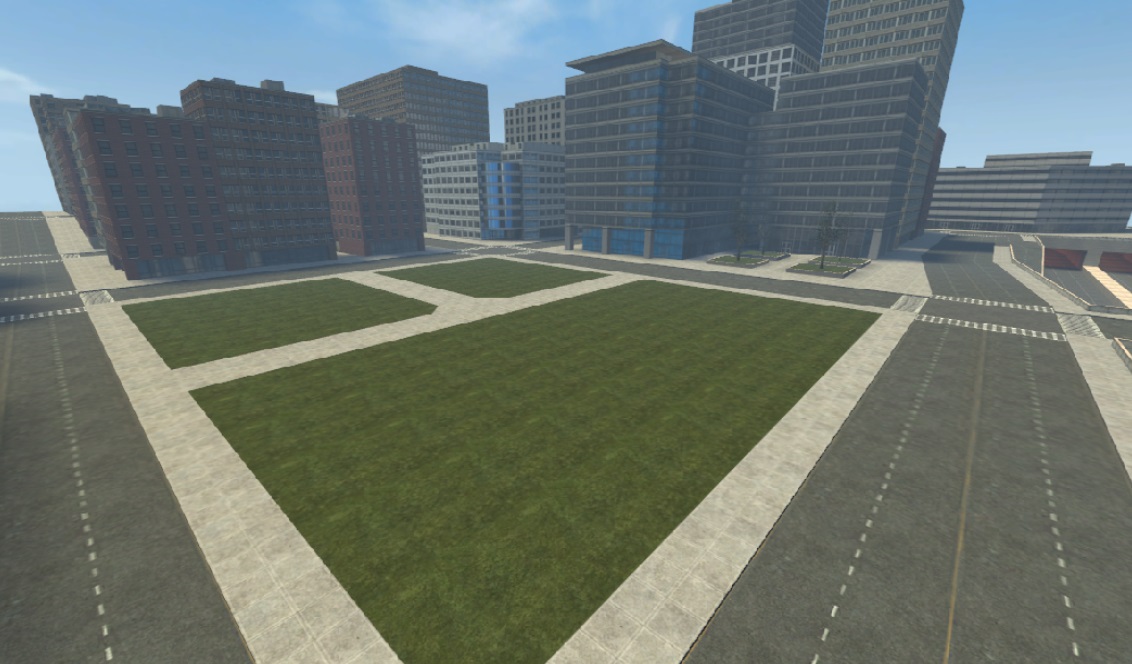
And there you go!
End Card
If you have any comments or questions feel free to ask and I'll try to reply.
Thanks again!
- Changing Textures Using Material Overrides★ 5 (1.4k)41k views2.7k ♥5 minUpdated Jul 26, 2014
- Manually Updating TF2 Content★ 5 (1.3k)35k views1.9k ♥2 minUpdated Nov 26, 2025
- The Fundamentals of SFM: For Beginners★ 5 (1.3k)25k views3.3k ♥55 minUpdated Apr 29
- Ваш первый постер★ 5 (1.1k)22k views2k ♥5 minRussianUpdated Oct 22, 2024
- Getting Gmod Workshop stuff too SFM★ 5 (510)15k views1.3k ♥1 minBulgarianUpdated Aug 4, 2015
- Animation Guide★ 5 (704)14k views1.9k ♥6 minUpdated Apr 9, 2023





- Upgrading to PremiumTeam Fortress 2★ 5 (20k)1441k views11k ♥6 minUpdated May 11, 2022
- No More Room in Hell Official ManualNo More Room in Hell★ 5 (2.8k)569k views2.1k ♥29 minUpdated Apr 22, 2019
- NMRiH Community Hosting GuidesNo More Room in Hell★ 5 (526)351k views653 ♥1 minUpdated Aug 10, 2022
- ULTIMATE GUIDE FOR GAME DEV TYCOONGame Dev Tycoon★ 5 (5.8k)326k views10k ♥4 minUpdated 23 Jan, 2014
- How to 'Git Gud' Soon™MORDHAU★ 5 (2k)318k views3k ♥68 minUpdated Nov 16, 2024
- Лучшие кооперативные игры SteamPAYDAY 2★ 5 (1.5k)315k views2.1k ♥56 minRussianUpdated Apr 27, 2025






This guide was created by its original author on the Steam Community. Are you the author and want it removed? Request removal.