How to fix the HDR Lightning problem.
Important rules for making HDR work.
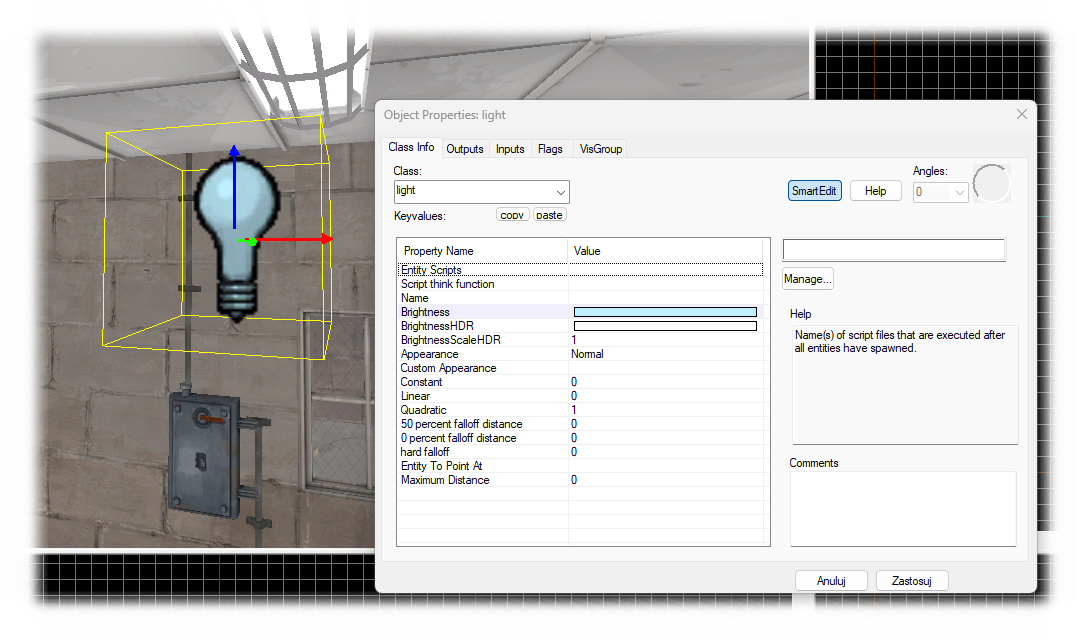
There must be at least ONE light on the map in the HAMMER program
It need to be any type of light. [Eg. : light, light_spot ]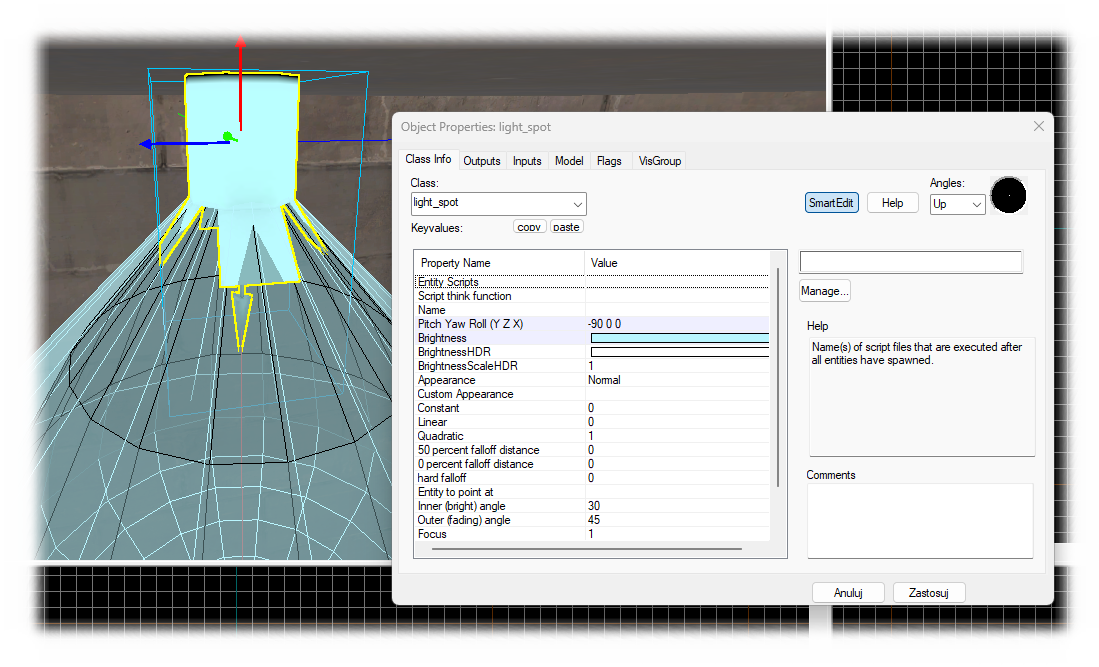
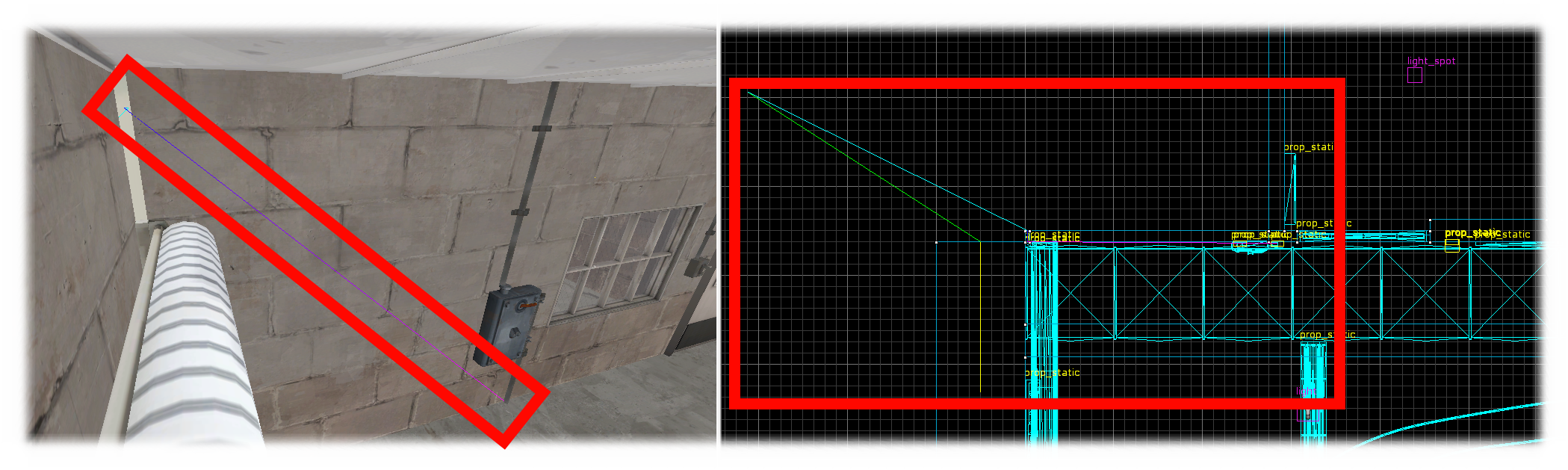
Your map MUST NOT contain any LEAKS
A leak occurs when a prop or displacement is not separated from the void. [The part that surrounds the entire map.]
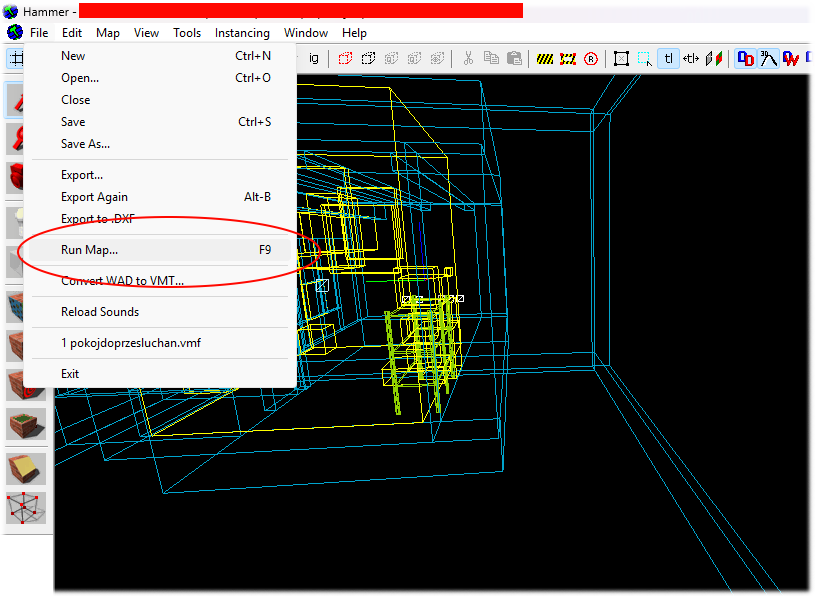
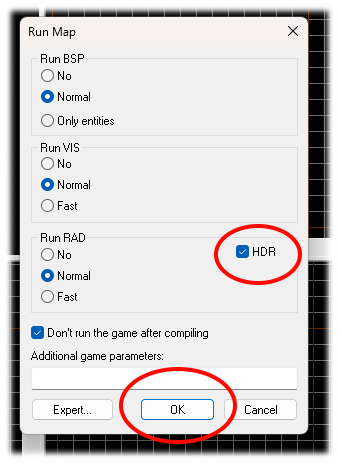
How to compile a map with HDR.
Use Hammer++ to detect leaks and to preview the lights on the map that you've set up in Hammer.
How to import non my maps?
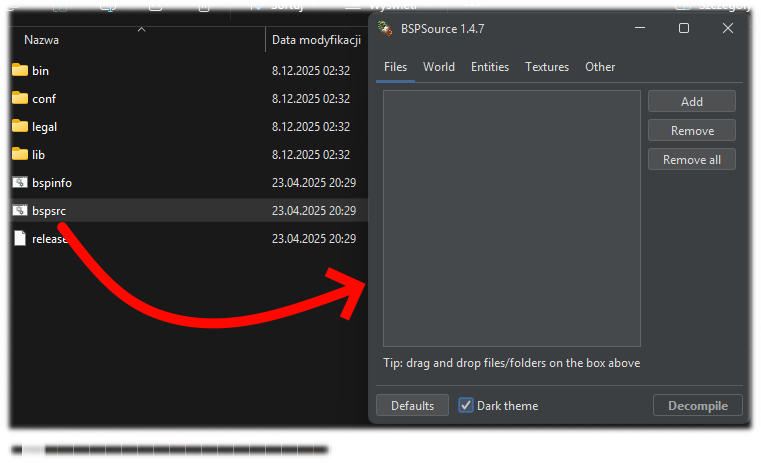
It's pretty simple—you'll need to use the BSP Source program to unpack the map.
And follow the steps outlined above in the guide.
Download[github.com]
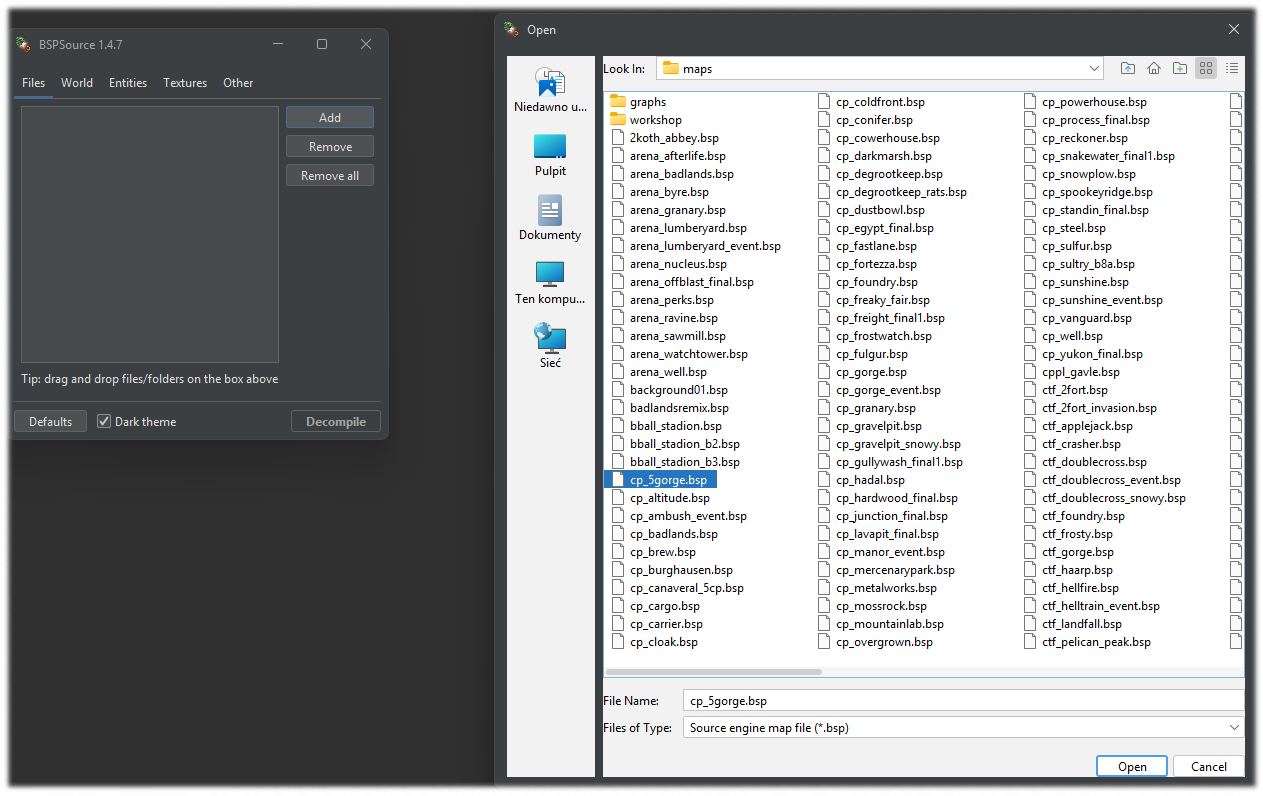
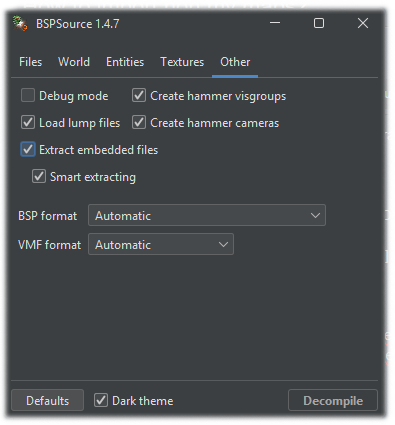
Open BSP Source and select map that u want. Before u hit decompile button go to OTHER
and select Extract embedded files. [ This option allows to extract custom models textures.]
https://www.youtube.com/watch?v=slJvCLQhoQI&t=197s
Finale.
I used my two different maps as examples.
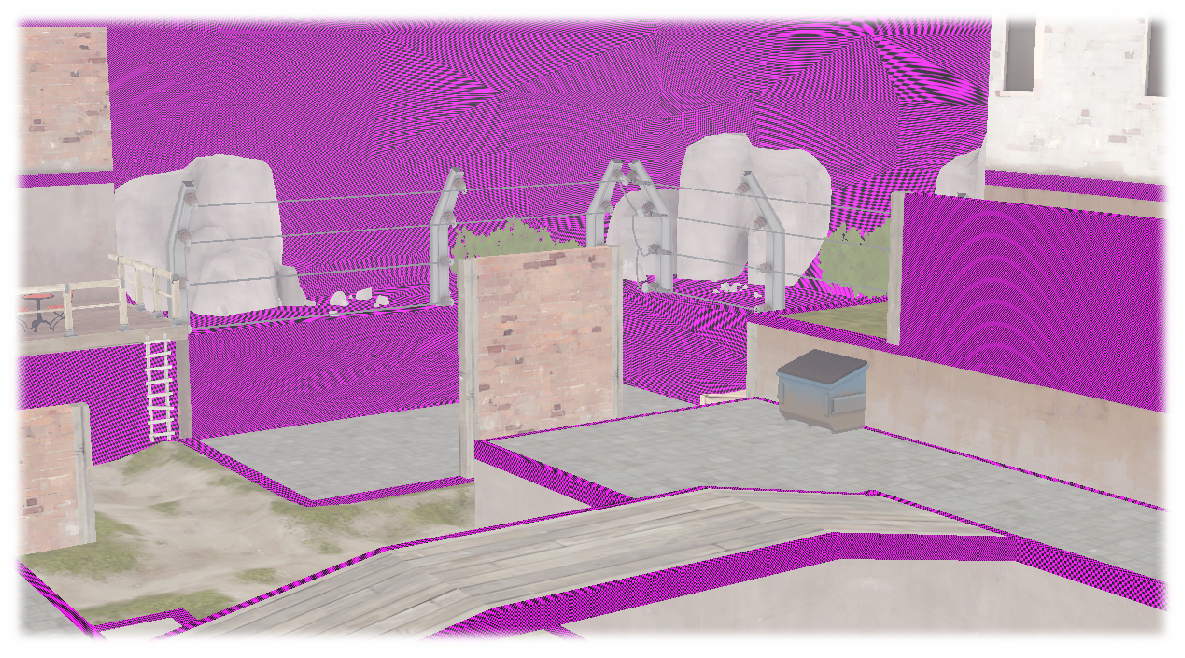
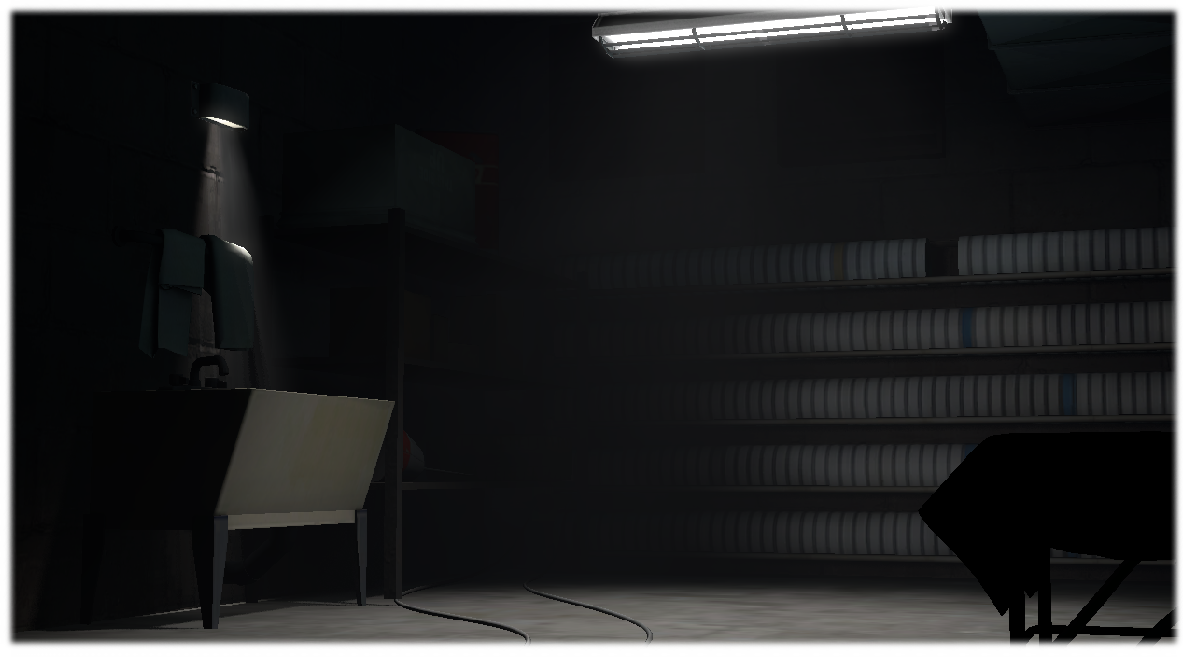
Thanks for checking out my guide. I hope someone finds it useful!
- Changing Textures Using Material Overrides★ 5 (1.4k)41k views2.7k ♥5 minUpdated Jul 26, 2014
- Manually Updating TF2 Content★ 5 (1.3k)35k views1.9k ♥2 minUpdated Nov 26, 2025
- The Fundamentals of SFM: For Beginners★ 5 (1.3k)25k views3.3k ♥55 minUpdated Apr 29
- Ваш первый постер★ 5 (1.1k)22k views2k ♥5 minRussianUpdated Oct 22, 2024
- Getting Gmod Workshop stuff too SFM★ 5 (510)15k views1.3k ♥1 minBulgarianUpdated Aug 4, 2015
- Animation Guide★ 5 (704)14k views1.9k ♥6 minUpdated Apr 9, 2023





- Upgrading to PremiumTeam Fortress 2★ 5 (20k)1441k views11k ♥6 minUpdated May 11, 2022
- No More Room in Hell Official ManualNo More Room in Hell★ 5 (2.8k)569k views2.1k ♥29 minUpdated Apr 22, 2019
- NMRiH Community Hosting GuidesNo More Room in Hell★ 5 (526)351k views653 ♥1 minUpdated Aug 10, 2022
- ULTIMATE GUIDE FOR GAME DEV TYCOONGame Dev Tycoon★ 5 (5.8k)326k views10k ♥4 minUpdated 23 Jan, 2014
- How to 'Git Gud' Soon™MORDHAU★ 5 (2k)318k views3k ♥68 minUpdated Nov 16, 2024
- Лучшие кооперативные игры SteamPAYDAY 2★ 5 (1.5k)315k views2.1k ♥56 minRussianUpdated Apr 27, 2025






This guide was created by its original author on the Steam Community. Are you the author and want it removed? Request removal.