How to make cubemaps
What is a cubemap?
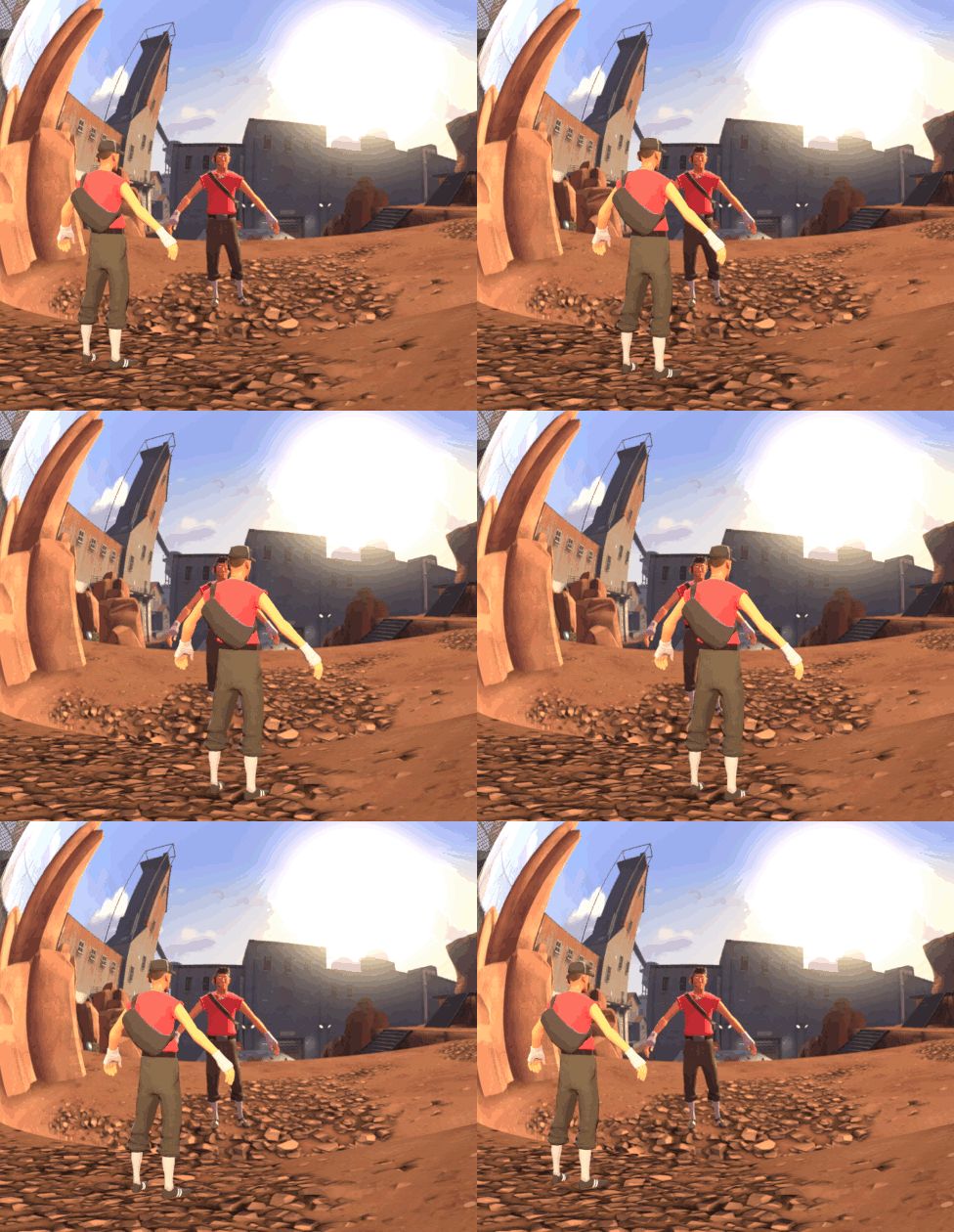
cubemaps also known as lightprobes and envmaps. are reflections. there made of 6 textures. each side is a separate texture then made into one big texture to make a 360 6 sided image to wrap around models.
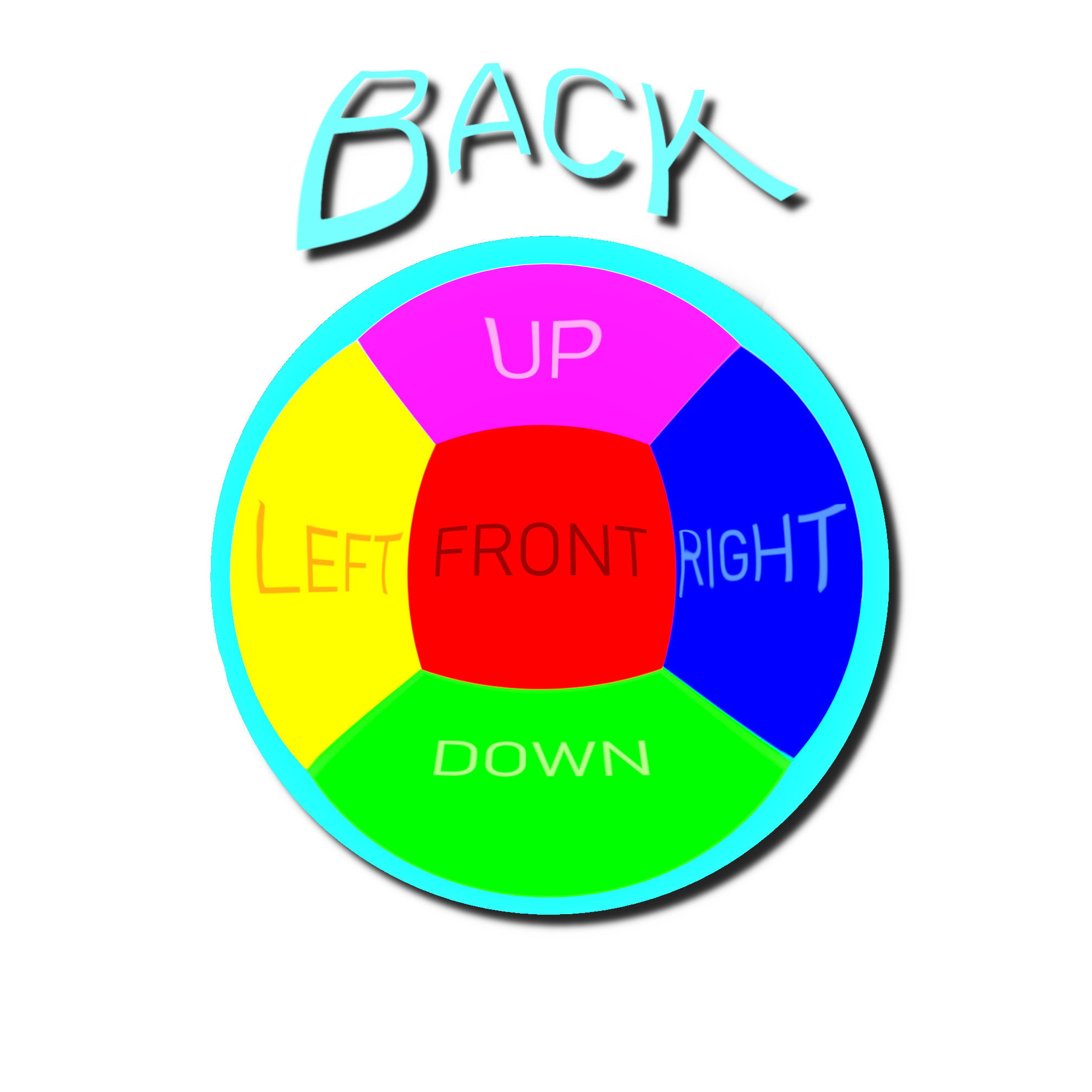
all 6 texture are right, left, back, front, up, and down.
creating a three-dimensional reflection look to models.
but cubemaps are static. they dont reflect in real time.
there usually seen in most engine. unity, unreal, and even blender.
and cubemaps works on models, and map geometry.
cubemaps also distort with the cam.
all 6 texture are right, left, back, front, up, and down.
creating a three-dimensional reflection look to models.
but cubemaps are static. they dont reflect in real time.
there usually seen in most engine. unity, unreal, and even blender.
and cubemaps works on models, and map geometry.
cubemaps also distort with the cam.
How to make a cubemap
how to make a Cubemap for a sfm scene.
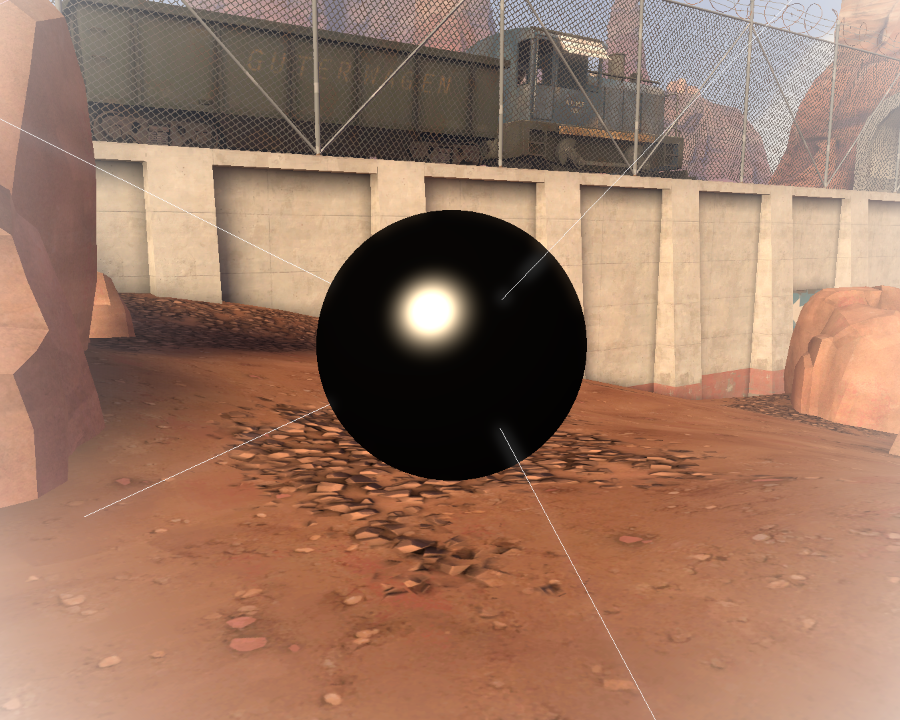
make a new cam. place the cam in the middle of the model u want to be reflective.
now make the cam roughly face the other cam in the scene.
with a high/default fov values is ideal.
 now go to the console. and put in "lightprobe (NAME) 512"
lightprobe will make a cubemap from your active camera pov.
give the lightprobe command a name. i made my called "coolname". after that hit enter.
 in the console sfm should reported that 6 images were made.
now restart sfm. since after the lightprobe command the viewport breaks.
 now if there 3 files in "usermod\material\lightprobe" with the name you gave it.
 you have successfully made a cubemap.
How to add a cubemap to a model
now time to add your newly made cubemap to your model.
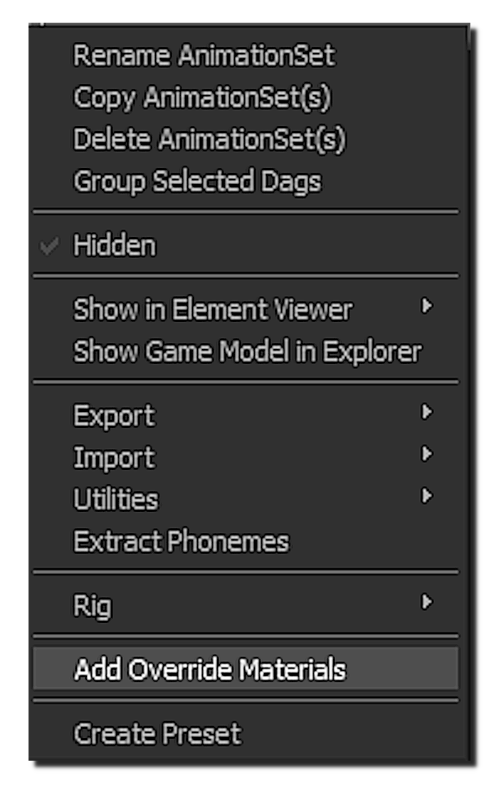
right click your model. then click on "add override materials"
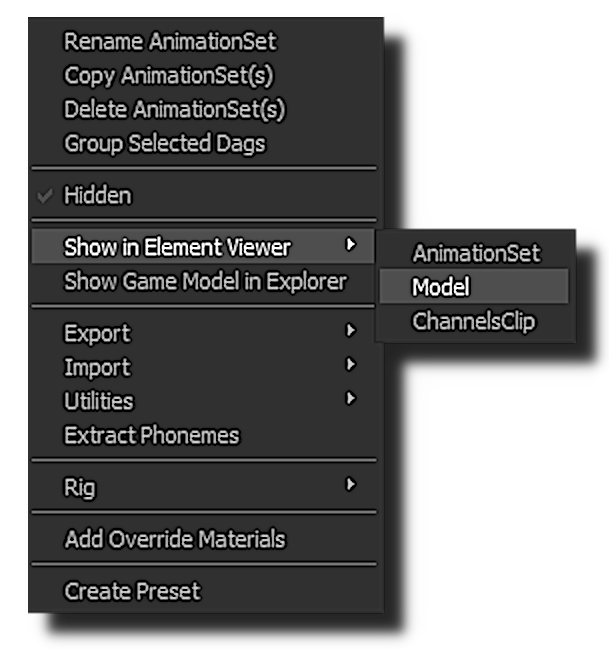
right click on your model again. then hover over "Show in Element Viewer".
then click on "Model"
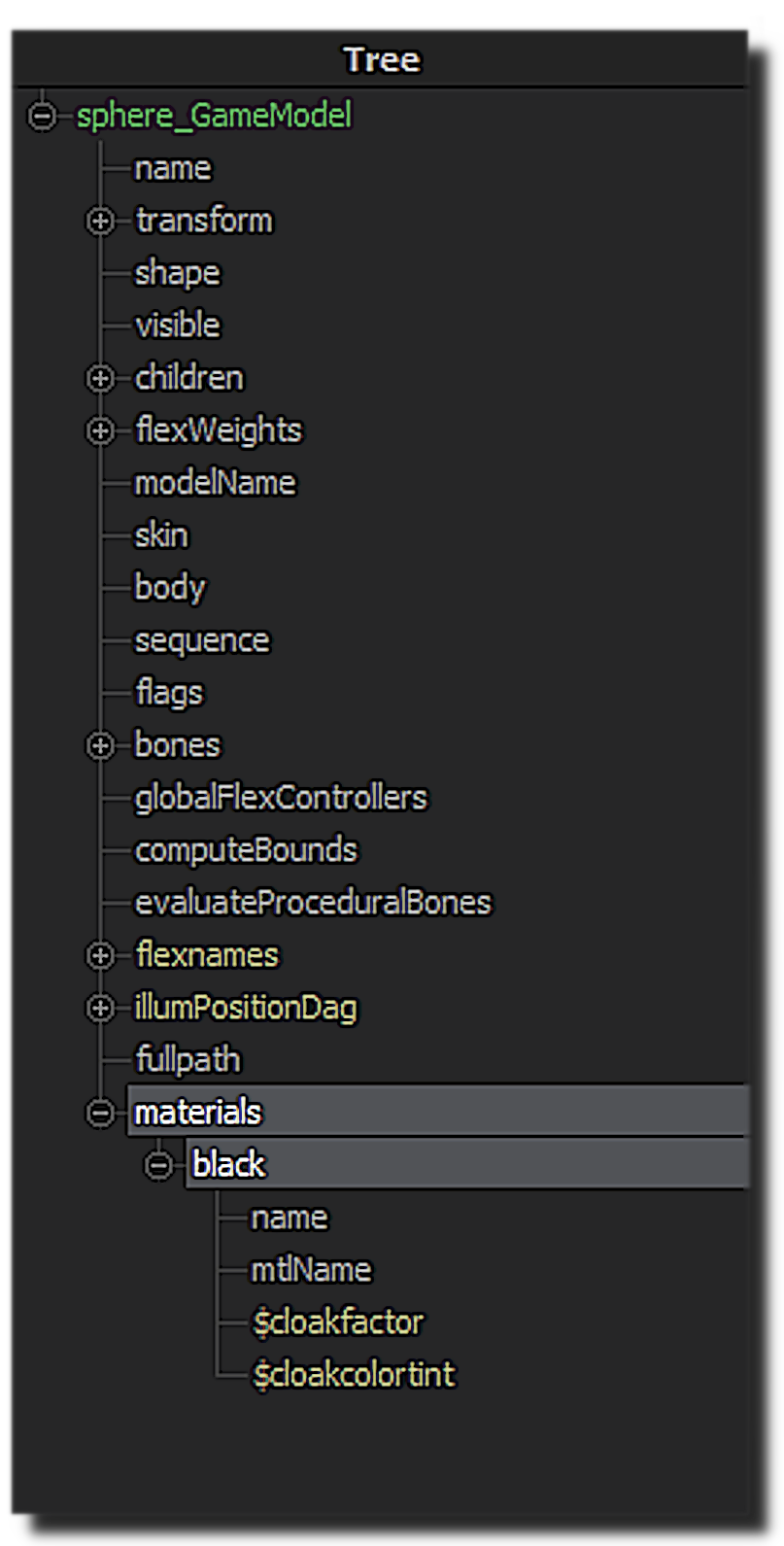
now look for the material for the model. in this example my model only had one material.
but good complex models. will have way more materials for separate parts of the model.
a good model will have a material for just envmaps.
either it will have a e on the end or start. or it will straight up have envmaps in the name.
but sometimes model just doesn't have a material for just envmaps.
so u may need to apply the envmaps to multiple materials.
but it really depends on the model you are using.
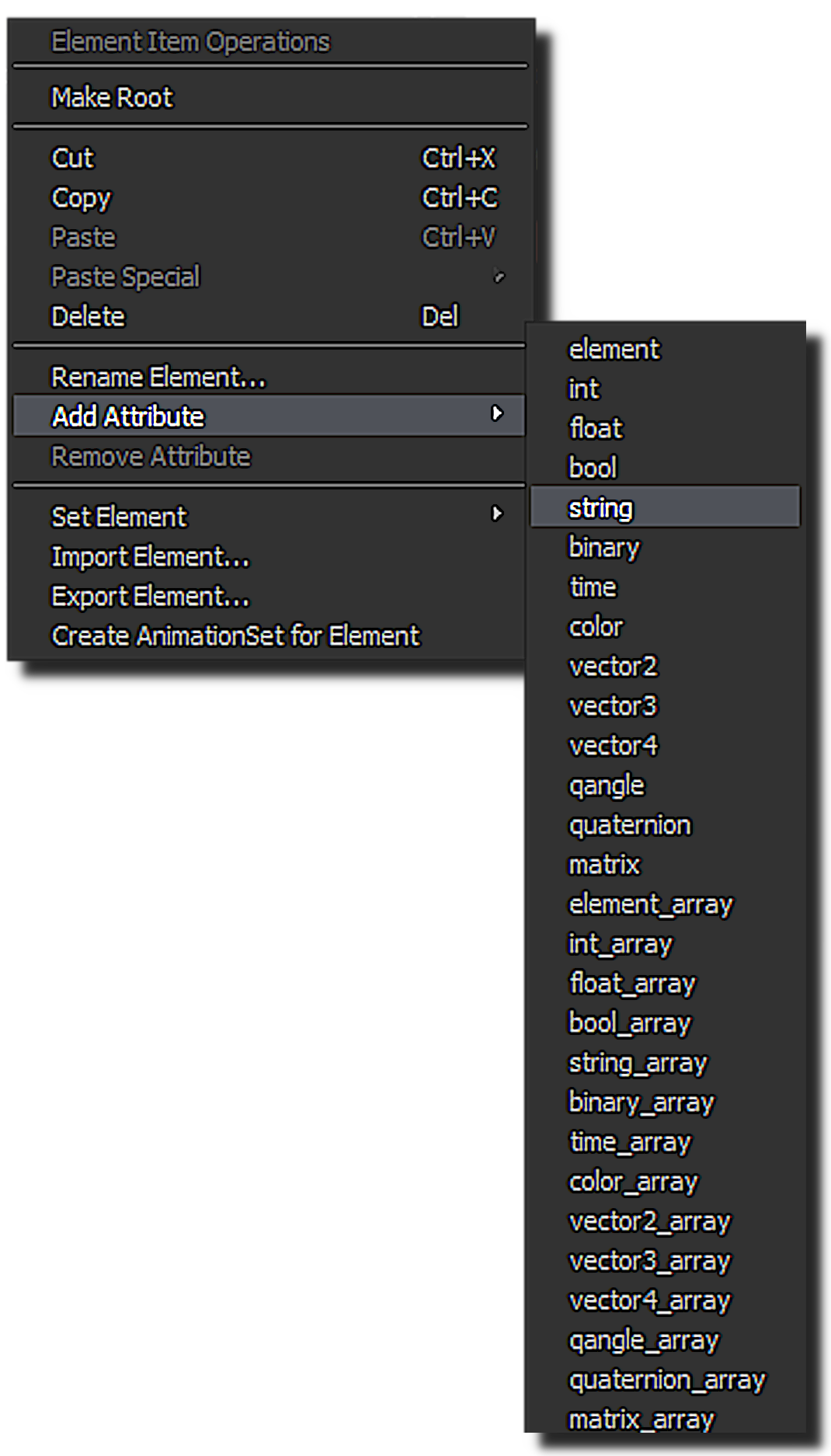
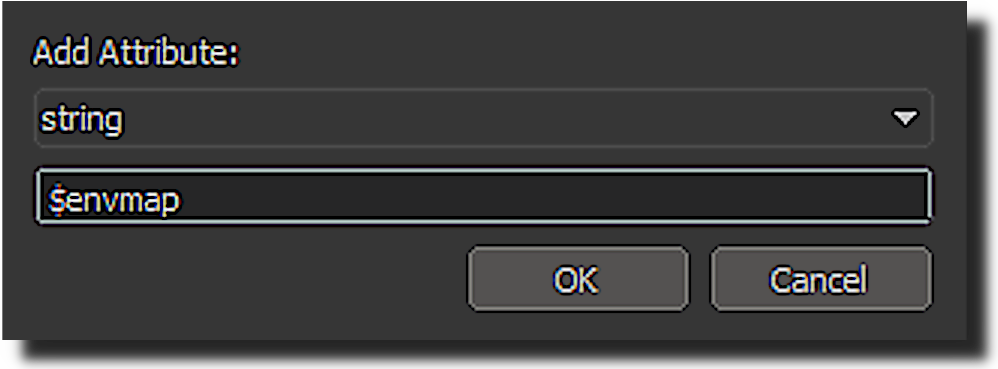
now right click on the material then hover over "Add Attribute" then click on "string".
then name it "$envmap".

then give the $envmap the cubemap.
the cubemap u made will always be "lightprobes\(NAME)_hdr".
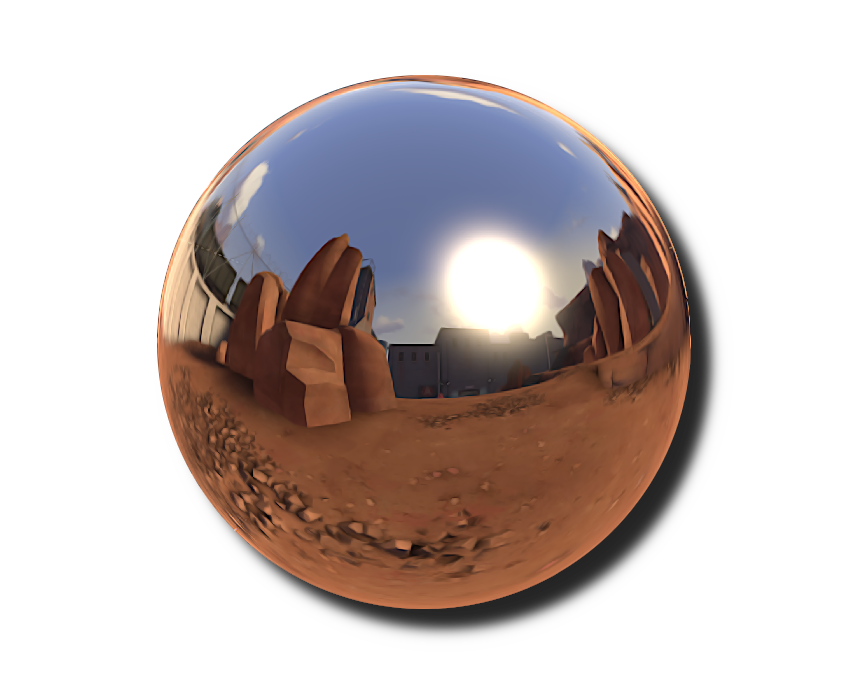
now your model should be reflective.
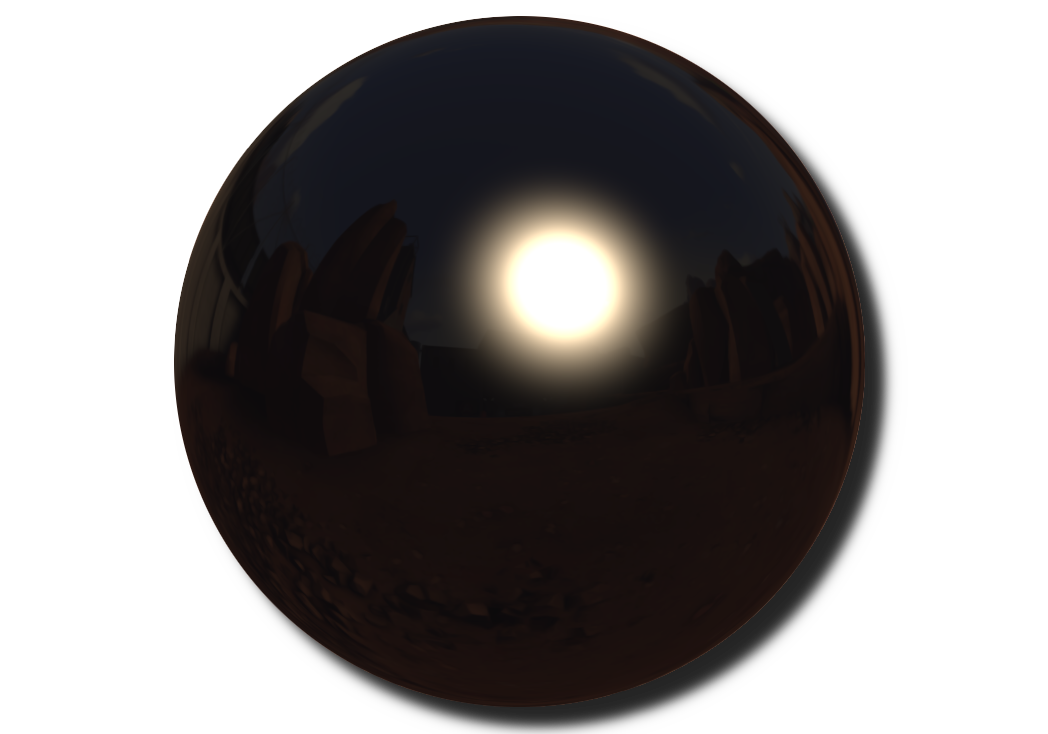
sometimes your cubemaps can be really dark.
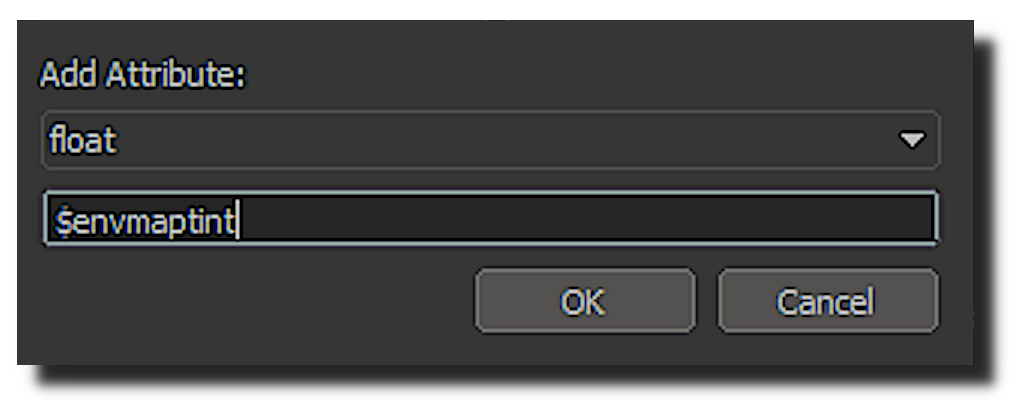
u can add a float attribute called "$envmaptint".
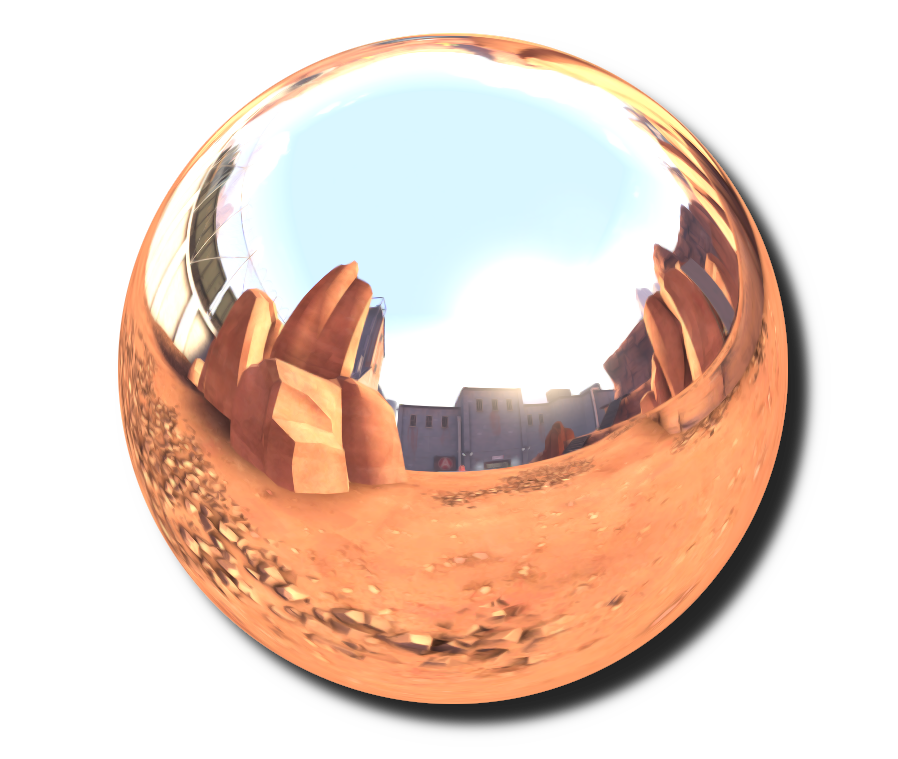
$envmaptint controls the brightness of the cubemap.
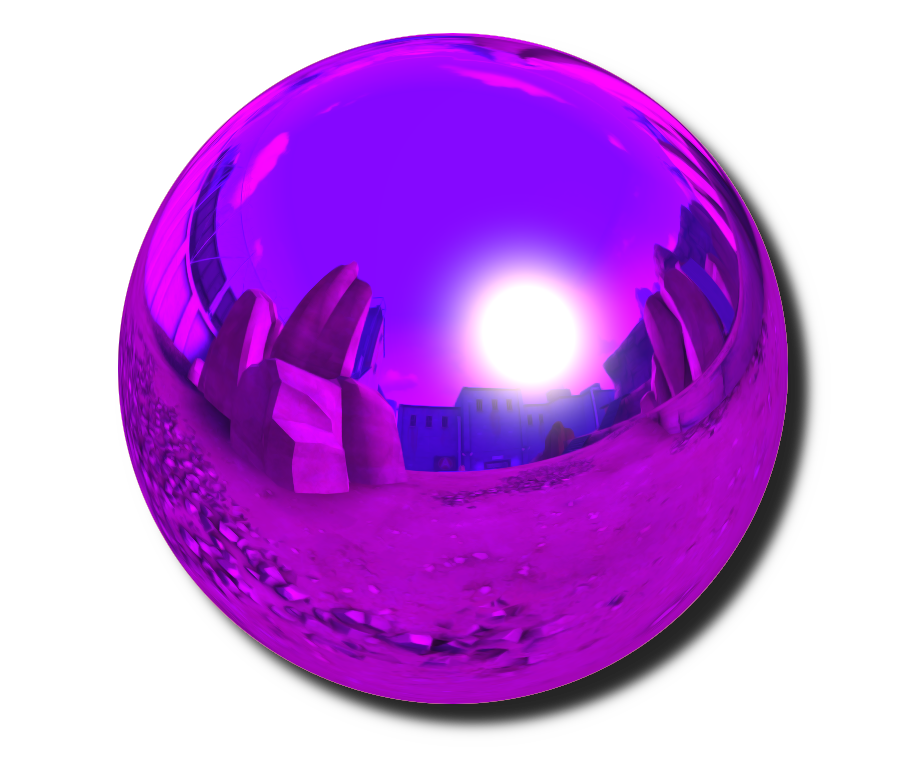
You can also make it a vector3 attribute to control the rgb too.
Something wrong with my cubemap?
There no Cubemap
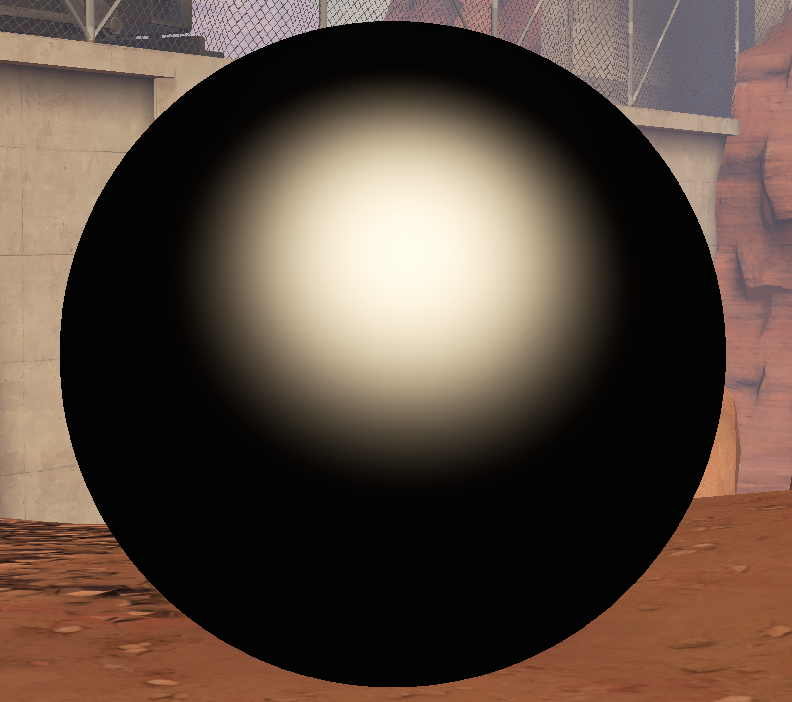 if sfm doesnt report any vtf/vmt error or a attribute error. in the console.
your model most likely doesn't have $envmap in its vmt (aka Valve Material Type).
it is required that $envmap to be in the vmt. go find the model vmt.

usually add override materiel will tell you. the model material path.
it wont tell u what mod folder it is in.
but u can figure that out from what model are u using.
if its a workshop model. it would be in the "workshop\materials" folder
if its a team fortress 2 model. it would be in the "tf\materials" folder
if its a team fortress movie model. it would be in the "tf_movies\materials" folder
if its a half-life 2 model. it would be in the "hl2\materials" folder
you get the idea.
after that. open the vmt with either notepad or vtf edits.
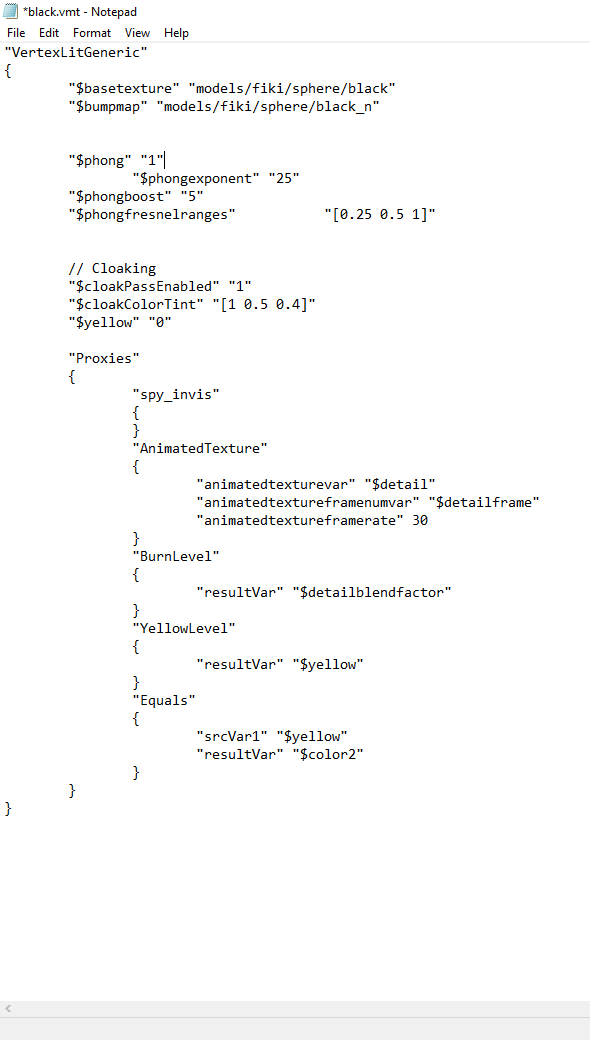
add
"$envmap "env_cubemap"
$envmaptint "[1.00 1.00 1.00]" "
into the vmt.
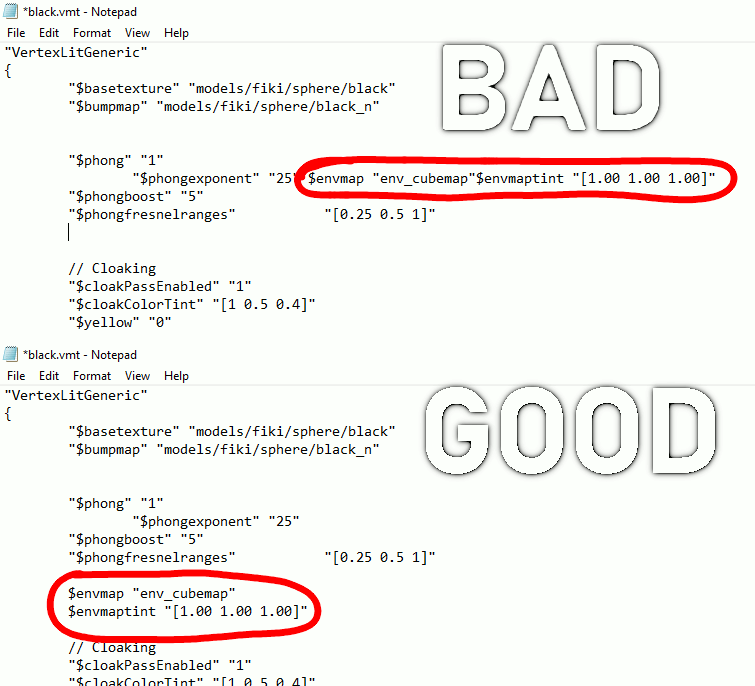
make sure per command have it own line.
instead of sharing with a another one,
then reboot sfm.
now if u add the commands successfully.
your model now should be reflective
There a bunch of white
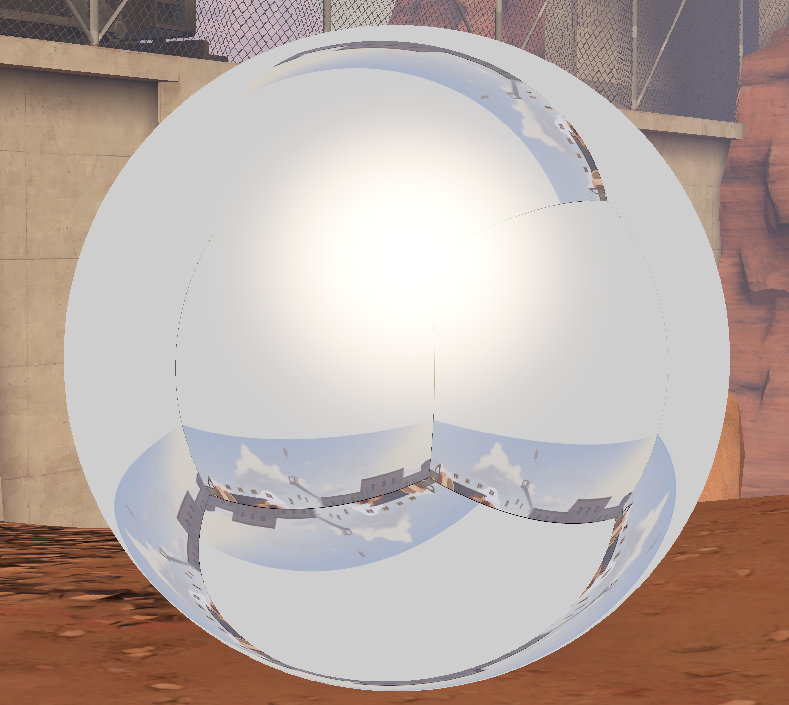
if there are a bunch of white that probably because you didn't add "_hdr" at the end
if u don't do that then it will show a broken version of the cubemap you took.

if u want it to look correct add "_hdr" at the end of the name
More Source Filmmaker guides
- Changing Textures Using Material Overrides★ 5 (1.4k)41k views2.7k ♥5 minUpdated Jul 26, 2014
- Manually Updating TF2 Content★ 5 (1.3k)35k views1.9k ♥2 minUpdated Nov 26, 2025
- The Fundamentals of SFM: For Beginners★ 5 (1.3k)25k views3.3k ♥55 minUpdated Apr 29
- Ваш первый постер★ 5 (1.1k)22k views2k ♥5 minRussianUpdated Oct 22, 2024
- Getting Gmod Workshop stuff too SFM★ 5 (510)15k views1.3k ♥1 minBulgarianUpdated Aug 4, 2015
- Animation Guide★ 5 (704)14k views1.9k ♥6 minUpdated Apr 9, 2023





🔥 Popular guides
- Upgrading to PremiumTeam Fortress 2★ 5 (20k)1441k views11k ♥6 minUpdated May 11, 2022
- No More Room in Hell Official ManualNo More Room in Hell★ 5 (2.8k)569k views2.1k ♥29 minUpdated Apr 22, 2019
- NMRiH Community Hosting GuidesNo More Room in Hell★ 5 (526)351k views653 ♥1 minUpdated Aug 10, 2022
- ULTIMATE GUIDE FOR GAME DEV TYCOONGame Dev Tycoon★ 5 (5.8k)326k views10k ♥4 minUpdated 23 Jan, 2014
- How to 'Git Gud' Soon™MORDHAU★ 5 (2k)318k views3k ♥68 minUpdated Nov 16, 2024
- Лучшие кооперативные игры SteamPAYDAY 2★ 5 (1.5k)315k views2.1k ♥56 minRussianUpdated Apr 27, 2025






This guide was created by its original author on the Steam Community. Are you the author and want it removed? Request removal.