How to port models from Gmod to SFM?(Edited 14.01.2025)
What we need?
Firstly, we need to forget about some sites like SteamDownloader and etc. All we need is Garry's mod itself, and an SFM!
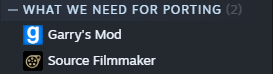
Well, i bought Garry's mod. What i need to do now?
Now, we need to go to Workshop
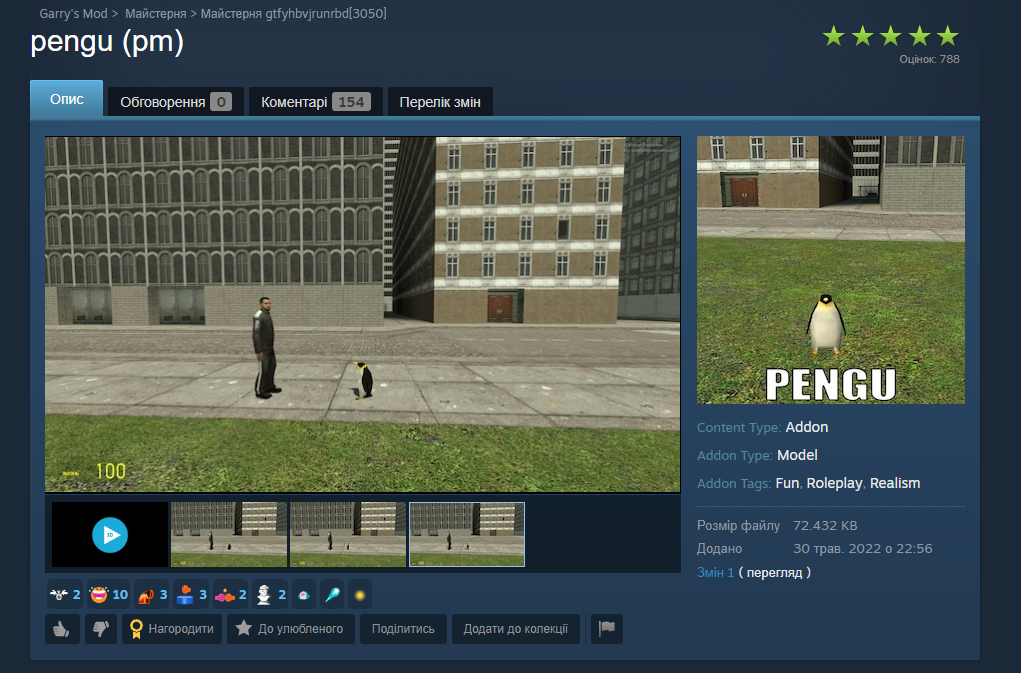
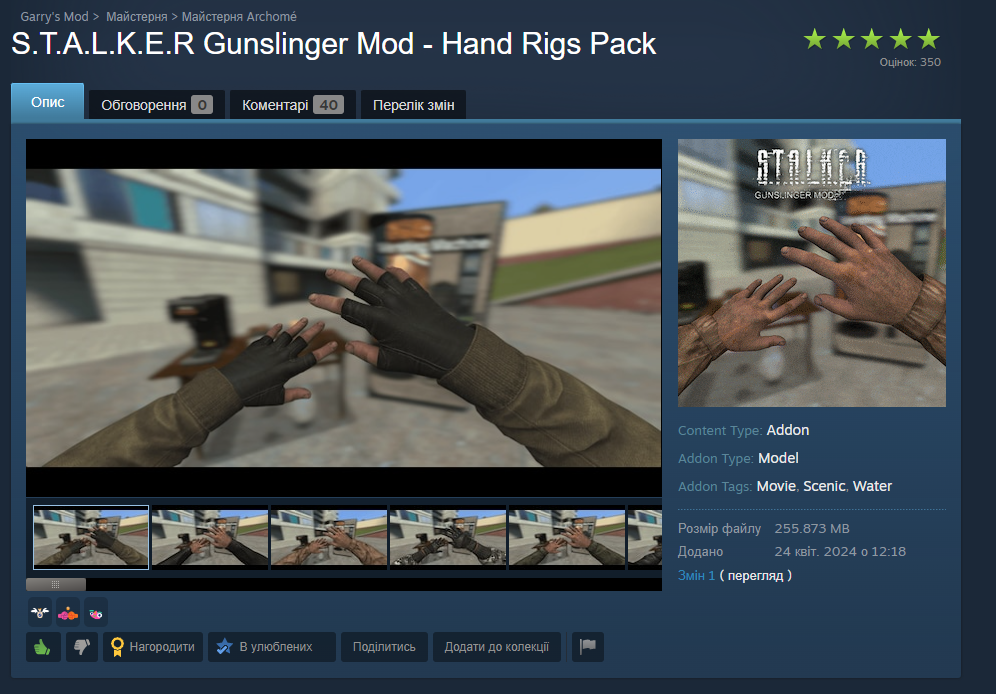
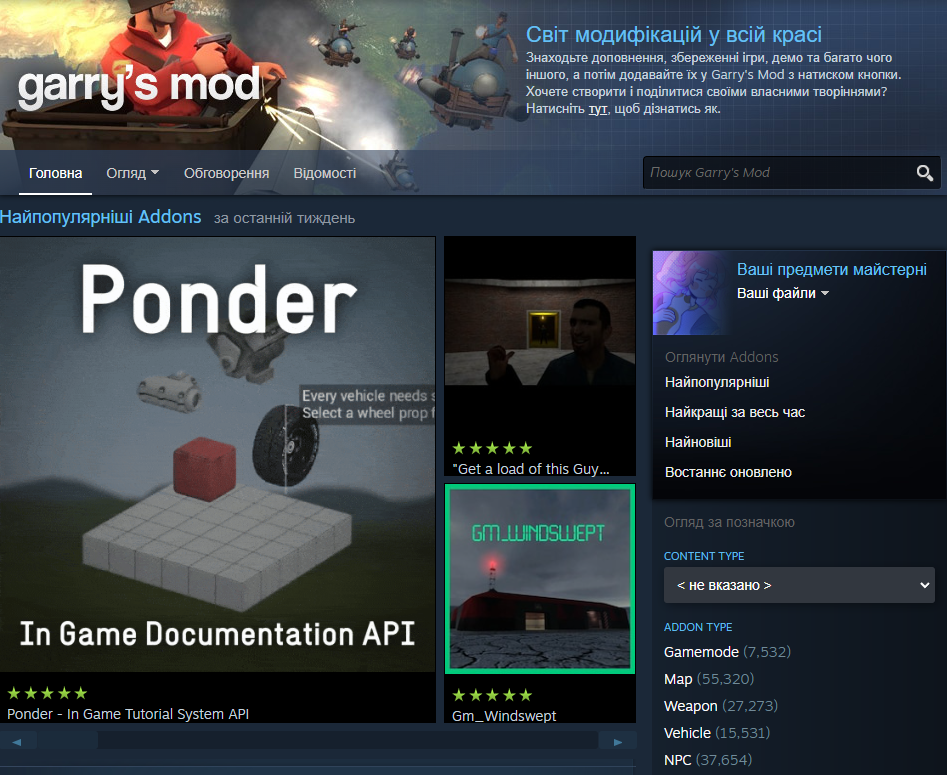 For example, let's use these two model packs:
 Then we need to open Gmod, wait it to load all addons
 Now, where is our .gma packs?? Go by this directory - .../steam/steamapps/workshop/content/4000/
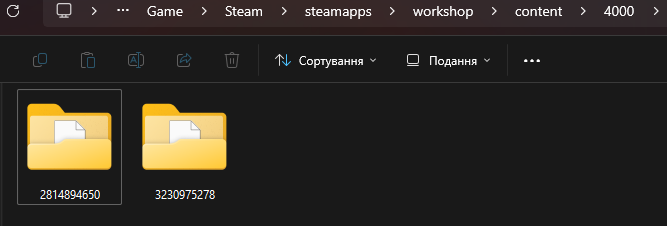 Here we see our folders. Now we need to go in their folder, and here is our .gma file! But, how do we port? We'll need to go this directory - .../steam/steamapps/common/Garry's Mod/bin/
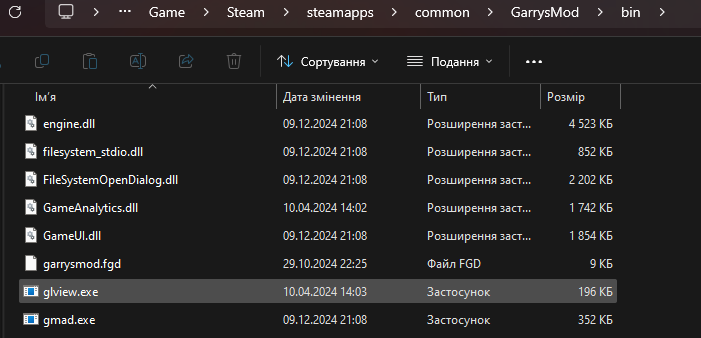 Now, we need to DRAG the .gma file ON gmad.exe file
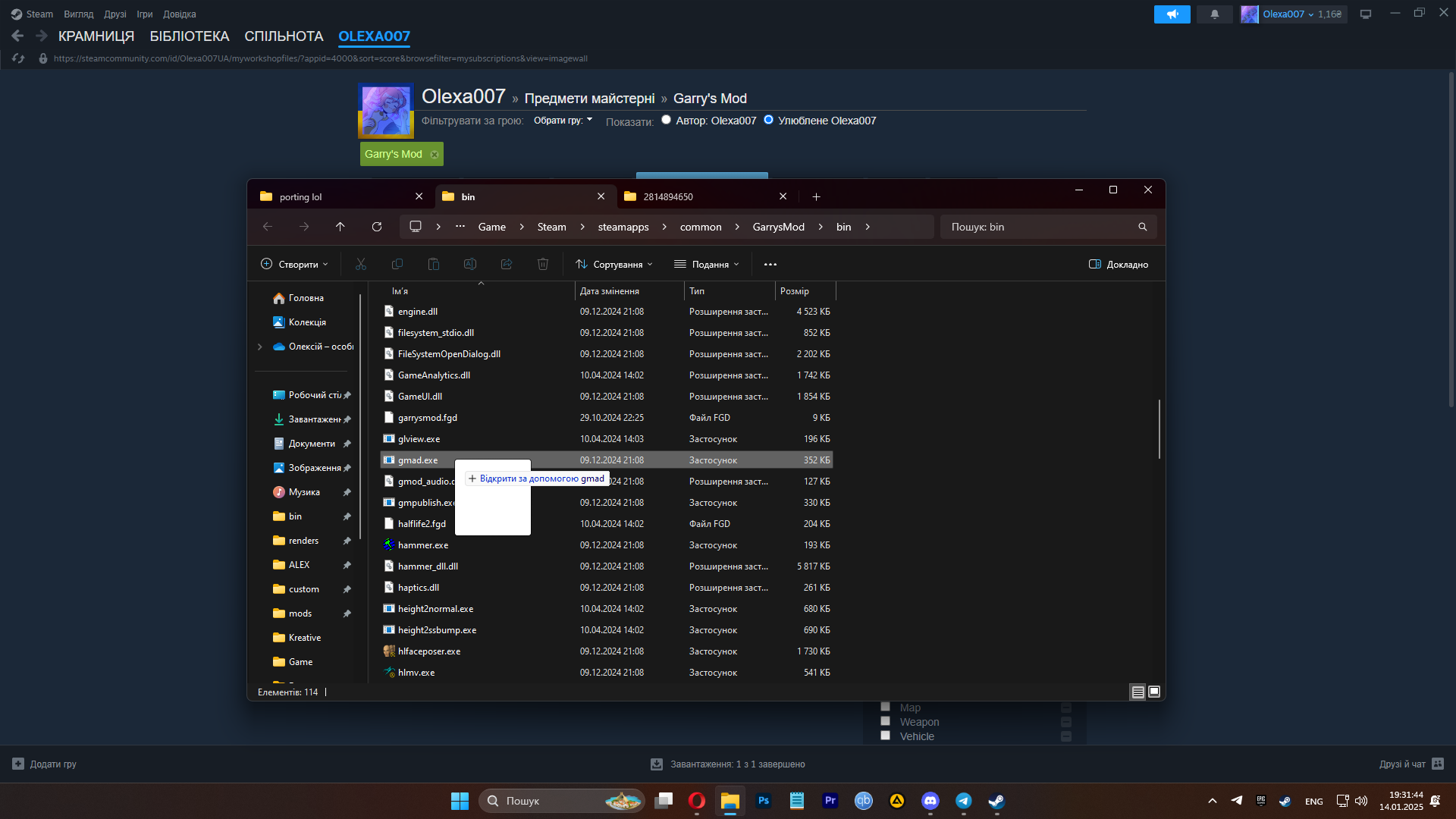 Then we have our folder with "models" and "materials" folders.
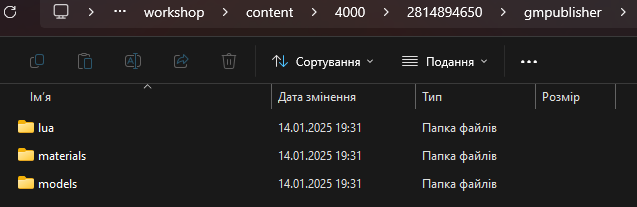
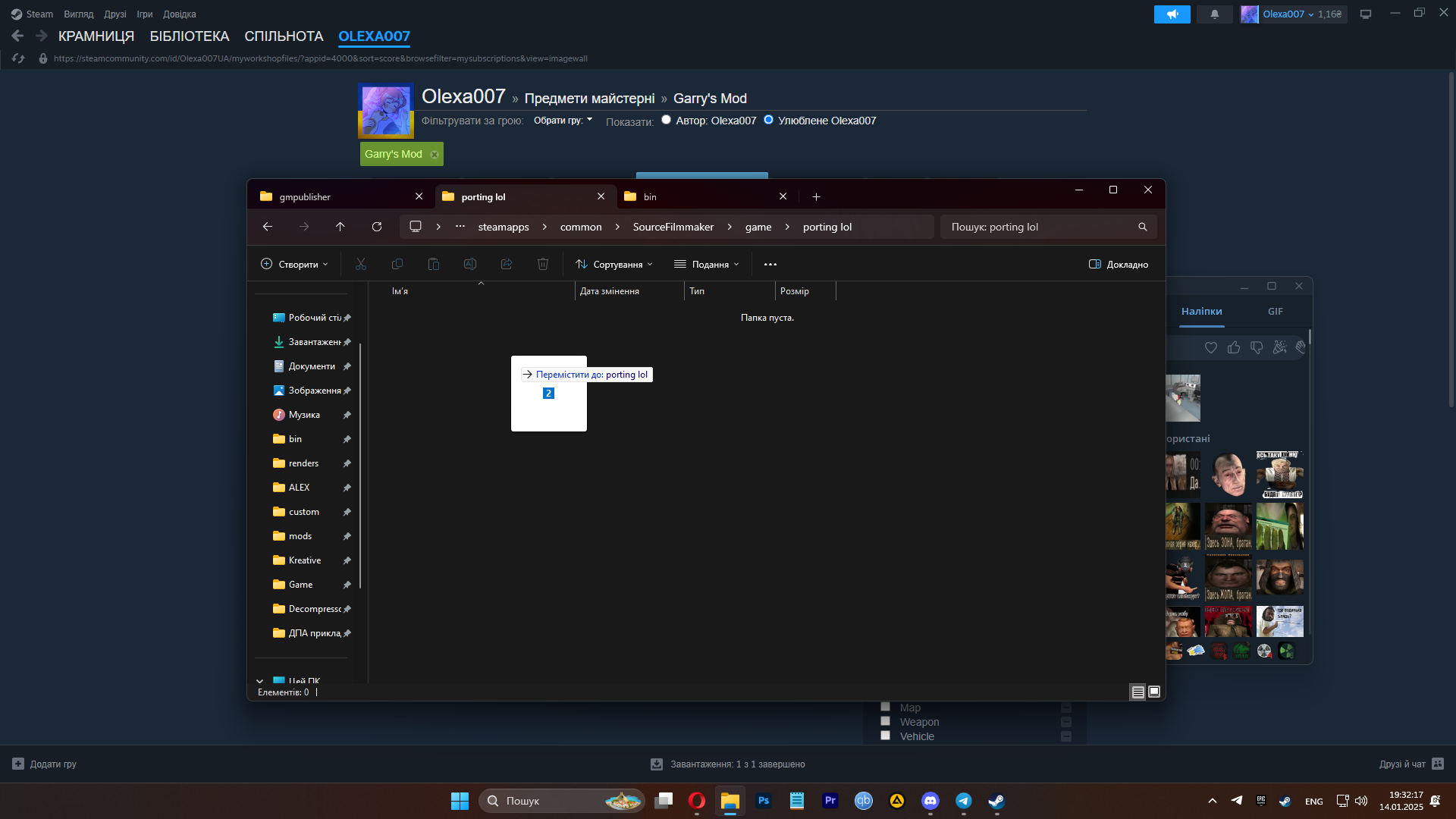
When we unarchived .gma files, we'll need to move them to our "usermod" or your custom folder in .../steam/steamapps/common/Source Filmmaker/game/(your folder name)
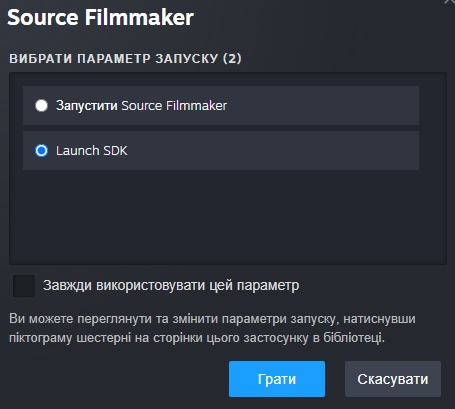
 If you made your custom folder, you'll need to open SFM from your library, and choose option "Launch SDK"
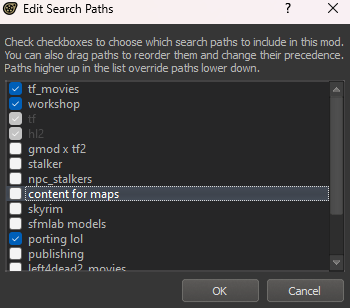
 Then you need to open "Edit search paths", and choose your custom folder
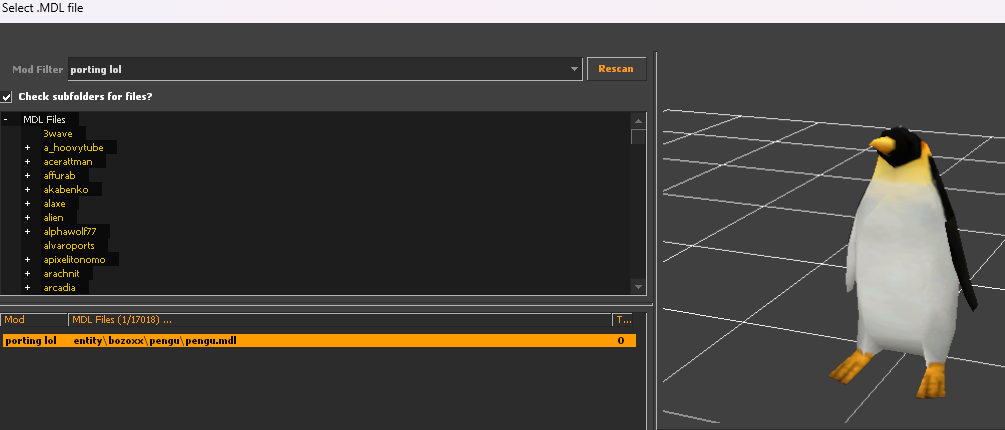
 Now let's see, does our models work! First is pengu, and he's working great!
 That's very good!! Let's see about our v_model arms! And... Oh, its invisible...
For example, let's use these two model packs:
Then we need to open Gmod, wait it to load all addons
Now, where is our .gma packs?? Go by this directory - .../steam/steamapps/workshop/content/4000/
Here we see our folders. Now we need to go in their folder, and here is our .gma file! But, how do we port? We'll need to go this directory - .../steam/steamapps/common/Garry's Mod/bin/
Now, we need to DRAG the .gma file ON gmad.exe file
Then we have our folder with "models" and "materials" folders.When we unarchived .gma files, we'll need to move them to our "usermod" or your custom folder in .../steam/steamapps/common/Source Filmmaker/game/(your folder name)
If you made your custom folder, you'll need to open SFM from your library, and choose option "Launch SDK"
Then you need to open "Edit search paths", and choose your custom folder
Now let's see, does our models work! First is pengu, and he's working great!
That's very good!! Let's see about our v_model arms! And... Oh, its invisible...♥♥♥♥, the models are invisible!!!! What do I do???
Don't panic! It's okay! Everything's alright! You just need to go in SFM console.
 Well, now we just need to put their models in right directory!
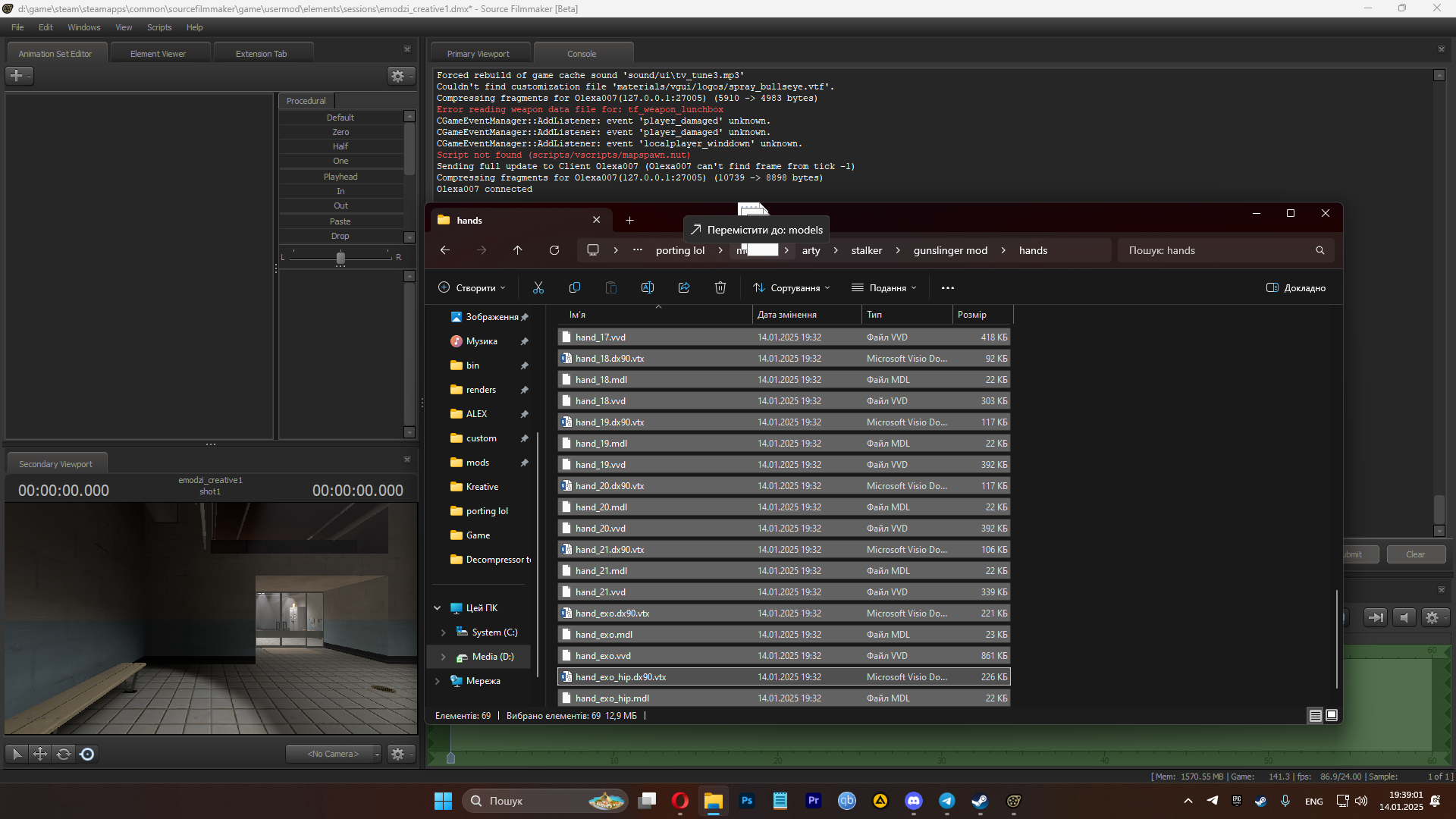
Well, now we just need to put their models in right directory!
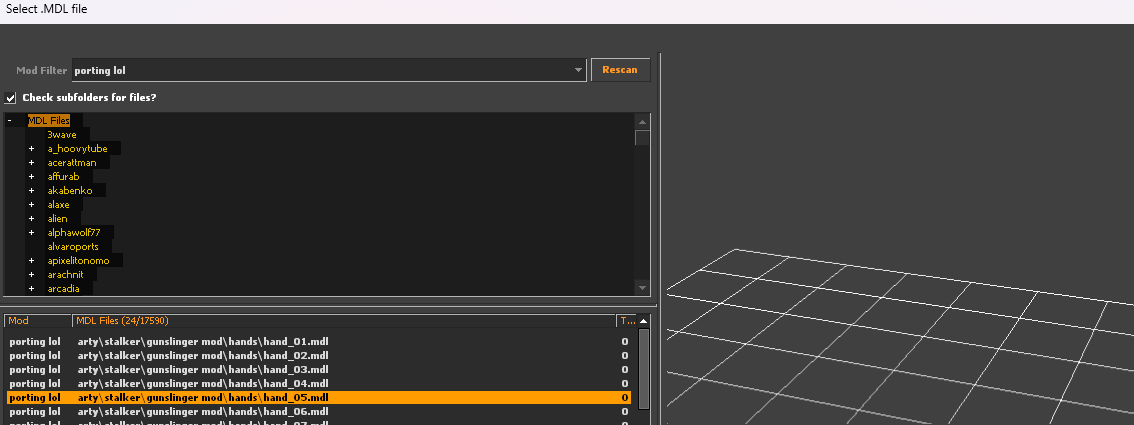
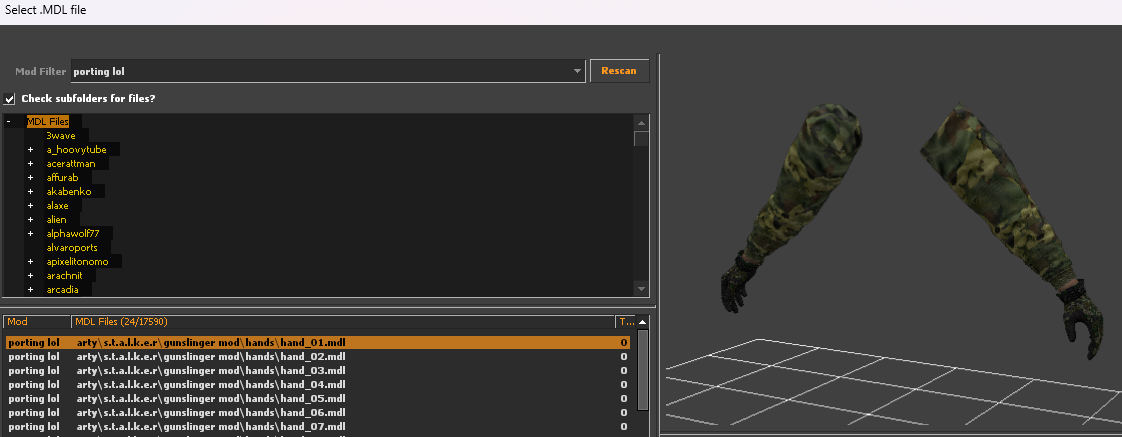
For example, our hands want to be in models/arty/s.t.a.l.k.e.r/gunslinger mod/hands/ but they're in models/arty/stalker/gunslinger mod/hands. So all we need to do is just where they want to be!
And.... Here they are!! They are no longer invisible! We made them visible!!!Models now in the SFM!!
Congratulations mate! We made it trough! Thank you for reading my tutorial, and having all you needed! For now, all I say is Goodbye! Good luck in your posters and animations!
More Source Filmmaker guides
- Changing Textures Using Material Overrides★ 5 (1.4k)41k views2.7k ♥5 minUpdated Jul 26, 2014
- Manually Updating TF2 Content★ 5 (1.3k)35k views1.9k ♥2 minUpdated Nov 26, 2025
- The Fundamentals of SFM: For Beginners★ 5 (1.3k)25k views3.3k ♥55 minUpdated Apr 29
- Ваш первый постер★ 5 (1.1k)22k views2k ♥5 minRussianUpdated Oct 22, 2024
- Getting Gmod Workshop stuff too SFM★ 5 (510)15k views1.3k ♥1 minBulgarianUpdated Aug 4, 2015
- Animation Guide★ 5 (704)14k views1.9k ♥6 minUpdated Apr 9, 2023





🔥 Popular guides
- Upgrading to PremiumTeam Fortress 2★ 5 (20k)1441k views11k ♥6 minUpdated May 11, 2022
- No More Room in Hell Official ManualNo More Room in Hell★ 5 (2.8k)569k views2.1k ♥29 minUpdated Apr 22, 2019
- NMRiH Community Hosting GuidesNo More Room in Hell★ 5 (526)351k views653 ♥1 minUpdated Aug 10, 2022
- ULTIMATE GUIDE FOR GAME DEV TYCOONGame Dev Tycoon★ 5 (5.8k)326k views10k ♥4 minUpdated 23 Jan, 2014
- How to 'Git Gud' Soon™MORDHAU★ 5 (2k)318k views3k ♥68 minUpdated Nov 16, 2024
- Лучшие кооперативные игры SteamPAYDAY 2★ 5 (1.5k)315k views2.1k ♥56 minRussianUpdated Apr 27, 2025






This guide was created by its original author on the Steam Community. Are you the author and want it removed? Request removal.