HOW TO MAKE YOUR OWN VALVE PORTRAITS
IN SFM
Get the character into the same pose as the valve picture as best you can then export it.
dont mind the crop in sfm because you should do it in the photo editor
Mind the lighting. it has a sort of orange/yellow tint. In mine i forgot to remove the scouts shadow. DONT FORGET TO DO THAT.
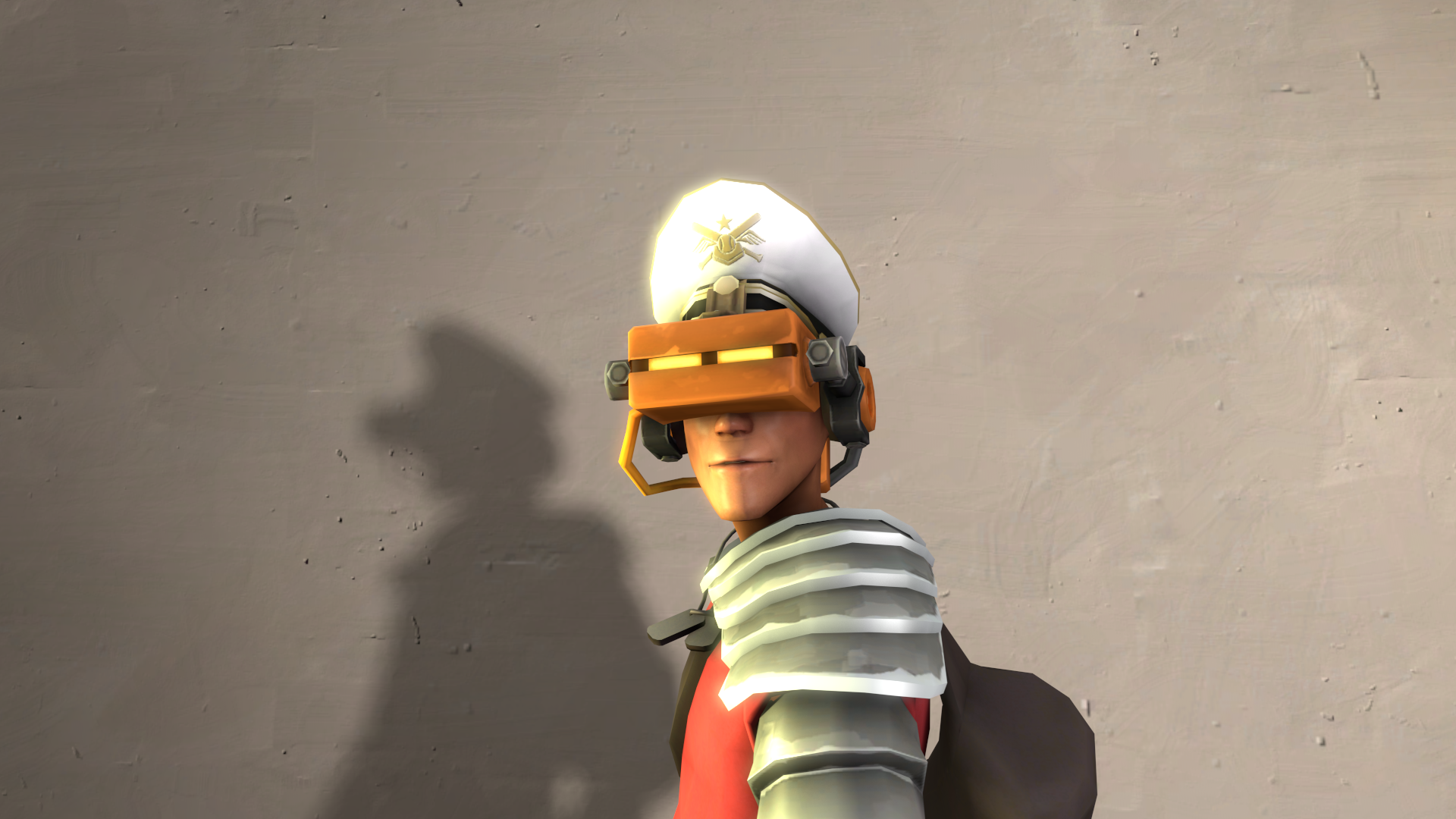 I downloaded this map to help me with the background.
https://steamcommunity.com/sharedfiles/filedetails/?id=2730075308
dont mind the crop in sfm because you should do it in the photo editor
Mind the lighting. it has a sort of orange/yellow tint. In mine i forgot to remove the scouts shadow. DONT FORGET TO DO THAT.
I downloaded this map to help me with the background.https://steamcommunity.com/sharedfiles/filedetails/?id=2730075308
I do recommend that you look for the map that matches your class but i used the engineer one.
In case you dont know the youtuber steg has a great video on this.
https://www.youtube.com/watch?v=FyseJY_Ffuk
IN THE PHOTO EDITOR
THIS IS WHERE THE PATIENCE COMES IN.
swap between the colour picker and the paintbrush and start painting.this will take a LONG time but its worth it... maybe. REMEMBER TO CROP IT AND REMEMBER TO BLEND IT SO IT LOOKS LIKE ART.
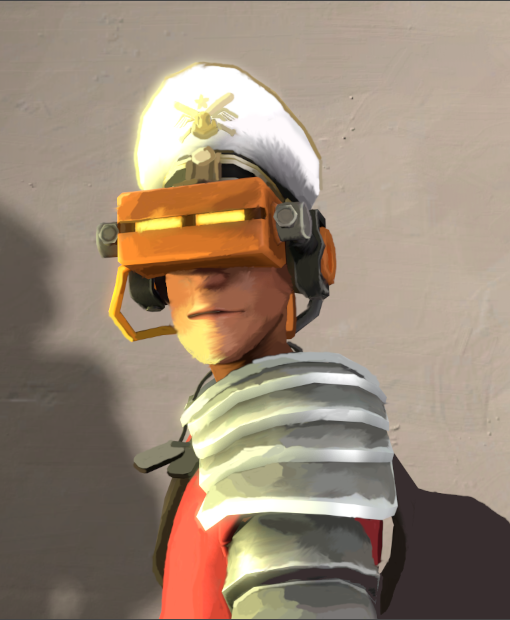
swap between the colour picker and the paintbrush and start painting.this will take a LONG time but its worth it... maybe. REMEMBER TO CROP IT AND REMEMBER TO BLEND IT SO IT LOOKS LIKE ART.
CONCLUSION
If you did it right you should have something you are proud.
If you think you did something wrong please go to the sfm bit and watch the steg video
If this helped please write it in the comments or link your art.
OR YOU COULD LEAVE A MESSAGE ON MY STEAM PROFILE:
https://steamcommunity.com/profiles/76561199589963902/
Thanks for reading
More Source Filmmaker guides
- Changing Textures Using Material Overrides★ 5 (1.4k)41k views2.7k ♥5 minUpdated Jul 26, 2014
- Manually Updating TF2 Content★ 5 (1.3k)35k views1.9k ♥2 minUpdated Nov 26, 2025
- The Fundamentals of SFM: For Beginners★ 5 (1.3k)25k views3.3k ♥55 minUpdated Apr 29
- Ваш первый постер★ 5 (1.1k)22k views2k ♥5 minRussianUpdated Oct 22, 2024
- Getting Gmod Workshop stuff too SFM★ 5 (510)15k views1.3k ♥1 minBulgarianUpdated Aug 4, 2015
- Animation Guide★ 5 (704)14k views1.9k ♥6 minUpdated Apr 9, 2023





🔥 Popular guides
- Upgrading to PremiumTeam Fortress 2★ 5 (20k)1441k views11k ♥6 minUpdated May 11, 2022
- No More Room in Hell Official ManualNo More Room in Hell★ 5 (2.8k)569k views2.1k ♥29 minUpdated Apr 22, 2019
- NMRiH Community Hosting GuidesNo More Room in Hell★ 5 (526)351k views653 ♥1 minUpdated Aug 10, 2022
- ULTIMATE GUIDE FOR GAME DEV TYCOONGame Dev Tycoon★ 5 (5.8k)326k views10k ♥4 minUpdated 23 Jan, 2014
- How to 'Git Gud' Soon™MORDHAU★ 5 (2k)318k views3k ♥68 minUpdated Nov 16, 2024
- Лучшие кооперативные игры SteamPAYDAY 2★ 5 (1.5k)315k views2.1k ♥56 minRussianUpdated Apr 27, 2025






This guide was created by its original author on the Steam Community. Are you the author and want it removed? Request removal.